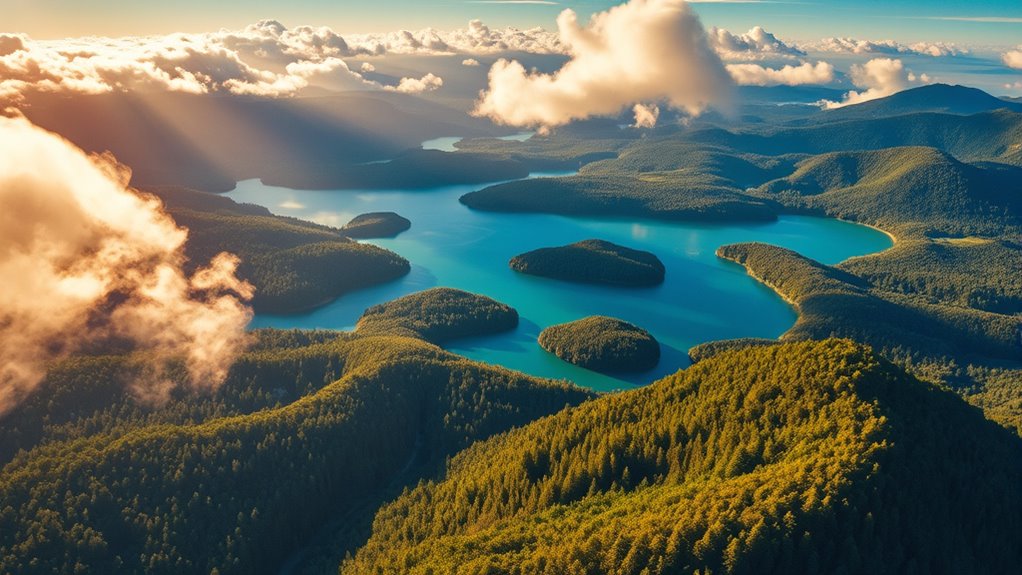
To create vibrant aerial videos, start by adjusting exposure and contrast to add depth. Use color grading software like DaVinci Resolve or Adobe Premiere Pro to refine hues and saturation, making skies and landscapes pop. Focus on enhancing natural elements while maintaining realism. Experiment with secondary color correction to isolate key colors. For more tips on achieving stunning results, continue exploring techniques that elevate your drone footage’s visual impact.

Get the latest gadgets delivered free — and shop member deals
- Fast, free delivery on millions of items
- Access to Prime Big Deal Days deals on October 6–7
- Prime Video, Amazon Music and more included
Key Takeaways
- Enhance vibrancy by selectively increasing saturation and contrast to make aerial scenes pop.
- Use color grading software like DaVinci Resolve for precise color adjustments and creative looks.
- Correct exposure and contrast first to ensure a balanced base before adding vibrancy.
- Isolate specific colors (like skies and foliage) with secondary corrections for a more dynamic palette.
- Maintain natural scene tones while boosting overall vibrancy for a realistic yet striking effect.

Color grading drone footage transforms raw aerial shots into stunning visuals that captivate viewers. When you’re working with drone footage, choosing the right cinematic color palettes can make a significant difference in setting the mood and enhancing the overall aesthetic. These palettes allow you to create a consistent look throughout your video, whether you’re aiming for a warm, nostalgic vibe or a cool, modern feel. To achieve this, you’ll want to explore various grading software options that cater to different skill levels and project needs. Some popular choices include DaVinci Resolve, Adobe Premiere Pro, and Final Cut Pro, each offering powerful tools for color correction and grading.
As you start editing, it’s essential to understand the strengths of each grading software option. DaVinci Resolve, for example, is renowned for its advanced color grading capabilities and free version, making it a favorite among professionals and amateurs alike. Adobe Premiere Pro integrates seamlessly with other Adobe Creative Cloud applications, providing a streamlined workflow if you’re already familiar with Adobe products. Final Cut Pro offers an intuitive interface and robust color grading tools optimized for Mac users. Whichever software you choose, the goal remains the same: to enhance your footage by manipulating color tones, contrast, and saturation to evoke the desired emotional response.
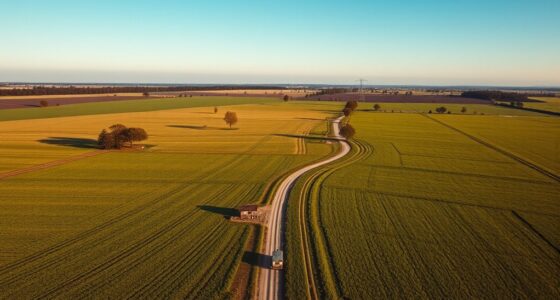
Once you’ve selected your grading software, start by adjusting the basic parameters, such as exposure and contrast, to bring clarity and depth to your footage. Then, move into creating cinematic color palettes by tweaking hue and saturation levels. For a vibrant look, boost the saturation but avoid oversaturation that can make the footage look unnatural. To maintain realism, use secondary color correction tools to isolate specific colors and refine their appearance. This step helps you emphasize the natural beauty of scenes, like lush green fields or vivid blue skies, while maintaining a balanced overall look. Additionally, understanding contrast ratio and how it influences image quality can guide you in achieving more dynamic and visually appealing results.
color grading software for drone footage
As an affiliate, we earn on qualifying purchases.
As an affiliate, we earn on qualifying purchases.
Frequently Asked Questions
What Are the Best Color Grading Software Options for Drone Footage?
You should try software like Adobe Premiere Pro, DaVinci Resolve, or Final Cut Pro for drone footage color correction. These programs offer a variety of color grading presets that make enhancing your aerial videos easy. DaVinci Resolve, in particular, is renowned for its advanced color grading tools, perfect for achieving vibrant, cinematic drone footage. With these options, you can effortlessly elevate your aerial videos with professional-quality color grading.
How Can I Correct Color Inconsistencies in Aerial Footage?
Some believe color inconsistencies stem from camera limitations, but your best bet is to use color correction techniques and exposure balancing. Start by analyzing your footage for color shifts and uneven brightness. Use software tools like curves or hue/saturation adjustments to fix these issues. By carefully balancing exposure and fine-tuning colors, you’ll achieve a more consistent, vibrant look that enhances your aerial shots’ overall quality.
What Are Common Mistakes to Avoid When Color Grading Drone Videos?
When color grading drone videos, avoid common mistakes like overdoing color oversaturation, which makes footage look unnatural, and creating unrealistic skin tones. Keep a balanced approach by subtly enhancing colors rather than pushing them too far. Also, be mindful of maintaining natural contrast and avoiding overly bright highlights. These tips help guarantee your aerial videos remain vibrant yet authentic, engaging viewers without losing visual credibility.
How Do I Enhance the Natural Look of Outdoor Drone Shots?
To enhance the natural look of outdoor drone shots, start by adjusting natural saturation so colors appear vibrant but not exaggerated. Focus on balancing outdoor contrast to retain depth without losing detail in the highlights or shadows. Use subtle tweaks, avoiding over-processing, and aim for a realistic representation of the scene. This approach guarantees your footage looks authentic, emphasizing the genuine beauty of the landscape while maintaining visual appeal.
What Are Quick Tips for Achieving Cinematic Color Grading Results?
To achieve cinematic color grading results quickly, start by adjusting your color contrast to make your footage pop and add depth. Boost saturation selectively to enhance key colors without oversaturating the entire scene. Use curves or LUTs to create a stylized look, and fine-tune these adjustments to match your desired cinematic vibe. Always preview your edits on different screens to ensure your colors are vibrant and balanced.
professional drone video editing software
As an affiliate, we earn on qualifying purchases.
As an affiliate, we earn on qualifying purchases.
Conclusion
Now that you know how to enhance your drone footage with vibrant color grading, you’re ready to create stunning aerial videos. Remember, studies show that videos with rich, well-balanced colors are 30% more engaging to viewers. So, don’t be afraid to experiment with your edits and let your creativity soar. With these tips, your footage will stand out and captivate your audience every time. Happy editing!
aerial video color correction tools
As an affiliate, we earn on qualifying purchases.
As an affiliate, we earn on qualifying purchases.
cinematic color grading presets for drone videos
As an affiliate, we earn on qualifying purchases.
As an affiliate, we earn on qualifying purchases.
Fall Picks
fall essentials
As an affiliate, we earn on qualifying purchases.