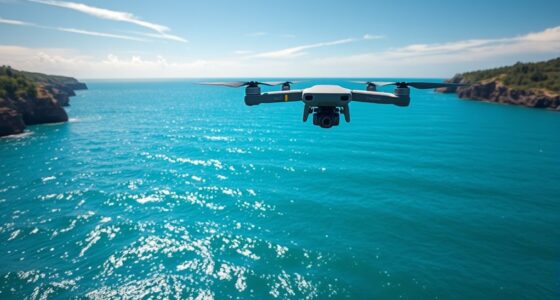
You can avoid propeller shadows and lens flare by planning your flights during early morning or late afternoon when the sun is lower. Tilt your drone slightly to change propeller angles and use polarized filters to reduce reflections and glare. Keep the sun at an angle away from your camera and use ND filters to control light entry. Adjust your camera orientation and experiment with angles to find the best shots; more tips follow to perfect your technique.

Get the latest gadgets delivered free with Prime
- Fast, free delivery on millions of items
- Prime Video, Amazon Music and more included
- Member-only deals all year
Key Takeaways
- Tilt the drone slightly or change altitude to prevent propeller blades from casting shadows on the subject.
- Use polarized filters and rotate them to reduce reflections and glare from spinning propellers and bright surfaces.
- Avoid pointing the drone directly at the sun; angle it to the sun to minimize lens flare and glare.
- Employ ND filters and adjust camera exposure settings to control light entry and reduce flare.
- Plan flight times during early morning or late afternoon when the sun is lower to lessen glare and reflections.
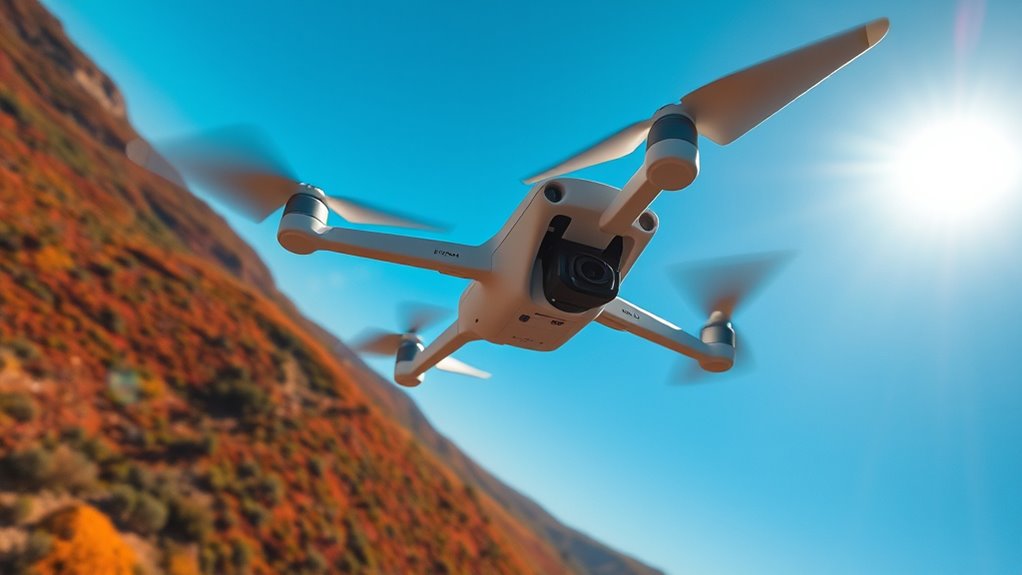
Propeller shadows and lens flare can ruin an otherwise stunning photograph, but with some simple techniques, you can minimize or even eliminate these distractions. When flying your drone, you’ll often encounter situations where the propeller reflection or lens glare interferes with capturing crisp, clear images. The key is understanding how these issues occur and how to control them.
Propeller reflection happens when sunlight hits the spinning blades, creating bright, often distracting, mirror-like spots in your shot. To reduce this, plan your flight during times when the sun is lower in the sky, such as early morning or late afternoon. This angle minimizes the direct reflection off the propellers. You can also tilt your drone slightly to change the angle of the blades relative to the sun, decreasing the chance of reflections hitting your camera lens. Using a polarized filter on your drone’s camera can markedly cut down on reflections, including propeller glare, by filtering out polarized light that causes these bright spots. Make sure the filter is properly oriented; usually, rotating it until the reflections diminish yields the best result.
Tilt your drone and use polarized filters to reduce propeller reflections and glare.
Lens glare is another common issue caused by direct sunlight hitting your camera lens, which results in bright spots or streaks across your images. To combat this, avoid pointing your drone directly toward the sun. Instead, try to keep the sun at a slight angle to your camera’s field of view. Using lens hoods, if your drone supports them, can also help block stray light from hitting the lens surface. Additionally, adjusting your camera’s exposure settings can help reduce lens glare; lowering the exposure slightly will prevent over-brightening and reduce glare spots. When shooting in bright conditions, consider using ND filters, which act like sunglasses for your camera, helping control the amount of light entering the lens and preventing harsh glare.
Another trick involves paying attention to your drone’s flight path and camera angle. If you notice glare or reflections creeping into your shots, adjust your altitude or change your angle. Sometimes a slight shift in position can make a huge difference in eliminating reflections and glare. Be mindful of the sun’s position relative to your drone and camera, and plan your shots accordingly. With practice, you’ll develop an intuitive sense of the best angles and times of day to shoot, resulting in cleaner, more professional-looking images. Additionally, understanding lighting conditions and their impact on reflections can help you choose the optimal times for shooting. Remember, the goal is to minimize distractions without compromising your creative vision, and these straightforward techniques are your best tools for achieving that.
As an affiliate, we earn on qualifying purchases.
Frequently Asked Questions
Can Certain Camera Filters Reduce Lens Flare Effectively?
Yes, certain camera filters can reduce lens flare effectively. Polarizing filters are great because they cut down on reflections and glare, which helps prevent flare. Anti-reflective coatings on filters also minimize unwanted light reflections that cause flare and lens distortion. By using these filters, you improve image clarity, especially in bright conditions, ensuring your drone shots stay sharp and free from distracting lens flare.
How Does Weather Impact Propeller Shadows in Drone Footage?
Weather impacts propeller shadows mainly through wind interference and sunlight angle. When there’s strong wind, your drone might struggle to stay steady, making shadows more inconsistent or blurry. The sunlight angle is vital—if it’s low or directly behind the drone, shadows become longer and more prominent. To minimize shadows, shoot during midday or when the sun is high, and avoid windy conditions that cause drone instability.
Are There Specific Drone Models Better at Avoiding Lens Flare?
You’ll find that drones with advanced camera sensor quality and specialized lens coating are better at avoiding lens flare. Imagine capturing a sunset without unwanted glare, thanks to these features. Models like the DJI Air 2S or Mavic 3 Pro excel because their sensors handle bright conditions well, and their lenses reduce flare. Choosing such drones helps keep your shots crisp, vibrant, and free from distracting lens artifacts.
What Post-Processing Techniques Can Minimize Propeller Shadows?
You can minimize propeller shadows through software correction techniques like using photo editing tools that offer propeller shadow removal features. Apply masking and blending adjustments to target shadow areas precisely. You might also experiment with software that automatically detects and reduces propeller shadows, enhancing your footage’s clarity. Remember, combining these post-processing methods with proper camera settings can considerably improve your drone shot’s overall quality.
Does Altitude Affect the Likelihood of Lens Flare Occurrence?
Higher altitudes generally reduce the likelihood of lens flare because the sun’s rays are less intense and more diffused at these heights. This altitude impact means you’ll face less lens flare frequency when flying higher, especially during midday. However, keep in mind that other factors like sunlight angle and weather conditions also influence flare. So, adjusting your altitude can be a useful tool to minimize lens flare in your drone shots.
As an affiliate, we earn on qualifying purchases.
Conclusion
By paying attention to your drone’s position, adjusting your camera angle, and controlling light sources, you can markedly reduce propeller shadows and lens flare. Are you willing to experiment with different settings and angles to capture that perfect shot? Remember, patience and a keen eye make all the difference. With these tips, you’ll elevate your drone photography and create stunning images free from distracting shadows and glare. So, why settle for less when you can master the art of flawless aerial shots?
As an affiliate, we earn on qualifying purchases.
drone propeller shadow reduction filter
As an affiliate, we earn on qualifying purchases.
As an affiliate, we earn on qualifying purchases.
Halloween Picks
halloween
As an affiliate, we earn on qualifying purchases.