To broadcast live aerial footage from your drone, first check your local regulations and get any necessary permits. Connect your drone to a compatible app or platform with a stable internet connection, such as Wi-Fi or cellular data. Use a drone with built-in stabilization or attach a gimbal to keep your footage smooth. Plan your flight path carefully, monitor your battery and signal, and keep a safe distance. Keep exploring for more tips to enhance your live streams.

Get the latest gadgets delivered free with Prime
- Fast, free delivery on millions of items
- Prime Video, Amazon Music and more included
- Member-only deals all year
Key Takeaways
- Ensure compliance with local drone laws and obtain necessary permits before streaming.
- Connect your drone to a compatible app or platform with a stable internet connection.
- Use a drone with built-in stabilization or attach a gimbal for smooth, professional-quality footage.
- Plan your flight path carefully to maximize scenic views and avoid obstacles during the live broadcast.
- Monitor battery life and signal strength throughout the stream to prevent interruptions or loss of footage.
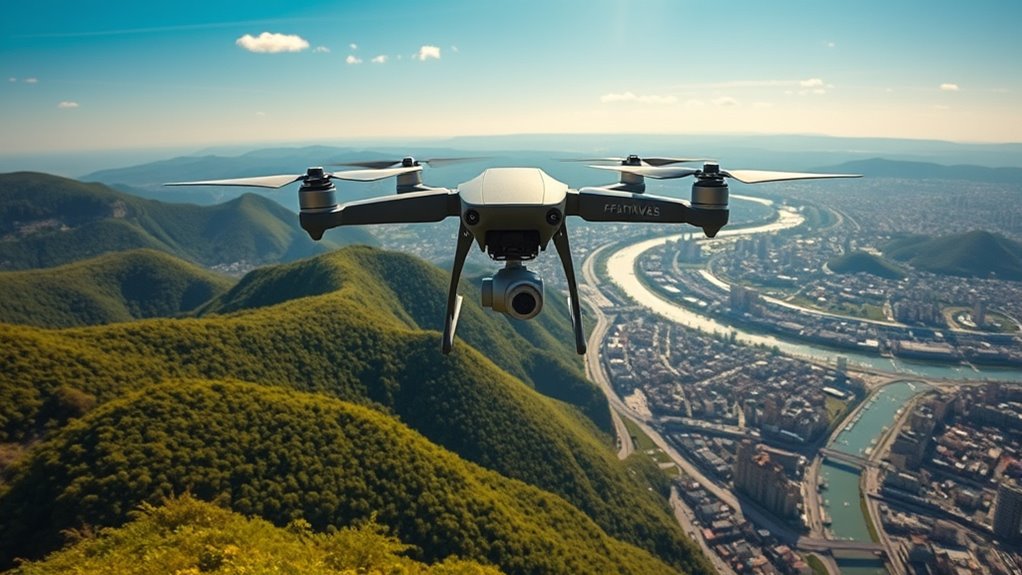
Live streaming aerial footage has transformed how we experience and share breathtaking views from above. When you’re ready to broadcast your drone’s perspective live, understanding the landscape of drone regulations is essential. Different regions have specific rules about where and when you can fly your drone, especially for live streaming. Some areas require permits, while others restrict drone flights altogether, particularly around airports, crowded events, or sensitive sites. Before you start streaming, research local laws to avoid fines or confiscation of your equipment. Staying compliant not only keeps you legal but also guarantees a smooth, uninterrupted broadcast.
Once you’ve sorted out the legalities, focus on your drone’s camera stabilization. Smooth footage is critical for engaging live streams, making your viewers feel like they’re right there with you. Modern drones come equipped with advanced stabilization systems, including gimbals that keep the camera steady despite wind or movement. If your drone lacks this feature, consider investing in a model with built-in stabilization or adding a gimbal attachment. Proper stabilization minimizes shaky footage, which can be distracting and diminish the quality of your stream. Practice flying your drone smoothly to avoid jerky movements, and adjust your settings to optimize camera stability for live transmission.
When it’s time to broadcast, make sure your drone’s camera is configured for live streaming. This typically involves connecting your drone to a compatible app or platform via Wi-Fi or a dedicated controller. Many drones support direct streaming to services like YouTube, Facebook, or specialized streaming platforms. Check your drone’s specifications and set up your streaming account beforehand to streamline the process. Good internet connection is essential; a strong, stable signal prevents lag and buffering, delivering a seamless viewing experience. If you’re flying in an area with weak Wi-Fi, consider using a cellular data connection or range extender to boost signal strength. Additionally, integrating smart home technology such as network extenders or mesh Wi-Fi systems can improve connectivity and ensure your stream remains uninterrupted during your flight.
Additionally, plan your flight path to maximize scenic views and avoid obstacles. Keep an eye on battery life and signal strength throughout your stream, so you can return safely before losing connection or power. During your broadcast, maintain an engaging narrative or commentary to keep viewers interested. Using camera stabilization techniques, adhering to drone regulations, and preparing thoroughly will help you deliver professional-quality live streaming footage that captivates your audience from above. With practice, you’ll master the art of aerial broadcasting, offering stunning perspectives that were once impossible to share in real-time.
Frequently Asked Questions
What Are the Legal Requirements for Drone Live Streaming?
You need to guarantee regulatory compliance and respect privacy considerations when live streaming with your drone. Check local laws and obtain necessary permits, such as FAA registration or flight restrictions. Always avoid capturing private property without permission, and be mindful of people’s privacy. Stay within permitted altitude limits and avoid restricted airspace. Following these guidelines helps you stay legal and protect others’ privacy while broadcasting your aerial footage.
How Do I Ensure Stable Internet Connection During Streaming?
To guarantee a stable internet connection during streaming, you should prioritize signal stability by using a high-quality, reliable cellular network or Wi-Fi with strong coverage. Manage your bandwidth by closing unnecessary apps and limiting other devices’ usage on the same network. Consider using a signal booster or a dedicated data plan for your drone. Always test your connection beforehand to avoid interruptions during your live broadcast.
What Is the Best Drone Model for High-Quality Live Footage?
You should consider the DJI Air 2S for high-quality live footage. It features advanced camera stabilization, ensuring smooth, steady shots, and offers up to 5.4K video resolution for crisp, detailed images. Its intelligent flight modes help maintain stability even in challenging conditions, making it ideal for streaming. This drone’s combination of camera quality and stabilization makes it a top choice for capturing professional-grade aerial footage.
How Can I Improve Audio Quality in Drone Streams?
To improve audio quality in your drone streams, focus on audio enhancement techniques and selecting the right microphone. Use a directional microphone to minimize background noise and guarantee clearer sound. Consider adding an external microphone adapter to connect high-quality mics directly to your streaming device. Also, adjust audio settings for ideal levels, and use windshields to reduce wind noise. These steps will considerably enhance your audio clarity during live drone broadcasts.
What Are Common Troubleshooting Steps for Streaming Interruptions?
Remember, a chain is only as strong as its weakest link. To troubleshoot streaming interruptions, start by checking for signal interference—move to a less crowded area or change frequencies. Guarantee your drone’s battery is fully charged and well-managed, as power dips can cause disruptions. Restart your equipment if needed, and keep firmware updated. These steps help maintain a stable stream, preventing interruptions mid-flight.
Conclusion
Now that you know how to broadcast your drone’s breathtaking aerial footage, there’s no limit to what you can share with the world. With the right setup, your live streams will captivate audiences like a cinematic masterpiece in real time. So go ahead—take to the skies and turn your drone into a flying broadcast station that could outshine even the brightest stars. The sky’s the limit, and your adventure is just getting started!
Fall Picks
fall essentials
As an affiliate, we earn on qualifying purchases.