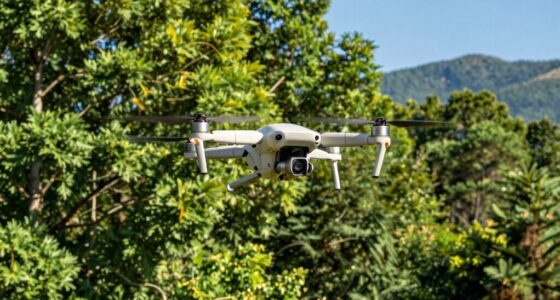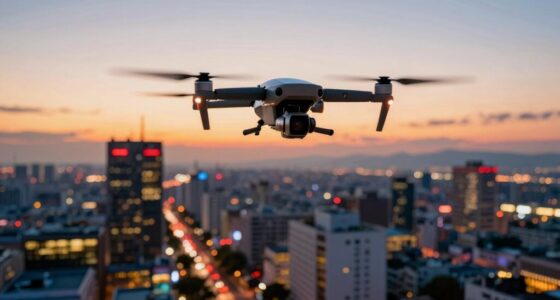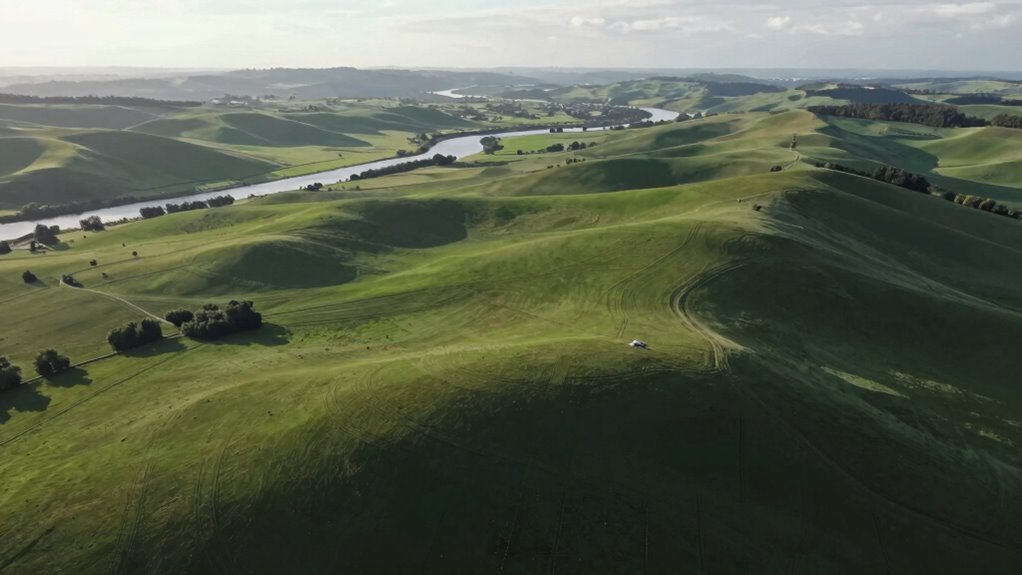

To make your aerial videos feel smooth before editing, use drones with advanced stabilization tech like gimbals that counteract shakes. Pilot your drone with slow, steady movements and plan your flight in calm weather to reduce wind sway. Pay attention to how you control the drone—smooth, gradual motions make a big difference. Proper planning and skillful flying guarantee your footage is already polished, and if you keep exploring, you’ll discover even more tips for perfect shots.

Get the latest gadgets delivered free with Prime
- Fast, free delivery on millions of items
- Prime Video, Amazon Music and more included
- Member-only deals all year
Key Takeaways
- Utilizing advanced gimbal stabilization systems to counteract drone movements and vibrations.
- Piloting with smooth, deliberate movements like slow pans and gentle altitude changes.
- Planning flights around calm weather conditions to minimize wind interference.
- Maintaining proper flight speed and avoiding jerky, quick motions during filming.
- Executing thorough flight path planning to ensure stable footage from the start.

Capturing smooth aerial video is essential for creating professional-looking footage that captivates viewers. When you’re flying a drone, your main goal is to produce footage that feels seamless and stable. The key to this lies in effective camera stabilization. Modern drones come equipped with gimbal systems that actively counteract sudden movements or vibrations, keeping the camera steady even when your drone encounters turbulence. This stabilization technology ensures that your footage remains smooth and fluid, reducing the need for extensive editing later. It’s your first line of defense against shaky shots that can distract viewers and diminish the overall quality of your video.
Effective camera stabilization keeps your drone footage smooth and professional, minimizing editing and enhancing viewer engagement.
However, even the best stabilization systems aren’t foolproof, especially when wind interference comes into play. Wind can be unpredictable and gusty, making it challenging to maintain a steady shot. When wind hits your drone, it can cause it to sway or drift, which then translates into shaky footage if not managed properly. To combat this, you need to be aware of weather conditions before you fly. Adjust your flying style accordingly—flying at lower altitudes or in calmer conditions can help minimize the impact of wind. Additionally, some drones have wind resistance features built in, but understanding how to work with wind rather than against it can significantly improve your video quality. Recognizing weather conditions and their impact on flight stability can help you plan more effectively. Being mindful of environmental factors can greatly influence your ability to capture smooth footage.
Beyond the hardware, your piloting skills also influence the smoothness of your footage. Smooth, gradual movements with your drone—like slow pans and gentle altitude changes—help maintain stability and reduce the risk of introducing jitter. It’s important to plan your shots and execute them deliberately, rather than making quick, jerky motions that can amplify any stabilization issues. Combining steady flying with the drone’s stabilization technology allows you to achieve a natural, cinematic look right from the start.
Achieving optimal flight path planning and understanding environmental factors like wind interference are crucial for capturing footage that feels polished and professional. When you pay attention to these elements, you set yourself up for success, capturing footage that’s already impressive and requires less work in post-production. This approach not only saves you time but also results in more professional, polished videos that truly stand out.
Products Worth Considering

Logitech MX Mechanical Wireless Illuminated Keyboard, Tactile Quiet, Graphite

Jackery Explorer 300 Portable Power Station, 292Wh

LG UltraGear 45GX950A-B 45-Inch 5K2K Curved OLED Gaming Monitor
As an affiliate, we earn on qualifying purchases.
Frequently Asked Questions
How Does Weather Affect Aerial Video Stability?
Weather considerably impacts aerial video stability. Wind interference causes your drone to shake or drift, making footage less smooth. Higher temperatures can affect your drone’s electronics and battery life, leading to potential control issues. To maintain stability, fly during calmer conditions, avoid strong winds, and monitor temperature effects. Adjust your flying techniques accordingly, and use stabilization tools to help your footage remain smooth despite weather challenges.
What Drone Settings Optimize Smooth Footage?
You set your drone’s camera stabilization to high, ensuring smooth footage even in gusty conditions. Flight planning plays a vital role—choose gentle, steady maneuvers and avoid abrupt movements. Adjust your shutter and ISO for ideal exposure, and lock your focus to prevent shifts. These settings, combined with meticulous planning, create a seamless, cinematic flow, making your aerial shots feel polished and professional before editing even begins.
Can Post-Processing Improve Shaky Aerial Videos?
Yes, post-processing can improve shaky aerial videos. You should start by applying gimbal stabilization to smooth out minor jitters and guarantee your footage stays steady. Additionally, performing camera calibration helps correct lens distortions and color inconsistencies, making your video look more professional. Using editing software with stabilization tools can further refine your footage, giving it a polished, smooth feel even before editing.
How Important Is Pilot Skill in Achieving Smooth Shots?
You might find it surprising, but pilot skill is essential for smooth aerial shots, often more than equipment. Your experience directly impacts camera stabilization, helping you anticipate and react to movement. Skilled pilots master smooth controls, reducing shaky footage from the start. While good gear helps, your ability to keep steady and plan shots makes a significant difference, ensuring your videos feel professional and polished without heavy editing.
Do Different Drone Models Impact Video Smoothness?
Yes, different drone models impact video smoothness. Drone design influences stability, with models featuring advanced camera stabilization systems offering smoother footage. A well-designed drone with gimbal stabilization minimizes vibrations and jitters, even in windy conditions. Cheaper or less sophisticated models may struggle to maintain stability, resulting in shakier videos. Investing in a drone with superior design and stabilization technology guarantees your aerial shots feel professional and seamless right out of the box.
Conclusion
By focusing on fundamentals like steady steering, gentle gesturing, and smart settings, you can seamlessly craft smooth aerial videos right from your camera. Remember, deliberate movements and diligent details deliver dynamic, distraction-free footage. When you prioritize precision and patience, even before editing, you’ll produce polished, professional footage with perfect panache. So, stay steady, scan your settings, and stay savvy—your sensational, smooth shots will surely soar!