
📊 Full opportunity report: Build vs Buy a Prebuilt AI Workstation on ThorstenMeyerAI.com — validation score, market gap, and execution plan.

Get the latest gadgets delivered free — and shop member deals
- Fast, free delivery on millions of items
- Access to Prime Big Deal Days deals on October 6–7
- Prime Video, Amazon Music and more included
TL;DR
The cost gap between building and buying prebuilt AI workstations has narrowed or reversed in 2026 due to component shortages and price spikes. Buyers must now compare both options carefully, considering cost, time, and thermal management.
In 2026, the cost of building a high-performance AI workstation from scratch now rivals or exceeds that of purchasing a prebuilt system, reversing a decades-old trend. This shift is driven by component shortages and price spikes, making the decision more complex for buyers. The choice now hinges on factors beyond just cost, including thermal tuning, warranty, and time investment.
Traditionally, building your own AI workstation was cheaper than buying prebuilt, but recent market developments have changed this dynamic. The surge in prices for GPUs, DDR5 RAM, and SSDs — driven by supply chain issues and increased demand from the AI boom — has pushed the cost of DIY builds upward. Meanwhile, prebuilt manufacturers like Lambda, Puget, and BIZON, which purchase components in bulk and conduct extensive thermal testing, now offer systems at prices that are often comparable or even lower than assembled parts.
For example, a high-end AI workstation that used to cost under $1,000 to build now often exceeds $1,250, not including the OS license, due to component price hikes. Conversely, prebuilt vendors have leveraged bulk buying and validation processes to maintain competitive pricing, sometimes offering systems that are difficult for DIY builders to match cost-wise today. This shifts the traditional calculus, making the decision more about control, thermal management, and support than just initial expenditure.
Build vs buy
an AI workstation.
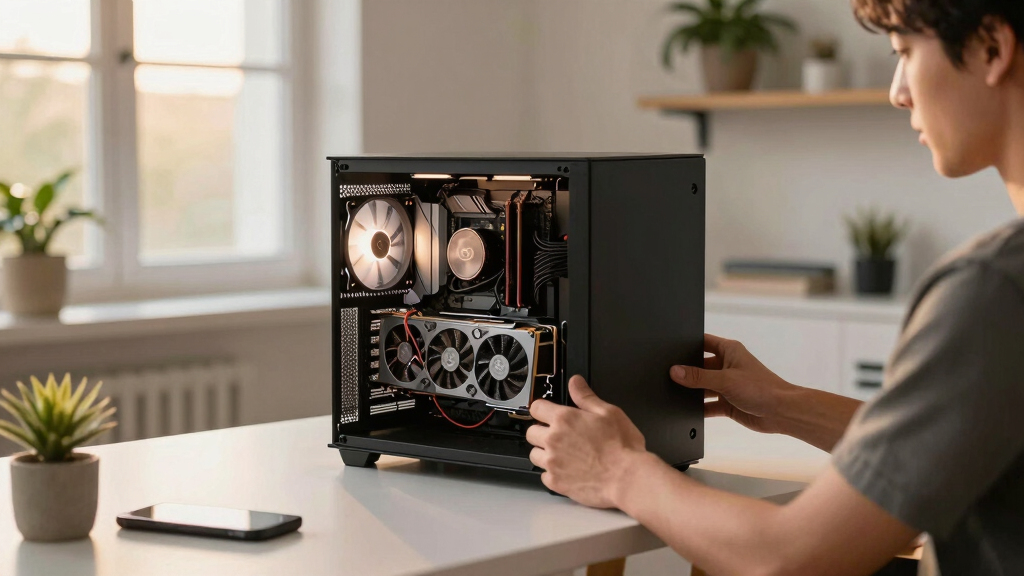
The real question behind this whole series: do you pull the five heat-and-noise levers yourself, or buy a prebuilt where the vendor pulled them for you? And in 2026, the old “building is cheaper” rule has broken. Match your situation in Part 3.
Why Price and Thermal Management Are Changing the Equation
This shift matters because it forces buyers to reassess their assumptions about cost savings and convenience. For professionals and hobbyists alike, the decision now involves weighing the value of thermal validation, warranty support, and time saved against potential cost savings. Prebuilt systems often come with validated thermals, optimized cooling, and warranties, reducing the risk of thermal throttling or hardware failure during intensive AI workloads. Meanwhile, DIY builders gain control over component choices and upgrade paths but must invest time and expertise into thermal tuning and troubleshooting. The market's evolution in 2026 means the choice is no longer straightforward and depends heavily on individual priorities and resources.
high performance AI workstation prebuilt
As an affiliate, we earn on qualifying purchases.
As an affiliate, we earn on qualifying purchases.
Component Shortages and Market Shifts in 2026
Over the past year, the AI hardware market has experienced significant supply chain disruptions, leading to shortages and increased prices for critical components such as GPUs, DDR5 RAM, and SSDs. This is partly due to the AI boom driving demand for high-performance hardware, combined with ongoing supply chain issues. Prebuilt manufacturers, anticipating these shortages, secured bulk inventories early, enabling them to offer systems at competitive prices despite rising component costs. Meanwhile, DIY builders face higher prices and limited availability, making the traditional cost advantage less certain. As a result, the market dynamics have shifted, and the old rule — that building is always cheaper — no longer applies universally.
"In 2026, the cost difference between building and buying a high-end AI workstation has narrowed significantly, with prebuilt options often matching or beating DIY prices due to bulk purchasing and validation."
— Thorsten Meyer, AI hardware expert
As an affiliate, we earn on qualifying purchases.
Remaining Questions About Long-Term Cost and Performance
It is still unclear how ongoing supply chain issues will evolve and whether component prices will stabilize or continue to rise. Additionally, the long-term cost-effectiveness of prebuilt versus DIY systems depends on individual needs for upgradeability, thermal tuning, and support. The impact of new hardware releases and potential price corrections remains uncertain, making it difficult to definitively recommend one approach over the other for all users at this moment.
As an affiliate, we earn on qualifying purchases.
Market Trends and Buyer Decisions in 2026
Expect continued volatility in component prices and availability throughout 2026. Buyers should compare current prices for both prebuilt and DIY options tailored to their specific configurations. Manufacturers may introduce new models with improved thermal management, and DIY enthusiasts will likely refine their builds further. Monitoring these developments will be essential for making an informed purchase decision in the near term.
As an affiliate, we earn on qualifying purchases.
Key Questions
Is building my own AI workstation still cheaper in 2026?
Not necessarily. Due to component shortages and rising prices, prebuilt systems from reputable vendors can now match or undercut DIY costs for certain configurations.
What are the advantages of buying a prebuilt AI workstation?
Prebuilts offer plug-and-play convenience, validated thermals, warranties, and reduced setup time, which can be valuable for professionals with limited time or thermal expertise.
Can I upgrade a prebuilt system later?
It depends on the design, but many prebuilt systems allow upgrades. However, some components may be more difficult to replace or upgrade due to proprietary designs.
What should I consider if I want to build my own AI workstation?
You should evaluate your thermal management skills, time availability, and desire for control and customization. Building requires effort but offers tailored performance and upgradeability.
Will component prices stabilize soon?
It is uncertain. Market trends suggest ongoing volatility in 2026, so buyers should monitor prices and availability closely before making decisions.
Source: ThorstenMeyerAI.com
Fall Picks
fall essentials
As an affiliate, we earn on qualifying purchases.