To maximize your drone’s range, focus on optimizing antenna placement by positioning antennas outside the frame and pointing them directly toward the drone. Use signal boosters and filters to strengthen signals and block interference. Plan flight paths to avoid obstacles and interference zones, and regularly maintain your equipment for peak performance. Choosing less crowded frequencies and monitoring signal quality can also boost range. If you keep these tips in mind, you’ll unlock more effective ways to extend your drone’s reach.

Get the latest gadgets delivered free with Prime
- Fast, free delivery on millions of items
- Prime Video, Amazon Music and more included
- Member-only deals all year
Key Takeaways
- Optimize antenna placement, orientation, and maintenance for clear line-of-sight communication.
- Use power amplifiers and filters to strengthen signals and minimize interference sources.
- Incorporate ferrite rings, shielded cables, and proper grounding to reduce electrical noise and improve signal stability.
- Plan flight routes to avoid obstacles and interference zones, maintaining optimal line of sight.
- Select less congested frequency channels and regularly monitor signal quality metrics like SNR and RSSI.
Optimizing Antenna Placement and Orientation

To maximize signal strength and reliability, you should carefully optimize your antenna placement and orientation. Position your antenna outside or above the drone frame to prevent signal blockage from carbon fiber parts. Keep the antenna aligned directly toward the drone for the best signal strength; angled positioning reduces clarity and range. Use a straight, vertical orientation to guarantee ideal line of sight, which is critical for stable communication. Avoid embedding antennas within the drone body, as this can cause interference or signal loss. If possible, attach antennas to extend above the drone, minimizing obstructions. Regularly check that your antenna is securely mounted and free from damage. Proper placement and alignment are essential for maintaining strong, uninterrupted signals during flight. Additionally, understanding antenna orientation can greatly enhance your drone’s communication stability and overall signal quality, especially considering wireless communication principles that influence interference and performance. Being aware of antenna polarization can further reduce potential signal degradation caused by multi-path interference or misalignment. Moreover, considering European cloud innovation can help in integrating advanced communication solutions for enhanced drone operation.
Enhancing Signal Strength With Power Amplifiers and Boosters
Enhancing signal strength with power amplifiers and boosters is essential for extending your drone’s communication range, especially in challenging environments. Power amplifiers increase the output power of your transmitter, boosting the signal’s reach without changing the antenna. They adjust dynamically based on the drone’s distance, conserving energy during short-range flights. Boosters amplify the signal further, improving quality and stability over long distances or through obstacles, but they generate more heat and consume additional power. Properly integrated, these devices help maintain a strong, clear connection, reducing signal loss and lag. Advances in nanotechnology are leading to the development of more efficient, compact amplifiers and boosters that can improve performance while minimizing energy consumption. Efficient cooling systems are also crucial to prevent overheating and ensure consistent operation of these components. Incorporating advanced materials into amplifier design can further improve thermal management and overall durability. Additionally, selecting components made from thermal conductive materials enhances heat dissipation, prolonging device lifespan. Moreover, implementing smart power management techniques ensures optimal energy use and prolongs flight times. Always select the right amplifier or booster for your setup, and ensure they are properly cooled and configured to avoid overheating. This approach markedly enhances your drone’s operational range and reliability.
Reducing Interference With Proper Filtering Techniques

Proper filter placement is essential to reduce interference and maintain signal clarity. You should install filters on transmitters and receivers where interference sources are most likely, ensuring maximum performance. Using ferrite rings on wiring and ground connections can greatly cut noise, boosting your drone’s communication reliability. Additionally, incorporating Free Floating design principles can help minimize signal disruption caused by environmental factors. Ensuring proper grounding techniques can further decrease noise and enhance overall signal stability. Implementing shielded cables can also protect against external electromagnetic interference, further improving signal quality and reliability. To further enhance interference mitigation, selecting high-quality filters designed for specific frequency ranges can significantly improve overall signal integrity even in challenging environments.
Implement Effective Filter Placement
Effective filter placement is essential for minimizing interference in drone communication systems. You should install filters as close to the signal source as possible, such as on transmitters or receivers, to block unwanted signals early. Use high-quality filters designed for your operating frequency, ensuring they have the appropriate bandwidth to avoid signal loss. When placing filters, keep wiring neat and away from sources of electrical noise, like motors or power lines, to prevent signal degradation. Secure filters firmly to prevent movement that could cause connection issues. Regularly inspect and replace damaged filters, as worn components can allow interference to creep through. Proper placement guarantees cleaner signals, reduces noise, and enhances overall communication reliability during flight.
Use Ferrite Ring Shielding
Ferrite rings serve as a simple yet powerful tool to reduce electromagnetic interference in drone communication systems. By wrapping ferrite rings around signal and power cables, you can markedly suppress high-frequency noise that causes signal disruptions. These rings work by absorbing and dissipating interference, preventing it from reaching your transmitter or receiver. Proper placement is essential; install ferrite rings close to connectors or along cable runs where interference is most likely to originate. This technique is especially effective when combined with shielding and proper grounding. Using ferrite rings helps maintain a cleaner signal, reduces errors, and enhances overall communication reliability. Additionally, understanding navigation and mapping techniques can help identify potential interference sources and optimize your setup. Implementing cable management strategies can further minimize the chances of noise coupling into your system. Applying proper grounding practices further minimizes noise and signal issues, leading to a more stable connection. Incorporating interference mitigation strategies can further boost your drone’s signal strength and range, ensuring more stable control and data transmission during long-distance flights. Moreover, regularly inspecting cables and connections ensures that ferrite rings remain effective in noise reduction.
Navigating Environmental Challenges and Obstacle Management
Environmental challenges like obstacles, weather conditions, and terrain can profoundly disrupt your drone’s signal connectivity. When flying near trees, buildings, or hills, direct line of sight may be blocked, weakening your signal and increasing the risk of loss. Rain, fog, and humidity can also attenuate RF signals, reducing effective range. To combat this, plan your flight path to minimize obstacles, choosing open areas or higher altitudes where possible. Launch from locations with fewer trees or structures, and maintain a safe distance from dense foliage. In complex terrain, consider using portable, miniaturized antennas that improve signal resilience. Staying aware of environmental factors allows you to adapt your flight plan proactively, ensuring better connectivity and extending your drone’s operational range. Additionally, understanding radio frequency interference sources in your environment can help you avoid unexpected signal disruptions and optimize your drone’s performance.
Maintaining Equipment for Peak Signal Performance
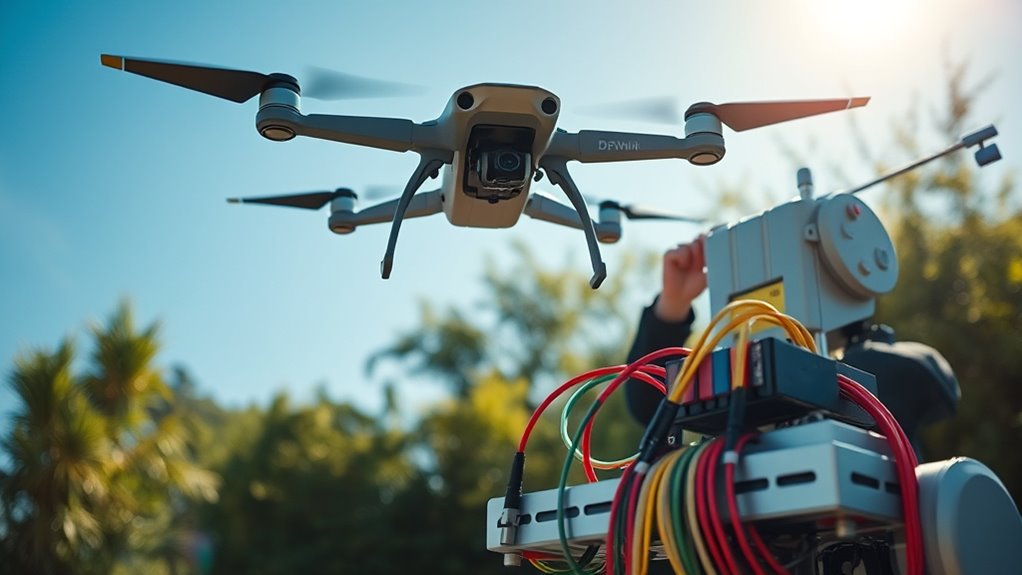
Properly maintaining your drone’s equipment is key to ensuring consistent and high-quality signal performance. Regularly inspect and clean antennas, removing dirt or debris that can block signals. Reroute signal wires to avoid interference and ensure solid ground connections to reduce noise. Use cleaner power sources to minimize electrical noise that degrades signal clarity. Replace SMA antennas with lighter alternatives to improve flight efficiency without sacrificing performance. Securely position battery cables several inches away from antennas to prevent obstruction and interference. Keep all connectors tight and corrosion-free for maximum transmission. Periodic calibration of your equipment helps maintain peak performance, especially after crashes or rough landings. Consistent maintenance ensures your drone remains connected, extending range and boosting signal reliability.
Selecting and Configuring Frequency Channels Effectively

Choosing the right frequency channels is essential for minimizing interference and maximizing drone communication range. To do this effectively, you should:
- Select less congested channels by scanning local wireless environments to avoid crowded frequencies, especially in the 2.4 GHz and 5. GHz bands.
- Use dynamic channel switching if your system supports it, allowing your drone to automatically shift to clearer channels during flight.
- Configure channels based on environmental conditions, avoiding channels with high interference from Wi-Fi networks, Bluetooth devices, or other wireless signals.
Monitoring and Assessing Signal Quality Metrics
To optimize your drone’s communication, you need to monitor key signal quality metrics regularly. Measuring the signal-to-noise ratio helps you identify when interference is degrading your connection, while analyzing signal strength variations reveals potential obstacles or environmental changes. Identifying interference sources allows you to take targeted action to maintain a strong, reliable link during long flights.
Measuring Signal-to-Noise Ratio
Measuring the Signal-to-Noise Ratio (SNR) is essential for evaluating the quality of your drone’s communication link. To do this effectively, you need to monitor your system’s SNR regularly. First, use a compatible radio or telemetry receiver to display real-time SNR readings. Second, record the values during different flight conditions to identify potential interference or weak signals. Third, compare your readings against standard thresholds—an SNR above −20 dB indicates good signal quality, while below −10 dB suggests poor performance. By actively tracking these metrics, you can pinpoint areas needing improvement, such as adjusting antenna orientation or reducing interference sources. Consistent measurement helps guarantee your drone maintains a stable connection throughout your flight, maximizing range and reliability.
Analyzing Signal Strength Variations
Monitoring signal strength variations provides valuable insights into your drone’s communication stability during flights. By regularly checking metrics like Received Signal Strength Indicator (RSSI) and Signal-to-Noise Ratio (SNR), you can identify weak spots and potential issues early. Fluctuations in signal strength often indicate obstacles, interference, or suboptimal antenna positioning. Tracking these variations helps you determine the best flight paths and antenna orientations for consistent connectivity. Use real-time monitoring tools or flight logs to analyze changes during different environmental conditions. Recognizing patterns in signal strength helps you make informed adjustments—like repositioning antennas or altering flight altitude—to maximize range and reliability. Consistently evaluating signal variations ensures you maintain stable communication, especially during long-distance or complex terrain flights.
Interference Source Identification
Identifying interference sources begins with actively evaluating key signal quality metrics like Signal-to-Noise Ratio (SNR) and Received Signal Strength Indicator (RSSI). These metrics help you pinpoint disruptions and assess overall signal health. To do this effectively, focus on:
- Monitoring SNR levels regularly; a drop below −20 dB indicates significant interference.
- Checking RSSI values; inconsistent or weak signals may signal interference or obstructions.
- Observing fluctuations in bit error rates, which can reveal interference impacting data integrity.
Frequently Asked Questions
How Often Should Antenna Positions Be Adjusted During Long Flights?
You should adjust your antenna positions only if you notice a drop in signal quality or connection stability during your long flight. Regularly check the signal strength on your controller, and if it weakens or becomes inconsistent, realign the antennas to maintain a clear line of sight. Keep the antennas oriented straight toward the drone and outside the frame to optimize signal, but unnecessary adjustments can cause more harm than good.
What Are the Best Materials for Lightweight, High-Performance Antennas?
You should use lightweight materials like carbon fiber or certain plastics for high-performance antennas. These materials are strong yet light, reducing drone weight and improving flight efficiency. Consider miniaturized antennas with integrated power amplifiers made from durable, low-loss composites. These materials guarantee ideal signal transmission without adding unnecessary weight. Additionally, using lightweight, high-quality connectors and coatings can enhance durability and performance during long flights.
How Can I Identify and Troubleshoot Signal Interference Sources Effectively?
You can spot interference sources faster than a hawk spotting prey by systematically checking your surroundings. First, scan for Wi-Fi networks, radio signals, or electronic devices near your drone. Use filters and channel adjustments to identify noisy frequencies. Move away from potential interference, reroute cables, and secure antennas outside obstructions. Regularly inspect connectors and update firmware to troubleshoot issues effectively, ensuring your drone’s signal stays strong and clear.
What Environmental Factors Most Significantly Impact Signal Degradation?
You need to watch out for obstacles like trees, buildings, and terrain, as they block your line of sight and weaken your signal. Weather conditions such as rain, fog, and humidity also reduce transmission quality. Low-altitude environments with poor 4G or 5G coverage can cause disruptions. To maintain strong signals, choose open areas, avoid dense obstacles, and test your drone’s performance in similar environmental conditions.
How Frequently Should Equipment Maintenance and Calibration Be Performed?
You should perform equipment maintenance and calibration regularly, ideally before each flight session or at least once a month. Frequent checks ensure antennas are correctly positioned, connections are secure, and power levels are ideal. Calibrate your systems whenever you notice signal issues or after any equipment modifications. Regular maintenance keeps your drone’s communication reliable, prevents unexpected failures, and maximizes range and performance during your flights.
Conclusion
So, you’ve mastered antenna placement, boosted your signals, and dodged interference—yet somehow, your drone still decides to take a scenic detour mid-air. Congratulations! With all these tips, you’re practically a drone whisperer. Just remember, no matter how perfect your setup, nature’s whims and those pesky interference ghosts are always plotting. Keep experimenting, stay vigilant, and maybe, just maybe, your drone will behave—until then, enjoy the wild ride.
Fall Picks
fall essentials
As an affiliate, we earn on qualifying purchases.