
To turn a single drone battery into a better learning session, start by inspecting it thoroughly for any swelling, corrosion, or damage before use. Monitor its performance regularly by checking voltage levels and cycle counts to understand its health. Practice safe charging on non-flammable surfaces, using the right charger, and avoid overcharging. Following proper safety and maintenance protocols will help you grasp essential battery concepts. Keep experimenting, and you’ll uncover more insights along the way.

Get the latest gadgets delivered free — and shop member deals
- Fast, free delivery on millions of items
- Access to Prime Big Deal Days deals on October 6–7
- Prime Video, Amazon Music and more included
Key Takeaways
- Use the battery for hands-on testing of charging, discharging, and capacity checks to understand battery performance better.
- Practice proper safety inspections and maintenance routines to learn about battery safety protocols.
- Record voltage levels, cycle counts, and capacity data during use to monitor performance and degradation.
- Experiment with different charging techniques and environments to observe effects on battery health and lifespan.
- Create a learning project by troubleshooting and optimizing battery management to deepen understanding of drone battery care.

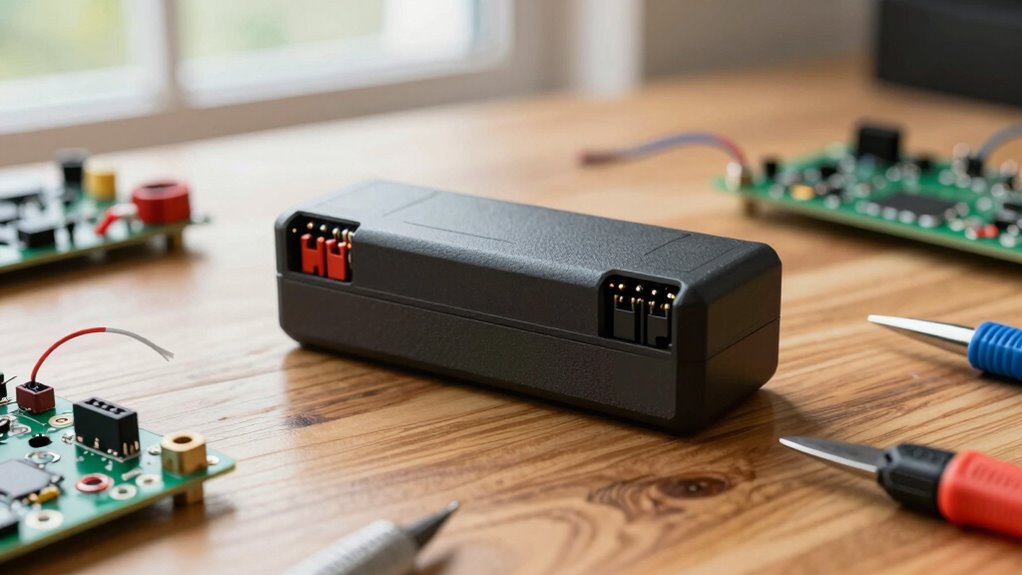
Ever wondered how a single drone battery can provide a more effective learning experience? It’s all about how you approach using it—focusing on battery safety and mastering proper charging techniques. When you prioritize battery safety, you reduce risks like overheating, fires, or damaging the battery, which means you can extend its lifespan and get more out of each session. Always inspect your battery before use; look for any signs of swelling, corrosion, or damage. Never use a battery that shows these signs, as they can be hazardous. Keep your workspace clean and dry, and store the battery in a cool, well-ventilated area away from flammable materials. These small precautions help guarantee safety and avoid unnecessary interruptions during your learning sessions. Additionally, understanding battery performance metrics can help you better gauge the health of your battery over time. Monitoring voltage levels and cycle counts can give you a clearer picture of when it’s time to replace or service your battery, which is crucial for maintaining optimal performance. Regularly checking battery capacity can also help you identify early signs of degradation and prevent sudden failures. Furthermore, being aware of the environment in which you charge your battery can significantly influence its overall safety and lifespan. Charging techniques are equally important. You need to understand the right way to charge your drone battery to maximize its performance and longevity. Use the charger that comes with your drone or a compatible one recommended by the manufacturer. Avoid cheap or incompatible chargers, as they can deliver inconsistent power or overcharge, damaging the battery. When charging, always do so on a fireproof surface and in a safe environment. Never leave the battery unattended while charging, and unplug it once it reaches full capacity. Many batteries have a built-in safety cutoff, but it’s better to be cautious. Also, avoid charging the battery to 100% every time if not necessary; partial charges can help prolong the overall life of the battery. Maintaining proper charging techniques helps prevent overheating, which is a common cause of battery failure or safety hazards. Proper charging practices are essential for preserving battery health and safety in the long run. Being aware of battery safety guidelines and best practices can further reduce the chance of accidents and extend your battery’s usable life.
As an affiliate, we earn on qualifying purchases.
Frequently Asked Questions
Can I Use Multiple Batteries for Extended Learning Sessions?
Yes, you can use multiple batteries for extended learning sessions. To maximize your time, consider batteries with higher capacity, which last longer per flight. Also, use proper charging techniques, like balancing and avoiding overcharging, to guarantee batteries stay healthy and ready. Keep a few charged batteries on hand so you can swap them quickly, minimizing downtime. This approach helps you learn more efficiently and safely with your drone.
What Safety Precautions Should I Take During Drone Practice?
You should prioritize battery safety by handling batteries carefully, avoiding damage, and keeping them away from extreme temperatures. Follow proper charging protocols, such as using the recommended charger and avoiding overcharging. Always operate your drone in open, unobstructed areas, and keep a safe distance from people and animals. Wearing safety gear and keeping a fire extinguisher nearby adds extra protection, ensuring your practice remains safe and enjoyable.
How Do I Optimize Battery Life for Learning Purposes?
To maximize battery life for learning, focus on proper battery maintenance by regularly checking for damage and avoiding complete discharges. Improve power efficiency by flying at ideal speeds and avoiding rapid acceleration or high throttle. Keep the battery at the recommended storage voltage when not in use, and ensure firmware updates are current. These steps help extend your drone’s runtime, making each session more productive and enjoyable.
Are There Alternative Power Sources for Drone Training?
Yes, you can explore alternative power sources for drone training, like solar panels or wind turbines, that harness renewable energy. These options promote power sustainability and reduce reliance on traditional batteries. By investing in portable solar chargers or small wind generators, you guarantee continuous power, making your training sessions more eco-friendly and reliable. This approach not only enhances your learning experience but also supports environmental responsibility.
How Can I Track My Progress During a Drone Session?
Imagine you’re a pilot steering through the skies, and your cockpit is equipped with essential instruments. To track your progress during a drone session, use battery monitoring tools to keep an eye on your power levels, and maintain detailed flight logging to record your maneuvers, durations, and performance. These tools act as your flight map, helping you analyze and improve your skills with each flight, ensuring a safer and more productive experience.
As an affiliate, we earn on qualifying purchases.
Conclusion
By maximizing the use of a single drone battery, you can considerably enhance your learning experience without extra costs. Did you know that drone batteries typically last for about 300-500 charge cycles? This means you have plenty of opportunities to practice, experiment, and hone your skills efficiently. So, make the most of each charge—test maneuvers, troubleshoot issues, and refine your techniques—turning one battery into a powerful tool for mastery and confidence in drone flying.
drone battery safety inspection kit
As an affiliate, we earn on qualifying purchases.
As an affiliate, we earn on qualifying purchases.
battery capacity analyzer for drones
As an affiliate, we earn on qualifying purchases.
As an affiliate, we earn on qualifying purchases.
Fall Picks
fall essentials
As an affiliate, we earn on qualifying purchases.