If you want to improve your FPV flying skills, top simulators like VelociDrone, Liftoff, and DRL Simulator are excellent choices. They offer realistic environments, customizable controls, and a variety of challenges to sharpen your abilities. These simulators support different platforms and controllers, making practice convenient and effective. By using them regularly, you’ll build confidence and master complex maneuvers. Keep going to discover more about how these tools can elevate your flying skills even further.
Key Takeaways
- Look for simulators with realistic graphics and environments like forests, urban areas, and race tracks to enhance spatial awareness.
- Ensure compatibility with popular controllers such as Taranis, FrSky, or gamepads for seamless customization and familiarity.
- Prioritize platforms supporting Windows, Mac, or mobile devices for flexible practice options across devices.
- Choose simulators offering adjustable difficulty, obstacle courses, and flight review features to improve skills progressively.
- Opt for options with online multiplayer modes and active communities to stay motivated and gain real-world flying experience.
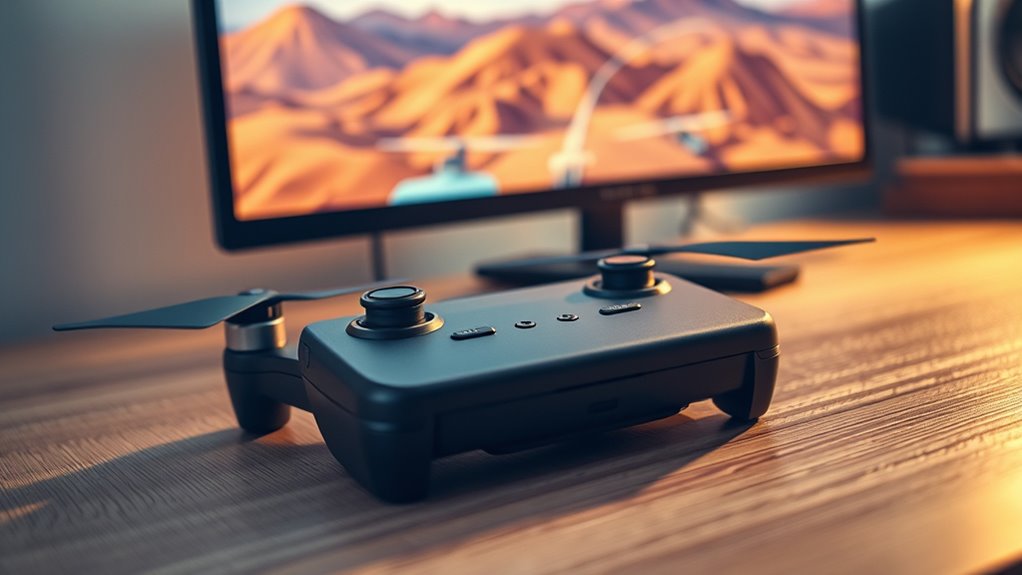
FPV drone simulators are essential tools for both beginners and experienced pilots looking to hone their skills without the risks of crashing real drones. One of the key factors that make a simulator effective is the realism in graphics. When the visuals closely mimic real-world environments, it’s easier for you to develop spatial awareness and muscle memory. High-quality graphics create an immersive experience, allowing you to feel as if you’re actually flying through forests, urban landscapes, or race tracks. This level of realism helps bridge the gap between virtual practice and real-life flying, making your training more effective and enjoyable. Incorporating Free Floating elements into your practice sessions can further improve your ability to adapt to unpredictable conditions encountered in real flights.
High-quality graphics in FPV drone simulators create immersive, realistic environments that improve spatial awareness and muscle memory.
Another critical aspect is controller compatibility. The best simulators support a wide range of controllers, including popular brands like Taranis, FrSky, and Spektrum, as well as standard game controllers. When a simulator is compatible with your preferred controller, you can practice with the exact setup you plan to use in real flights. This consistency improves your familiarity with controls, response times, and handling techniques. Some simulators even allow customization of control mappings, so you can tailor the experience to match your personal preferences or specific drone models. Ensuring smooth controller integration minimizes the learning curve, helping you transition seamlessly from virtual to real flying.
Many top simulators offer a variety of features that enhance your training. For instance, adjustable difficulty levels let you gradually increase challenges as you improve. They also include different environments and obstacle courses, which test your agility and decision-making under pressure. The ability to save and review your flights helps you analyze your mistakes and track your progress over time. When selecting a simulator, check whether it provides a stable and responsive control interface. Lag or unresponsive controls can hinder your learning, so opt for options that prioritize low latency and precise input.
Additionally, look for options that support multiple platforms, whether it’s Windows, Mac, or even mobile devices. Cross-platform compatibility allows you to practice anytime, anywhere, maximizing your training opportunities. Many simulators also offer online communities and multiplayer modes, giving you a chance to race or fly with others, adding a social element that can motivate you to improve. Ultimately, the ideal FPV drone simulator is one that combines high-quality graphics, broad controller support, and versatile features, enabling you to sharpen your skills efficiently and confidently prepare for real-world flying.

STARDRONE S8 FPV Flight Simulator Controller -Anti-Slip PU Handle, 8 Channel Metal Joystick, Ergonomic Design for DRL/Uncrashed/Liftoff/DCL Beginner Pilots (Mode 2, Black)
【Non-Centering Throttle & Immersive FPV Gaming Experience】The S8 drone simulator remote is equipped with high-precision joystick featuring non-centering…
As an affiliate, we earn on qualifying purchases.
As an affiliate, we earn on qualifying purchases.
Frequently Asked Questions
Can FPV Drone Simulators Improve Real-World Flying Skills?
Yes, FPV drone simulators can enhance your real-world flying skills. By practicing aerial maneuvering in the simulator, you develop better control and reaction times. Plus, regular simulator calibration guarantees accurate physics and responsiveness, making your training more effective. This hands-on experience translates smoothly to actual flying, helping you master complex maneuvers and build confidence without risking your drone.
Are There Free FPV Drone Simulators Available?
Yes, there are free FPV drone simulators available that you can try with virtual reality setups. Many offer good hardware compatibility, allowing you to connect your controllers or VR headsets easily. These free options let you practice flying skills without spending money while giving you a realistic experience. Just verify your hardware is compatible with the simulator you’re interested in, so you get the best virtual reality experience possible.
How Realistic Are the Physics in FPV Drone Simulators?
The physics in FPV drone simulators are surprisingly realistic, helping you get used to the virtual environment. They accurately mimic real-world physics, including wind, gravity, and drone response, so you can practice effectively. While no simulation can perfectly replicate actual flying, most popular simulators prioritize physics accuracy, giving you a solid foundation. This realism makes it easier to transfer your skills from the virtual environment to real-world flying.
Which Simulator Is Best for Beginners and Advanced Pilots?
If you’re a beginner or an advanced pilot, you should try Velocidrone, which offers excellent FPV drone customization options and works with a variety of simulator hardware. It’s user-friendly for newcomers, helping you learn quickly, yet advanced enough for experienced flyers to hone skills. Its compatibility with various controllers makes setup easy, so you can focus on improving your flying skills without hassle.
Can FPV Simulators Help Prevent Crashes During Actual Flights?
Yes, FPV simulators can help prevent crashes during actual flights. Virtual reality enhances your flight training by providing a realistic experience, allowing you to practice maneuvers and troubleshoot issues in a safe environment. This immersive practice builds your reflexes, confidence, and understanding of drone controls, so you’re less likely to make mistakes when flying in real life. It’s an effective way to sharpen your skills before taking your drone outdoors.

DJI FPV Remote Controller 3
Engineered for DJI O4 video transmission with an integrated antenna design, it is lighter than its predecessor and…
As an affiliate, we earn on qualifying purchases.
As an affiliate, we earn on qualifying purchases.
Conclusion
Practicing with these FPV drone simulators is like sharpening your blades before taking flight; the better your prep, the smoother your journey. By dedicating time to these tools, you build confidence and hone your skills without the risk of crashing. Remember, every flight begins with a single push of the throttle—think of these simulators as your launchpad, turning potential into mastery. So gear up, stay patient, and let your skills soar beyond the virtual horizon.

Beria Drone Obstacle Course, Includes 3 Pack Easy to Build Obstacle Hoop, FPV Racing Drone Loop Gate, Suitable Competition RC FPV Racing of Drones or Model Aircraft Games for Age 6-12 Kids or Adults
Complete Obstacle Course for FPV Racing Excitement: Featuring 3 pack of easy-to-build obstacle hoops that enhance your flying…
As an affiliate, we earn on qualifying purchases.
As an affiliate, we earn on qualifying purchases.
FLYDrone S8 FPV Flight Simulator Controller -Anti-Slip PU Handle, 8CH Metal Joystick, Ergonomic Design for DRL/Uncrashed/Liftoff/DCL Beginner Pilots (Mode 2, Black)
【Non-Centering Throttle & Immersive FPV Gaming Experience】The S8 drone simulator remote is equipped with high-precision joystick featuring non-centering…
As an affiliate, we earn on qualifying purchases.
As an affiliate, we earn on qualifying purchases.