To improve your drone footage without flying farther, focus on perfecting your camera settings and composition. Keep your ISO low in bright conditions, use a shutter speed double your frame rate for natural motion blur, and stabilize your shots with a gimbal. Pay attention to framing with the rule of thirds and add depth through leading lines or interesting foregrounds. Practice smooth, deliberate movements and plan your shots carefully—these techniques can make a big difference in quality. Keep exploring to discover even more ways to elevate your footage.

Get the latest gadgets delivered free with Prime
- Fast, free delivery on millions of items
- Prime Video, Amazon Music and more included
- Member-only deals all year
Key Takeaways
- Focus on optimal camera settings like ISO, shutter speed, and aperture to enhance image quality without increasing flight distance.
- Use thoughtful composition, such as the rule of thirds and leading lines, to create engaging shots from closer distances.
- Plan smooth, deliberate camera movements and transitions to improve footage professionalism without flying farther.
- Incorporate varied angles, heights, and perspectives to add visual interest while staying within the same area.
- Prioritize safety and control to allow for more creative, steady shots, maximizing quality without extending flight range.
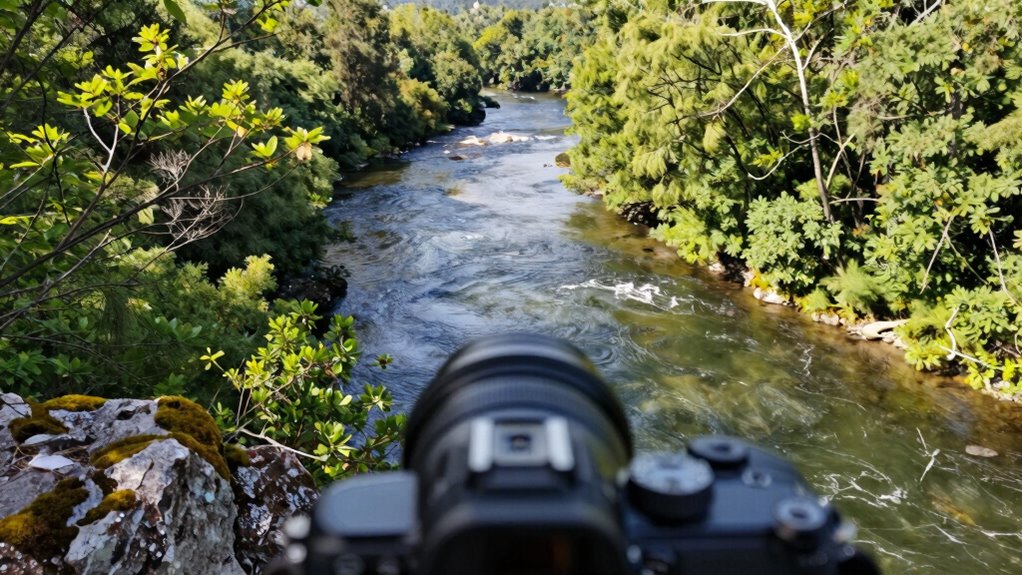
Flying your drone farther isn’t the only way to improve your footage; in fact, focusing on your camera techniques and composition can make a huge difference. You can also enhance your shots by paying attention to camera stability, which helps produce smoother footage. You don’t need to push your drone to its limits to capture striking visuals. Instead, hone in on how you frame your shots and adjust your camera settings to maximize quality. First and foremost, drone safety should always be your priority. By maintaining a safe distance from obstacles, people, and restricted areas, you guarantee your drone remains operational and your footage stays accident-free. Safe flying allows you to experiment more freely with your camera techniques without risking damage or violations.
When it comes to camera settings, understanding and optimizing them can elevate your footage considerably. Adjust your ISO, shutter speed, and aperture based on the lighting conditions—keeping ISO low in bright sunlight helps reduce grain, while a slower shutter speed can create smoother motion in scenes with movement. Many drones offer manual control over these settings, so take the time to learn how each one affects your shot. For example, setting the correct shutter speed—double your frame rate—can produce more natural motion blur, making your footage look more cinematic. If your drone has a gimbal, utilize its stabilization to keep your shots steady, especially when doing slow, sweeping movements.
Composition is equally crucial. Instead of simply flying straight ahead or upward, think about framing your shot intentionally. Use the rule of thirds to position key elements, creating a balanced and engaging image. Incorporate leading lines, natural horizons, or interesting foreground objects to add depth and perspective. Even small adjustments in your drone’s angle or altitude can dramatically change the story your footage tells. Practice slow, deliberate movements rather than quick jerks, and aim for smooth transitions between shots. This will give your footage a polished, professional feel without needing to fly farther or higher. Paying attention to shot composition can help you craft more compelling visuals.
Finally, review your footage critically. Look for areas where you can improve composition, lighting, or camera settings. Don’t hesitate to experiment with different angles or camera angles to see what works best. Remember, the goal isn’t just to cover more ground but to capture compelling visuals through smarter camera work, careful planning, and safe flying practices. By focusing on these elements, you’ll find that the quality of your drone footage can improve dramatically, even without venturing further into new territory.
As an affiliate, we earn on qualifying purchases.
Frequently Asked Questions
What Camera Settings Improve Drone Footage Quality Instantly?
To improve drone footage instantly, focus on adjusting your camera settings for ideal results. Use a low ISO to reduce grain, set a narrow aperture for sharpness, and choose a higher shutter speed to avoid motion blur. Enhance your shots with dynamic camera angles, and consider lighting techniques like shooting during golden hour for softer, warmer light. These tweaks make your footage clearer, more cinematic, and visually engaging.
How Can I Stabilize Footage Without Advanced Equipment?
Think of your drone’s footage as a delicate kite—stability depends on careful handling. To stabilize without advanced gear, regularly perform gimbal maintenance to keep it smooth and responsive. Be mindful of wind considerations, as gusts can shake your shot. Flying in calmer conditions and ensuring your gimbal is clean and properly calibrated will help produce steady, professional-looking footage without needing extra equipment.
What Are Quick Editing Tips for More Dynamic Shots?
To make your shots more dynamic, focus on quick editing techniques like color grading to enhance mood and vibrancy, and sound design to add depth and immersion. Use fast cuts and strategic shifts to energize your footage. Don’t forget to sharpen your visuals and balance audio levels for a professional feel. These tips help transform simple shots into engaging, captivating scenes without needing advanced equipment or extra flying.
How Do I Plan Shots for Better Composition?
Imagine you’re a modern Leonardo, masterful at shot planning and compositional techniques. Start by visualizing your scene’s key elements and framing them with the rule of thirds. Scout your location beforehand, considering angles and lighting. Use foreground and background for depth, and think about movement to add dynamism. This thoughtful shot planning guarantees your drone footage feels intentional, compelling, and professionally crafted, even without flying farther.
Which Drone Features Help Achieve Smoother Movement?
To achieve smoother movement, focus on features like advanced drone flight paths and obstacle avoidance. Flight path planning allows you to set precise routes, reducing sudden jerks and shaky footage. Obstacle avoidance helps you navigate around objects seamlessly, preventing abrupt stops or crashes. Together, these features give you better control, enabling fluid, professional-looking shots even without flying farther. Practice using these tools to enhance your drone footage quality effectively.
As an affiliate, we earn on qualifying purchases.
Conclusion
By focusing on your composition, mastering your camera settings, and planning your shots thoughtfully, you can elevate your drone footage without ever needing to fly farther. It’s about seeing the potential in every frame, refining your skills with every flight, and pushing your creativity within your current limits. So, embrace your current vantage point, experiment with angles, and let your imagination soar—because better drone footage starts with your perspective, not your distance.
drone ND filter for better footage
As an affiliate, we earn on qualifying purchases.
As an affiliate, we earn on qualifying purchases.
drone shot composition accessories
As an affiliate, we earn on qualifying purchases.
As an affiliate, we earn on qualifying purchases.
Halloween Picks
halloween
As an affiliate, we earn on qualifying purchases.