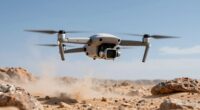
As a drone editor, you should prioritize monitors with high color accuracy and a wide color gamut to guarantee precise color grading, especially for subtle gradations in aerial footage. Regular calibration with professional tools keeps your display consistent and prevents color shifts over time. Understanding industry standards like Rec. 709 or DCI-P3 helps you maintain true-to-life colors. Keep these practices in mind, and you’ll produce professional, cinematic results—there’s much more to improve your workflow.

Get the latest gadgets delivered free — and shop member deals
- Fast, free delivery on millions of items
- Access to Prime Big Deal Days deals on October 6–7
- Prime Video, Amazon Music and more included
Key Takeaways
- Prioritize monitors with high color accuracy and wide color gamuts like Rec. 709 or DCI-P3 for precise drone footage grading.
- Regularly calibrate your monitor using professional tools to maintain consistent and accurate color reproduction over time.
- Ensure your monitor supports detailed color gradations to distinguish subtle differences in aerial drone footage.
- Choose a display with adjustable brightness, contrast, and gamma settings for optimal control over the footage’s look.
- Maintain your monitor’s calibration and invest in quality calibration hardware to ensure reliable color fidelity for professional results.

When editing drone footage, understanding how your monitor displays color is vital for accurate color grading and overall quality. Your monitor is the window through which you interpret every shot, so making sure it’s properly calibrated makes all the difference. Color calibration is the process of adjusting your monitor to produce consistent, true-to-life colors. Without it, you risk making editing decisions based on inaccurate color representations, which can lead to footage that looks different across various screens or devices.
Monitor calibration involves using specialized hardware and software to fine-tune your display’s color output. This process helps align your monitor’s color profile with industry standards, such as Rec. 709 or DCI-P3, depending on your project’s needs. When you calibrate your monitor regularly, you create a reliable baseline, making your editing decisions more precise. It’s not just about color; calibration also adjusts brightness, contrast, and gamma, all of which influence the overall look of your footage. Keeping your monitor calibrated guarantees that your adjustments are based on an accurate visual foundation. Additionally, understanding color gamuts can help you select a monitor that best suits your editing workflow. Regular calibration also helps prevent color shifts, which can occur over time if your display isn’t maintained properly. Ensuring your display supports industry color standards is also crucial for achieving professional-grade results.
To ensure consistent results across different projects, it’s important to familiarize yourself with monitor calibration best practices and tools. As a drone editor, you should prioritize a monitor that offers high color accuracy and a wide color gamut. These features allow you to see subtle color differences and gradations, which are essential when grading footage shot from aerial drones. When your monitor supports true color reproduction, you can confidently tweak colors, shadows, and highlights to achieve the desired cinematic look. Remember, even the most talented editor can’t produce professional results if their display isn’t calibrated correctly. It’s worth investing in a quality calibration device, especially if you work on multiple projects or for clients demanding precise color fidelity.
Additionally, you should understand that different monitors have different calibration needs. A professional-grade monitor might need calibration less frequently than a consumer-grade model, but regular checks are still recommended. When you maintain a consistent calibration routine, you reduce the risk of color shifts over time. This consistency helps guarantee that your final product remains true to your creative vision, regardless of where it’s viewed.
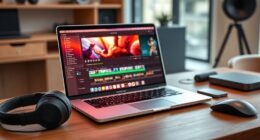
professional color calibration monitor
As an affiliate, we earn on qualifying purchases.
As an affiliate, we earn on qualifying purchases.
Frequently Asked Questions
What Is the Ideal Monitor Size for Drone Editing?
You should choose a monitor around 27 inches for drone editing, as it offers a good balance of screen space and ergonomics. A larger size enhances detail work, while a comfortable ergonomic setup prevents strain. Make certain the monitor has a high screen refresh rate, ideally 60Hz or higher, to display smooth footage. This combo lets you accurately assess color, detail, and motion, making editing more precise and enjoyable.
How Important Is HDR Support for Drone Footage?
HDR support is pretty important for drone footage because it enhances your video’s dynamic range, making colors pop and details visible in shadows and highlights. You should look for a monitor that meets specific HDR standards like HDR10 or Dolby Vision, and offers high color depth, ideally 10-bit or more. This guarantees your footage looks accurate and vibrant, helping you make precise adjustments during editing.
Can I Use a Gaming Monitor for Color Grading?
You can use a gaming monitor for color grading, but it’s not ideal. Gaming monitors often prioritize high refresh rates and fast response times over color accuracy and wide color gamut, which are essential for precise editing. Look for a monitor with good color gamut coverage like Adobe RGB or DCI-P3, and a consistent refresh rate. This way, you’ll get more reliable colors and smoother playback for your drone footage.
What Calibration Tools Are Best for Drone Video Editing?
You need precise calibration tools like the X-Rite i1Display Pro or Datacolor SpyderX for drone video editing. These tools guarantee your monitor displays the right color gamut, essential for accurate color grading. Calibrate regularly—ideally weekly—to maintain consistency. By doing so, you’ll guarantee your drone footage’s colors are true-to-life, helping your edits stand out with professional-quality vibrancy and accuracy.
How Do Ambient Lighting Conditions Affect Monitor Color Accuracy?
Ambient light greatly impacts your monitor’s color accuracy and overall color consistency. Bright or uneven ambient lighting can wash out colors, making it harder to judge accurate tones, especially for drone footage where precise color grading matters. To maintain ideal accuracy, control ambient light by using curtains, dimming lights, or working in a neutral-lit environment. This helps guarantee your monitor displays consistent, true-to-life colors, essential for professional drone editing.
monitor with wide color gamut DCI-P3
As an affiliate, we earn on qualifying purchases.
As an affiliate, we earn on qualifying purchases.
Conclusion
Remember, choosing the right monitor and understanding color is essential for drone editing—think of it like wielding a high-tech compass in a sea of pixels. Trust your eye, calibrate often, and don’t be afraid to invest in quality. Just like a trusty steed in a painter’s workshop, a good display will guide your work to vivid, true-to-life results. Keep your tools sharp, and your visuals will always soar above the rest.
As an affiliate, we earn on qualifying purchases.
high accuracy color grading monitor
As an affiliate, we earn on qualifying purchases.
As an affiliate, we earn on qualifying purchases.
Fall Picks
fall essentials
As an affiliate, we earn on qualifying purchases.