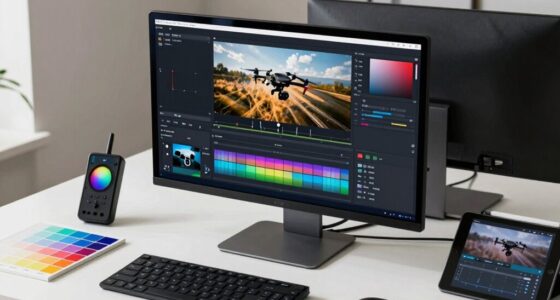
To blend forward motion, reveal shots, and orbiting effectively, you should use deliberate timing and subtle shifts to avoid confusion. Keep camera movements purposeful, aligning them with your scene’s narrative, and balance lighting to highlight key moments without distraction. Use sound design to reinforce shifts and add depth. When done thoughtfully, these elements work together seamlessly, creating engaging scenes. If you explore these techniques further, you’ll discover how to craft smooth, enthralling sequences that enhance your storytelling.

Get the latest gadgets delivered free — and shop member deals
- Fast, free delivery on millions of items
- Access to Prime Big Deal Days deals on October 6–7
- Prime Video, Amazon Music and more included
Key Takeaways
- Use deliberate pacing to balance each movement, avoiding overwhelming the viewer with rapid transitions.
- Coordinate lighting and sound cues to support each technique without distraction or redundancy.
- Plan camera paths to ensure smooth, logical flow between forward motion, reveals, and orbiting shots.
- Limit the frequency of complex movements to maintain scene clarity and viewer focus.
- Integrate subtle visual and auditory cues to guide attention seamlessly through each camera technique.

Have you ever wondered how to seamlessly blend forward motion, reveal shots, and orbiting to create dynamic and engaging scenes? Mastering this balance requires more than just camera work; it involves thoughtful lighting techniques and sound design that support and enhance each movement. When you introduce forward motion, you want the audience to feel the momentum without overwhelming them. This is where lighting techniques come into play. Using consistent, directional lighting helps maintain visual clarity and guides the viewer’s eye along the motion path. Soft fills and subtle highlights can emphasize movement without creating harsh shadows or distractions. For reveal shots, strategic lighting becomes even more vital. You might use backlighting or contrast to accentuate the subject as it’s gradually revealed, adding depth and intrigue. Orbiting shots, which circle around a subject, can be illuminated with careful lighting placement to highlight details from all angles, ensuring the scene remains visually interesting and balanced.
Sound design complements these visual techniques perfectly. As you execute forward motion, ambient sound and subtle score layers can reinforce the sense of movement and momentum. For reveal shots, sound effects or changes in music tone can signal a shift in focus or uncovering of new information. When orbiting around a subject, consider using spatial audio cues to enhance the feeling of movement and immersion. The right sound design can make viewers feel like they’re part of the scene, following the camera’s path around the subject or through the environment. The key is moderation; avoid overdoing effects that might distract from the core action. Instead, incorporate sound and lighting gradually, building tension and interest without overwhelming the scene.
Additionally, understanding visual storytelling principles ensures these techniques work cohesively to serve the narrative. The real trick lies in blending these elements so they don’t compete but rather complement each other. Use lighting techniques to set the mood and guide the viewer’s attention, then layer sound design to reinforce the visual cues. For instance, a subtle shift in lighting combined with a corresponding change in sound can subtly signal a reveal or transition, making the scene feel fluid and natural. When you’re mindful of this harmony, you ensure each movement—forward motion, reveal shots, or orbiting—serves the story and keeps your audience engaged without feeling chaotic or overdone. Ultimately, it’s about creating a seamless flow, where each technique enhances the others, resulting in a scene that’s dynamic, clear, and compelling.
camera stabilizer gimbal for smooth motion
As an affiliate, we earn on qualifying purchases.
As an affiliate, we earn on qualifying purchases.
Frequently Asked Questions
How Do I Choose the Right Shot for My Story?
You choose the right shot by considering your storytelling flow and the emotion you want to evoke. Think about camera angles that highlight characters’ reactions or set the scene’s mood. Use reveal shots and orbiting strategically to add interest, but avoid overdoing them to maintain clarity. Match your shot choices to the story’s pace, ensuring each shot advances the narrative and keeps viewers engaged without confusion.
What Equipment Is Best for Smooth Orbiting Shots?
You should use a gimbal or steadicam for smooth orbiting shots, as they provide excellent camera stabilization. A lightweight, versatile lens selection, like a zoom or wide-angle lens, helps maintain fluid movement and focus. Prioritize equipment that minimizes shake and allows seamless rotation around your subject. Combining steady camera stabilization with the right lens choice guarantees your orbiting shots are smooth, professional, and visually engaging without overdoing the effect.
How Can I Maintain Viewer Engagement During Complex Shots?
You keep viewer engagement during complex shots by focusing on strong visual storytelling and thoughtful shot composition. Use dynamic camera movements to guide the audience’s eye, but don’t overdo it—balance motion with clear subject focus. Incorporate reveal shots strategically to build anticipation, and orbiting shots to add depth. Always make certain each movement enhances the narrative, helping viewers connect emotionally without feeling overwhelmed or distracted.
What Are Common Mistakes to Avoid When Combining These Techniques?
Avoid overusing motion, which can overwhelm viewers and dilute the scene’s impact. Be cautious with distracting switchovers; they can pull attention away from the story. Research shows viewers start losing interest after just a few seconds of rapid movement. When combining techniques, keep motion purposeful, and shifts smooth. This prevents the scene from feeling chaotic, ensuring your audience remains engaged without feeling disoriented or distracted.
How Do Lighting and Camera Settings Affect These Shots?
Lighting and camera settings dramatically influence these shots’ effectiveness. You should adjust your lens selection to control depth of field, emphasizing the subject while blurring backgrounds. Proper lighting enhances contrast and mood, guiding viewer focus. Use color grading to unify the shots’ tone, ensuring shifts feel seamless. Fine-tuning camera settings, like aperture and shutter speed, helps maintain smooth motion and reveal clarity, preventing the visuals from feeling jarring or overdone.
As an affiliate, we earn on qualifying purchases.
Conclusion
Think of your camera work like a dance—each move should flow naturally into the next. When you master blending forward motion, reveal shots, and orbiting, your scenes become a mesmerizing story rather than a jarring jumble. I once watched a filmmaker seamlessly switch between these techniques, and it felt like watching a skilled conductor lead an orchestra—every element in perfect harmony. Keep experimenting, and your shots will tell stories as fluid and compelling as a well-orchestrated performance.
sound design tools for filmmaking
As an affiliate, we earn on qualifying purchases.
As an affiliate, we earn on qualifying purchases.
As an affiliate, we earn on qualifying purchases.
Fall Picks
fall essentials
As an affiliate, we earn on qualifying purchases.