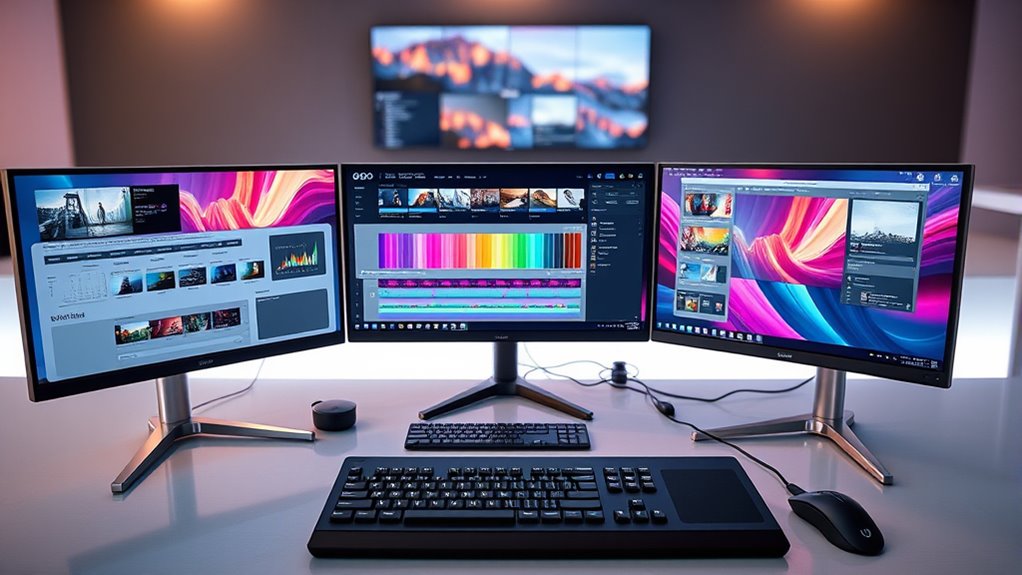

If you’re looking for the best ultrawide monitors for video editing and multitasking in 2025, I recommend models like the Sceptre 34-inch, CRUA 34-inch, Samsung ViewFinity S50GC, LG smart monitor, and INNOCN’s 40-inch 5K display. These offer high resolutions, excellent color accuracy, smooth refresh rates, and curved designs for immersion and comfort. Keep watching to discover which one fits your workflow perfectly.
Key Takeaways
- Look for monitors with high resolutions (3440×1440, 5120×2160) and wide color gamuts (DCI-P3, Adobe RGB) for precise editing.
- Prioritize curved ultrawide screens (1800R, 1900R) to enhance immersion and reduce distortion during multitasking.
- Choose models with high refresh rates (120Hz-180Hz) and low response times for smooth video playback and editing workflows.
- Ensure versatile connectivity options (USB-C, HDMI 2.1, DisplayPort) for seamless multi-device setup.
- Consider ergonomic features and built-in smart functions for long-term comfort and enhanced productivity.
Sceptre 34-Inch Curved Ultrawide WQHD Monitor (C345B-QUT168)

If you’re looking for an ultrawide monitor that boosts productivity and offers excellent visual quality, the Sceptre 34-Inch Curved Ultrawide WQHD Monitor (C345B-QUT168) is an ideal choice. Its 34-inch curved display with 3440 x 1440 resolution provides sharp, detailed images, while the 21:9 aspect ratio gives you 30% more screen space. With refresh rates up to 180Hz and a 1ms response time, it delivers smooth visuals perfect for gaming and video editing. The curved design enhances immersion, and 99% sRGB coverage guarantees accurate colors. Built-in speakers and modern aesthetics make it a versatile, stylish addition to any workspace.
Best For: professionals and gamers seeking a wide, immersive display with high resolution and smooth visuals for multitasking, gaming, and multimedia editing.
Pros:
- Ultra-wide 34-inch curved display offers expansive screen real estate for multitasking and immersive viewing.
- Fast refresh rate up to 180Hz and 1ms response time ensure smooth, ghosting-free visuals during gaming and fast-paced media.
- Accurate color reproduction with 99% sRGB coverage enhances visual fidelity for creative and multimedia tasks.
Cons:
- Large size may require significant desk space and ergonomic adjustments.
- Curved design might not appeal to users preferring flat screens for certain professional tasks.
- Limited to specific input options; may require compatible cables and ports for optimal performance.
CRUA 34″ Curved Gaming Monitor with WQHD, 120Hz, 21:9 UltraWide

The CRUA 34″ Curved Gaming Monitor with WQHD, 120Hz, and a 21:9 ultra-wide aspect ratio is an excellent choice for those who need a large, immersive display for multitasking or creative work. Its 34-inch curved screen with 3440×1440 resolution and 1900R curvature offers deep contrast and a broad workspace. The IPS panel covers 98% DCI-P3 and 130% sRGB, providing vibrant, true-to-life colors ideal for editing. With a 120Hz refresh rate and AMD FreeSync, it delivers smooth visuals for gaming and media. Versatile connectivity options, including HDMI and DisplayPort, combined with VESA compatibility, make setup flexible and straightforward.
Best For: gamers, creative professionals, and multitaskers seeking an expansive, high-quality curved display for immersive gaming, detailed editing, and efficient multitasking.
Pros:
- Ultra-wide 34-inch curved display with high WQHD resolution for immersive viewing experiences.
- Excellent color accuracy with IPS panel covering 98% DCI-P3 and 130% sRGB, ideal for creative work.
- Smooth visuals with 120Hz refresh rate and AMD FreeSync support, perfect for gaming and media.
Cons:
- No built-in speakers, requiring external audio solutions.
- Limited to 60Hz on some consoles without HDMI 2.0 support.
- VESA mount compatibility may require additional accessories for certain setups.
SAMSUNG 34″ ViewFinity S50GC Series Ultra-WQHD Monitor

For professionals who need a seamless, expansive workspace, the SAMSUNG 34″ ViewFinity S50GC Series Ultra-WQHD Monitor offers an impressive 21:9 aspect ratio with a borderless design, making it ideal for multitasking and content creation. Its 34-inch display supports HDR10 and over a billion colors, delivering vibrant, true-to-creator visuals. Features like PIP and PBP modes let you view multiple sources simultaneously, while the 100Hz refresh rate and 5ms response time ensure smooth motion. Eye care technologies, including flicker-free operation and ambient light adjustment, keep your eyes comfortable during long sessions. With versatile connectivity options, this monitor balances high performance and productivity effortlessly.
Best For: professionals seeking an expansive, high-resolution workspace ideal for multitasking, content creation, and immersive viewing experiences.
Pros:
- Ultra-WQHD 34-inch display with 21:9 aspect ratio maximizes screen real estate for multitasking.
- Supports HDR10 and over a billion colors for vibrant, true-to-creator visuals.
- Eye care features like flicker-free technology and ambient light adjustment enhance long-term comfort.
Cons:
- Limited to two HDMI ports and one DisplayPort, which may restrict multiple device connections.
- The large size may require ample desk space and ergonomic adjustments.
- Premium features and high-resolution display can come at a higher price point.
LG 34-inch QHD Curved Smart Monitor
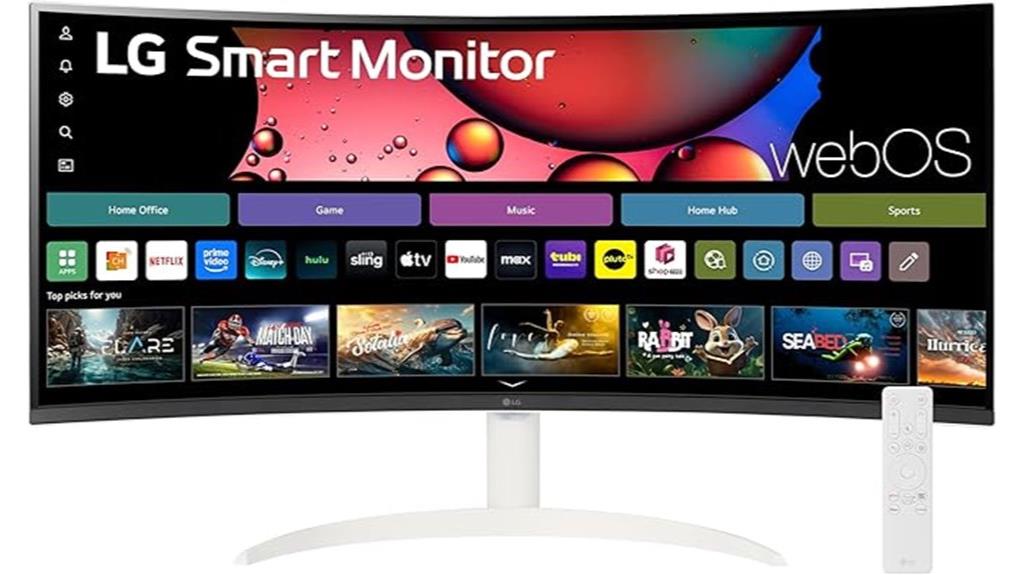
The LG 34-inch QHD Curved Smart Monitor stands out as an excellent choice for those seeking a versatile, all-in-one display. Its 34-inch QHD (3440×1440) ultra-wide curved screen offers a 21:9 aspect ratio and a 1800R curvature, delivering a more immersive viewing experience. With 99% sRGB coverage and HDR10 support, color accuracy and picture quality are superb. The sleek, frameless design pairs well with its smart features—wireless streaming, built-in webOS23, and compatibility with Apple AirPlay 2. Multiple ports and smart connectivity options make multitasking effortless, whether for work, gaming, or entertainment.
Best For: professionals, gamers, and entertainment enthusiasts seeking an immersive, versatile all-in-one monitor with excellent display quality and smart connectivity features.
Pros:
- Ultra-wide 34-inch QHD curved display delivers an expansive, immersive viewing experience with vibrant colors.
- Built-in webOS23 platform offers seamless access to streaming apps and cloud services without external devices.
- Multiple ports, wireless streaming options, and compatibility with Apple AirPlay 2 enhance connectivity and multitasking.
Cons:
- Slightly larger footprint may require more desk space.
- Limited to 100Hz refresh rate, which may be less ideal for high-end competitive gaming.
- Premium features and smart capabilities might come at a higher price point compared to standard monitors.
INNOCN 40 Inch 5K Ultrawide Monitor (40C1U)
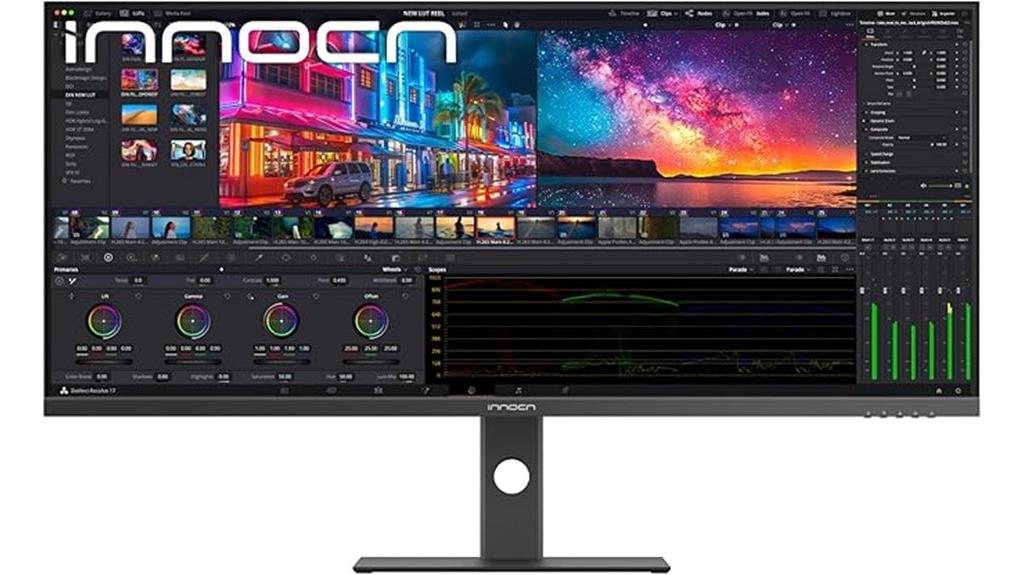
If you’re seeking an ultrawide monitor that delivers exceptional color accuracy and stunning resolution, the INNOCN 40 Inch 5K Ultrawide Monitor (40C1U) stands out as an ideal choice. Its 40-inch IPS panel offers a 5K resolution (5120 x 2160), with 135% sRGB and 106% DCI-P3 coverage, ensuring vibrant, precise colors. The HDR400 support and factory pre-calibration guarantee accurate visuals, while the slim, frameless design provides an immersive viewing experience. With versatile connectivity options—including HDMI 2.1, DisplayPort 1.4, USB-C, and more—it’s perfect for creative professionals, gamers, and multitaskers alike. Ergonomic features and eye-care tech make long work sessions comfortable.
Best For: creative professionals, video editors, and multitaskers seeking a high-resolution ultrawide display with accurate colors and versatile connectivity.
Pros:
- Exceptional 5K resolution with vibrant and accurate color coverage (135% sRGB, 106% DCI-P3)
- Multiple connectivity options including HDMI 2.1, DisplayPort 1.4, and USB-C support diverse devices
- Ergonomic adjustments and eye-care features for comfortable extended use
Cons:
- Heavier weight (19.3 lbs without stand) may require sturdy mounting solutions
- Premium features may come at a higher price point compared to standard monitors
- Limited information on built-in speakers’ audio quality
Factors to Consider When Choosing Ultrawide Monitors for Video Editing and Multitasking

When selecting an ultrawide monitor for video editing and multitasking, I focus on several key factors. These include screen resolution and color accuracy to make certain sharp, vibrant visuals, as well as size and curvature for comfort and efficiency. I also consider refresh rate and connectivity options to support smooth workflows and versatile setup needs.
Screen Resolution Quality
Choosing a monitor with high screen resolution is essential for video editing and multitasking, as it directly affects image clarity and workspace. Higher resolutions like 3440×1440 or 5120×2160 deliver sharper, more detailed visuals, which are critical for precise editing tasks. Resolutions such as WQHD (2560×1440) and 4K (3840×2160) provide more room to work, reducing the need to zoom or switch between windows. Ultrawide monitors with over 3000 horizontal pixels enable seamless multitasking by displaying multiple applications side by side. Pixel density, measured in PPI, influences the clarity of fine details, indispensable for color grading and detailed edits. A high-resolution display ensures your visual content appears accurate and crisp across the entire workspace.
Color Accuracy Range
A wide color accuracy range is essential for guaranteeing that your monitor can reproduce colors precisely, which is critical for professional video editing and color grading. Monitors with high coverage of color gamuts like DCI-P3 or Adobe RGB deliver more vibrant, true-to-life visuals, helping you see your footage as intended. Maintaining a delta-E value below 2 ensures minimal color deviation, vital for accurate color matching. An sRGB coverage of 99% or higher guarantees consistent colors across web and video content, making your work look professional on different devices. Additionally, HDR support enhances contrast and color depth, allowing for more accurate representation of dynamic range. Overall, a monitor with excellent color accuracy range helps you achieve precise, reliable results in your editing workflow.
Screen Size & Curve
Selecting the right screen size and curve is essential for optimizing your workflow on an ultrawide monitor. Larger screens, like 34 inches or more, offer plenty of space for multitasking and detailed video editing, allowing you to view multiple windows and timelines simultaneously. A curved display with a radius between 1800R and 1900R enhances immersion and reduces eye strain, especially during long editing sessions. The degree of curvature should match the monitor’s size to maintain focus across the entire screen without distortion. Curved ultrawide monitors minimize edge distortion, providing more accurate color and image alignment vital for editing precision. This seamless viewing experience helps you stay focused and efficient, making size and curve vital factors in choosing the best monitor for your video editing and multitasking needs.
Refresh Rate Speed
A high refresh rate, such as 120Hz or higher, plays a crucial role in delivering smooth motion during video editing and multitasking on an ultrawide monitor. It guarantees fluid transitions when scrubbing through timelines or previewing edits, making detailed work more comfortable. Monitors with refresh rates of 165Hz or 180Hz excel at reducing motion blur, especially during fast-paced editing or gaming sessions, providing clearer visuals. Consistent refresh rates also prevent screen tearing, offering a seamless experience when switching between multiple applications. For video editing, a minimum of 100Hz can improve responsiveness during timeline navigation and preview rendering. When combined with adaptive sync technologies like FreeSync or G-Sync, higher refresh rates considerably enhance visual stability and reduce input lag, making multitasking more efficient and enjoyable.
Connectivity Options
When selecting an ultrawide monitor for video editing and multitasking, it’s vital to pay attention to the connectivity options. Look for multiple input ports like HDMI, DisplayPort, and USB-C to support various devices and enable seamless switching. Confirm the monitor supports high-bandwidth standards like HDMI 2.0/2.1 and DisplayPort 1.4 for maximum resolution and refresh rates, especially important for video work. Monitors with USB-C ports that handle video, data, and power delivery can simplify your setup by reducing cable clutter. Additionally, check for built-in or external audio outputs if syncing sound is part of your workflow. Compatibility with your existing hardware is essential to maximize efficiency and guarantee smooth multitasking without connectivity issues.
Ergonomic Adjustability
Have you ever experienced discomfort or strain after long hours of editing? Ergonomic adjustability features like height, tilt, swivel, and pivot are essential for customizing your monitor’s position for maximum comfort. These adjustments help you maintain a neutral posture, reducing neck, back, and eye strain during extended editing sessions. Monitors with adjustable stands or VESA compatibility give you the flexibility to align the screen perfectly, minimizing glare and reflections. Being able to change the height and tilt guarantees your workspace adapts to your ergonomic needs, preventing repetitive strain injuries. Good ergonomic features not only improve comfort but also make your workspace more versatile, accommodating different user preferences and multitasking setups. Prioritizing these adjustments is key to sustained productivity and overall well-being.
Built-in Features
Built-in features can substantially enhance your multitasking and workflow efficiency on ultrawide monitors. Picture by Picture (PBP) and Picture in Picture (PIP) modes let you view multiple input sources simultaneously, making multitasking seamless. High refresh rates, like 120Hz to 180Hz, ensure smoother video playback and editing, reducing lag and motion blur. Integrated ports such as USB-C, HDMI, and DisplayPort offer versatile connectivity, letting you connect multiple devices without extra adapters. Eye care technologies like flicker-free screens and blue light filters help minimize eye strain during long editing sessions. Additionally, built-in speakers and smart features like streaming apps or voice control boost productivity and entertainment, all without cluttering your workspace. These features collectively streamline your workflow and elevate your editing experience.
Price & Warranty
Price and warranty are vital factors to take into account because they directly impact your overall value and peace of mind. Ultrawide monitors for video editing and multitasking range from around $300 for budget options to over $1,000 for high-end models with advanced features like HDR and enhanced color accuracy. Investing in a more expensive monitor often means better performance and longer warranties, sometimes extending beyond three years, which protects you against defects and accidental damage. Budget models may come with limited or no warranty coverage, so it’s essential to review warranty terms before buying. Choosing a monitor with a thorough warranty can save you money and hassle over time, ensuring reliable performance during intensive editing workflows and demanding multitasking sessions.
Frequently Asked Questions
How Do Ultrawide Monitors Impact Color Accuracy for Professional Editing?
Ultrawide monitors can enhance color accuracy for professional editing if they have high-quality panels and calibration options. I’ve found that models with wide color gamuts, like Adobe RGB or DCI-P3, deliver more precise colors. Regular calibration is key to maintaining accuracy. While some ultrawides might not be as color-accurate as dedicated professional displays, choosing the right specs makes a huge difference for my editing work.
What Is the Ideal Resolution for Multitasking and Video Editing?
The ideal resolution for multitasking and video editing is like finding the perfect canvas—large, detailed, and sharp. I recommend a 3440×1440 or 3840×1600 ultrawide monitor, as they offer ample space for multiple windows and precise editing details. These resolutions strike a balance between clarity and performance, allowing me to work efficiently without sacrificing image quality. For the best experience, choose one that suits your system’s capabilities and your workflow needs.
Are Ultrawide Monitors Compatible With All Major Video Editing Software?
Yes, ultrawide monitors are compatible with all major video editing software. I’ve used them with programs like Adobe Premiere Pro, DaVinci Resolve, and Final Cut Pro without issues. They seamlessly integrate, allowing me to customize workspace layouts and improve my workflow. Just make certain your graphics card supports ultrawide resolutions, and you’re good to go. Ultrawide monitors truly enhance editing efficiency and multitasking!
How Does Screen Curvature Affect Long-Term Viewing Comfort?
Imagine your screen wrapping around you like a gentle embrace—that’s what curvature does for long-term comfort. It reduces eye strain by maintaining a consistent focal distance, preventing your eyes from darting across flat surfaces. I’ve found that a subtle curve feels natural, easing fatigue during extended editing sessions. Too steep, though, and it can distort perception. So, choosing the right curvature helps your eyes relax and keeps you comfortable over hours.
What Are the Best Connectivity Options for Ultrawide Monitors?
I find that the best connectivity options for ultrawide monitors include USB-C, HDMI, and DisplayPort. USB-C is especially versatile, allowing easy connection to laptops and peripherals with a single cable for video, data, and charging. HDMI and DisplayPort also work well for high-resolution, high-refresh-rate setups. I always check that my monitor supports the latest standards to guarantee smooth, future-proof connectivity that keeps my workflow seamless.
Conclusion
Choosing the right ultrawide monitor is like selecting a trusted compass for a journey—guiding your workflow smoothly through the maze of tasks. These screens are your navigators, expanding horizons and sharpening focus, so you can sail through video editing and multitasking with ease. Trust your instincts and pick the one that feels like a natural extension of your creative voyage. With the right monitor, your workspace becomes an endless ocean of possibility.