Among these wireless mechanical keyboards, I rank the AULA F75 Pro as the best overall for its compact 75% layout, tri-mode connectivity, and hot-swappable switches. The Redragon K768 PRO stands out if you want a control knob and a fuller layout, while the Lenovo GK10 offers a practical 80% format with hot-swappable brown switches. The key tradeoff is choosing between a smaller footprint and dedicated keys, then balancing switch customization, wireless flexibility, and typing noise. Some models in this list are membrane keyboards rather than mechanical, so checking the switch type matters before buying. Read on for the full breakdown and help matching each option to your setup.

Get the latest gadgets delivered free with Prime
- Fast, free delivery on millions of items
- Prime Video, Amazon Music and more included
- Member-only deals all year
Complete the kit



Key Takeaways
- The AULA F75 Pro leads the mechanical picks by combining a compact 75% layout with tri-mode connectivity and hot-swappable switches, features that support both flexible placement and later switch changes.
- Layout choice drives the biggest day-to-day difference: the 75% models save desk space, while the 99-, 100-, and 108-key options retain more dedicated keys for number entry and navigation.
- Hot-swappable switches appear on only some options, including the AULA F75 Pro and Lenovo GK10; buyers who want to change typing feel should prioritize that feature over RGB lighting.
- Not every product in the list is mechanical: the AULA S99 and S99 Pro V2 are membrane models, so they suit buyers prioritizing quiet or membrane-style typing rather than mechanical switches.
- Wireless feature sets vary substantially: tri-mode models provide more connection choices, while a control knob or gasket-style construction may matter more to buyers focused on convenience or typing feel.
| ProtoArc K310 Pro Full-Size Backlit Wireless Mechanical Keyboard |  | Best for Quiet Full-Size Typing | Layout: Full-size QWERTY, 108 keys | Switches: Low-profile linear red | Connectivity: Bluetooth and 2.4 GHz USB receiver | VIEW LATEST PRICE | See Our Full Breakdown |
| Lenovo GK10 Tri-Mode Wireless Mechanical Keyboard, 80% Layout, Hot-Swappable Brown Switches, RGB Backlighting, Classic Milk Coffee |  | Best for Switch-Swap Beginners | Layout: 80% QWERTY, 80 keys | Switches: Brown tactile; full-key hot-swappable | Connectivity: Bluetooth, 2.4 GHz wireless, and USB-C wired | VIEW LATEST PRICE | See Our Full Breakdown |
| Redragon K671KS Wireless Mechanical Gaming Keyboard |  | Best for Multi-Device Customization | Layout: 81-key QWERTY | Switches: Linear, hot-swappable | Connectivity: USB-C, Bluetooth 3.0/5.0, and 2.4 GHz wireless | VIEW LATEST PRICE | See Our Full Breakdown |
| Redragon K710 Wireless Typewriter-Style Mechanical Gaming Keyboard, Black | 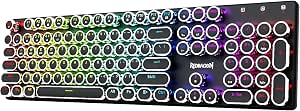 | Best for Clicky Typewriter Style | Layout: 104-key QWERTY | Switches: Clicky mechanical blue | Connectivity: USB-C wired, Bluetooth 3.0/5.0, and 2.4 GHz wireless | VIEW LATEST PRICE | See Our Full Breakdown |
| AULA F75 Pro 75% Wireless Hot-Swappable Mechanical Keyboard |  | Best Compact Feature Set | Layout: 75%, 81 keys, QWERTZ | Switches: Pre-lubricated linear Reaper switches | Hot-swap support: 3-pin and 5-pin switches | VIEW LATEST PRICE | See Our Full Breakdown |
| Redragon K768 PRO Wireless 100-Key Gasket Gaming Keyboard with Control Knob |  | Best for a Cushioned, Customizable Typing Feel | Layout: 100-key QWERTY | Connectivity: USB-C, Bluetooth, 2.4GHz wireless | Battery capacity: 8000mAh | VIEW LATEST PRICE | See Our Full Breakdown |
| AULA F75 75% Wireless Mechanical Keyboard, White and Brown |  | Best for Multi-Device Setups | Layout: 75%, 81 keys | Connectivity: Bluetooth 5.0, 2.4GHz wireless, USB-C wired | Device switching: Up to five devices | VIEW LATEST PRICE | See Our Full Breakdown |
| AULA F99 99-Key Wireless Mechanical Keyboard | 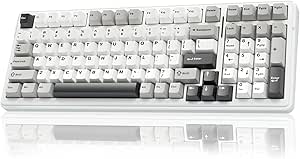 | Best Compact Layout with a Number Pad | Layout: 96%, 99 keys; listed AZERTY | Connectivity: Bluetooth 5.0, 2.4GHz wireless, USB-C wired | Device connections: Up to five | VIEW LATEST PRICE | See Our Full Breakdown |
| AULA S99 Wireless 99-Key Membrane Gaming Keyboard |  | Best for Buyers Who Prefer Membrane Keys | Layout: 96%, 99 keys | Key type: Membrane | Connectivity: Bluetooth 5.0, 2.4GHz wireless, USB-C wired | VIEW LATEST PRICE | See Our Full Breakdown |
| Kisnt KN85 75% Wireless Mechanical Keyboard, Tri-Mode Connectivity, Hot-Swappable Linear Switches, RGB Backlighting, Retro Beige |  | Best Compact Customization Pick | Layout: 75%, 85 keys, QWERTY | Dimensions: 13.68 × 5.51 × 1.77 inches | Connectivity: USB-C, 2.4GHz wireless, Bluetooth 5.0 | VIEW LATEST PRICE | See Our Full Breakdown |
| AULA S99 Pro V2 99-Key Wireless Gaming Keyboard with Silent Membrane Keys and RGB Backlighting |  | Best for Quiet Shared Workspaces | Key count and layout: 99 keys; 97% compact layout | Key type: Silent membrane | Connectivity: Bluetooth 5.0, 2.4 GHz wireless, USB wired | VIEW LATEST PRICE | See Our Full Breakdown |
| Redragon K689 PRO Wireless 108-Key Gasket-Mounted RGB Gaming Keyboard |  | Best for Full-Size Mechanical Typing | Key count and layout: 108 keys; full-size QWERTY | Switches: Redragon custom linear | Switch compatibility: Hot-swappable 3-pin or 5-pin switches | VIEW LATEST PRICE | See Our Full Breakdown |
| EpikList 75% Tri-Mode Wireless Mechanical Keyboard |  | Best Compact Mechanical Pick | Key count and layout: 82-key, 75% ANSI QWERTY | Connectivity: 2.4 GHz wireless, Bluetooth, USB-C | Switches: Linear | VIEW LATEST PRICE | See Our Full Breakdown |
| wireless mechanical keyboard | Connectivity | Backlighting | Layout | Switches |
|---|---|---|---|---|
| ProtoArc K310 Pro Full-Size Ba | Bluetooth and 2.4 GHz USB receiver | Single color, 10 effects; adjustable speed and brightness | Full-size QWERTY, 108 keys | Low-profile linear red |
| Lenovo GK10 Tri-Mode Wireless | Bluetooth, 2.4 GHz wireless, and USB-C wired | Customizable RGB | 80% QWERTY, 80 keys | Brown tactile; full-key hot-swappable |
| Redragon K671KS Wireless Mecha | USB-C, Bluetooth 3.0/5.0, and 2.4 GHz wireless | RGB, 16 preset effects, 5 brightness levels, per-key adjustments | 81-key QWERTY | Linear, hot-swappable |
| Redragon K710 Wireless Typewri | USB-C wired, Bluetooth 3.0/5.0, and 2.4 GHz wireless | RGB with up to 16 modes | 104-key QWERTY | Clicky mechanical blue |
| AULA F75 Pro 75% Wireless Hot- | Bluetooth 5.0, 2.4 GHz wireless, and USB-C wired | RGB, 16.8 million colors; music-reactive effects require driver | 75%, 81 keys, QWERTZ | Pre-lubricated linear Reaper switches |
| Redragon K768 PRO Wireless 100 | USB-C, Bluetooth, 2.4GHz wireless | Adjustable RGB | 100-key QWERTY | — |
| AULA F75 75% Wireless Mechanic | Bluetooth 5.0, 2.4GHz wireless, USB-C wired | RGB, 16 lighting effects | 75%, 81 keys | — |
| AULA F99 99-Key Wireless Mecha | Bluetooth 5.0, 2.4GHz wireless, USB-C wired | RGB, 16 lighting effects | 96%, 99 keys; listed AZERTY | — |
| AULA S99 Wireless 99-Key Membr | Bluetooth 5.0, 2.4GHz wireless, USB-C wired | RGB | 96%, 99 keys | — |
| Kisnt KN85 75% Wireless Mechan | USB-C, 2.4GHz wireless, Bluetooth 5.0 | — | 75%, 85 keys, QWERTY | Pre-lubed linear, 45–50 gf actuation force |
| AULA S99 Pro V2 99-Key Wireles | Bluetooth 5.0, 2.4 GHz wireless, USB wired | RGB; 16.8 million colors; 15 dynamic effects | — | — |
| Redragon K689 PRO Wireless 108 | USB-C, Bluetooth, 2.4 GHz | Adjustable RGB | — | Redragon custom linear |
| EpikList 75% Tri-Mode Wireless | 2.4 GHz wireless, Bluetooth, USB-C | South-facing RGB; 16.8 million colors | — | Linear |
More Details on Our Top Picks
ProtoArc K310 Pro Full-Size Backlit Wireless Mechanical Keyboard
The ProtoArc K310 Pro is the clearest fit here for buyers who want a full-size layout without the sharper sound of clicky switches. Its low-profile linear red switches are designed for smooth, quieter keypresses, while the aluminum top case gives it a more substantial build than a basic office keyboard. Bluetooth and a 2.4 GHz receiver let me pair up to three devices, which is useful for switching between a computer and mobile gear. Compared with the more compact Lenovo GK10, the K310 Pro keeps a number pad but takes up more desk space and lacks hot-swappable switches. Its single-color backlight is less flexible than the Lenovo’s RGB, and macro editing depends on a 2.4 GHz connection, so this is a practical typing pick rather than a customization-first board.
Pros:- Full-size 108-key layout includes a number pad
- Low-profile linear switches are designed for smooth, quiet typing
- Bluetooth and 2.4 GHz support connections to up to three devices
- Aluminum top case, adjustable tilt, and USB-C recharging
Cons:- Single-color backlighting offers less visual customization than the Lenovo GK10 or AULA F75 Pro
- Macro customization works only through a 2.4 GHz connection
- Full-size footprint uses more desk space than the compact options
Best for: People who need a number pad, prefer low-profile linear keys, and switch between a computer and mobile devices.
Not ideal for: Buyers seeking colorful RGB, hot-swappable switches, or macro editing over Bluetooth; macro customization requires the 2.4 GHz receiver.
- Layout:Full-size QWERTY, 108 keys
- Switches:Low-profile linear red
- Connectivity:Bluetooth and 2.4 GHz USB receiver
- Multi-device support:Up to 3 devices
- Backlighting:Single color, 10 effects; adjustable speed and brightness
- Battery:USB-C rechargeable; standby time up to 150 days
- Materials:Aluminum top case and plate
- Dimensions:17.64 x 6.1 x 1.77 in
Our verdict“Choose the K310 Pro if you want a full-size wireless board with quieter, low-profile linear switches and can accept limited lighting and macro flexibility.”
Lenovo GK10 Tri-Mode Wireless Mechanical Keyboard, 80% Layout, Hot-Swappable Brown Switches, RGB Backlighting, Classic Milk Coffee
The Lenovo GK10 makes the strongest case for buyers who want to learn switch customization without giving up everyday flexibility. Its full-key hot-swap sockets let owners replace switches without soldering, while tactile brown switches provide feedback without the pronounced click of the Redragon K710’s blue switches. Bluetooth, 2.4 GHz wireless, and USB-C wired modes cover desk use and wireless setups, and the 80% layout retains arrow and function keys while freeing space compared with the full-size ProtoArc K310 Pro. That smaller footprint means giving up a number pad, and the listed device compatibility is limited to laptops and PCs. The GK10 is a balanced entry into a customizable wireless mechanical keyboard, but it is less suitable for buyers who need broad mobile-device support or a dedicated number pad.
Pros:- Full-key hot-swap sockets allow switch changes without soldering
- Tri-mode connectivity includes Bluetooth, 2.4 GHz, and USB-C wired use
- 80% layout retains function and arrow keys while saving desk space
- Tactile brown switches offer feedback without clicky blue-switch noise
Cons:- Compact layout omits the number pad found on the ProtoArc K310 Pro and Redragon K710
- Listed compatible devices are limited to laptops and PCs
- The product details do not specify multi-device connection capacity
Best for: First-time mechanical keyboard owners who want tactile switches, compact desk use, and the option to try different switches later.
Not ideal for: Number-pad users or buyers who need listed compatibility with phones and tablets; its stated device support covers laptops and PCs.
- Layout:80% QWERTY, 80 keys
- Switches:Brown tactile; full-key hot-swappable
- Connectivity:Bluetooth, 2.4 GHz wireless, and USB-C wired
- Backlighting:Customizable RGB
- Dimensions:12.63 x 5.35 x 1.52 in
- Color:Classic Milk Coffee
- Compatible devices:Laptop and PC
Our verdict“Pick the GK10 if you want a compact, hot-swappable wireless keyboard with tactile switches and do not need a number pad or stated mobile-device support.”
Redragon K671KS Wireless Mechanical Gaming Keyboard
The Redragon K671KS is the most flexible pick in this group for people who want to tune a compact wireless board and move it among several devices. It supports up to five devices across Bluetooth, 2.4 GHz, and USB-C, exceeding the three-device limit of the ProtoArc K310 Pro. Its hot-swappable linear switches, programmable macros, and per-key lighting adjustments offer more room to personalize than the simpler Lenovo GK10, while double-injection PBT keycaps and a metal enclosure add durable materials. Redragon also includes spare switches and keycaps, making switch changes less of a separate purchase. The tradeoff is less certainty around compatibility: the listed operating system is Windows, and battery capacity or runtime is not provided. I’d favor it over the K710 for quieter linear typing, but skip it if non-Windows support is a requirement.
Pros:- Connects through USB-C, Bluetooth, or 2.4 GHz and supports up to five devices
- Hot-swappable linear switches with spare switches and keycaps included
- Per-key lighting adjustments, RGB presets, and programmable macros
- Metal enclosure and double-injection PBT keycaps
Cons:- Windows is the only compatible operating system listed
- Battery capacity and runtime are not specified
- 81-key layout omits the number pad available on the ProtoArc K310 Pro and Redragon K710
Best for: Windows users who want a compact gaming keyboard with multiple connection modes, hot-swappable linear switches, and extensive lighting controls.
Not ideal for: Buyers who need confirmed macOS or mobile operating-system support, or who want a stated battery runtime before choosing.
- Layout:81-key QWERTY
- Switches:Linear, hot-swappable
- Connectivity:USB-C, Bluetooth 3.0/5.0, and 2.4 GHz wireless
- Multi-device support:Up to 5 devices
- Keycaps:Double-injection PBT
- Backlighting:RGB, 16 preset effects, 5 brightness levels, per-key adjustments
- Materials:Metal enclosure and keyboard plate
- Compatible operating system:Windows
Our verdict“Choose the K671KS for a highly configurable compact board and five-device flexibility, provided its listed Windows compatibility meets your needs.”
Redragon K710 Wireless Typewriter-Style Mechanical Gaming Keyboard, Black
The Redragon K710 is the style-led choice, pairing round typewriter-style keycaps with clicky blue switches and a full 104-key layout. That combination gives each press audible and tactile feedback, which can suit buyers who enjoy a pronounced typing sound but makes it a poor fit for quiet rooms or shared desks. Unlike the compact, linear Redragon K671KS, the K710 gives up hot-swappable switches and a smaller footprint in favor of a number pad and more distinctive key styling. It still offers Bluetooth, 2.4 GHz wireless, and USB-C, along with RGB lighting, macros, and anti-ghosting for simultaneous inputs. The listed operating system is Windows, and the round caps may take adjustment if you are used to conventional key shapes.
Pros:- Full 104-key layout includes a number pad
- Bluetooth, 2.4 GHz wireless, and USB-C wired connectivity
- Clicky blue switches provide audible and tactile feedback
- RGB lighting, programmable keys, and anti-ghosting
Cons:- Clicky switches are noisy compared with the ProtoArc K310 Pro’s low-profile linear switches
- Round keycaps may feel unfamiliar compared with the conventional caps on the Redragon K671KS
- Windows is the only compatible operating system listed
Best for: Windows users who want a full-size wireless keyboard with audible click feedback, a number pad, and a distinctive typewriter-inspired look.
Not ideal for: People sharing a quiet workspace, buyers who prefer compact layouts, or anyone who wants standard-shaped keycaps and hot-swap customization.
- Layout:104-key QWERTY
- Switches:Clicky mechanical blue
- Connectivity:USB-C wired, Bluetooth 3.0/5.0, and 2.4 GHz wireless
- Keycaps:Round, typewriter-style
- Backlighting:RGB with up to 16 modes
- Battery:4000 mAh
- Panel material:Metal
- Compatible operating system:Windows
Our verdict“Choose the K710 if clicky feedback and typewriter-style looks matter more than quiet typing, compact size, or switch swapping.”
AULA F75 Pro 75% Wireless Hot-Swappable Mechanical Keyboard
The AULA F75 Pro packs more customization into a compact layout than the other 75% option here: the multi-function knob can control lighting or media, while hot-swap sockets accept both 3-pin and 5-pin switches. Its pre-lubricated linear Reaper switches and layered sound-dampening construction make it a more feature-rich choice than the Lenovo GK10, which has hot-swap support but no listed knob or multi-device capacity. The F75 Pro also connects to up to five devices and includes Bluetooth, 2.4 GHz, and wired USB-C modes. Its 81-key layout retains arrow keys but leaves out a number pad, as does the compact Redragon K671KS. The main catch is the listed QWERTZ layout, which may frustrate buyers expecting QWERTY; music-reactive effects also require the driver.
Pros:- Hot-swappable sockets support both 3-pin and 5-pin switches
- Tri-mode connectivity supports up to five devices
- Compact 81-key layout retains arrow keys and adds a multi-function knob
- Pre-lubricated linear switches, PBT keycaps, and layered sound dampening
Cons:- QWERTZ layout may not suit buyers accustomed to QWERTY
- Music-reactive lighting requires the driver
- Compact layout omits the number pad found on the ProtoArc K310 Pro and Redragon K710
Best for: Compact-keyboard fans who want a knob, broad switch-swapping options, layered sound dampening, and connections to several devices.
Not ideal for: QWERTY typists who do not want to adapt to QWERTZ, or buyers who need a number pad or driver-free music-reactive lighting.
- Layout:75%, 81 keys, QWERTZ
- Switches:Pre-lubricated linear Reaper switches
- Hot-swap support:3-pin and 5-pin switches
- Connectivity:Bluetooth 5.0, 2.4 GHz wireless, and USB-C wired
- Multi-device support:Up to 5 devices
- Keycaps:Side-printed PBT
- Backlighting:RGB, 16.8 million colors; music-reactive effects require driver
- Battery:4000 mAh
- Additional features:Multi-function knob, N-key rollover, water-repellent
Our verdict“Pick the F75 Pro if you want a compact board with a knob, extensive hot-swap support, and multi-device connectivity, and QWERTZ suits your typing habits.”
Redragon K768 PRO Wireless 100-Key Gasket Gaming Keyboard with Control Knob
The Redragon K768 PRO suits buyers who want a roomier layout and a softer-feeling build without giving up wireless flexibility. Its gasket mount and five-layer noise dampening aim to soften keystrokes and reduce typing noise, while the 100-key layout keeps more keys close at hand than the compact AULA F75. Tri-mode connectivity covers a desktop, laptop, or tablet, and the 8000mAh battery gives it a larger stated capacity than the F75’s 4000mAh pack. Hot-swap support for 3-pin and 5-pin switches leaves room to change the feel later. The tradeoff is that its custom switches are linear, so tactile-switch fans may prefer the Lenovo GK10’s brown switches. Its 100-key footprint also takes more room than a 75% board.
Pros:- USB-C, Bluetooth, and 2.4GHz wireless cover wired and wireless setups.
- 8000mAh battery capacity is suited to extended wireless use between charges.
- Hot-swap sockets accept both 3-pin and 5-pin switches.
- Gasket construction, layered dampening, PBT keycaps, and a control knob offer room for comfort and customization.
Cons:- The 100-key layout takes more desk space than compact 75% alternatives.
- Custom linear switches may not suit users who want a tactile bump or audible click.
Best for: Wireless typists who want a cushioned, quieter-feeling mechanical board, a control knob, and more keys than a 75% layout provides.
Not ideal for: Desk-space-conscious buyers or anyone who prefers tactile or clicky switches over linear ones.
- Layout:100-key QWERTY
- Connectivity:USB-C, Bluetooth, 2.4GHz wireless
- Battery capacity:8000mAh
- Switch type:Redragon custom linear switches
- Hot-swap compatibility:3-pin and 5-pin switches
- Mount and dampening:Gasket mount with five-layer noise dampening
- Keycaps:PBT
- Backlighting:Adjustable RGB
Our verdict“Choose the K768 PRO if you want a cushioned, highly configurable wireless board and can spare more desk space than a 75% keyboard requires.”
AULA F75 75% Wireless Mechanical Keyboard, White and Brown
The AULA F75 is the most natural fit here for someone who moves between several devices and wants to keep a compact layout. It supports Bluetooth 5.0, 2.4GHz, and USB-C, with switching among up to five devices—a useful advantage over the Kisnt KN85, whose listed Bluetooth channels number three. At 81 keys, it keeps arrow keys while taking less space than the 100-key Redragon K768 PRO. Its hot-swappable sockets and pre-lubricated linear switches offer a more modifiable starting point than a fixed-switch keyboard, and the knob handles extra controls without adding many keys. The compromises are a plastic enclosure and a 4000mAh battery, half the stated capacity of the K768 PRO. Buyers who need a number pad should look to the AULA F99 instead.
Pros:- Three connection modes and switching among up to five devices suit multi-device desks.
- 75% layout retains arrow keys while saving space compared with 96% and 100-key boards.
- Hot-swap support accepts 3-pin and 5-pin switches.
- Pre-lubricated linear switches, RGB lighting, programmable keys, and a multifunction knob allow customization.
Cons:- The compact layout omits a number pad and has fewer keys than the AULA F99.
- Plastic enclosure may feel less substantial than buyers seeking a heavier build.
- 4000mAh battery capacity is lower than the 8000mAh batteries listed for the K768 PRO and F99.
Best for: People who regularly switch a compact mechanical keyboard between a computer, tablet, and other devices while keeping arrow keys available.
Not ideal for: Number-pad users, buyers seeking a more substantial enclosure, or typists who prefer tactile switches.
- Layout:75%, 81 keys
- Connectivity:Bluetooth 5.0, 2.4GHz wireless, USB-C wired
- Device switching:Up to five devices
- Switch type:Pre-lubricated linear
- Hot-swap compatibility:3-pin and 5-pin switches
- Battery capacity:4000mAh
- Backlighting:RGB, 16 lighting effects
- Enclosure material:Plastic
Our verdict“Pick the F75 if you need a compact wireless mechanical keyboard that can move among several devices and do not need a number pad.”
AULA F99 99-Key Wireless Mechanical Keyboard
The AULA F99 makes the strongest case for buyers who want a number pad but do not want a conventional full-size footprint. Its 99-key, 96% layout keeps the number pad and arrow keys in a more compact arrangement than the 100-key Redragon K768 PRO. Like the AULA F75, it offers three connection modes, hot-swap support, and up to five connected devices; unlike that smaller board, it also has the number pad and a larger stated 8000mAh battery. Double-shot PBT keycaps and layered sound dampening add durable legends and a softer-feeling typing setup. The tradeoffs are its linear-only supplied switches and a listed AZERTY layout, which may be a poor match for buyers expecting QWERTY. Some programming and lighting features also require the driver.
Pros:- 96% layout retains a number pad and arrow keys in a compact arrangement.
- Bluetooth, 2.4GHz wireless, and USB-C support flexible connections and up to five devices.
- 8000mAh battery capacity and hot-swap support suit extended wireless use and later switch changes.
- Double-shot PBT keycaps and layered sound dampening are designed for durable legends and a softer typing feel.
Cons:- The specified AZERTY layout may not suit buyers looking for QWERTY.
- Supplied pre-lubed switches are linear, limiting the out-of-box feel for tactile-switch fans.
- Programmable keys and music rhythm lighting effects require the driver.
Best for: Spreadsheet users and multi-device households who want a wireless mechanical keyboard with a number pad in less space than a traditional full-size layout.
Not ideal for: QWERTY-only buyers who cannot confirm the layout, or anyone who wants to program keys and lighting without installing a driver.
- Layout:96%, 99 keys; listed AZERTY
- Connectivity:Bluetooth 5.0, 2.4GHz wireless, USB-C wired
- Device connections:Up to five
- Switch type:Pre-lubed linear
- Hot-swap compatibility:3-pin and 5-pin switches
- Battery capacity:8000mAh
- Keycaps:Double-shot PBT
- Backlighting:RGB, 16 lighting effects
Our verdict“Choose the F99 if a number pad is non-negotiable but you want a more compact wireless board, after confirming its layout matches your typing needs.”
AULA S99 Wireless 99-Key Membrane Gaming Keyboard
The AULA S99 belongs in a wireless keyboard roundup as a clear alternative for buyers who want a number pad and gaming-style controls but do not specifically want mechanical switches. Its 96% layout, rotary knob, three programmable shortcuts, and tri-mode connectivity resemble the practical shape and flexibility of the mechanical AULA F99. The key difference is feel: the S99 uses membrane keys, so it lacks the mechanical switches and hot-swap options found on the F99, F75, and Kisnt KN85. That can suit users who prefer a different, non-mechanical key action, but it is the wrong pick for anyone shopping specifically to customize mechanical switches. Its adjustable two-stage stand and broad operating-system compatibility add flexibility; the listed battery-powered setup is another point to check against your preferred power arrangement.
Pros:- Bluetooth, 2.4GHz wireless, and USB-C wired connectivity provide multiple setup options.
- 96% layout keeps a numeric keypad while using a compact arrangement.
- Full-key macro programming, three shortcut keys, and a dual-mode rotary knob add control options.
- Adjustable two-stage stand and compatibility with Windows, Mac, Android, and iOS support varied setups.
Cons:- Membrane keys do not provide the mechanical switch feel or hot-swap flexibility of the AULA F99.
- The battery-powered setup may not suit buyers seeking a different power arrangement.
- Membrane construction makes it a poor fit for shoppers specifically seeking a mechanical keyboard.
Best for: Buyers who want a wireless 96% keyboard with a number pad, macro controls, and membrane keys for use across different operating systems.
Not ideal for: Mechanical-keyboard enthusiasts who want physical mechanical switches, hot-swapping, or a switch-customization path.
- Layout:96%, 99 keys
- Key type:Membrane
- Connectivity:Bluetooth 5.0, 2.4GHz wireless, USB-C wired
- Backlighting:RGB
- Programmable controls:Full-key macro programming, M1/M2/M3 shortcut keys
- Special control:Dual-mode rotary knob
- Stand:Adjustable two-stage stand
- Compatibility:Windows, Mac, Android, iOS
Our verdict“Choose the S99 only if you prefer membrane keys and want a compact wireless board with a number pad and programmable controls.”
Kisnt KN85 75% Wireless Mechanical Keyboard, Tri-Mode Connectivity, Hot-Swappable Linear Switches, RGB Backlighting, Retro Beige
The Kisnt KN85 is a compact choice for buyers who want to shape the switch feel without giving up wireless connection options. Its 85-key 75% layout keeps function and arrow keys while taking less space than the Redragon K768 PRO, though it drops the number pad found on the AULA F99. Hot-swap support for 3-pin and 5-pin switches makes experimentation easier than on a fixed-switch board, and the gasket mount and pre-lubed linear switches provide a softer starting point. Tri-mode connectivity includes three Bluetooth channels, plus 2.4GHz and USB-C. The limits are practical: the 4000mAh battery is smaller than the F99’s stated 8000mAh capacity, and the Windows remapping software works only in wired or 2.4GHz modes. It is also not water resistant.
Pros:- Compact 75% layout retains function and arrow keys while saving space.
- USB-C, 2.4GHz wireless, and Bluetooth with three channels support varied connections.
- Hot-swap sockets accept 3-pin and 5-pin switches.
- Gasket mount, pre-lubed linear switches, PBT keycaps, and RGB lighting provide several customization options.
Cons:- No dedicated number pad, unlike the AULA F99.
- 4000mAh battery capacity is lower than the 8000mAh capacity listed for the F99.
- Windows remapping and macro software is limited to wired or 2.4GHz use; the keyboard is not water resistant.
Best for: Desk-space-conscious typists who want a hot-swappable wireless mechanical keyboard with function and arrow keys and plan to customize switches.
Not ideal for: Number-pad users, buyers who need water resistance, or Mac users who expect to remap keys through the listed Windows software.
- Layout:75%, 85 keys, QWERTY
- Dimensions:13.68 × 5.51 × 1.77 inches
- Connectivity:USB-C, 2.4GHz wireless, Bluetooth 5.0
- Bluetooth channels:3
- Battery capacity:4000mAh
- Switches:Pre-lubed linear, 45–50 gf actuation force
- Hot-swap compatibility:3-pin and 5-pin switches
- Mount and keycaps:Gasket mount; PBT keycaps
Our verdict“Pick the KN85 if you want a compact, switch-customizable wireless mechanical keyboard and can work without a number pad or water resistance.”
AULA S99 Pro V2 99-Key Wireless Gaming Keyboard with Silent Membrane Keys and RGB Backlighting
The AULA S99 Pro V2 is the outlier here: it offers wireless convenience and a compact number pad, but its silent membrane keys mean it is not a mechanical keyboard. That makes it a better fit for shared rooms than the mechanical Redragon K689 PRO, whose gasket mount and dampening soften the sound without changing its mechanical feel. The S99 Pro V2 also gives you Bluetooth, 2.4 GHz, and USB connections, plus a status display that makes battery and connection checks easy. Its 99-key layout saves some desk space while keeping number-pad access, though users who want a traditional full-size layout may prefer the K689 PRO. Choose this model for quiet typing and visible status information, not for mechanical switches or a mechanical typing experience.
Pros:- Silent membrane keys suit shared workspaces better than the mechanical switches in the Redragon K689 PRO.
- Bluetooth, 2.4 GHz wireless, and USB wired modes cover different devices and desk setups.
- The display shows battery, connection, lighting, and Num Lock status at a glance.
- A 99-key layout keeps a number pad while trimming some size compared with a full-size board.
Cons:- Membrane keys do not provide the switch feel or replaceable mechanical switches found on the Redragon K689 PRO and EpikList 75%.
- The compact layout may not suit users who prefer a standard full-size arrangement.
- The manufacturer recommends cleaning the surface before use because it may feel oily.
Best for: People sharing an office or living space who want quiet keys, wireless device options, and a built-in number pad.
Not ideal for: Mechanical-keyboard buyers or users who want a full-size layout; the keys are membrane, and the 99-key arrangement is more compact.
- Key count and layout:99 keys; 97% compact layout
- Key type:Silent membrane
- Connectivity:Bluetooth 5.0, 2.4 GHz wireless, USB wired
- Multi-device support:Connects to multiple devices
- Backlighting:RGB; 16.8 million colors; 15 dynamic effects
- Battery:4000 mAh
- Display:Battery status, connection mode, lighting status, and Num Lock status
- Ergonomics:Two-stage feet with three adjustable height levels
Our verdict“Choose the S99 Pro V2 for quiet, flexible typing with a number pad, but skip it if mechanical switches are a requirement.”
Redragon K689 PRO Wireless 108-Key Gasket-Mounted RGB Gaming Keyboard
The Redragon K689 PRO is the strongest fit here for buyers who want a full-size mechanical layout without giving up wireless connections. Its 108 keys include a number pad and four customizable shortcut keys, giving it more dedicated input space than the compact EpikList 75%. A gasket mount, three-layer dampening, and linear switches aim for a softer, more subdued keystroke, while hot-swap sockets let owners change compatible switches without soldering. That makes it more adaptable than the AULA S99 Pro V2, which is quieter but uses membrane keys and offers no mechanical switch customization. The tradeoff is a plastic enclosure, and the product provides no specific water-resistance rating. Pick the K689 PRO for full-size utility and mechanical flexibility rather than the smallest desk footprint.
Pros:- Full-size 108-key layout includes a number pad and four reassignable shortcut keys.
- USB-C, Bluetooth, and 2.4 GHz wireless support wired and wireless setups.
- Gasket mounting and three-layer dampening are designed to give typing a cushioned, less resonant feel.
- Hot-swap sockets accept compatible 3-pin and 5-pin switches, while PBT keycaps resist fading.
Cons:- The plastic enclosure may feel less substantial than a metal-bodied keyboard.
- Its full-size footprint takes more desk space than the EpikList 75%.
- Water resistance is listed without a specific protection rating.
Best for: PC and laptop users who need a number pad, wireless connectivity, and room to customize mechanical switches.
Not ideal for: Minimalist desk setups or buyers seeking a metal enclosure; this is a full-size plastic keyboard, and its water-resistance claim has no stated rating.
- Key count and layout:108 keys; full-size QWERTY
- Switches:Redragon custom linear
- Switch compatibility:Hot-swappable 3-pin or 5-pin switches
- Connectivity:USB-C, Bluetooth, 2.4 GHz
- Mounting and dampening:Gasket-mounted; three-layer noise dampening
- Keycaps:PBT
- Backlighting:Adjustable RGB
- Extra controls:Four dedicated customizable hotkeys
- Enclosure and water resistance:Plastic enclosure; water resistant, with no specific rating provided
Our verdict“Choose the K689 PRO if you want a customizable wireless mechanical keyboard with a number pad and can spare the desk space.”
EpikList 75% Tri-Mode Wireless Mechanical Keyboard
The EpikList 75% gives compact-layout buyers a mechanical alternative to the full-size Redragon K689 PRO. Its 82-key layout retains arrow keys while freeing desk space, and a rotary volume knob keeps a common adjustment within easy reach. Tri-mode connections make it practical across a PC, tablet, or phone, while hot-swappable sockets allow compatible switches to be changed without soldering. Gasket mounting, layered dampening, and pre-lubed stabilizers are aimed at a smoother, quieter sound than a bare, rigid board, though they do not make it silent. Compared with the K689 PRO, the EpikList gives up the number pad and dedicated full-size keys. It also lacks water resistance, so it is a less forgiving choice around drinks.
Pros:- Compact 82-key layout retains arrow keys and adds a rotary volume knob with mute.
- 2.4 GHz, Bluetooth, and USB-C connections support wireless and wired use across devices.
- Hot-swap sockets accept compatible 3-pin and 5-pin MX switches.
- Gasket mounting, sound-absorbing layers, and pre-lubed stabilizers are designed to reduce harshness and key rattle.
Cons:- The compact layout omits keys available on the full-size Redragon K689 PRO, including a number pad.
- It is not water resistant, leaving little protection against spills.
- The ABS enclosure is less resistant to wear than a more durable enclosure material.
Best for: Desk-space-conscious users who want a compact mechanical keyboard with arrow keys, a volume knob, and wireless device switching.
Not ideal for: Number-pad users or people who work around frequent spills; the 75% layout omits keys, and the keyboard is not water resistant.
- Key count and layout:82-key, 75% ANSI QWERTY
- Connectivity:2.4 GHz wireless, Bluetooth, USB-C
- Switches:Linear
- Hot-swap compatibility:3-pin and 5-pin MX switches
- Backlighting:South-facing RGB; 16.8 million colors
- Keycaps:Oil-resistant PBT
- Controls and ergonomics:Rotary volume knob with mute; two-stage adjustable feet
- Dimensions:12.7 × 5.64 × 1.7 in
- Compatibility and water resistance:Windows, macOS, and Android; not water resistant
Our verdict“Choose the EpikList 75% for a space-saving, customizable wireless mechanical setup, provided you can work without a number pad and keep liquids away.”

How We Picked
I compared these keyboards by the factors that change ownership most: whether the switches are mechanical, the amount of desk space and key access each layout offers, available wireless connection modes, switch customization, and practical extras such as a control knob. I gave more weight to features that meaningfully affect daily use than to lighting alone. I also treated mechanical and membrane models as different kinds of products, rather than presenting them as direct substitutes.
The ranking favors a useful balance of layout, connectivity, and flexibility, which puts the AULA F75 Pro first. Other picks rise when they serve a clearer need: a fuller layout, a distinct form factor, or a quieter membrane typing experience. Since the lineup includes products with different layouts and switch types, the best choice depends on the buyer’s setup; a lower-ranked model may still fit a specific need better than the overall pick.
| wireless mechanical keyboard | Keycaps |
|---|---|
| ProtoArc K310 Pro Full-Size Ba | — |
| Lenovo GK10 Tri-Mode Wireless | — |
| Redragon K671KS Wireless Mecha | Double-injection PBT |
| Redragon K710 Wireless Typewri | Round, typewriter-style |
| AULA F75 Pro 75% Wireless Hot- | Side-printed PBT |
| Redragon K768 PRO Wireless 100 | PBT |
| AULA F75 75% Wireless Mechanic | — |
| AULA F99 99-Key Wireless Mecha | Double-shot PBT |
| AULA S99 Wireless 99-Key Membr | — |
| Kisnt KN85 75% Wireless Mechan | — |
| AULA S99 Pro V2 99-Key Wireles | — |
| Redragon K689 PRO Wireless 108 | PBT |
| EpikList 75% Tri-Mode Wireless | Oil-resistant PBT |
Factors to Consider When Choosing Wireless Mechanical Keyboards
I’d start with the way you use a keyboard, not with lighting or appearance. These choices affect compatibility, comfort, and how easily the keyboard fits your routine.
Choose a Layout That Fits Your Work
A compact layout can free space for a mouse and make a small desk feel less crowded, but it often removes or relocates keys you may use every day. If you enter numbers frequently, a 99-, 100-, or 108-key layout may save more time than a compact board saves desk space. Buyers who mainly type, browse, or play games may be comfortable with 75% or 80% layouts, provided the function and navigation layers suit them. Before buying, check the exact key arrangement rather than relying on a percentage label alone. Layout names do not always tell you whether arrow keys, navigation keys, or a number pad are included. A common mistake is choosing the smallest board and only later realizing that a missing dedicated key disrupts a regular task.
Separate Mechanical Switches From Membrane Keys
The word “gaming” does not mean a keyboard is mechanical, and this roundup includes two membrane options alongside mechanical models. Mechanical switches offer distinct switch mechanisms and are often chosen for their typing feel or replacement flexibility, while membrane keyboards provide a different, generally quieter-feeling experience. Neither type is automatically better for every desk: shared rooms and late-night work may favor a quieter board, while switch customization may matter more to someone who wants to tune feel. Read the product’s switch description carefully, especially when the title emphasizes gaming or RGB. Do not assume a mechanical model is quiet; switch type, keycap design, and the way a board is built all affect sound. Pick the underlying key mechanism before comparing cosmetic features.
Match Wireless Modes to Your Devices
Tri-mode connectivity can be useful if you expect to move between a computer, tablet, or other compatible devices, but extra modes matter only when they match your actual setup. Check whether the connection method you plan to use is supported by each device and whether switching between devices is straightforward. A wireless keyboard can also have different behavior across connection types, so confirm the listed compatibility rather than assuming every mode works with every operating system. For a single stationary computer, a simpler connection setup may be enough. For a mixed-device desk, choosing by connection flexibility can prevent repeated pairing work. Also check whether the keyboard supports a wired connection if you want a fallback for charging or troubleshooting.
Decide Whether Hot-Swapping Is Worth Paying For
Hot-swappable sockets let a buyer replace compatible switches without soldering, which can make a keyboard easier to personalize or repair. That flexibility has little value if you are happy with the included switches and do not plan to change them. Before buying, confirm which switch types the keyboard accepts; “hot-swappable” does not mean every switch will fit or behave the same way. It can also be helpful to check whether replacement switches are easy for you to source. Buyers who are new to mechanical keyboards may prefer a board that feels right out of the box over paying extra for customization they may never use. Treat hot-swapping as a future option, not a guarantee of a better typing experience today.
Consider Sound, Desk Sharing, and Build Style
Typing sound matters more when a keyboard sits in a shared office, a bedroom, or a room used for calls. Mechanical keyboards can vary widely in sound, and product labels alone may not predict how noticeable they will be in your space. Silent membrane models may suit sound-sensitive environments, while a gasket-style design may appeal to someone prioritizing a particular typing feel. If possible, look for clear information about switch type and construction instead of assuming RGB or a gaming label signals a specific sound profile. A softer-feeling build can still take up more space or lack the exact keys you need. Decide which tradeoff matters most: quieter typing, a preferred mechanical feel, or a layout that keeps all your regular keys in reach.
Pay for Features You Will Actually Use
A control knob can make common adjustments convenient, but it should not outweigh layout or connection needs if you rarely use it. RGB backlighting can help with visibility or personalization, yet it does not improve the switch mechanism or make a keyboard easier to maintain. The same applies to a premium-sounding construction feature: it is useful when it addresses a preference you can name, not simply because it appears in the product title. Compare the full set of included functions against your habits, such as number entry, multi-device use, or switch replacement. A buyer who values straightforward everyday typing may get more from a suitable layout than from a long feature list. I would rank functional fit ahead of decorative extras.
Frequently Asked Questions
How can I tell whether a keyboard in this roundup is actually mechanical?
Check the switch description, not just words such as “gaming,” “RGB,” or “wireless.” The AULA S99 and AULA S99 Pro V2 are identified as membrane keyboards, while the other listed models are presented as mechanical. If a product page uses vague language, look for an explicit switch type and whether replacement switches are supported. This distinction matters because membrane and mechanical keyboards deliver different key mechanisms and typing feel. Choose based on the mechanism you want rather than the styling.
Should I choose a 75% keyboard or a 99-key model?
Choose a 75% layout if saving desk space matters more than having every key in a dedicated position. A 99-key option is a better fit when you want more keys available without moving to a full-size board. The main question is whether you rely on a number pad or frequently use navigation keys without function-layer shortcuts. Consider your regular work before deciding, rather than choosing by appearance alone. If you are unsure, list the keys you use daily and check whether the layout keeps them directly accessible.
Is tri-mode connectivity worth prioritizing?
It is most useful when you plan to connect the keyboard to more than one compatible device or want a choice of wireless and wired connection methods. If the keyboard will stay at one computer, extra connection modes may add little to your daily routine. Check which connection modes are actually listed and whether your devices support them. Also consider how easily you can switch between paired devices if that is part of your workflow. Do not choose a keyboard for tri-mode capability alone if its layout or switch type is a poor match.
Does hot-swappable mean I can install any mechanical switch?
No. Hot-swappable means compatible switches can be changed without soldering, but socket and switch compatibility still matter. Check the product specifications and confirm the type of switches it accepts before buying replacements. If you do not plan to customize the keyboard, this feature may not affect your decision much. It is more valuable if you want to experiment with typing feel or replace a switch later. A compatible socket also does not guarantee that every switch will sound or feel the same in the keyboard.
Which type is the safer choice for a shared room or late-night typing?
A membrane model such as the AULA S99 or S99 Pro V2 may be a better starting point if quieter typing is your main goal. Mechanical keyboards can produce more noticeable sound, but the result depends on their switches and construction, so do not assume all mechanical models sound alike. If you prefer mechanical switches, look for clear sound information and think about who else shares the room. RGB lighting does not indicate how loud a keyboard will be. When noise is a firm concern, prioritize the key mechanism and sound profile over extra gaming features.
Conclusion
For most buyers seeking a wireless mechanical keyboard, I’d start with the AULA F75 Pro: it pairs a space-saving layout with tri-mode connectivity and switch flexibility. The best value direction is the Lenovo GK10 if you want an 80% layout and hot-swappable brown switches without needing the AULA’s particular 75% format. For a more feature-focused pick, the Redragon K768 PRO suits buyers who want a fuller layout and control knob; I’d treat it as the premium-style choice in this lineup, not a universal upgrade. Beginners who want a familiar key arrangement can start with a fuller layout such as the ProtoArc K310 Pro, while checking its connection and switch details against their needs. For specific priorities, choose a compact 75% board to reclaim desk space, a 99- or 108-key model for more dedicated keys, or an AULA S99 membrane model when quieter membrane typing matters more than mechanical switches. My final advice is to pick the layout and key mechanism first, then use connectivity and extras to break a tie.