If your drone’s live view is laggy, start by reducing interference. Switch to a less congested frequency band like 5 GHz and make certain your antenna is fully extended and positioned correctly. Check for nearby electronic devices that may disrupt signals and fly in open areas away from obstacles. Keep your firmware and camera software updated, and regularly calibrate your gimbal for smooth stabilization. For more tips on fixing lag issues, keep exploring these solutions.
Key Takeaways
- Update drone firmware and camera software regularly to fix bugs causing lag.
- Switch to a less congested frequency band, like 5 GHz, for a more stable connection.
- Ensure antennas are fully extended, properly oriented, and free from obstructions or damage.
- Fly in open areas with minimal electronic interference to improve signal stability.
- Calibrate the gimbal and stabilize the camera to reduce vibrations and jitter during flight.
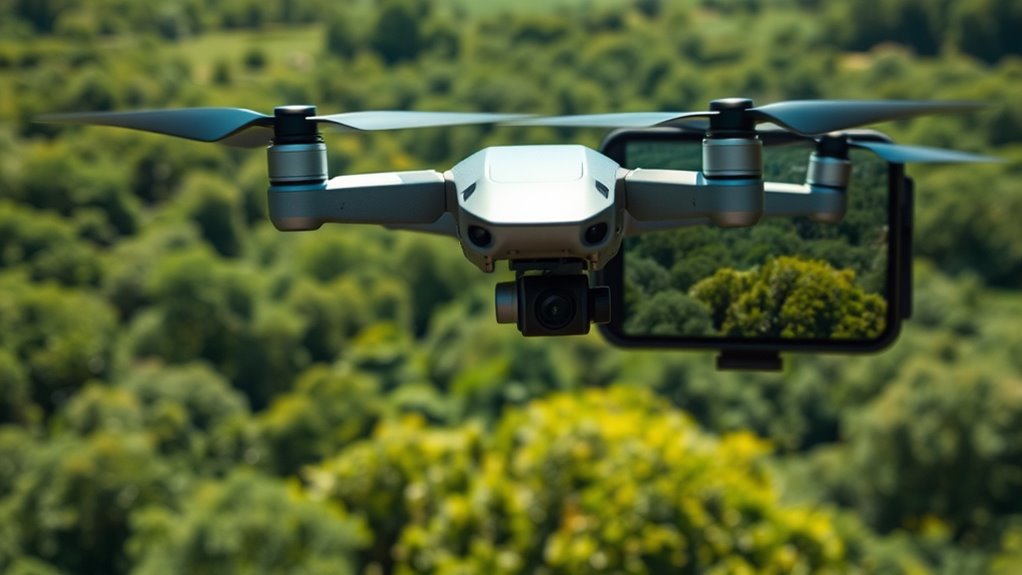
A laggy drone camera live view can ruin your flying experience and make capturing smooth footage difficult. When your feed stutters or delays, it’s not just frustrating—it hampers your ability to control the drone accurately and get those perfect shots. One common culprit is wireless interference. If there are other devices operating on similar frequencies nearby, such as Wi-Fi routers, Bluetooth gadgets, or even other drones, they can disrupt your drone’s signals. This interference causes interruptions in the data transmission between your drone and your controller, resulting in a laggy or choppy live view. To minimize this, try to fly in areas with fewer electronic devices, or switch to a less congested frequency band if your drone supports it. Many drones operate on 2.4 GHz or 5. GHz bands; choosing the right band can markedly improve signal stability and reduce lag.
Reduce interference by flying in less crowded areas and switching to a clearer frequency band like 5 GHz for smoother drone feed.
Another key factor is camera stabilization. If your drone’s camera isn’t stabilized properly, even minor vibrations or sudden movements can make the live feed appear jittery or blurry. Many modern drones come equipped with gimbal systems designed to stabilize the camera during flight. If your footage is laggy or shaky, check whether your gimbal is functioning correctly and is properly calibrated. Sometimes, software updates or recalibration can enhance stabilization, resulting in a smoother live view. Ensuring your drone’s firmware and the camera’s software are up to date can also help improve transmission quality. Proper camera stabilization not only improves the quality of your footage but also reduces the processing load on the live feed, making the video transmission more responsive. Additionally, reducing environmental interference by flying in open areas can further improve connection stability.
In addition to addressing wireless interference and camera stabilization, consider your environment and flight conditions. Flying in areas with dense Wi-Fi networks or heavy electronic activity increases the chances of interference. Flying at higher altitudes or further from obstacles can sometimes improve signal strength. Keep your drone’s antenna pointed correctly, and avoid bulky cases or obstructions that might block the signal. Ensuring your controller’s antenna is fully extended and properly oriented can make a difference in maintaining a strong, steady connection.
Ultimately, reducing wireless interference and ensuring proper camera stabilization are essential steps in fixing a laggy drone live view. By controlling your environment, maintaining your equipment, and staying updated with firmware, you’ll enjoy a more consistent, responsive video feed. This allows you to fly with confidence and capture smooth, professional-looking footage without the frustration of lag or delay.
Frequently Asked Questions
Can Software Updates Improve Drone Camera Live Feed?
Yes, software updates can improve your drone camera’s live feed. They often include firmware enhancement, which enhances processing speed and reduces lag. Additionally, updates improve app compatibility, ensuring smoother communication between your drone and controller. Regularly updating your drone’s software helps fix bugs, enhances performance, and minimizes lag, providing a better real-time viewing experience. Keep your firmware and app up to date for ideal camera performance.
Does Drone Brand Affect Live View Lag?
Your drone brand does influence live view lag because brand compatibility and hardware limitations matter. Some brands have optimized their systems better for smooth video feeds, reducing lag. If you choose a drone with advanced hardware and good brand reputation, you’ll experience less delay. Always check for compatibility with your remote and device, and consider hardware specs like processor speed and transmission technology to ensure minimal lag during flight.
How Does Weather Influence Drone Camera Performance?
Weather acts like a turbulent river, constantly shifting and affecting your drone’s performance. Poor weather conditions, like rain, wind, or fog, can weaken signal interference, causing your live view to lag or cut out. Strong winds push your drone off course, while moisture can damage equipment. Always check weather forecasts before flying to guarantee ideal camera performance, reducing lag and maintaining a smooth, clear live feed.
Is a Higher Camera Resolution Responsible for Lag?
A higher camera resolution can contribute to lag because it requires more image processing power, which can slow down live video feeds. When you upgrade to a camera with increased resolution, your drone’s processor has to work harder to transmit and display the clearer images. To reduce lag, consider lowering the resolution or optimizing your drone’s image processing capabilities, ensuring smoother live view performance during flights.
Can Replacing the Drone’s Antenna Reduce Lag?
Replacing the drone’s antenna can reduce lag by improving signal strength, which leads to a more stable connection. Upgrading to better antennas enhances reception, minimizes interference, and guarantees a clearer, faster live feed. Make sure to choose compatible antenna upgrades for your drone model. Stronger signal strength directly translates to reduced lag and a more responsive flying experience, helping you enjoy smoother video transmission and better control.
Conclusion
Don’t let lag ruin your flying experience. By troubleshooting your connection, optimizing settings, and updating firmware, you can bring your drone’s live view back to life. Remember, a smooth feed isn’t just about clarity—it’s about capturing those perfect moments and feeling truly connected to your flight. Don’t let technical issues cloud your adventure; take control and enjoy the skies with confidence, knowing you’ve got the tools to fix the lag and soar freely once again.