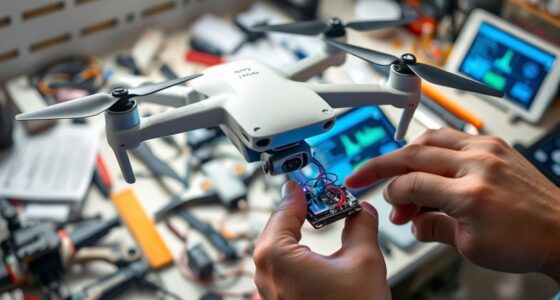
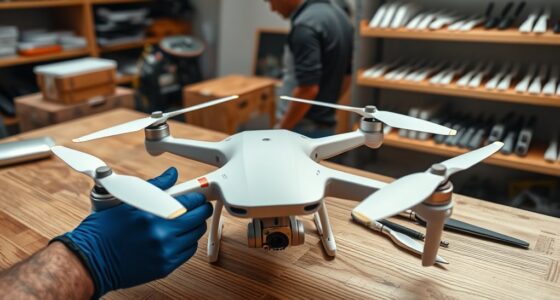
To fix random signal loss mid-flight, start by checking your batteries; verify they are fully charged and in good condition. Confirm that your antennas are properly aligned and unobstructed, and avoid flying near Wi-Fi or power lines that can cause interference. Update your drone’s firmware to the latest version and regularly calibrate sensors like the compass. Also, fly within the recommended range and in open spaces for the best connection. Keep these tips in mind to improve your flight stability.
Key Takeaways
- Regularly check and maintain batteries to prevent power fluctuations causing disconnections.
- Update drone firmware to ensure compatibility and improve connection stability.
- Optimize flying environment by flying in open areas away from interference sources.
- Calibrate sensors like the compass and IMU to prevent signal issues related to misalignment.
- Keep within recommended range and maintain line-of-sight to reduce signal loss during flight.

Experiencing drone signal loss can be frustrating, but understanding how to troubleshoot and fix the issue can save you time and prevent crashes. One of the first steps is to guarantee your drone’s battery is in good condition. A poorly maintained battery can cause power fluctuations, which may disrupt communication between the drone and its controller. Regularly check the battery for any signs of swelling, corrosion, or damage. Make sure you’re charging it with the correct charger and avoiding overcharging or discharging it completely, as this can degrade its performance over time. Keeping your battery well-maintained not only extends its lifespan but also helps maintain stable power flow, reducing the likelihood of signal interruptions caused by power issues.
Regularly check and maintain your drone’s battery to ensure stable power and prevent signal disruptions.
Next, it’s vital to keep your drone’s firmware up to date. Manufacturers often release firmware updates to improve connectivity, fix bugs, and enhance overall stability. Outdated firmware can result in compatibility issues between the drone and remote controller, which may lead to random disconnections mid-flight. Before heading out, connect your drone to its companion app or software and check for available updates. Installing the latest firmware ensures you benefit from the newest features and security patches, minimizing the risk of signal loss. Remember, firmware updates can sometimes reset customized settings, so back up your preferred configurations if possible.
In addition to maintaining your battery and updating firmware, consider your flying environment. Signal interference from Wi-Fi networks, power lines, or dense urban areas can weaken the connection. Always fly in open, unobstructed spaces, and avoid areas with high electromagnetic interference. Also, guarantee that your remote controller’s antennas are correctly positioned and free of obstructions. Sometimes, simply adjusting the angle of your antennas can noticeably improve signal strength. Checking that your drone’s antenna placement aligns with manufacturer recommendations can further optimize your signal connection.
Another practical step is to check your drone’s calibration. Proper calibration of the compass and IMU (Inertial Measurement Unit) can prevent signal issues caused by magnetic interference or sensor errors. Follow your drone’s calibration procedures regularly, especially if you notice inconsistent behavior or the drone drifting unexpectedly.
Finally, consider the distance between your drone and the controller. Staying within the recommended range can prevent signal drops. If you’re flying beyond that range, signals may weaken or cut out altogether. Use visual line-of-sight whenever possible, and avoid flying behind obstacles that may block the signal.
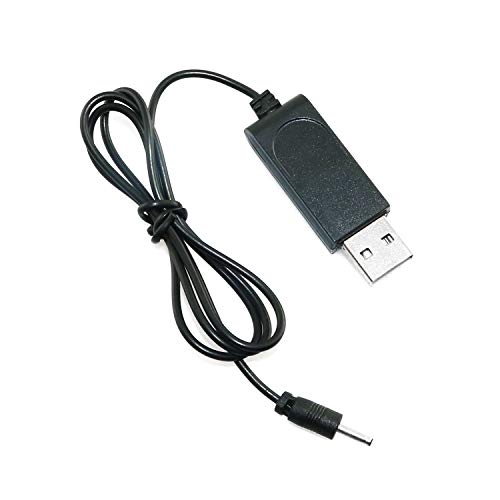
Maxmoral USB Lithium Battery Charging Charger Cable for XT-1 RC Drone Quadcopter FPV Drone Airplane Parts
Package includes:1pcs USB charging cable.
As an affiliate, we earn on qualifying purchases.
As an affiliate, we earn on qualifying purchases.
Frequently Asked Questions
Can Weather Conditions Affect Drone Signal Stability?
Weather conditions definitely influence your drone’s signal stability. Weather interference, like rain, fog, or strong winds, can cause signal disruptions, making your drone disconnect unexpectedly. As you fly, keep an eye on weather updates and avoid flying in harsh conditions. Properly calibrate your drone and ensure your control signals are strong. By doing so, you minimize the chances of signal disruptions caused by weather interference.
How Does Firmware Update Impact Connection Reliability?
Firmware updates can greatly improve your drone’s connection stability by fixing bugs and enhancing communication protocols. When you install the latest firmware, you guarantee your drone’s hardware and software work seamlessly together, reducing the chances of signal loss. Regular updates also optimize performance and compatibility with your remote controller. To maintain a reliable connection, always keep your drone’s firmware current, especially before long or complex flights.
Are Third-Party Accessories Safe for My Drone?
Third-party accessories can be safe for your drone if you choose reputable brands and guarantee compatibility. However, poorly made or incompatible third-party accessories may compromise drone safety and cause signal issues or damage. Always research and read reviews before adding third-party accessories, and follow manufacturer guidelines to maintain ideal connection and flight stability. When used correctly, third-party accessories can enhance your drone experience without risking safety.
What’s the Best Way to Check for Interference Sources?
Start by scanning your surroundings for sources of electromagnetic interference, such as power lines, Wi-Fi routers, or large metal objects. Use a spectrum analyzer or drone-specific app to detect potential signal jamming or interference zones. Keep clear of crowded areas with many electronic devices. Moving to open, low-interference environments helps identify whether electromagnetic interference or signal jamming causes your drone’s disconnects, ensuring safer, smoother flights.
How Do I Reset My Drone’s Communication System?
To reset your drone’s communication system, start with a remote reset by turning off both your drone and remote controller, then turn them back on. Perform a communication test to make sure signals are stable. If issues persist, consider re-pairing your drone with the remote. This simple reset often resolves connection problems, restoring a reliable link and preventing mid-flight disconnections.

Potensic Atom 2 Standard Kit with RC PTD 1, Drones with Camera for Adults 4K Video, 8K Photo, 10KM Transmission, 3-Axis Gimbal, AI Track, Vertical Shooting, AI Night Shot, Under 249g, (32-Min Flight)
【𝐁𝐮𝐢𝐥𝐭-𝐢𝐧 𝟓.𝟓" 𝐅𝐇𝐃 𝐓𝐨𝐮𝐜𝐡𝐬𝐜𝐫𝐞𝐞𝐧】The PTD 1 RC's integrated 𝟓.𝟓-𝐢𝐧𝐜𝐡 𝟏𝟗𝟐𝟎×𝟏𝟎𝟖𝟎 𝐅𝐇𝐃 touchscreen delivers 𝟕𝟎𝟎 𝐧𝐢𝐭𝐬 of brightness. Enjoy…
As an affiliate, we earn on qualifying purchases.
As an affiliate, we earn on qualifying purchases.
Conclusion
To fix random signal loss, consider that interference from other devices might be the culprit. While some believe updating firmware alone solves the issue, recent tests suggest that optimizing your drone’s antenna placement often yields better results. So, before blaming software, try repositioning your antennas or flying in less crowded areas. This simple tweak could be the key to keeping your drone connected, proving that sometimes, small adjustments make the biggest difference.

E-outstanding FPV Antenna 2PCS 7cm 5.8GHz FPV IPEX Antenna for RC Drone Accessories Component
Connector: IPEX.Input impedance: 50 ohm.Package includes: 2PCS 5.8GHz FPV antenna.
As an affiliate, we earn on qualifying purchases.
As an affiliate, we earn on qualifying purchases.
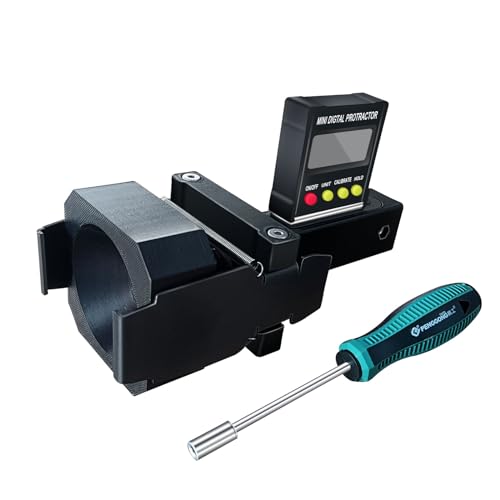
ADAS Calibration Dynamic ACC Positioning Tool for Eyeball Unit, Angso-auto Angle Leveling Tool Accessory for Auto
The ANGSO-AUTO leveling tool is designed to be powered by 2* AAA 1.5 V batteries (Please note that…
As an affiliate, we earn on qualifying purchases.
As an affiliate, we earn on qualifying purchases.