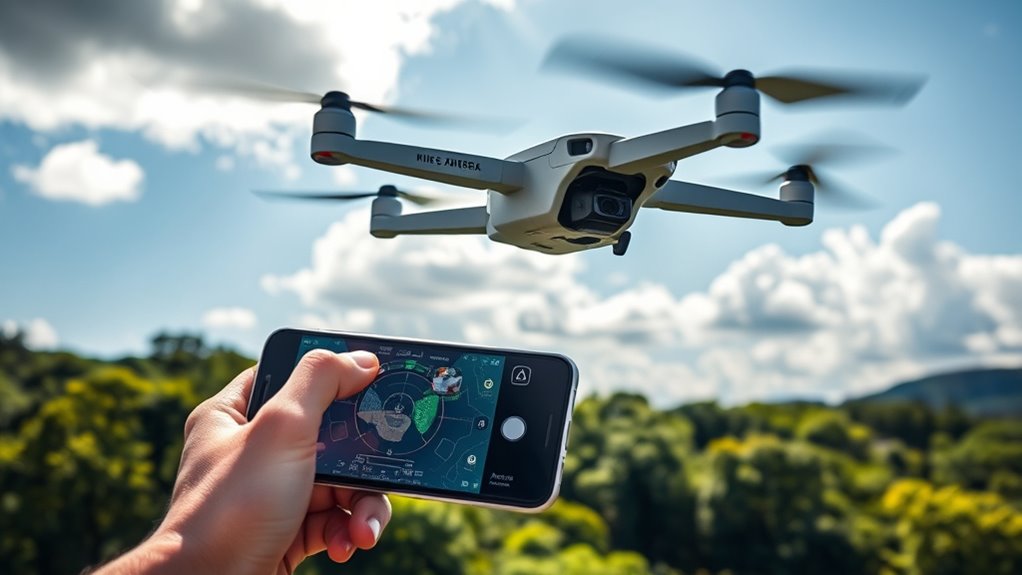

To prevent your drone app from crashing or freezing during flights, make sure your device’s software and the drone app are up to date. Close other apps to free system resources and keep your device’s operating system current. Check your batteries and environmental factors, such as interference, that could disrupt communication. Following proper setup and maintenance is key—stay with us to discover more tips for smooth flying.
Key Takeaways
- Keep firmware and drone apps updated to fix bugs and enhance stability.
- Close other background apps and free device resources before flying.
- Ensure stable internet connection and minimal signal interference during flight.
- Use fully charged, healthy batteries to prevent power-related system issues.
- Fly in environments with low electromagnetic interference and clear line of sight.
If your drone app crashes or freezes during flight, it can be frustrating and potentially dangerous. You rely on the app to control your drone safely, monitor its status, and capture stunning footage. When it suddenly stalls or becomes unresponsive, you risk losing control or damaging your equipment. To prevent this, good battery management is crucial. Ensure your drone’s batteries are fully charged before flying and avoid draining them too low during operation. Overused or poorly maintained batteries can cause system instability, leading to app crashes. Regularly check your battery health, replace old ones, and keep spare batteries handy. This way, you minimize the chances of power interruptions that might trigger app freezes during flight.
Maintaining fully charged batteries and replacing old ones reduces app crashes during drone flights.
Another critical factor is keeping your firmware up to date. Firmware updates are released by manufacturers to fix bugs, improve stability, and add new features. Running outdated firmware on your drone or its controller can lead to compatibility issues with your app, causing crashes or freezes. Make it a habit to check for updates before each flight. Installing the latest firmware ensures your device operates smoothly, and the app interacts seamlessly with the drone’s onboard systems. Most manufacturers provide straightforward instructions on updating firmware via their official apps or websites—don’t skip this step, as it’s essential for stability.
In addition to battery management and firmware updates, consider the environment in which you fly. Signal interference from Wi-Fi networks, power lines, or dense urban areas can disrupt communication between your device and the drone, increasing the likelihood of app freezes. Avoid flying in areas with high electromagnetic interference, and always ensure a clear line of sight to your drone. Using a dedicated controller and a stable internet connection can also reduce the chances of app crashes.
Furthermore, regularly closing other apps on your device can improve overall performance, freeing up resources that might be needed during flight. Make sure your device’s operating system is updated as well, since software updates often include security patches and performance improvements that help prevent app crashes. If you notice persistent issues, consider reinstalling the drone app or resetting your device to factory settings, but only after backing up important data.
Finally, understanding the importance of high refresh rates and low input lag can significantly enhance your flying experience by providing smoother control and real-time responsiveness, reducing the chances of app freezes during critical moments.

Quadrotor Drone DIY Kit: A Unique STEM Project with Brushless Motor, Optical Flow Hovering, One-Click Takeoff and Landing, and 360° Flip for DIY Enthusiasts to Learn Drone Basics
- DIY Drone Kit: Includes optical flow, video modules, brushless motors
- Assembly Time: Approximately 1.5 hours to assemble
- Age Recommendation: Suitable for users over 14 years old
As an affiliate, we earn on qualifying purchases.
As an affiliate, we earn on qualifying purchases.
Frequently Asked Questions
Can App Crashes Damage My Drone’s Hardware?
App crashes are unlikely to cause hardware damage directly, but they can lead to software conflicts that disrupt your drone’s operation. If your app crashes repeatedly, it might cause the drone to behave unpredictably or lose control temporarily, risking hardware issues over time. To protect your drone, keep your app and firmware updated, and avoid running multiple programs simultaneously, minimizing the chances of software conflicts and potential hardware damage.
Is There a Way to Recover Unsaved Flight Data?
Yes, you can recover unsaved flight data using the auto save feature or data recovery tools. Make sure the auto save feature is enabled before flying, so your data is automatically saved during flights. If your app crashes, utilize data recovery tools designed for your drone’s software to retrieve lost information. Regularly check for app updates to minimize crashes and improve data security during your flights.
Do Different Drone Models Have Varying App Stability?
Yes, different drone models can have varying app stability due to firmware compatibility and app optimization. You might notice some drones experience fewer crashes because their firmware is better optimized for the app, ensuring smoother operation. Always check for firmware updates compatible with your drone model and keep your app updated to improve stability. These steps help prevent app freezes and ensure a more reliable flying experience.
How Often Should I Update My Drone App?
You should update your drone app at least once every few months, as studies show frequent updates improve stability and reduce crashes. Regular software update frequency helps fix bugs and enhance features. Make sure each new app version is compatible with your drone model to prevent issues. Staying current with updates guarantees smoother flights and minimizes app freezes, keeping your drone experience safe and enjoyable.
Are Third-Party Apps More Prone to Causing Crashes?
Yes, third-party apps can be more prone to causing crashes because they often have different third-party integrations and may not be optimized for your drone’s software. To minimize issues, you should check your app permission settings regularly and restrict unnecessary third-party integrations. Keeping these apps updated and only using trusted sources can also reduce the risk of crashes during flight.

Fytoo 5PCS 3.7V 400mAh Lithium Battery with 5 in 1 Charger for SYMA Q11 H99W H31 H6C H98 AT-96 TR-C385 TR-P51 TR-F22 Quadcopter Spare Parts Aircraft Model Drone Battery (Black)
- Compatible Models: For SYMA Q11 and more
- Simultaneous Charging: Charges 5 batteries at once
- Protection Features: Overcharge and short circuit protection
As an affiliate, we earn on qualifying purchases.
As an affiliate, we earn on qualifying purchases.
Conclusion
To keep your drone flying smoothly, stay vigilant with updates and maintain a strong connection. Think of your app as the pilot’s steady hand guiding the craft—without it, chaos ensues. By troubleshooting issues early and ensuring your device is optimized, you’ll avoid the turbulence of crashes and freezes. Remember, a reliable app is your drone’s heartbeat—keep it strong, and your flights will soar seamlessly, like a bird cutting through clear blue skies.
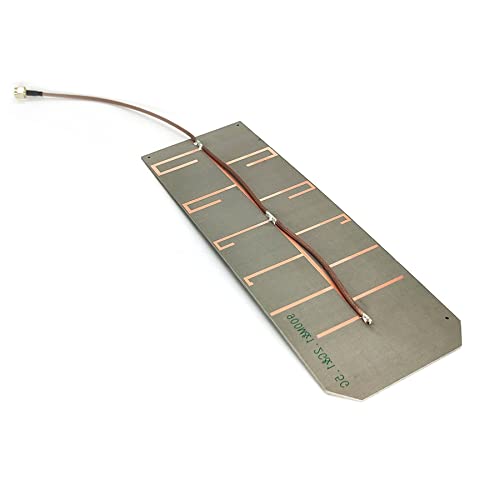
PCBA Yagi Directional Antenna Compatible with 915MHz 1.2GHz 1.5GHz 1.6GHz GPS FPV UAV Drone Remote Control Positioning Signal Jammer (900M&1.5G SMA Male)
- Frequency Range: 915MHz, 1.2GHz, 1.5GHz, 1.6GHz
- Gain: Up to 12dBi depending on frequency
- Directional Radiation: 45-degree beam width
As an affiliate, we earn on qualifying purchases.
As an affiliate, we earn on qualifying purchases.

DJI FPV Remote Controller 3
- Optimized for DJI O4 transmission: Integrated antenna, lightweight, longer battery life
- Extended control sticks: 2 mm longer for better grip
- Multiple flight modes: Normal, Sport, and Manual modes
As an affiliate, we earn on qualifying purchases.
As an affiliate, we earn on qualifying purchases.