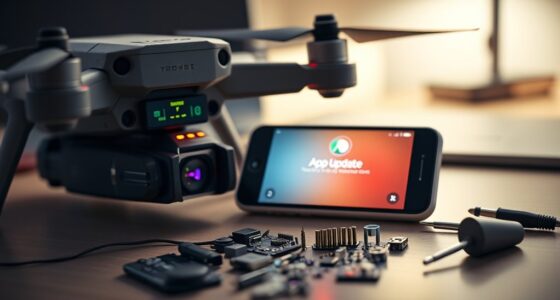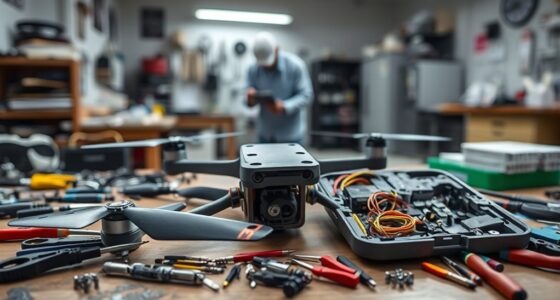
To care for your drone during long breaks, store it in a cool, dry place away from sunlight and moisture. Charge the batteries to 50-60% before storage, then turn them off and disconnect from the drone. Regularly check the batteries and recharge if capacity drops. Keep the drone clean and inspect for damage. Using proper cases helps protect it from impacts. Stay proactive, and you’ll guarantee your drone stays in top shape for when you’re ready to fly again.

Get the latest gadgets delivered free — and shop member deals
- Fast, free delivery on millions of items
- Access to Prime Big Deal Days deals on October 6–7
- Prime Video, Amazon Music and more included
Key Takeaways
- Charge batteries to 50-60% and store in a cool, dry place, avoiding full charge or complete drain long-term.
- Keep the drone in a well-ventilated, protected case away from moisture, heat, and direct sunlight.
- Clean the drone thoroughly and disconnect batteries before storage to prevent damage.
- Regularly inspect and recharge batteries if capacity drops below optimal levels during the off-season.
- Store in a stable environment with controlled temperature and humidity for long-term preservation.
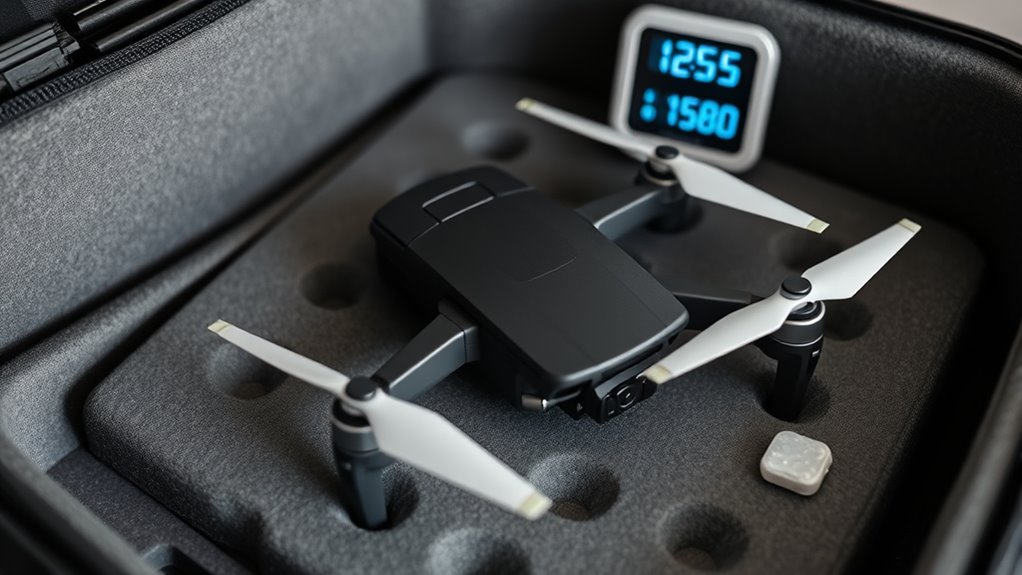
When the flying season ends, properly storing your drone becomes essential to guarantee it stays in top condition for next time. One of the most important aspects of off-season storage is battery maintenance. Lithium-polymer batteries, which most drones use, are sensitive to how they’re stored. To prevent capacity loss or damage, you should charge your batteries to around 50-60%, then turn off the power and store them in a cool, dry place. Avoid leaving them fully charged or completely drained for extended periods, as both can harm their lifespan. Regularly check the batteries during the off-season and recharge to the ideal level if they drop substantially. This process helps preserve their capacity and guarantees you’re ready to fly when the season resumes.
Next, pay close attention to the storage environment. Your drone should be kept in a location that’s cool, dry, and free from extreme temperature fluctuations. Moisture and heat can cause corrosion or damage to internal components. Avoid basements prone to dampness or attics that experience high temperatures. Ideally, store your drone in a protective case or a dedicated storage box that shields it from dust, dirt, and accidental impacts. Keep it away from direct sunlight, which can degrade plastic parts and affect electronics over time. If you have a designated space for your drone, make sure it’s well-ventilated and free from pests that could nest inside or damage your equipment. Additionally, considering the use of proper storage cases can help protect your drone from physical damage and environmental hazards.
Store your drone in a cool, dry, well-ventilated space away from pests and direct sunlight.
Before storing, give your drone a thorough cleaning. Remove any dirt, grass, or debris from the frame, propellers, and sensors. Check for any signs of damage or loose parts and address them promptly. This prevents deterioration over the months and makes it easier to get back to flying when the season starts again. Also, disconnect the batteries from the drone itself to avoid any accidental power drain or short circuits during storage. Keeping the drone and batteries separate reduces the risk of electrical issues and prolongs their overall lifespan.
Finally, establish a routine check-up schedule during the off-season. Every few months, inspect the batteries, clean the drone, and verify that the storage environment remains suitable. This proactive approach ensures your drone remains in pristine condition and ready to go when you’re keen to take it out for another flight. Proper off-season storage isn’t just about protecting your investment; it’s about maintaining peak performance so you can enjoy flying without surprises or setbacks when the next season begins.
Frequently Asked Questions
How Often Should I Check My Drone During Storage?
You should check your drone every month during storage. During these checks, verify the battery calibration and make sure the battery is partially charged, around 50-70%. Store your drone in a proper storage container, like a breathable case or a moisture-proof box, to prevent damage. Regular checks help you spot issues early, maintain battery health, and keep your drone in top condition for when you’re ready to fly again.
Can I Leave My Drone’s Battery Fully Charged?
You shouldn’t leave your drone’s battery fully charged during storage. For ideal battery maintenance, keep it around 40-50% charge and periodically check it as part of your storage precautions. Avoid storing it at full charge to prevent capacity loss, and don’t let it fully discharge either. Regularly inspecting the battery helps guarantee it stays in good condition, prolonging its lifespan during long breaks.
What Environmental Factors Can Damage My Drone While Stored?
Environmental factors like humidity damage and temperature fluctuations can seriously harm your drone during storage. Excess humidity promotes corrosion and mold, while temperature swings cause expansion and contraction of components, risking cracks or misalignment. To protect your drone, store it in a cool, dry place, avoid direct sunlight, and keep it in a sealed container with silica gel packets. This way, you prevent moisture buildup and temperature-related damage during long breaks.
Is It Necessary to Update Firmware Before Storing?
Yes, it’s necessary to update firmware before storing your drone. Firmware updates improve performance and fix bugs, ensuring your drone operates smoothly when you take it out of storage. Good storage habits include keeping your firmware current, storing your drone in a cool, dry place, and avoiding extreme temperatures. Updating firmware before storage helps prevent issues and keeps your drone ready for your next flight.
How Do I Prevent Corrosion on Drone Components During Long Storage?
To prevent corrosion on your drone components during long storage, you gotta treat it like a fancy sushi—carefully. Use corrosion prevention sprays and store it in a dry, humidity-controlled environment. Protect delicate parts with silica gel packs, and regularly check for any signs of moisture. This way, you’ll keep your drone’s components pristine and ready to fly, instead of rusted relics gathering dust in a forgotten corner.
Conclusion
Even if you think you won’t fly your drone for a while, proper off-season storage guarantees it stays in top condition. Don’t worry about occasional use during breaks—just follow these tips, and your drone will be ready when you are. Skipping storage precautions might seem minor, but it can lead to battery damage or mechanical issues down the line. Invest a little time now, and you’ll enjoy trouble-free flights whenever you’re back in the skies.
Fall Picks
fall essentials
As an affiliate, we earn on qualifying purchases.