
To build a reliable backup routine on the road, start by transferring footage to multiple storage devices using fast, secure methods like USB 3.0 or wireless apps. Backup footage immediately after each flight, not just at the end of the day, and keep copies on different drives or cloud services. Regularly check your storage devices for issues and verify file integrity. Maintain organized files and logs, and incorporate off-site backups for added safety—if you keep at it, you’ll discover more ways to protect your footage.

Get the latest gadgets delivered free — and shop member deals
- Fast, free delivery on millions of items
- Access to Prime Big Deal Days deals on October 6–7
- Prime Video, Amazon Music and more included
Key Takeaways
- Establish a routine to transfer footage immediately after each flight using reliable methods like USB 3.0 or wireless apps.
- Back up data to multiple locations, including cloud services and external drives, throughout the shoot day.
- Verify file integrity with hashes or transfer confirmation software before deleting original footage.
- Maintain organized file management with clear labels and detailed logs of each flight and storage device.
- Regularly check and maintain storage devices and batteries to prevent data loss and ensure continuous workflow.
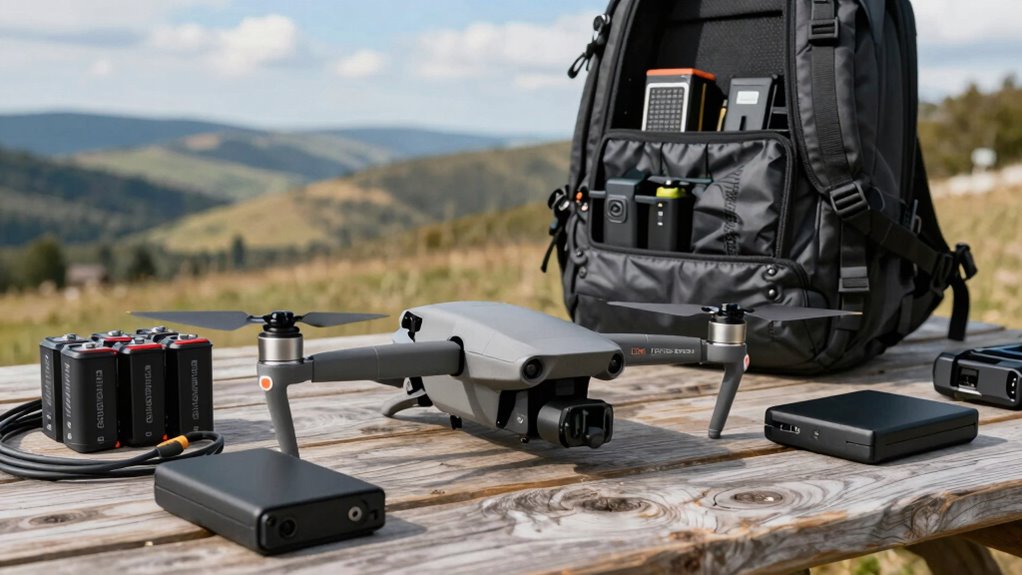
When you’re working on a drone shoot on the road, having a solid backup routine is essential to prevent data loss and keep your project on track. Whether you’re capturing breathtaking landscapes or complex scenes, your drone’s storage can fill up quickly, making it crucial to transfer and back up data promptly. Start by setting clear protocols for data transfer; using reliable data transfer protocols like USB 3.0, SD card readers, or wireless transfer apps ensures your footage moves swiftly and securely. Avoid rushing this step, because interruptions or slow transfers could compromise your files or cause corruption. Keep multiple copies of your footage on different drives or cloud services to safeguard against hardware failures. Consistency is key—make it a habit to back up after every flight, not just at the end of the day. Regularly checking your storage devices for performance issues can help prevent data loss before it happens. Additionally, maintaining an organized file management system helps streamline your backup routine and reduces the risk of missing important footage. Establishing a routine backup schedule ensures that backups become a reliable part of your workflow rather than an afterthought. Incorporating routine checks can further help identify potential issues early, ensuring your backup process remains smooth and dependable. Implementing a comprehensive data management plan can improve the efficiency of your entire backup routine and minimize the chances of human error.
Battery maintenance is equally vital. Your drone’s batteries are your power source, but they also pose a risk if not handled properly. Regularly check your batteries for any signs of damage or swelling, and always store them in a cool, dry place when not in use. During shoots, monitor battery levels frequently, and avoid letting them drain completely, which can reduce their lifespan. Carry spare batteries and charge them in advance, especially if you’re planning a long day of shooting. Proper battery maintenance ensures your drone stays operational, reducing the chances of mid-flight power loss that could jeopardize your footage and your backup process.
In addition to these practices, consider maintaining a detailed log of each flight, including battery health, data transfer completion, and any issues encountered. This record helps you troubleshoot problems quickly and ensures your backup routine remains organized. Use high-quality SD cards and regularly format them in your drone or computer to prevent data corruption. When you’re transferring files, verify their integrity by checking file hashes or using software that confirms successful transfers. Cloud services can be a lifesaver for off-site backups, especially if you’re shooting in remote locations. Connecting to the internet periodically to sync files ensures your footage is stored safely elsewhere, even if your local drives fail.
USB 3.0 external hard drive for video backup
As an affiliate, we earn on qualifying purchases.
As an affiliate, we earn on qualifying purchases.
Frequently Asked Questions
What Are the Best Portable Storage Options for Drone Footage?
For portable storage, you should consider external drives like SSDs or rugged HDDs, which offer fast transfer speeds and durability for drone footage. Cloud storage options like Google Drive or Dropbox are also good for quick backups and remote access, especially when you’re on the go. Combining external drives with cloud storage gives you a reliable, versatile backup routine, ensuring your drone footage stays safe wherever your shoots take you.
How Do I Recover Lost or Corrupted Drone Files?
If you lose or corrupt drone files, don’t panic. First, check if your drone’s data encryption protected the files, then use specialized recovery software to retrieve them. For essential backups, utilize remote data transfer options to upload footage to cloud storage immediately, reducing future risks. This way, you guarantee your footage stays safe, even if your local storage fails, and you can recover files efficiently.
What Safety Measures Should I Take During Backups in Remote Areas?
Did you know remote areas often have fragile ecosystems? During backups, you should minimize wildlife disturbance by choosing quiet, discreet spots. Keep fire safety in mind—avoid using devices that might spark, especially in dry environments. Always carry a fire extinguisher and follow local guidelines. Protect your gear from weather and wildlife, and make certain your backup process doesn’t harm the environment or pose safety risks.
How Often Should I Back up Drone Data During a Shoot?
You should back up drone data at least every time you change batteries or camera settings, ensuring you don’t lose critical footage. Regular backups help prevent data loss if the drone crashes or encounters technical issues. During the shoot, monitor your battery management closely, and after each significant shot, transfer data securely to your storage device. This routine keeps your footage safe and maintains smooth workflow on the road.
What Backup Methods Are Most Efficient for High-Volume Footage?
You might worry about losing high-volume footage, but using cloud synchronization alongside redundant hardware keeps your data safe and accessible. Cloud sync offers real-time backups, reducing risk during transit, while redundant drives ensure you have immediate copies on-site. Combining these methods means you’re prepared for hardware failures or connectivity issues, so your footage stays secure without slowing down your workflow on the road.
wireless transfer app for drone footage
As an affiliate, we earn on qualifying purchases.
As an affiliate, we earn on qualifying purchases.
Conclusion
Remember, your backup routine is like a sturdy safety net woven from trust and preparation. When you’re on the road, each extra SD card or spare battery is a stitch in that net, catching you if your main safety falls through. Embrace the rhythm of your routine, and let it symbolize your commitment to capturing every moment without fear. With this, your journey becomes less about what might go wrong and more about what you’ll always preserve.
cloud storage service for drone videos
As an affiliate, we earn on qualifying purchases.
As an affiliate, we earn on qualifying purchases.
SD card reader for drone cameras
As an affiliate, we earn on qualifying purchases.
As an affiliate, we earn on qualifying purchases.
Fall Picks
fall essentials
As an affiliate, we earn on qualifying purchases.