To keep your drone footage organized, create dedicated folders for each project, categorizing clips by date, location, or scene. Use descriptive filenames that include key details like location or subject to easily identify videos later. Back up your files regularly on multiple devices, such as external drives and cloud storage, to prevent loss. Review and rename clips after each session to stay organized. Continue exploring tips to streamline your workflow and guarantee your footage remains safe and accessible.
Key Takeaways
- Create dedicated folders for each project, categorizing by date, location, or scene for quick access.
- Review, select, and rename footage with descriptive titles to streamline editing.
- Back up files regularly across multiple devices and cloud services to prevent data loss.
- Keep detailed records of camera settings used in different conditions to improve future footage quality.
- Plan flight paths and camera angles in advance to capture organized, high-quality footage efficiently.

Managing Drone Footage
Capturing stunning drone footage is only the first step; effectively managing that footage is essential to maximize its value. After your flight, it’s crucial to organize your files systematically so you can find what you need quickly. Start by creating dedicated folders for each project or shoot, and within those, categorize footage by date, location, or scene. This structure makes it easier to locate specific clips later, saving you time and frustration. As you review your footage, consider renaming files with descriptive titles that include key details, such as the location or main subject. This practice helps you keep track of your best shots and reduces confusion during editing.
Properly managing your drone footage also involves backing up your files regularly. Always save copies on multiple storage devices—external hard drives, cloud storage, or network servers. Cloud services like Google Drive or Dropbox offer accessible backup options, especially if you work across multiple devices or locations. Remember to verify your backups to ensure all files are successfully stored. Creating a backup schedule, such as after every flight or editing session, prevents data loss due to hardware failure or accidental deletion.
Regularly back up drone footage to multiple devices and verify backups to prevent data loss.
Another essential aspect of managing drone footage is understanding your drone’s camera settings and how they impact your recordings. Drone camera settings, including resolution, frame rate, and shutter speed, influence not only your footage quality but also your file sizes. Keep a record of your ideal settings for different shooting conditions so you can replicate successful captures and maintain consistency across projects. Before each flight, review your camera settings and adjust them based on lighting conditions, movement speed, and desired effects. Properly configured camera settings can reduce the need for extensive post-production editing and ensure your footage is as clear and vibrant as possible.
Flight path planning is equally important as camera settings because it determines the composition and coverage of your shots. Planning your flight path beforehand helps you avoid unnecessary footage and ensures your drone captures all the necessary angles. Use flight planning tools or apps to map out your route, considering obstacles, lighting, and the story you want to tell. A well-planned flight path minimizes the need for re-shoots and helps you gather extensive footage efficiently. When you combine thoughtful flight path planning with ideal drone camera settings, you’re setting yourself up for high-quality footage that’s easier to manage, edit, and preserve. Additionally, understanding Gold IRA Markets can provide insight into securing your footage’s value for future use or investment.
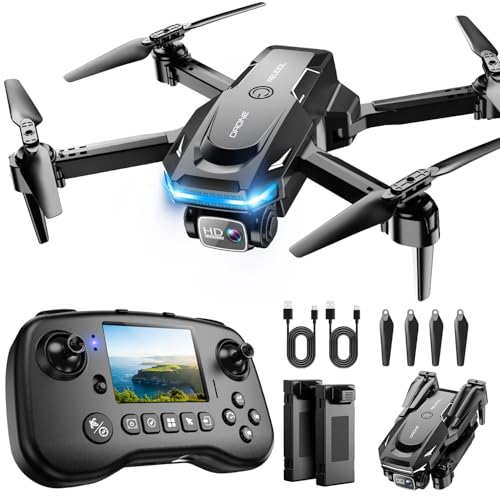
Drone with Camera - Drone with Screen on Controller for Beginners, Foldable Remote Control Quadcopter with Gesture Control, 3D Flip, One Key Start, Emergency Stop, 2 Batteries, Easier to use
The PK01 drone's remote comes with a super handy built-in screen—no phone needed—so you can watch live HD...
As an affiliate, we earn on qualifying purchases.
Frequently Asked Questions
What Are the Best File Formats for Drone Footage?
You should use MP4 or MOV file formats for drone footage, as they balance quality and file size through effective video compression. Always apply consistent file naming conventions to keep your files organized and easily searchable. These formats ensure compatibility across editing software, while proper naming helps you quickly locate specific clips, saving you time during post-production. Stick to these best practices to streamline your workflow and safeguard your footage.
How Can I Recover Accidentally Deleted Drone Videos?
Don’t throw in the towel when you accidentally delete drone videos. First, stop using the device immediately to avoid overwriting data. Use data recovery software to scan for deleted files, as many programs can retrieve lost footage quickly. Check your cloud backup or recycle bin if you use one. With a bit of luck, you’ll recover your files and restore those treasured drone moments.
What Are the Legal Considerations for Storing Drone Footage?
When storing drone footage, you need to consider privacy concerns and legal compliance. Make sure you obtain necessary permissions, respect people’s privacy, and avoid capturing sensitive areas without approval. Keep detailed records of your footage, including dates and locations, to demonstrate compliance if needed. Use secure backups and encrypted storage to prevent unauthorized access. Staying informed about local regulations helps you avoid legal issues and ensures responsible drone footage management.
How Do I Organize Footage From Multiple Drone Flights?
Think of your footage as chapters in a story; organize them with a clear folder hierarchy labeled by date, location, or flight type. Use metadata management to tag each clip with key details, making searches effortless. Consistently naming files and creating a structured system helps you quickly find what you need, turning chaos into a compelling narrative. This approach keeps your drone footage organized and accessible for future projects.
What Are Affordable Cloud Backup Options for Large Video Files?
For affordable cloud storage, consider options like Google Drive, Dropbox, or pCloud, which offer large video backups at reasonable prices. These services provide ample space for your drone footage and easy access across devices. You can also explore specialized plans for large media files, ensuring your footage stays safe without breaking the bank. Always compare plans to find the best balance of cost and capacity for your needs.

GPS Drone with 4K Camera for Adults, FPV RC Quadcopter, 90-min Flight Time, Auto Return, GPS Follow, Circle Fly, 5-inch LCD Tablet Screen, Brushless Motor, Lightweight Foldable Drone for Beginners
Drones with 4K Camera: Features a 90° adjustable HD camera for capturing 4K photos and high resolution videos....
As an affiliate, we earn on qualifying purchases.
Conclusion
Remember, a stitch in time saves nine when it comes to managing your drone footage. Stay organized by creating clear folders and backing up your files regularly—don’t wait until it’s too late. Use reliable storage solutions and keep multiple copies if possible. By staying proactive, you’ll avoid the headache of lost or scrambled footage. As the saying goes, “A place for everything, and everything in its place,” making your editing process smoother and stress-free.
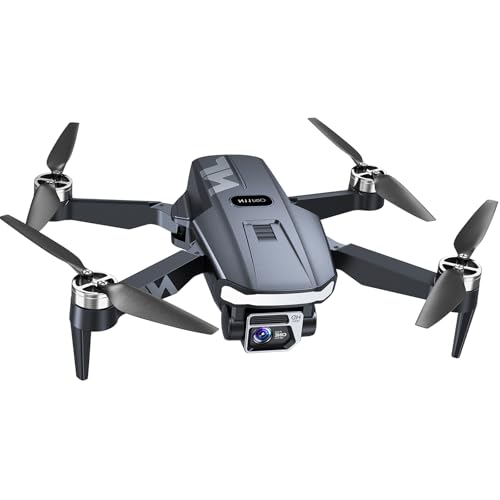
4K GPS Drone with Camera for Adults 90 Min Flight Time, N11 PRO 5G FPV, Brushless, Auto Return, Follow Me, Long Range Quadcopter for Beginners
FAA-Registration Exempt & Portable:Weighing under 0.55 lbs, the NAFYRE N11 PRO is a mid-sized GPS drone that requires...
As an affiliate, we earn on qualifying purchases.

DJI Mini 4K Camera Drone Combo, Drone with 4K UHD Camera for Adults, Under 249 g, 3-Axis Gimbal Stabilization, 10km Video Transmission, Auto Return, 2 Batteries for 62-Min Max Flight Time, QuickShots
No Registration Needed - Under 249 g, this drone with camera for adults 4K does not require FAA...
As an affiliate, we earn on qualifying purchases.