
If your drone footage gets corrupted or lost, start by connecting your memory card or storage device to your computer. Use reputable video recovery software to scan and retrieve your files, making sure not to overwrite any data. For severely damaged videos, specialized repair tools can help fix the files. If issues persist, professional data recovery services may be necessary. Keep exploring for more tips on safeguarding your footage and preventing future data loss.
Key Takeaways
- Connect the damaged storage device to a computer and run reputable video recovery software to retrieve lost footage.
- Avoid overwriting files on the storage device before recovery to maximize chances of successful retrieval.
- Use specialized video repair tools to fix corrupted or damaged video files after recovery.
- Seek professional data recovery services if software methods fail or physical damage is suspected.
- Regularly back up drone footage to multiple storage options to prevent future data loss.
Losing drone footage can be frustrating, but in many cases, it’s possible to recover it with the right approach. When your videos go missing or become corrupted, the first step is to guarantee your drone is properly maintained. Regular drone maintenance isn’t just about keeping your equipment in top shape; it also helps prevent issues that can lead to data loss. Check your drone’s firmware updates, clean the memory card slot, and make sure your storage devices are functioning correctly. A well-maintained drone reduces the risk of crashes or malfunctions that might corrupt footage during flight or transfer. Additionally, understanding your drone’s navigation and mapping systems can help prevent mishaps that cause footage corruption.
Regular drone maintenance helps prevent data loss and corrupt footage during flights.
Battery optimization plays a vital role in protecting your footage. When your drone’s battery is low or not properly managed, you might experience sudden power drops, resulting in abrupt shutdowns or data corruption. Always monitor your battery levels and avoid flying until fully charged. Proper battery management ensures stable flight conditions, reducing the risk of crashes that could damage your camera or storage device, leading to lost or corrupted files. Keep a few spare batteries charged and ready, so you don’t have to rush during critical shoots, which can cause hurried handling and potential errors.
If you’ve already lost footage, don’t panic. The next step is to focus on data recovery software. Connect your memory card or storage device to your computer and use reputable recovery tools designed for video files. Many software options can scan for corrupted or deleted videos and attempt to restore them. Be sure to avoid overwriting the files on the card, as this can make recovery impossible. If the footage is severely corrupted, specialized file repair tools for video files may help repair the damaged parts of your videos. Sometimes, professional data recovery services are needed if the damage is extensive, especially if the storage device itself is physically damaged.
To prevent future issues, always back up your footage regularly. Use multiple storage options, such as external drives or cloud services, to keep copies of your videos. This way, even if your primary storage gets corrupted, you still have access to the original files. Additionally, practice good drone habits by performing routine maintenance and battery checks before flights. This proactive approach minimizes risks and ensures your equipment performs reliably, safeguarding your precious footage from loss or corruption.
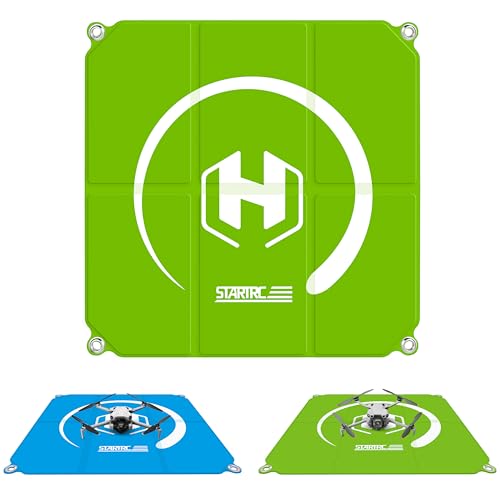
STARTRC Drone Landing Pad for DJI Mini & NEO Drones (22 in/55 cm), Foldable & Portable, Waterproof, Stain-Resistant, Ideal for the Mini 5 Pro, Mini 3, Mini 4K, NEO 2, Mini 4 Pro, Avata 2, Avata 360, Flip, FPV drones, Compatible with Mavic 4 & Air 3S, Ideal for Outdoor Flying
FULL MODEL COMPATIBILITY: Designed for compatibility with DJI Mini, NEO, AVATA, FLIP and other series drones; fully compatible...
As an affiliate, we earn on qualifying purchases.
Frequently Asked Questions
Can I Recover Footage From a Physically Damaged Drone Storage Device?
Yes, you can often recover footage from a physically damaged drone storage device. First, avoid further damage and carefully remove the storage device. Then, consider professional hardware repair services that specialize in data recovery for damaged storage. They use specialized tools to repair hardware damage and extract data safely. If you’re comfortable, you could try software recovery options afterward, but hardware repair is usually essential for severely damaged devices.
What Software Is Safest for Repairing Corrupted Drone Video Files?
Think of video repair tools as a gentle sledgehammer for your corrupted files. Use reputable data recovery software like Stellar Data Recovery or Wondershare Repairit, known for their safety and effectiveness. These tools act like skilled surgeons, carefully mending your drone footage without further damage. Stick with trusted options to guarantee your precious footage stays protected, and always back up your files before attempting repairs.
How Long Does the Recovery Process Typically Take?
The recovery time for fixing corrupted drone footage varies depending on file size and software used. Typically, the estimated duration ranges from a few minutes to an hour. Smaller files usually recover faster, while larger ones may take longer. You can speed up the process by ensuring your computer runs smoothly and avoiding multitasking. Keep in mind that patience is key, especially with high-resolution videos or extensive corruption.
Is It Possible to Recover Deleted Drone Footage After Factory Reset?
Yes, it’s often possible to recover deleted drone footage after a factory reset through data recovery and storage repair tools. When you realize the footage is missing, stop using the device to prevent overwriting. Use specialized software to scan and retrieve deleted files. Keep in mind, success depends on how much data was overwritten; the sooner you act, the better your chances of recovering your valuable footage.
Can Drone Footage Be Recovered From Cloud Backups?
Did you know that over 80% of drone users store footage in cloud storage? Yes, you can recover drone footage from cloud backups if you’ve uploaded your videos there. Backup recovery is straightforward—simply log into your cloud account, locate the files, and download them. Cloud storage offers a reliable way to protect your footage, ensuring you can retrieve lost or deleted videos anytime, anywhere.

VIFLY Drone Strobe Light, Anti Collision Light for FAA Drone Night Flying, Fits DJI Mini 3 Pro/Mini 4 Pro/Mini 2/Air 3/Air 3S/Mavic 3/Mavic 2/Avata/Neo/Flip(1pc pack)
Super Bright: VIFLY Strobe installs 5*3W Hi-intensity LEDs which provide the greatest range available for a mini strobe....
As an affiliate, we earn on qualifying purchases.
Conclusion
Now that you’ve learned how to recover your corrupted drone footage, remember—sometimes the most vital clips hide just beneath the surface, waiting to be uncovered. Don’t give up when files seem beyond repair; with the right tools and a little patience, you might just reveal a lost world. But beware—some files may hold secrets better left untouched. Are you ready to open what’s been hidden all along? The next step is yours.

Drone Cleaning Kit for DJI, Holy Stone, Scoot, FPV Drone, Hobby RC Quadcopters Multirotors - with Spray Cleaner for Screen Lens
【Comprehensive Cleaning Solution】: Our cleaning kit is meticulously designed to address every cleaning pain point of your drone....
As an affiliate, we earn on qualifying purchases.

Universal Drone Airdrop System, Release Device, Payload Clip, Airdropper, Fish Bait Delivery Device , Drone Accessories, Compatible with DJI Mavic Mini5 Pro,Mini 4 Pro, Mini 3, Mini 2, Air 2, Air 2S, Air 3, Mavic 3, Mavic 2, Spark (Airdrop Device)
【Broad compatibility】Universally Drone Airdrop System, for DJI Mini4/Mini3/Mini2/Air2/Air2S/Mavic 3/Mavic 2 DJI Series Drone/Spark.(Note: but not suitable for DJI...
As an affiliate, we earn on qualifying purchases.