Wireless mechanical gaming keyboards offer the freedom of movement without sacrificing the tactile feel that gamers demand. The ASUS ROG Strix Scope II 96 stands out as the best overall choice for its balanced performance and robust build, while the TMKB T68 60% excels for portability and space-saving design. The Redragon K556 PRO delivers solid value with a durable aluminum frame, but it sacrifices some customization options. Readers should weigh factors like connectivity modes, switch types, and build quality, as tradeoffs often involve compromises between features and price. Keep reading for a detailed comparison to find the best fit for your gaming setup.
Listen free for 30 days with Audible
Thousands of audiobooks and originals — cancel anytime.
Start your free trialAs an affiliate, we earn on qualifying purchases.
Complete the kit



Key Takeaways
- Top-tier models like the ASUS ROG Strix Scope II 96 balance performance and versatility with multi-mode connectivity and premium build quality.
- Compact options such as the TMKB T68 are ideal for gamers with limited desk space or those who prioritize portability.
- Redragon keyboards generally offer strong value, but often lack advanced customization features found in higher-end models.
- Switch choices (linear, tactile, clicky) significantly impact gaming and typing experience, making switch type a key consideration.
- Build quality varies widely; premium materials like aluminum enhance durability but increase cost, while plastic frames keep prices lower.
| AULA F75 Pro Wireless Mechanical Keyboard, 75% Hot Swappable RGB Backlit Gaming Keyboard with Knob and PBT Side-Printed Keycaps |  | Best Overall | Connection Modes: Bluetooth 5.0, 2.4GHz, USB wired | Battery Capacity: 4000mAh | Layout: 75% | VIEW LATEST PRICE | See Our Full Breakdown |
| TMKB T68 60% Wireless Mechanical Gaming Keyboard, Tri-Mode BT5.0/2.4GHz/USB-C with Red Linear Switch, RGB Backlight, Anti-Ghosting, Compact 68 Keys, Wired/Wireless, Gray/Black |  | Best for Space-Saving Portability | Connectivity: Tri-mode (Bluetooth 5.0, 2.4GHz, USB-C) | Battery: 3000mAh, up to 12 hours with RGB | Layout: 68 keys, 60% | VIEW LATEST PRICE | See Our Full Breakdown |
| ASUS ROG Strix Scope II 96 Wireless Mechanical Gaming Keyboard |  | Best for Full-Size Functionality | Size: 96% with numpad | Connectivity: Bluetooth, 2.4GHz, USB wired | Switches: Hot-swappable ROG NX Snow or Storm | VIEW LATEST PRICE | See Our Full Breakdown |
| Redragon K580 PRO Wireless RGB Gaming Keyboard | 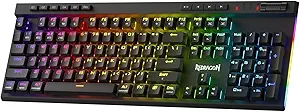 | Best for Gaming with Macro and Media Controls | Connectivity: USB-C, Bluetooth, 2.4GHz wireless | Macro Keys: 5 dedicated (G1-G5) | Switch Compatibility: 3-pin and 5-pin hot-swappable | VIEW LATEST PRICE | See Our Full Breakdown |
| Redragon K517 Pro Wireless Gaming Keyboard with RGB Backlit and Mechanical Feel |  | Best for Budget Mechanical-Like Experience | Connection Modes: Bluetooth 3.0/5.0, 2.4GHz, USB-C | Number of Keys: 94 | Battery Capacity: 4000mAh | VIEW LATEST PRICE | See Our Full Breakdown |
| Redragon K673 PRO Wireless 81-Key RGB Gasket Gaming Keyboard with Scroll Knob |  | Best Versatile Wireless Gaming Keyboard with Customization | Connectivity: USB-C, Bluetooth, 2.4GHz wireless | Number of Keys: 81 | Backlight: RGB, adjustable brightness and modes | VIEW LATEST PRICE | See Our Full Breakdown |
| Redragon K556 PRO Wireless RGB Mechanical Gaming Keyboard, 104-Key Aluminum |  | Best Durable Wireless Keyboard for Heavy Use | Connectivity: BT, 2.4Ghz, USB-C | Number of Keys: 104 | Switch Type: Linear | VIEW LATEST PRICE | See Our Full Breakdown |
| Redragon K671KS Wireless Mechanical Gaming Keyboard, Tri-Mode Bluetooth/2.4G/USB-C, RGB Backlit, Hot Swappable, PBT Keycaps, Programmable |  | Best for Customization and Flexibility | Connectivity: Bluetooth, USB-C, 2.4Ghz | Number of Keys: 81 | Switch Type: Cherry MX Red | VIEW LATEST PRICE | See Our Full Breakdown |
| Redragon K521KS Wireless Gaming Keyboard |  | Best Battery Life with Mechanical Feel | Connectivity: Bluetooth, 2.4GHz, USB-C | Battery: 4000mAh rechargeable | Backlighting: RGB, 8 modes, 7 colors | VIEW LATEST PRICE | See Our Full Breakdown |
| Kisnt KN85 Wireless Mechanical Keyboard, 75% Layout, Bluetooth/2.4GHz/USB-C, Custom RGB Backlit, Hot-Swappable Linear Switch, Creamy Sound for Gaming/Typing |  | Best Compact Keyboard for Minimalists and Gamers | Layout: 75% | Connectivity: Bluetooth 5.0, 2.4GHz, USB-C | Switch Type: Pre-lubed Bsun linear | VIEW LATEST PRICE | See Our Full Breakdown |
| DIERYA DK63 60% Wireless Mechanical Gaming Keyboard with Red Switch, RGB Backlit, 63 Keys, for Windows, Laptop, PC, and Gaming |  | Best Compact for Versatile Connectivity | Connectivity: Bluetooth/2.4G/Wired | Number of Keys: 63 | Switch Type: Red Linear | VIEW LATEST PRICE | See Our Full Breakdown |
| Redragon S101M-KS Wireless Gaming Keyboard and Mouse Combo |  | Best All-in-One Wireless Gaming Set | Connectivity: Tri-mode (wired, Bluetooth, 2.4G) | Backlight: RGB with 8 patterns | DPI: 800/1200/1600/3200/4800 | VIEW LATEST PRICE | See Our Full Breakdown |
| wireless mechanical gaming keyboard | Connectivity | Switch Type | Number of Keys |
|---|---|---|---|
| AULA F75 Pro Wireless Mechanic | — | Pre-lubed Reaper switches | 81 |
| TMKB T68 60% Wireless Mechanic | Tri-mode (Bluetooth 5.0, 2.4GHz, USB-C) | Red linear | — |
| ASUS ROG Strix Scope II 96 Wir | Bluetooth, 2.4GHz, USB wired | — | — |
| Redragon K580 PRO Wireless RGB | USB-C, Bluetooth, 2.4GHz wireless | — | — |
| Redragon K517 Pro Wireless Gam | — | — | 94 |
| Redragon K673 PRO Wireless 81- | USB-C, Bluetooth, 2.4GHz wireless | — | 81 |
| Redragon K556 PRO Wireless RGB | BT, 2.4Ghz, USB-C | Linear | 104 |
| Redragon K671KS Wireless Mecha | Bluetooth, USB-C, 2.4Ghz | Cherry MX Red | 81 |
| Redragon K521KS Wireless Gamin | Bluetooth, 2.4GHz, USB-C | Mechanical feeling | — |
| Kisnt KN85 Wireless Mechanical | Bluetooth 5.0, 2.4GHz, USB-C | Pre-lubed Bsun linear | — |
| DIERYA DK63 60% Wireless Mecha | Bluetooth/2.4G/Wired | Red Linear | 63 |
| Redragon S101M-KS Wireless Gam | Tri-mode (wired, Bluetooth, 2.4G) | — | — |
More Details on Our Top Picks
AULA F75 Pro Wireless Mechanical Keyboard, 75% Hot Swappable RGB Backlit Gaming Keyboard with Knob and PBT Side-Printed Keycaps
The AULA F75 Pro stands out as the most versatile option thanks to its tri-mode connectivity, supporting Bluetooth 5.0, 2.4GHz, and wired USB, making it suitable for both gaming and productivity across multiple devices. Its hot-swappable switches and macro programmability offer customization that surpasses the TMKB T68’s more limited layout, though the setup process can be complex and may require driver installation. The RGB lighting, combined with durable PBT side-printed keycaps, enhances aesthetics and longevity. However, the 75% layout might not suit users who prefer a full-sized keyboard with dedicated function keys. Ideal for gamers and multitaskers who want flexibility and extensive customization.
Pros:- Supports tri-mode connectivity for flexible device pairing
- Hot-swappable switches for DIY customization
- Rich RGB lighting with multiple effects and adjustable brightness
- Durable PBT side-printed keycaps with stylish design
Cons:- Setup may require driver installation for full features
- Multifunction knob might be unnecessary for some users
- Limited to 75% layout, which isn’t ideal for users needing dedicated function keys
Best for: Power users who need multi-device support and customization for both gaming and work.
Not ideal for: Casual users who prefer simplicity or a full-size keyboard with dedicated numpad and function keys.
- Connection Modes:Bluetooth 5.0, 2.4GHz, USB wired
- Battery Capacity:4000mAh
- Layout:75%
- Number of Keys:81
- Backlit:RGB with 16.8 million colors
- Switch Type:Pre-lubed Reaper switches
Our verdict“This keyboard excels for those who value multi-device use and extensive customization in a compact form, but may be less suited for users who prefer a full-sized layout.”
TMKB T68 60% Wireless Mechanical Gaming Keyboard, Tri-Mode BT5.0/2.4GHz/USB-C with Red Linear Switch, RGB Backlight, Anti-Ghosting, Compact 68 Keys, Wired/Wireless, Gray/Black
The TMKB T68 delivers a compact, 60% layout that’s perfect for users prioritizing portability and desk space, especially compared to the larger ASUS ROG Strix Scope II 96. Its tri-mode connectivity offers flexibility, and the RGB backlighting adds style without sacrificing functionality. The red linear switches provide smooth, quiet keystrokes suitable for gaming and typing, but the limited layout excludes dedicated function keys, which could hinder productivity tasks. Battery life is impressive, but the small size means some users may miss the convenience of a numpad or dedicated media keys. This pick is ideal for gamers and travelers who want a minimal, wireless mechanical keyboard without sacrificing performance.
Pros:- Tri-mode connectivity for seamless wired and wireless use
- Compact 68-key layout saves space
- Smooth, quiet red linear switches
- Long battery life with auto-sleep feature
Cons:- Limited key layout may frustrate users needing dedicated keys
- No specific dimensions provided for detailed space planning
- Requires manual customization for lighting effects
Best for: Mobile gamers and users with limited desk space who prioritize portability.
Not ideal for: Power users who need a full set of keys, including dedicated function and numpad keys.
- Connectivity:Tri-mode (Bluetooth 5.0, 2.4GHz, USB-C)
- Battery:3000mAh, up to 12 hours with RGB
- Layout:68 keys, 60%
- Backlighting:RGB, customizable
- Switch Type:Red linear
- Material:Plastic
Our verdict“This keyboard suits those who want a portable, wireless mechanical experience in a minimal footprint, but not those who need full-size functionality.”
ASUS ROG Strix Scope II 96 Wireless Mechanical Gaming Keyboard
The ASUS ROG Strix Scope II 96 offers a full-size 96% layout with a dedicated numpad, setting it apart from the more compact TMKB T68. Its tri-mode connectivity makes it suitable for multiple devices, and the hot-swappable switches allow for easy customization, akin to the AULA F75 Pro but with a more expansive layout. Its battery life is exceptional, with up to 1500 hours in wireless mode, making it ideal for long gaming sessions or intensive work. The per-key RGB lighting adds visual flair, but the higher price point and complexity might be daunting for users unfamiliar with mechanical keyboards. Switch choices may require additional setup for specific preferences. This model is best suited for users needing a full-featured, full-sized wireless keyboard with gaming and productivity capabilities.
Pros:- Full 96% layout with numpad for complete functionality
- Tri-mode connectivity supports multiple devices
- Hot-swappable switches for customization
- Impressive battery life up to 1500 hours
Cons:- Premium features come with a higher price
- May be complex for beginners unfamiliar with mechanical keyboards
- Switch options may need additional tuning for preferred feel
Best for: Gamers and professionals who want a full-sized, highly customizable wireless keyboard.
Not ideal for: Users seeking a compact or minimalistic setup, or who are on a tight budget.
- Size:96% with numpad
- Connectivity:Bluetooth, 2.4GHz, USB wired
- Switches:Hot-swappable ROG NX Snow or Storm
- Battery Life:Up to 1500 hours
- Compatibility:PC and Mac
- Lighting:Per-key RGB
Our verdict“This keyboard is ideal for those who need a comprehensive, full-sized wireless solution with extensive customization options, despite its higher cost.”
Redragon K580 PRO Wireless RGB Gaming Keyboard
The Redragon K580 PRO combines gaming-focused features like macro keys and a media wheel with tri-mode connectivity, making it a strong choice for gamers who want quick access to controls. Its hot-swappable switches are a plus for customizing the feel, similar to the K517 Pro but with added macro capabilities that appeal to competitive players. The full anti-ghosting and dedicated macro keys add to its gaming prowess, though the need for software to customize macros and lighting can be a drawback for users seeking plug-and-play convenience. Battery life details are not specified, which might concern those who need prolonged wireless use. This keyboard is best for gamers who value macros and quick media access in a wireless form.
Pros:- Wireless with low-lag responsiveness
- Hot-swappable switches for customization
- Dedicated macro keys and media wheel
- Full anti-ghosting for fast-paced gaming
Cons:- Requires software for macro and lighting customization
- Battery life or charging details are not provided
- Some users might find macro setup complex
Best for: Competitive gamers and streamers who need macro keys and responsive wireless connectivity.
Not ideal for: Casual users or those preferring simple, minimalistic keyboards without macros.
- Connectivity:USB-C, Bluetooth, 2.4GHz wireless
- Macro Keys:5 dedicated (G1-G5)
- Switch Compatibility:3-pin and 5-pin hot-swappable
- Anti-Ghosting:Full 104-key rollover
- Additional Features:Media wheel, customizable RGB
Our verdict“This keyboard is best suited for gamers who want macro support and quick controls in a wireless setup, but it’s less ideal for casual or non-gaming use.”
Redragon K517 Pro Wireless Gaming Keyboard with RGB Backlit and Mechanical Feel
The Redragon K517 Pro offers a unique blend of affordability and mechanical-like feel, with rubber dome keys designed to mimic mechanical switches. Its tri-mode connectivity supports Bluetooth, 2.4GHz, and wired USB-C, providing good versatility for gaming and typing. The RGB lighting with multiple preset modes adds visual flair, and four macro keys enhance gaming performance. However, the rubber dome keys produce a quieter, less tactile feel compared to true mechanical switches, which could disappoint enthusiasts seeking authentic switch feedback. The keyboard’s full compatibility with Windows and Mac, along with its extensive battery capacity, makes it a practical option for those on a budget who still want a versatile wireless setup. This model is best for entry-level gamers or those transitioning to mechanical keyboards seeking a quieter, affordable alternative.
Pros:- Versatile tri-mode wireless and wired connectivity
- Mechanical-like rubber dome keys with quiet operation
- Multiple RGB preset modes and macro keys
- Large 4000mAh battery for extended use
Cons:- Rubber dome keys lack the tactile feedback of true mechanical switches
- Limited advanced customization without software
- Numeric keypad functions may require key combinations
Best for: Budget-conscious gamers and users who want a mechanical-like feel without the premium price.
Not ideal for: Hardcore enthusiasts who demand authentic mechanical switch feedback and higher-end features.
- Connection Modes:Bluetooth 3.0/5.0, 2.4GHz, USB-C
- Number of Keys:94
- Battery Capacity:4000mAh
- RGB Lighting:8 preset modes, 7 solid colors
- Key Feel:Mechanical-like rubber domes
- Compatibility:Windows, Mac
Our verdict“This keyboard provides an affordable, wireless, mechanical-like experience suitable for casual gamers and beginners, but not for purists seeking authentic mechanical feedback.”
Redragon K673 PRO Wireless 81-Key RGB Gasket Gaming Keyboard with Scroll Knob
The Redragon K673 PRO stands out for its tri-mode connectivity, allowing seamless switching between USB-C, Bluetooth, and 2.4GHz wireless, making it ideal for gamers who need flexibility across devices. Its gasket-mounted design dampens noise and cushions keystrokes, creating a quieter experience compared to standard mechanical keyboards. The inclusion of a scroll knob adds convenience for media control, while customizable RGB lighting enhances visual appeal. Compared to the K671KS, it offers deeper customization through dedicated software, but this comes with the tradeoff of needing to install and manage additional software. Its limited 81-key layout might restrict some users who rely on dedicated function keys, and compatibility with non-standard switches could pose issues. This option best serves gamers and professionals seeking quiet, customizable wireless performance.
Pros:- Tri-mode connectivity supports flexible device switching
- Gasket-mounted design reduces typing noise and feels cushioned
- Customizable RGB lighting with software control
- Convenient scroll knob for media and brightness adjustments
Cons:- Limited to 81 keys, lacking some function keys
- Requires software for full customization, which may be complex
- Potential compatibility issues with non-standard switches
Best for: Gamers and remote workers who need a compact, quiet, highly customizable wireless keyboard
Not ideal for: Users who require a full-size keyboard with dedicated function keys or extensive macro keys
- Connectivity:USB-C, Bluetooth, 2.4GHz wireless
- Number of Keys:81
- Backlight:RGB, adjustable brightness and modes
- Switch Compatibility:3-pin and 5-pin switches
- Construction:Gasket-mounted with 5-layer noise dampening
- Additional Features:Scroll knob for brightness and media control
Our verdict“This keyboard is perfect for users who prioritize quiet, flexible wireless connectivity and deep customization in a compact form.”
Redragon K556 PRO Wireless RGB Mechanical Gaming Keyboard, 104-Key Aluminum
The Redragon K556 PRO offers a robust aluminum build, providing stability during intense gaming sessions, especially when compared with the more compact K673 PRO. Its 104-key layout appeals to users who prefer a full-sized keyboard with dedicated navigation and function keys. The tri-mode connectivity seamlessly switches between Bluetooth, 2.4GHz, and wired USB-C, making it suitable for multi-device setups. The quiet linear switches enhance the gaming experience without distracting noise, while the aluminum chassis adds durability. However, it requires batteries for wireless operation, which might need frequent replacement, and it lacks a wired-only mode for continuous power during long sessions. This tradeoff makes it less ideal for users who want a purely wired experience or minimal maintenance. This model suits gamers and professionals seeking a sturdy, full-sized wireless keyboard with premium build quality.
Pros:- Sturdy aluminum construction ensures long-term durability
- Tri-mode connectivity enables seamless multi-device use
- Full 104-key layout with dedicated keys
- Quiet linear switches for a smooth gaming experience
Cons:- Requires batteries, adding to maintenance
- No wired-only option for uninterrupted power
- Heavier than compact alternatives, less portable
Best for: Gamers and professionals who need a durable, full-sized wireless keyboard with a premium feel
Not ideal for: Users seeking a lightweight, ultra-compact keyboard or wired-only setup
- Connectivity:BT, 2.4Ghz, USB-C
- Number of Keys:104
- Switch Type:Linear
- Compatible Devices:PC, Laptop, Tablet
- Backlighting:RGB
- Material:Aluminum, ABS
Our verdict“This keyboard is a strong choice for those who want durability and full-size features in a wireless package.”
Redragon K671KS Wireless Mechanical Gaming Keyboard, Tri-Mode Bluetooth/2.4G/USB-C, RGB Backlit, Hot Swappable, PBT Keycaps, Programmable
The Redragon K671KS offers significant versatility with tri-mode connectivity and hot-swappable switches, making it ideal for users who like to experiment with different switch types or customize their feel. Its PBT keycaps ensure durability, and the programmable keys provide advanced macro capabilities—features that surpass the basic functionality of the K521KS. Compared to the K673 PRO, it emphasizes customization over noise dampening, which may result in slightly louder typing. Its 81-key layout could be limiting for those needing full function keys, and setup for macro editing can be complex. Nonetheless, this pick is best suited for gamers and productivity enthusiasts who want a highly adaptable wireless keyboard. This model excels for users who value switch customization and multi-device flexibility.
Pros:- Tri-mode support for multiple device connections
- Hot-swappable switches for easy customization
- Durable PBT keycaps with tested longevity
- Programmable keys for macros and shortcuts
Cons:- Requires setup for macro editing, which may be complex
- Limited to 81 keys, impacting workflow for some users
- Some noise during typing, as not fully dampened
Best for: Gamers and power users who want a customizable, multi-device wireless keyboard with hot-swappable switches
Not ideal for: Users who prefer a larger, full-sized keyboard or minimal setup effort
- Connectivity:Bluetooth, USB-C, 2.4Ghz
- Number of Keys:81
- Switch Type:Cherry MX Red
- Backlighting:RGB
- Keycap Material:PBT
- Additional Features:Hot-swappable, macro editing
Our verdict“This keyboard is perfect for users who want maximum customization and device flexibility in a compact wireless form.”
Redragon K521KS Wireless Gaming Keyboard
The Redragon K521KS offers a compelling mix of long battery life, with a 4000mAh rechargeable cell, and a mechanical-like feel, making it suitable for those who prioritize endurance. Its tri-mode connectivity supports multiple devices, with a long-lasting battery that outperforms many competitors like the K671KS, which requires frequent charging or battery replacements. The RGB backlighting and programmable keys provide customization, though some users may find the plastic enclosure less premium than metal options like the K556 PRO. The keyboard’s Windows-only compatibility limits its appeal for Mac users, and full customization requires software installation. It’s well-suited for gamers or remote workers who need extended use without interruption. This model is ideal for users seeking a long-lasting, versatile wireless keyboard with a mechanical feel.
Pros:- Long-lasting 4000mAh rechargeable battery
- Supports tri-mode connectivity for multiple devices
- Mechanical feel with anti-ghosting support
- Customizable RGB and programmable keys
Cons:- Plastic enclosure feels less premium
- Full customization requires software download
- Limited to Windows OS
Best for: Gamers and professionals who need a durable, long-battery-life wireless keyboard for extended use
Not ideal for: Users seeking a fully metal build or Mac compatibility
- Connectivity:Bluetooth, 2.4GHz, USB-C
- Battery:4000mAh rechargeable
- Backlighting:RGB, 8 modes, 7 colors
- Anti-Ghosting:25 keys
- Multimedia Keys:12 keys
- Switch Type:Mechanical feeling
Our verdict“This keyboard is best for users who prioritize battery longevity and multi-device support in a wireless mechanical-like keyboard.”
Kisnt KN85 Wireless Mechanical Keyboard, 75% Layout, Bluetooth/2.4GHz/USB-C, Custom RGB Backlit, Hot-Swappable Linear Switch, Creamy Sound for Gaming/Typing
The Kisnt KN85 caters to users who want a space-saving 75% layout with a satisfying, muted sound profile. Its tri-mode connectivity ensures compatibility across devices, while the hot-swappable linear switches and custom RGB lighting provide a high level of personalization. Its compact size makes it ideal for tight spaces or portable setups, contrasting with larger options like the K556 PRO. The sound-dampening layers and silicone pad enhance quiet typing, but some users may find the noise level still audible under heavy typing. The Bluetooth pairing process can be tricky for some, and full macro programming is limited to Windows. Overall, this model suits minimalists, gamers, and professionals who value a small footprint without sacrificing mechanical feel. This is the best pick for those prioritizing compactness and sound dampening in a wireless mechanical keyboard.
Pros:- Compact 75% layout saves desk space
- Tri-mode connectivity supports multiple devices
- Hot-swappable linear switches for easy customization
- Sound-dampening layers create a quieter typing experience
Cons:- Setup for macro programming can be complex
- Limited macro functionality outside Windows
- Not fully silent—some noise persists
Best for: Minimalist users, gamers, and professionals needing a compact, quiet wireless keyboard
Not ideal for: Users who require a full-sized keyboard or extensive macro programming without setup complexity
- Layout:75%
- Connectivity:Bluetooth 5.0, 2.4GHz, USB-C
- Switch Type:Pre-lubed Bsun linear
- Backlighting:RGB, 20 effects
- Sound Dampening:Multiple foam layers, silicone pad
- Compatibility:Windows, Mac, consoles
Our verdict“This keyboard works best for users seeking a small, quiet, customizable wireless option with a mechanical feel.”
DIERYA DK63 60% Wireless Mechanical Gaming Keyboard with Red Switch, RGB Backlit, 63 Keys, for Windows, Laptop, PC, and Gaming
The DIERYA DK63 stands out for its ultra-compact 60% design, which is perfect for saving desk space and fitting into tight setups, especially when paired with wireless options like Bluetooth and 2.4G. Compared with the Redragon S101M-KS, which offers a full-size layout with more dedicated keys, the DK63 sacrifices some functionality but gains portability and a cleaner look. Its silent red switches enhance gaming and typing without distraction, though the limited 63 keys mean you miss some function keys—an important consideration for power users. The RGB lighting with 18 modes adds flair, but requires software for full customization, which might be a hassle for some users. Battery life is decent but decreases with bright lighting, making it less ideal for extended gaming sessions without charging. Overall, this makes the most sense for gamers or professionals who prioritize space-saving and wireless flexibility over a full keyset.
Pros:- Space-saving 60% layout maximizes desk space
- Multiple connectivity options including Bluetooth and 2.4G
- Silent, smooth red switches ideal for gaming and office work
- Customizable RGB with multiple lighting modes
Cons:- Limited to 63 keys, lacking dedicated function keys
- Battery life drops with persistent backlight use
- RGB customization requires software, not fully hardware-based
Best for: Gamers and remote workers who need a compact, wireless setup without sacrificing mechanical feel.
Not ideal for: Power users who rely on dedicated function keys or need extensive customization without software dependency.
- Connectivity:Bluetooth/2.4G/Wired
- Number of Keys:63
- Switch Type:Red Linear
- Backlight:RGB
- Battery Capacity:3000mAh
- Battery Life:Up to 90 hours with backlight off
- Dimensions:11.53″L x 3.98″W x 1.65″H
- Compatible Devices:Laptop, PC, Smartphone
Our verdict“This keyboard is best for those who want a portable, wireless mechanical option with a minimalist footprint, willing to compromise on some function keys.”
Redragon S101M-KS Wireless Gaming Keyboard and Mouse Combo
The Redragon S101M-KS offers a complete wireless gaming experience with tri-mode connectivity, making it highly flexible for different setups. Compared to the DIERYA DK63, which excels in space-saving and portability, this combo emphasizes performance and multifunctionality, including a high-precision 4800 DPI mouse and multimedia keys. Its RGB lighting with 8 patterns enhances the gaming atmosphere, and the splash-resistant design adds durability for intense sessions. However, the battery life, while impressive at up to 300 hours with RGB off, can vary significantly with extensive RGB use. The need for software for full customization might be inconvenient for users who prefer hardware-based adjustments. The wired option ensures lower latency, which remains an advantage for competitive gaming. This set is ideal for gamers seeking a versatile, feature-rich wireless system with a mouse that matches the keyboard’s gaming focus.
Pros:- Tri-mode connectivity offers maximum flexibility
- High-precision 4800 DPI mouse with programmable buttons
- Customizable RGB lighting enhances visual appeal
- Splash-resistant design adds durability
Cons:- Battery life can decrease with extensive RGB use
- Full customization requires software download
- Some users might prefer wired for lower latency
Best for: Gamers who want a comprehensive wireless gaming setup with customizable lighting and a high-DPI mouse.
Not ideal for: Users who prefer a dedicated mechanical keyboard with a more compact form factor or minimal software dependencies.
- Connectivity:Tri-mode (wired, Bluetooth, 2.4G)
- Backlight:RGB with 8 patterns
- DPI:800/1200/1600/3200/4800
- Battery Life:Up to 300 hours (RGB off)
- Multimedia Keys:10 independent, 12 combined
- Cable:6-foot detachable USB-C
Our verdict“This combo suits gamers seeking a flexible, feature-rich wireless keyboard and mouse set that balances performance and customization, at the expense of some software reliance.”
How We Picked
These wireless mechanical gaming keyboards were selected based on a combination of performance, build quality, connectivity options, and value. Priority was given to keyboards with reliable wireless modes—Bluetooth, 2.4GHz, or both—that suit gaming needs without lag or dropouts. We also evaluated switch types, customization features, and overall durability, aiming to identify models that cater to different user preferences. The ranking reflects a balance between price and features, ensuring that each pick offers a clear advantage for specific types of gamers or users seeking wireless convenience.| wireless mechanical gaming keyboard | Switch Type |
|---|---|
| AULA F75 Pro Wireless Mechanic | Pre-lubed Reaper switches |
| TMKB T68 60% Wireless Mechanic | Red linear |
| ASUS ROG Strix Scope II 96 Wir | — |
| Redragon K580 PRO Wireless RGB | — |
| Redragon K517 Pro Wireless Gam | — |
| Redragon K673 PRO Wireless 81- | — |
| Redragon K556 PRO Wireless RGB | Linear |
| Redragon K671KS Wireless Mecha | Cherry MX Red |
| Redragon K521KS Wireless Gamin | Mechanical feeling |
| Kisnt KN85 Wireless Mechanical | Pre-lubed Bsun linear |
| DIERYA DK63 60% Wireless Mecha | Red Linear |
| Redragon S101M-KS Wireless Gam | — |
Factors to Consider When Choosing Wireless Mechanical Gaming Keyboards
Choosing the right wireless mechanical gaming keyboard involves understanding several key factors that influence your gaming experience and usability. Beyond brand reputation or aesthetic appeal, focus on how connectivity modes, switch types, and build quality align with your gaming style and setup. Being aware of common pitfalls, such as sacrificing durability for features or ignoring switch preferences, can help you make a more informed decision. This guide highlights the main considerations to keep in mind before making your purchase.Connectivity Modes and Latency
Wireless gaming keyboards typically offer Bluetooth, 2.4GHz, or dual-mode connectivity. Bluetooth provides convenience and compatibility with multiple devices, but can introduce latency issues during fast-paced gaming. 2.4GHz wireless connections tend to offer lower latency and more stable signals, making them preferable for competitive gaming. Dual-mode keyboards give you flexibility but may come with a higher price tag. Consider your primary use—casual gaming or competitive play—and choose a mode that balances convenience with responsiveness.
Switch Types and Feel
The type of switch on a mechanical keyboard dramatically influences your gaming and typing experience. Linear switches like reds provide smooth keystrokes with minimal resistance, ideal for fast-paced gaming. Tactile switches offer feedback that can enhance accuracy, while clicky switches provide audible confirmation, which some gamers find satisfying. When choosing a wireless model, ensure the switch type aligns with your preferences, especially since wireless models often have different actuation characteristics compared to wired counterparts.
Build Quality and Durability
Wireless gaming keyboards vary from plastic to aluminum frames, affecting durability and weight. Premium materials like aluminum enhance longevity and give a more solid feel, but tend to increase the price. Cheaper plastics keep the keyboard lightweight and budget-friendly but may wear faster over time. If you plan to use your keyboard intensively or transport it frequently, investing in a sturdier build can save money in the long run. Also, look for features like hot-swappable switches if you want to customize or replace switches easily.
Battery Life and Power Management
Battery life is a critical factor for wireless keyboards, especially if you use them for extended gaming sessions or work. Some models feature large capacity batteries that last days or weeks on a single charge, while others require more frequent recharging. Consider whether the keyboard has power-saving modes or backlit features that can be toggled to extend battery life. Also, check if the keyboard supports quick charging or wired mode as a backup option, which can be a lifesaver during long gaming marathons.
Additional Features and Customization
Features like RGB lighting, programmable keys, and dedicated media controls enhance user experience but often come at an extra cost. Some wireless models offer extensive software support for customization, while others keep things simple. Think about what features are essential for your gaming style—if you rely on macros or lighting effects, prioritize models with strong customization options. However, be mindful that added features can impact battery life and increase device complexity.
Frequently Asked Questions
Will wireless gaming keyboards have noticeable input lag compared to wired models?
Modern wireless gaming keyboards are designed to minimize input lag, especially those with 2.4GHz connectivity, which often match wired performance in terms of responsiveness. Bluetooth models may introduce slight delays, but many high-quality options have optimized firmware to keep lag imperceptible during gameplay. For competitive gaming, it’s advisable to choose a dual-mode or 2.4GHz model and ensure your device supports low-latency connections to avoid any noticeable delays.
How important is switch type in a wireless mechanical gaming keyboard?
Switch type remains a vital factor in wireless models because it directly affects your gaming and typing feel. Linear switches like reds offer smooth keystrokes ideal for rapid input, while tactile or clicky switches can improve accuracy and feedback. Some wireless keyboards may have slightly different actuation points or travel distances due to wireless electronics, but generally, the switch type chosen should align with your personal preference and gaming style. Testing different switches before buying can help prevent dissatisfaction with the feel.
Can I use a wireless mechanical keyboard with multiple devices?
Many wireless mechanical keyboards support multi-device connectivity through Bluetooth or multi-mode options, allowing seamless switching between a PC, tablet, or smartphone. This flexibility is especially useful for users who work across multiple platforms or want to switch between gaming and productivity devices easily. However, verify that the keyboard supports quick device switching and check compatibility with your specific operating systems to avoid setup issues.
What is the typical battery life I can expect from a wireless gaming keyboard?
Battery life varies widely depending on the model, usage, and features like RGB lighting. Most high-end keyboards can last from several days to multiple weeks on a single charge during typical use, with some offering up to a month of standby time. Key factors that influence battery life include backlight brightness, polling rate, and whether the keyboard supports power-saving modes. For intensive use, consider models with fast charging or wired backup options to prevent interruptions.
Are wireless mechanical gaming keyboards more expensive than wired ones?
Wireless models tend to carry a higher price tag due to the added electronics, wireless connectivity modules, and sometimes larger batteries. However, the price difference isn’t always significant, especially in mid-range options that balance features and affordability. Investing in a wireless keyboard might mean paying more upfront, but it offers convenience and reduced clutter. When on a tight budget, wired models still deliver excellent performance at a lower cost, but they lack the freedom of movement that wireless provides.
Conclusion
For gamers seeking the best overall experience, the ASUS ROG Strix Scope II 96 offers a balanced mix of performance, build quality, and wireless versatility. Those prioritizing value might find the Redragon K556 PRO provides durable construction at a more accessible price. Beginners or casual gamers should consider models like the TMKB T68, with its compact size and ease of use. For users with specific needs such as portability or extensive customization, options like the Kisnt KN85 or Redragon K671KS cater well. Ultimately, your choice should align with your gaming style, workspace, and budget, ensuring you get a wireless mechanical keyboard that enhances your experience without unnecessary compromises.
As an affiliate, we earn on qualifying purchases.Labor Day sales Picks
labor day deals