
TL;DR

Get the latest gadgets delivered free with Prime
- Fast, free delivery on millions of items
- Prime Video, Amazon Music and more included
- Member-only deals all year
Building an AI workstation used to be cheaper, but market shortages and bulk buying now make prebuilt systems competitively priced or even cheaper. The decision depends on your need for control, speed, and support, not just cost.
Imagine turning on your AI workstation, ready to run complex models or train neural networks, within minutes. No fuss, no compatibility headaches. That’s what a prebuilt promises. But do you sacrifice control and customization? Or is building still the cheapest route? The landscape has shifted dramatically in 2026, thanks to market shortages and bulk purchasing power. Now, your decision hinges on more than just price—it’s about speed, support, and how much tinkering you enjoy. Let’s break down the real tradeoffs so you can pick what fits your workload and style best.
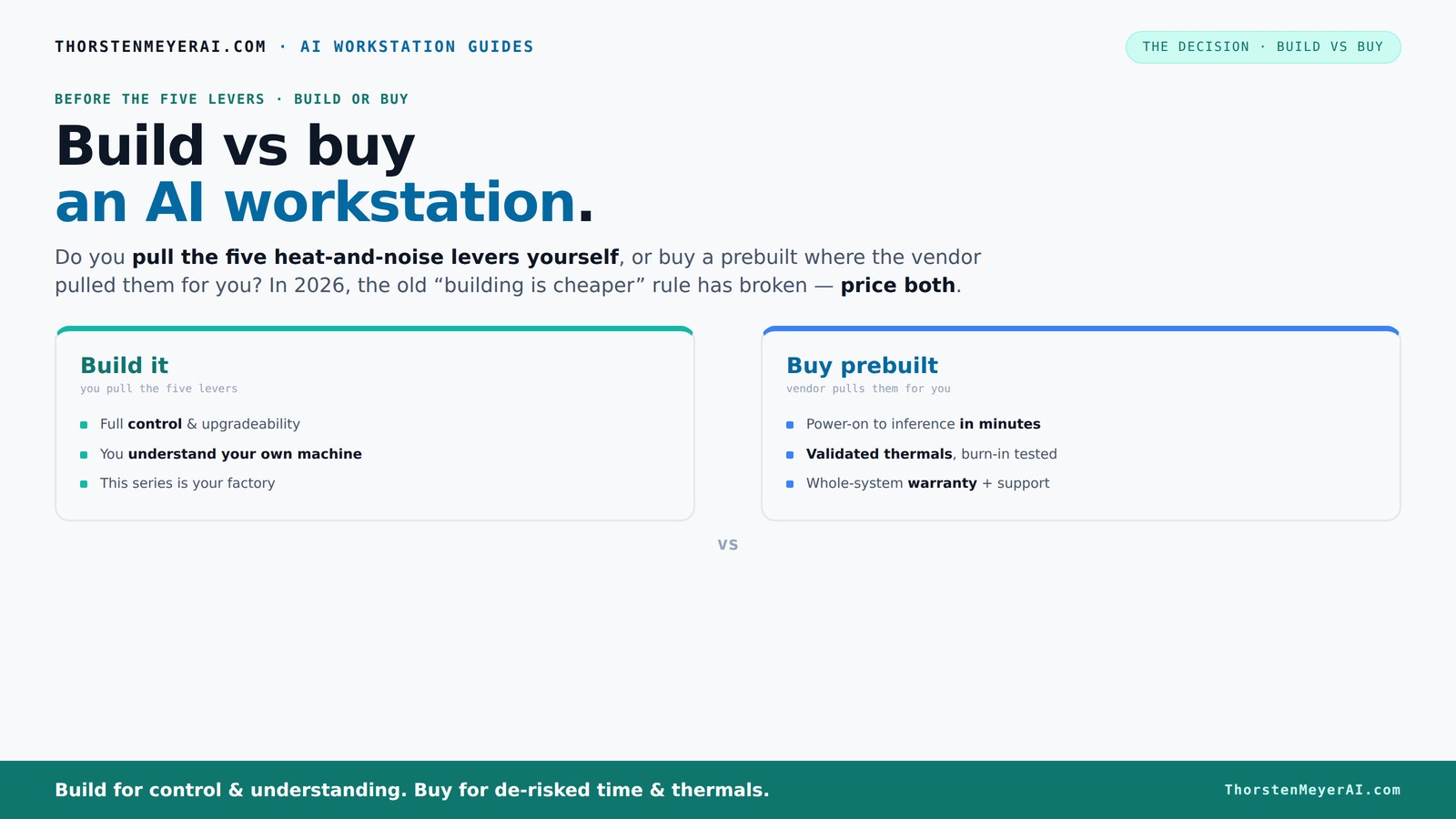
Build vs buy
an AI workstation.
The real question behind this whole series: do you pull the five heat-and-noise levers yourself, or buy a prebuilt where the vendor pulled them for you? And in 2026, the old “building is cheaper” rule has broken. Match your situation in Part 3.
Key Takeaways
- Market shortages in 2026 make prebuilt AI workstations often as affordable as, or cheaper than, DIY builds.
- Prebuilts include validated thermals, noise reduction, and warranties—saving time and reducing risk.
- Building your own system offers full control over components, cooling, and future upgrades, but demands technical skill and time.
- Choose prebuilt if you need quick deployment, reliability, and support; build if you crave customization and control.
- Recent market shifts mean you should always price both options before deciding—cost alone no longer favors DIY.
As an affiliate, we earn on qualifying purchases.
Why 2026 Changes Everything: Building Is No Longer Always Cheaper
For years, building your own AI workstation meant saving money. But in 2026, that’s no longer guaranteed. Component shortages and skyrocketing prices for GPUs, DDR5 RAM, and SSDs have pushed DIY costs higher than before. Meanwhile, big manufacturers bought components in bulk before prices spiked, allowing them to offer systems at prices that are often hard to beat. This shift means you need to run the numbers—your DIY build might cost just as much as, or even more than, a prebuilt.
For example, a DIY system that used to cost around $1,000 now often tops $1,250, while prebuilt vendors like Lambda or Puget can offer comparable setups at similar or lower prices. The old rule—DIY is always cheaper—no longer applies. Instead, your decision is now driven by workload needs, support, and how much time you want to spend tinkering, not just dollars.
As an affiliate, we earn on qualifying purchases.
The Heat and Noise Levers: Who Controls the Cooling and Silence?
Building your own AI workstation means you control the heat and noise levels. You can build vs buy a prebuilt AI workstation. You choose a quiet GPU, like an quiet GPU, pick a cooling solution, and tune fans to keep your rig cool and silent. It’s a satisfying puzzle—adjusting each lever to get just the right balance. But it’s also a challenge that requires expertise and time.
Buy a prebuilt, and the vendor pulls these levers for you. Companies like BIZON or Lambda validate thermals through rigorous testing, often running 24–48 hours of stress tests before shipping. They install water-cooling or optimized airflow systems, resulting in systems that run cooler and quieter straight out of the box. The tradeoff? You pay a premium for factory-tuned silence and reliability. Are you willing to tune your system yourself, or do you prefer plug-and-play with a warranty?
high performance SSD for AI training
As an affiliate, we earn on qualifying purchases.
As an affiliate, we earn on qualifying purchases.
Price Comparison Table: Build vs Buy in 2026
| Feature | Build Your Own | Prebuilt System |
|---|---|---|
| Cost (example config) | $1,250+ | $1,200–$1,400 |
| Time to Deploy | Several hours to days | Minutes to hours |
| Customization | Full control over components, cooling, noise | Limited, vendor options |
| Support & Warranty | Part warranties, user troubleshooting | Complete system warranty, support |
| Upgradeability | Easy, with compatible parts | Limited, depends on model |
| Performance Tuning | High, custom tuned | Factory optimized |
As an affiliate, we earn on qualifying purchases.
When Should You Buy a Prebuilt? Quick Wins and Real Benefits
If speed, reliability, and support matter most, a prebuilt system is your best bet. Imagine powering on a system with all the AI software ready—CUDA, TensorFlow, Docker—already installed. You’re up and running in minutes instead of hours or days. Plus, you get validated thermals, a warranty, and expert support if something goes wrong.
Large vendors like Lambda test their systems under heavy loads, ensuring they won’t throttle during AI training or inference. Learn more about AI hardware options. If you’re working on multi-GPU setups or need a system that’s ready to go immediately, a prebuilt can save you headaches—and time.
When Is Building Your Own Worth It? Custom Control and Cost Savings
If you enjoy tinkering, want exact control over every component, or have a tight budget, building your own AI workstation can still be rewarding. You can select specific GPUs like an ultra-quiet GPU, undervolt it for efficiency, and optimize airflow with custom fan setups. Plus, you’re not paying for the vendor’s overhead.
However, keep in mind that component shortages and market demand can make parts more expensive or hard to find. The time investment is significant—assembling, troubleshooting, tuning, and testing your system. But if you love that process or need a highly tailored solution, building remains a compelling choice.
Market Trends: How AI Hardware Market Is Reshaping Build vs Buy
AI hardware is evolving fast. Vendors now focus on integrated AI features, like NPU support, which optimize inference and training workflows. Market shortages mean that bulk buying offers competitive prices, sometimes better than DIY. Also, the rise of software-optimized hardware makes prebuilt systems more appealing, especially for AI workloads that demand stability and support.
According to industry reports, the positioning of AI workstations has shifted from just raw power to ecosystem integration. This means that choosing a prebuilt with AI-specific tuning can boost your productivity without the hassle of manual tuning.
Your Decision Framework: Which Path Fits Your AI Workload?
Deciding whether to build or buy hinges on your workload. See how to choose the right AI workstation. For rapid deployment, multi-GPU setups, or professional support, a prebuilt system is often best. If you want control over every detail—like cooling, noise, or specific hardware—building gives you that edge. For hobbyists or those with time to spare, DIY can be both satisfying and cost-effective, but consider recent market prices and component availability.
Ask yourself:
- How fast do I need to get started?
- Am I comfortable tuning hardware or troubleshooting?
- Is support and warranty important for my work?
Frequently Asked Questions
Is it cheaper to build or buy an AI workstation?
In 2026, component shortages and bulk buying often make prebuilt systems as affordable as DIY builds. Always compare both prices for your specific configuration, because the market has shifted from the traditional rule that DIY is cheaper.
Which option gives better performance for AI workloads?
Both can deliver excellent performance. Prebuilts are tested for thermals and stability, especially for multi-GPU setups. Building your own allows you to tailor components precisely for your workload, which can optimize performance if done well.
Can I upgrade a prebuilt AI workstation later?
It depends. Some prebuilts offer upgrade paths, but often limited by case size, power supply, or motherboard design. Building your own generally makes future upgrades easier and more flexible.
Are prebuilt AI workstations reliable and covered by warranty?
Yes, reputable vendors validate their systems and offer warranties—often 3 to 5 years—covering parts and labor. DIY builds rely more on individual component warranties and your troubleshooting skills.
When is building worth the extra effort?
If you enjoy fine-tuning hardware, have specific needs, or want to save on costs when parts are available, building can be rewarding. But always weigh the current market prices and your comfort with troubleshooting.
Conclusion
In 2026, the old rule—build is cheaper—no longer applies universally. The right choice depends on your workload, your skills, and how much time you want to spend tuning. Whether you go prebuilt or DIY, focus on what matters most: getting your AI projects up and running smoothly.
Picture this: a quiet, cool, powerful machine humming along as your models train seamlessly. That’s the real goal—whether it’s built or bought, your system should serve your work, not complicate it.
Halloween Picks
halloween
As an affiliate, we earn on qualifying purchases.