For wireless PCVR, I would start with the dedicated-GPU models: the MSI Katana RTX 5070 offers the strongest listed graphics hardware, while the ASUS ROG Strix G16 with RTX 4060 pairs a dedicated GPU with 32GB of memory. The RTX 5060 Strix G16 is another sensible gaming-first choice, with Wi-Fi 7 listed. Those distinctions matter because a wireless headset still depends on the laptop rendering the game and sending a compressed video stream across a busy home network.

Get the latest gadgets delivered free with Prime
- Fast, free delivery on millions of items
- Prime Video, Amazon Music and more included
- Member-only deals all year
There is a major qualification behind this shortlist: the NIMO laptops use Radeon 780M integrated graphics, not a dedicated gaming GPU. Their “VR Ready” wording does not establish that they can run demanding PCVR titles well. I rank the five by the evidence supplied for PCVR rendering, memory, and wireless use—not by a label, screen refresh rate, or processor name alone. I also explain where the product details leave unanswered questions, since wireless performance depends on the headset, router, game, and laptop configuration.
Complete the kit



Key Takeaways
- The MSI Katana ranks first on listed GPU hardware, with an RTX 5070 and 12GB GDDR7; its 16GB RAM and unspecified wireless standard are caveats.
- The RTX 4060 Strix G16 has 32GB RAM and a 1TB SSD, giving it a stronger listed memory setup than the RTX 5060 Strix, though its GPU is a lower tier.
- The RTX 5060 Strix is the only listed pick with Wi-Fi 7, but a fast laptop Wi-Fi specification does not replace a suitable router and clear wireless link.
- Both NIMO models rely on Radeon 780M integrated graphics, so I would not choose either as a primary machine for demanding wireless PCVR.
- The laptop display’s 165Hz or 240Hz rating is separate from headset refresh rate; PCVR suitability depends more on the GPU and stable network connection.


| vr ready laptop for wireless pcvr | Graphics | Processor | Memory | Storage |
|---|---|---|---|---|
| MSI Katana 15.6” 165Hz QHD Gam | NVIDIA GeForce RTX 5070, 12GB GDDR7 | Intel Core i7-14650HX | 16GB DDR5 | 1TB PCIe SSD |
| ASUS ROG Strix G16 VR-Ready Ga | NVIDIA GeForce RTX 4060 | Intel Core i9-14900HX | 32GB DDR5 | 1TB PCIe NVMe SSD |
| ASUS ROG Strix G16 | NVIDIA GeForce RTX 5060 | Intel Core i7-14650HX | 16GB DDR5-5600MHz | 1TB PCIe Gen 4 SSD |
| NIMO 17.3 Gaming Laptop with R | AMD Radeon 780M integrated graphics | AMD Ryzen 9 8945HS | 16GB | 1TB SSD |
| NIMO 15.6" AI-Ready Laptop wit | AMD Radeon 780M integrated graphics | AMD Ryzen 7 8745HS, 8-core, 16-thread | 16GB | 512GB SSD |
More Details on Our Top Picks
MSI Katana 15.6” 165Hz QHD Gaming Laptop with Intel Core i7-14650HX and NVIDIA GeForce RTX 5070
I put the MSI Katana first because its listed RTX 5070 with 12GB GDDR7 is the strongest graphics configuration in this group. That matters more to wireless PCVR than the laptop’s 165Hz panel: the GPU has to render the VR scene and support the streaming workload. Its Core i7-14650HX, 1TB SSD, and 2K display also make it a capable general gaming system, though the screen itself does not determine headset performance.
Compared with the RTX 4060 Strix, the Katana has a higher-tier listed GPU, while the Strix includes 32GB RAM versus this model’s 16GB. That makes the ASUS a credible alternative for buyers who value memory headroom, especially if they run other applications alongside a game. The Katana’s biggest wireless unknown is its Wi-Fi generation: the product details list Wi-Fi 6E elsewhere in the supplied specifications, but buyers should confirm the exact configuration and remember that router quality still matters. At nearly five pounds, it is also a substantial machine to carry.
I would choose this as the strongest starting point for PCVR among these five, not as a guarantee of compatibility with every headset or title. I would verify headset requirements, laptop GPU power details, and the wireless setup before buying. The combination of dedicated graphics and listed memory makes it a more credible VR gaming pick than either NIMO, but its 16GB RAM and missing battery-life information leave real compromises.
Pros:- RTX 5070 with 12GB GDDR7 is the strongest listed GPU in this comparison.
- Core i7-14650HX and 1TB SSD suit gaming and multitasking.
- QHD 165Hz panel supports smooth non-VR gaming.
- Wi-Fi 6E is listed in the supplied connectivity specifications.
Cons:- 16GB RAM is less headroom than the 32GB ASUS RTX 4060 option.
- At 4.96 pounds, it is not especially easy to carry.
- Battery-life details and GPU power configuration are not supplied.
Best for: A buyer prioritizing the strongest listed dedicated GPU for wireless PCVR and willing to verify headset and network compatibility.
Not ideal for: Someone who wants 32GB RAM out of the box, a lightweight travel laptop, or confirmed battery-life and thermal details.
- Graphics:NVIDIA GeForce RTX 5070, 12GB GDDR7
- Processor:Intel Core i7-14650HX
- Memory:16GB DDR5
- Storage:1TB PCIe SSD
- Display:15.6-inch 2K IPS, 165Hz
- Wireless:Wi-Fi 6E listed
- Weight:4.96 lbs
Our verdict“I rank the MSI Katana first for its RTX 5070, while advising buyers to weigh its 16GB memory and verify the exact wireless configuration.”
ASUS ROG Strix G16 VR-Ready Gaming Laptop, 16″ QHD+ 240Hz, Intel i9-14900HX, NVIDIA GeForce RTX 4060, 32GB DDR5, 1TB SSD
This Strix is my second pick because it has the lineup’s clearest out-of-box advantage for multitasking: 32GB DDR5 RAM, alongside a dedicated RTX 4060. That memory capacity can leave more room for a game, streaming software, and ordinary background tasks than the 16GB found in the MSI and RTX 5060 Strix configurations. The Core i9-14900HX is also a powerful processor, although PCVR gaming performance still depends heavily on the GPU rather than the processor name alone.
Against the MSI Katana, this ASUS gives up the stronger listed GPU tier but offers twice the RAM and a QHD+ 240Hz built-in display. The display is a nice advantage for conventional gaming, not proof of better headset refresh or wireless VR results. It lists Wi-Fi 6, which is an older wireless generation than the Wi-Fi 6E on the MSI and the Wi-Fi 7 on the RTX 5060 Strix. Its Thunderbolt 4, HDMI 2.1, and Ethernet ports are useful for a flexible desk setup, including wired networking when wireless PCVR is not the goal.
The tradeoff is portability: at 5.51 pounds, it is the heaviest option here, and its RTX 4060 sits below the 5070 and 5060 in the supplied GPU lineup. I would favor it over the MSI if 32GB memory and ports matter more than selecting the highest-tier listed GPU. Buyers seeking the best graphics headroom should compare it closely with the Katana instead.
Pros:- 32GB DDR5 provides the most memory in this group.
- RTX 4060 is a dedicated GPU, unlike the integrated graphics in the NIMO options.
- QHD+ 240Hz screen suits high-refresh conventional gaming.
- Thunderbolt 4, HDMI 2.1, Ethernet, and Wi-Fi 6 are listed.
Cons:- RTX 4060 is a lower listed GPU tier than the MSI RTX 5070 and ASUS RTX 5060.
- The 5.51-pound chassis is the heaviest of these picks.
- Wi-Fi 6 is a generation behind the Wi-Fi 6E or Wi-Fi 7 options listed here.
Best for: PCVR buyers who want a dedicated GPU, 32GB of RAM, and a broad selection of ports for a desk-centered setup.
Not ideal for: Someone who wants the strongest listed GPU, newer stated Wi-Fi, or a lighter laptop for frequent travel.
- Graphics:NVIDIA GeForce RTX 4060
- Processor:Intel Core i9-14900HX
- Memory:32GB DDR5
- Storage:1TB PCIe NVMe SSD
- Display:16-inch QHD+ 2560 x 1600, 240Hz
- Wireless:Wi-Fi 6, Bluetooth 5.2
- Weight:5.51 lbs
- Ports:Thunderbolt 4, USB-C, USB-A, HDMI 2.1, RJ-45
Our verdict“I recommend this Strix to buyers who value 32GB RAM and flexible connectivity more than the highest GPU tier or lighter carry weight.”
ASUS ROG Strix G16 (2025) Gaming Laptop, 16” FHD+ 165Hz, NVIDIA GeForce RTX 5060, Intel Core i7 14650HX, 16GB DDR5, 1TB SSD, Wi-Fi 7
The RTX 5060 Strix earns third place with a useful balance of dedicated graphics and a notable wireless specification: Wi-Fi 7. For a wireless headset setup, a newer Wi-Fi generation can be relevant when the laptop, router, and headset environment support it, but it cannot compensate for a congested network or a weak access point. Its dedicated RTX 5060 makes it a more credible PCVR candidate than either Radeon 780M NIMO, while the Core i7-14650HX and 1TB SSD round out a practical gaming configuration.
Compared with the RTX 4060 Strix, this model lists an RTX 5060 and Wi-Fi 7, but only 16GB RAM instead of 32GB. Compared with the MSI Katana, it also has 16GB, a dedicated GPU, and a 1TB SSD, but the MSI lists an RTX 5070. I rank this ASUS below both because its listed graphics tier is not the strongest and its memory is more limited than the 32GB alternative. Its FHD+ 165Hz screen is also less detailed than the QHD+ screens on the other two gaming laptops, though the built-in panel resolution does not directly set headset image quality.
The product description mentions advanced cooling, but does not provide temperatures, GPU power limits, or battery figures. I would treat those as unanswered questions rather than assume the Wi-Fi 7 label alone makes this the best wireless VR system. It makes most sense for a buyer who wants a gaming-focused laptop with the newest listed wireless generation and is prepared to check router and headset compatibility.
Pros:- Dedicated RTX 5060 graphics make it a stronger PCVR prospect than either integrated-graphics NIMO.
- Wi-Fi 7 is the newest wireless generation listed among these products.
- Core i7-14650HX and 1TB PCIe Gen 4 SSD support gaming and everyday multitasking.
- 16-inch 165Hz screen is suitable for conventional high-refresh gaming.
Cons:- 16GB RAM is below the 32GB offered by the RTX 4060 Strix.
- The supplied listing does not state GPU power limits or battery life.
- FHD+ has less built-in display resolution than the QHD+ gaming alternatives.
Best for: A PCVR buyer who values a dedicated RTX GPU and wants the newest stated Wi-Fi generation in this lineup.
Not ideal for: Someone who needs 32GB RAM immediately, wants the highest listed GPU tier, or expects Wi-Fi 7 alone to solve home-network limitations.
- Graphics:NVIDIA GeForce RTX 5060
- Processor:Intel Core i7-14650HX
- Memory:16GB DDR5-5600MHz
- Storage:1TB PCIe Gen 4 SSD
- Display:16-inch FHD+ 165Hz
- Wireless:Wi-Fi 7
- Operating system:Windows 11 Home
Our verdict“I would choose this Strix for its RTX 5060 and Wi-Fi 7 combination, while remembering that its 16GB RAM and network setup remain limiting factors.”
NIMO 17.3 Gaming Laptop with Ryzen 9 8945HS, 16GB RAM, 1TB SSD, Radeon 780M, Backlit Keyboard, Fingerprint, VR Ready
The 17.3-inch NIMO offers a large Full HD screen, Ryzen 9 processor, and 1TB SSD, but its Radeon 780M is integrated graphics. That is the deciding distinction for this roundup: the laptop’s “VR Ready” description does not list a dedicated GPU, so I would not place it alongside the RTX gaming laptops as a dependable choice for demanding PCVR titles. A strong CPU can help with general tasks, but it does not replace the graphics hardware expected for rendering a headset experience.
Compared with the 15.6-inch NIMO, this model gives you more screen area and double the stated storage, but both rely on Radeon 780M graphics and 16GB RAM. The smaller NIMO provides more detailed connectivity information, including Wi-Fi 6E, USB4, and a 75Wh battery; those details are not supplied for this 17.3-inch model. Against the RTX 5060 Strix, the NIMO’s bigger panel and Ryzen 9 label are less relevant to PCVR than the ASUS’s dedicated graphics and stated Wi-Fi 7.
I see this as a general-purpose laptop for someone attracted to a larger display and who only needs light graphics work or casual gaming. The listing does not specify weight, wireless generation, battery capacity, or cooling design, which makes portability and wireless suitability harder to judge. I would not buy it solely because the product name says “VR Ready”; confirm the headset and game requirements, and choose a dedicated-GPU model if PCVR is the priority.
Pros:- 17.3-inch FHD display offers more workspace than the 15.6-inch NIMO.
- Ryzen 9 8945HS is suited to demanding general computing tasks.
- 1TB SSD gives more listed storage than the smaller NIMO’s 512GB drive.
- USB-C 4.0 and fingerprint login are listed features.
Cons:- Radeon 780M is integrated graphics, not a dedicated GPU like the three gaming-laptop picks.
- Wi-Fi generation, battery capacity, weight, and cooling details are not supplied.
- The “VR Ready” wording does not specify supported headsets or PCVR performance.
Best for: A buyer seeking a large-screen everyday laptop for general work, entertainment, and light gaming, with VR use only after checking compatibility.
Not ideal for: Anyone buying primarily for demanding wireless PCVR or expecting integrated Radeon graphics to match the RTX laptops.
- Graphics:AMD Radeon 780M integrated graphics
- Processor:AMD Ryzen 9 8945HS
- Memory:16GB
- Storage:1TB SSD
- Display:17.3-inch FHD
- Charging:PD 100W Type-C
- Other features:Backlit keyboard, fingerprint reader
Our verdict“I would treat this as a large-screen general-purpose laptop, not a primary wireless PCVR machine, unless verified requirements show its graphics are adequate for your use.”
NIMO 15.6″ AI-Ready Laptop with AMD Ryzen 7 8745HS, 16GB RAM, 512GB SSD, Radeon 780M Graphics, FHD IPS Display, 2-Year Warranty
This NIMO is the clearest example of why I do not rank a laptop for PCVR by CPU or feature count alone. Its Ryzen 7 8745HS, 16GB RAM, and Radeon 780M make sense for general computing, content work, and light gaming, but the listing explicitly says graphics performance is limited to light gaming. Without a dedicated GPU, it falls well behind the RTX 5070 MSI and both RTX-equipped Strix laptops for a buyer whose primary purpose is demanding wireless PCVR.
Its advantage over the 17.3-inch NIMO is that the supplied details are more complete: Wi-Fi 6E, USB4, HDMI 2.1, and a 75Wh battery are listed, along with a two-year warranty. Wi-Fi 6E may suit a compatible wireless setup, but network quality and headset support still determine the result; it does not change the integrated GPU’s rendering limits. The 512GB SSD is also half the stated storage of the 17.3-inch NIMO and the three RTX gaming laptops.
I would pick this only if PCVR is a secondary experiment and the main job is everyday productivity or lighter creative work. Compared with the larger NIMO, it gives up screen size and storage while offering more explicit information about wireless and ports. Compared with the RTX 5060 Strix, it is much less compelling for VR rendering, even though its listed connectivity is useful. Buyers should verify actual headset compatibility rather than infer it from the processor or “AI-Ready” label.
Pros:- Wi-Fi 6E and USB4 are explicitly listed.
- 75Wh battery and 100W Type-C charging details are provided.
- Ryzen 7 8745HS suits everyday multitasking and productivity.
- Two-year warranty is specified.
Cons:- Radeon 780M integrated graphics are positioned for light gaming, not demanding PCVR.
- 512GB SSD is the smallest listed storage capacity in this roundup.
- It has less screen area and storage than the 17.3-inch NIMO.
Best for: A general-use laptop buyer who values listed Wi-Fi 6E, USB4, a 75Wh battery, and light gaming more than PCVR performance.
Not ideal for: A buyer who wants a laptop specifically to render demanding wireless PCVR games.
- Graphics:AMD Radeon 780M integrated graphics
- Processor:AMD Ryzen 7 8745HS, 8-core, 16-thread
- Memory:16GB
- Storage:512GB SSD
- Display:15.6-inch FHD IPS anti-glare
- Wireless:Wi-Fi 6E, Bluetooth 5.2
- Battery:75Wh
- Ports:USB4, HDMI 2.1, USB-A, Micro SD reader
- Warranty:2 years
Our verdict“I recommend this NIMO for general computing with occasional light gaming, not as a substitute for the dedicated-GPU laptops in a wireless PCVR setup.”
How We Picked
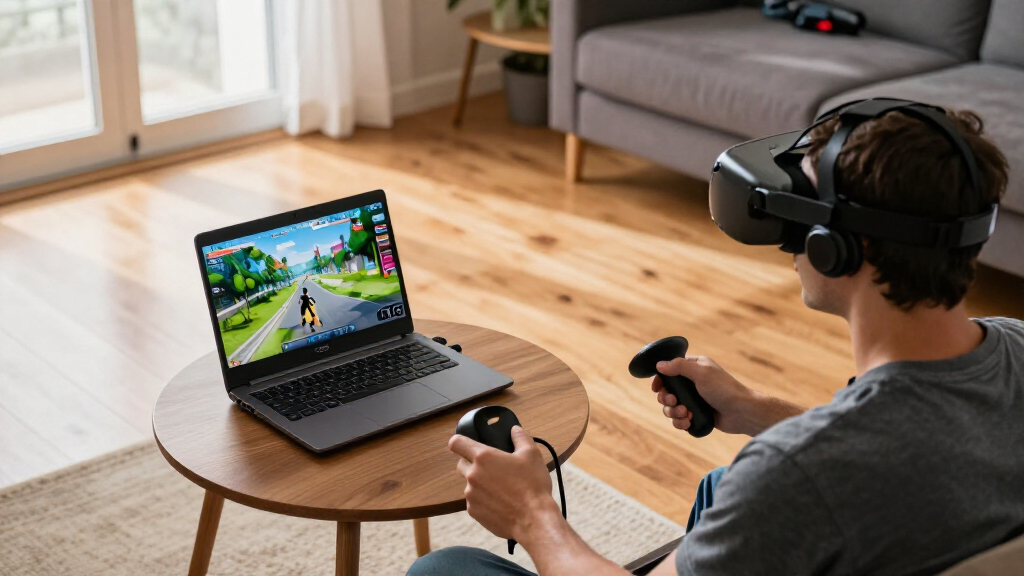
I ranked these options around the parts of a laptop that shape a wireless PCVR session: graphics capability, memory headroom, and wireless connectivity. The GPU has to render the game before the laptop encodes and streams it to the headset, so I gave dedicated NVIDIA graphics a clear advantage over integrated Radeon 780M graphics. Within the dedicated-GPU group, the listed RTX 5070 leads on paper, followed by the RTX 5060 and RTX 4060. This is a comparison of the supplied configurations, not a claim that every headset or game will perform identically.
I also looked at RAM and storage because PCVR games can be demanding and a crowded system has less room for background tasks. A 32GB configuration earns credit over 16GB, while a 1TB SSD offers more room for a game library than a 512GB drive. For wireless streaming, I note each stated Wi-Fi generation, but I do not treat it as a guarantee: the access point, network congestion, headset support, and placement all affect the connection. The Strix RTX 5060’s Wi-Fi 7 listing is a plus; the MSI listing does not state a Wi-Fi generation.
Finally, I separated screen specifications from VR performance. A laptop’s fast built-in display can make ordinary games feel smoother, but its refresh rate is not the headset’s refresh rate. I also considered the practical tradeoffs shown in the listings, including weight, ports, and missing details. The NIMO descriptions advertise general or “VR Ready” use, yet neither lists a dedicated GPU; I place them below the gaming laptops and call out that gap rather than taking the label at face value.
| vr ready laptop for wireless pcvr | Graphics | Processor | Wireless |
|---|---|---|---|
| MSI Katana 15.6” 165Hz QHD Gam | NVIDIA GeForce RTX 5070, 12GB GDDR7 | Intel Core i7-14650HX | Wi-Fi 6E listed |
| ASUS ROG Strix G16 VR-Ready Ga | NVIDIA GeForce RTX 4060 | Intel Core i9-14900HX | Wi-Fi 6, Bluetooth 5.2 |
| ASUS ROG Strix G16 | NVIDIA GeForce RTX 5060 | Intel Core i7-14650HX | Wi-Fi 7 |
| NIMO 17.3 Gaming Laptop with R | AMD Radeon 780M integrated graphics | AMD Ryzen 9 8945HS | — |
| NIMO 15.6" AI-Ready Laptop wit | AMD Radeon 780M integrated graphics | AMD Ryzen 7 8745HS, 8-core, 16-thread | Wi-Fi 6E, Bluetooth 5.2 |
Factors to Consider When Choosing Vr Ready Laptop For Wireless Pcvr
For wireless PCVR, I separate the decision into two jobs: rendering the game and streaming it reliably. The laptop must handle the headset’s game workload, then send the rendered view over a stable local network. A strong CPU, attractive screen, or “VR Ready” phrase cannot substitute for a capable GPU and a compatible, well-configured wireless setup.
Start with the GPU, not the laptop screen
Among these five, the three NVIDIA RTX laptops are the more credible starting points for demanding PCVR because they list dedicated graphics. The MSI’s RTX 5070 ranks highest by the supplied GPU tier, followed by the RTX 5060 Strix and RTX 4060 Strix. I would still check the exact headset and game requirements before choosing: laptop GPU performance can vary by power limit and cooling, details not supplied consistently here. The Radeon 780M in both NIMO laptops is integrated graphics, so I would reserve those for light gaming or general work rather than assume they can handle intensive VR titles.
Treat wireless as a whole-network question
A laptop’s Wi-Fi generation is one part of the connection, not a complete measure of wireless PCVR quality. The RTX 5060 Strix lists Wi-Fi 7, the MSI and smaller NIMO list Wi-Fi 6E, and the RTX 4060 Strix lists Wi-Fi 6. The 17.3-inch NIMO does not state a Wi-Fi generation. I would check whether the headset supports the relevant network, use a capable router or access point near the play area, and avoid relying on a crowded or distant connection. Ethernet to the router may improve the computer’s side of the link when the setup allows it.
Choose memory and storage for the way you play
The RTX 4060 Strix is the only option here with 32GB RAM; the other four list 16GB. More memory can help when a game runs alongside launchers, voice chat, or other software, though it does not raise GPU capability by itself. The MSI, both Strix configurations, and the larger NIMO list 1TB storage, while the smaller NIMO lists 512GB. If you expect a broad PCVR library, more storage leaves room for games and updates without frequent file management. Check whether memory or storage can be upgraded in the exact model.
Do not confuse the laptop display with headset performance
The 240Hz QHD+ panel on the RTX 4060 Strix and 165Hz panels on the other gaming laptops describe the built-in display. They do not promise those refresh rates in a VR headset. For PCVR, the headset’s own resolution and refresh settings, the game’s demands, GPU capacity, and stream quality shape what you see. I treat high-refresh laptop screens as a benefit for regular gaming, not as a shortcut to better wireless VR.
Check portability, ports, and missing specifications
Weight ranges from the MSI’s listed 4.96 pounds to the Strix RTX 4060’s 5.51 pounds, and the 17.3-inch NIMO is likely the least convenient form factor even though its weight is not supplied. The RTX 4060 Strix lists Thunderbolt 4, HDMI 2.1, and Ethernet; the smaller NIMO lists USB4 and HDMI 2.1. Before buying, I would confirm the exact ports, wireless card, GPU power configuration, cooling behavior, and battery expectations for the specific SKU. Missing details should prompt verification, not optimistic assumptions.
Frequently Asked Questions
What makes a laptop suitable for wireless PCVR?
I look for a capable dedicated GPU first, then enough memory and a wireless setup that matches the headset and router. The laptop renders the VR game and encodes a stream; the network carries that stream to the headset. A fast processor or high-refresh laptop screen alone does not establish PCVR suitability. Check the requirements for your headset and the games you plan to play, as well as the laptop’s exact GPU configuration.
Is Wi-Fi 7 required for wireless PCVR?
No. Wi-Fi 7 is listed on the RTX 5060 Strix, but Wi-Fi 6 or 6E may also suit a compatible setup. The headset, router, distance, interference, and network load all matter. A newer wireless standard cannot guarantee a stable stream if the access point is far away or the local network is congested. I would match the laptop and headset to a suitable router and test the layout of the play space.
Are the NIMO Radeon 780M laptops good choices for VR?
I would not choose either NIMO as my primary machine for demanding wireless PCVR based on the supplied specifications. Both list Radeon 780M integrated graphics rather than a dedicated gaming GPU, and the smaller model is described as suited to light gaming. The “VR Ready” label on the larger NIMO does not identify supported headsets or performance in particular games. Confirm the exact requirements if your intended use is light or experimental, but the RTX models are the safer shortlist here.
Does a 240Hz laptop display improve the headset’s refresh rate?
No. The 240Hz figure on the RTX 4060 Strix describes its built-in screen, not a connected VR headset. Headset refresh rate is a separate specification, and the game must render at a pace the GPU can support while the laptop streams the image. The fast panel can benefit ordinary gaming on the laptop, but I would compare GPU performance and headset compatibility when choosing a PCVR system.
Which laptop should I choose if I want 32GB of RAM?
The ASUS ROG Strix G16 with RTX 4060 is the only listed model with 32GB RAM, and it also includes a dedicated GPU and 1TB SSD. Its tradeoffs are the lower listed GPU tier than the MSI RTX 5070, older stated Wi-Fi 6, and heavier 5.51-pound chassis. If graphics headroom matters more than memory capacity, compare it with the MSI; if you choose the Strix, check whether its memory configuration can be upgraded and whether its GPU meets your headset’s needs.
Conclusion
For the strongest listed graphics starting point, I would choose the MSI Katana RTX 5070, while checking its memory configuration and confirming the exact wireless setup. For a more memory-rich alternative, the ASUS ROG Strix RTX 4060 gives you 32GB RAM and useful ports, though it has a lower listed GPU tier and more weight. If newer stated wireless hardware is your priority, the RTX 5060 Strix pairs a dedicated GPU with Wi-Fi 7, but its 16GB RAM remains a compromise.
I would choose the 17.3-inch NIMO for general work and a larger screen only when PCVR is not the main job; the smaller NIMO makes more sense for everyday productivity and light gaming where Wi-Fi 6E and USB4 matter. For either NIMO, I would verify headset and game requirements rather than rely on “VR Ready” wording. Across all five, your best fit depends on the headset, the games, and the quality of your local wireless network as much as the laptop label.
Halloween Picks
halloween
As an affiliate, we earn on qualifying purchases.