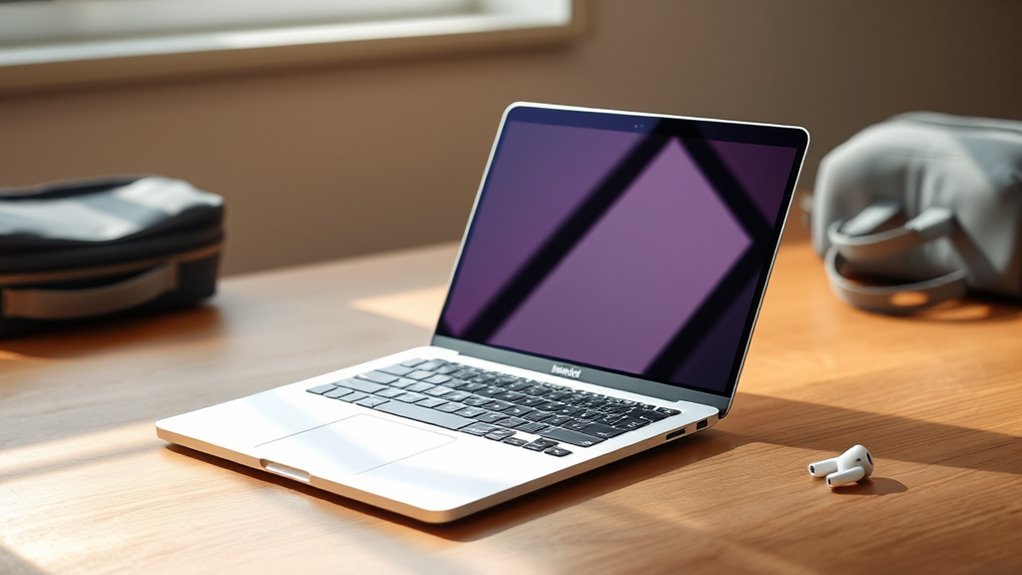

For travelers seeking a silent, fanless MacBook, the MacBook Air lineup centers on two practical choices here: the newer 15-inch M5 models or a renewed 2023 15-inch M2. I rank the 15-inch M5 MacBook Air in Silver first for its mix of large-screen workspace, current chip, and stated battery life; the Midnight M5 is a close alternative if its finish suits you better. The renewed M2 is the distinct lower-spec option for buyers who value a quiet Air and can live with 8GB of memory and 256GB of storage.

Get the latest gadgets delivered free — and shop member deals
- Fast, free delivery on millions of items
- Access to Prime Big Deal Days deals on October 6–7
- Prime Video, Amazon Music and more included
The main tradeoff is straightforward: every option listed has a 15.3-inch display and weighs about 3.3 pounds, so none is as compact as a smaller laptop. The newer M5 models share the same core specifications, making color and listing details more relevant than performance differences. I rank them by travel suitability, documented features, and how clearly each fits a different buyer—not by treating color variants as separate performance classes.
Complete the kit



Key Takeaways
- The Silver M5 is my lead pick: it pairs a 15.3-inch display with 16GB memory, 512GB storage, and up to 18 hours of stated battery life.
- The Midnight, Starlight, and Sky Blue M5 listings have the same core travel specifications; choose among them mainly for finish and listing preference.
- All five options are 15-inch-class laptops weighing about 3.3 pounds, so travelers prioritizing the smallest possible carry should look beyond this list.
- The renewed M2 is the only lower-spec alternative here, with 8GB memory and 256GB storage; that makes it less suited to heavy multitasking and large offline libraries.
- Each pick is fanless by MacBook Air design, but sustained demanding work can still affect performance even when there is no fan noise.
| Apple MacBook Air 15-inch with M5 chip, 16GB Memory, 512GB SSD, Silver |  | Best Overall for a Quiet, Large-Screen Travel Setup | Display: 15.3-inch Liquid Retina | Processor: Apple M5 | Memory: 16GB unified memory | VIEW ON AMAZON | See Our Full Breakdown |
| Apple 2026 MacBook Air 15-inch Laptop with M5 Chip (16GB RAM, 512GB SSD, Midnight) |  | Best for Travelers Who Prefer a Dark Finish | Display: 15.3-inch Liquid Retina | Processor: Apple M5 | Memory: 16GB unified memory | VIEW ON AMAZON | See Our Full Breakdown |
| Apple 2026 MacBook Air 15-inch (M5 Chip, 16GB RAM, 512GB SSD, Starlight) |  | Best for a Lighter-Looking M5 Travel Laptop | Display: 15.3-inch Liquid Retina | Processor: Apple M5 | Memory: 16GB unified memory | VIEW ON AMAZON | See Our Full Breakdown |
| Apple MacBook Air 15-inch with M5 chip, 16GB Memory, 512GB SSD, Sky Blue |  | Best for a Distinctive Color Without Giving Up M5 Specs | Display: 15.3-inch Liquid Retina | Processor: Apple M5 | Memory: 16GB unified memory | VIEW ON AMAZON | See Our Full Breakdown |
| Apple MacBook Air 2023 15-inch with M2 Chip, 8-Core CPU/10-Core GPU, 8GB RAM, 256GB SSD, Midnight (Renewed) |  | Best Older-Generation Alternative for Basic Travel Work | Display: 15.3-inch Liquid Retina, 2560 x 1600 native resolution | Processor: Apple M2, 8-core CPU and 10-core GPU | Memory: 8GB unified memory | VIEW ON AMAZON | See Our Full Breakdown |
| silent fanless macbooks for travel | Display | Processor | Memory | Storage |
|---|---|---|---|---|
| Apple MacBook Air 15-inch with | 15.3-inch Liquid Retina | Apple M5 | 16GB unified memory | 512GB SSD |
| Apple 2026 MacBook Air 15-inch | 15.3-inch Liquid Retina | Apple M5 | 16GB unified memory | 512GB SSD |
| Apple 2026 MacBook Air 15-inch | 15.3-inch Liquid Retina | Apple M5 | 16GB unified memory | 512GB SSD |
| Apple MacBook Air 15-inch with | 15.3-inch Liquid Retina | Apple M5 | 16GB unified memory | 512GB SSD |
| Apple MacBook Air 2023 15-inch | 15.3-inch Liquid Retina, 2560 x 1600 native resolution | Apple M2, 8-core CPU and 10-core GPU | 8GB unified memory | 256GB SSD |
More Details on Our Top Picks
Apple MacBook Air 15-inch with M5 chip, 16GB Memory, 512GB SSD, Silver
I rank the Silver 15-inch M5 Air first because its configuration is the most balanced travel fit in this lineup: 16GB of unified memory and a 512GB SSD give it more room for active projects and offline files than the renewed M2, while the stated battery life reaches up to 18 hours. Its 15.3-inch Liquid Retina display gives documents, timelines, and side-by-side windows more space than a compact laptop, a benefit that can reduce the need to pack a separate monitor.
At 3.32 pounds, however, this is a large-screen carry rather than an ultra-light one. Compared with the Sky Blue, Starlight, and Midnight M5 listings, the Silver version does not have a stated performance advantage; it earns the lead because the provided details also specify support for up to two external displays and a six-speaker system. Those details can help when the trip includes presentations or hotel-room work, but the two Thunderbolt 4 ports still mean a hub may be useful for multiple accessories. For demanding sustained rendering, I would not choose a fanless Air over a machine designed for active cooling.
Pros:- Fanless MacBook Air design for quiet work in shared spaces
- 15.3-inch display offers room for documents and split-screen tasks
- 16GB memory and 512GB storage exceed the renewed M2 configuration
- Up to 18 hours of stated battery life and support for two external displays
Cons:- At 3.32 pounds, its 15-inch body is not the smallest travel option
- Two Thunderbolt 4 ports may call for a hub or adapter
- The M5 Air is not the best fit for prolonged, demanding workloads that benefit from active cooling
Best for: Travelers who want a silent 15-inch screen, current M5 hardware, and a solid 16GB/512GB configuration for everyday work.
Not ideal for: People who prioritize a compact carry, need a broad set of built-in ports, or regularly run sustained high-load creative workloads.
- Display:15.3-inch Liquid Retina
- Processor:Apple M5
- Memory:16GB unified memory
- Storage:512GB SSD
- Battery:Up to 18 hours
- Weight:3.32 pounds
- Ports:Two Thunderbolt 4, MagSafe, headphone jack
- Wireless:Wi-Fi 7, Bluetooth 6
Our verdict“I would choose the Silver M5 Air as the most balanced silent travel pick when screen space and current hardware matter more than a smaller bag footprint.”
Apple 2026 MacBook Air 15-inch Laptop with M5 Chip (16GB RAM, 512GB SSD, Midnight)
The Midnight M5 Air matches the lead Silver pick on the specifications that matter most for travel: a 15.3-inch display, 16GB unified memory, 512GB SSD, 3.32-pound weight, and up to 18 hours of stated battery life. That means I would not rank it lower because of a performance compromise. Its role is for a buyer who wants the same large-screen, fanless setup in Midnight, with M5 performance and Wi-Fi 7 listed for current productivity and connected work.
Compared with the Silver listing, the supplied description emphasizes iPhone integration and AI capabilities, but those are not enough to establish a hardware difference between the two. Both share the same two Thunderbolt 4 ports and MagSafe charging, so neither avoids the need for adapters if you carry several wired devices. The 15-inch chassis also remains a tradeoff for frequent flyers who need to minimize volume and weight. I see this as a finish-led alternative, not a different tier: it makes sense when Midnight is your preference, while the Silver listing has a slightly fuller set of specified details.
Pros:- Fanless Air design supports quiet use in offices and cabins
- 16GB memory and 512GB SSD suit general work and travel files
- Up to 18 hours of stated battery life
- Wi-Fi 7, MagSafe, and two Thunderbolt 4 ports are listed
Cons:- Same 3.32-pound, 15-inch carry tradeoff as the other M5 models
- Two Thunderbolt 4 ports provide limited wired connectivity
- Its main distinction in this group is the color, not a different specification set
Best for: Travelers who want M5 performance and the shared 15-inch Air travel setup in a Midnight finish.
Not ideal for: Buyers seeking a smaller laptop, more built-in ports, or a meaningful hardware distinction over the other M5 color options.
- Display:15.3-inch Liquid Retina
- Processor:Apple M5
- Memory:16GB unified memory
- Storage:512GB SSD
- Battery:Up to 18 hours
- Weight:3.32 pounds
- Wireless:Wi-Fi 7, Bluetooth 6
- Ports:Two Thunderbolt 4, MagSafe
Our verdict“I recommend the Midnight M5 when its finish is the deciding preference, since its core travel capabilities match the other M5 Air listings.”
Apple 2026 MacBook Air 15-inch (M5 Chip, 16GB RAM, 512GB SSD, Starlight)
The Starlight M5 is another like-for-like alternative to the Silver and Midnight models. It keeps the shared 16GB memory, 512GB SSD, large 15.3-inch display, and up to 18 hours of listed battery life, so it can handle the same broad category of travel work: documents, browsing, calls, and moderate creative tasks. I give it a distinct role for travelers who prefer a lighter-looking finish, rather than claiming that the color changes speed, runtime, or portability.
Relative to the Silver version, this listing gives less detail about ports and external display support, so I would check the exact configuration before buying if those connections are central to your travel setup. Compared with the renewed M2, it has twice the listed memory and storage capacity, which gives more breathing room for simultaneous apps and downloaded work. Yet the M5 Air remains a 15-inch laptop at 3.32 pounds, and two Thunderbolt 4 ports are still the stated limit. The main decision is therefore appearance and listing preference against the otherwise comparable M5 options.
Pros:- Fanless design suits quiet working environments
- 16GB unified memory and 512GB SSD provide more headroom than the renewed M2
- Large 15.3-inch display is useful for split-screen work away from a desk
- Up to 18 hours of stated battery life and Wi-Fi 7
Cons:- The 15-inch screen and 3.32-pound weight take more bag space than a compact model
- Two Thunderbolt 4 ports are limited for a multi-device setup
- The supplied listing does not distinguish its performance from other M5 color variants
Best for: Students and professionals who want the shared M5 15-inch travel configuration with a Starlight finish.
Not ideal for: Buyers who need the most compact carry or want to pay for a hardware change rather than a different color.
- Display:15.3-inch Liquid Retina
- Processor:Apple M5
- Memory:16GB unified memory
- Storage:512GB SSD
- Camera:12MP Center Stage
- Battery:Up to 18 hours
- Weight:3.32 pounds
- Connectivity:Wi-Fi 7, Bluetooth 6, two Thunderbolt 4, MagSafe
Our verdict“I would pick the Starlight M5 for its finish, not for a technical advantage over the otherwise similar M5 Air options.”
Apple MacBook Air 15-inch with M5 chip, 16GB Memory, 512GB SSD, Sky Blue
The Sky Blue M5 Air brings the same core travel package as the other current 15-inch picks: M5 chip, 16GB memory, 512GB SSD, and a 15.3-inch Liquid Retina display. It is the color-led choice for someone who wants a more distinctive-looking machine but does not want to step down to the renewed M2’s 8GB memory and 256GB drive. The listed up-to-18-hour battery life also makes it appropriate for days when access to an outlet may be uncertain, though actual runtime depends on workload and settings.
Compared with Silver, the supplied Sky Blue details also list a six-speaker system and support for up to two external displays, but that does not create a clear travel-performance edge. Its 3.32-pound weight and two Thunderbolt 4 ports mirror the other M5 versions. That means the same compromises apply: it takes more room than a smaller laptop, and a hub may be needed for wired storage or accessories. I place it below the other M5 finishes as a preference-based option, not because its listed core hardware is weaker.
Pros:- Fanless Air design avoids fan noise during quiet travel work
- 16GB memory and 512GB storage suit everyday work and offline documents
- 15.3-inch display and up to 18 hours of stated battery life
- Lists support for up to two external displays and a six-speaker system
Cons:- The 3.32-pound 15-inch body is not the lightest travel format
- Only two Thunderbolt 4 ports are listed
- The core hardware matches the other M5 color variants rather than adding a unique capability
Best for: Travelers who want a Sky Blue finish alongside the current M5, 16GB/512GB configuration.
Not ideal for: Anyone choosing strictly for portability, more ports, or a distinct performance benefit over the other M5 color versions.
- Display:15.3-inch Liquid Retina
- Processor:Apple M5
- Memory:16GB unified memory
- Storage:512GB SSD
- Battery:Up to 18 hours
- Weight:3.32 pounds
- Ports:Two Thunderbolt 4, MagSafe, headphone jack
- Color:Sky Blue
Our verdict“I see the Sky Blue M5 as a strong color preference pick with the same practical travel tradeoffs as its M5 siblings.”
Apple MacBook Air 2023 15-inch with M2 Chip, 8-Core CPU/10-Core GPU, 8GB RAM, 256GB SSD, Midnight (Renewed)
The renewed 2023 M2 Air is the lineup’s clear alternative to the M5 color variants: it offers a fanless 15.3-inch design and up to 18 hours of stated battery life, but its 8GB of unified memory and 256GB SSD are half the capacities listed for the M5 models. For a traveler whose routine is browser tabs, writing, video calls, and a modest set of downloaded files, it may cover the essentials while retaining the silent operation that defines this roundup.
Compared with any M5 option here, it gives less room for heavy multitasking and offline media, and its older M2 chip is the less current platform. The listing also says macOS Catalina, which conflicts with the 2023 model description and should be verified with the seller before purchase; I would not assume the software details are accurate without confirmation. Renewed condition and a limited warranty add uncertainty that does not apply in the same way to the new M5 listings. I rank it last for buyers who want a dependable long-term travel computer, but it remains the only pick for someone deliberately seeking an older, lower-spec Air rather than a current M5 configuration.
Pros:- Fanless design provides silent operation
- 15.3-inch display offers substantial workspace for a travel laptop
- Up to 18 hours of stated battery life
- 3.3-pound weight is close to the newer M5 models
Cons:- 8GB memory and 256GB storage are more limiting than the M5 models’ 16GB and 512GB
- Renewed condition and limited warranty require buyer attention
- The listing’s macOS Catalina detail should be verified before purchase
Best for: Travelers with light computing needs who want a fanless 15-inch Air and are comfortable verifying renewed condition and software details.
Not ideal for: People who keep large offline libraries, work across many demanding apps, want the newest chip, or prefer a new device with straightforward configuration details.
- Display:15.3-inch Liquid Retina, 2560 x 1600 native resolution
- Processor:Apple M2, 8-core CPU and 10-core GPU
- Memory:8GB unified memory
- Storage:256GB SSD
- Battery:Up to 18 hours
- Weight:3.3 pounds
- Wireless:Wi-Fi 6, Bluetooth 5.3
- Condition:Renewed; limited warranty listed
Our verdict“I would choose the renewed M2 only for light travel workloads and after confirming the device condition and operating-system details.”

How We Picked
I ranked these MacBook Air configurations for the needs behind silent fanless travel: quiet operation, useful battery life, carry weight, screen practicality, and enough memory and storage for work away from a desk. The supplied descriptions identify the M2 Air as fanless, and these are Air models rather than fan-cooled Pro models. Their silence is a meaningful advantage in libraries, shared rooms, and quiet transport, though fanless construction can limit sustained performance under extended heavy workloads.
Since the four M5 listings share a 15.3-inch display, 16GB unified memory, 512GB SSD, up to 18 hours of battery life, and a 3.32-pound weight, I do not present them as four distinct performance tiers. Their ranking reflects a practical editorial order, with the Silver listing first for its clearly specified ports and display support, followed by color alternatives. I place the renewed M2 last for its more limited memory and storage, while recognizing that it offers the only older-chip choice in this group. I do not infer exact real-world battery runtime, renewed-device condition, or unlisted hardware differences from the descriptions.
| silent fanless macbooks for travel | Processor | Ports | Wireless |
|---|---|---|---|
| Apple MacBook Air 15-inch with | Apple M5 | Two Thunderbolt 4, MagSafe, headphone jack | Wi-Fi 7, Bluetooth 6 |
| Apple 2026 MacBook Air 15-inch | Apple M5 | Two Thunderbolt 4, MagSafe | Wi-Fi 7, Bluetooth 6 |
| Apple 2026 MacBook Air 15-inch | Apple M5 | — | — |
| Apple MacBook Air 15-inch with | Apple M5 | Two Thunderbolt 4, MagSafe, headphone jack | — |
| Apple MacBook Air 2023 15-inch | Apple M2, 8-core CPU and 10-core GPU | — | Wi-Fi 6, Bluetooth 5.3 |
Factors to Consider When Choosing Silent Fanless Macbooks For Travel
For a travel MacBook, I would start with two questions: how much screen do you want to carry, and how demanding is your everyday workload? These five choices all use a 15-inch Air format, so the meaningful decisions are configuration, finish, and the tradeoffs of buying renewed.
Fanless silence versus sustained workloads
A fanless Air is appealing in a quiet library, shared office, or overnight train because there is no cooling fan spinning up under typical everyday use. That does not mean every demanding task runs at full speed indefinitely. Prolonged rendering, complex simulations, or other sustained heavy work can produce heat and affect performance. For documents, calls, browsing, and moderate creative work, the M5 configurations offer a more capable starting point than the listed 8GB M2. If your travel work is consistently intensive, prioritize a laptop designed for active cooling rather than choosing only for silence.
Decide whether the 15-inch display earns its bag space
All five options use a 15.3-inch display and weigh roughly 3.3 pounds. That is a useful format when you need a readable workspace for spreadsheets, editing, or two windows side by side. It is less compelling if every ounce and inch in a personal bag matters. These picks are not a comparison of compact and large MacBooks; they are a comparison among large-screen Air configurations. Choose one when screen room outweighs the convenience of a smaller chassis.
Choose memory and storage for work away from Wi-Fi
The four M5 models list 16GB unified memory and a 512GB SSD, while the renewed M2 has 8GB and 256GB. That gap matters when you keep many apps open, work with larger files, or download documents and media before a trip. The M2 may be adequate for lighter routines, but less local storage can mean managing files or relying on cloud access. Travelers often face inconsistent connections, so I would give the M5 configurations the advantage if offline access is part of the plan.
Treat the M5 colors as one hardware tier
Silver, Midnight, Starlight, and Sky Blue are not four different performance choices based on the supplied specifications. Each lists the same M5 chip, memory, storage, screen size, and weight. I would select among them based on finish and the details of the specific listing. Silver and Sky Blue include more explicit information about display support in their supplied descriptions; if using external screens matters, confirm that feature before buying a different color listing rather than assuming every page presents it identically.
Check ports, battery claims, and renewed details
The M5 listings provide two Thunderbolt 4 ports alongside MagSafe, and some also specify a headphone jack. That is workable for a simple travel setup, but a hub may be needed for wired accessories, storage, or a presentation connection. Battery figures are manufacturer-stated maximums, not a guarantee for every trip; screen brightness, wireless use, and workload change runtime. With the renewed M2, check the seller’s condition information, warranty terms, and operating-system details. Its listing names macOS Catalina, an item worth verifying rather than accepting as a current software description.
Frequently Asked Questions
Are the MacBook Air models in this roundup fanless?
Yes. The MacBook Air designs represented here are fanless, and the renewed M2 listing explicitly describes silent operation. A fanless computer can still warm up during demanding work, and prolonged high-load tasks may not perform like they would on a system with active cooling. For everyday travel work, the benefit is quiet use in shared spaces.
Which option is best for most travelers?
I rank the Silver M5 MacBook Air first because its listed 16GB memory, 512GB storage, 15.3-inch display, and up-to-18-hour battery claim create a balanced setup for work away from home. The other M5 colors share the key specifications, so Midnight, Starlight, or Sky Blue may be the better personal choice if you prefer those finishes. The 15-inch size is still a tradeoff for travelers who need a smaller bag.
Is the renewed M2 a sensible travel choice?
It can fit a lighter workload, such as writing, browsing, video calls, and a smaller collection of offline files. Its 8GB memory and 256GB storage are notably below the M5 models’ 16GB and 512GB, so it offers less room for multitasking and local content. I would also confirm its renewed condition, warranty, and the listed macOS version before purchasing.
Do the four M5 color options perform differently?
The supplied specifications do not establish a performance difference among the Silver, Midnight, Starlight, and Sky Blue versions: each lists an M5 chip, 16GB memory, 512GB storage, and a 15.3-inch display. They differ mainly by finish and by how much detail each product description provides. If an external display feature or a particular port detail matters, verify it on the exact product listing you choose.
Is a 15-inch MacBook Air easy to travel with?
At about 3.3 pounds and 0.45 inches thick, these Air models are relatively slim for a 15-inch laptop, and the large screen can make work on the road more comfortable. They still take more room than a compact laptop, so frequent flyers who pack very lightly may prefer a smaller screen. I would choose this size when workspace matters more than minimizing the laptop’s footprint.
Conclusion
For the broadest mix of silent operation, screen space, and current hardware, I recommend the Silver M5 Air. Choose Midnight, Starlight, or Sky Blue instead if the finish is the deciding factor; their listed core specifications are closely matched. The renewed M2 is best reserved for light workloads and buyers willing to check the condition and software details. If a 15-inch laptop feels too large for your travel bag, none of these five is the right format—the shared screen size is the central compromise across this lineup.
Halloween Picks
halloween
As an affiliate, we earn on qualifying purchases.