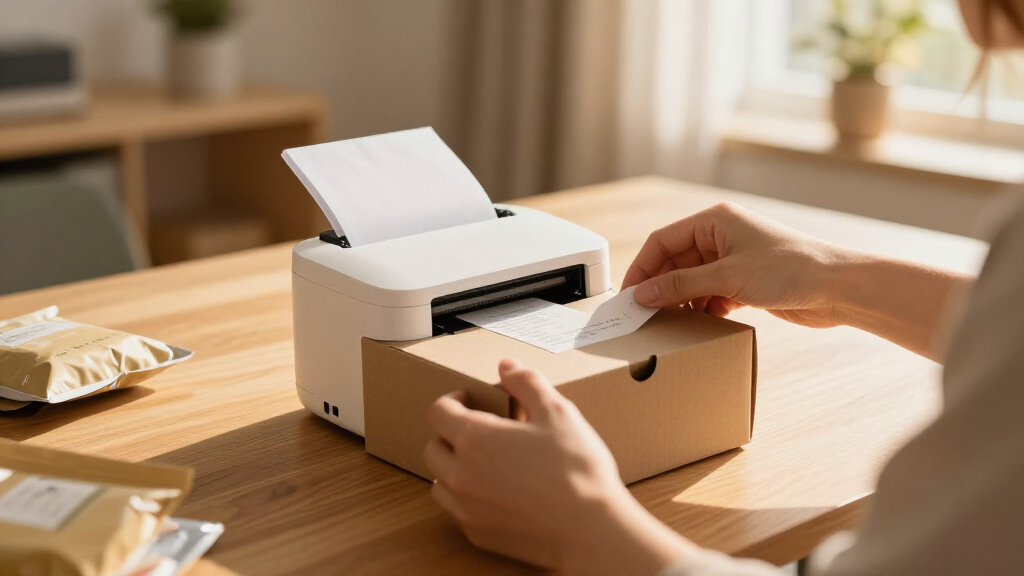
Mini thermal label printers range from pocket-size sticker makers to wider shipping-label machines, so the right choice depends on the labels you need and how you plan to print. My best overall pick is the Phomemo M110, which stands out for buyers who want a portable printer with a display; the Labeer Bluetooth Thermal Shipping Label Printer and KNAON Bluetooth Thermal Shipping Label Printer are better matches for wider shipping labels. Compact models such as the NIIMBOT D110 suit small organization labels, but they are not interchangeable with shipping printers. The main tradeoffs are label width, app workflow, portability, and the cost and availability of compatible supplies. Read on for a comparison of all 15 options and guidance on matching a printer to your routine.

Get the latest gadgets delivered free with Prime
- Fast, free delivery on millions of items
- Prime Video, Amazon Music and more included
- Member-only deals all year
Complete the kit



Key Takeaways
- The lineup splits into two jobs: Labeer and KNAON are shipping-label options, while most of the other models are compact sticker or label makers for smaller formats.
- The Phomemo M110 has a distinct usability advantage: its display sets it apart from the phone-led workflow common among mini Bluetooth models.
- NIIMBOT D110 appears twice in different color listings: compare the white and standard listings for the version and supplies you need rather than treating them as clearly different printer designs.
- Included supplies differ: the PM290C and PM240 listings include three rolls or tapes, which may help a new owner get started, but buyers should still check refill compatibility.
- Small size does not mean universal media support: a pocket sticker printer cannot substitute for a wider shipping-label model just because both use thermal printing.
| Labeer Bluetooth Thermal Shipping Label Printer |  | Best for Shipping Labels | Printer type: Direct thermal | Resolution: 203 × 203 dpi | Weight: 450 g | VIEW LATEST PRICE | See Our Full Breakdown |
| T02 Mini Thermal Sticker Printer with AI Features |  | Best for Creative Sticker Making | Printer type: Thermal | Resolution: 203 × 203 dpi | Weight: 0.32 kg | VIEW LATEST PRICE | See Our Full Breakdown |
| Nelko P21 Bluetooth Thermal Label Maker, White |  | Best for Functional Home and Office Labels | Printer type: Direct thermal | Resolution: 203 × 203 dpi | Output: Monochrome | VIEW LATEST PRICE | See Our Full Breakdown |
| NDYIN N12 Bluetooth Thermal Label Maker with Tape, Green |  | Best Starter Kit | Printer type: Direct thermal | Resolution: 203 × 203 dpi | Connectivity: Bluetooth | VIEW LATEST PRICE | See Our Full Breakdown |
| LOPEVI D1 Portable Bluetooth Thermal Label Maker |  | Best for Fine Detail | Printer type: Thermal | Resolution: 300 × 300 dpi | Connectivity: Bluetooth 5.4 | VIEW LATEST PRICE | See Our Full Breakdown |
| PM290C Mini Sticker Printer with 3 Rolls of Paper – Pink |  | Best for Creative, App-Led Printing | Print technology: Thermal | Output: Monochrome, black and white | Resolution: 203 dpi | VIEW LATEST PRICE | See Our Full Breakdown |
| Rongta R22A Bluetooth Thermal Label Maker |  | Best for App-Based Label Variety | Print technology: Thermal | Print output: Monochrome | Resolution: 203 × 203 DPI | VIEW LATEST PRICE | See Our Full Breakdown |
| Phomemo M110 Label Printer, Portable Thermal Sticker Printer with Display |  | Best for Template-Heavy Label Projects | Print technology: Thermal | Output: Black and white | Resolution: 203 dpi | VIEW LATEST PRICE | See Our Full Breakdown |
| NIIMBOT D110 Mini Bluetooth Thermal Label Maker |  | Best for Slim, Small-Format Labels | Print technology: Thermal | Print output: Monochrome black text | Resolution: 203 × 203 DPI | VIEW LATEST PRICE | See Our Full Breakdown |
| Phomemo D30 Bluetooth Mini Label Maker |  | Best for Continuous and Fixed-Length Tape | Print technology: BPA-free direct thermal | Print output: Monochrome | Resolution: 203 DPI | VIEW LATEST PRICE | See Our Full Breakdown |
| NADAIIN D20 Portable Bluetooth Thermal Sticker Printer |  | Best for Lightweight Sticker Printing | Model: D20 | Printer type: Thermal | Print output: Black and white | VIEW LATEST PRICE | See Our Full Breakdown |
| Rongta R22 Bluetooth Thermal Label Maker |  | Best for Longer Mobile Print Sessions | Printer type: Thermal | Print output: Monochrome | Connectivity: Bluetooth | VIEW LATEST PRICE | See Our Full Breakdown |
| PM240 Label Maker Machine with 3 Tapes – Black |  | Best for Label Shape and App Flexibility | Printer type: Thermal | Resolution: 203 × 203 DPI | Connectivity: Bluetooth and USB | VIEW LATEST PRICE | See Our Full Breakdown |
| NIIMBOT D110 Mini Bluetooth Label Maker, White |  | Best for Narrow, Neatly Positioned Labels | Printer type: Thermal | Print output: Monochrome | Connectivity: Bluetooth | VIEW LATEST PRICE | See Our Full Breakdown |
| KNAON Bluetooth Thermal Shipping Label Printer |  | Best for Wider Shipping Labels and Computer Setups | Printer type: Thermal | Print output: Monochrome | Connectivity: Bluetooth and USB | VIEW LATEST PRICE | See Our Full Breakdown |
| mini thermal label printer | Resolution | Connectivity | Weight | Printer type |
|---|---|---|---|---|
| Labeer Bluetooth Thermal Shipp | 203 × 203 dpi | Bluetooth, USB | 450 g | Direct thermal |
| T02 Mini Thermal Sticker Print | 203 × 203 dpi | Bluetooth, USB-C | 0.32 kg | Thermal |
| Nelko P21 Bluetooth Thermal La | 203 × 203 dpi | Bluetooth | 11.52 oz | Direct thermal |
| NDYIN N12 Bluetooth Thermal La | 203 × 203 dpi | Bluetooth | 4 oz | Direct thermal |
| LOPEVI D1 Portable Bluetooth T | 300 × 300 dpi | Bluetooth 5.4 | 140 g | Thermal |
| PM290C Mini Sticker Printer wi | 203 dpi | Bluetooth | — | — |
| Rongta R22A Bluetooth Thermal | 203 × 203 DPI | Bluetooth | 120 g | — |
| Phomemo M110 Label Printer | 203 dpi | Bluetooth 4.0 and USB | 222.8 g | — |
| NIIMBOT D110 Mini Bluetooth Th | 203 × 203 DPI | Bluetooth | — | — |
| Phomemo D30 Bluetooth Mini Lab | 203 DPI | Bluetooth 4.0 and USB-C | — | — |
| NADAIIN D20 Portable Bluetooth | 203 DPI | Bluetooth | 0.16 kg | Thermal |
| Rongta R22 Bluetooth Thermal L | 203 × 203 DPI | Bluetooth | 0.33 kg | Thermal |
| PM240 Label Maker Machine with | 203 × 203 DPI | Bluetooth and USB | 0.2 kg | Thermal |
| NIIMBOT D110 Mini Bluetooth La | 203 × 203 DPI | Bluetooth | 149 g | Thermal |
| KNAON Bluetooth Thermal Shippi | 200 × 200 | Bluetooth and USB | 2.8 pounds | Thermal |
More Details on Our Top Picks
Labeer Bluetooth Thermal Shipping Label Printer
Among these mini thermal label printers, the Labeer is the practical choice for sellers who need standard shipping labels rather than small stickers for jars or folders. It handles 4 × 6-inch labels and several smaller formats, with roll and fanfold media support, while automatic calibration and jam detection help keep label jobs aligned. Bluetooth serves phone printing through the FlashLabel Pro app; USB adds a direct connection for compatible computers. Compared with the pocket-sized T02, Labeer is less suited to casual sticker-making but much better matched to packing orders. The tradeoff is its 4 × 6-inch maximum media size and the need to use a specific app for mobile printing. Its 450 g weight is also less pocketable than handheld label makers.
Pros:- Prints shipping labels without ink, toner, or ribbons.
- Supports common shipping formats plus smaller and custom label sizes.
- Bluetooth and USB provide phone and compatible computer connections.
- Automatic calibration and paper-out and jam detection help manage print jobs.
Cons:- Mobile printing requires the FlashLabel Pro app.
- Maximum media size is limited to 4 × 6 inches.
- Less portable than handheld sticker and label makers.
Best for: Small online sellers who print 4 × 6 shipping labels from a phone or compatible computer and want a compact desktop printer.
Not ideal for: People who want pocket-sized organization labels, color output, or shipping labels larger than 4 × 6 inches.
- Printer type:Direct thermal
- Resolution:203 × 203 dpi
- Weight:450 g
- Dimensions:7.2 × 2.64 × 3.15 in
- Maximum media size:4 × 6 in
- Supported label widths:1.57–4.41 in
- Connectivity:Bluetooth, USB
- Compatible devices:Windows PCs, macOS, ChromeOS, Linux, iPhone, Android
Our verdict“Choose Labeer if shipping labels are your main job; pick the T02 instead for pocketable, creative sticker printing.”
T02 Mini Thermal Sticker Printer with AI Features
The T02 is the most creativity-focused pick here: its phone app adds photo cutouts, filters, and voice-to-image tools, giving kids and students more to make than straightforward name or storage labels. Its pocket-sized body and Bluetooth connection make it easier to carry around than the shipping-oriented Labeer, while USB-C is listed as another connection option. The compromise is a narrow use case: it prints monochrome on special thermal paper, so it cannot produce true color stickers, and it cannot print directly from a computer. Compared with the rechargeable Nelko P21, the T02 emphasizes creative app features over structured label templates for barcodes and QR codes. Choose it for playful, phone-based projects, not for shipping workflows or computer-based label design.
Pros:- Compact body is easy to carry for on-the-go sticker projects.
- AI-enabled app offers photo cutouts, filters, and voice-to-image features.
- Bluetooth pairing supports iOS and Android phones.
- Thermal printing avoids ink cartridges.
Cons:- Cannot print directly from a computer.
- Output is monochrome, and color stickers require a different printing approach.
- Requires special thermal paper.
Best for: Kids, students, and craft-minded phone users who want a portable printer for monochrome stickers and app-based image projects.
Not ideal for: Computer users, buyers who need color stickers, or people who want a dedicated printer for shipping labels.
- Printer type:Thermal
- Resolution:203 × 203 dpi
- Weight:0.32 kg
- Dimensions:1.4 × 3.4 × 3.4 in
- Output:Monochrome
- Connectivity:Bluetooth, USB-C
- Compatible devices:iOS and Android smartphones
- Warranty:Limited
Our verdict“Pick the T02 for creative mobile sticker projects, while the Nelko P21 is a better fit for practical labels with codes and templates.”
Nelko P21 Bluetooth Thermal Label Maker, White
For repeatable, useful labeling, the Nelko P21 offers a stronger toolkit than the T02’s creative-first app. Its design tools cover text, QR codes, and barcodes, along with templates and graphics, making it more appropriate for storage bins, school supplies, or office organization. The rechargeable battery also supports portable use without keeping it tethered to a desk. Unlike the Labeer, though, the P21 is not a shipping-label printer: its maximum media size is just 14 × 75 mm, and it works only with iOS and Android phones. Buyers should also check device compatibility before ordering, since the supplied data excludes Google Pixel phones running Android 14. Fixed-length labels limit flexibility compared with printers that accept continuous tape.
Pros:- App supports text, QR codes, barcodes, templates, and design elements.
- Built-in rechargeable battery supports portable labeling.
- Direct thermal printing avoids ink and toner.
- Compact media format suits small organization labels.
Cons:- Not compatible with computers.
- Does not support continuous label tape.
- Not compatible with Google Pixel phones running Android 14; charging adapter is not included.
Best for: Home organizers, teachers, and small-office users who want phone-designed labels with QR or barcode options.
Not ideal for: Computer-based users, shipping sellers, owners of Google Pixel phones running Android 14, or anyone who needs continuous tape.
- Printer type:Direct thermal
- Resolution:203 × 203 dpi
- Output:Monochrome
- Connectivity:Bluetooth
- Compatible devices:iOS and Android smartphones; not compatible with computers
- Battery:Built-in rechargeable
- Weight:11.52 oz
- Maximum media size:14 × 75 mm
Our verdict“Choose the P21 for practical, phone-designed organization labels, but choose Labeer for shipping sizes or T02 for creative sticker effects.”
NDYIN N12 Bluetooth Thermal Label Maker with Tape, Green
The NDYIN N12 makes a convenient starting point for household or classroom labeling because it includes 180 pre-cut white labels, so basic projects can begin without buying a separate roll first. It is the lightest listed option at 4 ounces and runs on a rechargeable battery, making it easy to move between drawers, notebooks, and supply boxes. The Nada Print app adds a large library of fonts, frames, and symbols; that gives it more built-in design variety than the Nelko P21 description specifies. Its limits are equally clear: output is monochrome, label creation depends on a phone or tablet and the app, and its supported formats are small organization labels rather than Labeer-style shipping labels. Buyers who already own a different label ecosystem may find the app requirement restrictive.
Pros:- Includes 180 pre-cut white labels for immediate basic use.
- Weighs just 4 ounces and has a rechargeable battery.
- Nada Print app offers extensive fonts, symbols, and frames.
- Supports several small label sizes.
Cons:- Prints monochrome labels only.
- Requires a mobile device and Nada Print app.
- Small supported formats are not suited to standard shipping labels.
Best for: First-time label-maker buyers, parents, and teachers who want a lightweight phone-operated kit with labels included.
Not ideal for: Shipping sellers, computer users, or buyers who need color output or want to create labels without a companion app.
- Printer type:Direct thermal
- Resolution:203 × 203 dpi
- Connectivity:Bluetooth
- Compatible devices:iOS and Android smartphones and tablets
- Included labels:180 pre-cut white labels, 14 × 40 mm
- Supported label sizes:12 × 40 mm, 14 × 40 mm, 14 × 50 mm, 14 × 75 mm, and more
- Weight:4 oz
- Battery:Built-in rechargeable lithium battery
Our verdict“The N12 is a straightforward starter kit for small household labels, while Labeer is the better choice for parcels and the P21 for barcode-focused designs.”
LOPEVI D1 Portable Bluetooth Thermal Label Maker
The LOPEVI D1 stands apart from the 203 dpi options in this group with its listed 300 × 300 dpi resolution, a potential advantage when small text or compact graphics need extra definition on monochrome labels. Its app supports 19 languages, more than 50 fonts, and over 500 icons, giving multilingual households or teams more design choices than the simpler feature descriptions for the Nelko P21. At 140 g, it remains easy to carry, and Bluetooth 5.4 provides its phone connection. The tradeoff is a phone-led workflow: custom editing requires a compatible app, and the printer produces monochrome output only. Its maximum tape width is 2 inches, so it is for organization labels, not the 4 × 6 shipping jobs handled by Labeer.
Pros:- Listed 300 × 300 dpi resolution exceeds the 203 dpi options in this group.
- App supports 19 languages, 50+ fonts, and 500+ icons.
- Lightweight 140 g design is easy to carry.
- Bluetooth 5.4 supports wireless connection.
Cons:- Prints monochrome only.
- Custom label editing requires a compatible app.
- Maximum tape width of 2 inches rules out standard 4 × 6 shipping labels.
Best for: Multilingual households, students, and small teams who want portable monochrome labels with detailed text and a broad icon library.
Not ideal for: Shipping sellers, people who need color labels, or buyers who prefer computer-based design and printing.
- Printer type:Thermal
- Resolution:300 × 300 dpi
- Connectivity:Bluetooth 5.4
- Dimensions:5.63 × 1.85 × 4.33 in
- Weight:140 g
- Maximum label tape width:2 in
- Print output:Monochrome
- App support:19 languages, 50+ fonts, 500+ icons
Our verdict“Choose the D1 for compact, detailed organization labels and broad language support; choose Labeer instead for shipping labels or the N12 for labels included in the box.”
PM290C Mini Sticker Printer with 3 Rolls of Paper – Pink
The PM290C suits buyers who want a pocket-size printer for notes, small images, and casual organizing rather than a dedicated narrow-tape labeler. Its 54 mm print width gives designs more room than the Rongta R22A’s 2-inch maximum, and the included three paper rolls mean there’s media on hand for getting started. The Labelnize app adds templates, OCR, and AI tools, which make it more flexible for creative projects than the straightforward label-focused NIIMBOT D110. Its limits are clear: output is black and white only, and it prints on thermal paper rather than a broad range of media. It also relies on a phone or tablet, has no direct computer connection, and the charging adapter is not included. I’d pick it for occasional creative prints, not computer-based or color workflows.
Pros:- Compact size is easy to carry between home, school, and work.
- Three included rolls provide a useful supply of 54 mm thermal paper.
- Labelnize app includes templates, OCR, and AI-assisted tools.
- Wider media supports roomier designs than the Rongta R22A.
Cons:- Prints only in monochrome, with no color-label option.
- Cannot connect directly to a computer.
- Charging adapter is not included and media is limited to thermal paper.
Best for: Students and families who want a portable phone-connected printer for monochrome notes, small pictures, and creative paper labels.
Not ideal for: Small-business shippers or computer-based users who need shipping-label formats, color output, or direct computer printing.
- Print technology:Thermal
- Output:Monochrome, black and white
- Resolution:203 dpi
- Maximum media size:54 mm × 3.5 m
- Included paper:Three rolls, 54 mm × 3.2 m each
- Connectivity:Bluetooth
- Compatible devices:Smartphones, tablets, iPad, and iPhone
- Dimensions:3.94 × 3.54 × 3.54 inches
Our verdict“Choose the PM290C for portable, app-based creative printing on wider thermal paper, but skip it if you need color or computer connectivity.”
Rongta R22A Bluetooth Thermal Label Maker
The Rongta R22A is a better match for people making lots of different everyday labels than for those wanting a small photo or note printer. Its 2-inch media limit keeps the format focused, while the app’s fonts, borders, and symbols offer plenty of ways to distinguish pantry, school, and office labels. Compared with the PM290C, the R22A is more clearly built around label-making, but it comes with only one roll and offers less width for creative prints. At 120 g, it is a light carry, and the rechargeable battery avoids dependence on a wall outlet during use. The tradeoff is a phone-only workflow: it has no computer connection and prints only in black and white. I’d choose it over the Phomemo M110 when a simpler, compact label tool matters more than a large template library or display.
Pros:- Lightweight 120 g body is convenient to carry and store.
- App offers more than 40 fonts, 230 borders, and 1,500 symbols.
- Rechargeable battery supports portable use without a continuous power connection.
- Bluetooth compatibility covers Android and iOS phones and tablets.
Cons:- No computer connectivity, so label creation depends on a mobile device.
- Monochrome output cannot produce color-coded labels.
- Includes one roll, fewer than the three rolls supplied with the PM290C.
Best for: Home and classroom organizers who want a lightweight phone-connected label maker with many app fonts and decorative options.
Not ideal for: People who create labels from a computer, need color output, or want wider paper for small images and notes.
- Print technology:Thermal
- Print output:Monochrome
- Resolution:203 × 203 DPI
- Maximum media width:2 inches
- Included labels:One roll, 2 × 1.18 inches
- Connectivity:Bluetooth
- Battery:Built-in rechargeable
- Weight:120 g
- Dimensions:3 × 1 × 2 inches
Our verdict“Pick the R22A for portable, highly customizable everyday labels from a phone, not for computer workflows or wider creative printing.”
Phomemo M110 Label Printer, Portable Thermal Sticker Printer with Display
The Phomemo M110 is the most appealing pick here for buyers who want a large menu of ready-made label designs. Its app offers more than 3,000 templates, and OCR can turn text in an image into editable content, which can speed up repeated labeling tasks. The built-in display gives battery information and prompts without requiring every status check to happen in the app. Compared with the Rongta R22A, the M110 offers far more templates and broader listed device compatibility, but it is heavier and its maximum media width is slightly narrower than the PM290C’s. It remains a monochrome printer, and some templates and fonts require paid membership. Its 50 mm format also rules it out for larger shipping labels. I’d choose it for varied small-label jobs, not large-format printing.
Pros:- More than 3,000 app templates cover a wide range of small-label tasks.
- OCR can extract text from images for label creation.
- Display provides battery monitoring and on-screen prompts.
- Listed compatibility includes mobile devices and several computer operating systems.
Cons:- Prints only in black and white.
- Some templates and fonts require a paid membership.
- Maximum media width of 50 mm is unsuitable for larger shipping labels.
Best for: Small sellers and home organizers who frequently create varied name, price, cable, or inventory labels and want extensive app templates.
Not ideal for: Shippers who need large labels, buyers who want color output, or users who do not want some app content tied to a membership.
- Print technology:Thermal
- Output:Black and white
- Resolution:203 dpi
- Maximum media width:50 mm
- Connectivity:Bluetooth 4.0 and USB
- Bluetooth range:Up to 33 feet
- Compatible devices:Android, iOS, Chrome OS, Mac OS 10+, and Windows 7+
- Weight:222.8 g
- Dimensions:4.48 × 2.44 × 3.43 inches
Our verdict“Choose the M110 when template variety and OCR matter more than wider media or unrestricted access to every app design.”
NIIMBOT D110 Mini Bluetooth Thermal Label Maker
The NIIMBOT D110 earns its place for buyers whose labels are small, frequent, and practical: think compact identifiers rather than broad designs or notes. At 1.18 inches thick and 149 g, it is easy to slip into a bag or drawer, while automatic label identification helps the printer work with compatible label types. USB-C charging, with a stated full charge time of about two hours, makes recharging straightforward. Compared with the Rongta R22A, the D110 has a more compact profile and specified USB-C charging, but its listed label sizes are narrower and its listed device support is limited to iOS and Android smartphones. Like the Phomemo D30, it depends on a mobile app and produces black text only. I’d favor it for compact identifiers, not broad labels or computer-based jobs.
Pros:- Slim 149 g design is easy to carry or store in a small drawer.
- Automatic label identification supports use with compatible label types.
- Rechargeable battery charges through USB-C in about two hours.
- Thermal printing requires no ink or toner.
Cons:- Does not work with computers.
- Prints only black text.
- Listed label sizes are small, limiting use for wider designs.
Best for: Mobile users who want a lightweight printer for small organization labels and value automatic label identification and USB-C charging.
Not ideal for: Users who need computer printing, wide-format labels, or color and graphic-heavy output.
- Print technology:Thermal
- Print output:Monochrome black text
- Resolution:203 × 203 DPI
- Connectivity:Bluetooth
- Compatible devices:iOS and Android smartphones
- Listed label size:12 × 40 mm
- Maximum media size:12 × 75 mm
- Charging:USB-C; about two hours to fully charge
- Weight and dimensions:149 g; 3.86 × 2.99 × 1.18 inches
Our verdict“Choose the D110 for compact, phone-made identifier labels and skip it if your work calls for wider media or computer printing.”
Phomemo D30 Bluetooth Mini Label Maker
The Phomemo D30 stands out for one practical reason: it supports both continuous and fixed-length label tape. That flexibility suits users who alternate between labels cut to fit a line of text and uniform labels for repeated jobs. The Print Master app adds text, icons, barcodes, QR codes, and templates, giving it a broader design toolkit than the compact identifier focus of the NIIMBOT D110. Its maximum media width is just 0.55 inch, though, so it is a narrow-tape specialist rather than a general sticker or shipping-label printer. At 160 g, it remains portable, and its rechargeable battery keeps it cordless during use. As with the D110 and Rongta R22A, printing is monochrome and the workflow depends on a phone or tablet. Choose it for flexible narrow labels, not computer-based work.
Pros:- Supports both continuous and fixed-length thermal label tapes.
- Print Master app includes tools for text, icons, barcodes, QR codes, and templates.
- Rechargeable and lightweight at 160 g for portable labeling.
- Thermal printing needs no ink, toner, or ribbons.
Cons:- Maximum media width of 0.55 inch restricts label size.
- Prints only in monochrome.
- Requires a smartphone or tablet and the companion app.
Best for: Home, classroom, and small-office users who need both continuous and preset-length narrow labels with app-made codes and icons.
Not ideal for: Shippers, computer-first users, and anyone who needs wide labels, color printing, or a phone-free workflow.
- Print technology:BPA-free direct thermal
- Print output:Monochrome
- Resolution:203 DPI
- Maximum media width:0.55 inch
- Supported labels:Continuous and fixed-length thermal label tapes
- Connectivity:Bluetooth 4.0 and USB-C
- Compatible devices:Android and iOS smartphones and tablets
- Power:Rechargeable battery
- Weight and dimensions:160 g; 1.14 × 2.95 × 5.17 inches
Our verdict“Pick the D30 if you need adaptable narrow-tape labels with app-based codes and icons, but look elsewhere for wide or computer-printed labels.”
NADAIIN D20 Portable Bluetooth Thermal Sticker Printer
The D20 is a straightforward pick for buyers who want a pocket-size printer for small stickers, notes, and graphics, rather than a machine for shipping labels. At 0.16 kg, it is lighter than the Rongta R22, and its app-based Bluetooth setup suits quick printing from an iPhone, iPad, or Android device. Customizable templates, fonts, symbols, and graphics give it more creative flexibility than a bare-bones label tool, while thermal printing avoids ink and toner. The tradeoff is format: its 2-inch maximum paper width and black-and-white output rule out wider labels and color designs. Compared with the PM240, it also offers fewer described label options and connections, but its lighter build makes it appealing for carrying around.
Pros:- Very light at 0.16 kg for carrying in a bag
- Inkless thermal printing avoids ink and toner
- App offers templates, fonts, symbols, and graphics
- Works with iPhone, iPad, and Android devices
Cons:- Monochrome output cannot reproduce color designs
- Maximum 2-inch paper width limits label size
- Bluetooth app printing depends on a compatible mobile device
Best for: People who want a light, phone-connected printer for small monochrome stickers, reminders, and simple graphics at home or on the go.
Not ideal for: Small-business shippers or buyers who need labels wider than 2 inches, color output, or a USB connection.
- Model:D20
- Printer type:Thermal
- Print output:Black and white
- Connectivity:Bluetooth
- Maximum paper width:2 inches
- Resolution:203 DPI
- Weight:0.16 kg
- Dimensions:1.65 × 3.38 × 3.34 inches
- Included paper rolls:3
Our verdict“Choose the D20 for portable, small-format sticker printing from a phone, but skip it if you need wider or color labels.”
Rongta R22 Bluetooth Thermal Label Maker
The R22 makes a strong case for buyers who expect to print batches of labels away from a desk: its 1500 mAh rechargeable battery is rated for up to four hours of continuous printing, and USB-C charging is convenient when a compatible charger is available. The app’s more than 40 fonts and 1,000 icons offer a broad set of ways to customize small monochrome labels, while the listed width range starts at 0.63 inches and reaches 2 inches. Compared with the lighter NADAIIN D20, the R22 is heavier at 0.33 kg, but its stated battery runtime makes it a more clearly specified choice for longer sessions. Its main limitation is flexibility outside the phone workflow: computer use is not supported, and the charging adapter is not included.
Pros:- Up to four hours of continuous printing per charge
- USB Type-C charging cable is included
- App provides more than 40 fonts and 1,000 icons
- Supports label widths from 0.63 to 2 inches
Cons:- Does not support printing from a computer
- Charging adapter is not included
- Monochrome-only output limits colorful designs
Best for: Mobile sellers, home organizers, and craft users who print batches of narrow monochrome labels from an iOS or Android phone.
Not ideal for: Buyers who need computer-based label design, color printing, or a ready-to-use charging adapter in the box.
- Printer type:Thermal
- Print output:Monochrome
- Connectivity:Bluetooth
- Compatible devices:Android and iOS phones and tablets
- Label width range:0.63–2 inches
- Resolution:203 × 203 DPI
- Battery:1500 mAh; up to 4 hours of continuous printing
- Charging:USB Type-C; cable included
- Weight:0.33 kg
Our verdict“Pick the R22 for extended phone-based label batches, but choose another model if computer compatibility matters.”
PM240 Label Maker Machine with 3 Tapes – Black
The PM240 stands apart from simpler pocket printers by pairing Bluetooth and USB connectivity with support for several label shapes, including square, round, transparent, and rectangular formats. That makes it a more adaptable option than the NADAIIN D20 when a project calls for more than standard sticker rolls. Its Labelnize app adds templates, fonts, icons, OCR, and AI text-to-image tools, while the included three rolls give buyers different label styles to start with. A 1500 mAh battery and up to 100 days of standby time suit occasional use between print jobs. The tradeoffs are still meaningful: output is monochrome, USB and Bluetooth cannot operate at the same time, and automatic power-off may interrupt a workflow. I would choose it for variety, not for uncomplicated high-volume printing.
Pros:- Supports a range of label shapes and materials from 1–2 inches
- Bluetooth and USB provide two connection options
- App includes templates, fonts, icons, OCR, and AI text-to-image features
- 1500 mAh battery is rated for up to 100 days of standby
Cons:- Prints only in monochrome
- Power adapter is not included
- Bluetooth and USB cannot be used simultaneously, and auto power-off may interrupt work
Best for: Home organizers, teachers, and small-business owners who want multiple small label shapes and a feature-rich phone app, with USB available as another connection option.
Not ideal for: Buyers who need color output, uninterrupted long print runs, or a power adapter included for charging.
- Printer type:Thermal
- Resolution:203 × 203 DPI
- Connectivity:Bluetooth and USB
- Supported label formats:1–2 inch square, round, transparent, white rectangular, and pink round
- Battery:1500 mAh rechargeable
- Standby time:Up to 100 days
- Weight:0.2 kg
- Dimensions:3.33 × 4.63 × 2.32 inches
- Included tapes:3 rolls
Our verdict“Choose the PM240 when label variety and app tools matter more than color output or a seamless long-session workflow.”
NIIMBOT D110 Mini Bluetooth Label Maker, White
The D110 is the most focused option here for compact, narrow labels: its 15 mm maximum print width suits small identification tags and organization labels, while automatic label positioning and recognition help reduce misaligned prints. At 149 g, it is lighter than the Rongta R22 and easy to keep with household supplies or carry between work areas. The rechargeable 1500 mAh battery is listed for up to four hours of continuous printing, matching the R22’s stated runtime in a smaller package. That compactness comes with a strict format limit: unlike the PM240, the D110 is not presented as supporting a broad mix of label shapes and sizes. It also relies on a smartphone app for design and printing, so buyers who want standalone controls or computer printing should look elsewhere.
Pros:- Lightweight 149 g body is easy to carry and store
- Automatic label positioning and recognition can reduce misaligned prints
- Rechargeable 1500 mAh battery supports up to four hours of continuous printing
- App offers templates, fonts, symbols, and other design tools
Cons:- Maximum print width is limited to 15 mm
- Requires a smartphone app to create and print labels
- Monochrome output does not support color designs
Best for: People who make narrow organization, inventory, or identification labels from an iOS or Android phone and want help with accurate label positioning.
Not ideal for: Shippers and small businesses needing wide labels, computer-based printing, or a printer that works without a smartphone app.
- Printer type:Thermal
- Print output:Monochrome
- Connectivity:Bluetooth
- Maximum print width:15 mm
- Resolution:203 × 203 DPI
- Battery:1500 mAh; up to 4 hours of continuous printing
- Weight:149 g
- Dimensions:3.86 × 2.99 × 1.18 inches
- Compatible devices:iOS and Android smartphones
Our verdict“The D110 suits phone-based users who need tidy, narrow labels, but its 15 mm width is too restrictive for broader labeling jobs.”
KNAON Bluetooth Thermal Shipping Label Printer
The KNAON is the outlier in this mini-printer group: its 4.2-inch maximum media width and Windows, macOS, ChromeOS, and Linux support make it better suited to shipping and mailing labels than the smaller sticker-focused NADAIIN D20. Bluetooth and USB give buyers a choice of connection, and the listed speed of up to 180 mm/s is aimed at moving through label jobs quickly. The compromise is its footprint and workflow. At 2.8 pounds, it is far less pocketable than the Rongta R22, and Bluetooth printing requires the FlashLabel Pro app. Shipping labels also need to be saved as PDFs and imported into that app, which adds steps. I would pick it when wider labels and computer support outweigh portability and quick, direct phone printing.
Pros:- Supports media widths from 1.5 to 4.2 inches for larger shipping labels
- Works with Windows, macOS, ChromeOS, and Linux
- Bluetooth and USB offer connection choices
- Listed print speed reaches 180 mm/s
Cons:- At 2.8 pounds, it is heavier than the pocket-size D20 and R22
- Bluetooth printing requires the FlashLabel Pro app
- Shipping labels must be saved as PDFs and imported into the app
Best for: Online sellers and home shippers who need labels up to 4.2 inches wide and want USB or Bluetooth support across major computer operating systems.
Not ideal for: Buyers seeking a pocket-size sticker printer, narrow household labels, or a simple Bluetooth workflow without importing PDF files.
- Printer type:Thermal
- Print output:Monochrome
- Connectivity:Bluetooth and USB
- Compatible systems:Windows 7 or later, macOS, ChromeOS, and Linux
- Supported paper width:1.5–4.2 inches
- Print speed:Up to 180 mm/s
- Resolution:200 × 200
- Weight:2.8 pounds
- Included test papers:10
Our verdict“Choose the KNAON for wider shipping labels and computer compatibility, not for truly pocketable sticker printing.”

How We Picked
I ranked these 15 mini thermal label printers by how well their stated format and design match common jobs: shipping labels, small stickers, and household or business organization. I gave more weight to practical usability, portability, label-format fit, and the clarity of the supplied product information than to broad claims about being feature-rich. A model that is portable but poorly matched to a buyer’s label size should not outrank one designed for that job.
The order also reflects differences buyers can act on. Shipping-focused machines are separated from pocket-size label makers, while models with a display or included media earn attention for specific workflow advantages. Listings that appear closely related, such as the two NIIMBOT D110 entries and the Rongta R22 and R22A, are not treated as major upgrades without clear evidence of a meaningful difference. I also account for ownership tradeoffs such as phone dependence, refill compatibility, and the need to check supported label dimensions before buying.
| mini thermal label printer | Printer type | Print output |
|---|---|---|
| Labeer Bluetooth Thermal Shipp | Direct thermal | — |
| T02 Mini Thermal Sticker Print | Thermal | — |
| Nelko P21 Bluetooth Thermal La | Direct thermal | — |
| NDYIN N12 Bluetooth Thermal La | Direct thermal | — |
| LOPEVI D1 Portable Bluetooth T | Thermal | Monochrome |
| PM290C Mini Sticker Printer wi | — | — |
| Rongta R22A Bluetooth Thermal | — | Monochrome |
| Phomemo M110 Label Printer | — | — |
| NIIMBOT D110 Mini Bluetooth Th | — | Monochrome black text |
| Phomemo D30 Bluetooth Mini Lab | — | Monochrome |
| NADAIIN D20 Portable Bluetooth | Thermal | Black and white |
| Rongta R22 Bluetooth Thermal L | Thermal | Monochrome |
| PM240 Label Maker Machine with | Thermal | — |
| NIIMBOT D110 Mini Bluetooth La | Thermal | Monochrome |
| KNAON Bluetooth Thermal Shippi | Thermal | Monochrome |
Factors to Consider When Choosing Mini Thermal Label Printers
Before choosing a mini thermal label printer, start with the job rather than the printer’s size or feature list. These devices can look similar while handling very different label widths and workflows. The following checks can help prevent a compact printer from becoming the wrong tool for your everyday labels.
Match Label Width to the Job
Decide what the printer needs to produce before comparing Bluetooth features or color options. Shipping labels generally call for a wider format than pantry, cable, or small product labels, so a pocket-size sticker printer may not suit parcel workflows. Check both the maximum label width and the supported roll or tape formats; a printer’s category name alone does not establish what media fits. If you need several label sizes, confirm that the machine accepts each one rather than assuming a broad range. Choosing for the widest regular task can reduce frustration, but it may mean carrying a larger printer. For occasional shipping alongside many small labels, it can make more sense to keep those jobs separate than compromise on both formats.
Check the App and Connection Workflow
Most compact Bluetooth label makers rely on a phone app, which can be convenient when you create labels on the spot. Before buying, check that the app supports your phone and the design tools you actually need, such as text, symbols, or importing information. A Bluetooth connection does not automatically mean the printer works with a computer or with every shipping platform. If you print repetitive batches, consider how many steps it takes to create and resend a label; a quick single-label workflow may be less suitable for frequent fulfillment. A built-in display, as found on the Phomemo M110 listing, may appeal to buyers who want controls beyond a phone-led setup. Verify the connection and software requirements against your devices before ordering.
Compare Supplies Before Choosing a Printer
The printer is only part of the ongoing setup: compatible labels, rolls, or tape determine what you can print and how often you need refills. Check the supported media dimensions and whether the listing specifies a proprietary format or a broader range of compatible supplies. Included rolls, such as those listed with the PM290C and PM240, offer a starting point, but they do not by themselves show how easy future refills will be to source. A low-friction refill supply can matter more than a bundle of extras if you print regularly. Also check whether the media is designed for the surface and conditions you expect, since a shipping label and a small indoor organizer label have different jobs. Keep a note of the exact supply format before purchasing refills.
Balance Portability Against Print Volume
A mini printer is appealing when it saves desk space or travels between rooms, but compact dimensions do not tell you how well it suits repeated batch printing. Think about how many labels you make in a typical session and whether you need a stable, fixed setup or a device you can carry. For occasional tags and organizing, a small Bluetooth model may be easier to store than a wider shipping printer. For frequent parcel work, loading media and repeating jobs deserve more attention than pocketability. Review the listing for battery and charging details rather than assuming every portable model is cordless in the same way. A printer that fits your routine is more useful than the smallest one on the list.
Separate Useful Features From Extra Features
Feature names can distract from the basic questions of format, app compatibility, and refill access. AI-assisted design tools may help when you want quick sticker layouts, but they are not a substitute for checking label dimensions or confirming that the app suits your workflow. A display can reduce reliance on a phone for some controls, while a bundle of starter rolls can simplify initial setup; neither matters equally to every buyer. Consider which feature removes a real step from your own routine, then check whether it comes with a tradeoff such as a less familiar app or narrower media choice. If a feature is not tied to a repeated task, it should not outweigh a better format match. This keeps the decision focused on what the printer will actually do for you.
Plan for Labels Beyond the First Roll
Before committing to a model, look beyond the included media and confirm that the label type you want can be replenished in a convenient format. Buyers often focus on starter supplies and only later discover that a preferred width, color, or adhesive is not easy to replace. Check whether the printer uses rolls or tape and how those supplies are loaded, especially if more than one person will use it. For business use, consistency across refill batches may matter more than decorative choices; for home organization, easy-to-change sizes may be the priority. Also check the product listing for any stated limits on compatible media rather than relying on general thermal-printer assumptions. A little supply planning can prevent a good compact printer from becoming a one-roll purchase.
Frequently Asked Questions
Can a mini sticker printer print standard shipping labels?
Not necessarily. Many mini Bluetooth models are designed for small stickers or organization labels, while shipping-focused models such as the Labeer and KNAON are presented for wider shipping-label use. Check the printer’s supported media width against the actual label size required by your carrier or shipping workflow. A printer that connects to your phone may still be unable to handle the physical label format you need. If parcel labels are your main job, choose by width and software compatibility rather than by the word “mini.”
Do I need to use the printer’s app every time I print?
Many Bluetooth mini label makers use an app to create and send designs, so phone compatibility and app usability can shape everyday convenience. A model with a display, such as the Phomemo M110 listing, may offer a different control experience, but check the product details to see which tasks still require a phone. Do not assume Bluetooth means direct printing from every computer or shipping website. If you print labels from a particular platform, confirm its supported devices and workflow before choosing a printer. That check is especially useful for business use, where repeated app steps can add friction.
Are the two NIIMBOT D110 listings meaningfully different?
The lineup includes a standard NIIMBOT D110 listing and a white NIIMBOT D110 listing, but the product names alone do not establish a different printer capability. Compare the exact listing details for color, included supplies, supported media, and package contents. If those details match apart from appearance, choose based on the version and bundle that best fits your preference. Avoid paying extra or changing your choice based only on a title variation. The same cautious approach applies to closely named models such as the Rongta R22 and R22A.
Should I choose a model that includes rolls or tapes?
Included media can make setup easier, particularly if you are buying your first label maker. The PM290C listing includes three rolls of paper, and the PM240 listing includes three tapes, giving each a clear out-of-box supply advantage. That does not tell you whether the included format is the one you will want for future jobs or whether refills are easy to find. Check the supported sizes and replacement media before treating a bundle as a lasting value. For frequent printing, reliable refill access usually matters more than the initial quantity.
How should I choose between a compact label maker and a shipping-label printer?
Start with the widest label you expect to print regularly. Compact makers such as the NIIMBOT D110 or Phomemo D30 are oriented toward smaller labels, while Labeer and KNAON are listed as shipping-label printers. If most of your work involves storage bins, cables, or small product stickers, a compact unit is likely a better physical fit. If you ship parcels often, confirm the printer’s supported width and that your label-creation workflow works with it. When both jobs matter, separate devices may be less frustrating than asking one small printer to cover incompatible formats.
Conclusion
For a versatile portable pick, I would start with the Phomemo M110: its display gives it a distinct usability angle among the compact options, though buyers should confirm that its media format matches their labels. For shipping-focused needs, compare the Labeer and KNAON printers against your required label width and software workflow instead of choosing a small sticker maker. For a starter bundle, the PM290C and PM240 include multiple rolls or tapes; check refill compatibility before making either your value choice. Beginners who mainly need small organization labels can look at the NIIMBOT D110 or Phomemo D30, after confirming app and media requirements. I would treat the D110 color listings and the Rongta R22/R22A as closely named alternatives, not automatic upgrades. The best choice is the one that fits your label size, phone workflow, and refill plan.
Fall Picks
fall essentials
As an affiliate, we earn on qualifying purchases.