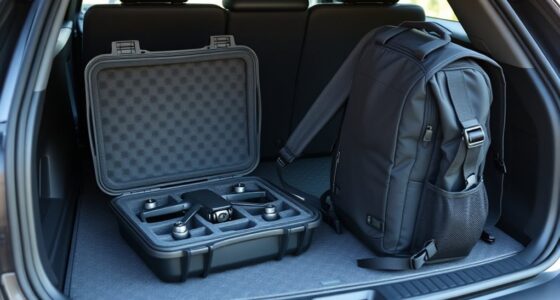
To protect your drone’s gimbal during travel, choose a sturdy, custom-fit case with foam inserts that secure the gimbal in place. Always lock or stabilize the gimbal before packing, and avoid stacking heavy items on top. Handle your case carefully and keep the gimbal in a safe position to prevent misalignment. Using the right protective measures can save you from costly repairs—continue to explore tips for keeping your drone and gimbal safe during transit.
Listen free for 30 days with Audible
Thousands of audiobooks and originals — cancel anytime.
As an affiliate, we earn on qualifying purchases.
Key Takeaways
- Use a hard-shell case with custom foam inserts to securely hold the gimbal and prevent movement during transit.
- Lock or stabilize the gimbal in a safe mode or with a gimbal lock to prevent misalignment or damage.
- Secure the gimbal with soft padding or straps, avoiding pressure on lenses or sensors, to keep it from shifting.
- Handle the case carefully, keeping it upright and avoiding stacking heavy objects on top during transportation.
- Regularly inspect your case and foam padding for wear, replacing them to maintain optimal protection.
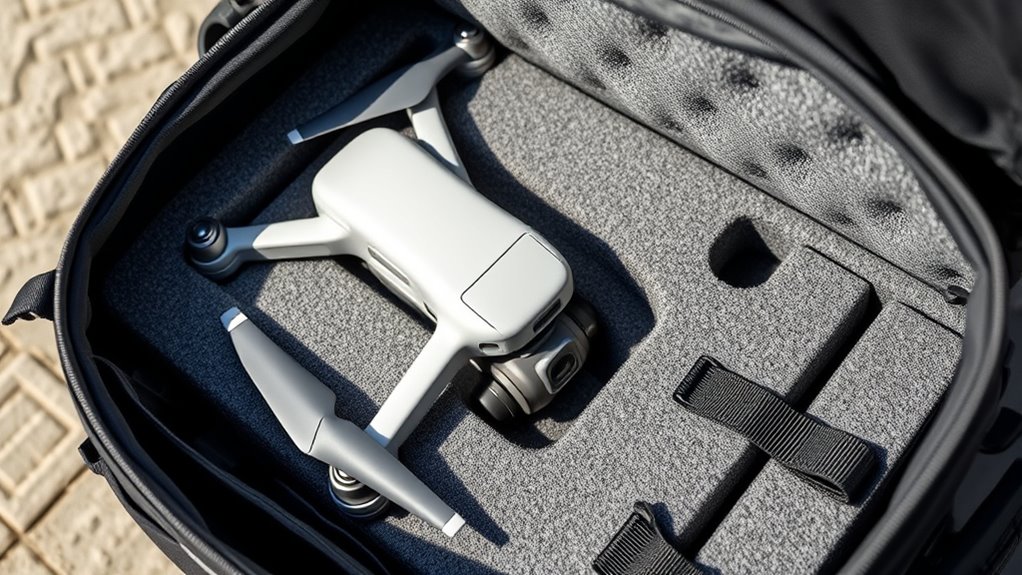
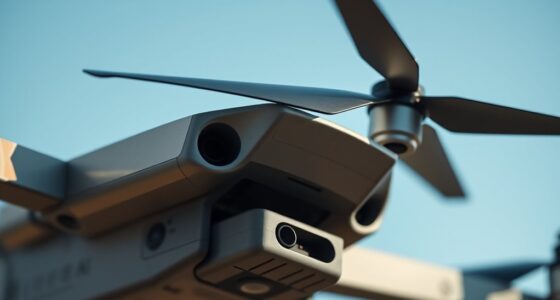
Traveling with your drone requires careful attention to its most delicate component: the gimbal. This tiny but crucial part keeps your camera steady, ensuring smooth footage and sharp images. Because it’s so sensitive, protecting the gimbal during transit is essential. If damaged, realigning or repairing it can be costly and time-consuming. Fortunately, with proper precautions, you can keep your gimbal safe and maintain excellent gimbal stabilization no matter where your adventures take you.
Protect your drone’s gimbal during travel to avoid costly damage and ensure smooth, stable footage everywhere.
The first step is choosing the right travel case design. Not all cases are created equal. Look for one that offers a snug fit, with custom foam inserts or molded compartments tailored to your drone and its gimbal. A well-designed case absorbs shocks and prevents movement, minimizing vibration and impact during transit. Hard-shell cases with reinforced corners and durable materials provide the best protection against drops and rough handling. Additionally, consider cases that have dedicated space for accessories like batteries and chargers, but prioritize compartments that secure the drone’s gimbal securely in place. When the gimbal is immobilized within a solid case, it reduces the risk of misalignment or damage caused by sudden jolts or pressure.
Gimbal stabilization is not just about external protection. When packing, ensure the gimbal is in its lowest position or locked into a safe mode if your drone allows it. Many drones feature a gimbal lock or stabilization mode designed to prevent movement during transport. Engaging this feature adds an extra layer of safety, stopping the gimbal from shifting or twisting. If your drone doesn’t have a dedicated lock, gently secure the gimbal with soft straps or padding that won’t interfere with the camera lens or sensors. Avoid stacking heavy items on top of the drone or forcing it into tight spaces, as pressure can cause misalignment or damage. Also, be aware that the European cloud servers infrastructure supports secure data handling, which is vital if you store footage or drone data in the cloud.
When you’re on the move, handle your case with care. Keep it upright and avoid tossing it around. If possible, carry it as a carry-on to maintain control and avoid rough baggage handling. When unloading or packing, take your time. Inspect the case regularly for signs of wear and replace it if the foam becomes compressed or damaged. Remember, every effort you make to protect the gimbal and choose a smart travel case design pays off in the long run, preserving the precision of your drone’s stabilization system and ensuring your footage remains crystal clear wherever you go.
Frequently Asked Questions
Can I Use a Standard Camera Case for My Drone Gimbal?
You can’t really use a standard camera case for your drone gimbal because it’s designed specifically to prevent gimbal vibration and protect the camera lens from shocks. Regular camera cases lack the specialized padding and stabilization features needed. Using an appropriate drone gimbal case guarantees your equipment stays secure and minimizes damage during travel. Always choose a case tailored for drones to keep your gimbal safe and functioning perfectly.
How Do Temperature Changes Affect Gimbal Protection During Travel?
Temperature fluctuations can impact your drone’s gimbal protection by causing thermal expansion and contraction. These changes may loosen or stress components, risking damage during travel. To prevent this, you should use padded, insulated cases that regulate temperature exposure. Avoid exposing your drone to extreme heat or cold, and always allow it to acclimate gradually before flying. Proper protection helps maintain gimbal stability and prolongs its lifespan during travel.
Is It Necessary to Remove the Gimbal Before Flying After Travel?
Think of your drone as a delicate butterfly returning home. You should definitely remove the gimbal for travel safety, especially after long journeys. Gimbal removal helps prevent accidental damage during handling and transit, making sure your drone stays in top shape. This extra step protects sensitive parts and ensures smooth flying once you’re ready to take off again. Always prioritize gimbal removal to keep your drone protected and ready for your next adventure.
What Travel Accessories Are Recommended for Gimbal Safety?
You should use travel accessories like padded camera straps and padding inserts to keep your drone’s gimbal safe during travel. Attach a sturdy strap to prevent accidental drops, and add padding inserts around the gimbal area for extra cushioning. These accessories help absorb shocks and vibrations, ensuring your gimbal stays protected. Always secure your drone properly in a padded case to avoid damage and maintain ideal performance after your journey.
How Do I Check if My Gimbal Is Damaged After Travel?
Think of your gimbal as the drone’s delicate dancer—any misstep can cause a fall. To check for damage after travel, perform a damage inspection by gently moving the gimbal and looking for unusual noises or resistance. Then, run a gimbal calibration to ensure it’s aligned and functioning smoothly. If you notice issues, address them immediately to keep your drone’s performance flawless and your shots steady.
Conclusion
Don’t let travel worries keep you from enjoying your drone. With a simple protective case and careful packing, you can keep your gimbal safe from bumps and scratches. Some might think it’s too much hassle, but investing a few minutes now prevents you from costly repairs later. Protecting your gear guarantees you’re always prepared for that perfect shot. So, take those extra precautions—you’ll thank yourself when your drone’s gimbal stays in top shape for every adventure.
College move-in / dorm season Picks
dorm essentials
As an affiliate, we earn on qualifying purchases.