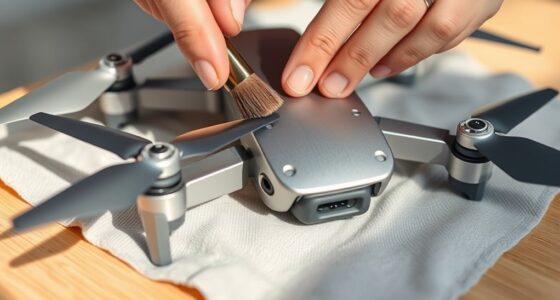
To keep your drone performing effectively and safely, it’s essential to update both firmware and the app regularly. Firmware updates improve core functions like flight stability, battery life, and security features, while app updates enhance controls, user interface, and connectivity. Staying current with both ensures your drone runs smoothly and remains secure against vulnerabilities. For a better understanding of how these updates work together to keep your tech in top shape, keep exploring the details.
Key Takeaways
- Firmware updates improve drone hardware performance, stability, and safety, while app updates enhance control interfaces and user experience.
- Both updates fix bugs and security vulnerabilities, ensuring reliable and secure drone operation.
- Firmware manages critical functions like flight stability and obstacle avoidance; app updates optimize controls and connectivity.
- Cloud services support secure, consistent firmware and app updates, maintaining compatibility and data protection.
- Regular updates prevent security risks, extend drone lifespan, and ensure compatibility with new features and technologies.

When it comes to maintaining your drone’s performance, understanding the difference between firmware and app updates is vital. These updates play an indispensable role in ensuring your drone operates smoothly, safely, and efficiently. Firmware updates are the core software that runs directly on your drone’s hardware. They manage critical functions like flight stability, obstacle avoidance, and battery management. Regular firmware updates often include bug fixes, security patches, and improvements that can extend your drone’s battery life. When you update the firmware, you’re fundamentally giving your drone a hardware-level boost that can enhance its overall performance and reliability. On the other hand, app updates focus on the software you use to control your drone. These updates often refine the user interface, making controls more intuitive and responsive. They can introduce new features, improve connectivity, and optimize how your drone communicates with your device. Keeping your app up to date ensures you have the latest tools at your fingertips, making flying safer and more enjoyable. Additionally, European cloud servers can provide secure and energy-efficient data management for your drone’s software, enhancing reliability and compliance with data protection standards.
Frequently Asked Questions
How Often Should I Update My Drone Firmware and App?
You should update your drone firmware and app as soon as new versions are released to guarantee firmware compatibility and peak app stability. Regular updates help fix bugs, improve features, and enhance safety. Check for updates at least once a month or whenever you notice issues. Staying current with updates minimizes glitches, maximizes performance, and keeps your drone flying smoothly and securely. Don’t delay—keeping your tech updated is key to a better flying experience.
Can Outdated Firmware or App Cause Drone Crashes?
Outdated firmware or apps can definitely cause drone crashes. When firmware isn’t stable, it might lead to unexpected behavior, while outdated apps can cause compatibility issues. This affects the drone’s overall firmware stability and hampers communication between the device and the app. To prevent crashes, always keep your firmware and app current, ensuring they’re compatible and functioning correctly. Regular updates help maintain safe, reliable drone operation.
Do Updates Improve Drone Battery Life?
Yes, updates can improve your drone’s battery life by enhancing battery enhancement features and firmware stability. When you install the latest updates, they often include improvements that make power consumption more efficient, helping your drone fly longer on a single charge. Regular updates also fix bugs that could cause unnecessary battery drain, ensuring your drone operates smoothly and efficiently. Keep your firmware and apps current for ideal battery performance.
Are Firmware Updates Necessary for New Drone Features?
Yes, firmware updates are necessary for new drone features because they boost firmware stability and guarantee app compatibility. By updating, you keep your drone’s capabilities current, avoiding bugs and benefiting from the latest functionalities. Without these updates, your drone might miss out on innovative features or experience glitches. So, stay updated to maximize your drone’s potential, maintain smooth operation, and enjoy all the exciting new features.
How Do I Verify if My Firmware or App Update Was Successful?
You can verify if your firmware or app update was successful by checking the software compatibility details within the app or drone’s settings menu. Look for a version number that matches the latest release. If you encounter issues, consider an update rollback to the previous version. This guarantees your drone functions properly and confirms the update installed correctly, avoiding potential glitches or incompatibilities.
Conclusion
Staying on top of both firmware and app updates keeps your drone soaring smoothly through clear blue skies, free of turbulence. Imagine the sleek device responding seamlessly to your commands, its blades slicing through the air with precision. With each update, you’re fueling your drone’s wings, ensuring it’s ready for new adventures and sharper captures. Keep those updates current, and watch your flying experience stay vibrant, reliable, and full of endless possibilities in the vast, open sky.