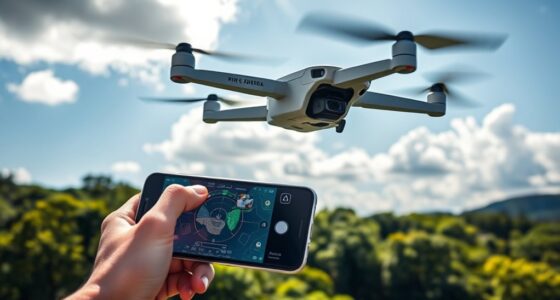
Yes, you can downgrade your drone’s firmware, but it’s risky and not always straightforward. You need to find the correct firmware version and tools, and be cautious to avoid bricking your drone or voiding your warranty. Keep in mind that older firmware may lack recent fixes and could cause compatibility issues. If you want to learn more about safely downgrading and what to watch out for, there’s important information you should know before you start.

Get the latest gadgets delivered free with Prime
- Fast, free delivery on millions of items
- Prime Video, Amazon Music and more included
- Member-only deals all year
Key Takeaways
- Downgrading firmware is possible but may cause stability issues or hardware incompatibility.
- Always back up current firmware and verify compatibility before attempting a downgrade.
- Use official tools and firmware files to reduce the risk of bricking your drone.
- Downgrading can void warranties and might violate terms of service.
- Consider potential security vulnerabilities and missing updates when reverting to older firmware.

Sometimes, upgrading drone firmware can cause unexpected issues or reduce performance, prompting many users to contemplate downgrading. While firmware updates are designed to improve your drone’s functionality, they can sometimes introduce bugs, reduce stability, or create compatibility problems. If you’re experiencing these kinds of issues after an update, downgrading might seem like a quick fix. However, it’s important to understand the risks and what’s involved before you proceed. One of the main considerations is firmware stability; older versions may lack the refinements and bug fixes present in newer releases, which can sometimes lead to unexpected crashes or glitches. Conversely, if the latest firmware introduces new bugs or conflicts with your hardware, reverting to a previous version might restore smoother operation. But it’s not always straightforward, because stability isn’t guaranteed, especially if the downgrade isn’t officially supported.
Another essential factor to consider is hardware compatibility. Not all firmware versions are compatible with every drone model or component. When you attempt to downgrade, you risk running into issues where the firmware no longer aligns with your drone’s hardware specifications. This mismatch can cause features to malfunction or render your drone unusable altogether. Before even thinking about downgrading, check if the manufacturer or community forums provide guidance on supported firmware versions for your specific drone model. Some manufacturers intentionally limit firmware downgrading because newer updates often include security patches, performance improvements, and compatibility enhancements that aren’t backward compatible.
If you decide to proceed, you’ll need to find the correct firmware version and the proper tools to perform the downgrade safely. Many drone manufacturers provide official firmware files and instructions, but some users rely on third-party resources or community-developed tools. Be cautious—using unofficial firmware files or tools can increase the risk of bricking your drone or voiding your warranty. Always back up your current firmware and settings if possible, so you can restore them if needed. Keep in mind that downgrading can sometimes void your warranty or violate the terms of service, so weigh these risks carefully.
Products Worth Considering

Amazon Kindle Paperwhite Signature Edition (12th Generation, 2024), 32 GB, Metallic Black

Samsung 27 Odyssey OLED G5 (G50SF) QHD QD-OLED Gaming Monitor

Bose QuietComfort Headphones (2nd Gen), Wireless Noise-Cancelling Over-Ear Headphones, Black
As an affiliate, we earn on qualifying purchases.
Frequently Asked Questions
Is Downgrading Firmware Safe for My Drone?
Downgrading your drone’s firmware isn’t always safe, as it can compromise firmware compatibility and drone security. If you choose to downgrade, confirm the older firmware version is compatible with your drone model and firmware. Otherwise, you risk stability issues or security vulnerabilities. Always research thoroughly and follow manufacturer guidelines to protect your drone’s functionality and security, and consider whether the benefits outweigh the potential risks.
Can I Revert to the Latest Firmware After Downgrading?
You can usually revert to the latest firmware after a firmware rollback, but it depends on your drone’s manufacturer. Sometimes, a version reversion might be tricky if the firmware files aren’t available or if the update process has changed. Check your drone’s support site or app for official instructions on firmware reversion. Keeping backups of original firmware files helps ensure you can always restore or upgrade easily, giving you peace of mind.
Will Downgrading Affect My Drone’s Warranty?
Downgrading your drone’s firmware can affect your warranty, as it may void warranty coverage if it causes issues or damages. You should check firmware compatibility to guarantee the downgrade doesn’t introduce bugs or hardware problems. Manufacturers often specify warranty implications for firmware updates or downgrades, so it’s best to review your drone’s warranty policy and consult the manufacturer before proceeding. This helps avoid unintended warranty voids.
Are There Risks of Bricking My Drone During Downgrade?
Yes, there are risks of bricking your drone during a firmware downgrade. If the firmware version isn’t compatible with your drone’s hardware or if the process isn’t followed carefully, it can cause serious issues. Make sure to check firmware compatibility and follow manufacturer support instructions closely. Using incompatible firmware or incorrect procedures can lead to a bricked drone, which may require professional repair or rendering it unusable.
Does Firmware Downgrading Improve Drone Performance?
Downgrading your drone’s firmware doesn’t necessarily improve performance; it can sometimes cause more stability issues. If you’re considering a downgrade, make sure you verify firmware compatibility to avoid problems. While newer firmware often adds features and fixes bugs, older versions might lack improvements, leading to decreased performance stability. Always weigh the risks and benefits carefully before downgrading, and follow proper procedures to ensure your drone stays reliable.
Conclusion
Just remember, downgrading your drone’s firmware is like walking a tightrope—you might gain some control, but it also comes with risks. Proceed carefully, weigh the benefits against potential issues, and always back up your data first. If done right, you can navigate the process smoothly, but if you rush, you could end up lost in a storm of technical troubles. Stay informed and cautious—your drone’s flight depends on it.