To record FPV flights using your goggles’ DVR feature, first, verify your goggles have a DVR function and enough storage. Start your flight and activate the DVR before takeoff, usually by pressing a designated button or switch. Keep your flight smooth and controlled to get quality footage. Once you land, stop the DVR to save your clip. If you want to maximize your recording skills and capture professional-grade videos, there’s more to learn below.
Key Takeaways
- Ensure your goggles’ DVR feature is enabled and properly configured before flying.
- Start recording on your goggles before takeoff to capture the entire flight.
- Maintain steady, controlled flight paths for clear, shake-free footage during recording.
- Adjust camera angles and settings for cinematic shots without causing shakiness or blur.
- Review recorded footage post-flight to identify quality, then refine your flight and camera setup accordingly.
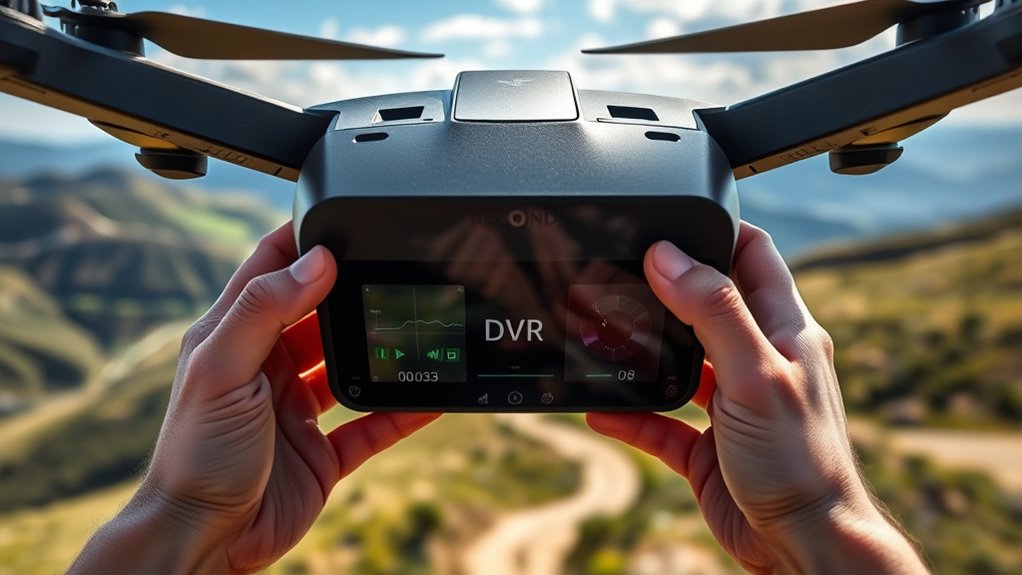
Have you ever wondered how to capture the thrill of your FPV flights? Using your goggles’ DVR feature is a game-changer, but to get the best footage, you need to pay attention to your camera settings and flight planning. First, understand that your FPV camera has various adjustable settings—resolution, frame rate, exposure, and shutter speed—that directly influence the quality of your recordings. Set your camera to a high resolution like 1080p or even 4K if supported, to ensure crisp, detailed footage. Frame rate matters too; shooting at 60 or 120 frames per second allows for smooth playback and makes slow-motion shots possible. Adjust exposure and shutter speed to match lighting conditions; too much exposure can wash out scenes, while too little can make footage dark and grainy. Fine-tuning these settings before your flight guarantees that your recordings will be clear and professional-looking, even if you’re flying through tricky lighting environments.
Next, effective flight planning is essential for capturing great footage. Decide in advance what kind of shots you want—whether it’s sweeping panoramas, tight maneuvers, or slow cinematic sequences—and plan your flight path accordingly. Mapping out your route helps you anticipate key moments to capture and ensures you’re in the right position to record them. Keep in mind that your DVR records what your goggles are viewing in real-time, so the flight path you choose should be deliberate and smooth. Practice flying along planned routes to maintain control and prevent shaky footage. Also, consider lighting conditions during your flight; shooting during golden hour or in bright daylight can dramatically improve video quality. By combining good camera settings with a well-thought-out flight plan, you maximize your chances of capturing compelling footage that truly reflects the excitement of your flight.
During your flight, stay mindful of the camera’s angle and stability. Slight adjustments to the camera angle can add cinematic flair, but avoid abrupt movements that might cause shaky recordings—your DVR will record everything in real-time, and shaky footage can be distracting. Remember, the more intentional your flight planning and camera setup, the more professional your recorded flights will look. Additionally, understanding the importance of contrast ratio can help you optimize your camera settings and ensure your footage captures the scene’s depth and details accurately. After landing, review your footage to identify what worked well and what could be improved. With practice, you’ll learn how to tweak your camera settings and refine your flight plans on the fly, leading to consistently better recordings. Utilizing your goggles’ DVR feature isn’t just about capturing footage; it’s about capturing the essence of your flights in a way that’s as exhilarating to watch as it was to experience.
Frequently Asked Questions
Can I Edit or Share My DVR Footage Directly From Goggles?
You can’t typically edit or share footage directly from your goggles. Instead, you need to transfer the DVR footage to your computer or mobile device first. Once transferred, you can do video editing to enhance or trim your FPV flight videos. After editing, you can easily share your footage on social media or with friends. Using your computer makes it much easier to manage, edit, and share your FPV flight recordings effectively.
What Is the Maximum Recording Length Supported by My Goggles?
Your goggles typically support recording lengths of up to 30 minutes, depending on their storage capacity and file format. The limited storage capacity means longer flights may be cut short unless you swap SD cards or clear space. Keep in mind, the file format (usually MP4 or AVI) influences compatibility and quality. To maximize recording time, regularly check your storage, and consider using high-capacity SD cards for extended flights.
How Do I Troubleshoot if My DVR Feature Isn’T Recording Properly?
Troubleshooting your DVR is like fixing a puzzle. First, check your DVR settings to guarantee recording is enabled and storage isn’t full. Restart your goggles and verify firmware updates are current, as outdated software can cause recording issues. If problems persist, reformat the SD card or try a different one. Keeping everything updated and properly configured helps your DVR record flights smoothly every time.
Are There Compatibility Issues With Different FPV Goggles and SD Cards?
Yes, SD card compatibility can vary between FPV goggles, so check your goggles’ specifications for supported SD card types and sizes. Using incompatible SD cards may cause recording issues. Also, make sure your goggles’ firmware is up to date, as updates often fix compatibility problems. Always format your SD card correctly within the goggles to avoid recording errors. Staying current with firmware and using recommended SD cards helps ensure smooth DVR recording.
Does Recording Affect the Goggles’ Video Feed Latency or Performance?
Recording your FPV flights won’t drastically impact your goggles’ video latency or hardware performance—it’s nearly like magic! While it might seem like recording could slow everything down, modern goggles are designed to handle both tasks smoothly. Expect minimal to no noticeable delay or performance drops, allowing you to record epic flights without sacrificing your control or immersion. So, go ahead, capture those adrenaline-pumping moments with confidence!
Conclusion
Think of your goggles’ DVR as a trusty camera crew, capturing every thrilling moment of your FPV journey. Like a storyteller preserving a legendary adventure, you’ll have your flights forever etched in vivid detail. With each recording, you’re crafting a personal chronicle, ready to relive and share whenever you want. So, embrace this feature as your own cinematic vault—turning fleeting flights into timeless memories you can revisit anytime.