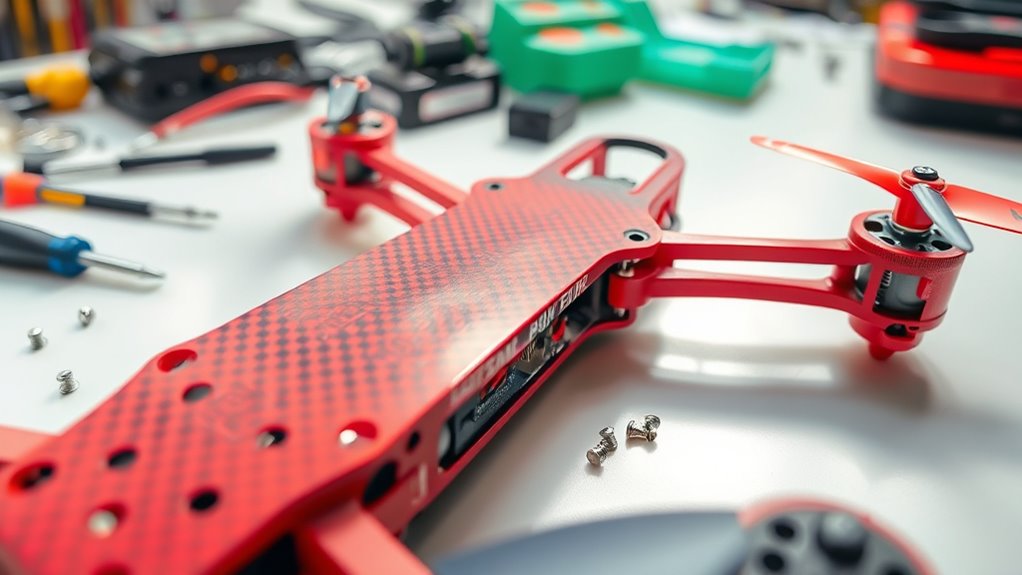
To assemble your own FPV drone, start by selecting components that match your flying style and skill level, including appropriate motors, batteries, and props. Securely mount the main frame, install the electronic speed controllers (ESC), and make certain all wiring is organized and tested for safety. Carefully attach the propellers, balance them properly, and perform thorough pre-flight checks. If you keep following the steps closely, you’ll be ready to fly your custom quad and enjoy the experience.

Get the latest gadgets delivered free with Prime
- Fast, free delivery on millions of items
- Prime Video, Amazon Music and more included
- Member-only deals all year
Key Takeaways
- Select compatible components including frame, motors, ESCs, propellers, and battery based on your drone’s purpose.
- Carefully assemble the frame, securing motors, and wiring components following manufacturer instructions.
- Balance and install propellers securely, ensuring correct orientation and rotation direction.
- Connect the power system, including battery and ESCs, double-checking for proper insulation and connections.
- Conduct pre-flight checks, verify controls, and test the drone in open space for safety and optimal performance.
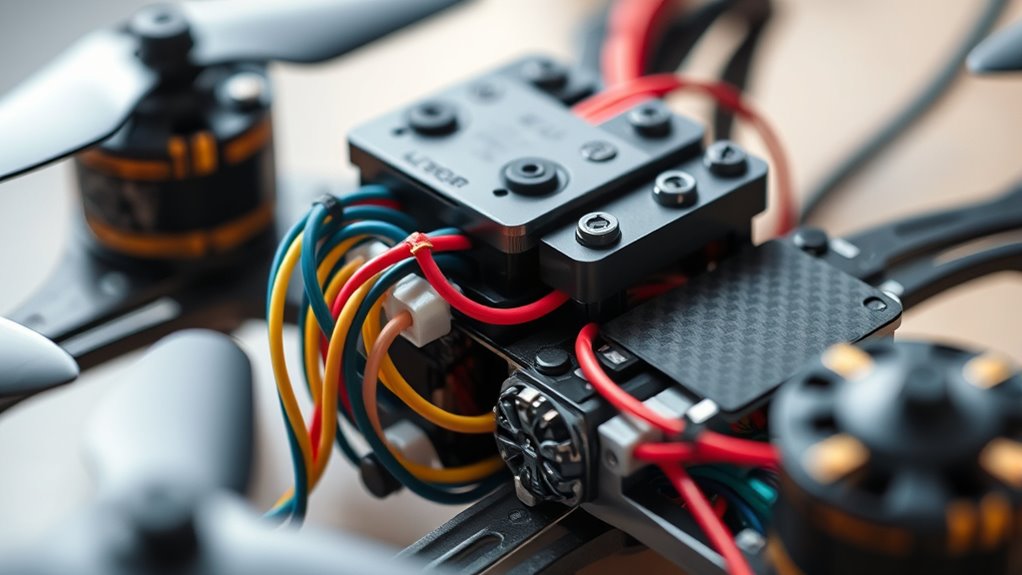
Building your own FPV drone can be an exciting and rewarding experience, but it requires careful planning and understanding of the key components. One of the most critical aspects is guaranteeing battery safety, which means choosing the right battery and handling it properly. You want to select a battery that matches your drone’s power requirements and provides enough capacity for your flying sessions without adding excessive weight. Lithium-polymer (LiPo) batteries are popular because of their high energy density, but they can be dangerous if mishandled. Always use a proper charger designed for LiPo batteries, never puncture or expose them to heat, and store them in a fireproof container when not in use. When installing the battery, secure it firmly to prevent it from shifting during flight, and double-check connections to avoid shorts. Follow safety protocols at all times to prevent accidents or damage.
Once you’ve secured a safe and suitable battery, it’s time to focus on propeller selection. Propellers are essential for generating lift and maneuverability, but choosing the wrong size or pitch can negatively impact your flight experience. Generally, larger propellers produce more thrust but may reduce agility and efficiency, while smaller ones offer quicker responses but less power. Consider your drone’s motor specifications and intended use—whether freestyle flying, racing, or filming—to determine the ideal propeller size. Always match the propeller’s diameter and pitch to your motor’s capabilities; using incompatible props can cause motor strain or damage. When installing the propellers, ensure they are mounted securely and oriented correctly, respecting the rotation direction. Balance your propellers if needed, as unbalanced props can cause vibrations that affect camera footage and flight stability. Additionally, selecting high-quality projectors with high contrast ratios can improve your visual reference during flight, especially in varying lighting conditions.
Throughout the build, keep your workspace organized and handle components carefully. Double-check all connections, especially around the power system, to guarantee everything is correctly wired and insulated. Test the battery and ESC (Electronic Speed Controller) connections before powering up the entire drone. When you’re ready to fly, do a thorough pre-flight check—inspect the propellers, battery, and controls. Remember, safety is paramount, so always fly in open areas away from people and obstacles. Proper propeller selection and battery management are crucial not only for peak performance but also for your safety and the longevity of your drone. By paying close attention to these details, you’ll set yourself up for successful flights and an enjoyable FPV experience.
Products Worth Considering

Jackery Explorer 2000 v2 Portable Power Station with Two 200W Solar Panels

Samsung 27-Inch Odyssey QD-OLED G8 4K 240Hz Gaming Monitor

Apple iPad Air (2025) 13‑inch Wi‑Fi 256 GB – Space Gray (M3 chip)
As an affiliate, we earn on qualifying purchases.
Frequently Asked Questions
What Tools Are Essential for Building an FPV Drone?
To build your FPV drone, you’ll need essential tools like a soldering iron, screwdrivers, and pliers. These help with assembling drone frame materials and connecting components. Make sure you have a caliper to check motor specifications and fit. A good pair of tweezers is handy for small parts, while a battery checker guarantees your power setup is safe. With these tools, you’ll confidently assemble a reliable, high-performance quad.
How Do I Choose the Best Camera for My Build?
When choosing the best camera for your build, focus on camera selection that enhances your flight experience. Prioritize image quality, looking for high resolution and low latency to get clear, real-time footage. Consider your flying style—if speed is key, opt for a lightweight, high-frame-rate camera. Balance durability and weight to make sure your camera performs well without adding unnecessary bulk. This way, you’ll improve your FPV experience and capture stunning visuals.
What Safety Precautions Should I Follow During Assembly?
Did you know that proper safety precautions reduce accidents by over 60%? During assembly, always wear safety gear like goggles and gloves to protect your eyes and skin. Keep your workspace organized to prevent loose tools from causing injuries or damage. Handle soldering irons carefully, and work in well-ventilated areas. Following these safety tips guarantees you stay safe, focused, and efficient while building your drone.
Can I Customize the Drone’s Appearance Easily?
Yes, you can easily customize your drone’s appearance through aesthetic modifications and decal customization. You can choose different colors, attach stickers, or apply decals for a unique look. Using adhesive decals or custom stickers lets you personalize your quad without much effort. Just make certain your modifications don’t interfere with the drone’s components or aerodynamics, and have fun making your drone truly your own!
What’s the Best Way to Troubleshoot Common Build Issues?
Imagine your drone’s heartbeat faltering mid-flight—you need quick action. Start with wiring diagnostics, checking each connection for loose or damaged wires. Then, perform software calibration to ensure sensors and controllers align perfectly. Use your multimeter and calibration tools, visualize each step like tuning a finely crafted instrument. This approach helps identify issues swiftly, restoring your drone’s harmony and preventing future glitches. Keep calm, troubleshoot methodically, and you’ll get flying again in no time.
Conclusion
Now that you’ve assembled your FPV drone, you’re holding the key to endless skies and new horizons. Like a pilot with a compass, your build symbolizes freedom, curiosity, and innovation. Every component, like a star in your constellation, guides your journey through the skies. So, take off with confidence — your drone isn’t just a machine, but a vessel for exploration and dreams. The sky’s the limit, and your adventure begins now.