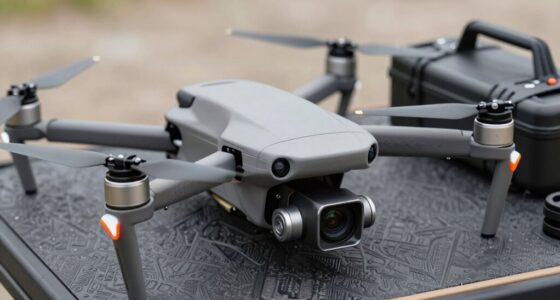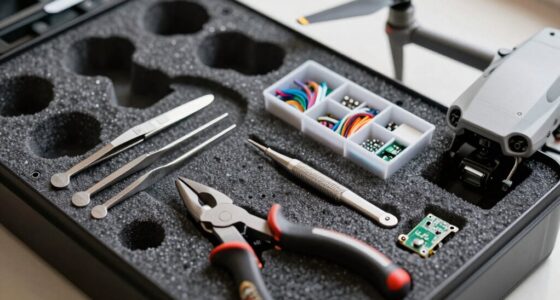
To effectively clean and protect your drone camera, you should regularly inspect and gently clean the lens with a microfiber cloth and lens-specific cleaner to keep footage sharp. Protect your camera from environmental elements by using covers or filters, especially in dusty or wet conditions. Store batteries properly and avoid overcharging to prevent overheating. Keeping sensors calibrated and the drone free of debris ensures safety and maximum performance. Continuing this guide will give you essential tips for maintaining your drone’s camera and safety.

Get the latest gadgets delivered free with Prime
- Fast, free delivery on millions of items
- Prime Video, Amazon Music and more included
- Member-only deals all year
Key Takeaways
- Use soft, non-abrasive materials like microfiber cloths and specialized lens cleaners to prevent scratches.
- Regularly inspect and clean the lens and sensor to maintain optimal image quality.
- Protect the camera with covers or filters during harsh environmental conditions.
- Avoid touching the lens with fingers to prevent smudges and dirt buildup.
- Store batteries properly and remove them after use to ensure safety and prevent damage to the drone.

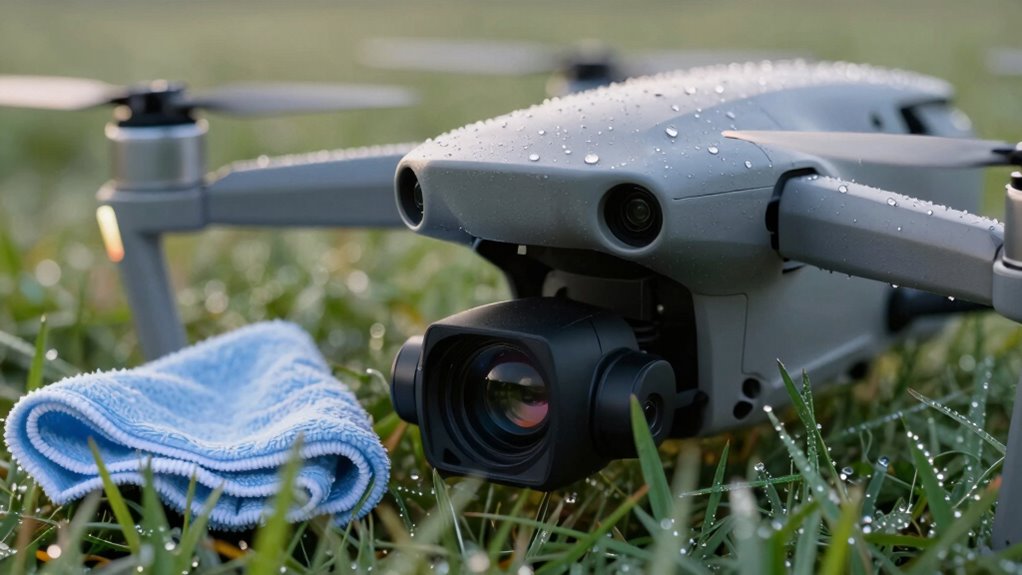
Maintaining clear and protected drone cameras is vital for capturing high-quality footage and guaranteeing your drone operates smoothly. When your camera lens is clean and free from smudges, dirt, or debris, you maximize the clarity of your shots and avoid the frustration of blurry footage. Regularly inspecting and cleaning your camera isn’t just about getting sharp images; it’s also about promoting safety during your flights. Dirty lenses can cause you to misjudge distances or overlook obstacles, which could lead to accidents. Prioritize gentle cleaning methods—use a soft microfiber cloth and lens cleaner specifically designed for optical equipment—to prevent scratching or damaging delicate camera components.
Keep your drone camera clean with gentle microfiber cloths to ensure sharp footage and safe flights.
Battery maintenance plays an essential role in keeping your drone ready for action and safeguarding camera protection. A well-maintained battery not only extends your flight time but also reduces the risk of sudden power drops that could cause crashes or damage to your camera. Keep your batteries properly charged, but avoid overcharging, which can cause overheating and reduce their lifespan. Store batteries in a cool, dry place and check for swelling or leaks regularly. When you’re finished flying, always remove the batteries and store them separately, preventing accidental power drain or damage during transport. Proper battery care ensures your drone remains operational and your camera stays protected from abrupt power failures that might lead to crashes and potential damage. Additionally, observing battery health can help prevent unexpected failures that compromise your drone’s safety and camera integrity.
In addition to cleaning and battery maintenance, consider the environment in which you’re flying. Dust, mud, or moisture can easily settle on your camera lens or drone components, compromising footage quality and risking internal damage. Always check the weather forecast before your flight, and avoid flying in rain or high humidity. Using protective covers or lens filters can add an extra layer of defense against environmental elements, making it easier to keep your camera clean and functioning at its best. When landing, inspect your drone for any debris or dirt that may have accumulated, and clean it promptly to prevent long-term damage. Being mindful of environmental factors can significantly extend your drone’s lifespan and performance. Regularly cleaning your drone and its components can help prevent the buildup of dirt that leads to damage or malfunction.
Furthermore, understanding sensor maintenance and calibration can help ensure your camera’s performance remains optimal over time, especially after exposure to harsh conditions. Properly calibrated sensors can improve image quality and reduce distortion or inaccuracies, ensuring your footage is as clear and accurate as possible. Ultimately, a combination of careful cleaning, thorough battery maintenance, and mindful flying practices ensures your drone’s camera remains clear and protected. This approach not only enhances your footage but also extends your drone’s lifespan and preserves its overall safety. By staying vigilant about these aspects, you create a reliable setup that supports safe drone flight and high-quality captures every time you take to the skies.
Products Worth Considering

DJI Mic 3 Wireless Microphone Kit (2 Transmitters, 1 Receiver, Charging Case)

Bose SoundLink Flex Bluetooth Speaker (2nd Gen), Waterproof, Dustproof, USB‑C, Up to 12 hr Battery, Black

Bose SoundLink Plus Portable Bluetooth Speaker, Wireless Outdoor Speaker, Up to 20 Hours Battery Life, Waterproof and Dustproof, Black
As an affiliate, we earn on qualifying purchases.
Frequently Asked Questions
How Often Should I Clean My Drone Cameras?
You should clean your drone cameras whenever you notice lens fogging or camera sensor dust, typically after every few flights or once a week. Regular maintenance prevents image quality issues and extends your drone’s lifespan. Use a soft, lint-free cloth and gentle cleaning solutions. Keep the lens covered when not in use, and avoid harsh chemicals to prevent damage. Consistent cleaning guarantees clear images and peak performance.
Can I Use Household Cleaning Products on Drone Lenses?
You absolutely shouldn’t use household cleaning products on drone lenses—they’re like a wrecking ball for your camera! Household chemicals can cause severe lens damage, ruining your footage and costing you big. Instead, use a gentle lens cleaner specifically designed for camera equipment. Keep your drone’s camera safe by avoiding harsh chemicals, and always clean with soft, lint-free cloths to preserve crystal-clear images and avoid costly repairs.
What Are the Best Storage Practices for Protecting Drone Cameras?
You should store your drone in a cool, dry place, ideally maintaining a stable storage temperature to safeguard the camera lens coatings from damage. Keep it in a protective case to prevent scratches or impact. Avoid exposing it to extreme heat or cold, which can harm the lens and electronics. Regularly inspect and clean the camera lens before storage to guarantee clarity and longevity, preserving your drone’s imaging quality.
How Do Weather Conditions Affect Drone Camera Maintenance?
Imagine your drone’s camera braving a monsoon, a blizzard, or scorching sun—weather impact is no joke. Extreme conditions test camera durability, causing fogging, corrosion, or scratches. Harsh weather accelerates wear, demanding more frequent cleaning and protection. You need to shield your drone from these elements, or else your camera might turn into a useless, foggy lens, making your aerial shots look like they were taken through a muddy window.
Is It Necessary to Calibrate the Camera After Cleaning?
Yes, you should calibrate your drone camera after cleaning, especially focusing on sensor calibration and lens alignment. Cleaning can disturb the precise alignment of the lens and sensor, potentially affecting image quality. By recalibrating, you guarantee your drone captures sharp, accurate footage. Always follow your drone’s manufacturer guidelines for calibration procedures, and use proper tools to maintain peak camera performance after cleaning.
Conclusion
Remember, a stitch in time saves nine—regularly cleaning and protecting your drone camera keeps it in top shape and saves you future headaches. Handle your equipment with care, use the right cleaning tools, and invest in protective gear. By staying proactive, you’ll guarantee clear shots and extend your drone’s lifespan. Don’t wait until dirt and damage take a toll; a little maintenance now pays off in flawless flights later.