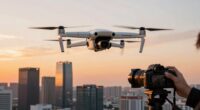
The main reason your drone footage still looks amateur is that you’re neglecting two essential elements: camera stability and lighting. Shaky footage from abrupt movements or poor stabilization makes videos look unprofessional, while bad lighting can flatten colors and obscure details. Mastering smooth camera control and understanding lighting conditions are key to elevating your shots. Focus on these basics, and you’ll see a noticeable difference—keep going, and you’ll learn even more ways to improve your footage.
Key Takeaways
- Unsteady camera movements and shaky footage make your shots appear unprofessional.
- Poor lighting conditions cause dull, flat images, reducing visual quality.
- Using improper angles or abrupt flight paths diminishes cinematic appeal.
- Lack of proper stabilization or smooth flying techniques results in amateurish results.
- Neglecting lighting planning and adjustments leads to less vibrant, poorly exposed footage.

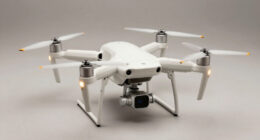
Even with a high-quality drone, your footage can still look amateur if you’re not paying attention to one simple but essential aspect: camera movement. The way your camera moves or stays steady directly impacts the professionalism of your shots. If your footage appears shaky or jittery, viewers will notice right away, and it can ruin an otherwise stunning scene. To elevate your drone videos, focus on maintaining camera stability. Use gimbals carefully and practice smooth, deliberate movements. Avoid quick jerks or abrupt turns, which can make footage feel unpolished. Instead, aim for slow, controlled motions that enhance the scene rather than distract from it. Proper camera stabilization techniques are crucial to achieving professional results.
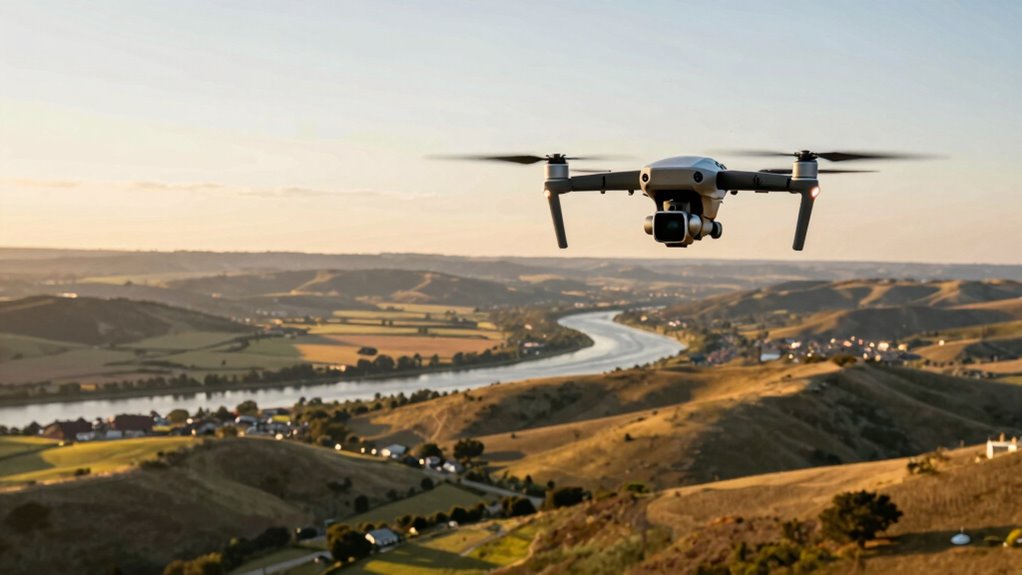
Lighting conditions are another critical factor often overlooked. No matter how advanced your drone is, poor lighting can make your footage look dull, flat, or unprofessional. Bright, natural light tends to produce the best results, but if you’re shooting during cloudy days or in shaded areas, you need to adapt. Adjust your camera settings to optimize exposure—lower ISO settings to reduce grain, and tweak shutter speed to match the lighting. Pay attention to how shadows fall across your scene; harsh shadows or blown-out highlights can ruin the visual quality. Proper lighting ensures your subject is clear, colors are vibrant, and details stand out, making your footage look more refined and cinematic. Additionally, understanding lighting conditions can help you plan the best times of day for shooting to capture the most flattering light. Mastering exposure adjustment is essential for balancing scenes in varying lighting environments.
Furthermore, even small adjustments to camera angles and height can drastically change the perception of your footage, making it appear more dynamic and professional. Experimenting with different drone flight paths can add a cinematic quality to your videos and help tell a more engaging story. Combining camera stability with good lighting conditions is the key to professional-looking drone footage. Even if your drone has top-tier specs, neglecting these aspects will make your videos appear amateurish. You might be surprised how much smoother and more polished your footage looks when you take the time to stabilize your camera and adjust for lighting. Practice your flying techniques and experiment with different times of day to see which lighting conditions work best for your scene. Use filters or ND (neutral density) filters if necessary to control exposure in bright environments.
In the end, it’s not about having the fanciest drone but about paying attention to these fundamental factors. When your camera stays steady and lighting is just right, your footage will naturally look more professional, engaging your audience and elevating your creative work.

Camera Stabilizer, High Technology Drone Camera Gimbal Metal Brushless Gimbal Board BGC 2.2 for 3/3+ / 4 Camera RC Drone Quadcopter Part (Black) Gimbal Drone
[Ready-to-fly 12v Rtf Version] This complete rtf (ready-to-fly) gimbal comes fully assembled with all necessary components including screws…
As an affiliate, we earn on qualifying purchases.
As an affiliate, we earn on qualifying purchases.
Frequently Asked Questions
How Do I Improve Drone Camera Stabilization?
To improve drone camera stabilization, start with proper drone maintenance—ensure gimbals and motors are clean and functioning correctly. Optimize your battery life to prevent power drops that cause instability. Use smooth, deliberate movements and avoid sudden jerks during flying. Additionally, consider upgrading to a drone with advanced stabilization features or adding external stabilization gear. These steps help produce steadier footage, making your shots look professional and polished.
What Are the Best Editing Techniques for Drone Footage?
To elevate your drone footage, focus on effective editing techniques like color grading to enhance visuals and set the mood. Use motion tracking to stabilize moving objects or highlight key elements, making your shots more dynamic. Combine these skills with seamless shifts and careful pacing to create a professional look. Practice these techniques regularly, and you’ll see your drone footage transform from amateur to polished, engaging content.
How Does Lighting Affect Drone Video Quality?
Great lighting is the secret to stunning drone footage—unless you enjoy shadows playing hide and seek on your shots. Lighting affects quality through consistency and shadow management; inconsistent lighting creates flickering or washed-out scenes, while poor shadow control ruins the shot’s clarity. So, if you want professional results, plan your lighting carefully, shoot during ideal hours, and tame those shadows to keep your footage looking polished, not amateur hour.
What Camera Settings Should I Use for Different Environments?
You should adjust your camera settings based on the environment, considering factors like exposure, ISO, and shutter speed. Use wide camera angles for expansive landscapes and tighter angles for detail shots. After filming, apply color grading to enhance mood and consistency. Experiment with settings in different lighting conditions to find what works best, ensuring your footage looks professional and polished regardless of the environment you’re capturing.
How Can I Plan Better Drone Shots?
You can transform your drone shots by meticulously planning your drone flight paths and focusing on stellar aerial composition. Map out your routes in advance, visualizing key focal points and dynamic angles. Consider lighting, foreground, and background to add depth. Use waypoints for precise control, ensuring smooth movements. With intentional planning, your shots will look professional, enthralling, and far from amateur—making every frame a compelling story.

Hanatora Camera Expansion Mount Holder with Adapter for DJI Mini/Mavic Drone, Sports Cameras Connector Bracket Accessories
Specially designed for DJI Mini 2/Mini 2 SE/Mini 3/Mini SE/Mavic Mini/Mavic Air/Spark Drone
As an affiliate, we earn on qualifying purchases.
As an affiliate, we earn on qualifying purchases.
Conclusion
So, next time you’re flying your drone, remember that the secret to professional-looking footage isn’t just in the camera settings or equipment — it’s in your mindset. Think of your shots like a painter’s brushstrokes, each one intentional and smooth. When you focus on steady, thoughtful movements, you’ll notice your footage transforming from amateur to art. It’s a small change that makes a big difference, turning everyday flights into mesmerizing visuals.

ULANZI LED Video Light Waterproof IP68 Camera Lighting Kit Mini Cube with 8 Color Gel Filters, Dimmable Portable Fill Photography Light 5500K CRI95+ for DSLR Camera Sony Canon Nikon Action Camera
UPGRATED ULANZI L1 PRO—— The CUTE LITE waterproof light adopt magnetic charging interface design, The lamp body is…
As an affiliate, we earn on qualifying purchases.
As an affiliate, we earn on qualifying purchases.

DJI Mini 4K Camera Drone Combo, Drone with 4K UHD Camera for Adults, Under 249 g, 3-Axis Gimbal Stabilization, 10km Video Transmission, Auto Return, 2 Batteries for 62-Min Max Flight Time, QuickShots
No Registration Needed – Under 249 g, this drone with camera for adults 4K does not require FAA…
As an affiliate, we earn on qualifying purchases.
As an affiliate, we earn on qualifying purchases.