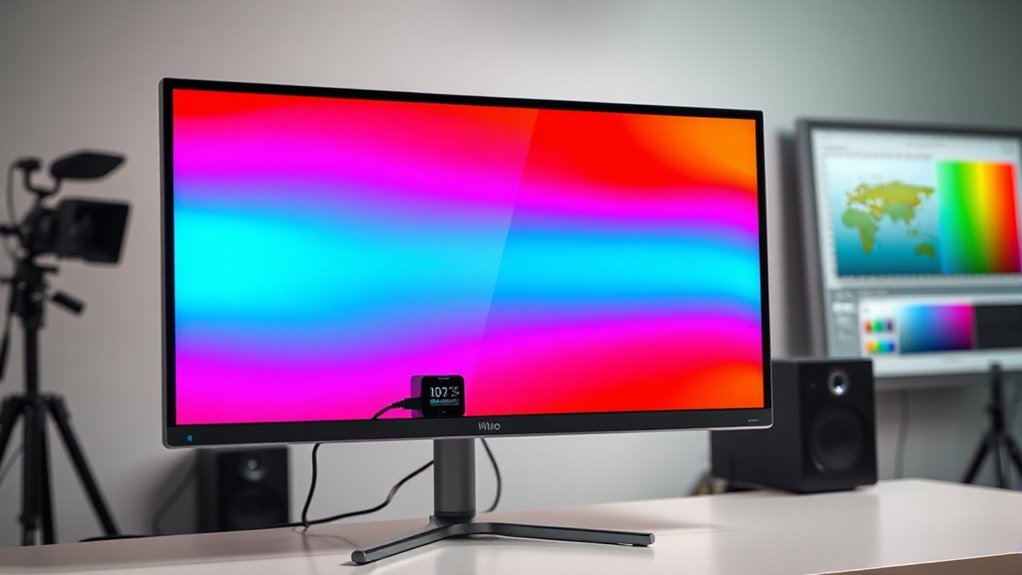

For video editors, accurate color representation on their monitors is essential to ensure their work looks perfect across all platforms. The right monitor calibrator can help maintain consistent and precise colors, but choosing the best one involves balancing performance, ease of use, and budget. The Datacolor Spyder X Pro stands out as the best overall pick because of its speed and accuracy, while the Calibrite Display 123 offers excellent value for those new to calibration. On the other hand, high-end options like the X-Rite i1Display Studio deliver professional-grade results at a premium price. Readers face tradeoffs between simplicity, precision, and cost—continue reading for a detailed breakdown of each option and what suits your needs best.

Get the latest gadgets delivered free — and shop member deals
- Fast, free delivery on millions of items
- Access to Prime Big Deal Days deals on October 6–7
- Prime Video, Amazon Music and more included
Complete the kit



Key Takeaways
- The top calibrators combine fast calibration times with high color accuracy, critical for professional video editing.
- Ease of use varies; some models require technical knowledge, while others are more beginner-friendly with guided interfaces.
- Price ranges from budget-friendly options to high-end professional tools, with a clear tradeoff in features and precision.
- Compatibility with different monitor types, including OLED and mini-LED, influences the choice for high-end setups.
- The most important features for video editors include gamma adjustment, ambient light measurement, and color accuracy metrics.
| Datacolor SpyderPro Monitor Calibrator & Screen Color Calibration Tool |  | Best Overall for Professional Color Accuracy | Compatibility: Windows 10/11, macOS 10.14-14 | Supported Devices: Unlimited displays, USB-C connectivity | Features: Gamma, whitepoint, brightness adjustment, projector calibration, display analysis, automatic room light switching | VIEW ON AMAZON | See Our Full Breakdown |
| Datacolor Spyder Celebration Kit – Monitor Calibrator & Color Checker |  | Best for Color Precision with Additional Tools | Includes: Spyder Cube, Spyder Checkr 24, 2024 Spyder calibrator | Compatibility: OLED, mini-LED, XDR Retina | Purpose: Monitor calibration, white balance, color correction | VIEW ON AMAZON | See Our Full Breakdown |
| Calibrite Display 123 Monitor Calibration Colorimeter for Photo Editing and Color Accurate Viewing |  | Best for Simplicity and Dual Monitor Calibration | Connection: USB-C | Supports: 2 displays | Brightness targets: Native, Photo | VIEW ON AMAZON | See Our Full Breakdown |
| Datacolor Spyder X Pro Monitor Calibrator |  | Best for Ease and Speed in Color Calibration | Color accuracy: High precision with lens-based engine | Calibration targets: 12 predefined | Compatibility: Multiple monitors and laptops | VIEW ON AMAZON | See Our Full Breakdown |
| ASUS ProArt CaliContrO MCA02 3-in-1 Colorimeter – Professional Color Calibrator with Hardware/Software Calibration |  | Best for HDR and High-End Professional Calibration | Functionality: Colorimeter, Display OSD control, ASUS Dial | Calibration Range: Up to 10,000 nits | Compatibility: LED, OLED, Mini-LED | VIEW ON AMAZON | See Our Full Breakdown |
| Datacolor Spyder4Pro Colorimeter for Display Calibration |  | Best for Professional Color Management Across Multiple Devices | Sensor Type: Full-spectrum seven-color sensor | Calibration Capabilities: Multiple displays, monitor, laptop, iPad, iPhone | Features: Ambient light sensor, Monitor Quality Analysis tools, ReCAL re-calibration | VIEW ON AMAZON | See Our Full Breakdown |
| Calibrite Video Photo Kit with Display Plus HL Colorimeter and ColorChecker Passport Video 2 |  | Best for High-Brightness and Camera Matching in Professional Workflows | Colorimeter: Display Plus HL | ColorChecker: Passport Video 2 | Luminance Support: Up to 10,000 nits | VIEW ON AMAZON | See Our Full Breakdown |
| Calibrite ColorChecker Display Pro (CCDIS3) |  | Best for Versatile and Repeatable Color Calibration | Display Aspect Ratio: 16:9 | Screen Finish: Matte | Display Type: LED | VIEW ON AMAZON | See Our Full Breakdown |
| Calibrite Creator Kit with Display 123 Colorimeter and ColorChecker Passport Video 2 |  | Best for Camera and Display Color Consistency in Creative Workflows | Includes: Display 123 colorimeter, ColorChecker Passport Video 2 | Purpose: Monitor calibration, exposure reference, white balance, color workflow | Suitable For: Photography, videography, professional editing | VIEW ON AMAZON | See Our Full Breakdown |
| Datacolor SpyderX Elite Monitor Calibration Tool |  | Best for Fast, Precise Calibration with Advanced Features | Calibration Speed: 2 minutes | Color Engine: Lens-based | Monitor Compatibility: Multiple monitors and projectors | VIEW ON AMAZON | See Our Full Breakdown |
| Calibrite Display Plus HL Monitor Calibration Colorimeter for Mini LED OLED and Bright Displays |  | Best for High-Luminance HDR and Professional Color Calibration | Sensor: Advanced HL high luminance sensor | Measurement Range: Up to 10,000 nits | Compatibility: Mini LED, OLED, Apple XDR, projectors | VIEW ON AMAZON | See Our Full Breakdown |
| X-Rite i1Display Studio |  | Best for User-Friendly, Multi-Device Color Calibration | Product Dimensions: 7.6 x 5.7 x 2.1 inches | Item Weight: 6.4 ounces | ASIN: B07X8PDBFG | VIEW ON AMAZON | See Our Full Breakdown |
| monitor calibrators for video editor | Compatibility |
|---|---|
| Datacolor SpyderPro Monitor Ca | Windows 10/11, macOS 10.14-14 |
| Datacolor Spyder Celebration K | OLED, mini-LED, XDR Retina |
| Calibrite Display 123 Monitor | — |
| Datacolor Spyder X Pro Monitor | Multiple monitors and laptops |
| ASUS ProArt CaliContrO MCA02 3 | LED, OLED, Mini-LED |
| Datacolor Spyder4Pro Colorimet | LED, CRT, LCD, and other display types |
| Calibrite Video Photo Kit with | — |
| Calibrite ColorChecker Display | — |
| Calibrite Creator Kit with Dis | — |
| Datacolor SpyderX Elite Monito | — |
| Calibrite Display Plus HL Moni | Mini LED, OLED, Apple XDR, projectors |
| X-Rite i1Display Studio | — |
More Details on Our Top Picks
Datacolor SpyderPro Monitor Calibrator & Screen Color Calibration Tool
The Datacolor SpyderPro stands out as the most comprehensive calibration tool in this lineup, supporting an extensive range of displays and operating systems. Its ability to calibrate multiple monitors with unlimited support makes it ideal for professional video editors managing complex workflows. Compared with the Calibrite Display 123, SpyderPro offers more advanced features like projector calibration and automatic room light adjustment, though it comes with a higher complexity that might overwhelm casual users. Its user-friendly software simplifies the calibration process, but a computer is required, which adds to setup time and cost. This tool makes the most sense for seasoned editors needing precise, reliable color management across several screens.
Pros:- Supports unlimited displays and multiple operating systems
- Provides comprehensive calibration options including projector adjustments
- User-friendly interface with multilingual support
Cons:- Requires a computer, adding to setup complexity
- Higher price point may be a barrier for hobbyists
Best for: Professional video editors working with multiple high-end displays who need consistent, accurate color profiles across their entire setup.
Not ideal for: Casual creators or hobbyists who prefer a simple, plug-and-play solution without additional hardware or software complexity.
- Compatibility:Windows 10/11, macOS 10.14-14
- Supported Devices:Unlimited displays, USB-C connectivity
- Features:Gamma, whitepoint, brightness adjustment, projector calibration, display analysis, automatic room light switching
Our verdict“This is the best choice for professionals seeking detailed, multi-monitor calibration with extensive control options.”
Datacolor Spyder Celebration Kit – Monitor Calibrator & Color Checker
The Spyder Celebration Kit combines essential calibration tools like the Spyder Cube and Checkr 24 with the latest Spyder monitor calibrator, making it a strong option for those who need detailed color control. It excels in ensuring color accuracy across a variety of display technologies such as OLED and mini-LED, comparable to the Calibrite ColorChecker Display Pro, but adds physical tools that aid in white balance and color correction beyond just screen calibration. However, using these tools effectively requires some technical familiarity, and the overall cost is higher than basic calibrators. This kit is well-suited for photographers and videographers who demand meticulous color matching across devices and media.
Pros:- Includes physical tools for white balance and color correction
- Ensures consistent color across advanced display types like OLED and mini-LED
- Provides comprehensive calibration and color accuracy tools
Cons:- Requires some technical knowledge to use effectively
- May be more costly than standalone calibrators
Best for: Photographers and videographers who want a complete color calibration and correction kit for multiple display types and media projects.
Not ideal for: Beginners or casual users who lack experience with color correction tools and want a simple, straightforward calibration device.
- Includes:Spyder Cube, Spyder Checkr 24, 2024 Spyder calibrator
- Compatibility:OLED, mini-LED, XDR Retina
- Purpose:Monitor calibration, white balance, color correction
Our verdict“This kit is ideal for professionals requiring precise, multi-faceted color management and physical calibration aids.”
Calibrite Display 123 Monitor Calibration Colorimeter for Photo Editing and Color Accurate Viewing
The Calibrite Display 123 offers an accessible, straightforward calibration workflow that appeals to photographers and creators managing up to two monitors. Its simple software and built-in before-and-after comparison make it easier for users to verify calibration results, outperforming more complex tools like the SpyderX Pro by prioritizing ease of use. However, it’s limited to two displays and relies solely on USB-C connections, which could be restrictive for users with older ports or more extensive multi-monitor setups. This device makes the most sense for smaller studios or individual creators focused on accurate color for a limited number of screens.
Pros:- Supports dual monitor calibration for consistency
- Simple, easy-to-follow 1-2-3 software workflow
- Includes before-and-after comparison for verification
Cons:- Limited to two displays, which restricts larger setups
- Requires USB-C port, limiting compatibility with older hardware
Best for: Photographers and small-scale video editors needing reliable dual monitor calibration with minimal fuss.
Not ideal for: Professionals working with more than two monitors or requiring advanced calibration features beyond basic color matching.
- Connection:USB-C
- Supports:2 displays
- Brightness targets:Native, Photo
- Size:34mm height, 37mm diameter
Our verdict“This is an excellent choice for small studios or individual creators prioritizing quick, reliable dual monitor calibration.”
Datacolor Spyder X Pro Monitor Calibrator
The Spyder X Pro emphasizes quick, accurate calibration with a lens-based color engine that delivers high precision, making it a favorite for photographers and creatives who need reliable results without complex setup. Its single-click calibration and room-light monitoring features streamline the process, offering an advantage over manual, multi-step calibrators like the SpyderPro. While its simplicity is appealing, it might lack some advanced customization options that high-end professionals require. Its support for multiple monitors and automatic profile management makes it a practical choice for those managing several displays, but users with very specific or complex calibration needs may find it somewhat limiting.
Pros:- High precision with lens-based color engine
- Fast, single-click calibration process
- Supports multiple monitors and automatic profile switching
Cons:- May be too advanced for casual users
- Setup for multiple monitors can take some time
Best for: Photographers and creative professionals who want fast, accurate calibration with minimal fuss across multiple monitors.
Not ideal for: Users needing highly detailed, customizable calibration profiles or working with very specialized display types.
- Color accuracy:High precision with lens-based engine
- Calibration targets:12 predefined
- Compatibility:Multiple monitors and laptops
- Features:Room-light monitoring, automatic profile changing
Our verdict“This is a smart pick for professionals who value speed and accuracy in multi-monitor calibration workflows.”
ASUS ProArt CaliContrO MCA02 3-in-1 Colorimeter – Professional Color Calibrator with Hardware/Software Calibration
The ASUS ProArt CaliContrO MCA02 caters to high-end professional environments, supporting HDR calibration up to an impressive 10,000 nits. Its integrated display OSD controls and ASUS Dial provide precise, tactile adjustment, making it particularly suitable for professionals working with OLED, Mini-LED, or HDR content. Compared with the SpyderX Pro, it offers more advanced hardware controls and higher calibration range but requires ASUS-specific software, which may involve a learning curve. This device is best for users who need meticulous calibration for HDR workflows and are comfortable with professional-grade tools.
Pros:- Supports HDR calibration up to 10,000 nits
- Includes tactile controls via ASUS Dial and display OSD
- Compatible with various high-end display types
Cons:- Designed primarily for professional use, complex for novices
- Requires ASUS software, which may have a learning curve
Best for: HDR content creators and professionals managing high-brightness displays demanding precise hardware calibration controls.
Not ideal for: Casual users or those with standard displays not requiring HDR calibration or complex hardware controls.
- Functionality:Colorimeter, Display OSD control, ASUS Dial
- Calibration Range:Up to 10,000 nits
- Compatibility:LED, OLED, Mini-LED
- Connectivity:Reversible USB-C
- Included Items:USB-C Cable, Quick Start Guide, Warranty
Our verdict“This device is tailored for professionals needing detailed HDR calibration and hardware control over their displays.”
Datacolor Spyder4Pro Colorimeter for Display Calibration
The Spyder4Pro stands out for its full-spectrum sensor, which delivers high accuracy in color calibration, making it a solid choice for editors who manage multiple screens. Compared to the SpyderX Elite, it may not calibrate as quickly but offers more comprehensive ambient light adjustment and calibration tools. Its ability to calibrate a range of devices—from monitors to smartphones—adds flexibility, though it involves some technical setup that may challenge beginners. The recalibration feature keeps color accuracy consistent over time, which is vital for professional workflows. However, its design is less portable, making it less ideal for on-the-go editing setups. This option is best suited for professionals who need precise, multi-device calibration and don’t mind some initial setup complexity.
Pros:- High accuracy with full-spectrum sensor
- Calibrates multiple devices with a single sensor
- Includes ambient light adjustment for true-to-life colors
- Recalibration feature for ongoing accuracy
Cons:- Requires some technical knowledge for setup
- Additional cost for TV calibration kits
- Less portable for mobile use
Best for: Color-conscious professionals needing accurate, multi-device calibration in a stable environment
Not ideal for: Photographers or videographers who require on-the-fly calibration during shoots, due to its less portable design
- Sensor Type:Full-spectrum seven-color sensor
- Calibration Capabilities:Multiple displays, monitor, laptop, iPad, iPhone
- Features:Ambient light sensor, Monitor Quality Analysis tools, ReCAL re-calibration
- Design:Three-legged stand for stability
- Compatibility:LED, CRT, LCD, and other display types
Our verdict“This product is ideal for professionals who prioritize precision and consistency over portability and quick setup.”
Calibrite Video Photo Kit with Display Plus HL Colorimeter and ColorChecker Passport Video 2
The Calibrite Video Photo Kit is tailored for users working with high-luminance displays and multi-camera setups. Its Display Plus HL colorimeter supports luminance levels up to 10,000 nits, making it perfect for HDR workflows—something the ColorChecker Display Pro can’t match due to its lower brightness support. It excels at ensuring accurate white balance and exposure, especially when camera matching is critical. However, its complexity may pose challenges for beginners unfamiliar with color calibration processes. While it offers extensive tools for photo and video professionals, the high luminance support might be unnecessary for those working primarily with standard displays. This kit is best suited for high-end workflows that demand precise calibration at extreme luminance levels and camera matching.
Pros:- Supports luminance levels up to 10,000 nits
- Includes comprehensive tools for professional workflows
- Helps ensure consistent color and exposure across devices
- Facilitates camera matching for footage consistency
Cons:- May be complex for beginners to operate effectively
- High luminance support might be unnecessary for casual users
- Price may be high for occasional use
Best for: High-end video editors and photographers working with HDR content and multiple cameras
Not ideal for: Casual users or those with standard displays who won’t utilize the high luminance capabilities
- Colorimeter:Display Plus HL
- ColorChecker:Passport Video 2
- Luminance Support:Up to 10,000 nits
- Designed For:Monitor calibration, white balance, exposure, camera matching
- Purpose:Photo and video workflows
Our verdict“This kit offers advanced calibration features for demanding high-brightness workflows but is less suitable for casual or standard use cases.”
Calibrite ColorChecker Display Pro (CCDIS3)
The ColorChecker Display Pro excels in providing consistent color accuracy across a variety of screens, thanks to its optical design that enhances repeatability. It’s a good fit for those who need reliable calibration in different environments, especially with its rotatable diffuser arm and tripod compatibility. Compared with the SpyderX Elite, it emphasizes high repeatability and versatility, though it offers fewer connectivity options, limiting quick software updates or hardware expansions. Its straightforward operation makes it accessible for professionals who need repeatable results, but the lack of detailed software info leaves some questions about workflow integration. This device is best for users who prioritize reliable, repeatable calibration in diverse settings.
Pros:- High repeatability for accurate color profiling
- Versatile with rotatable diffuser arm and tripod mount
- Easy to use with compatible calibration software
Cons:- Limited connectivity (only one USB port)
- No detailed info on software features
- Price details not provided
Best for: Professional editors and colorists working across multiple environments and needing consistent results
Not ideal for: Casual users or those seeking advanced connectivity options, due to limited ports and unspecified software features
- Display Aspect Ratio:16:9
- Screen Finish:Matte
- Display Type:LED
- Brightness:200 nits
- Measurements:5.5″D x 2.2″W x 7.5″H
- Connectivity Technology:Bluetooth
Our verdict“This calibrator is ideal for professionals needing repeatable, versatile calibration in various environments, provided connectivity isn’t a priority.”
Calibrite Creator Kit with Display 123 Colorimeter and ColorChecker Passport Video 2
The Calibrite Creator Kit combines the Display 123 colorimeter with the ColorChecker Passport Video 2, making it a compelling choice for photographers and videographers who need to match camera profiles with their displays. Its main strength lies in helping users fine-tune white balance, exposure, and color accuracy across multiple cameras and screens, reducing the trial-and-error often involved in color correction. While it’s powerful for its target audience, some users might find the setup process technical, especially if unfamiliar with calibration concepts. The absence of detailed software info could be a concern for those wanting deep customization. This kit is best for creative professionals who need reliable color matching across devices and cameras.
Pros:- Ensures accurate monitor and camera calibration
- Helps match multiple cameras for consistent footage
- Reduces trial-and-error in color correction
Cons:- May require technical knowledge to operate
- Price details are not provided
- Setup complexity for beginners
Best for: Photographers, videographers, and editors needing accurate camera-to-display color matching
Not ideal for: Casual users or those not working with multiple cameras or high-precision workflows
- Includes:Display 123 colorimeter, ColorChecker Passport Video 2
- Purpose:Monitor calibration, exposure reference, white balance, color workflow
- Suitable For:Photography, videography, professional editing
Our verdict“This kit is perfect for professionals demanding precise camera and display color consistency within complex workflows.”
Datacolor SpyderX Elite Monitor Calibration Tool
The SpyderX Elite emphasizes speed and ease of use, making it suitable for busy professionals needing quick, reliable calibration—calibrating in about 2 minutes. Its lens-based color engine delivers high accuracy, rivaling more complex devices like the Spyder4Pro, but with a focus on efficiency. The inclusion of room-light monitoring and automatic profile switching supports dynamic environments and helps maintain color consistency across multiple displays. Nonetheless, its advanced features may be overwhelming for users unfamiliar with calibration software, and the higher price reflects its professional-grade capabilities. Compared to the SpyderX Pro, the Elite offers more robust tools for detailed calibration and management. This model makes the most sense for professionals who value speed, accuracy, and workflow control.
Pros:- Fast calibration in about 2 minutes
- High color accuracy with lens-based engine
- Supports multiple monitors and projectors
- Includes room-light monitoring and profile management
Cons:- May be complex for first-time users
- Premium price point
- Requires some technical understanding for advanced features
Best for: Professional photographers and motion graphic artists needing fast, accurate calibration across multiple displays
Not ideal for: Casual users or those seeking a simple, low-cost calibration solution without advanced features
- Calibration Speed:2 minutes
- Color Engine:Lens-based
- Monitor Compatibility:Multiple monitors and projectors
- Features:Room-light monitoring, automatic profile switching, SpyderProof evaluation
Our verdict“This calibration tool suits professionals needing rapid, precise results with comprehensive management options, but might be more than casual users require.”
Calibrite Display Plus HL Monitor Calibration Colorimeter for Mini LED OLED and Bright Displays
The Calibrite Display Plus HL stands out for its ability to measure and calibrate ultra-bright displays up to 10,000 nits, making it a clear choice for professionals working with HDR content on mini LED, OLED, or Apple XDR screens. Unlike the X-Rite i1Display Studio, which is more suited for standard monitors and less capable of handling extreme luminance levels, the Display Plus HL offers advanced validation and multi-monitor profiling, essential for consistent color workflows in demanding environments. However, its higher price and requirement for calibration knowledge make it less accessible for casual users or hobbyists. This device is designed for those who need precise HDR calibration and have the technical expertise to operate professional-grade tools.
Pros:- Capable of measuring displays up to 10,000 nits for accurate HDR calibration
- Supports advanced calibration, validation, and multi-monitor profiling
- Compatible with mini LED, OLED, and high-end projectors
Cons:- Requires software installation and calibration expertise
- High cost may be prohibitive for non-professionals
- Limited to high-luminance professional displays
Best for: Professional video editors and colorists working with high-end HDR displays and multi-monitor setups
Not ideal for: Casual creators or users with standard monitors who do not require extreme luminance calibration or advanced profiling
- Sensor:Advanced HL high luminance sensor
- Measurement Range:Up to 10,000 nits
- Compatibility:Mini LED, OLED, Apple XDR, projectors
- Software:Calibrite PROFILER for Mac and Windows
- Connectivity:USB-C with USB A adapter
- Mounting:Built-in 1/4″ mount thread
- Includes:Travel storage pouch
Our verdict“This monitor calibrator is ideal for professionals needing precise HDR calibration on high-brightness displays, despite its complexity and cost.”
X-Rite i1Display Studio
The X-Rite i1Display Studio offers a straightforward calibration process suitable for photographers and creative professionals who want reliable color accuracy without complex setup. Compared to Calibrite Display Plus HL, which excels in high-end HDR calibration, the i1Display Studio focuses on simplicity and consistency across a range of devices, including laptops and projectors. Its wizard-driven software makes it accessible for beginners or those who calibrate infrequently, though it lacks the advanced features needed for high-luminance HDR workflows. The device’s limited compatibility with third-party software and its moderate customer ratings suggest it’s best suited for general creative use rather than professional color grading in high-end environments.
Pros:- Simple, wizard-driven calibration process
- Provides consistent, accurate color across multiple devices
- Supports glare correction and multiple monitor profiling
Cons:- Limited compatibility with third-party hardware/software
- Not suitable for high-luminance HDR displays
- Customer ratings indicate moderate satisfaction
Best for: Photographers, videographers, and designers seeking easy, reliable monitor calibration across multiple devices
Not ideal for: High-end HDR professionals or users needing advanced validation for ultra-bright displays, as it can’t handle luminance above typical consumer levels
- Product Dimensions:7.6 x 5.7 x 2.1 inches
- Item Weight:6.4 ounces
- ASIN:B07X8PDBFG
- Item Model Number:EODISSTU
Our verdict“This model makes the most sense for creative professionals who prioritize ease of use and consistent color across various display types, rather than extreme HDR calibration.”

How We Picked
To determine the best monitor calibrators for video editors, I evaluated each product based on calibration accuracy, speed, ease of use, build quality, and compatibility with high-end monitor technologies. Additional factors like software features, ease of installation, and value for money were also considered. Products were ranked according to how well they balance professional performance with user-friendliness and price. This approach ensures that both seasoned editors and those new to calibration find suitable options, and that the top picks meet the rigorous demands of professional color grading.| monitor calibrators for video editor | Compatibility |
|---|---|
| Datacolor SpyderPro Monitor Ca | Windows 10/11, macOS 10.14-14 |
| Datacolor Spyder Celebration K | OLED, mini-LED, XDR Retina |
| Calibrite Display 123 Monitor | — |
| Datacolor Spyder X Pro Monitor | Multiple monitors and laptops |
| ASUS ProArt CaliContrO MCA02 3 | LED, OLED, Mini-LED |
| Datacolor Spyder4Pro Colorimet | LED, CRT, LCD, and other display types |
| Calibrite Video Photo Kit with | — |
| Calibrite ColorChecker Display | — |
| Calibrite Creator Kit with Dis | — |
| Datacolor SpyderX Elite Monito | — |
| Calibrite Display Plus HL Moni | Mini LED, OLED, Apple XDR, projectors |
| X-Rite i1Display Studio | — |
Factors to Consider When Choosing Monitor Calibrators For Video Editors
Selecting the right monitor calibrator involves understanding key features that impact your workflow and results. Beyond basic accuracy, consider how user-friendly the device is, whether it supports your monitor type, and if the software offers advanced controls. Balancing these factors can be tricky, especially when trying to avoid overspending on features you won’t use or choosing a less capable model that hampers your editing precision. Here are some critical considerations to help you make an informed decision.Calibration Accuracy and Color Precision
For video editing, calibration precision directly impacts color grading and overall image fidelity. Look for calibrators that offer high Delta E accuracy, which measures how close the calibration is to the true color. Devices with advanced sensors and software support for gamma, white point, and luminance adjustments ensure your monitor displays colors as intended. Rushing into a budget option might save money upfront but could compromise your work quality over time, especially if color consistency is mission-critical.
Ease of Use and Software Features
Ease of use is vital, especially for editors who may not have calibration experience. Many tools come with guided workflows and intuitive interfaces, reducing setup time and minimizing errors. Professional-grade software might include features like ambient light measurement, multi-point calibration, and reporting tools that help maintain color standards across projects. However, complex software can also introduce a learning curve, so consider your comfort level and whether you prefer streamlined or feature-rich options.
Compatibility with Monitor Types and Sizes
High-end monitors, such as OLED or mini-LED displays, often require specific calibration methods or more sensitive sensors. Confirm that the calibrator supports your monitor’s technology and size, as some devices are optimized for certain panel types or resolutions. Compatibility issues can lead to inaccurate calibration results, which defeats the purpose of investing in a quality device. Always check the manufacturer’s specifications regarding supported display types to avoid surprises.
Budget and Long-Term Value
While budget calibrators can be tempting, they often lack advanced features or precision needed for professional work. Conversely, premium models tend to include more sophisticated sensors, faster calibration, and comprehensive software, offering better long-term value. Consider how often you’ll calibrate and whether the investment aligns with your professional needs. Sometimes, spending more initially can save time and improve accuracy in the long run, especially if color correctness is a core part of your workflow.
Additional Features and Future-Proofing
Features like multi-monitor calibration, ambient light measurement, and multi-point calibration can future-proof your setup. If you work across several displays or need to adapt to changing lighting conditions, these capabilities become more valuable. Also, look for software updates and manufacturer support, as ongoing updates can improve calibration accuracy and add new features over time. Avoid models with limited software support, which might become obsolete or less effective with newer monitor technologies.
Frequently Asked Questions
How often should I calibrate my monitor as a video editor?
For professional video editing, calibrating your monitor at least once a month is recommended to maintain color consistency, especially if you work in environments with varying lighting conditions. Monitors can drift over time, and regular calibration helps ensure your colors are accurate for critical grading tasks. If your setup involves high-end displays or color-sensitive work, more frequent calibration might be necessary. Always calibrate after any monitor adjustments or software updates that could affect color output.
Can I use a consumer-grade calibrator for professional video editing?
Consumer-grade calibrators may suffice for casual or hobbyist editing, but they often lack the precision and advanced features required for professional work. Professional video editing demands high accuracy, consistent results, and support for complex calibration profiles, which are typically found in higher-end models. Using a less capable device might lead to inaccurate colors, potentially impacting your final output quality and client satisfaction. Investing in a professional-grade calibrator is generally worthwhile if color fidelity is part of your core workflow.
Do I need calibration software if my monitor has built-in color management?
While some monitors include built-in calibration tools or factory calibration, external calibrators typically provide higher accuracy and more customizable options. Built-in tools are convenient but often less precise, especially for professional standards. External calibration devices with dedicated software allow you to fine-tune your display settings, generate calibration reports, and maintain consistent color profiles over time. For critical work like color grading, relying solely on monitor presets may not be sufficient.
Are there calibrators specifically for OLED or mini-LED monitors?
Yes, certain calibrators are optimized for high-end display technologies such as OLED and mini-LED, which have unique characteristics like high contrast ratios and wide color gamuts. These devices feature more sensitive sensors to accurately measure luminance and color variations specific to these panels. When selecting a calibrator, verify that it supports your monitor type to avoid inaccurate results. Proper calibration of these displays enhances their ability to deliver true-to-life images in professional workflows.
Is it worth investing in a colorimeter with ambient light measurement?
For video editors working in variable lighting environments, a calibrator with ambient light measurement can be a valuable addition. It adjusts your monitor’s brightness and color balance based on ambient conditions, ensuring consistent viewing experiences. However, if your workspace has stable lighting, this feature might be less critical. Investing in a device with this capability can improve accuracy in challenging lighting, but it’s an extra that may not be necessary for all users, especially those with dedicated editing suites.
Conclusion
For most professional video editors, the Datacolor Spyder X Pro offers a well-rounded balance of speed, accuracy, and ease of use, making it the best overall choice. Beginners or those on a tighter budget might prefer the X-Rite i1Display Studio for its straightforward setup and reliable results. For high-end, color-critical workflows, the Calibrite Display 123 or the ASUS ProArt CaliContrO MCA02 provide advanced features and superior precision. Ultimately, the ideal calibrator depends on your specific needs—whether you prioritize professional-grade accuracy, affordability, or a user-friendly interface. Use this guide to match your workflow and monitor type to the best tool for your editing environment.
As an affiliate, we earn on qualifying purchases.Fall Picks
fall essentials