
Turtle Mode lets your FPV drone flip itself upright after crashing, making recovery quick and easy. When activated via a button or transmitter toggle, the drone’s sensors and motors work together to flip it over automatically, reducing the risk of damage and saving you time. Ensuring your firmware supports Turtle Mode and calibrating your drone properly improves its reliability. Keep exploring to discover tips on safe activation and maintaining peak performance.
Key Takeaways
- Turtle Mode activates automatically or via transmitter, prompting the drone to flip itself upright after a crash.
- It uses the drone’s motors and sensors to detect the inverted position and initiate self-righting.
- Proper firmware support and calibration are essential for reliable Turtle Mode operation.
- Activating Turtle Mode reduces manual recovery effort and minimizes potential damage during handling.
- Always ensure the battery is safe and undamaged before engaging Turtle Mode for safe self-righting.
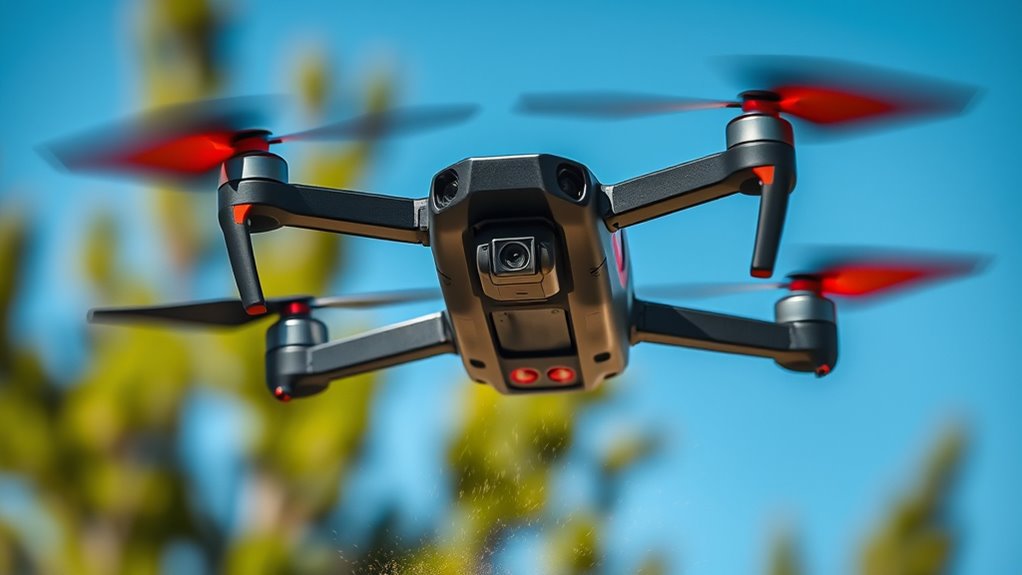
When FPV drones crash, they often flip onto their backs, leaving pilots frustrated and wondering if they can recover. This is where Turtle Mode comes into play, giving you a chance to save your drone without having to physically pick it up or reset everything. Essentially, Turtle Mode is a feature that allows your drone to flip itself upright after a crash, making recovery quicker and easier. But to make the most of it, you need to understand how it works, especially in relation to battery safety and drone firmware.
First, it’s important to realize that battery safety is paramount. When your drone crashes and flips over, the battery can sometimes get dislodged or damaged if not handled properly. Always check the battery for swelling, leaks, or other signs of damage before attempting to power the drone back on. In some cases, the crash can cause internal damage to the battery, which could pose a fire risk. So, before engaging Turtle Mode or trying to recover, make sure your battery is safe to use. Properly disconnect it if you suspect any issues, and avoid reusing batteries that show signs of damage.
Always inspect your drone’s battery for damage before attempting recovery after a crash.
Drone firmware also plays an essential role in enabling Turtle Mode. Modern flight controllers often have this feature built-in, but it’s up to you to ensure your firmware is up to date. Manufacturers regularly release firmware updates that improve safety features, including Turtle Mode, and fix bugs that might prevent it from working correctly. Before your next flight, verify that your drone’s firmware supports Turtle Mode and that it’s enabled in the settings. If it’s not activated, your drone won’t flip itself upright after a crash, defeating the purpose of having this feature.
When your drone crashes and ends up on its back, activating Turtle Mode can be straightforward if your firmware supports it. Usually, you’ll press a specific button sequence or switch a toggle on your transmitter to trigger the flip. Once activated, your drone will use its motors and sensors to flip itself upright, saving you from having to do it manually. This process not only saves time but also reduces the risk of damaging delicate components during manual recovery. Additionally, understanding the importance of proper calibration can help ensure Turtle Mode functions reliably when you need it most.

HGLRC LED MINI Controller for FPV Racing Drone Quadcopter Drone
Switch modes with one click Eliminate tedious computer parameter adjustments
As an affiliate, we earn on qualifying purchases.
As an affiliate, we earn on qualifying purchases.
Frequently Asked Questions
Can Turtle Mode Be Activated Manually During Flight?
Yes, you can manually activate turtle mode during flight for emergency control. Most FPV drone controllers have a dedicated switch or button for manual activation, allowing you to flip your drone upright if it crashes or lands upside down. It’s a useful feature that gives you quick control in tricky situations. Make sure to familiarize yourself with your drone’s manual and controller setup to activate turtle mode efficiently when needed.
Does Turtle Mode Work in All Weather Conditions?
Like a knight in shining armor, turtle mode offers some weather resilience, but it’s not waterproof. It doesn’t work in all weather conditions, especially heavy rain or snow, as moisture can damage internal components. While turtle mode helps your drone flip upright after crashes, it’s best to avoid flying in adverse weather to protect your gear. For peak performance, always check your drone’s waterproof functionality before flying in wet conditions.
How Long Does It Take for a Drone to Flip Upright?
The drone recovery process in turtle mode usually takes just a few seconds, with flip timing typically around 2-5 seconds. When you activate turtle mode, your drone detects its upside-down position and quickly initiates the flip to upright. Factors like drone model, battery health, and environmental conditions can slightly influence flip timing. Overall, you should expect a swift and efficient recovery within seconds of crashing.
Is Turtle Mode Available on All FPV Drone Models?
Not all FPV drones have Turtle Mode; it’s often an advanced feature available on specific models. You should check your drone’s specifications and firmware updates to see if Turtle Mode is supported. While it simplifies drone maintenance by preventing damage, some entry-level models lack this feature. Upgrading your firmware can activate Turtle Mode, but always verify compatibility to ensure your drone can flip itself upright after crashes.
What Are Common Issues When Turtle Mode Fails?
When turtle mode fails, you might face issues like the drone not flipping back upright, risking damage. To prevent this, guarantee your battery safety by using the correct batteries and avoiding over-discharge. Regular firmware updates are vital, as they fix bugs and improve turtle mode reliability. If problems persist, check for loose connections or damage, and always update firmware to keep your drone functioning smoothly and safely.

GPS Drone with Camera, 2K HD Drones for Adults, Foldable FPV Drone with GPS Auto Return, Follow Me, Circle Fly, Waypoint Fly, 5G Transmission, Gestures Selfie, Brushless Motor, 2 Batteries, Black
【2K HD Camera & 5G Real-Time Transmission】 Capture crisp 2K high-resolution photos and videos with smooth 5G Wi-Fi…
As an affiliate, we earn on qualifying purchases.
As an affiliate, we earn on qualifying purchases.
Conclusion
Next time your FPV drone flips over, remember Turtle Mode has your back. With most models able to flip upright within seconds, you’ll save time and avoid damaging your gear. Did you know that over 60% of drone crashes result in the drone ending upside down? Thanks to Turtle Mode, you can quickly recover and get back to flying, making crashes less stressful and more manageable. So, trust this feature—it’s your drone’s best friend after a tumble.

YoungRC RC Quick Release Wrench Tool M3 M5 Wrench Multifunctional Quick Release Propeller Motor Wrench Tool 1.5mm/2mm Screwdriver with Built in Bearing Tool for RC Drone FPV Racing
Multifunction: Our M5 M3 quick release wrench tool is designed for fpv propeller tighten or releasing M3 M5…
As an affiliate, we earn on qualifying purchases.
As an affiliate, we earn on qualifying purchases.
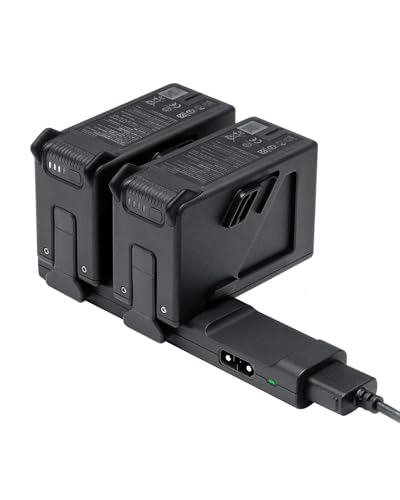
FPV Battery Fly More Kit for DJI FPV Drone Accessories, FPV Drone Battery Combo, Prolonged Flight Time and Fast Charging, Includes 2 Pcs DJI FPV Intelligent Flight Batteries and Charging Hub
【Fly More Time】Designed for those looking to extend their flight time, giving you more time in the air…
As an affiliate, we earn on qualifying purchases.
As an affiliate, we earn on qualifying purchases.