
To upgrade your drone workflow without adding complexity, focus on automation and essential tools. Invest in high-capacity batteries and organize spares for longer flights. Use user-friendly software that seamlessly connects with your hardware, automates tasks, and uploads data to the cloud for quick review. Streamline your procedures and regularly evaluate processes to optimize efficiency. If you want to discover more simple strategies to boost your drone operations, keep exploring effective tips and routines.
Key Takeaways
- Implement automation tools for routine tasks like flight planning and data uploads to streamline processes.
- Use integrated software that connects seamlessly with your drone hardware to reduce manual setup.
- Optimize battery management with clear labeling, scheduled charging, and regular health monitoring to maintain efficiency.
- Regularly review and adjust workflows to eliminate redundancies without adding complexity.
- Prioritize reliable, user-friendly equipment and software to enhance performance without unnecessary features.

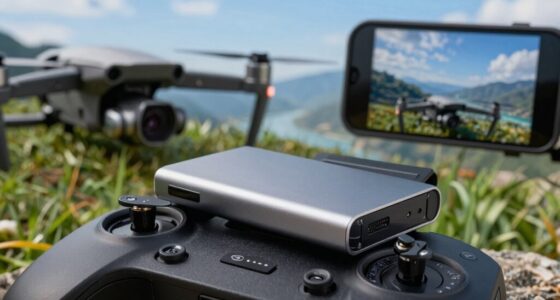
Upgrading your drone workflow can substantially boost efficiency and improve the quality of your aerial data collection. One of the simplest ways to do this is by focusing on battery management. Instead of constantly scrambling for spare batteries mid-flight, invest in high-capacity batteries and set up a systematic charging schedule. Keep spare batteries charged and ready to go, and consider organizing them with clear labels to prevent confusion. Also, monitor battery health regularly through your drone’s software to identify any signs of deterioration early. This proactive approach minimizes flight interruptions and guarantees your drone is always operating at peak power levels, saving you time and reducing the risk of in-flight failures. Incorporating battery health monitoring into your routine can further ensure optimal performance and longevity of your batteries.
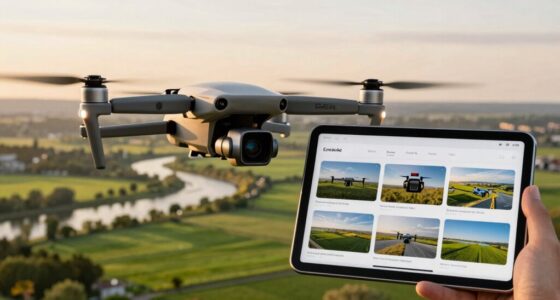
Alongside battery management, software integration plays a vital role in streamlining your workflow. Instead of juggling multiple standalone apps, look for software solutions that seamlessly connect with your drone hardware. These integrations can automate many tasks, such as flight planning, data collection, and post-flight processing. Using integrated software reduces manual input, cuts down on errors, and accelerates your overall process. For example, many drone platforms now sync with cloud-based storage, automatically uploading images and videos once a flight ends. This means you can review data quickly and start processing immediately, rather than wasting time transferring files manually. Additionally, utilizing cloud solutions can enhance data security and enable easier collaboration with teams, especially when working remotely. Implementing automated workflows can further streamline repetitive tasks and improve overall efficiency.
Integrated software automates tasks, reduces errors, and enables instant data review with cloud sync, streamlining your drone workflow.
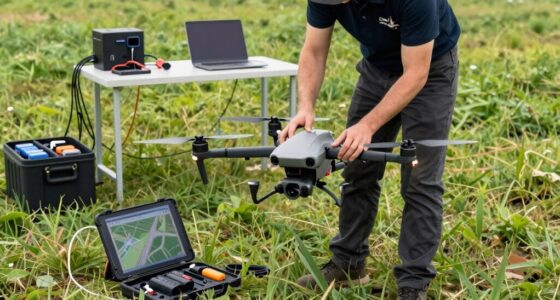
To upgrade without adding complexity, stick to user-friendly, well-designed tools that fit your needs. You don’t need the most advanced features if they’ll only complicate your work. Instead, choose software that offers automation and easy data management, making your workflow smoother without requiring extensive training or troubleshooting. Similarly, keep your hardware setup straightforward. Use a reliable drone that matches your typical operational requirements, and avoid overcomplicating your kit with unnecessary accessories. Focus on quality, efficiency, and compatibility to guarantee everything works together seamlessly.
Finally, regularly review your processes to identify bottlenecks or redundancies. Small adjustments, like optimizing flight paths or scheduling battery swaps more efficiently, can make a big difference. Incorporating proper battery management into your workflow is essential for maintaining consistent operations. The goal is to create a workflow that’s efficient and reliable, not one that’s bogged down by unnecessary steps or complex tech. By paying attention to battery management and investing in smart software integration, you can elevate your drone operations without complicating your routine. This approach guarantees you get the most out of your equipment and data, all while maintaining simplicity and ease of use.

Antigravity A1 High-Capacity Flight Battery, 39-Mins Flight Time
- Compatible with ANTIGRAVITY A1 Drones: Designed for ANTIGRAVITY A1 Drones
- Extended Flight Time: Provides up to 39 Minutes of Flight
As an affiliate, we earn on qualifying purchases.
As an affiliate, we earn on qualifying purchases.
Frequently Asked Questions
What Are the Best Affordable Upgrades for Beginner Drones?
For beginner drones, affordable upgrades include replacing batteries with ones offering longer lifespan, so you get more flight time. You can also upgrade propellers to more durable, high-quality ones that withstand crashes better and last longer. These simple improvements boost your drone’s performance without complicating your workflow, making flying more enjoyable and reliable. Keep an eye on compatibility and stick to budget-friendly options to maximize your investment.
How Can I Ensure Compatibility With New Drone Accessories?
To guarantee compatibility with new drone accessories, start by checking battery compatibility, making sure your drone’s battery type matches the accessory’s requirements. Keep firmware updates current, as they often improve accessory compatibility and functionality. Always consult your drone’s manual or manufacturer’s website for specific compatibility details before purchasing. Doing this helps you avoid issues and ensures your upgrades work seamlessly without adding complexity to your workflow.
What Safety Precautions Should I Take During Upgrades?
You should prioritize battery safety by disconnecting the drone from power sources before starting upgrades. Always follow manufacturer instructions during firmware updates to prevent malfunctions. Wear safety gear, work in a clear area, and handle components carefully to avoid damage or injury. Double-check all connections, and test the drone in a safe environment after upgrades to guarantee everything functions correctly and safely.
Do Upgrades Affect Drone Warranty or Insurance Coverage?
Upgrades can impact your drone’s warranty implications and insurance coverage. While some modifications might void your warranty, minor upgrades often don’t, especially if done correctly. Always check your manufacturer’s policies before making changes. Keep in mind, insurance coverage could also be affected, especially if the upgrade alters the drone’s safety features or performance. To avoid issues, document your upgrades and consult your insurer for guidance.
How Can I Test My Drone After Upgrading for Optimal Performance?
To test your drone after upgrading, start by performing firmware updates to guarantee all software is current. Then, follow calibration procedures for sensors, compass, and IMU to optimize performance. Fly your drone in a controlled environment to assess stability, responsiveness, and camera functions if applicable. Check for smooth handling and accurate GPS signals. Regular testing like this guarantees your drone operates at peak performance post-upgrade without adding complexity to your workflow.

GoolRC 10pcs EV-Peak GA102 Battery Capacity Indicator Charge Marker Record Sticker for Rechargeable Battery
- High-quality, easy to use: Durable and user-friendly design
- Sliding color indicator: Slides to green when charged, red when discharged
- Includes recording sticker: Track battery usage with included sticker
As an affiliate, we earn on qualifying purchases.
As an affiliate, we earn on qualifying purchases.
Conclusion
Upgrading your drone workflow doesn’t mean sacrificing simplicity. By thoughtfully integrating new tools and automation, you can boost efficiency without added complexity. Remember, studies show that 68% of drone operators who streamline their processes see a 30% increase in productivity. Focus on incremental improvements and keep your system intuitive. With the right balance, you’ll enhance your drone operations while maintaining a smooth, manageable workflow that lets you work smarter, not harder.

ASA Flight Planner Pad
- Weight: 0.75 lbs
- Dimensions: 8.25" x 10.75"
- Page Count: 48 pages
As an affiliate, we earn on qualifying purchases.
As an affiliate, we earn on qualifying purchases.
As an affiliate, we earn on qualifying purchases.