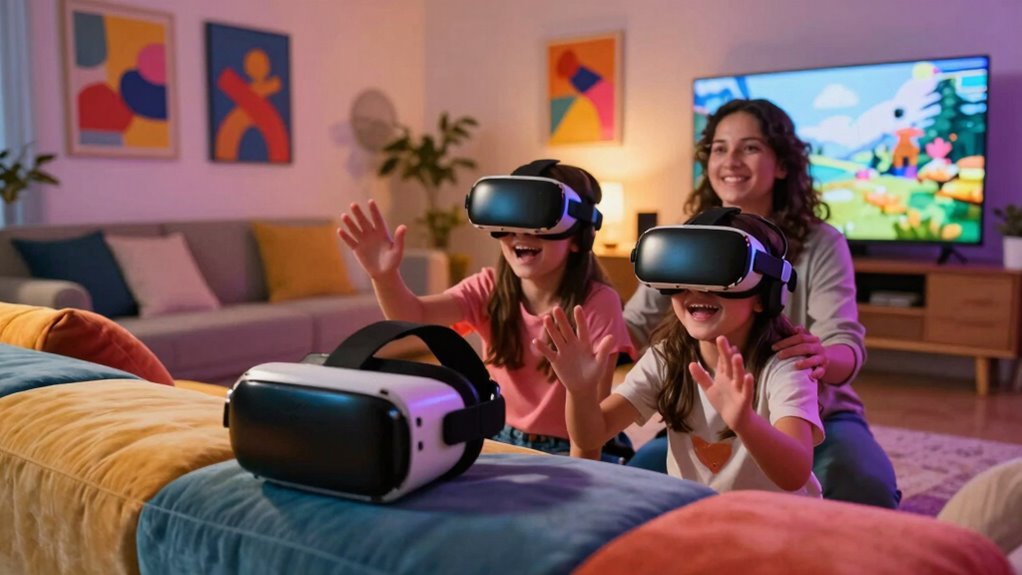

Choosing the right VR headset for families in 2027 means balancing immersive standalone performance with budget-friendly accessibility. My top recommendation is the Meta Quest 3 512GB, which offers the best blend of mixed-reality features, comfort, and a robust library of family-appropriate games. For households testing the waters without a high upfront cost, the DESTEK V5 smartphone-based headset provides a low-risk entry point, though it lacks the processing power of standalone devices. The main tradeoff families face is between standalone convenience (no PC or phone needed) and cost efficiency (using existing smartphones). Continue reading to see how these options stack up against each other in comfort, ease of use, and long-term value.

Get the latest gadgets delivered free with Prime
- Fast, free delivery on millions of items
- Prime Video, Amazon Music and more included
- Member-only deals all year
Complete the kit



Key Takeaways
- Standalone headsets like the Meta Quest series offer a seamless experience for children by eliminating the need for tethered cables or complex smartphone setups, reducing trip hazards and setup time.
- Smartphone-based VR headsets, such as the DESTEK V5, are significantly cheaper but rely on phone processing power, resulting in lower frame rates and potential motion sickness for younger users.
- Storage capacity is a critical differentiator in the Meta Quest lineup; the 512GB model is recommended for families because VR games often exceed 10GB, filling smaller drives quickly.
- Adjustability and comfort features are more important than raw resolution for family use, as headsets must fit a wide range of head sizes from children to adults without causing pressure points.
- Content availability varies drastically between ecosystems; standalone VR offers curated, family-safe stores, while smartphone VR often relies on uncurated app stores with variable quality and safety.
| Meta Quest 2 — Advanced All-In-One Virtual Reality Headset — 256 GB |  | Best Overall for Shared Family Use | Storage: 256 GB | Display resolution: 1832 x 1920 | Display type: LCD | VIEW ON AMAZON | See Our Full Breakdown |
| DESTEK V5 VR Headset with 50000+ VR Movies – Fits All Smartphone Sizes |  | Best for Phone-Based Family Viewing | Phone compatibility: Smartphones with 5.5- to 7.2-inch screens | Field of view: 110 degrees | Connectivity: Bluetooth | VIEW ON AMAZON | See Our Full Breakdown |
| 3D VR Headset, Virtual Reality Glasses with Controller, Compatible with 5.0-7.0 inch Smartphones (Black) |  | Best Adjustable-Focus Phone Viewer | Phone compatibility: 5.0- to 7.0-inch smartphones | Field of view: 120 degrees | Focal distance: Adjustable | VIEW ON AMAZON | See Our Full Breakdown |
| Oculus Quest 2 VR Headset 128GB Holiday Set |  | Best Family Starter Bundle | Storage: 128 GB | Display resolution: 1832 x 1920 pixels per eye | Display type: LCD | VIEW ON AMAZON | See Our Full Breakdown |
| Meta Quest 2 — Advanced All-In-One Virtual Reality Headset — 128 GB |  | Best Standalone Pick for Smaller Libraries | Storage: 128 GB | Display resolution: 1832 x 1920 | Display type: LCD | VIEW ON AMAZON | See Our Full Breakdown |
| VR Headset for Phone, 3D Family Anti-Blue Eyes Protected HD Lenses, 120° FOV Virtual Reality Headsets VR Goggles for iPhone 17/16/15/14/13/12/11, Samsung, Android (Black) |  | Best for Glasses Wearers | Weight: 13 oz | Field of view: 120° | Compatible devices: Android smartphones and iPhone | VIEW ON AMAZON | See Our Full Breakdown |
| Meta Quest 3 512GB VR Headset with Gorilla Tag Bundle and 3-Month Meta Horizon+ Trial |  | Best Overall for Families Ready for Standalone VR | Storage capacity: 512GB | Maximum display resolution: 4128 × 2208 pixels | Display type: LCD | VIEW ON AMAZON | See Our Full Breakdown |
| 3D VR Headset for Kids with Android Remote for iPhone & Android Phones |  | Best for First-Time Young Users | Compatibility: iPhone and Android smartphones | Included content: VR apps, videos, and tutorial | Included accessory: Remote | VIEW ON AMAZON | See Our Full Breakdown |
| VR Headset for Phone with Controller, Virtual Reality Goggles for Kids & Adults, 120° FOV, Anti-Blue Light HD Lenses, Compatible with iPhone 17/16/15/14/13/12/11, Samsung, Android |  | Best Phone Headset for Shared Family Use | Field of view: 120° | Lens technology: Aspheric VR | Compatible devices: Smartphones | VIEW ON AMAZON | See Our Full Breakdown |
| 3D VR Headset for Kids + Android Remote for iPhone & Android Phones |  | Best Simple Gift Pick | Compatibility: iPhone and Android smartphones | Platform: Android and iOS | Included content: VR apps and videos | VIEW ON AMAZON | See Our Full Breakdown |
| Oculus Quest All-in-one VR Gaming Headset – 64GB |  | Best Legacy Standalone Experience | Storage Capacity: 64 GB | Display: OLED, 5.7 inches, 1440 x 1600 resolution | Refresh Rate: 90 Hz | VIEW ON AMAZON | See Our Full Breakdown |
| DESTEK V5 VR Headset with 50000+ VR Movies |  | Best Budget Smartphone Viewer | Compatibility: Smartphones 5.5″ to 7.2″ | Field of View: 110 degrees | Weight: 4.8 ounces | VIEW ON AMAZON | See Our Full Breakdown |
| vr headsets for familie | Field of view | Connectivity |
|---|---|---|
| Meta Quest 2 | — | Wi-Fi |
| DESTEK V5 VR Headset with 5000 | 110 degrees | Bluetooth |
| 3D VR Headset | 120 degrees | — |
| Oculus Quest 2 VR Headset 128G | 110 degrees | — |
| Meta Quest 2 | — | Wi-Fi |
| VR Headset for Phone | 120° | — |
| Meta Quest 3 512GB VR Headset | — | Bluetooth and USB Type-C |
| 3D VR Headset for Kids with An | — | — |
| VR Headset for Phone with Cont | 120° | — |
| 3D VR Headset for Kids + Andro | — | — |
| Oculus Quest All-in-one VR Gam | 110 degrees | Bluetooth, USB Type A |
| DESTEK V5 VR Headset with 5000 | 110 degrees | Bluetooth |
More Details on Our Top Picks
Meta Quest 2 — Advanced All-In-One Virtual Reality Headset — 256 GB
For families ready to share a standalone VR library, the 256 GB Meta Quest 2 is the most flexible pick in this group. It runs without a PC or console, so setup is simpler than a tethered system, while its hand tracking and Touch-style controls give different family members more ways to interact. Compared with the 128 GB Meta Quest 2, the extra storage leaves more room for games and apps before anyone has to choose what to remove. Its 1832 x 1920-per-eye display and positional audio support immersive play and video, but this remains a one-person-at-a-time headset, not a shared-screen family activity. Sessions also need charging breaks, and the fit may not suit everyone for long stretches. The stated age range is 13+, so it is not a headset for younger children.
Pros:- Operates without a PC or console, simplifying setup and placement at home.
- 256 GB storage gives a shared library more room than either 128 GB Quest 2 option.
- Supports hand tracking alongside controllers for varied ways to interact.
- High-resolution display and 3D positional audio suit games and immersive video.
Cons:- Designed for ages 13 and up, limiting its suitability for younger children.
- Battery life can interrupt longer play sessions.
- Headset comfort may vary, especially during extended wear.
Best for: Families with teens who want one standalone headset for a broad mix of games, fitness, and entertainment, with room for a larger installed library.
Not ideal for: Families shopping mainly for children under 13, or households that want several people to participate in VR at the same time.
- Storage:256 GB
- Display resolution:1832 x 1920
- Display type:LCD
- Refresh rate:90 Hz
- Connectivity:Wi-Fi
- Platform:Meta Quest
- Age range:13+
Our verdict“Choose the 256 GB Quest 2 if your family has teens and wants the most storage and standalone flexibility among these picks.”
DESTEK V5 VR Headset with 50000+ VR Movies – Fits All Smartphone Sizes
The DESTEK V5 is a phone viewer rather than a standalone gaming system, which makes it a different kind of family pick from the Meta Quest 2. It uses a compatible smartphone as its screen and source, so families can try VR-style videos without adding a console or dedicated headset platform. The listing cites a 110-degree field of view, touch buttons, and a controller, but controller features differ by phone: iOS use is limited to YouTube controls, while Android supports more gamepad functions. That distinction matters if several family members use different phones. Its curated app list and movie focus may suit supervised viewing and simple exploration, yet the phone must fit the headset and supply the content. Unlike the Quest 2, it does not provide the same self-contained library or tracking setup; comfort and image quality also depend partly on the phone.
Pros:- Uses a compatible smartphone rather than requiring a separate PC or console.
- Includes touch buttons and a controller for basic interaction.
- Lists a 110-degree field of view and support for wearing glasses.
- Provides a curated set of apps alongside phone-based movie viewing.
Cons:- Requires a compatible smartphone, and the phone affects the viewing experience.
- Controller functionality is limited on iOS compared with Android.
- Does not offer the standalone operation or dedicated VR platform of the Meta Quest 2.
Best for: Families with compatible 5.5- to 7.2-inch smartphones who want to sample VR videos and basic phone-based experiences together.
Not ideal for: Buyers seeking standalone games, consistent controller features across iPhone and Android, or a headset that works without supplying a smartphone.
- Phone compatibility:Smartphones with 5.5- to 7.2-inch screens
- Field of view:110 degrees
- Connectivity:Bluetooth
- Interaction:Touch buttons and included controller
- Lens features:Anti-blue-light lenses
- Glasses support:Supported
- Dimensions:7.1 x 3.3 x 4.1 inches
Our verdict“Pick the DESTEK V5 for phone-based VR viewing and simple exploration, not as a substitute for a standalone family gaming headset.”
3D VR Headset, Virtual Reality Glasses with Controller, Compatible with 5.0-7.0 inch Smartphones (Black)
This smartphone headset earns a place for families who want adjustable focus and pupil distance rather than a dedicated VR platform. It accepts phones from 5.0 to 7.0 inches, making it more accommodating across a range of devices than the DESTEK V5, whose listed range starts at 5.5 inches. That wider lower limit may help a household reuse a smaller phone, though the phone still supplies the content and the actual image experience. The 120-degree field of view and included remote offer a more immersive view and simpler basic control than a bare phone viewer. In contrast to either Meta Quest 2 model, it has no built-in library or standalone tracking, and phone alignment is necessary for a clear image. At 430 g, fit can also become a factor during longer viewing sessions.
Pros:- Fits a stated 5.0- to 7.0-inch phone range, including smaller phones than the DESTEK V5 lists.
- Adjustable focus and pupil distance allow users to tune the view.
- Includes a remote controller for basic interaction.
- 120-degree field of view supports an immersive phone-viewer experience.
Cons:- Requires a compatible smartphone and careful alignment for a clear image.
- At 430 g, it may be uncomfortable for some viewers over longer sessions.
- Does not provide the standalone content and tracking available on the Meta Quest 2.
Best for: Families who already own 5.0- to 7.0-inch smartphones and want adjustable viewing settings for occasional movies or basic VR apps.
Not ideal for: Households seeking a self-contained headset, robust shared game library, or a fit-and-forget experience that does not require phone alignment.
- Phone compatibility:5.0- to 7.0-inch smartphones
- Field of view:120 degrees
- Focal distance:Adjustable
- Pupil distance:Adjustable
- Weight:430 g
- Material:ABS and PC
- Dimensions:22.5 x 12.5 x 12 cm
Our verdict“Choose this phone viewer if adjustable optics and compatibility with smaller smartphones matter more than standalone VR features.”
Oculus Quest 2 VR Headset 128GB Holiday Set
This Oculus Quest 2 Holiday Set is the most ready-to-share package here: it includes the headset, two Touch controllers, a silicone cover, glasses spacer, charging cable, and power adapter. Those extras address practical family needs, especially when different people take turns or a glasses wearer wants more clearance. Its 128 GB storage is half the capacity of the 256 GB Meta Quest 2, so families building a large installed library may need to manage downloads more often. Like the other Quest 2 models, it works without a PC or console and offers a dedicated VR platform, making it a more complete gaming option than the phone-based DESTEK V5. The tradeoffs are the same broad ones: it is a single-user headset at any moment, battery life limits long sessions, and the product information notes a Facebook account requirement for setup.
Pros:- Includes two Touch controllers, silicone cover, glasses spacer, and charging accessories.
- Standalone operation avoids the need for a PC or console.
- 1832 x 1920-per-eye LCD display supports detailed VR visuals.
- Offers a dedicated VR content platform, unlike the phone-dependent viewers.
Cons:- 128 GB storage offers less room than the 256 GB Meta Quest 2.
- Setup requires a Facebook account according to the product information.
- Battery life and long-wear comfort may limit extended family sessions.
Best for: Families buying their first standalone headset who value included fit and hygiene accessories and expect to install a moderate number of apps.
Not ideal for: Families who want maximum storage for a large game library, avoid account-based setup, or need a headset suitable for several simultaneous users.
- Storage:128 GB
- Display resolution:1832 x 1920 pixels per eye
- Display type:LCD
- Refresh rate:90 Hz
- Field of view:110 degrees
- Included accessories:Two Touch controllers, silicone cover, glasses spacer, charging cable, power adapter
- Tracking sensors:Accelerometer, gyroscope, magnetometer, inside-out tracking cameras
Our verdict“Choose the Holiday Set if included accessories make family sharing easier and 128 GB is enough for your household’s library.”
Meta Quest 2 — Advanced All-In-One Virtual Reality Headset — 128 GB
The 128 GB Meta Quest 2 offers the same basic standalone appeal as its 256 GB sibling: no PC or console is needed, and the headset supports gaming, fitness, social, and entertainment content. For a family that plans to keep only a few apps installed at once, that can be enough without the extra storage of the 256 GB Meta Quest 2. It also has a 1832 x 1920 LCD display and Wi-Fi connectivity, putting it in a different league from smartphone viewers such as the DESTEK V5 for dedicated VR use. The compromise is less room for a growing shared library, which can mean removing and reinstalling apps as tastes change. This is still a single headset that users take turns wearing, and Wi-Fi-dependent features, charging breaks, and long-session comfort deserve consideration.
Pros:- Standalone design works without a PC or console.
- High-resolution LCD display supports immersive games and video.
- Supports a variety of gaming, fitness, social, and entertainment experiences.
- More suitable for dedicated VR play than smartphone-dependent viewers like the DESTEK V5.
Cons:- 128 GB storage may require managing or removing installed apps.
- Many features rely on a compatible Wi-Fi connection.
- Battery life and headset comfort may limit long sessions.
Best for: Families with teens who want a standalone headset for a small, rotating selection of games and experiences rather than a large permanent library.
Not ideal for: Households expecting to keep many large apps installed at once or looking for a phone viewer for occasional video use.
- Storage:128 GB
- Display resolution:1832 x 1920
- Display type:LCD
- Refresh rate:90 Hz
- Connectivity:Wi-Fi
- Platform:Meta Quest
- Battery capacity:3640 mAh
Our verdict“Pick this 128 GB Quest 2 if your family wants standalone VR and is comfortable keeping its installed library small.”
VR Headset for Phone, 3D Family Anti-Blue Eyes Protected HD Lenses, 120° FOV Virtual Reality Headsets VR Goggles for iPhone 17/16/15/14/13/12/11, Samsung, Android (Black)
I’d put this phone headset on the shortlist for families where a parent or child needs to keep prescription glasses on: its extra space for glasses removes a common fit hurdle. At 13 ounces, it is also lighter than a standalone option such as the Meta Quest 3, though the Quest 3 offers a much broader library of dedicated VR experiences without relying on a phone. This model instead uses a compatible smartphone for its content and power, so a family can share it without charging another device, but sessions depend on the phone’s battery and available apps. The 120° field of view and adjustable lenses offer room to tune the image, while clarity depends on careful setup. It suits casual videos and simple mobile VR, not families seeking console-like gaming or a consistent picture across different phones.
Pros:- Extra room supports use with prescription glasses.
- Lightweight 13-ounce design is easier to share for short sessions.
- Adjustable lenses allow users to tune eye distance.
- Anti-reflective and blue-light-blocking lens coatings are included.
Cons:- Relies on a compatible smartphone and its battery.
- Image clarity can require careful adjustment for each wearer.
- Phone-based VR offers a narrower experience than the standalone Meta Quest 3.
Best for: Families sharing a compatible iPhone or Android phone, especially where one or more users wear prescription glasses.
Not ideal for: Families who want standalone games, consistent performance without a phone, or a headset ready for several users with minimal lens adjustment.
- Weight:13 oz
- Field of view:120°
- Compatible devices:Android smartphones and iPhone
- Lens technology:Aspheric VR
- Lens features:Adjustable HD lenses; anti-blue-light and anti-reflective coatings
- Item dimensions:4.85″ D × 7.48″ W × 3.86″ H
Our verdict“Choose this for casual phone-based VR in a glasses-wearing family, but pick the Meta Quest 3 for standalone gaming and a broader experience.”
Meta Quest 3 512GB VR Headset with Gorilla Tag Bundle and 3-Month Meta Horizon+ Trial
For families who want VR to be more than a phone accessory, I rank the Meta Quest 3 first: it runs wirelessly, includes mixed-reality features, and has 512GB of storage for a substantial collection of games and apps. That makes it a different class of option from phone viewers such as the 3D VR Headset for Kids with Android Remote, which need a smartphone and are better suited to basic videos and introductory experiences. The included Gorilla Tag bundle and three-month Meta Horizon+ trial give a household starting content, though age suitability and shared-use rules still need parental attention. The tradeoff is that this headset costs a family a separate device to charge and manage; its stated battery life is about 2.2 hours, so long play sessions may need breaks. Families should also check fit and comfort for each user, since weight is not specified here.
Pros:- Standalone wireless operation avoids tying up a family smartphone.
- 512GB storage leaves room for a broad collection of games and experiences.
- Mixed-reality features extend use beyond conventional VR games.
- Gorilla Tag bundle and three-month Meta Horizon+ trial provide included content.
Cons:- About 2.2 hours of stated battery life can limit uninterrupted family sessions.
- Weight and comfort details are not specified, making shared fit harder to judge.
- More device setup and supervision are needed than with a basic phone viewer.
Best for: Families seeking a standalone headset for shared games, mixed-reality experiences, and a larger library without using a phone as the display.
Not ideal for: Households looking for a simple, low-maintenance viewer for occasional phone videos, or children who are not ready for supervised VR use.
- Storage capacity:512GB
- Maximum display resolution:4128 × 2208 pixels
- Display type:LCD
- Refresh rate:120Hz
- Battery life:2.2 hours
- Memory:8GB RAM
- Processor:Snapdragon XR2 Gen 2
- Connectivity:Bluetooth and USB Type-C
- Cameras:Dual RGB color cameras
Our verdict“Choose the Meta Quest 3 if your family wants standalone gaming and mixed reality; choose a phone headset if simple videos matter more than a dedicated VR library.”
3D VR Headset for Kids with Android Remote for iPhone & Android Phones
I’d consider this model for a child’s first, supervised introduction to phone-based VR: it includes apps, videos, and a tutorial, which can make setup less intimidating than a bare headset. The larger lenses and face padding also give it a more kid-oriented pitch than the VR Headset for Phone with Controller, whose advertised strength is lens adjustment for a wider mix of users. This headset still depends on an iPhone or Android phone, so the viewing experience and compatibility rest on the family’s device and the content available for it. Product details offer little guidance on durability or fit adjustment, a gap that matters when a headset may pass between children. I’d treat it as an entry-level gift for short, guided sessions rather than a lasting substitute for a standalone system such as the Meta Quest 3.
Pros:- Includes VR apps, videos, and a beginner tutorial.
- Compatible with iPhone and Android smartphones.
- Larger lenses and face padding are aimed at comfortable introductory use.
Cons:- Requires a smartphone, so it cannot provide standalone VR.
- Durability and fit-adjustment details are limited.
- Less suitable for advanced gaming than the Meta Quest 3.
Best for: Parents introducing a child to short, supervised VR sessions who want a phone-compatible headset with included starter content and a tutorial.
Not ideal for: Families needing known durability, adjustable fit details, or a standalone headset that does not rely on a child’s phone.
- Compatibility:iPhone and Android smartphones
- Included content:VR apps, videos, and tutorial
- Included accessory:Remote
- Age range:All ages
- Color:Champagne
- Fit features:Larger lenses and face padding
- Returns and guarantee:Amazon.com Return Policy; 30-day guarantee
Our verdict“Pick this as a simple phone-based starter for a child, but choose the Meta Quest 3 for a family seeking deeper standalone VR.”
VR Headset for Phone with Controller, Virtual Reality Goggles for Kids & Adults, 120° FOV, Anti-Blue Light HD Lenses, Compatible with iPhone 17/16/15/14/13/12/11, Samsung, Android
Among the phone viewers in this group, I’d favor this one for a household that expects several people to take turns: it lists both focus adjustment and pupil-distance adjustment, giving users more ways to tune the view than the simpler 3D VR Headset for Kids + Android Remote. Its wireless remote can also make basic navigation easier without reaching for a phone inside the headset. The broad 120° field of view and 13-ounce weight support casual viewing, but they do not change the main limitation: this is still mobile VR, with experiences and performance tied to a compatible smartphone. The listing does not specify a warranty or further accessories, so I would not choose it for a family that values clear support details or a complete standalone gaming setup like the Meta Quest 3.
Pros:- Focus and pupil-distance adjustments help accommodate different users.
- Wireless remote offers convenient basic control.
- 120° field of view is specified for an immersive phone-viewing experience.
- 13-ounce weight supports easier sharing and short sessions.
Cons:- Requires a compatible smartphone for both content and operation.
- Limited to mobile VR experiences compared with the Meta Quest 3.
- Warranty and included accessories are not specified.
Best for: Families with a compatible smartphone who want one phone viewer to share among adults and children with different eye-spacing and focus needs.
Not ideal for: Buyers who want standalone VR, a specified warranty, or a richer family game library than smartphone VR can provide.
- Field of view:120°
- Lens technology:Aspheric VR
- Compatible devices:Smartphones
- Operating systems:Android and iOS
- Weight:13 oz
- Lens features:HD anti-blue-light lenses
- Adjustments:Focus and pupil distance
- Other features:Adjustable head strap; wireless remote
Our verdict“Choose this phone headset when adjustable viewing and a remote matter for shared use, but move to the Meta Quest 3 for standalone family gaming.”
3D VR Headset for Kids + Android Remote for iPhone & Android Phones
This baby-blue phone headset is the most straightforward gift-style pick in this batch: it includes a remote, VR apps, and videos, with face padding and a built-in button for basic use. Compared with the 3D VR Headset for Kids with Android Remote, it makes a similar beginner-focused promise but offers less detail about a tutorial and fit adjustments. That leaves parents with fewer clues about how easily it will suit different head sizes or remain comfortable as children take turns. Like the other phone viewers here, it needs a compatible smartphone, so it is best for short entertainment sessions rather than a standalone play setup. I’d choose it when an accessible gift and included starter content matter more than verified durability or precise fit controls; families wanting a fuller gaming system should look at the Meta Quest 3 instead.
Pros:- Works with iPhone and Android smartphones.
- Includes VR apps, videos, and a remote control.
- Face padding and a built-in button support basic, beginner-friendly use.
- Baby-blue color gives it a kid-focused gift presentation.
Cons:- Requires a smartphone, limiting use to compatible mobile content.
- Fit adjustment and size options are not specified.
- Durability details are limited compared with what families may want for frequent sharing.
Best for: Gift buyers seeking a basic phone-powered VR introduction for a child, with a remote and starter apps included.
Not ideal for: Families who need documented durability, adjustable sizing for multiple children, or standalone VR without a smartphone.
- Compatibility:iPhone and Android smartphones
- Platform:Android and iOS
- Included content:VR apps and videos
- Controller:Remote control
- Color:Baby Blue
- Fit features:Face padding
- Controls:Built-in button
Our verdict“Choose this as a simple phone-based gift for a child, but favor the Meta Quest 3 if your family wants standalone games and more room to grow.”
Oculus Quest All-in-one VR Gaming Headset – 64GB
The Oculus Quest (1st Gen) remains a viable entry point for families seeking standalone wireless VR without external sensors. Unlike the DESTEK V5, which relies on a smartphone, this unit has its own processor and display, offering a self-contained gaming ecosystem. The inside-out tracking allows kids to move freely in the living room, creating a sense of presence that phone-based viewers cannot match. However, the 4.6-pound weight can cause neck strain during longer sessions, making it less comfortable for younger children than lighter alternatives. Compared to the Meta Quest 2, the resolution is lower, and the 64GB storage fills up quickly with high-quality games. It is a solid choice for those finding good deals on refurbished units, but the Facebook account requirement adds a layer of complexity for child accounts.
Pros:- Fully standalone operation with no PC or external sensors required
- Precise Oculus Touch controllers for immersive interaction
- High-resolution OLED display with smooth 90Hz refresh rate
- Supports both standing and seated gameplay in various environments
Cons:- Requires a Facebook/Meta account login for setup
- Relatively heavy at 4.6 pounds for extended wear
- Limited 64GB storage capacity fills up quickly with games
Best for: Families looking for a dedicated, wireless VR system with a mature game library who can tolerate older hardware specifications.
Not ideal for: Parents seeking the lightest possible headset for young children or those who want to avoid managing a Meta/Facebook account.
- Storage Capacity:64 GB
- Display:OLED, 5.7 inches, 1440 x 1600 resolution
- Refresh Rate:90 Hz
- Field of View:110 degrees
- Weight:4.6 pounds
- Connectivity:Bluetooth, USB Type A
- Platform Compatibility:Standalone, PC
- Sensor Technology:Inside-out tracking
Our verdict“This headset is best for families who want a true standalone VR experience with precise motion controls, provided they don’t mind the heavier weight and account requirements.”
DESTEK V5 VR Headset with 50000+ VR Movies
The DESTEK V5 serves as a passive viewing experience rather than an interactive gaming rig. Unlike the Oculus Quest, which processes graphics internally, the V5 turns your existing smartphone into the display, making it feather-light at just 4.8 ounces. This extreme lightness makes it ideal for younger children who cannot handle heavier headsets. The inclusion of 50,000+ VR movies and anti-blue light lenses addresses parental concerns about screen time and eye strain. However, the experience is limited by the phone’s capabilities; without high-end Android devices, the image clarity suffers. It lacks the positional tracking found in the Meta Quest 3, meaning you cannot walk around or interact with virtual objects using body motion. It is a media consumption tool, not a true VR gaming platform.
Pros:- Ultra-lightweight design at 4.8 ounces reduces neck strain
- Includes over 50,000 free VR movies and 128 VR apps
- Anti-blue light lenses designed to protect young eyes
- Fits a wide range of smartphone sizes from 5.5 to 7.2 inches
Cons:- Full interactive features require an Android phone; iOS is limited
- Lacks positional tracking for true immersive movement
- Image quality depends entirely on the user’s smartphone screen
Best for: Families wanting a low-cost introduction to VR media and movies for young children who need an ultra-lightweight device.
Not ideal for: Gamers seeking interactive VR experiences or users with older iPhones, as full interactive functions are limited to Android devices.
- Compatibility:Smartphones 5.5″ to 7.2″
- Field of View:110 degrees
- Weight:4.8 ounces
- Connectivity:Bluetooth
- Display Type:LCD (via Smartphone)
- Included Media:50,000+ VR Movies
- Lens Technology:Anti-blue HD lenses
- Controller Type:Bluetooth Gamepad
Our verdict“Choose this if you want a lightweight, affordable way to watch VR movies with kids, but skip it if you want interactive gaming.”

How We Picked
I evaluated these twelve VR headsets based on four core criteria relevant to family households: ease of setup, comfort across age groups, content safety, and hardware longevity. Standalone devices were prioritized over tethered or smartphone-based options because they reduce cable clutter and safety risks in shared living spaces. I also assessed the physical build quality, specifically looking for durable materials that can withstand frequent handling by younger users.
The ranking logic favors devices that offer a plug-and-play experience. Products requiring external sensors, PC connections, or complex smartphone pairing were ranked lower due to the friction they introduce for casual family use. Within the standalone category, models with better display resolution and mixed-reality passthrough were preferred for their ability to keep users aware of their physical surroundings, a key safety feature for homes with pets or small children.
| vr headsets for familie | Connectivity |
|---|---|
| Meta Quest 2 | Wi-Fi |
| DESTEK V5 VR Headset with 5000 | Bluetooth |
| 3D VR Headset | — |
| Oculus Quest 2 VR Headset 128G | — |
| Meta Quest 2 | Wi-Fi |
| VR Headset for Phone | — |
| Meta Quest 3 512GB VR Headset | Bluetooth and USB Type-C |
| 3D VR Headset for Kids with An | — |
| VR Headset for Phone with Cont | — |
| 3D VR Headset for Kids + Andro | — |
| Oculus Quest All-in-one VR Gam | Bluetooth, USB Type A |
| DESTEK V5 VR Headset with 5000 | Bluetooth |
Factors to Consider When Choosing Vr Headsets For Families
Selecting a VR headset for a household is distinct from buying one for a single enthusiast. Families need devices that are durable, easy to sanitize, and safe for younger heads. This guide breaks down the specific factors that matter most when multiple users share one device.Standalone vs. Smartphone-Based Systems
The first decision is whether to buy a self-contained unit or one that uses your phone. Standalone headsets like the Meta Quest series have their own processors and batteries, meaning you put them on and play immediately. This is ideal for families because there are no cables to trip over and no need to worry about your phone battery draining or overheating. In contrast, smartphone-based headsets are much cheaper but require you to insert your phone into the device. This can lead to inconsistent performance depending on which family member’s phone is used, and it exposes your expensive smartphone to sweat and potential drops. For a dedicated family entertainment center, standalone is almost always the better choice for safety and convenience.
Comfort and Fit for Mixed Age Groups
A single headset must fit a seven-year-old and a seven-foot-tall adult. Look for models with adjustable head straps and facial interfaces that can be swapped or washed. The Meta Quest 3, for example, offers a more balanced weight distribution than older models, reducing neck strain during longer sessions. Cheaper plastic headsets often lack these adjustments, leading to discomfort that cuts playtime short. If you plan for extended gaming sessions, consider investing in third-party comfort accessories like halo straps or counterweights, which are often sold separately but significantly improve the experience for children with smaller heads.
Content Safety and Parental Controls
Not all VR content is appropriate for kids. Standalone platforms like Meta Horizon provide family-friendly app stores with clear age ratings and robust parental control dashboards, allowing you to restrict purchases and monitor playtime. Smartphone VR often relies on generic app stores where filtering is less effective and ads are prevalent. When choosing a headset, check if the manufacturer offers a parental lock feature that prevents children from accessing inappropriate content or changing system settings without a PIN. This digital safety net is as important as the physical safety of the device itself.
Storage Needs for Shared Libraries
Families often download multiple games and experiences, which can quickly fill up storage. VR games are large, often ranging from 5GB to 20GB each. A 128GB model might seem sufficient initially, but with system files and updates, you may find yourself constantly deleting old games to make room for new ones. The 512GB options provide breathing room for a shared library where different family members want to keep their favorite titles installed simultaneously. If you choose a lower-capacity model, be prepared to manage digital clutter regularly or consider cloud streaming options if available in your region.
Durability and Hygiene Maintenance
Shared devices require rigorous cleaning. Look for headsets with removable and washable facial interfaces. Plastic lenses can scratch easily if cleaned incorrectly, so soft microfiber cloths are essential. Some budget headsets use foam padding that absorbs sweat and odors, becoming a hygiene issue over time. Higher-end models often use silicone or antimicrobial materials that are easier to wipe down. Consider the long-term maintenance costs; if a headset requires constant replacement of foam pads, the initial savings might be negated by ongoing accessory purchases.
Frequently Asked Questions
What is the minimum age for using VR headsets?
Manufacturers typically recommend VR headsets for users aged 10 or 13 and older. This is not just a legal disclaimer; it relates to eye development. Children’s eyes are still growing, and the fixed focal distance of VR screens can cause strain or impact visual development if used excessively. For younger children, I recommend limiting sessions to 10-15 minutes and prioritizing apps that encourage movement rather than passive staring. Always consult with a pediatrician if you have concerns about your child’s visual health before introducing VR.Do I need a powerful PC to use these headsets?
No, for the majority of the headsets listed here, a PC is not required. The Meta Quest 2 and 3 are standalone devices, meaning they process graphics internally. This is a major advantage for families, as it removes the need for expensive computer hardware and complex cabling. However, if you want to play high-end PC VR games like Half-Life: Alyx, you would need a gaming PC and a USB-C link cable for the Quest models. But for casual family gaming, the built-in library is sufficient and much easier to manage.How do smartphone VR headsets compare to standalone ones?
Smartphone VR headsets, like the DESTEK V5, are significantly cheaper but offer a lower quality experience. They rely on your phone’s screen resolution and processor, which often results in lower frame rates, increased latency, and a less immersive field of view. Standalone headsets have dedicated displays and processors optimized for low latency, reducing the risk of motion sickness. For families, the standalone option is generally superior because it provides a consistent experience regardless of which phone is used, and it keeps your personal device safe from potential damage.Is 128GB storage enough for a family VR headset?
It depends on how many games you plan to keep installed. System software and updates can take up 20-30GB, leaving roughly 100GB for content. If your family enjoys 5-10 large games, 128GB will fill up quickly, requiring you to delete and reinstall titles frequently. For a household with multiple users who want to keep their favorite games ready to play, I strongly recommend the 512GB model or at least a 256GB variant. The convenience of not having to manage storage constantly is worth the extra cost for most families.How do I prevent motion sickness when starting VR?
Motion sickness is a common barrier for new VR users, especially children. To minimize it, start with static experiences or games that use teleportation movement rather than smooth locomotion. Ensure the headset is fitted correctly so the lenses align with your eyes, as incorrect IPD (interpupillary distance) settings are a major cause of nausea. Limit initial sessions to 5-10 minutes and gradually increase time as your tolerance builds. If anyone feels dizzy or nauseous, stop immediately and take a break. Do not push through discomfort, as this can create a long-term aversion to VR.Conclusion
Choosing the right VR headset for families comes down to balancing budget with the desire for a seamless, safe experience. For most households, the Meta Quest 3 512GB is the best overall choice, offering superior mixed reality, comfort, and a vast library of family-friendly content without the hassle of cables. If you are on a tight budget or want to test interest before investing, the DESTEK V5 serves as a decent, low-cost entry point using existing smartphones, though it compromises on immersion and ease of use. For those who want a middle ground, the Meta Quest 2 256GB remains a solid, slightly more affordable alternative to the Quest 3, though it lacks the newer mixed-reality cameras. Ultimately, prioritize a standalone device with adjustable fit and robust parental controls to ensure the technology enhances your family time rather than complicating it.
Halloween Picks

JOYIN 5-Foot Halloween Animatronic Drinking Skeleton

Govee Outdoor Halloween Projector Light with 3D Effects

HOPOCO Halloween Pumpkin Fog Machine with 12 LED Colors & 4 Light Modes
As an affiliate, we earn on qualifying purchases.