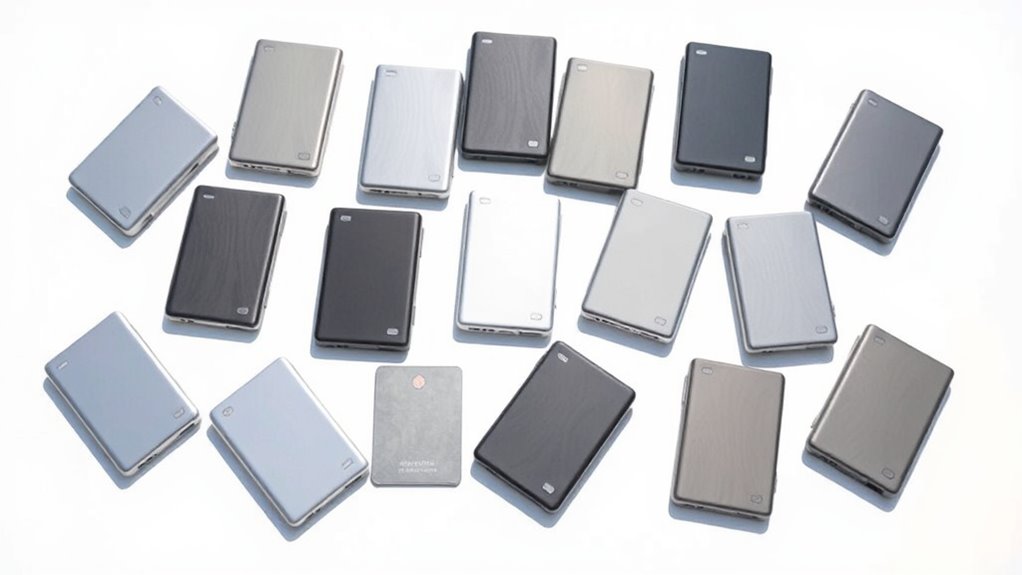
For portable SSDs for on-the-go editing, my best overall pick is the Samsung T9: its advertised speeds up to 2,000 MB/s make it a strong fit for demanding projects, provided your computer supports USB 3.2 Gen 2×2. The Samsung T7 Shield is a more rugged 2TB choice for field work, while the Lexar Professional Go is built around compact iPhone ProRes capture. The central tradeoff is speed versus compatibility, capacity, and protection: a fast drive can be held back by the host port, and a rugged model may be a better match than a faster one in rough conditions. Read on for how all 15 options compare and which type of editor each suits.

Get the latest gadgets delivered free with Prime
- Fast, free delivery on millions of items
- Prime Video, Amazon Music and more included
- Member-only deals all year
Complete the kit



Key Takeaways
- USB 3.2 Gen 2×2 separates the fastest listed drives. The Samsung T9 models, SSK 1TB Gen 2×2, and magnetic 512GB drive advertise speeds up to 2,000 MB/s, but those figures depend on a compatible host port.
- Ruggedness and speed do not always come as a package. The SanDisk Professional G-Drive SSD and Samsung T7 Shield emphasize protection, while the T9 emphasizes higher advertised transfer speeds.
- Capacity changes the editing experience. The 2TB choices give larger projects more room before offloading, while 1TB and 512GB models suit smaller libraries or more frequent file transfers.
- The Lexar Professional Go serves a distinct phone-first role. Its compact design and stated support for Apple 4K 60fps ProRes target mobile capture more directly than the general-purpose computer-focused options.
- Older or slower models can still fit lighter workflows. The Samsung T5 advertises up to 540 MB/s and the SanDisk Portable SSD up to 800 MB/s, making them less suited to speed-sensitive editing than the faster listed drives.
| 512GB External Magnetic Portable SSD USB 3.2 Gen 2×2 up to 2000MB/s for iPhone, Smartphone, Tablet, Laptop |  | Best for Magnetic iPhone Recording | Capacity: 512 GB | Read speed: Up to 2000 MB/s | Media speed: 1800 MB/s | VIEW ON AMAZON | See Our Full Breakdown |
| SanDisk 1TB Extreme Portable SSD |  | Best Balanced Rugged Pick | Capacity: 1 TB | Read speed: Up to 2000 MB/s | Connectivity: USB Type-C | VIEW ON AMAZON | See Our Full Breakdown |
| SSK Portable SSD 1TB External Solid State Drive USB-C Up to 1050MB/s |  | Best Cross-Device Value | Capacity: 1 TB | Read speed: Up to 1050 MB/s | Write speed: Up to 1000 MB/s | VIEW ON AMAZON | See Our Full Breakdown |
| SanDisk 1TB Portable SSD, Up to 800MB/s Read Speeds, Black |  | Best for Simple, Rugged Transfers | Capacity: 1 TB | Read speed: Up to 800 MB/s | Connectivity: USB 3.2 Gen 2, USB Type-C | VIEW ON AMAZON | See Our Full Breakdown |
| SanDisk 2TB Extreme PRO Portable SSD with Up to 4000MB/s Read Speeds |  | Best Premium High-Capacity Pick | Capacity: 2 TB | Read speed: Up to 4000 MB/s | Write speed: 3800 MB/s average sustained | VIEW ON AMAZON | See Our Full Breakdown |
| SanDisk Professional 1TB G-Drive SSD |  | Best for Harsh Conditions | Capacity: 1 TB | Interface: USB 3.2 Gen 2 | Read speed: Up to 1,050 MB/s | VIEW ON AMAZON | See Our Full Breakdown |
| Crucial X10 Pro 1TB Portable SSD |  | Best for Fast Transfers | Capacity: 1 TB | Interface: USB-C | Read speed: Up to 2,100 MB/s | VIEW ON AMAZON | See Our Full Breakdown |
| Lexar 2TB Professional Go Portable SSD | 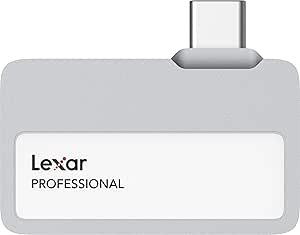 | Best for iPhone ProRes Capture | Capacity: 2 TB | Interface: USB 3.2 | Connectivity: USB-C | VIEW ON AMAZON | See Our Full Breakdown |
| Samsung T9 Portable SSD 1TB | 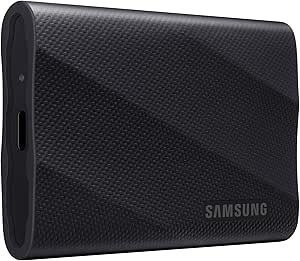 | Best for Speed-Focused Workflows | Capacity: 1 TB | Interface: USB 3.2 Gen 2×2 for maximum speed | Transfer speed: Up to 2,000 MB/s | VIEW ON AMAZON | See Our Full Breakdown |
| Samsung T7 Shield Portable SSD 2TB |  | Best Rugged 2TB All-Rounder | Capacity: 2 TB | Interface: USB 3.2 Gen 2 | Read speed: Up to 1,050 MB/s | VIEW ON AMAZON | See Our Full Breakdown |
| SanDisk 2TB Extreme Portable SSD, Up to 1050MB/s, USB-C, IP65 Water and Dust Resistance |  | Best for Rugged Field Editing | Capacity: 2 TB | Interface: USB 3.2 Gen 2 | Read speed: Up to 1050 MB/s | VIEW ON AMAZON | See Our Full Breakdown |
| SSK 1TB Portable SSD External Solid State Drive USB 3.2 Gen 2×2 20Gbps |  | Best for Fast Transfers on Gen 2×2 Systems | Capacity: 1 TB | Interface: USB 3.2 Gen 2×2 | Maximum transfer speed: Up to 2000 MB/s | VIEW ON AMAZON | See Our Full Breakdown |
| Samsung T5 Portable SSD 2TB – Up to 540MB/s – USB 3.1 External Solid State Drive | 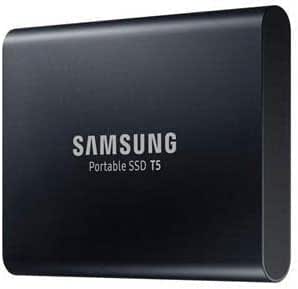 | Best for Compact, Encrypted Project Storage | Capacity: 2 TB | Interface: USB 3.1 | Maximum speed: Up to 540 MB/s | VIEW ON AMAZON | See Our Full Breakdown |
| Samsung T9 Portable SSD 2TB, Up to 2,000MB/s, USB 3.2 Gen 2×2 External Solid State Drive, Drop Resistant, Mac Compatible |  | Best Premium High-Speed 2TB Pick | Capacity: 2 TB | Interface: USB 3.2 Gen 2×2 | Maximum transfer speed: Up to 2000 MB/s | VIEW ON AMAZON | See Our Full Breakdown |
| Samsung T7 Portable SSD 1TB External Solid State Drive |  | Best Everyday Editing Carry Drive | Capacity: 1 TB | Interface: USB 3.2 | Maximum speed: Up to 1050 MB/s | VIEW ON AMAZON | See Our Full Breakdown |
| portable ssd for onthego editing | Capacity | Interface | Read speed |
|---|---|---|---|
| 512GB External Magnetic Portab | 512 GB | — | Up to 2000 MB/s |
| SanDisk 1TB Extreme Portable S | 1 TB | USB 3.0 | Up to 2000 MB/s |
| SSK Portable SSD 1TB External | 1 TB | — | Up to 1050 MB/s |
| SanDisk 1TB Portable SSD | 1 TB | — | Up to 800 MB/s |
| SanDisk 2TB Extreme PRO Portab | 2 TB | — | Up to 4000 MB/s |
| SanDisk Professional 1TB G-Dri | 1 TB | USB 3.2 Gen 2 | Up to 1,050 MB/s |
| Crucial X10 Pro 1TB Portable S | 1 TB | USB-C | Up to 2,100 MB/s |
| Lexar 2TB Professional Go Port | 2 TB | USB 3.2 | Up to 1,050 MB/s |
| Samsung T9 Portable SSD 1TB | 1 TB | USB 3.2 Gen 2×2 for maximum speed | — |
| Samsung T7 Shield Portable SSD | 2 TB | USB 3.2 Gen 2 | Up to 1,050 MB/s |
| SanDisk 2TB Extreme Portable S | 2 TB | USB 3.2 Gen 2 | Up to 1050 MB/s |
| SSK 1TB Portable SSD External | 1 TB | USB 3.2 Gen 2×2 | — |
| Samsung T5 Portable SSD 2TB | 2 TB | USB 3.1 | — |
| Samsung T9 Portable SSD 2TB | 2 TB | USB 3.2 Gen 2×2 | — |
| Samsung T7 Portable SSD 1TB Ex | 1 TB | USB 3.2 | — |
More Details on Our Top Picks
512GB External Magnetic Portable SSD USB 3.2 Gen 2×2 up to 2000MB/s for iPhone, Smartphone, Tablet, Laptop
The magnetic attachment is the main reason to pick this drive over the SanDisk 1TB Extreme Portable SSD: it can sit against a compatible smartphone while you record, rather than dangling from a cable. Its stated speed of up to 2000MB/s and support for 4K 120 fps ProRes HDR recording suit creators who want to capture directly to external storage. At just 0.08 kg and about 0.28 inches thick, it adds little bulk to a mobile setup.
The tradeoff is capacity: 512GB leaves less room for long shoots than the 1TB alternatives here, and reaching its best performance requires a USB-C connection. The magnetic setup also matters only if it fits your phone and recording workflow. I’d choose it for phone-first capture, not as the most flexible general-purpose editing drive.
Pros:- Magnetic attachment can keep the drive close to a compatible smartphone during recording.
- Stated transfer speed reaches up to 2000MB/s.
- Supports 4K 120 fps ProRes HDR video recording.
- Lightweight, slim body is easy to carry with a phone kit.
Cons:- 512GB provides less working space than the 1TB and 2TB options in this group.
- USB-C is required for optimal performance.
- The magnetic feature may not suit every phone or editing setup.
Best for: iPhone videographers who want to attach external storage to a compatible phone for high-frame-rate ProRes HDR recording.
Not ideal for: Editors handling long shoots or large project libraries who need more than 512GB, or buyers whose devices lack a suitable USB-C connection.
- Capacity:512 GB
- Read speed:Up to 2000 MB/s
- Media speed:1800 MB/s
- Connectivity:USB
- Form factor:2.5-inch
- Dimensions:2.32 × 2.3 × 0.28 inches
- Weight:0.08 kg
- Warranty:1 year
Our verdict“Choose this drive for magnetic, phone-first ProRes capture; choose a 1TB or 2TB option for more room between offloads.”
SanDisk 1TB Extreme Portable SSD
The SanDisk 1TB Extreme Portable SSD balances fast transfers with protection that makes sense for editing away from a desk. Its stated read speed reaches 2000MB/s, while IP65 water and dust resistance and drop protection help guard project files during travel. Compared with the magnetic 512GB drive in this roundup, it offers twice the capacity and a more general-purpose design; unlike the SanDisk Portable SSD rated at up to 800MB/s, it is aimed at faster file movement.
The speed figures depend on the host device, so a slower port can limit transfers. The supplied data also notes lower write speeds than read speeds, which matters when moving a full project back onto the drive. 256-bit AES encryption adds a privacy option, but using it requires software. I’d choose this for editors who want protection and capacity without stepping up to the 2TB Extreme PRO.
Pros:- 1TB capacity offers more room than the 512GB magnetic phone-focused drive.
- Stated read speed reaches up to 2000MB/s.
- IP65 water and dust resistance plus drop protection suit travel.
- 256-bit AES encryption is available for sensitive project files.
Cons:- Write speeds are described as lower than read speeds.
- Actual performance can vary with the host device.
- Encryption features require a software download.
Best for: Mobile editors who carry a 1TB project drive between locations and want water, dust, drop, and password-protection features.
Not ideal for: Editors who need the highest stated sustained write performance or who want encryption without installing supporting software.
- Capacity:1 TB
- Read speed:Up to 2000 MB/s
- Connectivity:USB Type-C
- Interface:USB 3.0
- Water and dust resistance:IP65
- Encryption:256-bit AES
- Weight:1.6 ounces
- Dimensions:3.35 × 2 × 0.39 inches
Our verdict“Pick this for a fast, travel-ready 1TB editing drive; choose the Extreme PRO if you need 2TB and higher stated speeds.”
SSK Portable SSD 1TB External Solid State Drive USB-C Up to 1050MB/s
The SSK Portable SSD is a straightforward 1TB choice for editors moving between a phone, tablet, and computer. Its listed read and write speeds—1050MB/s and 1000MB/s—are below the SanDisk 1TB Extreme’s stated 2000MB/s read speed, but they still target quick transfers without making peak speed the whole proposition. The aluminum enclosure helps dissipate heat, and the product description says it supports 4K ProRes HDR capture on iPhone devices.
Multiple cables are cited for cross-platform use, which can be useful when a mobile edit needs to move onto a laptop with a different port. That flexibility is less tidy than a single-cable kit, and the listing calls out USB-C or USB-A connections. It also gives a 30-day return policy rather than a clearly specified longer warranty. I’d choose it for mixed-device workflows; the 2TB SanDisk Extreme PRO is a better fit for larger projects and higher stated throughput.
Pros:- Listed read and write speeds reach 1050MB/s and 1000MB/s.
- Aluminum construction is described as helping with heat dissipation.
- Supports 4K ProRes HDR video capture on iPhone.
- Cross-platform use and multiple cable options suit mixed-device workflows.
Cons:- Listed speed is lower than the 2000MB/s SanDisk 1TB Extreme.
- USB-C or USB-A cables are needed for different connections.
- Warranty details are limited to a 30-day return policy in the supplied data.
Best for: Creators who split editing and file transfers across iPhone, tablet, and computer and want 1TB with USB-C and USB-A cable options.
Not ideal for: Editors who need the highest transfer speeds, a clearly specified long-term warranty, or more than 1TB of working storage.
- Capacity:1 TB
- Read speed:Up to 1050 MB/s
- Write speed:Up to 1000 MB/s
- Connectivity:USB
- Enclosure material:Aluminum
- Compatible devices:Desktop, laptop, smartphone, tablet, iPhone
- Color:Grey
- Return policy:30 days
Our verdict“Choose the SSK for a flexible 1TB drive across phone and computer workflows, but look elsewhere for faster transfers or clearer warranty coverage.”
SanDisk 1TB Portable SSD, Up to 800MB/s Read Speeds, Black
The SanDisk 1TB Portable SSD is the simpler, slower-moving option for editors who value a tough travel drive more than top transfer speeds. Its read speed is listed at up to 800MB/s, well below the 2000MB/s SanDisk Extreme and the 1050MB/s SSK. That makes it a less compelling choice for frequent, large video transfers, but a reasonable fit for carrying active files, backups, or smaller edits between locations.
Two-meter drop protection and a rubber hook give it practical travel features: the hook can help attach it to a bag or gear, while the rugged body offers some protection against accidental drops. The supplied specs do not state water or dust resistance, so I would not treat it as equivalent to the IP65 SanDisk Extreme. Its USB 3.2 Gen 2 and USB-C connectivity also makes port compatibility worth checking before buying.
Pros:- 1TB capacity suits everyday project files and backups.
- Read speeds are listed at up to 800MB/s.
- Drop protection is rated up to two meters.
- Rubber hook offers a convenient way to attach the drive to travel gear.
Cons:- Its stated read speed is lower than the SSK 1TB and SanDisk 1TB Extreme.
- Write speeds are described as lower than read speeds.
- The supplied product data does not specify water or dust resistance.
Best for: Editors who need a 1TB carry drive for routine transfers and value drop protection and a bag-attachment point over peak speed.
Not ideal for: Video editors who routinely move large footage libraries, need faster writes, or require stated water and dust resistance.
- Capacity:1 TB
- Read speed:Up to 800 MB/s
- Connectivity:USB 3.2 Gen 2, USB Type-C
- Drop protection:Up to 2 meters
- Enclosure material:Rubber
- Color:Black
- Compatible devices:Laptop
- Average latency:0.1 milliseconds
Our verdict“Choose this for rugged everyday file carrying, not for the fastest editing transfers or wet and dusty locations.”
SanDisk 2TB Extreme PRO Portable SSD with Up to 4000MB/s Read Speeds
When an on-the-go edit involves large source files and limited time for transfers, the SanDisk 2TB Extreme PRO offers the strongest listed speed and capacity in this group: up to 4000MB/s read, an average sustained write speed of 3800MB/s, and 2TB of space. That is a substantial step up from the 1TB SanDisk Extreme, whose listed read speed is up to 2000MB/s, and gives an editor more room to keep active footage and project files together.
The IP65 rating and protection against drops of up to three meters suit a drive that travels between shoots, while 256-bit AES encryption is available for private work. Its speed claims depend on the host device and connection, so older or slower hardware may not make full use of them. Encryption also requires a software download. I’d reserve this pick for demanding workflows; casual transfers may not benefit from the extra capacity and speed over the less ambitious options.
Pros:- 2TB capacity leaves more room for active projects than the 1TB drives.
- Listed read speed reaches up to 4000MB/s, with average sustained writes stated at 3800MB/s.
- IP65 water and dust resistance and up to three-meter drop protection suit field work.
- 256-bit AES encryption is available for sensitive files.
Cons:- Actual performance can vary with the host device and connection.
- Encryption features require a software download.
- The supplied warranty information directs buyers to SanDisk’s website rather than stating a term.
Best for: Professional video editors and mobile post-production teams who work with large footage libraries and compatible USB-C hardware.
Not ideal for: Casual editors with modest storage needs or older devices that cannot take advantage of the drive’s stated transfer speeds.
- Capacity:2 TB
- Read speed:Up to 4000 MB/s
- Write speed:3800 MB/s average sustained
- Connectivity:USB Type-C
- Water and dust resistance:IP65
- Drop protection:Up to 3 meters
- Encryption:256-bit AES
- Dimensions:4.33 × 2.28 × 0.39 inches
- Weight:2.24 ounces
Our verdict“Choose the Extreme PRO if your editing setup can use its speed and you need 2TB of rugged mobile workspace; otherwise, the 1TB options are more proportionate.”
SanDisk Professional 1TB G-Drive SSD
The G-Drive SSD puts physical protection ahead of peak transfer speed, making it a strong fit for editors carrying footage through dusty, wet, or rough locations. Its IP67 rating, 3-meter drop protection, and 2,000-pound crush resistance give it a tougher stated protection profile than the Samsung T7 Shield, which lists drop resistance but no crush rating in the supplied specifications. Read speeds up to 1,050 MB/s and writes up to 1,000 MB/s suit proxy workflows and many direct-edit tasks, though the Crucial X10 Pro is a better match when faster transfers matter more than extreme ruggedness. The main compromise is 1TB of capacity, which can fill quickly with camera originals, plus speeds that depend on the host device and conditions.
Pros:- IP67 dust and water resistance suits demanding field conditions.
- Rated for drops up to 3 meters and crush loads up to 2,000 pounds.
- Read/write speeds up to 1,050/1,000 MB/s support brisk media transfers.
- Five-year limited warranty.
Cons:- 1TB may be tight for storing multiple high-resolution projects.
- Slower stated peak speeds than the Crucial X10 Pro and Samsung T9.
- Actual performance can vary with the host device and conditions.
Best for: Field editors working around dust, rain, or equipment-heavy locations who value crush and drop protection over maximum transfer speed.
Not ideal for: Editors keeping several large projects on one drive or seeking the fastest transfers; the 1TB capacity and 1,050 MB/s read ceiling are limiting beside the Crucial X10 Pro.
- Capacity:1 TB
- Interface:USB 3.2 Gen 2
- Read speed:Up to 1,050 MB/s
- Write speed:Up to 1,000 MB/s
- Dust and water resistance:IP67
- Drop protection:Up to 3 meters
- Crush resistance:Up to 2,000 lb
- Warranty:5-year limited
Our verdict“Choose the G-Drive SSD if protection from rough handling and harsh environments matters more than having the fastest drive or extra capacity.”
Crucial X10 Pro 1TB Portable SSD
For editors who move large clips between shoots and a workstation, the Crucial X10 Pro has the highest stated transfer ceiling in this group: up to 2,100 MB/s read and 2,000 MB/s write. That gives it an advantage over the Samsung T7 Shield and SanDisk Professional G-Drive SSD when the connected device can use those speeds. Its IP55 rating and protection against drops up to 7.5 feet add useful protection for a mobile workflow, though the G-Drive offers stronger listed dust and water protection and a higher drop rating. The X10 Pro’s 1TB capacity is the main limitation for footage-heavy projects, and its peak performance depends on a suitable USB-C connection. It makes more sense for transfer-focused creators than casual users who would not benefit from the extra speed.
Pros:- Highest listed transfer speeds in this five-drive group, up to 2,100/2,000 MB/s.
- IP55 water and dust resistance for added protection on location.
- Drop resistant up to 7.5 feet.
- Compatibility listed for PC, Mac, Linux, Android, and major consoles.
Cons:- Only 1TB of capacity for working footage and project files.
- Maximum performance requires a compatible USB-C host and connection.
- Its protection ratings are below the G-Drive SSD’s listed IP67 and 3-meter drop protection.
Best for: Video editors with a compatible USB-C setup who regularly transfer large media files and want faster stated speeds in a compact, protected drive.
Not ideal for: Casual editors or shooters who need more than 1TB in a single drive; the capacity is limited, and the speed advantage depends on host-device support.
- Capacity:1 TB
- Interface:USB-C
- Read speed:Up to 2,100 MB/s
- Write speed:Up to 2,000 MB/s
- Dust and water resistance:IP55
- Drop protection:Up to 7.5 ft
- Form factor:2.5 inches
- Listed compatibility:PC, Mac, Linux, Android, PS4, PS5, and Xbox
Our verdict“Pick the X10 Pro if compatible-device transfer speed is your priority and 1TB is enough for your current editing projects.”
Lexar 2TB Professional Go Portable SSD
The Lexar Professional Go is the clearest choice here for creators who want to record 4K 60fps ProRes directly from a compatible iPhone 15 or 16, rather than just shuttle files after a shoot. Its 2TB capacity also gives it twice the listed storage of the 1TB Crucial X10 Pro and Samsung T9 models in this batch, a practical advantage for keeping more footage on hand. At up to 1,050 MB/s read and 1,000 MB/s write, it is not as fast on paper as either of those drives. Its IP65 protection and 1-meter drop resistance suit everyday mobile use, but the G-Drive SSD lists stronger protection for rougher environments. Compatibility is another caveat: the supplied product data flags issues with iPhone 17 and USB-C-only connectivity.
Pros:- Supports direct recording of Apple 4K 60fps ProRes on compatible iPhone 15 and 16 models.
- 2TB capacity offers more working room than the 1TB models in this batch.
- Up to 1,050 MB/s read and 1,000 MB/s write.
- IP65 dust and water resistance with 1-meter drop resistance.
Cons:- Peak speeds are lower than the Crucial X10 Pro and Samsung T9.
- Product data reports compatibility issues with iPhone 17 due to updated power requirements.
- USB-C-only connectivity may require adapters for some equipment.
Best for: iPhone 15 or 16 creators recording compatible 4K 60fps ProRes footage who want 2TB in a compact, rugged drive.
Not ideal for: Editors using iPhone 17, devices without USB-C, or workflows where maximum transfer speed and heavy-duty drop protection take priority.
- Capacity:2 TB
- Interface:USB 3.2
- Connectivity:USB-C
- Read speed:Up to 1,050 MB/s
- Write speed:Up to 1,000 MB/s
- Dust and water resistance:IP65
- Drop resistance:Up to 1 meter
- Weight:3.52 oz
Our verdict“Choose the Lexar if you capture ProRes directly to external storage on a compatible iPhone and want 2TB more than you want the highest transfer speeds.”
Samsung T9 Portable SSD 1TB
The Samsung T9 targets editors whose workflow benefits from fast transfers and who can connect it to a system that supports USB 3.2 Gen 2×2. Its listed speed reaches 2,000 MB/s, well above the Samsung T7 Shield and G-Drive SSD’s 1,050 MB/s read ceilings, so moving large project folders can take less time on a compatible host. Dynamic Thermal Guard is intended to manage heat during sustained work, while AES 256-bit hardware encryption adds a layer of data protection. Those advantages come with two practical limits: the listed capacity is 1TB, and the maximum speed requires Gen 2×2 support. The 2TB Lexar Professional Go offers more room for footage and direct iPhone ProRes capture, while the T9 is more suited to transfer-heavy desktop and laptop workflows.
Pros:- Up to 2,000 MB/s transfer speed on a compatible connection.
- Dynamic Thermal Guard supports thermal management during demanding transfers.
- AES 256-bit hardware encryption for sensitive project files.
- Listed compatibility includes Mac, PC, tablets, iPhone 15/16, and major consoles.
Cons:- Maximum speed requires USB 3.2 Gen 2×2 support.
- The listed model has 1TB, less space than the 2TB Lexar and Samsung T7 Shield.
- Some listed features depend on host-device compatibility.
Best for: Editors with USB 3.2 Gen 2×2-equipped computers who move large files often and want hardware encryption for sensitive projects.
Not ideal for: Creators who need 2TB for active footage or whose computer lacks USB 3.2 Gen 2×2; they may not get the speed advantage or capacity they need.
- Capacity:1 TB
- Interface:USB 3.2 Gen 2×2 for maximum speed
- Transfer speed:Up to 2,000 MB/s
- Hardware encryption:AES 256-bit
- Thermal management:Dynamic Thermal Guard
- Form factor:2.4 inches
- Color:Black
- Listed compatibility:Mac, PC, tablet, iPhone 15/16, Xbox Series S/X, and PlayStation 4/5
Our verdict“Choose the T9 for fast, security-conscious file transfers if your computer supports Gen 2×2 and 1TB is sufficient.”
Samsung T7 Shield Portable SSD 2TB
The Samsung T7 Shield is a balanced pick for editors who want ample working space and a drive built for regular travel, without needing the fastest transfer speeds in this lineup. Its 2TB capacity doubles the listed storage of the 1TB G-Drive SSD and Crucial X10 Pro, while its USB 3.2 Gen 2 connection supports read and write speeds up to 1,050/1,000 MB/s. That is well below the Crucial X10 Pro and Samsung T9 on paper, but a practical fit for many mobile editing and backup tasks. The stated protection includes water, dust, and drops up to 9.8 feet; the G-Drive adds a higher listed drop distance and crush resistance, while the Lexar also supports direct iPhone ProRes recording. Host and cable support can affect performance.
Pros:- 2TB capacity gives more room for footage than the 1TB G-Drive SSD and Crucial X10 Pro.
- Read/write speeds up to 1,050/1,000 MB/s suit many mobile editing and backup tasks.
- Water, dust, and drop resistance, with drop protection listed up to 9.8 feet.
- Compatibility listed for PC, Mac, Android, gaming consoles, and iPhone 15/16.
Cons:- Slower stated peak transfer speeds than the Crucial X10 Pro and Samsung T9.
- No crush-resistance rating is provided, unlike the G-Drive SSD.
- Performance depends on compatible host support and cables.
Best for: Traveling editors who want 2TB for active projects, a familiar USB 3.2 Gen 2 workflow, and protection against everyday drops and exposure.
Not ideal for: Editors who need the fastest transfers, crush-resistance specifications, or direct iPhone ProRes capture; the Crucial X10 Pro, G-Drive, and Lexar better match those needs.
- Capacity:2 TB
- Interface:USB 3.2 Gen 2
- Read speed:Up to 1,050 MB/s
- Write speed:Up to 1,000 MB/s
- Form factor:2.5 inches
- Drop resistance:Up to 9.8 feet
- Durability:Water, dust, and drop resistant
- Listed compatibility:PC, Mac, Android, gaming consoles, and iPhone 15/16
Our verdict“Choose the T7 Shield if you want a rugged, 2TB everyday editing drive and can work within its 1,050 MB/s speed ceiling.”
SanDisk 2TB Extreme Portable SSD, Up to 1050MB/s, USB-C, IP65 Water and Dust Resistance
For editors carrying footage between locations, this SanDisk pairs 2TB of working space with up to 1050MB/s read and 1000MB/s write speeds, a useful balance for moving large project files without stepping up to a faster drive that may need a specific host port. Its IP65 water and dust resistance, drop protection up to 3 meters, and carabiner loop give it a more field-ready setup than the Samsung T7, whose listed specs focus on shock resistance rather than water and dust protection. Hardware encryption adds a privacy option for client material. The tradeoff is that the T9 and SSK can reach higher listed speeds on compatible USB 3.2 Gen 2×2 systems, while this model’s real transfer rates depend on the host device. Warranty details are also limited in the supplied specifications.
Pros:- 2TB capacity leaves room for substantial project files and media.
- Up to 1050MB/s read and 1000MB/s write speeds suit fast file transfers.
- IP65 water and dust resistance plus drop protection up to 3 meters.
- Carabiner loop and 256-bit AES hardware encryption support mobile, private workflows.
Cons:- Cannot match the listed 2000MB/s ceiling of the Samsung T9 or SSK on compatible systems.
- Actual performance varies with the host device and operating conditions.
- Warranty information is limited in the supplied product data.
Best for: Location editors who need 2TB for active projects and want water- and dust-resistant storage that can attach to a bag.
Not ideal for: Editors whose workflow depends on the highest possible transfers over USB 3.2 Gen 2×2, or buyers who need clearly specified warranty coverage.
- Capacity:2 TB
- Interface:USB 3.2 Gen 2
- Read speed:Up to 1050 MB/s
- Write speed:Up to 1000 MB/s
- Water and dust resistance:IP65
- Drop protection:Up to 3 meters
- Encryption:256-bit AES hardware encryption
- Compatibility:Desktop, laptop, tablet, Xbox Series X, PlayStation 4
Our verdict“Choose this SanDisk when rugged protection and 2TB capacity matter more than the higher peak speeds offered by Gen 2×2 drives.”
SSK 1TB Portable SSD External Solid State Drive USB 3.2 Gen 2×2 20Gbps
The SSK’s main appeal is its up to 2000MB/s transfer speed, which can shorten transfers of large footage folders when connected to a USB 3.2 Gen 2×2 port. That gives it a higher listed speed ceiling than the SanDisk Extreme Portable SSD, but the advantage depends on having the matching host connection; on a slower port, the headline figure is out of reach. Its USB-C and USB-A cables make it easier to move between newer laptops and older editing setups without relying on a separate adapter. The zinc alloy body and SMART/TRIM support round out a practical utility drive. Against the Samsung T9, though, the SSK offers only 1TB here, and the supplied data lists no encryption software—two points that may matter for larger or sensitive projects.
Pros:- Up to 2000MB/s transfers on a compatible USB 3.2 Gen 2×2 system.
- Includes both USB-C and USB-A cables for flexible connections.
- Zinc alloy construction provides a sturdy enclosure.
- SMART and TRIM support are listed for drive management.
Cons:- Full listed speed requires a USB 3.2 Gen 2×2 port.
- 1TB capacity is less room than the 2TB Samsung T9 or SanDisk Extreme.
- No included encryption software is specified.
Best for: Editors with a confirmed USB 3.2 Gen 2×2 computer who prioritize fast transfers and need both USB-C and USB-A connections.
Not ideal for: Editors with only standard USB ports, larger active libraries, or a requirement for included encryption software.
- Capacity:1 TB
- Interface:USB 3.2 Gen 2×2
- Maximum transfer speed:Up to 2000 MB/s
- Included cables:USB-C and USB-A
- Material:Zinc alloy
- Drive features:SMART and TRIM
- LED indicator:Yes
- Compatibility:iPhone 15/16/17 Pro, Xbox Series S/X, Windows, Mac
Our verdict“Pick the SSK for high-speed transfers if your computer supports Gen 2×2 and 1TB is enough for your current projects.”
Samsung T5 Portable SSD 2TB – Up to 540MB/s – USB 3.1 External Solid State Drive
The Samsung T5 is the measured-speed choice here: its 540MB/s ceiling is well below the T7’s 1050MB/s and the T9’s 2000MB/s, but the drive combines 2TB capacity with a very compact, 1.6-ounce body. For editors who chiefly need to keep project files close, shuttle media between devices, or make a portable backup, that lighter transfer pace may be an acceptable trade for a small carry footprint. AES 256-bit encryption is listed, and both USB-C-to-C and USB-C-to-A cables help it connect across different setups. Compared with the rugged SanDisk Extreme, the T5 has no stated IP rating or drop-distance figure, so it is less suited to exposed field work. It also won’t be the right pick for frequent, time-sensitive transfers of very large footage folders.
Pros:- 2TB capacity in a compact 1.6-ounce drive.
- AES 256-bit encryption is listed for securing stored files.
- Includes USB-C-to-C and USB-C-to-A cables.
- Shock-resistant design supports portable everyday use.
Cons:- Up to 540MB/s is substantially slower than the Samsung T7, T9, and SanDisk Extreme.
- No water- or dust-resistance rating or specific drop distance is listed.
- Encryption management software is not included.
Best for: Editors seeking a lightweight 2TB carry drive for backups and project handoffs who value listed AES encryption over peak transfer speed.
Not ideal for: Video editors who regularly move large footage libraries under deadline or need stated water, dust, or drop protection.
- Capacity:2 TB
- Interface:USB 3.1
- Maximum speed:Up to 540 MB/s
- Encryption:AES 256-bit
- Weight:1.6 ounces
- Dimensions:3 × 2.3 × 0.4 inches
- Compatibility:PC, Mac, Android, gaming consoles
- Included cables:USB Type-C to C and USB Type-C to A
Our verdict“Choose the T5 for compact, encrypted 2TB storage when transfer speed is secondary to portability and file security.”
Samsung T9 Portable SSD 2TB, Up to 2,000MB/s, USB 3.2 Gen 2×2 External Solid State Drive, Drop Resistant, Mac Compatible
The T9 brings together 2TB capacity and a listed 2000MB/s transfer ceiling, making it the stronger fit than the 1TB SSK when an editor wants fast transfers without giving up as much project space. Its USB 3.2 Gen 2×2 connection is the catch: a computer without that port cannot deliver the stated maximum, so the SanDisk Extreme or Samsung T7 may be a more practical match for systems with lower-speed USB connections. Samsung lists drop resistance up to 3 meters and Dynamic Thermal Guard, useful protections for a drive that may be moving between shoots and edit bays. The five-year warranty is also clearly stated in the supplied specs. The tradeoff is straightforward: this speed-and-capacity combination may be more than casual editors need, and the model is limited to 2TB.
Pros:- Up to 2000MB/s transfer speed on a compatible Gen 2×2 system.
- 2TB capacity offers more working room than the 1TB SSK.
- Drop resistance up to 3 meters is specified.
- Five-year warranty is listed.
Cons:- Maximum speed requires USB 3.2 Gen 2×2 support.
- Capacity is limited to 2TB in this model.
- Its high-speed feature set may be unnecessary for editors with modest transfer needs.
Best for: Editors with a USB 3.2 Gen 2×2 workstation who move large media files frequently and want 2TB of fast portable storage.
Not ideal for: Editors whose devices lack Gen 2×2 ports, or those who need more than 2TB on a single portable drive.
- Capacity:2 TB
- Interface:USB 3.2 Gen 2×2
- Maximum transfer speed:Up to 2000 MB/s
- Drop resistance:Up to 3 meters
- Weight:122 g
- Thermal feature:Dynamic Thermal Guard
- Warranty:5 years
- Compatibility:Mac, PC, gaming consoles
Our verdict“The T9 is the premium choice for editors who can use Gen 2×2 speeds and want them paired with 2TB capacity and stated drop protection.”
Samsung T7 Portable SSD 1TB External Solid State Drive
The Samsung T7 suits editors who want a fast, compact drive for a current project rather than a large archive. Its up to 1050MB/s speed gives it a clear advantage over the older T5’s 540MB/s ceiling, while its 1TB capacity keeps the setup smaller than the 2TB Samsung T9 or SanDisk Extreme. The listed drop protection up to 6 feet adds reassurance for everyday transport, though the product data does not provide the IP water-and-dust rating found on the SanDisk Extreme. Broad compatibility across PC, Mac, Android, and gaming consoles also helps when projects move between devices. Like other drives at this speed class, it needs USB 3.2 Gen 2 support to reach its maximum, and 1TB can feel restrictive for editors keeping several active projects on the same drive.
Pros:- Up to 1050MB/s speed is faster than the Samsung T5’s listed 540MB/s.
- Drop protection is specified up to 6 feet.
- Compatible with PC, Mac, Android devices, and gaming consoles.
- Compact form factor suits a lightweight editing kit.
Cons:- 1TB offers less working space than the 2TB Samsung T9 and SanDisk Extreme.
- Maximum speed requires USB 3.2 Gen 2 support.
- No water- or dust-resistance rating is provided in the product data.
Best for: Mobile editors who carry one active project at a time and want fast transfers across computers and Android devices.
Not ideal for: Editors who need 2TB for several simultaneous projects or who work in wet or dusty locations and want a stated IP rating.
- Capacity:1 TB
- Interface:USB 3.2
- Maximum speed:Up to 1050 MB/s
- Drop protection:Up to 6 feet
- Form factor:2.5 inches
- Compatibility:PC, Mac, Android devices, gaming consoles
Our verdict“Choose the T7 for a portable 1TB working drive when everyday speed and device flexibility matter more than extra capacity or an IP rating.”

How We Picked
I ranked these drives for editing away from a desk, weighing advertised transfer speed, capacity, portability, connection type, and stated protection features. Speed matters when moving large video files or working from an external library, but the headline figure is only useful when the computer, cable, and editing workload can make use of it. I gave extra weight to options whose listed features fit a clear mobile editing need, such as rugged field use or direct phone-oriented capture.
The ranking also reflects tradeoffs rather than speed alone. A compact 512GB drive can suit a phone kit but leaves less room for footage than a 2TB model; a rugged 1,050 MB/s drive may make more sense outdoors than a faster model without the same stated protection. I ranked general-purpose options with a strong mix of capacity and performance ahead of more specialized or slower drives, while treating models with similar specifications as alternatives for different budgets, devices, and workflows. Product specifications are manufacturer-listed, and real performance varies by host device, connection, file size, and workload.
| portable ssd for onthego editing | Read speed |
|---|---|
| 512GB External Magnetic Portab | Up to 2000 MB/s |
| SanDisk 1TB Extreme Portable S | Up to 2000 MB/s |
| SSK Portable SSD 1TB External | Up to 1050 MB/s |
| SanDisk 1TB Portable SSD | Up to 800 MB/s |
| SanDisk 2TB Extreme PRO Portab | Up to 4000 MB/s |
| SanDisk Professional 1TB G-Dri | Up to 1,050 MB/s |
| Crucial X10 Pro 1TB Portable S | Up to 2,100 MB/s |
| Lexar 2TB Professional Go Port | Up to 1,050 MB/s |
| Samsung T9 Portable SSD 1TB | — |
| Samsung T7 Shield Portable SSD | Up to 1,050 MB/s |
| SanDisk 2TB Extreme Portable S | Up to 1050 MB/s |
| SSK 1TB Portable SSD External | — |
| Samsung T5 Portable SSD 2TB | — |
| Samsung T9 Portable SSD 2TB | — |
| Samsung T7 Portable SSD 1TB Ex | — |
Factors to Consider When Choosing Portable Ssd For Onthego Editing
Choosing a drive for editing outside the studio involves more than picking the largest speed number. I would match the SSD to the device that will connect to it, the size and duration of the projects, and the conditions where footage will be recorded or edited.
Match the SSD Speed to Your Host Port
A drive’s advertised maximum speed is not a promise that every laptop or phone will reach it. USB 3.2 Gen 2×2 drives can advertise up to 2,000 MB/s, but a host without that interface may operate at a lower rate. Check the port specifications on the device you actually edit from, not just a newer computer you might buy later. The cable matters too: a cable that supports charging or basic data transfer may not support the drive’s fastest data mode. For proxy editing, small projects, or routine backups, paying for a speed tier your setup cannot use may bring little practical benefit. Prioritize a compatible connection before comparing headline speeds.
Estimate Working Capacity, Not Just Archive Size
Video projects need room for source footage, proxies, exports, and temporary files, so a drive can fill sooner than the finished project suggests. Estimate the storage needed for the active job and leave breathing room rather than planning to use every available gigabyte. A 1TB drive may be enough for short assignments or a rotating work set, while 2TB gives more space for longer shoots and multiple projects. Smaller drives can still work well if you regularly transfer finished work to a separate archive. Avoid treating a portable SSD as your only copy of important footage; portable gear can be lost or damaged. A separate backup plan matters more than squeezing every project onto one device.
Choose Ruggedness for the Actual Conditions
Dust and water resistance ratings can be useful safeguards when recording or editing outdoors, but they do not make a drive indestructible. Check the specific rating and the conditions it covers rather than assuming that “rugged” means safe from every spill, impact, or exposure. A protected enclosure can add confidence in a field kit, while a lighter, smaller drive may be more convenient for work in controlled locations. Ports and connectors remain vulnerable, especially when a drive is connected during movement. Use a case or secure cable arrangement when the drive could be knocked or pulled. If your editing happens mainly at a desk or in a studio, capacity and compatibility may matter more than extra protection.
Plan for Phone Capture and Computer Editing
Recording directly to an external SSD can reduce the storage pressure on a phone, but only when the phone, camera app, cable, and drive support the intended recording format. Confirm compatibility for the exact phone generation and video mode, particularly when planning Apple ProRes capture. A small drive that attaches neatly to a phone can simplify capture, yet its capacity may be limiting for a full shoot day. If footage will move from phone to laptop, check that the drive works with both devices and that the files can be edited in the intended software. Do not assume that a USB-C connector alone guarantees the same recording features across phones. Test the complete setup before relying on it for an important shoot.
Account for Sustained Work and Heat
Peak transfer figures describe a best-case rate and may not reflect a long copy or editing session. Large transfers, sustained writes, and a warm environment can affect real-world performance, so compare drives by their intended workload as well as their maximum advertised speed. A quick burst can make importing a few clips feel fast, while copying an entire shoot may expose differences that a short transfer does not. Editing directly from an SSD also depends on the footage format, number of streams, and the computer’s own performance. If your jobs involve long, heavy transfers, prioritize a fast compatible connection and leave time for offloading. For shorter mobile edits, portability and dependable capacity may matter more than chasing a peak number.
Balance Portability Against Cable and Workflow Needs
The smallest drive is not automatically the easiest one to use: a short or awkward cable, an exposed connector, or a loose phone attachment can complicate a mobile setup. Consider where the SSD will sit while recording and whether it can be secured without pulling on the port. A compact model is appealing for a pocket kit, while a larger-capacity drive may reduce the number of drives you carry. Also check whether your workflow needs an adapter, a specific cable, or file-system formatting that works across your devices. Reformatting can erase stored files, so back up data first and confirm compatibility before changing the file system. Choose the combination that makes capture, transfer, and editing straightforward—not just the drive with the smallest body.
Frequently Asked Questions
Will a 2,000 MB/s portable SSD make my video editing twice as fast?
Not by itself. The 2,000 MB/s figures listed for options such as the Samsung T9 apply only when the connected device and cable support the required interface, and the actual workload also affects performance. Editing speed depends on more than storage: video format, software, processor, memory, and the number of simultaneous streams all play a part. A faster drive can help with large transfers or storage-heavy work, but it may not noticeably change simple edits. Check your computer’s port and editing workflow before paying for a speed tier your setup cannot use.
Is 1TB enough for editing video while traveling?
It can be enough for short projects, a smaller camera library, or a workflow where completed footage is moved to a separate backup regularly. Long shoots, high-resolution footage, proxies, and multiple exports can consume that space quickly. The 2TB options in this roundup provide more room for active projects, but no single capacity suits every recording format or schedule. Estimate storage from your own typical shoot rather than relying on a general project-size guess. Keep a second copy of important footage instead of treating extra SSD capacity as a substitute for backup.
Can I record ProRes video directly to any USB-C SSD?
No. USB-C describes the connector, not universal support for a particular recording mode. The phone model, recording app, cable, SSD connection, and video settings all need to support direct external recording. The Lexar Professional Go is specifically listed as supporting Apple 4K 60fps ProRes, which gives it a clearer phone-capture role than general-purpose drives in this group. Check the requirements for your exact phone and recording settings, then test the full setup before a paid shoot. A compact drive can be convenient, but available capacity still limits how much footage you can capture.
Should I choose a rugged 1,050 MB/s SSD or a faster model for field editing?
Choose based on the limiting factor in your work. If the drive will be exposed to dust, water, or rough handling, a model with stated protection such as the Samsung T7 Shield or SanDisk Professional G-Drive SSD may fit better than a faster drive without comparable listed protection. If your host supports USB 3.2 Gen 2×2 and your work involves large, frequent transfers, a Samsung T9 or another listed Gen 2×2 option may be a better speed match. A high advertised rate will not help much when the host port caps throughput. Think about where the SSD will be used, how it connects, and whether it stays attached while you move.
Can I use one portable SSD between a phone, Mac, and Windows PC?
Often, but compatibility depends on the devices, cable, and file system as well as the connector. A drive formatted for one operating system may not offer convenient write access on another without reformatting or extra software. Reformatting can erase every file on the drive, so copy the contents elsewhere before changing its format. For phone recording, check whether the phone supports the SSD and the intended video mode; ordinary file access does not guarantee external video capture support. If you move between systems often, decide on a shared file system and test it across all devices before loading your only copy of a project.
Conclusion
For most editors with a compatible high-speed port, I would choose the Samsung T9 as best overall for its advertised speed and general-purpose role. For a rugged, roomier option, the 2TB Samsung T7 Shield is a strong fit; among the listed models, the SSK 1TB USB 3.2 Gen 2×2 and SanDisk Portable SSD provide lower-speed alternatives for buyers who do not need a 2,000 MB/s headline. Beginners should favor a straightforward 1TB general-purpose drive such as the SanDisk Portable SSD or Samsung T7 and verify compatibility before paying extra for a faster interface. For phone-first ProRes capture, the compact Lexar Professional Go is the most specifically matched option. Choose the SanDisk Professional G-Drive SSD when stated IP67 protection matters more than headline speed, and select a 2TB model when keeping larger active projects together is your priority.