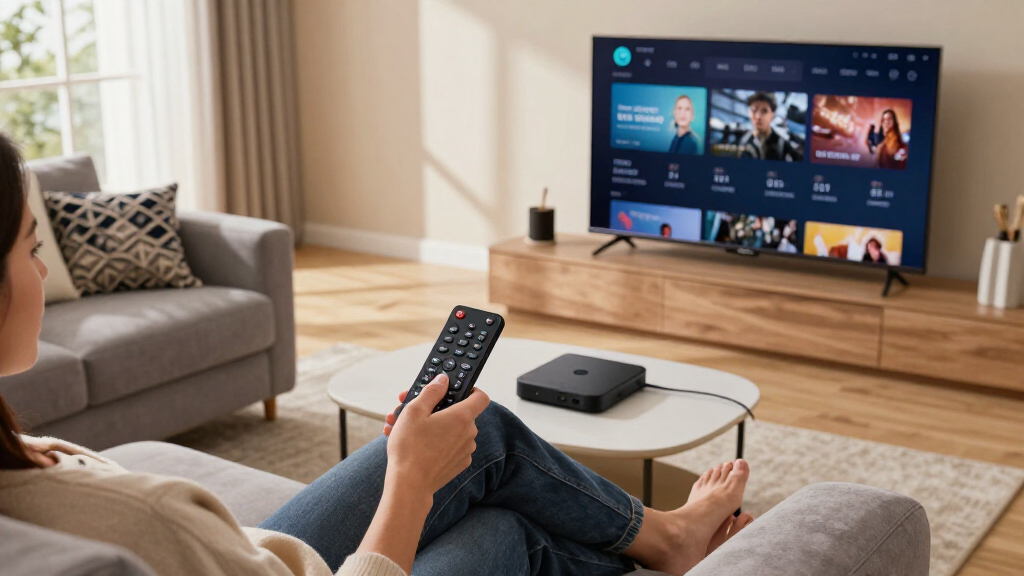

The Roku Ultra 4K Streaming Player is my best overall choice among the best streaming devices because it combines responsive performance, wired networking, broad format support, and a capable rechargeable remote. The onn 4K Pro offers the strongest value for buyers who want Google TV, useful storage, and voice control without premium pricing, while the Amazon Fire TV Cube is better suited to high-end Alexa-centered rooms. The main choice is between simple app access and extras such as Ethernet, hands-free control, local-media support, or more storage. Platform advertising, remote design, Wi-Fi conditions, and the difference between new and renewed hardware also matter more than small specification gains. Continue reading for the full breakdown of which device fits each buyer and why the rankings differ.
Listen free for 30 days with Audible
Thousands of audiobooks and originals — cancel anytime.
Start your free trialAs an affiliate, we earn on qualifying purchases.
Complete the kit



Key Takeaways
- Roku Ultra ranks first because its Ethernet connection, rechargeable Voice Remote Pro, and straightforward interface provide a better all-around living-room package than cheaper sticks.
- The amazon.com/dp/B0CQMRKRV5?tag=skypixeltech-20&ascsubtag=dc-595239″ target=”_blank” rel=”nofollow sponsored noopener”>amazon.com/dp/B0GGNGVZQT?tag=skypixeltech-20&ascsubtag=dc-595239″ target=”_blank” rel=”nofollow sponsored noopener”>onn 4K Pro is the value leader, offering more room to grow than the basic onn device or Fire TV Stick HD while remaining below the premium-box tier.
- Amazon’s Fire TV Cube and Fire TV Stick 4K Max make the most sense for Alexa households, but buyers must accept a busier, amazon.com/dp/B0F7Z4QZTT?tag=skypixeltech-20&ascsubtag=dc-595239″ target=”_blank” rel=”nofollow sponsored noopener”>Amazon-led home screen.
- Renewed Roku Ultra models can narrow the price gap, though variable seller warranties and battery condition keep them below the new Roku Ultra in my ranking.
- NVIDIA Shield TV Pro remains the local-media specialist, yet its aging platform and high price make it harder to recommend for ordinary Netflix, Disney+, or Prime Video viewing.
| onn. 4K UHD Android TV Streaming Device with Voice Remote and HDMI Cable |  | Best for Secondary TVs | Resolution: 4K Ultra HD | Operating System: Android TV | Voice Assistant: Google Assistant | VIEW LATEST PRICE | See Our Full Breakdown |
| Amazon Fire TV Stick 4K Plus (Newest Model) with AI-Powered Fire TV Search, Alexa+, Wi-Fi 6 |  | Best for Alexa Homes | Model: Newest 2026 model | Resolution: 4K Ultra HD | HDR Support: Dolby Vision and HDR10+ | VIEW LATEST PRICE | See Our Full Breakdown |
| Roku Ultra 4K Streaming Player with Voice Remote Pro |  | Best Overall | Resolution: 4K | HDR Formats: HDR10+ and Dolby Vision | Audio: Dolby Atmos | VIEW LATEST PRICE | See Our Full Breakdown |
| Xiaomi TV Box S (3rd Gen) 4K UHD Streaming Media Player with Google TV |  | Best for App-Heavy Google TV | Resolution: 4K UHD at 60FPS | Operating System: Google TV | Processor: Quad-core CPU up to 2.5GHz with ARM G310 V2 GPU | VIEW LATEST PRICE | See Our Full Breakdown |
| Roku Streaming Stick 4K with Voice Remote |  | Best Compact Pick | Resolution: 4K | HDR Support: HDR10+ and Dolby Vision | Video Connection: HDMI | VIEW LATEST PRICE | See Our Full Breakdown |
| Roku Ultra 4K HDR Streaming Device with Rechargeable Voice Remote Pro (Renewed) |  | Best Ethernet Value | Video Resolution: 4K | HDR Format: HDR10+ | Connectivity: Wi-Fi and Ethernet | VIEW LATEST PRICE | See Our Full Breakdown |
| Amazon Fire TV Stick 4K Max (2026 Model) Streaming Device with Alexa+ and Wi-Fi 6E |  | Best Streaming-and-Gaming Stick | Model: Fire TV Stick 4K Max (2026) | Resolution: 4K Ultra HD | HDR Support: Dolby Vision and HDR10+ | VIEW LATEST PRICE | See Our Full Breakdown |
| onn 4K Pro Streaming Device, Google TV with Gemini |  | Best for Large App Libraries | Resolution: 4K Ultra HD | Storage: 32GB | RAM: 3GB | VIEW LATEST PRICE | See Our Full Breakdown |
| Amazon Fire TV Stick HD with Alexa Voice Remote |  | Best for 1080p TVs | Resolution: Full HD (1080p) | Remote: Alexa Voice Remote | Smart Home Controls: Supported | VIEW LATEST PRICE | See Our Full Breakdown |
| Amazon Fire TV Cube with Alexa+, Wi-Fi 6E and 4K Ultra HD |  | Best Premium Entertainment Hub | Processor: Octa-core | Video Resolution: 4K Ultra HD | Wireless Connectivity: Wi-Fi 6E | VIEW LATEST PRICE | See Our Full Breakdown |
| NVIDIA Shield TV Pro |  | Best for Plex and Local Media | Model: 945-12897-2500-101 | Processor: NVIDIA Tegra X1+ | Memory and Storage: 3 GB RAM, 16 GB storage | VIEW LATEST PRICE | See Our Full Breakdown |
| Roku Ultra 2024 (Renewed) |  | Best Renewed Roku Upgrade | Model: Roku Ultra 2024 | Condition: Renewed | Maximum Resolution: 4K | VIEW LATEST PRICE | See Our Full Breakdown |
| Google TV Streamer 4K |  | Best for Personalized Discovery | Maximum Resolution: 4K | HDR Format: Dolby Vision | Audio Support: Dolby Atmos-compatible speakers | VIEW LATEST PRICE | See Our Full Breakdown |
| streaming device | Resolution | Remote | Audio |
|---|---|---|---|
| onn. 4K UHD Android TV Streami | 4K Ultra HD | — | — |
| Amazon Fire TV Stick 4K Plus | 4K Ultra HD | Alexa Voice Remote | Dolby Atmos |
| Roku Ultra 4K Streaming Player | 4K | Rechargeable Roku Voice Remote Pro | Dolby Atmos |
| Xiaomi TV Box S | 4K UHD at 60FPS | — | Dolby Audio and DTS:X |
| Roku Streaming Stick 4K with V | 4K | Voice remote | — |
| Roku Ultra 4K HDR Streaming De | — | Rechargeable Roku Voice Remote Pro | — |
| Amazon Fire TV Stick 4K Max | 4K Ultra HD | — | Dolby Atmos |
| onn 4K Pro Streaming Device | 4K Ultra HD | — | Dolby Atmos |
| Amazon Fire TV Stick HD with A | Full HD (1080p) | Alexa Voice Remote | — |
| Amazon Fire TV Cube with Alexa | — | — | — |
| NVIDIA Shield TV Pro | — | Backlit voice remote with IR control and remote locator | Dolby Atmos, Dolby Digital Plus |
| Roku Ultra 2024 | — | Rechargeable Voice Remote Pro with backlit buttons | Dolby Atmos |
| Google TV Streamer 4K | — | Voice Search Remote | — |
More Details on Our Top Picks
onn. 4K UHD Android TV Streaming Device with Voice Remote and HDMI Cable
I place the onn. 4K UHD Android TV Streaming Device in the secondary-TV slot because it covers 4K playback, Google Assistant, and Chromecast without leaning on premium extras. Compared with the Xiaomi TV Box S (3rd Gen), it has a thinner feature list: no stated Dolby Vision, HDR10+, Wi-Fi 6, or 32GB storage. That makes the onn. model better suited to upgrading a spare bedroom or guest-room TV, while Xiaomi makes more sense for an app-heavy main screen. I also favor the included HDMI cable and built-in casting for easy setup. Against the Roku Streaming Stick 4K, though, it gives up named premium HDR formats and long-range Wi-Fi, so simplicity comes with a lower home-theater ceiling.
Pros:- Supports 4K Ultra HD streaming
- Built-in Chromecast simplifies casting from mobile devices
- Google Assistant provides voice search and control
- Voice remote and high-speed HDMI cable are included
Cons:- Dolby Vision and HDR10+ support are not listed
- No wired Ethernet option is listed
- A Google account and active Wi-Fi connection are required
Best for: I recommend it for people adding 4K apps and Chromecast support to a bedroom or guest-room TV with reliable Wi-Fi.
Not ideal for: I would skip it for a main home-theater display where Dolby Vision, HDR10+, or wired Ethernet matters.
- Resolution:4K Ultra HD
- Operating System:Android TV
- Voice Assistant:Google Assistant
- Casting:Chromecast built-in
- Wireless Connectivity:Wi-Fi
- Video Connection:HDMI
- Included Accessories:Voice remote control and high-speed HDMI cable
- Model:100026240
Our verdict“I recommend this as a straightforward way to add Google-powered 4K streaming to a secondary television.”
Amazon Fire TV Stick 4K Plus (Newest Model) with AI-Powered Fire TV Search, Alexa+, Wi-Fi 6
I rank the Amazon Fire TV Stick 4K Plus as the strongest Alexa-home pick because it combines broad HDR support, Dolby Atmos, Wi-Fi 6, and natural voice search in a compact stick. Compared with the Roku Ultra, it places more emphasis on Alexa+ smart-home control and Xbox Game Pass cloud gaming; Roku counters with Ethernet, Bluetooth private listening, and a rechargeable backlit remote. I would choose the Fire TV model for a household already using Alexa-compatible devices, especially where the router serves many clients and Wi-Fi 6 can improve network efficiency. It is not the fastest wireless Fire option on paper, since the Fire TV Stick 4K Max lists Wi-Fi 6E. Paid streaming and gaming subscriptions also reduce its value for buyers seeking mostly free viewing.
Pros:- Supports Dolby Vision, HDR10+, and Dolby Atmos
- Wi-Fi 6 helps manage streaming on busy home networks
- Alexa Voice Remote controls search, TV power, and volume
- Xbox Game Pass support adds cloud-gaming flexibility
Cons:- Many streaming and cloud-gaming options require paid subscriptions
- Smart-home controls favor Alexa-compatible devices
- Wi-Fi 6 is a step behind the Wi-Fi 6E connection listed for the Fire TV Stick 4K Max
Best for: I recommend it for Alexa households wanting 4K HDR entertainment, Atmos audio, and casual cloud gaming in a compact device.
Not ideal for: I would skip it for Google Home or Apple Home households, or buyers wanting Ethernet and a rechargeable remote.
- Model:Newest 2026 model
- Resolution:4K Ultra HD
- HDR Support:Dolby Vision and HDR10+
- Audio:Dolby Atmos
- Wi-Fi:Wi-Fi 6
- Voice Assistant:Alexa+
- Remote:Alexa Voice Remote
- Gaming:Xbox Game Pass cloud gaming support
- Search:AI-powered Fire TV search
Our verdict“I recommend this stick to Alexa-centered households that want strong 4K format support and cloud gaming without adding a set-top box.”
Roku Ultra 4K Streaming Player with Voice Remote Pro
I put the Roku Ultra at the top of these five because its mix of speed, connection options, premium formats, and remote quality addresses the widest range of living-room problems. Compared with the Roku Streaming Stick 4K, its Ethernet port is the decisive upgrade: buyers with crowded Wi-Fi can use a stable wired link, while Wi-Fi 6 remains available for cable-free rooms. The rechargeable Voice Remote Pro also adds backlighting, hands-free control, and a lost-remote finder that the standard Stick remote does not list. The Fire TV Stick 4K Plus offers stronger Alexa integration and cloud gaming, yet the Ultra is less tied to one smart-home ecosystem. I still see premium overhead here: basic 1080p viewers gain little, and Dolby Vision or Atmos needs compatible display and audio hardware.
Pros:- Ethernet and Wi-Fi 6 support both wired and wireless installations
- Dolby Vision, HDR10+, and Dolby Atmos cover major premium formats
- Rechargeable remote has backlit buttons and hands-free voice control
- Lost-remote finder and Bluetooth private listening solve common usability problems
Cons:- Advanced connectivity and remote features offer limited value for basic viewing
- Dolby Vision and Atmos benefits require compatible display and audio equipment
Best for: I recommend it for main-TV setups that benefit from wired networking, premium HDR and audio formats, and a more capable remote.
Not ideal for: I would skip it for basic 1080p secondary TVs or buyers who only want a device hidden behind the screen.
- Resolution:4K
- HDR Formats:HDR10+ and Dolby Vision
- Audio:Dolby Atmos
- Wireless Connectivity:Wi-Fi 6 and Bluetooth
- Wired Connectivity:Ethernet
- Remote:Rechargeable Roku Voice Remote Pro
- Remote Features:Backlit buttons, hands-free voice control, and lost-remote finder
- Private Listening:Bluetooth Headphone Mode
- Performance:30% faster than other Roku players
Our verdict“I recommend the Roku Ultra as the most balanced choice for a main entertainment system, especially when connection reliability matters.”
Xiaomi TV Box S (3rd Gen) 4K UHD Streaming Media Player with Google TV
I assign the Xiaomi TV Box S (3rd Gen) the app-heavy Google TV role because its 32GB of storage leaves generous room for apps without moving into a larger enthusiast box. Compared with the onn. 4K UHD Android TV device, Xiaomi publishes a clear storage capacity and adds named Dolby Vision, HDR10+, Wi-Fi 6, and DTS:X support. That richer format mix gives home-theater buyers more ways to match modern displays and sound systems. I rank it below the Roku Ultra for all-around refinement because Roku adds Ethernet and a much more capable remote. Xiaomi’s own compromises also matter: 2GB RAM may make rapid app switching less fluid, and USB 2.0 slows transfers to attached drives. It is the more flexible Google TV box here, not the performance leader.
Pros:- 32GB storage provides generous room for streaming apps
- Supports 4K at 60FPS with Dolby Vision and HDR10+
- Dolby Audio and DTS:X suit varied home-theater equipment
- Wi-Fi 6, Bluetooth 5.2, and HDMI 2.1 provide modern connectivity
Cons:- Only 2GB RAM may constrain rapid multitasking
- USB 2.0 limits transfer speed for attached storage
Best for: I recommend it for Google TV users installing many apps and pairing the box with a Dolby Vision, HDR10+, or DTS:X system.
Not ideal for: I would skip it for heavy multitaskers or buyers who frequently move large local media files through USB.
- Resolution:4K UHD at 60FPS
- Operating System:Google TV
- Processor:Quad-core CPU up to 2.5GHz with ARM G310 V2 GPU
- RAM:2GB
- Storage:32GB
- HDR Support:Dolby Vision and HDR10+
- Audio:Dolby Audio and DTS:X
- Connectivity:Dual-band Wi-Fi 6, Bluetooth 5.2, HDMI 2.1, and USB 2.0
- Dimensions:95.25 × 95.25 × 16.7 mm
Our verdict“I recommend this box to Google TV buyers who value app capacity and broad video and audio format support over peak multitasking speed.”
Roku Streaming Stick 4K with Voice Remote
I give the Roku Streaming Stick 4K the compact role because it hides behind a television, avoids covering nearby HDMI ports, and still provides Dolby Vision plus HDR10+. Compared with the Roku Ultra, it is the cleaner choice for a wall-mounted set or a room where another box would add clutter. Its long-range Wi-Fi receiver also makes it more suitable than the basic onn. 4K UHD Android TV device for a television located farther from the router, based on the listed connectivity. The compromise is dependence on wireless networking: there is no Ethernet option, while the Ultra supports wired networking and Wi-Fi 6. The voice remote handles TV power and volume, but it does not bring the Ultra’s backlighting, rechargeable design, or lost-remote finder. I would choose this for discreet 4K streaming, not maximum connection resilience.
Pros:- Compact body hides behind the TV without blocking nearby HDMI ports
- Dolby Vision and HDR10+ provide broad 4K HDR compatibility
- Long-range Wi-Fi receiver suits rooms farther from the router
- Voice remote controls TV power and volume
Cons:- No Ethernet option for a wired connection
- Remote is less capable than the Roku Ultra’s rechargeable Voice Remote Pro
- HDR advantages depend on a compatible television
Best for: I recommend it for wall-mounted 4K televisions and rooms farther from the router where a hidden device and long-range Wi-Fi are useful.
Not ideal for: I would skip it for unstable wireless networks or buyers who want Ethernet and the Roku Ultra’s advanced remote features.
- Resolution:4K
- HDR Support:HDR10+ and Dolby Vision
- Video Connection:HDMI
- Wireless Connectivity:Long-range Wi-Fi receiver
- Remote:Voice remote
- TV Controls:Power and volume
- Design:Compact stick that hides behind the TV
Our verdict“I recommend this stick for buyers who want capable 4K Roku streaming in the least visible form and do not need Ethernet.”
Roku Ultra 4K HDR Streaming Device with Rechargeable Voice Remote Pro (Renewed)
I rank the renewed Roku Ultra as my best Ethernet value because it combines fast 4K HDR10+ streaming with wired Ethernet, which can provide steadier playback when Wi-Fi is congested. Its rechargeable Voice Remote Pro is more versatile than the Alexa Voice Remote included with the Amazon Fire TV Stick HD: hands-free commands, personal shortcuts, private listening, TV controls, and a lost-remote finder reduce everyday friction. The Amazon Fire TV Stick 4K Max offers Dolby Vision, Dolby Atmos, and Wi-Fi 6E, while this Roku favors connection stability and remote conveniences. The value depends on a meaningful discount, however. Its renewed condition may bring cosmetic wear or prior-use uncertainty, and the listing does not state support for Dolby Vision or Dolby Atmos.
Pros:- Ethernet provides a stable alternative to wireless streaming
- Rechargeable remote supports hands-free commands and personal shortcuts
- Private listening works with wired or wireless headphones
- Fast 4K HDR10+ playback with more than 350 free live TV channels
Cons:- Renewed condition may involve cosmetic wear or signs of prior use
- Dolby Vision and Dolby Atmos support are not stated in the supplied product data
- Its value depends on the discount compared with a new Roku Ultra
Best for: Viewers with unreliable Wi-Fi who want Ethernet, private listening, and a feature-rich rechargeable remote
Not ideal for: Home-theater buyers who require confirmed Dolby Vision and Dolby Atmos support or prefer a factory-new device
- Video Resolution:4K
- HDR Format:HDR10+
- Connectivity:Wi-Fi and Ethernet
- Remote:Rechargeable Roku Voice Remote Pro
- Voice Control:Hands-free Hey Roku commands
- Private Listening:Wired or wireless headphones
- Live TV:350+ free live TV channels
- Condition:Renewed
Our verdict“I recommend this renewed Roku to buyers who prioritize reliable Ethernet streaming and an unusually capable remote over factory-new condition.”
Amazon Fire TV Stick 4K Max (2026 Model) Streaming Device with Alexa+ and Wi-Fi 6E
I place the Fire TV Stick 4K Max at the front of the stick-style options for buyers who want streaming and cloud gaming from one compact device. Its 16GB of storage provides twice the capacity of other Fire TV Sticks, leaving more room for apps, games, and downloads, while Wi-Fi 6E supports demanding 4K playback on compatible networks. Compared with the Amazon Fire TV Cube, it retains Dolby Vision, Dolby Atmos, 4K, and Alexa+ search in a simpler plug-in format; the Cube remains better for hands-free control and switching between entertainment devices. The onn 4K Pro offers twice as much storage and Ethernet, however. Its cloud-gaming appeal also comes with extra costs because Xbox Game Pass or Luna and a separately purchased compatible controller are required.
Pros:- 16GB storage provides more room for apps and games than other Fire TV Sticks
- Dolby Vision, HDR10+, and Dolby Atmos support a strong home-theater presentation
- Wi-Fi 6E can deliver fast streaming on compatible routers
- Supports Xbox Game Pass and Amazon Luna cloud gaming
Cons:- Cloud gaming requires a paid service and a compatible controller sold separately
- Most major streaming services require separate subscriptions
- The onn 4K Pro offers double the storage and an Ethernet port
Best for: 4K TV owners who want a compact streamer with premium HDR, extra app storage, and console-free cloud gaming
Not ideal for: Buyers who want included gaming hardware or wired Ethernet without adding another accessory
- Model:Fire TV Stick 4K Max (2026)
- Resolution:4K Ultra HD
- HDR Support:Dolby Vision and HDR10+
- Audio:Dolby Atmos
- Storage:16GB
- Connectivity:Wi-Fi 6E
- Voice Assistant:Alexa+
- Cloud Gaming:Xbox Game Pass and Amazon Luna; subscriptions required
Our verdict“I recommend the Fire TV Stick 4K Max to buyers who want premium 4K streaming and cloud gaming in a compact stick.”
onn 4K Pro Streaming Device, Google TV with Gemini
I select the onn 4K Pro for buyers who keep a large collection of streaming apps. Its 32GB of storage doubles the capacity of the Amazon Fire TV Stick 4K Max, while 3GB of RAM helps Google TV remain responsive when moving between services. Wi-Fi 6 and an Ethernet port also give it more connection flexibility than stick models limited to wireless networking. Dolby Vision and Dolby Atmos cover the premium formats most home-theater shoppers want, and the backlit Find My Remote feature solves a familiar living-room annoyance. The Fire TV Stick 4K Max is the better choice for advertised Xbox and Luna gaming, while this model favors storage and Google integration. I rank it below simpler beginner picks because Gemini features may require extra setup or subscriptions, and Alexa-centered households may find Fire TV more cohesive.
Pros:- 32GB storage accommodates a larger app library than the Fire TV Stick 4K Max
- 3GB of RAM supports smooth app switching and multitasking
- Wi-Fi 6 and Ethernet provide flexible network choices
- Dolby Vision, Dolby Atmos, and a backlit remote finder strengthen daily usability
Cons:- Some Gemini capabilities may require extra setup or subscriptions
- Google TV integration is less natural for an Alexa-based smart home
- No Xbox Game Pass or Amazon Luna support is stated in the supplied product data
Best for: Google TV users who install many apps and want 32GB of storage plus wired or wireless networking
Not ideal for: Alexa-centered households or cloud gamers specifically seeking advertised Xbox Game Pass and Amazon Luna support
- Resolution:4K Ultra HD
- Storage:32GB
- RAM:3GB
- Video:Dolby Vision
- Audio:Dolby Atmos
- Connectivity:Wi-Fi 6 and Ethernet
- Platform:Google TV with Gemini
- Remote Feature:Backlight and Find My Remote
Our verdict“I recommend the onn 4K Pro to app-heavy Google TV households that value storage and Ethernet more than Fire TV gaming features.”
Amazon Fire TV Stick HD with Alexa Voice Remote
I reserve the Fire TV Stick HD for older Full HD televisions and secondary rooms where 4K hardware would provide little visible benefit. Its compact HDMI design is easy to move between compatible TVs, and the Alexa Voice Remote simplifies searching, playback control, and basic smart-home commands. Compared with the Amazon Fire TV Stick 4K Max, this model gives up 4K, Dolby Vision, HDR10+, Dolby Atmos, Wi-Fi 6E, and cloud-gaming emphasis. That gap makes the Max far better for a modern main TV, but those extras cannot deliver their full picture benefit on a 1080p display. Access to Tubi, Pluto TV, and other ad-supported apps makes this a practical entry point. I rank it lower for long-term versatility because paid subscriptions still add up, and the included shortcut buttons may vary.
Pros:- Full HD output suits older and secondary 1080p televisions
- Compact HDMI design is convenient for travel and room-to-room use
- Alexa Voice Remote supports search, TV control, and smart-home commands
- Provides access to numerous free ad-supported streaming apps
Cons:- Resolution is capped at 1080p with no 4K support
- Many popular streaming and live TV services require paid subscriptions
- Remote app shortcut buttons may vary
Best for: Owners of 1080p bedroom, guest-room, or travel TVs who want simple voice-assisted streaming
Not ideal for: Buyers with a 4K television who want HDR formats, immersive audio, or stronger gaming capabilities
- Resolution:Full HD (1080p)
- Remote:Alexa Voice Remote
- Smart Home Controls:Supported
- Live TV Support:SLING TV, YouTube TV, and other services
- Streaming Apps:Netflix, Prime Video, Disney+, Peacock, Tubi, and Pluto TV
- Music Apps:Amazon Music, Spotify, and Pandora
- Connection:HDMI plug-in
- Portability:Compact, travel-friendly design
Our verdict“I recommend this Fire TV Stick for 1080p screens where simplicity and portability matter more than premium picture formats.”
Amazon Fire TV Cube with Alexa+, Wi-Fi 6E and 4K Ultra HD
I name the Amazon Fire TV Cube my premium hub pick because it does more than open streaming apps. Its octa-core processor supports fast launches, while built-in microphones and speakers provide hands-free Alexa+ control without reaching for the remote. It can also switch between compatible streaming, cable, gaming, and webcam devices, making it better suited to a complex entertainment system than the Amazon Fire TV Stick 4K Max. Both deliver Wi-Fi 6E, 4K, Dolby Vision, and Dolby Atmos, but the Max is the cleaner choice for a TV that only needs app streaming. The Cube earns its higher role through device consolidation, not universal necessity. Some switching and smart-home functions depend on compatible hardware, streaming subscriptions remain separate, and privacy-conscious buyers may still dislike room microphones despite the microphone disconnect button.
Pros:- Octa-core processor supports fast app launches
- Built-in microphones and speakers enable hands-free Alexa+ control
- Switches between multiple compatible entertainment devices
- Supports Wi-Fi 6E, 4K, Dolby Vision, HDR, and Dolby Atmos
Cons:- Advanced switching and smart-home functions depend on compatible equipment
- Streaming services may require separate paid subscriptions
- Built-in room microphones may not appeal to privacy-focused buyers
Best for: Alexa households with cable boxes, game systems, receivers, or smart-home devices that benefit from hands-free control
Not ideal for: Single-TV users who only need basic app streaming and would gain little from device switching or built-in microphones
- Processor:Octa-core
- Video Resolution:4K Ultra HD
- Wireless Connectivity:Wi-Fi 6E
- HDR Support:Dolby Vision and HDR
- Audio Support:Dolby Atmos
- Voice Assistant:Alexa+
- Voice Control:Hands-free with built-in microphones and speakers
- Privacy Control:Microphone disconnect button
Our verdict“I recommend the Fire TV Cube to Alexa-focused buyers who want one voice-controlled hub for streaming and connected entertainment gear.”
NVIDIA Shield TV Pro
I rank the NVIDIA Shield TV Pro as Best for Plex and Local Media because it does far more than open subscription apps. Compared with the Google TV Streamer 4K, the Shield adds two USB 3.0 ports, Gigabit Ethernet, and a Plex Media Server, making it better suited to large personal libraries and stable wired playback. The Tegra X1+ chip and AI upscaling give lower-resolution video a cleaner route to a 4K screen, while Dolby Vision and Atmos cover premium home-theater formats. Its tradeoffs keep it from being universal: 16 GB can fill quickly, and gaming adds the cost of a separately sold controller. Buyers focused mainly on streaming services and free channels may get more useful storage and a stronger discovery focus from Google’s 32 GB streamer.
Pros:- AI upscaling improves how HD sources appear on a 4K display
- Gigabit Ethernet and dual-band Wi-Fi support stable high-bitrate playback
- Two USB 3.0 ports accommodate storage and compatible accessories
- Built-in Plex Media Server supports organized local-media libraries
Cons:- The 16 GB internal storage is restrictive for a media-focused premium player
- A game controller must be purchased separately
Best for: Home-theater enthusiasts and Plex users who need wired networking, USB expansion, and better presentation of older HD content
Not ideal for: App-only viewers who would leave its Plex, USB, and networking capabilities unused or gamers unwilling to buy a separate controller
- Model:945-12897-2500-101
- Processor:NVIDIA Tegra X1+
- Memory and Storage:3 GB RAM, 16 GB storage
- Video:4K HDR, Dolby Vision, AI upscaling
- Audio:Dolby Atmos, Dolby Digital Plus
- Connectivity:Gigabit Ethernet, dual-band AC Wi-Fi, Bluetooth 5.0
- Expansion:2x USB 3.0 ports
- Built-in Media Features:Plex Media Server, Chromecast 4K
- Remote:Backlit voice remote with IR control and remote locator
Our verdict“I recommend the Shield TV Pro to serious Plex and home-theater users who value expansion and playback flexibility more than generous internal storage.”
Roku Ultra 2024 (Renewed)
I rank the Roku Ultra 2024 (Renewed) as the Best Renewed Roku Upgrade because it pairs the brand’s fastest stated player performance with a more capable remote than the Roku Streaming Stick 4K. The listed 30% speed advantage over other Roku players should mean quicker app launches and less interface waiting, while 4K, HDR10+, Dolby Vision, and Dolby Atmos suit a modern television and sound system. Its rechargeable Voice Remote Pro adds backlit keys, hands-free commands, and a lost-remote finder—daily conveniences the cheaper stick format cannot match as fully. The catch is condition, not core capability. I would choose the new Roku Ultra when its price is close, since a renewed unit carries less certainty about cosmetic state, packaging, and unit history. Warranty and return details are not supplied here, making those terms worth checking before purchase.
Pros:- Claimed 30% speed gain over other Roku players supports faster app launches
- HDR10+, Dolby Vision, and Dolby Atmos cover major premium formats
- Rechargeable remote removes disposable-battery upkeep
- Backlit buttons and a lost-remote finder improve everyday usability
Cons:- Renewed condition offers less unit-to-unit certainty than buying new
- Cosmetic state and original packaging are not specified
- Warranty and return coverage are absent from the supplied product data
Best for: Roku households seeking faster navigation and a premium rechargeable remote at a potentially lower renewed-device price
Not ideal for: Gift buyers and shoppers who want factory-new hardware with clearly stated warranty, packaging, and condition details
- Model:Roku Ultra 2024
- Condition:Renewed
- Maximum Resolution:4K
- HDR Support:HDR10+, Dolby Vision
- Audio:Dolby Atmos
- Wireless Connectivity:Wi-Fi 6, Bluetooth
- Claimed Speed:30% faster than other Roku players
- Remote:Rechargeable Voice Remote Pro with backlit buttons
Our verdict“I would pick this Roku for its speed and excellent remote only after confirming that the renewed discount and coverage justify passing on a new Roku Ultra.”
Google TV Streamer 4K
I rank the Google TV Streamer 4K as Best for Personalized Discovery because its strongest advantage is helping households decide what to watch, not serving as a local-media hub. Compared with the NVIDIA Shield TV Pro, it doubles built-in storage to 32 GB and centers personalized recommendations, unified watchlists, voice search, and more than 800 free live channels. That makes it the more approachable choice for viewers who jump between services or want free programming gathered in one interface. The Shield remains better for Plex libraries, USB expansion, and wired Gigabit connections, so I would skip Google’s model for a demanding local-media setup. Dolby Vision supports richer HDR pictures, while Atmos can feed compatible speakers, but the required HDMI 2.1 cable is sold separately and Atmos adds nothing without suitable audio gear. This pick favors discovery and smart-home control over expansion.
Pros:- 32 GB storage provides more app capacity than the NVIDIA Shield TV Pro
- Personalized recommendations and unified watchlists simplify cross-service discovery
- More than 800 free live channels broaden viewing without another subscription
- Voice search and smart-home control consolidate compatible connected devices
Cons:- Required HDMI 2.1 cable is sold separately
- Dolby Atmos depends on compatible external speakers
- It lacks the Shield TV Pro’s listed USB expansion and Plex Media Server
Best for: Google TV households that want cross-service recommendations, shared watchlists, voice search, and a large selection of free live channels
Not ideal for: Plex power users and home-theater owners who need USB expansion, a built-in media server, or included HDMI cabling
- Maximum Resolution:4K
- HDR Format:Dolby Vision
- Audio Support:Dolby Atmos-compatible speakers
- Storage:32 GB
- Remote:Voice Search Remote
- Free Channels:More than 800
- Smart Features:Personalized recommendations, watchlists, smart-home control
- Cable Requirement:HDMI 2.1 cable required and sold separately
- Color:Hazel
Our verdict“I recommend the Google TV Streamer 4K to service-hopping households that value personalized discovery and extra app storage over local-media expansion.”
How We Picked
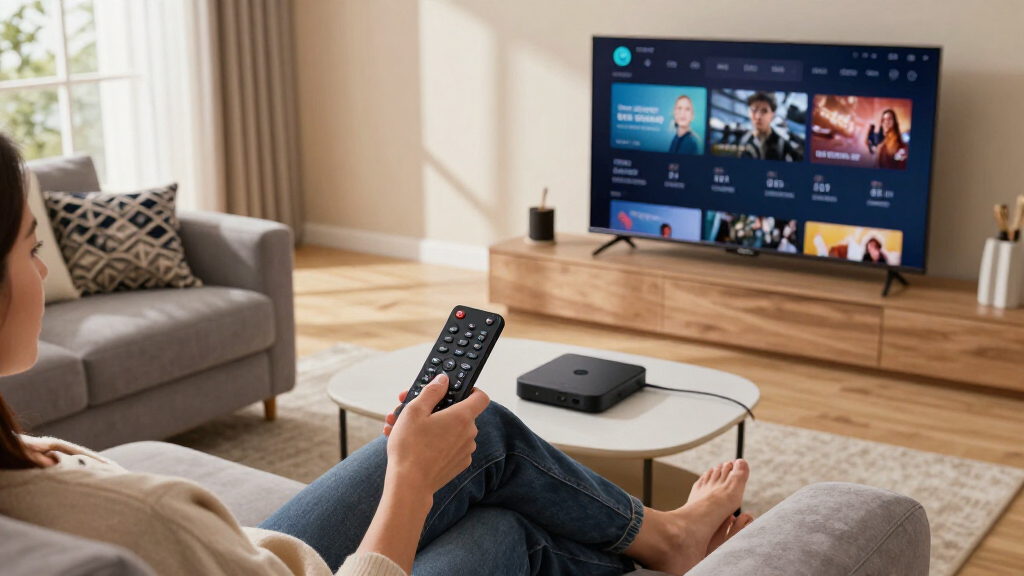
I ranked these devices by how well they solve everyday streaming problems rather than by counting features. My highest-weighted factors were interface responsiveness, app availability, search quality, remote usability, Wi-Fi reliability, and support for modern 4K HDR and audio formats. I also examined Ethernet access, storage capacity, placement flexibility, voice-assistant integration, and whether each product offered enough practical benefit over a cheaper model. Products with similar playback capabilities were separated by the details buyers encounter daily, including home-screen clutter, private-listening options, remote charging, and app-switching speed.
The order also reflects price-to-benefit balance and purchase risk. A premium box ranked highly only when its stronger connectivity, controls, or media capabilities could change the ownership experience; extra processing power alone was not enough. I placed renewed Roku models below the comparable new Roku Ultra because warranty coverage and accessory condition can vary by seller. The NVIDIA Shield TV Pro received credit for advanced local playback, while the Fire TV Stick HD was judged as a 1080p budget product rather than a direct rival to the 4K leaders.
| streaming device | Audio | Remote |
|---|---|---|
| onn. 4K UHD Android TV Streami | — | — |
| Amazon Fire TV Stick 4K Plus | Dolby Atmos | Alexa Voice Remote |
| Roku Ultra 4K Streaming Player | Dolby Atmos | Rechargeable Roku Voice Remote Pro |
| Xiaomi TV Box S | Dolby Audio and DTS:X | — |
| Roku Streaming Stick 4K with V | — | Voice remote |
| Roku Ultra 4K HDR Streaming De | — | Rechargeable Roku Voice Remote Pro |
| Amazon Fire TV Stick 4K Max | Dolby Atmos | — |
| onn 4K Pro Streaming Device | Dolby Atmos | — |
| Amazon Fire TV Stick HD with A | — | Alexa Voice Remote |
| Amazon Fire TV Cube with Alexa | — | — |
| NVIDIA Shield TV Pro | Dolby Atmos, Dolby Digital Plus | Backlit voice remote with IR control and remote locator |
| Roku Ultra 2024 | Dolby Atmos | Rechargeable Voice Remote Pro with backlit buttons |
| Google TV Streamer 4K | — | Voice Search Remote |
Factors to Consider When Choosing Best Streaming Devices
Choosing a streaming device starts with the television, network, and services already in the room. I recommend deciding which limitations need fixing before paying for faster hardware or another voice assistant. A basic stick can be enough for a secondary television, while a main entertainment system may benefit from Ethernet, better format support, and a stronger remote. The factors below separate meaningful upgrades from extras that may never affect daily viewing.
Choose the Platform Before the Hardware
The operating system shapes every interaction, from finding an app to seeing recommendations on the home screen. Roku favors simplicity, making it a strong match for shared televisions and people who want recognizable app tiles without learning a layered interface. Fire TV gives Prime Video, Alexa, and Amazon content a larger role, while Google TV combines recommendations across services and works naturally with Google accounts. No platform is neutral: each promotes content, collects viewing data, and may place sponsored material near personal recommendations. I suggest checking support for smaller services, regional broadcasters, and live-TV apps before buying because the major global apps are rarely the source of incompatibility. Households already invested in Alexa or Google Home may gain more from matching ecosystems than from choosing the device with the fastest processor.
Match Connectivity to the Room
Wi-Fi labels can distract from the physical conditions around a television. A stick hidden behind a wall-mounted display may receive a weaker signal than a box placed in the open, even when the stick supports a newer wireless standard. Ethernet is valuable for crowded networks, high-bitrate local files, and rooms where buffering persists despite a fast internet plan. Wi-Fi 6E can help when the router, room placement, and other devices support its additional band, but it will not improve a slow broadband connection. I would favor a box with wired networking for a primary home-theater setup and a compact stick for travel or secondary rooms. Buyers should also check power requirements, since a television’s USB port may not provide enough power for every device and can cause restarts or unstable playback.
Check the Entire Audio and Video Chain
A Dolby Vision or Dolby Atmos logo on a streamer does not mean the full setup will reproduce that format. The television, soundbar or receiver, HDMI input, cables, streaming service, and subscription tier must all support the same signal. Format compatibility is an end-to-end issue, which is why paying more for a premium player may produce no visible change on an older 1080p television. Frame-rate matching and dynamic-range handling can matter more to film fans than headline resolution because they affect motion and prevent needless format conversion. Local-media buyers should also examine codec and audio-passthrough support rather than assuming every Android-based box behaves identically. I recommend listing the formats used by the existing display and audio system, then choosing a streamer that covers those needs without paying for unused home-theater capabilities.
Pay for Speed, Storage, and Longevity Where They Matter
Faster hardware improves menu response, voice-search results, and movement between large streaming apps, but it does not make a low-quality video source become true 4K. Extra storage matters most for people who install many apps, games, screensavers, or local-media tools. A small-capacity stick can work well when it holds only a handful of services, yet repeated app removal becomes frustrating in a multi-user household. Newer processors and wireless radios may also receive software attention for longer, though manufacturers rarely promise identical support periods. I would spend more on responsiveness for a television used every day and save money on a guest-room display that opens one or two services. The practical target is fast, stable access to the required apps, not the largest specification number.
Treat the Remote as Part of the Product
The remote is often the largest difference between two streamers that produce similar pictures. Rechargeable batteries, backlighting, a remote finder, and programmable buttons can justify a higher price in a busy living room, while a traveler may prefer a smaller replaceable-battery design. Voice search is useful when it searches across several services, but ecosystem-specific assistants may favor their own catalogs or require more account permissions. Buyers with hearing needs may benefit from private listening, subtitle shortcuts, or clear dialogue features more than from another HDR format. I also look for television power, volume, and input controls because reaching for a second remote weakens the appeal of an otherwise polished device. For beginners, clear navigation and fewer buttons usually provide more value than hands-free voice control.
Know When Renewed Hardware Is Worth the Risk
Renewed devices can make premium hardware affordable, but the discount should compensate for uncertainty about prior use and accessory condition. With a renewed Roku Ultra, I would verify the exact model year, included Voice Remote Pro, return window, and whether the seller or manufacturer supplies the warranty. Model names alone are unreliable because retailers may group several generations under similar titles. Rechargeable remote batteries deserve extra attention since their remaining capacity is harder to judge from a listing. A modest discount is rarely enough when a new unit includes stronger coverage, complete accessories, and a predictable battery. Renewed hardware makes the most sense when the seller is reputable and the price gap is large enough to accept those limits.
Frequently Asked Questions
Should I Buy the Roku Ultra or the Roku Streaming Stick 4K?
I would choose the Roku Ultra for a primary television when Ethernet, a rechargeable premium remote, and consistently quick navigation are worth the added cost. The Roku Streaming Stick 4K suits secondary rooms, wall-mounted displays, and buyers who want the same familiar Roku approach in a smaller package. Both cover mainstream 4K streaming, so the Ultra’s advantage is mainly convenience and connectivity rather than access to a separate class of content. A strong Wi-Fi signal reduces the need for the larger box. If the television is used daily by several people, the Ultra’s remote and wired option make its premium easier to justify.
Is the Fire TV Stick 4K Max Worth More Than the Fire TV Stick 4K Plus?
The Fire TV Stick 4K Max makes more sense when the price difference is small and the household can use Wi-Fi 6E or wants the higher-tier Fire TV stick. The Fire TV Stick 4K Plus is the more restrained choice for standard streaming on a Wi-Fi 6 network. Streaming services rarely need the full capacity of either wireless standard, so signal quality and router placement can outweigh the Max label. I would compare exact model generations, storage, processor details, and sale prices rather than relying on Amazon’s naming. Buyers who want Ethernet or hands-free Alexa control may gain more by moving to the Fire TV Cube instead of paying a large premium for a faster stick.
A premium streamer cannot add genuine detail that is missing from the source or exceed the television’s panel capabilities. It may provide better format matching, steadier high-bitrate playback, or more capable upscaling, which can create a cleaner result in the right setup. The NVIDIA Shield TV Pro is particularly relevant to buyers interested in advanced upscaling and local files, while ordinary subscription streaming places less demand on the player. Subscription tier, internet stability, television settings, and HDMI configuration can have a larger effect than replacing a recent 4K stick. I would upgrade for a specific limitation such as buffering, missing HDR support, or sluggish menus rather than expecting every video to look dramatically sharper.
Are the Renewed Roku Ultra Models a Good Buy?
A renewed Roku Ultra can be a smart purchase when it costs well below the new model and comes from a seller with a clear return policy. The two renewed options in this roundup retain the appeal of Ethernet, premium Roku controls, and broad HDR support, but they carry more purchase uncertainty than the new Roku Ultra. I would confirm the model year because remote features and hardware details may differ across similarly named listings. The condition of the rechargeable remote and the length of warranty coverage should be part of the price comparison. If the savings are small, I favor the new unit for its predictable accessories and support.
Which Streaming Device Is Best for Plex and Local Media?
The NVIDIA Shield TV Pro remains my specialist choice for Plex users and buyers with substantial local-media libraries. Its appeal lies in advanced playback flexibility, networked-media features, and a design suited to enthusiasts rather than ordinary app-only viewing. The Fire TV Cube, Google TV Streamer, and onn 4K Pro can run popular media apps, but they are not direct substitutes for every server, codec, or passthrough workflow. Shield buyers pay a high price for aging hardware, and some newer codec needs may call for closer compatibility checks. I recommend it when local playback is a central requirement; for Netflix-led viewing, the Roku Ultra or onn 4K Pro offers better value.
Conclusion
For most buyers, I recommend the Roku Ultra 4K Streaming Player as the best overall choice because it balances speed, Ethernet, broad service support, and a polished remote without demanding technical setup. The onn 4K Pro is my best-value pick, while the basic onn 4K device is better for shoppers chasing the lowest workable 4K price. Beginners should choose the Roku Streaming Stick 4K for its approachable interface and compact design. The Amazon Fire TV Cube is my premium recommendation for Alexa households, and the Fire TV Stick 4K Max fits buyers who want a faster Amazon stick without moving to a box. For specific needs, I favor the NVIDIA Shield TV Pro for Plex and local media, the Google TV Streamer for a roomy Google TV setup, and the Fire TV Stick HD for an older 1080p television. Renewed Roku Ultra models are worthwhile only when their discount, warranty, and return terms beat the security of buying new.
College move-in / dorm season Picks
dorm essentials
As an affiliate, we earn on qualifying purchases.