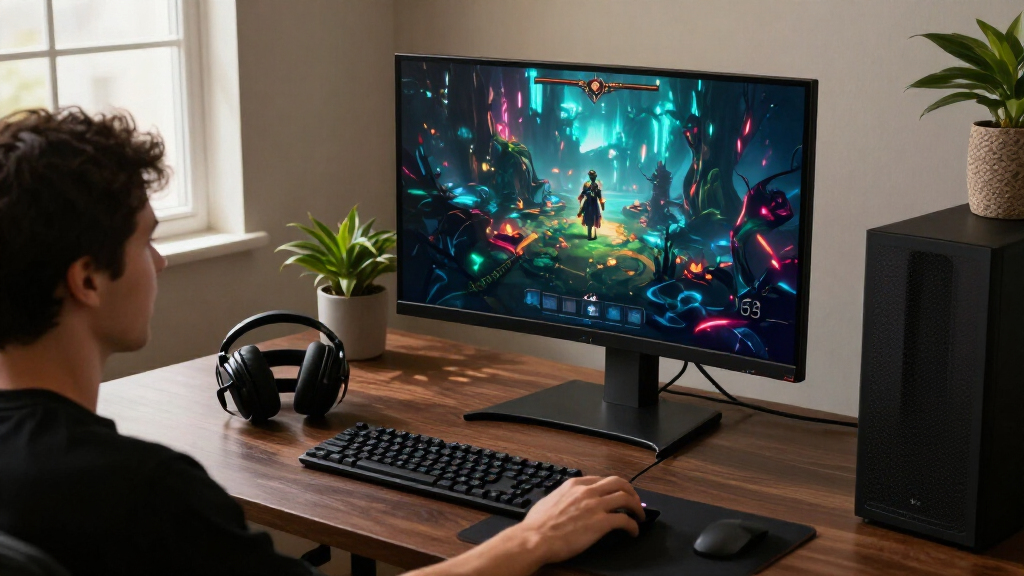

OLED gaming monitors pair deep blacks and fast pixel response with refresh rates suited to competitive play, but the right pick depends on resolution, screen size, and how you use your desktop. My best overall choice is the ASUS ROG Strix XG27ACDNG, a strong match for gamers who want a fast 27-inch QHD QD-OLED without moving to a much larger display. The LG 32GX850A-B stands out for 4K detail and its 165Hz/330Hz dual mode, while the Alienware AW3425DW offers an immersive ultrawide format. The tradeoffs include OLED care, varying text clarity, and the graphics-card demands of high-resolution gaming. Read on for the full comparison and guidance on which monitor best fits your setup.

Get the latest gadgets delivered free with Prime
- Fast, free delivery on millions of items
- Prime Video, Amazon Music and more included
- Member-only deals all year
Complete the kit



Key Takeaways
- 27-inch QHD is the most balanced format in this lineup: models such as the ASUS ROG Strix XG27ACDNG combine a manageable desktop footprint with high refresh rates.
- Dual-mode screens serve different play styles: the LG 32GX850A-B lets buyers choose between 4K at 165Hz and a faster 330Hz mode instead of committing to one refresh-rate target.
- Screen format matters as much as panel speed: the 49-inch Samsung Odyssey G9 and 34-inch Alienware AW3425DW offer wider views, but need more desk space and suitable game support.
- QD-OLED and OLED options are not interchangeable in every setup: finish, room lighting, text use, and model-specific features can matter more day to day than a small specification difference.
- Buy by workload, not refresh rate alone: the 32-inch ASUS ROG PG32UCDM3 targets high-end 4K gaming, while several 27-inch QHD choices are easier fits for competitive play and more modest systems.
| AOC Q27GAZD 27-Inch QHD 240Hz QD-OLED Gaming Monitor |  | Best Flexible 27-Inch Pick | Screen size: 27 inches | Resolution: 2560 × 1440 (QHD) | Panel: QD-OLED | VIEW LATEST PRICE | See Our Full Breakdown |
| ASUS ROG Strix XG27ACDNG 27-inch QHD QD-OLED Gaming Monitor |  | Best for High-Refresh Competitive Play | Screen size: 26.5 inches | Resolution: 2560 × 1440 (QHD) | Panel: QD-OLED | VIEW LATEST PRICE | See Our Full Breakdown |
| LG UltraGear 27-inch QHD OLED Gaming Monitor, 240Hz |  | Best for Console Connectivity | Screen size: 27 inches | Resolution: 2560 × 1440 (QHD) | Display type: Glossy OLED | VIEW LATEST PRICE | See Our Full Breakdown |
| LG 32GX850A-B 32-Inch 4K UHD Dual-Mode OLED Gaming Monitor |  | Best for 4K Detail and Dual-Mode Play | Screen size: 32 inches | Resolution: 3840 × 2160 (4K UHD) | Display type: Glossy OLED with Micro Lens Array+ | VIEW LATEST PRICE | See Our Full Breakdown |
| AOC 27-Inch QHD 240Hz QD-OLED Gaming Monitor (Q27GAZDV) |  | Best for Console and PC Versatility | Screen size: 27 inches | Resolution: 2560 × 1440 (QHD) | Panel: QD-OLED | VIEW LATEST PRICE | See Our Full Breakdown |
| Samsung Odyssey OLED G5 27-Inch QHD Gaming Monitor |  | Best Glare-Managed Entry Point | Screen size: 27 inches | Panel type: QD-OLED | Resolution: 2560 x 1440 (QHD) | VIEW LATEST PRICE | See Our Full Breakdown |
| ASUS ROG XG27AQDMGR 27″ QHD 240Hz Glossy OLED HDR Gaming Monitor |  | Best for Glossy OLED Impact | Screen size: 27 inches | Panel type: Glossy OLED (TrueBlack) | Resolution: 2560 x 1440 (QHD) | VIEW LATEST PRICE | See Our Full Breakdown |
| Acer Predator X27U W1 26.5-Inch QHD QD-OLED Gaming Monitor |  | Best Adjustable Stand | Screen size: 26.5 inches | Panel type: QD-OLED | Resolution: 2560 x 1440 (QHD) | VIEW LATEST PRICE | See Our Full Breakdown |
| Samsung 27-inch Odyssey OLED G6 QHD Gaming Monitor |  | Best Balanced 27-Inch QHD Pick | Screen size: 27 inches | Panel type: QD-OLED | Resolution: 2560 x 1440 (QHD) | VIEW LATEST PRICE | See Our Full Breakdown |
| Samsung Odyssey G9 QD-OLED 49″ Dual QHD Curved Gaming Monitor |  | Best for Ultrawide Immersion and Multitasking | Screen size: 49 inches | Aspect ratio: 32:9 | Resolution: 5120 x 1440 (Dual QHD) | VIEW LATEST PRICE | See Our Full Breakdown |
| ASUS ROG PG32UCDM3 32 Inch 4K 240Hz Tandem OLED Gaming Monitor |  | Best for 4K OLED Performance | Screen size: 32 inches | Resolution: 3840 × 2160 (4K) | Panel: QD-OLED | VIEW LATEST PRICE | See Our Full Breakdown |
| Alienware AW3425DW 34.2-Inch Curved QD-OLED Gaming Monitor, 3440 × 1440, 240Hz |  | Best Curved Ultrawide | Screen size: 34.2 inches | Aspect ratio: 21:9 | Resolution: 3440 × 1440 | VIEW LATEST PRICE | See Our Full Breakdown |
| OLED gaming monitor | Screen size | Resolution | Response time | Refresh rate |
|---|---|---|---|---|
| AOC Q27GAZD 27-Inch QHD 240Hz | 27 inches | 2560 × 1440 (QHD) | 0.03ms (GtG) | 240Hz |
| ASUS ROG Strix XG27ACDNG 27-in | 26.5 inches | 2560 × 1440 (QHD) | 0.03ms | 360Hz |
| LG UltraGear 27-inch QHD OLED | 27 inches | 2560 × 1440 (QHD) | 0.03ms | Up to 240Hz |
| LG 32GX850A-B 32-Inch 4K UHD D | 32 inches | 3840 × 2160 (4K UHD) | 0.03ms | — |
| AOC 27-Inch QHD 240Hz QD-OLED | 27 inches | 2560 × 1440 (QHD) | 0.03ms | 240Hz |
| Samsung Odyssey OLED G5 27-Inc | 27 inches | 2560 x 1440 (QHD) | 0.03 ms (GTG) | 180 Hz |
| ASUS ROG XG27AQDMGR 27" QHD 24 | 27 inches | 2560 x 1440 (QHD) | 0.03 ms gray-to-gray | 240 Hz |
| Acer Predator X27U W1 26.5-Inc | 26.5 inches | 2560 x 1440 (QHD) | 0.03 ms | 240 Hz |
| Samsung 27-inch Odyssey OLED G | 27 inches | 2560 x 1440 (QHD) | 0.03 ms (GtG) | 240 Hz |
| Samsung Odyssey G9 QD-OLED 49" | 49 inches | 5120 x 1440 (Dual QHD) | 0.03 ms (GtG) | 144 Hz |
| ASUS ROG PG32UCDM3 32 Inch 4K | 32 inches | 3840 × 2160 (4K) | 0.03ms | 240Hz |
| Alienware AW3425DW 34.2-Inch C | 34.2 inches | 3440 × 1440 | 0.03ms | 240Hz |
More Details on Our Top Picks
AOC Q27GAZD 27-Inch QHD 240Hz QD-OLED Gaming Monitor
I’d choose the AOC Q27GAZD for a compact QHD setup where fast play and adjustable positioning matter more than a high refresh-rate ceiling. Its 240Hz QD-OLED panel and 0.03ms response time suit competitive games, while deep blacks and broad color coverage also benefit atmospheric single-player titles. Compared with the ASUS ROG Strix XG27ACDNG, it gives up 120Hz of refresh rate, but its height, swivel, pivot, and tilt adjustments make desk placement flexible. Adaptive-Sync and G-SYNC compatibility help reduce tearing, and VESA mounting adds another setup option. The tradeoffs are its glossy finish, which can catch room reflections, and listed HDMI 2.0 connectivity rather than a newer HDMI standard. USB-C is not specified, either.
Pros:- 240Hz refresh rate and 0.03ms response time support responsive gameplay.
- QD-OLED panel delivers deep blacks and wide color coverage.
- Height, swivel, tilt, and pivot adjustments support varied desk setups.
- Adaptive-Sync and G-SYNC compatibility help reduce tearing.
Cons:- Glossy screen can reflect windows and room lighting.
- HDMI 2.0 is less current than the HDMI 2.1 connections listed for the LG 27-inch UltraGear.
- USB-C connectivity is not specified.
Best for: PC gamers who want a 27-inch QHD OLED for both responsive play and flexible ergonomic positioning.
Not ideal for: Players in bright rooms who are sensitive to screen reflections, or buyers who need USB-C or newer HDMI connectivity.
- Screen size:27 inches
- Resolution:2560 × 1440 (QHD)
- Panel:QD-OLED
- Refresh rate:240Hz
- Response time:0.03ms (GtG)
- HDR:HDR400 True Black
- Adaptive sync:Adaptive-Sync; G-SYNC Compatible
- Connectivity:DisplayPort 1.4, HDMI 2.0, USB 3.2, earphone out
- Stand adjustments:Tilt, swivel, pivot, and height
Our verdict“Choose this AOC for an adjustable 27-inch QHD QD-OLED setup, but skip it if reflections or newer HDMI connectivity are priorities.”
ASUS ROG Strix XG27ACDNG 27-inch QHD QD-OLED Gaming Monitor
The ASUS ROG Strix XG27ACDNG is the speed-first choice here: its 360Hz refresh rate gives competitive players more headroom than the 240Hz AOC and LG 27-inch models. QHD resolution keeps the pixel load below 4K, while 0.03ms response time and both G-SYNC Compatible and FreeSync Premium Pro support smooth, quick-feeling play across compatible systems. Its matte finish is a practical contrast to the glossy AOC Q27GAZD and LG, especially where ambient light is hard to control. ASUS also specifies a custom heatsink, airflow design, OLED Care+, and a three-year warranty that includes burn-in coverage. Those protections are useful, not a guarantee against image retention. This is a more specialized pick: buyers focused on cinematic 4K detail or a larger screen may prefer the LG 32GX850A-B.
Pros:- 360Hz refresh rate exceeds the 240Hz options in this group.
- True 10-bit QD-OLED color with 99% DCI-P3 coverage.
- Matte finish can be more manageable than glossy screens in brighter rooms.
- Three-year warranty includes burn-in coverage, alongside OLED Care+ and heatsink features.
Cons:- QHD resolution offers less fine detail than the LG 32GX850A-B’s 4K panel.
- OLED can still be susceptible to burn-in despite the listed care features.
- The supplied pixel-pitch figure has no unit, limiting its usefulness.
Best for: Competitive PC players with a system capable of pushing high frame rates who want a 27-inch QHD OLED and burn-in coverage in the warranty.
Not ideal for: Gamers who prioritize 4K resolution, a larger display, or do not expect to benefit from refresh rates above 240Hz.
- Screen size:26.5 inches
- Resolution:2560 × 1440 (QHD)
- Panel:QD-OLED
- Refresh rate:360Hz
- Response time:0.03ms
- Color depth:True 10-bit
- HDR certification:VESA DisplayHDR 400 True Black
- Adaptive sync:G-SYNC Compatible; AMD FreeSync Premium Pro
- Warranty:3 years, including burn-in coverage
Our verdict“Pick the ASUS if competitive frame rates matter more to you than 4K detail or a larger screen.”
LG UltraGear 27-inch QHD OLED Gaming Monitor, 240Hz
For a mixed PC-and-console desk, I’d give the LG UltraGear 27-inch the connectivity role. Its two HDMI 2.1 ports pair with DisplayPort 1.4 and USB connections, giving more flexibility than the HDMI 2.0 listed for the AOC Q27GAZD. The 27-inch QHD OLED runs up to 240Hz with a 0.03ms response time, so it remains well suited to fast PC games while deep contrast and up to 98.5% DCI-P3 coverage support richer-looking scenes. G-SYNC Compatible and FreeSync Premium Pro broaden adaptive-sync support. Compared with the ASUS ROG Strix XG27ACDNG, this LG trades a 360Hz ceiling for a more versatile console connection setup. Its glossy finish can reflect light, and OLED image retention remains a concern for static desktop use.
Pros:- Two HDMI 2.1 ports suit a setup with multiple current-generation consoles or devices.
- 240Hz refresh rate and 0.03ms response time support fast gameplay.
- G-SYNC Compatible and FreeSync Premium Pro support adaptive sync.
- Adjustable stand offers height, tilt, swivel, and pivot.
Cons:- 240Hz is below the ASUS ROG Strix XG27ACDNG’s 360Hz ceiling.
- Glossy screen finish can show reflections.
- OLED image retention may require care with persistent static content.
Best for: Console owners who also play PC games and want a QHD OLED with multiple HDMI 2.1 inputs.
Not ideal for: Competitive players chasing 360Hz, or gamers whose monitors face bright windows and strong room lighting.
- Screen size:27 inches
- Resolution:2560 × 1440 (QHD)
- Display type:Glossy OLED
- Refresh rate:Up to 240Hz
- Response time:0.03ms
- Brightness:275 nits standard; up to 1300 nits peak
- HDR:VESA DisplayHDR True Black 400
- Ports:2 × HDMI 2.1, DisplayPort 1.4, USB 3.2 upstream, 2 × USB 3.2 downstream, headphone jack
- Stand adjustments:Height, tilt, swivel, and pivot
Our verdict“Choose the LG 27-inch if HDMI 2.1 flexibility matters more than having the highest refresh rate in this group.”
LG 32GX850A-B 32-Inch 4K UHD Dual-Mode OLED Gaming Monitor
The LG 32GX850A-B is the lineup’s large-screen choice for players who want sharp 4K images without giving up a high-speed mode. Its dual-mode refresh rates offer 4K at up to 165Hz for detailed, immersive games or Full HD at up to 330Hz for faster competitive play. That makes it more adaptable than the 27-inch QHD AOC and LG options, though the ASUS ROG Strix XG27ACDNG still reaches a higher 360Hz in QHD. At 32 inches, the 4K resolution also gives games and desktop content more fine detail. OLED contrast, True Black 400, and up to 98.5% DCI-P3 coverage round out the image strengths. The glossy panel can reflect light, and the supplied specs list 275 nits typical brightness.
Pros:- 4K resolution provides more detail than the QHD monitors in this group.
- Dual mode pairs 4K at up to 165Hz with Full HD at up to 330Hz.
- OLED contrast and DisplayHDR True Black 400 support deep-looking dark scenes.
- Stand adjusts for height, tilt, swivel, and pivot.
Cons:- The 330Hz mode runs at Full HD rather than 4K.
- Glossy finish may reflect ambient light.
- The listed typical brightness is 275 nits, which may be limiting in bright spaces.
Best for: Gamers who want a 32-inch 4K OLED for immersive play and the option to switch to a faster Full HD mode.
Not ideal for: Players seeking a compact QHD display, 4K refresh above 165Hz, or a matte screen for a bright room.
- Screen size:32 inches
- Resolution:3840 × 2160 (4K UHD)
- Display type:Glossy OLED with Micro Lens Array+
- Refresh modes:4K up to 165Hz; Full HD up to 330Hz
- Response time:0.03ms
- Typical brightness:275 nits
- HDR:VESA DisplayHDR True Black 400
- Color coverage:Up to 98.5% DCI-P3
- Adaptive sync:NVIDIA G-SYNC Compatible; AMD FreeSync Premium Pro
Our verdict“Choose this LG if you want a large 4K OLED that can switch to a high-refresh Full HD mode for competitive games.”
AOC 27-Inch QHD 240Hz QD-OLED Gaming Monitor (Q27GAZDV)
The AOC Q27GAZDV makes sense for a shared PC-and-console setup, thanks to HDMI 2.1 alongside DisplayPort 1.4 and a built-in USB 3.2 Gen 1 hub. Its 27-inch QHD QD-OLED panel combines 240Hz and 0.03ms response time with deep blacks and broad color coverage, matching the speed class of the AOC Q27GAZD and LG 27-inch UltraGear. Where this model distinguishes itself is the listed console-friendly connection mix and three-year warranty. Its adjustable stand covers height, tilt, swivel, and pivot, too. The compromise is brightness: the supplied figure is 200 cd/m², which may feel limiting in a brightly lit room. Like the other OLEDs here, it can also be vulnerable to image retention from prolonged static content.
Pros:- HDMI 2.1 and DisplayPort 1.4 support a flexible console and PC setup.
- 240Hz refresh rate and 0.03ms response time suit fast games.
- QD-OLED provides deep blacks and wide listed color coverage.
- Adjustable stand and built-in USB hub add desk flexibility.
Cons:- Listed brightness of 200 cd/m² may be limiting in bright rooms.
- OLED image retention or burn-in can be a concern with persistent static content.
- The ASUS ROG Strix XG27ACDNG offers a higher 360Hz refresh rate for competitive play.
Best for: Console and PC gamers who want one QHD OLED with HDMI 2.1, a USB hub, and a fully adjustable stand.
Not ideal for: Players gaming in bright rooms or anyone seeking a 4K panel or a refresh rate above 240Hz.
- Screen size:27 inches
- Resolution:2560 × 1440 (QHD)
- Panel:QD-OLED
- Refresh rate:240Hz
- Response time:0.03ms
- Brightness:200 cd/m²
- Connectivity:HDMI 2.1, DisplayPort 1.4, USB 3.2 Gen 1 hub
- Adaptive sync:NVIDIA G-SYNC Compatible
- Warranty:3 years
Our verdict“Pick this AOC for a versatile console-and-PC QHD setup, but look elsewhere if you need higher brightness or a faster-than-240Hz panel.”
Samsung Odyssey OLED G5 27-Inch QHD Gaming Monitor
I’d pick the Odyssey OLED G5 for a 27-inch QHD setup where controlling reflections matters more than chasing the highest refresh rate. Its matte QD-OLED screen pairs vivid color and deep contrast with a less reflective finish, while 180Hz and a 0.03ms response time keep motion quick for competitive play. Compared with the Samsung Odyssey OLED G6, the G5 gives up 60Hz of refresh rate, so fast-action players may prefer the G6’s smoother motion. In return, this model remains a straightforward choice for mixed gaming and everyday desk use, with both G-Sync Compatible and FreeSync support. OLED Safeguard features help reduce burn-in risk, but they cannot remove it; the single listed HDMI port also limits convenient multi-device hookups.
Pros:- QD-OLED panel combines deep contrast with vivid color at QHD resolution.
- Matte Glare Free finish helps limit distracting reflections.
- 180Hz refresh rate and 0.03ms response time support responsive gameplay.
- G-Sync Compatible and AMD FreeSync compatibility help reduce tearing.
Cons:- Refresh rate is lower than the 240Hz Samsung Odyssey OLED G6 and other QHD options in this lineup.
- Only one HDMI port is listed, which can complicate switching between connected devices.
- Burn-in safeguards reduce risk but do not eliminate it.
Best for: PC gamers who want QHD OLED contrast, a matte screen for a brighter room, and refresh rates up to 180Hz.
Not ideal for: Competitive players seeking 240Hz or console-and-PC owners who need multiple HDMI connections.
- Screen size:27 inches
- Panel type:QD-OLED
- Resolution:2560 x 1440 (QHD)
- Refresh rate:180 Hz
- Response time:0.03 ms (GTG)
- Screen finish:Matte
- HDR:HDR10
- Adaptive sync:NVIDIA G-Sync Compatible, AMD FreeSync
- Warranty:3 years
Our verdict“Choose the G5 if a glare-reducing QHD OLED matters more to you than the 240Hz pace of the Odyssey OLED G6.”
ASUS ROG XG27AQDMGR 27″ QHD 240Hz Glossy OLED HDR Gaming Monitor
The ASUS ROG XG27AQDMGR suits players who want a glossy OLED presentation and a fast 27-inch QHD panel. Its 240Hz refresh rate gives it a clear speed advantage over the Samsung Odyssey OLED G5’s 180Hz, while 99% DCI-P3 coverage and DisplayHDR 400 True Black support are aimed at rich color and high-contrast game scenes. The listed brightness reaches 1300 cd/m², though real-world brightness depends on content and display conditions. Compared with the matte Acer Predator X27U W1, this ASUS favors a glossy finish that may deliver a more direct-looking image but can reflect windows and lamps. OLED Care Pro and a three-year warranty with stated burn-in coverage add reassurance, but the lack of USB-C video input narrows its appeal for laptop-based setups.
Pros:- 240Hz refresh rate and 0.03ms response time suit fast competitive games.
- 99% DCI-P3 coverage supports a broad range of vivid colors.
- DisplayHDR 400 True Black support pairs OLED contrast with HDR capability.
- OLED Care Pro and the stated three-year burn-in coverage add panel-protection support.
Cons:- Glossy finish can reflect lights and windows in bright rooms.
- No USB-C video input is listed.
- Compared with the matte Acer Predator X27U W1, it is less suited to reflection-heavy spaces.
Best for: PC gamers who prioritize 240Hz QHD play, a glossy OLED image, wide-gamut color, and stated burn-in warranty coverage.
Not ideal for: Players with bright, reflection-prone rooms or laptop users who want a single USB-C video connection.
- Screen size:27 inches
- Panel type:Glossy OLED (TrueBlack)
- Resolution:2560 x 1440 (QHD)
- Refresh rate:240 Hz
- Response time:0.03 ms gray-to-gray
- Color gamut:99% DCI-P3
- HDR:VESA DisplayHDR 400 True Black
- Connectivity:HDMI, DisplayPort, USB
- Warranty:3 years with ARR and burn-in coverage
Our verdict“Pick the ASUS if you want a glossy 240Hz QHD OLED and can control reflections around your desk.”
Acer Predator X27U W1 26.5-Inch QHD QD-OLED Gaming Monitor
The Acer Predator X27U W1 makes its case with a 240Hz QD-OLED panel and a stand offering height, pivot, swivel, and tilt adjustments. That flexibility is useful if you share a desk, change posture, or want to rotate the screen for other tasks; the Samsung Odyssey OLED G6 offers ergonomic adjustments too, but Acer’s listed pivot and swivel options make its stand a strong fit for frequent repositioning. Its matte finish is another practical distinction from the glossy ASUS ROG XG27AQDMGR, especially where room lighting creates reflections. The tradeoff is a slightly smaller 26.5-inch screen rather than a full 27 inches, and the supplied data lists AMD FreeSync Premium but not G-Sync compatibility. Built-in speakers can cover basic audio, though dedicated speakers or a headset remain preferable for gaming sound.
Pros:- 240Hz refresh rate and 0.03ms response time support fast-moving games.
- QD-OLED panel and 99% DCI-P3 gamut deliver high contrast and broad color.
- Matte screen finish helps manage reflections.
- Stand adjusts for height, pivot, swivel, and tilt.
Cons:- The 26.5-inch screen is smaller than the 27-inch Samsung Odyssey OLED G6 and ASUS ROG XG27AQDMGR.
- Only AMD FreeSync Premium is listed for adaptive sync.
- Listed weight is 8.96 kg.
Best for: PC gamers who want a matte QHD OLED with a highly adjustable stand for shared desks or changing screen orientation.
Not ideal for: Buyers who require a full 27-inch panel, listed G-Sync support, or a lightweight monitor for frequent moving.
- Screen size:26.5 inches
- Panel type:QD-OLED
- Resolution:2560 x 1440 (QHD)
- Refresh rate:240 Hz
- Response time:0.03 ms
- Screen finish:Matte
- Color gamut:99% DCI-P3
- Adaptive sync:AMD FreeSync Premium
- Stand adjustments:Height, pivot, swivel, and tilt
Our verdict“Choose the Acer if stand flexibility and a matte finish matter more to you than a full 27-inch screen or broader listed sync support.”
Samsung 27-inch Odyssey OLED G6 QHD Gaming Monitor
The Samsung Odyssey OLED G6 is the balanced 27-inch QHD choice for players who want high refresh without moving to a larger or ultrawide screen. Its 240Hz refresh rate is a meaningful step up from the Odyssey OLED G5’s 180Hz, while the 0.03ms response time supports quick on-screen reactions. The matte Glare Free finish also separates it from the glossy ASUS ROG XG27AQDMGR: the G6 is better suited to rooms where reflections are a concern, while the ASUS lists a higher peak-brightness figure and wider DCI-P3 coverage. Samsung adds an adjustable stand and OLED Safeguard features for heat and burn-in risk management. The limits are straightforward: only one HDMI port is listed, HDR is HDR10, and protection features do not guarantee that burn-in cannot occur.
Pros:- 240Hz refresh rate and 0.03ms response time deliver fast motion handling.
- Matte Glare Free finish helps reduce reflections.
- QD-OLED contrast, QHD resolution, and HDR10 support vivid gameplay.
- Stand adjusts for height, tilt, pivot, and swivel.
Cons:- Only one HDMI port is listed.
- HDR support is listed as HDR10, while the ASUS ROG XG27AQDMGR lists DisplayHDR 400 True Black.
- OLED Safeguard features help manage burn-in risk but cannot guarantee prevention.
Best for: QHD PC gamers who want a 27-inch matte QD-OLED, 240Hz motion, and an adjustable stand for everyday positioning.
Not ideal for: Players who need multiple HDMI inputs, a glossy screen, or the broader listed color coverage and HDR format of the ASUS ROG XG27AQDMGR.
- Screen size:27 inches
- Panel type:QD-OLED
- Resolution:2560 x 1440 (QHD)
- Refresh rate:240 Hz
- Response time:0.03 ms (GtG)
- Screen finish:Matte
- HDR:HDR10
- Adaptive sync:AMD FreeSync Premium
- Warranty:3 years
Our verdict“The Odyssey OLED G6 is a strong fit if you want a matte 240Hz QHD OLED and do not need multiple HDMI inputs.”
Samsung Odyssey G9 QD-OLED 49″ Dual QHD Curved Gaming Monitor
The Samsung Odyssey G9 QD-OLED is for buyers who want one sweeping display instead of a conventional 27-inch monitor or a two-screen setup. Its 49-inch, 32:9 curved panel provides Dual QHD resolution, giving compatible games a broad field of view while Picture-in-Picture and Picture-by-Picture support side-by-side tasks. Compared with the 27-inch Odyssey OLED G6, the G9 trades a higher 240Hz refresh rate for a wider workspace and 144Hz motion; that is still a fast gaming rate, but it is less tailored to players chasing the highest refresh in this lineup. QD-OLED contrast, True Black 400 HDR, and 0.03ms response time preserve the core OLED gaming appeal. Its size demands substantial desk space, and the listed stand adjusts for tilt and height rather than the more extensive repositioning options of the Acer Predator X27U W1.
Pros:- 49-inch 32:9 curved screen creates a wide gaming and multitasking workspace.
- Dual QHD resolution provides 5120 x 1440 pixels across the display.
- QD-OLED, True Black 400 HDR, and 0.03ms response time support high-contrast, responsive gameplay.
- Picture-in-Picture and Picture-by-Picture enable simultaneous sources.
Cons:- The large footprint can overwhelm smaller desks.
- 144Hz is lower than the 240Hz refresh rates of the Odyssey OLED G6 and ASUS ROG XG27AQDMGR.
- Stand adjustment is limited to tilt and height.
Best for: Players with a large desk who want an immersive ultrawide gaming view and room for side-by-side PC or console content.
Not ideal for: Competitive gamers prioritizing 240Hz, people with compact desks, or buyers who want a standard 16:9 screen.
- Screen size:49 inches
- Aspect ratio:32:9
- Resolution:5120 x 1440 (Dual QHD)
- Panel type:QD-OLED
- Refresh rate:144 Hz
- Response time:0.03 ms (GtG)
- HDR:VESA DisplayHDR True Black 400
- Connectivity:HDMI 2.1, Micro HDMI, DisplayPort, USB-C upstream/downstream
- Stand adjustment:Tilt and height
Our verdict“Choose the G9 if an expansive ultrawide workspace matters more to you than 240Hz gaming or a compact desk setup.”
ASUS ROG PG32UCDM3 32 Inch 4K 240Hz Tandem OLED Gaming Monitor
The ASUS ROG PG32UCDM3 suits players who want 4K detail without giving up a 240Hz refresh rate. Its 32-inch QD-OLED panel pairs sharp resolution with fast response, while the wide color gamut and deep contrast bring richer scenes than a typical LCD. Compared with the Alienware AW3425DW, ASUS gives you more vertical pixels and a standard 16:9 layout; Alienware instead offers a curved ultrawide view that can feel more enveloping in supported games.
Useful extras include DisplayPort 2.1 UHBR20, USB-C with 90W power delivery, and OLED Care Pro with a proximity sensor. BlackShield film adds scratch protection, but it does not remove OLED burn-in risk. The main compromise is HDR: DisplayHDR 500 True Black is a more modest certification than some brighter HDR options, and the wide 32-inch chassis needs desk space.
Pros:- 4K resolution and 240Hz refresh rate combine fine detail with fluid gameplay
- QD-OLED contrast and 99.5% DCI-P3 coverage deliver deep blacks and vivid color
- DisplayPort 2.1 UHBR20 and USB-C with 90W power delivery offer versatile connectivity
- OLED Care Pro sensor and BlackShield film add burn-in mitigation and surface protection
Cons:- DisplayHDR 500 True Black may not satisfy buyers seeking stronger HDR impact
- Its 28.3-inch width calls for a spacious desk
- 4K at high frame rates places heavy demands on a gaming PC
Best for: PC gamers with a powerful graphics card who want a 32-inch 4K OLED for high-refresh competitive play and detailed single-player games
Not ideal for: Players with limited desk space or those prioritizing a more immersive ultrawide format or higher-tier HDR certification
- Screen size:32 inches
- Resolution:3840 × 2160 (4K)
- Panel:QD-OLED
- Refresh rate:240Hz
- Response time:0.03ms
- HDR:VESA DisplayHDR 500 True Black
- Connectivity:DisplayPort 2.1 UHBR20, 2 × HDMI 2.1, USB-C with 90W Power Delivery
- Warranty:3 years with ARR and burn-in coverage
Our verdict“Choose the ASUS for a 32-inch 4K OLED that pairs exceptional speed with modern connectivity, provided your PC and desk can support it.”
Alienware AW3425DW 34.2-Inch Curved QD-OLED Gaming Monitor, 3440 × 1440, 240Hz
The Alienware AW3425DW is the lineup’s curved OLED choice for players who want a broad field of view rather than 4K sharpness. Its 21:9, 1800R display spreads supported games across more horizontal space, while 240Hz and a 0.03ms response time keep motion crisp. Compared with the ASUS ROG PG32UCDM3, Alienware trades vertical resolution for the ultrawide format; ASUS is the clearer fit for 4K detail and a conventional 16:9 screen.
The matte QD-OLED panel, 99.3% DCI-P3 coverage, and TrueBlack 400 HDR support make this a compelling mix for immersive gaming. Its height, swivel, and tilt adjustments help with positioning, and adaptive sync support spans major standards. The tradeoffs are practical: some games and video content may not use the full width, and the monitor’s listed dimensions call for considerable desk space.
Pros:- 34.2-inch 21:9 QD-OLED panel adds a wide, curved view for supported games
- 240Hz refresh rate and 0.03ms response time support fast, clear motion
- Broad adaptive sync support works with compatible NVIDIA and AMD graphics hardware
- Height, swivel, and tilt adjustments allow flexible screen positioning
Cons:- 3440 × 1440 resolution has fewer pixels than the ASUS PG32UCDM3’s 4K panel
- Ultrawide content support varies across games and video sources
- The listed 31.71-inch depth requires substantial desk space
Best for: Players who favor cinematic PC games, supported ultrawide formats, and a curved screen over 4K resolution
Not ideal for: Console-focused gamers, buyers who need a compact setup, or players who prefer 16:9 4K detail
- Screen size:34.2 inches
- Aspect ratio:21:9
- Resolution:3440 × 1440
- Panel and curve:QD-OLED, 1800R
- Refresh rate:240Hz
- Response time:0.03ms
- HDR:VESA DisplayHDR TrueBlack 400
- Adjustments:Height, swivel, tilt
Our verdict“Pick the Alienware if a curved ultrawide OLED matters more to you than 4K resolution or a compact footprint.”
How We Picked
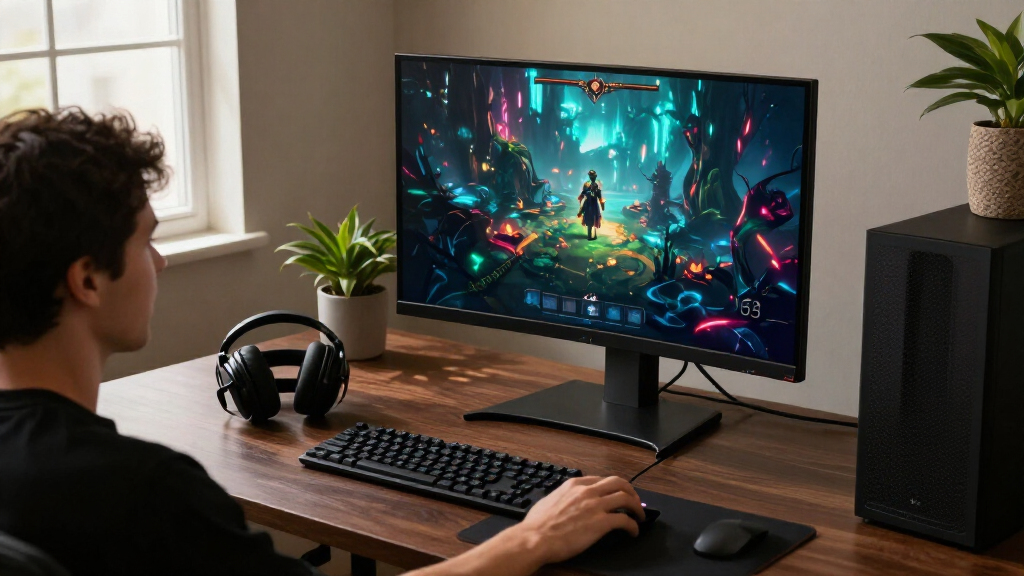
I ranked these OLED gaming monitors by how well their screen size, resolution, refresh rate, and format suit distinct gaming setups—not by a single headline specification. I weighed motion performance and image detail alongside practical factors such as desk fit, connectivity, ergonomic adjustment, and whether a monitor’s distinctive mode or aspect ratio has a clear use.
The upper positions go to versatile options that balance speed, image quality, and everyday usability. More specialized picks rank lower for general use, not because they lack strengths: large ultrawides demand space and game compatibility, while premium 4K screens call for stronger graphics hardware. Closely related 27-inch QHD models are separated by their stated features and intended role, and buyers should check the exact model specifications before purchase.
| OLED gaming monitor | HDR | Adaptive sync |
|---|---|---|
| AOC Q27GAZD 27-Inch QHD 240Hz | HDR400 True Black | Adaptive-Sync; G-SYNC Compatible |
| ASUS ROG Strix XG27ACDNG 27-in | — | G-SYNC Compatible; AMD FreeSync Premium Pro |
| LG UltraGear 27-inch QHD OLED | VESA DisplayHDR True Black 400 | — |
| LG 32GX850A-B 32-Inch 4K UHD D | VESA DisplayHDR True Black 400 | NVIDIA G-SYNC Compatible; AMD FreeSync Premium Pro |
| AOC 27-Inch QHD 240Hz QD-OLED | — | NVIDIA G-SYNC Compatible |
| Samsung Odyssey OLED G5 27-Inc | HDR10 | NVIDIA G-Sync Compatible, AMD FreeSync |
| ASUS ROG XG27AQDMGR 27" QHD 24 | VESA DisplayHDR 400 True Black | — |
| Acer Predator X27U W1 26.5-Inc | — | AMD FreeSync Premium |
| Samsung 27-inch Odyssey OLED G | HDR10 | AMD FreeSync Premium |
| Samsung Odyssey G9 QD-OLED 49" | VESA DisplayHDR True Black 400 | — |
| ASUS ROG PG32UCDM3 32 Inch 4K | VESA DisplayHDR 500 True Black | — |
| Alienware AW3425DW 34.2-Inch C | VESA DisplayHDR TrueBlack 400 | — |
Factors to Consider When Choosing OLED Gaming Monitors
Before choosing among these models, I would match the display to the computer, desk, and games it will serve. A monitor’s maximum refresh rate only helps when the system can deliver the frames, and a screen that looks ideal for gaming may be less convenient for long work sessions.
Choose a resolution your graphics card can drive
QHD is a practical middle ground for many gaming PCs: it offers more detail than Full HD without the workload of 4K. At 4K, the image can look sharper on a 32-inch screen, but demanding games may require reduced settings or a powerful graphics card to reach high frame rates. A common mistake is buying a high-refresh 4K monitor and assuming every game will run near its maximum refresh rate. Think about the games you actually play and whether you favor image quality or frame rate. If your system is midrange, a QHD OLED can leave more performance headroom. Upscaling can help, but it does not replace matching the monitor to your hardware.
Treat refresh rate as a system-wide target
Refresh rates above 200Hz are most useful in fast games where your PC can produce a similarly high frame rate. In slower single-player games, improved contrast and resolution may matter more than chasing the highest number on a specification sheet. Dual-mode displays add flexibility, though changing modes may also change resolution or image character, so check how each mode works before buying. Do not assume a fast panel automatically improves play if your graphics card, game settings, or connection cannot keep up. Variable refresh support can help smooth uneven frame delivery, but it cannot create extra frames. Choose a refresh target that reflects your usual games and hardware rather than a rare best-case result.
Measure the desk before choosing an ultrawide
A 34-inch ultrawide or 49-inch super-ultrawide can make supported games feel more enveloping and gives extra room for side-by-side windows. That wider view also takes more desk width and may put more of the screen outside your natural line of sight. Some games handle ultrawide resolutions well, while others add borders, crop the image, or limit the field of view. Check the monitor’s full stand footprint, not only its panel width, and leave room for speakers or a monitor arm. Curvature can make a wide screen easier to view, but it does not make an oversized display fit every setup. If you play competitive titles, consider whether the expanded view is useful or simply harder to scan.
Plan for OLED care and room conditions
OLED pixels can produce deep blacks, but static interface elements displayed for long periods make usage habits worth thinking about. Use available screen-care tools, allow the monitor’s maintenance routines to run, and avoid disabling protective features without a clear reason. A desktop used for all-day spreadsheets has a different pattern of static content from a PC used mainly for varied games and video. Room lighting also affects perceived contrast and reflections, so panel finish and placement matter. A glossy screen can look vivid in controlled lighting but reflect windows and lamps. Check the warranty terms for burn-in coverage instead of assuming every brand treats it the same way.
Match screen size to how you use the monitor
A 27-inch QHD screen is a familiar fit for a single-monitor gaming desk, while 32-inch 4K gives more room for detailed images and multitasking. Higher pixel density can improve fine detail, though operating-system scaling may be needed to keep text comfortable to read. If you use one display for gaming and work, check text rendering and scaling in person when possible rather than judging the screen only from game footage. A bigger panel is not automatically better if you sit close or have limited desk depth. Ergonomic adjustment can help you place the screen at a comfortable height, especially on larger models. Give viewing distance and chair position as much weight as diagonal size.
Compare the whole setup, not just the panel
Ports determine whether a monitor can connect cleanly to a PC and console, and whether you can leave several devices attached. Confirm the exact HDMI and DisplayPort versions, supported refresh rates by input, and any USB hub or charging features you need. Stand adjustment can matter more than a small refresh-rate difference if you spend long sessions at the screen. Also check whether the package includes the cables needed for your preferred resolution and refresh rate. Similar product names can refer to different revisions or configurations, so verify the complete model number and regional specifications. These checks help prevent a monitor from becoming an expensive mismatch with your desk or devices.
Frequently Asked Questions
Should I choose a 27-inch QHD OLED or a 32-inch 4K OLED for PC gaming?
I would choose 27-inch QHD if your priority is high frame rates, a compact desk setup, or competitive games where you want the whole screen in view. A 32-inch 4K model makes more sense when fine detail and a larger image are worth the added graphics workload. Your graphics card is the deciding factor: 4K at high refresh rates can be demanding, especially in newer games. Also compare how far you sit from the monitor, since a larger screen needs more viewing distance. If you play a mix of fast and cinematic games, a dual-mode monitor may offer useful flexibility, provided its modes suit your needs.
Is an ultrawide OLED a good choice if I mainly play competitive games?
It can be, but an ultrawide is not automatically an advantage for competitive play. Some titles support the wider view well, while others restrict the aspect ratio or place important information far from the center. A 27-inch QHD model is often easier to scan quickly and takes up less desk space. Before choosing a 34-inch or 49-inch screen, check how your main games handle ultrawide resolutions and whether tournaments or competitive settings permit them. If immersion and multitasking matter as much as match performance, the wider format becomes more appealing.
Can I use an OLED gaming monitor for work without worrying about burn-in?
You can use an OLED for work, but long sessions with fixed taskbars, application panels, or spreadsheets call for more attention than varied gaming does. Use the monitor’s screen-care features, allow its maintenance cycles, and consider hiding or moving persistent interface elements. Your risk depends on usage patterns, brightness, and the specific display; no single habit guarantees that image retention cannot occur. If your work involves static content for most of the day, compare warranty coverage and consider whether a non-OLED display would be a better fit for that workload. Keep gaming and work use in mind together rather than choosing from gaming specifications alone.
Will a high-refresh OLED run at its maximum refresh rate with my console?
Not necessarily: the monitor’s maximum refresh rate may depend on the input, resolution, and device connected. Check the console’s supported output modes and the monitor’s specifications for that exact connection before buying. A high-refresh PC monitor can still be a good console display, but its extra speed may go unused if the console cannot output at the matching rate. HDMI version alone does not tell the whole story, since resolution, refresh rate, and variable refresh support also matter. Confirm support for the games and console features you use most.
Is a dual-mode monitor worth choosing over a standard high-refresh OLED?
A dual-mode model is useful when you genuinely switch between priorities, such as higher-resolution play and a lower-resolution mode with a faster refresh rate. It is less compelling if you will use one setting almost all the time or if your PC cannot take advantage of either mode. Check what changes when switching: resolution, refresh rate, image scaling, and any mode-specific limits. A standard high-refresh QHD screen can be the simpler choice for competitive gaming, while a 4K display may suit someone who values detail across games and work. The feature adds flexibility, but only if both modes match your routine.
Conclusion
For the broadest mix of speed and desktop practicality, my best overall pick is the ASUS ROG Strix XG27ACDNG. The AOC Q27GAZD and Q27GAZDV are the best value candidates for shoppers focused on 27-inch QHD 240Hz QD-OLED, though I would compare the exact model specifications before choosing between them. For a premium 4K experience, look at the ASUS ROG PG32UCDM3; for flexible resolution and refresh-rate priorities, consider the LG 32GX850A-B. A beginner to OLED may find a 27-inch QHD model easier to fit into an existing setup than a 32-inch 4K or ultrawide display. For specific needs, choose the Samsung Odyssey G9 for a very wide workspace, the Alienware AW3425DW for a smaller ultrawide format, or a 27-inch QHD option for a compact competitive setup. Match the panel to your games, graphics card, room, and daily work before deciding.