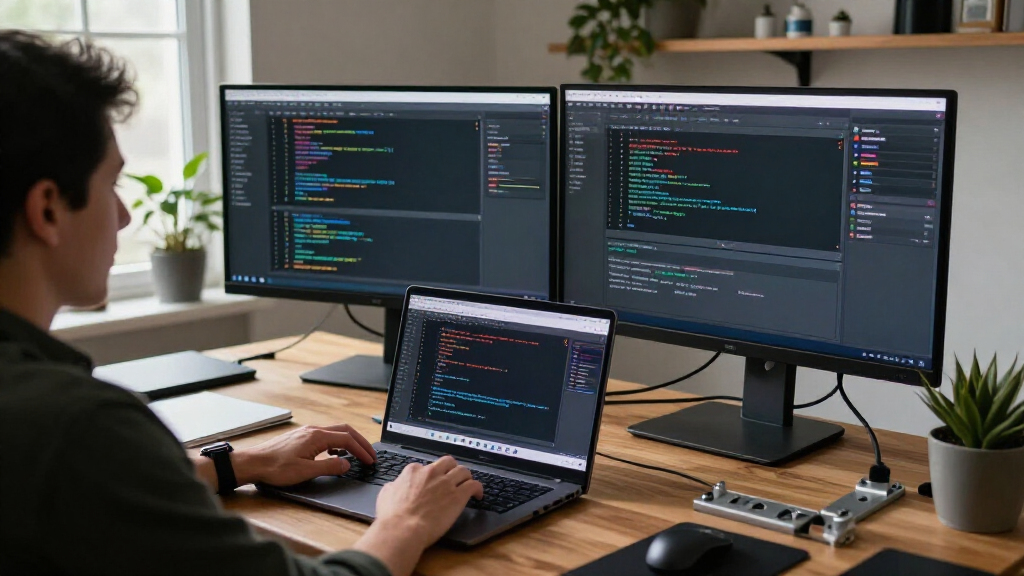

🔍 Read the full analysis: What I Wanted From A Workspace For Claude, Codex, And Macs on ThorstenMeyerAI.com

Get the latest gadgets delivered free with Prime
- Fast, free delivery on millions of items
- Prime Video, Amazon Music and more included
- Member-only deals all year
TL;DR
Thorsten Meyer says he switched to T3 Code to manage Claude Code and Codex sessions across eight Macs and a Linux server from one workspace. He describes easier session monitoring and handoffs, but reports no measured productivity gain and cautions that the project is young and some multi-machine features are in beta.
Thorsten Meyer says he has moved his AI coding workflow across eight Macs and a Linux server into one T3 Code workspace, bringing sessions for Claude Code and Codex into a shared interface. In a first-person account published November 18, he says the change helps him monitor agents and hand work between tools, while stressing that he has not measured a productivity gain.
Meyer, writing on ThorstenMeyerAI.com, says his previous workflow split Claude Code and Codex sessions among terminal windows, a terminal multiplexer and Claude’s desktop app. Each Mac had its own sessions. To find an agent waiting for approval or input, he often had to check the machine running it. Moving a change from the agent that built it to the one checking it also meant switching tools and carrying over context himself.
He says his current arrangement connects eight Macs and one Linux server to a workspace on his laptop, with room to add machines. T3 Code is described by its makers as a free, open-source app under the MIT license and a “control plane for coding agents.” It uses agents that users have already signed into; Meyer says it does not resell tokens. He lists Claude Code and Codex among the supported tools.
Meyer’s main reported changes are a single list of threads across machines, a more direct path from coding to review, and notifications or prompts reaching him when an agent needs attention. T3 Code’s documentation describes options for connecting machines, including local networking, Tailscale HTTPS, SSH and its own T3 Connect service. Meyer reports that T3 Connect is free “for now” and supports up to three machines per account; other connection options or plans may apply for larger setups. These are descriptions of the product and his experience, not independent performance tests.
My switch to T3 Code · before and after
From terminal windows on many Macs to one workspace
The agents did not change. Claude Code and Codex still run on the Macs that do the work. What changed is where I see them: in one list of threads, on the laptop or the phone.
- 1 · BeforeSessions sit in terminal windows on each Mac. Nothing tells you which agent did what, or which one waits for you.
- 2 · One workspaceEach Mac runs T3 Code. One app connects to all of them, over the local network, Tailscale, SSH or T3 Connect.
- 3 · ThreadsOne thread per task. Claude Code builds, Codex checks. Busy threads fold away; a thread that needs an answer comes back to the top.
- 4 · RemoteThe phone approves the next step. The Mac keeps doing the work and has to stay on.
Sources: T3 Code README and user docs (remote access, working with threads, mobile notifications, FAQ), read November 18, 2026. Setup: the author’s own. Drawing: a generic interface, not a product screenshot.
Graphic: Powered by Thorsten Meyer AI
One View Across Coding Agents
The issue Meyer describes is coordination, rather than a shortfall in any one coding agent. Developers running several sessions across multiple computers can lose time and attention tracking which task is active, which machine needs input and whether a change has been reviewed. A shared interface aims to make that activity easier to see without moving the work itself off the computers running the agents.
Putting Claude Code and Codex in one workspace may also simplify a build-and-check process: one agent can make a change while another reviews it. T3 Code documents thread handoffs and Git worktrees, which can let agents work on separate copies of a repository. Meyer says the arrangement shortens the route between building and checking for him. He does not provide a timed comparison, task counts or other evidence showing that it improves output or speed.
The trade-offs matter for anyone considering a similar setup. Users still rely on their existing provider accounts, plan limits and terms. The workspace adds another tool to configure and maintain, and remote access means machines doing the work need to remain available. Meyer advises that it may be unnecessary for someone who is satisfied with one agent in one terminal.
Products Worth Considering

Apple AirPods Pro 3 Wireless Earbuds with Active Noise Cancellation

Apple MacBook Air 15-inch Laptop with M5 Chip, 16GB Memory, 512GB SSD, Midnight

Amazon Kindle Scribe Colorsoft 64GB with Premium Pen
As an affiliate, we earn on qualifying purchases.
From Separate Terminals to Threads
Before switching, Meyer used Claude Code in terminal sessions, a terminal multiplexer and the Claude Code desktop app. He ran Codex in other terminal windows as a checker. His account frames the problem as the gaps between these tools: sessions were scattered by machine, handoffs required manual context transfer, and approval requests could be hard to distinguish among many open windows.
T3 Code presents a shared thread interface for coding agents running in users’ environments. Its documentation describes multiple ways to connect computers, a desktop and web interface that can access more than one environment, and phone apps that can act as remotes. The phone does not run the coding work itself; according to the product FAQ quoted by Meyer, the computer must stay on.
The article is a personal report, not a formal product review or independent test. Meyer points readers to an earlier feature tour and says his new piece focuses on his reasons for switching and day-to-day setup. He identifies the project as moving quickly and cites version 0.1.10 on November 17, 2026.
“I have not measured a productivity gain, so I won’t quote one.”
— Thorsten Meyer, writing on ThorstenMeyerAI.com
Limits of the Early Release
Meyer does not report independent testing or measured productivity results, so it is unclear whether the workspace would improve speed or output for other developers. His account does not provide a detailed comparison of setup time, reliability or the maintenance required across the machines.
He describes the project as young and says several multi-machine features remain in beta. The article also notes that new threads start in full-access mode, but does not detail the permissions, safeguards or risks associated with that default. Readers should check the current product documentation and their own providers’ terms and plan limits before relying on the setup.
Availability and pricing for connection options may change. Meyer says T3 Connect is free “for now,” with a three-machine account limit, and cites other routes or a paid plan for larger setups. The precise terms and plan details should be confirmed with T3 Code rather than assumed to remain fixed.
What Users Should Check Next
Meyer’s account does not announce a launch date or a coming product milestone. The immediate next step for interested users is to review T3 Code’s current documentation for connection methods, machine limits, beta features and account requirements, then test the workflow with their own provider logins and repositories.
Because the project is changing quickly, prospective users should also check the latest version notes and confirm whether features described in the November 18 article remain in beta or have changed. Meyer says users should keep their computers running for phone access and account for the terms and limits of Claude Code, Codex and any other provider they use.
For now, the evidence presented is Meyer’s experience managing a large, multi-machine setup. Whether T3 Code offers similar benefits to other developers—and how dependable its newer features are in routine use—remains to be seen.
Key Questions
What is T3 Code?
It is an open-source app that T3 Code describes as a shared control interface for coding agents. Meyer says it connects to tools such as Claude Code and Codex using users’ existing sign-ins.
What setup does Meyer say he uses?
He says one workspace on his laptop connects eight Macs and a Linux server, each running Claude Code and Codex.
Does T3 Code run coding agents on a phone?
No. According to the product FAQ quoted by Meyer, the phone acts as a remote, while the computer runs the work and needs to stay on.
Did Meyer measure a productivity improvement?
No. Meyer says he has not measured a productivity gain. He reports a simpler way to monitor threads and move work from building to checking, but does not quantify the effect.
What should developers check before switching?
They should review current connection limits and pricing, check which multi-machine features are still in beta, and confirm that their coding providers’ terms and plan limits fit their intended use.
Source: ThorstenMeyerAI.com