
TL;DR
Smart home security systems combine connected sensors, alarms, cameras, locks, and sometimes emergency monitoring to alert you to intrusions or household hazards. Compare what works during an outage, what requires a subscription, and how the provider handles recordings before you buy. A system can help you detect problems and respond; it cannot guarantee prevention or emergency assistance.
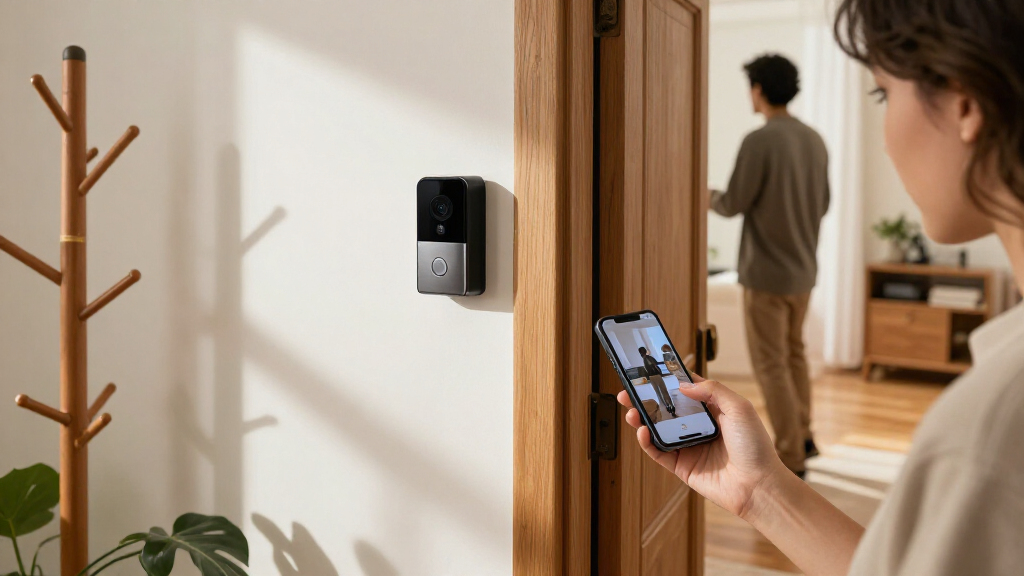
A door sensor can tell you the back door opened while you’re upstairs, but the alert is only useful if your phone receives it and someone knows what to do next. That small gap between detection and response is where many buying decisions hide.

Get the latest gadgets delivered free with Prime
- Fast, free delivery on millions of items
- Prime Video, Amazon Music and more included
- Member-only deals all year
Smart home security systems combine connected devices, software, and sometimes a monitoring service to help you notice intrusions and household emergencies. This guide explains what the equipment does, how monitoring and outages affect it, and what to check on privacy and long-term cost—so you can choose a setup that fits your home rather than a box full of gadgets.
Start with the entry points and household hazards you want to monitor; a basic kit may not need cameras or smart locks.
Choose professional or self-monitoring based on who can respond to alerts, and read the provider’s actual response procedure.
Ask which functions survive a power or broadband outage, including whether cellular backup costs extra.
Check whether cameras record continuously or save motion clips, and confirm storage and playback requirements.
Use unique passwords, multifactor authentication, limited sharing, and clear camera placement to protect accounts and privacy.
Build a system around the doors and risks you actually have
A smart home security system combines connected devices and software to detect events and send alerts; some plans also connect you to professional monitoring. A basic setup can use a hub, door and window sensors, and a siren, while cameras, smart locks, and smoke or leak detectors add other functions. The right mix depends on the home and the people living in it.
Imagine a ground-floor apartment with one street-facing entrance. A door sensor and a loud siren might answer the owner’s main concern, while an outdoor camera adds little if the building rules prohibit it. A house with a basement laundry room may benefit more from a water-leak sensor near the washer than from a second camera aimed at the driveway.
Intrusion sensors report that a door or window opened. Motion sensors watch a room, and cameras provide visual information when their settings, power, connection, and storage allow it. Environmental sensors can flag smoke, carbon monoxide, or water. They can help you notice a hazard, but they do not replace certified standalone alarms where those are required or recommended.
Think of the system as a smoke detector’s chatty cousin: it can tell you what it noticed and where, but you still need to decide what to do. Make a simple inventory before shopping: entry points, household hazards, who needs alerts, and which devices you already own. That list gives you a clearer starting point than a glossy bundle.
Products Worth Considering

Samsung Odyssey OLED G5 27-Inch QHD Gaming Monitor

Apple MacBook Air 15-inch Laptop with M5 Chip, 16GB Memory, 512GB SSD, Midnight

LG UltraGear 32GX850A-B 32-inch 4K UHD OLED Gaming Monitor
As an affiliate, we earn on qualifying purchases.
Choose monitoring based on who can respond when you are busy
Professional monitoring sends alarms to a service provider, which may contact you or emergency services under your plan; self-monitoring sends alerts to you, and you decide what happens. Smart home security systems may offer either route or let you switch between them. Neither option guarantees an emergency response, so check the provider’s actual procedures and your own availability.
If you work in a noisy kitchen and often leave your phone in a locker, a monitored service may offer a useful extra layer. If you live with someone who reliably answers alerts, self-monitoring may suit your routine and save a monthly fee. A missed notification during a long meeting is a real-world test of your plan, not an edge case.
Before choosing, ask what happens after an alarm: Does the service call you first? Can you list trusted contacts? What happens if nobody answers? A monitored alarm is not a promise that help will arrive immediately; response practices depend on the provider, plan, and local conditions. Read those details as carefully as the monthly price.
Response plans matter at home, too. Decide who checks an alert, how household members confirm they are safe, and when to contact emergency services directly. A clear plan keeps an unexpected midnight siren from turning into a round of confused texts.
See what still works when the power or internet goes down
A system works through its devices, connections, settings, and services, so an outage can interrupt some features. Wi-Fi, cellular networks, batteries, and proprietary wireless links all play different roles, and the exact mix varies by product. Smart home security systems need clear backup details because a powered-down router can make an otherwise capable camera go quiet.
Picture a winter storm knocking out broadband while the lights are off. A hub with battery backup and a cellular connection may keep core alarm functions available, depending on the model and plan. A Wi-Fi camera without battery power or local storage may stop sending alerts and save no video. “Works offline” can mean different things, so ask which functions continue and for how long.
Use this checklist to compare systems:
- Check power backup: Find out whether the hub, sensors, cameras, and router need separate batteries or power sources.
- Check connection backup: Ask whether cellular backup is included, optional, or tied to a paid plan.
- Check local behavior: Confirm whether the siren and sensors can communicate when broadband is unavailable.
- Check recovery: Learn how the app reports a restored connection and whether you must reset or re-arm devices.
Backup adds cost and still has limits. Cellular coverage may be weak in a basement, and batteries need upkeep. A small test—unplugging the hub according to its instructions and checking the app—can reveal what the marketing page leaves fuzzy.
Cut false alerts with careful placement and realistic camera settings
Smart home security systems send more useful alerts when sensors and cameras cover the right areas at sensible settings. Placement, lighting, sensitivity, and software all affect whether a device reports a person, a passing car, or a curtain fluttering in a draft. A flood of irrelevant pings can make you ignore the one that matters.
For example, an outdoor camera pointed across a busy sidewalk may buzz each time a dog walker passes. Aim it at your own entrance where possible, and adjust its activity area and sensitivity using the app. An indoor motion sensor near a sunny window may react to changing heat or light patterns, so follow the maker’s placement guidance rather than sticking it wherever it looks tidy.
Some cameras use on-device or cloud-based analysis to sort people, vehicles, packages, or animals. That can reduce noise, though accuracy still depends on lighting, camera angle, and conditions. Test a camera at dusk as well as midday; the bright porch that looks clear at noon may cast a face into shadow at night.
Also check what the camera actually records. Motion-triggered clips, continuous recording, video history, and playback may depend on power, network access, local storage, and a subscription. A homeowner who wants a record of a package delivery should verify that clips are saved for long enough to review them, rather than assuming every camera keeps a constant archive.
Protect your recordings and accounts without making setup a chore
Smart home security systems can collect sensitive footage, audio, location information, and account activity. You can reduce account risks with a strong, unique password, multifactor authentication, timely software updates, and careful sharing. No connected camera is risk-free, so choose settings and a provider you can live with.
Start with a practical example: if a dog sitter needs the front-door lock code for one week, give them a temporary code if the lock supports one, then remove it when they leave. Avoid sharing your main account password just to make access easy. Check access logs and alerts so you can see which accounts or codes remain active.
Read the provider’s privacy information for what data it collects, where it stores recordings, who it shares them with, and how long it retains them. Some products offer local storage or process certain events on the device, which can reduce reliance on cloud services. Those features may cost more or limit remote access, and local recordings may not survive a device failure.
Camera and microphone rules vary by location, especially when recording neighbors, visitors, tenants, or shared spaces. Aim cameras toward your own property, consider whether audio capture is necessary, and check local requirements before recording. A privacy setting is only helpful if you can explain, in plain words, who can see the footage and when it disappears.
Compare the full price before you commit to a bundle
The price of a smart home security system can include equipment, installation, monitoring, cloud video storage, cellular backup, and optional features. A low upfront price may come with recurring fees, while a self-installed kit may need more of your time. Compare the total over the period you expect to use the system, not just the price on the box.
Say a household is comparing a DIY kit with a professionally installed package. The DIY option might cost less at checkout, but the family should add the video plan and any cellular backup it wants. The installed option might include setup and monitoring but lock the equipment to a longer contract. The better fit depends on who wants to install it, which services matter, and how easy cancellation is.
Before buying, check these details:
- Recurring charges: Separate monitoring, video storage, advanced detection, and backup costs.
- Contract terms: Look for length, cancellation fees, and what happens if you move.
- Ownership: Ask whether you can reuse equipment with another provider or without a subscription.
- Compatibility: Confirm support for your existing smart-home platform and device generations.
- Maintenance: Account for batteries, recharging, warranties, and replacement parts.
A subscription may be worthwhile if it provides a service you use, such as professional monitoring or video history. But confirm which features remain if you stop paying. That simple question can prevent a camera from becoming an expensive plastic eye with no archive.
Frequently Asked Questions
What does a smart home security system usually include?
A basic kit often includes a hub or control panel, door and window sensors, and a siren. You can add cameras, smart locks, motion sensors, and detectors for smoke, carbon monoxide, or water. Check each device’s role and whether it needs a separate subscription.
Will my system work during a power or internet outage?
Some systems use battery backup or cellular backup to keep core functions available, but support varies by device and plan. A Wi-Fi camera may stop working if its power or connection fails. Ask which features continue offline and test the setup using the manufacturer’s instructions.
Do security cameras record all the time?
Not necessarily. A camera may save motion-triggered clips or continuous video, depending on the model, settings, power, storage, and subscription. Before you buy, check how recordings are stored and how long you can review them.
Is professional monitoring worth the monthly cost?
It may suit you if you cannot reliably answer alerts or want a monitoring provider to follow its agreed contact procedure. Self-monitoring can fit a household where someone is available to respond. Compare the actual service and costs; monitoring does not guarantee that emergency services will arrive.
How can I keep cameras and smart locks more secure?
Use a unique password and multifactor authentication, install software updates, and limit account access to people who need it. For smart locks, learn how battery alerts, backup entry, access logs, and temporary codes work. Review the provider’s data storage and sharing policies before enabling recording.
Conclusion
Choose a system by tracing one real moment: a door opens while you’re away, the internet drops, or water starts pooling under the washer. Check which device notices, how the alert reaches you, and what you can do next. That short exercise reveals more than a long list of features.
Buy for the response you can count on, keep the setup simple enough to maintain, and treat every sensor as one helpful signal—not a guarantee. The best alarm is the one you can hear, understand, and act on, even when the house is dark and the rain is loud.