
TL;DR
MeowDisplay is a free, open-source Mac companion app that lets an iPhone or iPad act as a receiving display for a Mac, either mirroring its screen or extending it. The product also advertises touch controls and file browsing, while Android support is still in closed testing and a demonstrated floating-window feature is not yet available.
MeowDisplay, a free and open-source Mac companion app, lets users turn an iPhone or iPad into a Mac display that can mirror the computer’s screen or extend it with a separate workspace. The product’s website describes touch-based control and other features including window arrangement and remote file browsing; its listing says Android is in closed testing.

Get the latest gadgets delivered free with Prime
- Fast, free delivery on millions of items
- Prime Video, Amazon Music and more included
- Member-only deals all year
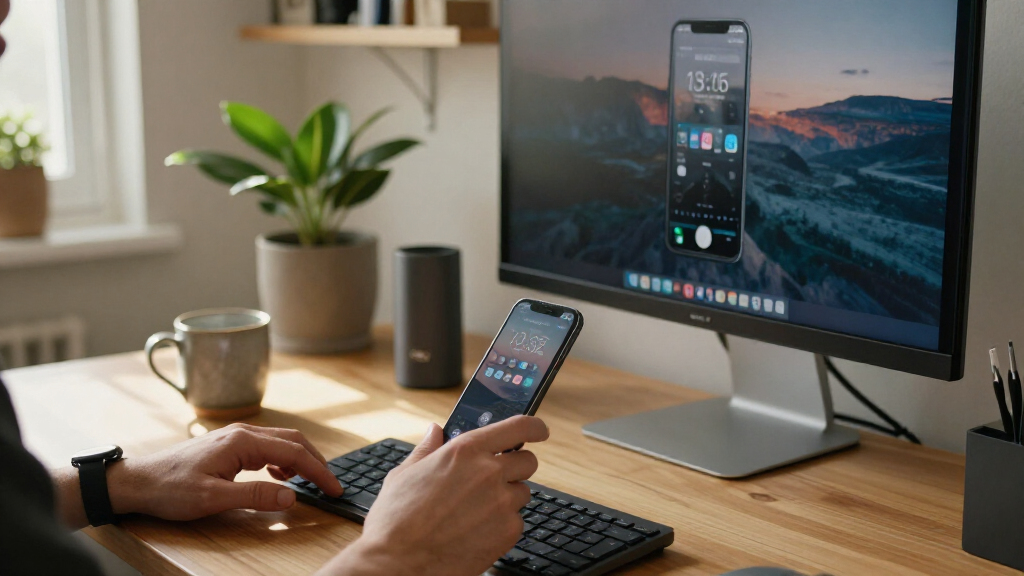
The app pairs a Mac running macOS 14 or later with a receiving device. According to MeowDisplay’s site, users can connect over USB or Wi-Fi, choose Mirror or Extend for each receiver, and arrange virtual displays through the Mac’s display settings. In Mirror mode, the phone or tablet shows a selected Mac display; in Extend mode, it acts as a separate screen where users can place Mac windows.
MeowDisplay describes its touch controls as Natural Touch: tapping clicks, swiping scrolls, and pausing before moving begins a drag. The site also advertises a Stage Peek gesture for switching among Mac windows, and Remote Finder for browsing and previewing Mac files from a touch-friendly interface. It says the Mac determines access permissions for file browsing and that paired devices can be managed from the Mac app.
The published product information lists iOS 2.0 and a stable Mac companion release, version 2.0.0. The website also previews a feature called Window view, which would let users pull Mac windows out of panes, move and resize them, or tuck them against an edge. MeowDisplay explicitly says that feature is not available in version 2.0 and that there is no 2.1 download yet.
A Phone as a Mac Workspace
MeowDisplay offers an alternative to carrying or buying a dedicated portable monitor for Mac work. An iPhone or iPad can serve as an additional screen, while touch gestures provide a way to interact with the Mac from the receiving device. The approach may be useful for people working with limited desk space, traveling, or using a MacBook in clamshell mode.
The product’s site says Extend creates a virtual display in software, allowing an iPhone or iPad to function as the screen while a MacBook is closed and connected to power, without a dummy display adapter. That capability and the advertised remote file access could make the app useful beyond simple screen mirroring. However, the supplied product information does not provide independent testing, performance measurements, or details about latency and reliability, so those practical limits are not established here.
Products Worth Considering

Bose QuietComfort Wireless Headphones – Twilight Blue (Limited Edition)

Bose QuietComfort Wireless Bluetooth Headphones – Active Over‑Ear Noise Cancelling with Mic, USB‑C Charging, Deep Bass, up to 24 h Playtime,

Logitech MX Master 4 Ergonomic Wireless Mouse with Haptic Feedback, Graphite
As an affiliate, we earn on qualifying purchases.
How the Reverse Mirroring Works
Conventional phone-to-computer mirroring generally puts a phone’s screen on a larger display. MeowDisplay describes the opposite direction: a Mac sends its display to an iPhone or iPad, which can then show the same screen or act as an extra monitor. The receiving device is paired and appears in the Mac app’s Devices area, where the user can set its mode, pause or disconnect it, and manage permissions.
The current product page separates available functions from planned ones. It lists Mirror, Extend, touch control, Stage Peek, Remote Finder, and Picture in Picture among its features, while presenting floating windows as an upcoming 2.1 capability. The site identifies Android 10 and later as the target platform, but says Android is still in closed testing rather than generally available.
““Turn an iPhone, iPad, Android device or another Mac into a display for your Mac.””
— MeowDisplay website
Testing, Compatibility and Release Status
The supplied material is the product’s own website and does not include independent verification or user testing. It does not state measured connection speed, display quality, latency, battery impact, or how performance varies between USB and Wi-Fi. Those details matter to people deciding whether the app can replace a conventional monitor for sustained work.
It is also unclear when Android support will leave closed testing, whether every listed feature works identically across supported devices, or when MeowDisplay 2.1 will be released. The product page labels the Mac companion as compatible with macOS 14 or later, but does not provide a fuller device-by-device compatibility matrix in the supplied material.
Watch for Android and Version 2.1
The next stated product milestones are a broader Android release and MeowDisplay 2.1, which is expected to add the demonstrated Window view feature. The developer has not provided a date for either milestone in the supplied information. Until then, readers can distinguish the listed 2.0 features from the floating-window demo, which the site says is not downloadable yet.
For users considering the app now, the practical next step is to check the current App Store and Mac download listings, confirm that their devices meet the stated requirements, and test the connection method and controls in their own setup. The available source does not establish how the app performs under specific network, workload, or hardware conditions.
Key Questions
What does MeowDisplay do?
MeowDisplay sends a Mac display to another device, such as an iPhone or iPad. The receiving device can mirror a Mac screen or act as an extended display, and the product advertises touch controls.
Is MeowDisplay available now?
The product site lists iOS 2.0 and a stable Mac companion version, 2.0.0, for macOS 14 or later. It says Android is in closed testing and that the upcoming Window view feature is not part of version 2.0.
Can an iPhone act as a separate Mac monitor?
Yes. MeowDisplay describes an Extend mode that creates a separate virtual display, as well as Mirror mode, which shows the selected Mac display on the receiving device.
Does the upcoming floating-window feature ship with version 2.0?
No. MeowDisplay says the Window view demonstration previews a planned feature, but it is not available in version 2.0, and the site says there is no 2.1 download yet.
Source: meowdisplay.app