To make your travel drone footage feel like a story, plan your shots around a clear narrative or emotion. Start with wide shots to introduce locations, then move to detailed angles that highlight key features. Use dynamic movements and smooth changeovers to guide viewers naturally through your journey. Evoke emotions with shot variety, pacing, and mood-focused visuals. By combining these techniques, you’ll craft an engaging story—if you keep exploring, you’ll discover even more ways to elevate your storytelling.

Get the latest gadgets delivered free — and shop member deals
- Fast, free delivery on millions of items
- Access to Prime Big Deal Days deals on October 6–7
- Prime Video, Amazon Music and more included
Key Takeaways
- Plan a clear narrative arc with beginning, middle, and end to guide your shots.
- Use varied shot types and angles to create visual interest and emotional depth.
- Incorporate scene-setting and establishing shots to provide context and location.
- Edit clips to maintain a cohesive flow, emphasizing key moments and story beats.
- Enhance storytelling with music, narration, or sound to evoke mood and connect scenes.
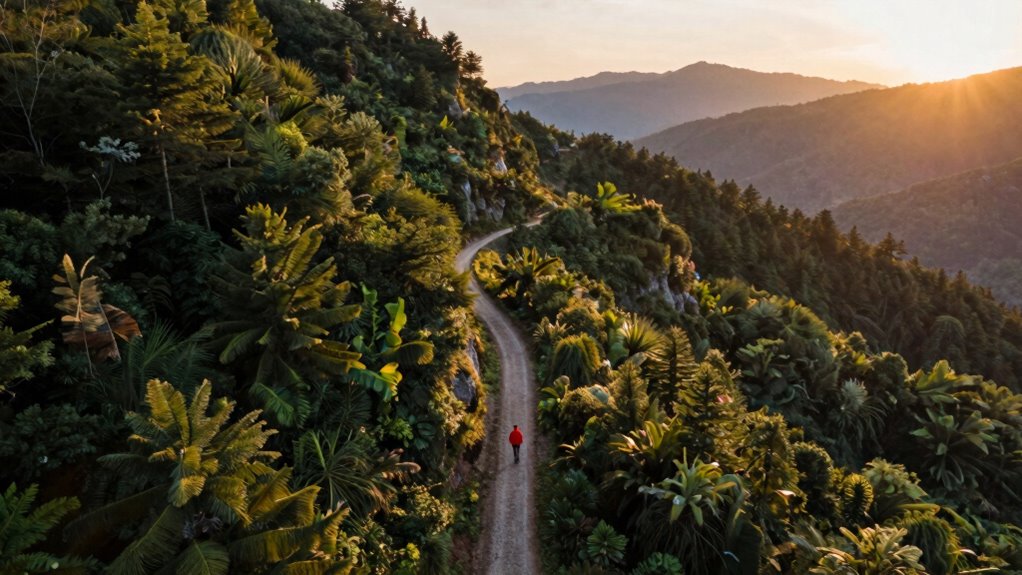
Capturing stunning drone footage is just the beginning; turning it into a compelling story takes intentional planning and technique. When you’re flying your drone, safety should always be your top priority. Drone safety isn’t just about avoiding crashes; it’s about respecting local regulations, keeping an eye on your surroundings, and making sure your equipment stays intact. Before each flight, check your drone’s battery life—an essential factor that directly impacts how much footage you can capture and how long your storytelling window lasts. A drained battery can abruptly cut your shot short, leaving gaps in your narrative. To make the most of your flight, plan your shots around your drone’s battery capacity, guaranteeing you have enough power to complete your desired sequence and return safely.
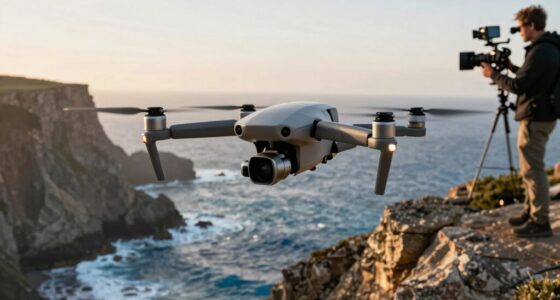
Once airborne, your goal isn’t just to film pretty landscapes—it’s to craft a visual narrative that guides viewers through your journey. Think about the story you want to tell. Is it a sense of adventure, tranquility, or discovery? Use your drone to capture more than just sweeping vistas; include dynamic movements that add emotion and context. For example, start with a wide shot that introduces the location, then move into closer, more detailed shots that highlight specific features or moments. Incorporate smooth transitions between scenes to create a flow, as if leading your audience through your experience.
Timing and perspective are vital. When you’re capturing footage, consider how each shot contributes to the overall story arc. Are you building anticipation? Do you want to reveal a hidden gem or showcase a panoramic view that sets the scene? Use different angles and altitudes to add depth and interest, but always keep drone safety in mind. Avoid risky maneuvers that could endanger your equipment or others. Remember, the story isn’t just about the visuals—it’s about the feeling you evoke. A well-placed drone shot can evoke awe, curiosity, or serenity, making your footage resonate emotionally. Additionally, understanding and managing your drone’s capabilities ensures you maximize safety and footage quality during your flights. Properly utilizing flight planning tools can also help you anticipate potential obstacles and optimize your shooting strategy.
Editing is where your story truly comes together. Select clips that serve your narrative, trimming out anything redundant or distracting. Use pacing to match the mood—faster cuts for excitement, slower shots for reflection. Incorporate music or narration if appropriate, guiding viewers through your journey. Throughout the process, stay mindful of your drone’s battery life, so you don’t get caught mid-flight with dead batteries. Planning your shots and monitoring your battery guarantees you can tell your story smoothly from start to finish, turning random clips into a compelling narrative.
best drone for travel videography
As an affiliate, we earn on qualifying purchases.
As an affiliate, we earn on qualifying purchases.
Frequently Asked Questions
What Editing Software Is Best for Travel Drone Footage?
For travel drone footage, Adobe Premiere Pro is a top choice because it offers robust editing tools and supports drone footage formats. You can enhance your aerial shot composition by adjusting color and framing. Additionally, using drone camera calibration helps guarantee your footage looks professional, with consistent exposure and sharpness. Its features make it easy to craft a compelling story from your travel clips, transforming random shots into a visual narrative.
How Can I Improve Drone Footage Stability During Filming?
Think of your drone as a dancer, needing perfect timing and balance. To improve stability during filming, focus on thorough drone maintenance and precise flight planning. Regularly check your drone’s gimbal and propellers, ensuring they’re in top shape. Plan your flight paths carefully, avoiding sudden movements. Good maintenance and planning act like a solid foundation, helping your drone glide smoothly through the air, capturing steady, professional-looking footage with flair and confidence.
What Camera Settings Work Best for Different Lighting Conditions?
You should adjust your camera settings based on lighting conditions. For bright sunlight, lower your exposure settings to prevent overexposure, and use ND filters to reduce light entering the lens. In low-light scenarios, increase your ISO cautiously and open your aperture to let in more light without sacrificing image quality. Make quick lighting adjustments as conditions change, ensuring consistent, professional-looking footage that captures the scene beautifully.
How Do I Plan a Drone Shot Sequence for Storytelling?
Imagine you’re a 21st-century Bard, crafting a visual story. To plan your drone shot sequence, start with a clear narrative in mind. Map out your aerial composition, considering how each shot flows into the next, building tension or emotion. Think about shot sequencing—begin with establishing shots, then move to detail or close-ups. This approach guides viewers through your journey, making your footage feel like a compelling story rather than random clips.
Are There Legal Considerations When Filming With a Drone?
Yes, there are legal considerations when filming with a drone. You need to be aware of drone privacy laws to respect people’s privacy rights and avoid legal trouble. Additionally, flight regulations dictate where and how high you can fly, and whether you need permits. Always check local laws before your shoot, stay within allowed zones, and avoid sensitive areas to guarantee your drone filming remains compliant.
drone camera stabilization gimbal
As an affiliate, we earn on qualifying purchases.
As an affiliate, we earn on qualifying purchases.
Conclusion
Now that you’ve learned how to craft a compelling narrative with your drone footage, imagine the stories waiting to unfold. Every shot, every shift, holds the potential to reveal something unexpected—an unseen detail, a hidden perspective. Will you capture the perfect moment that transforms your footage into a true story? Keep experimenting, stay curious, and let your footage lead you into the next adventure—where the real story begins, just beyond the horizon.
As an affiliate, we earn on qualifying purchases.
drone editing and stabilization tools
As an affiliate, we earn on qualifying purchases.
As an affiliate, we earn on qualifying purchases.
Fall Picks
fall essentials
As an affiliate, we earn on qualifying purchases.