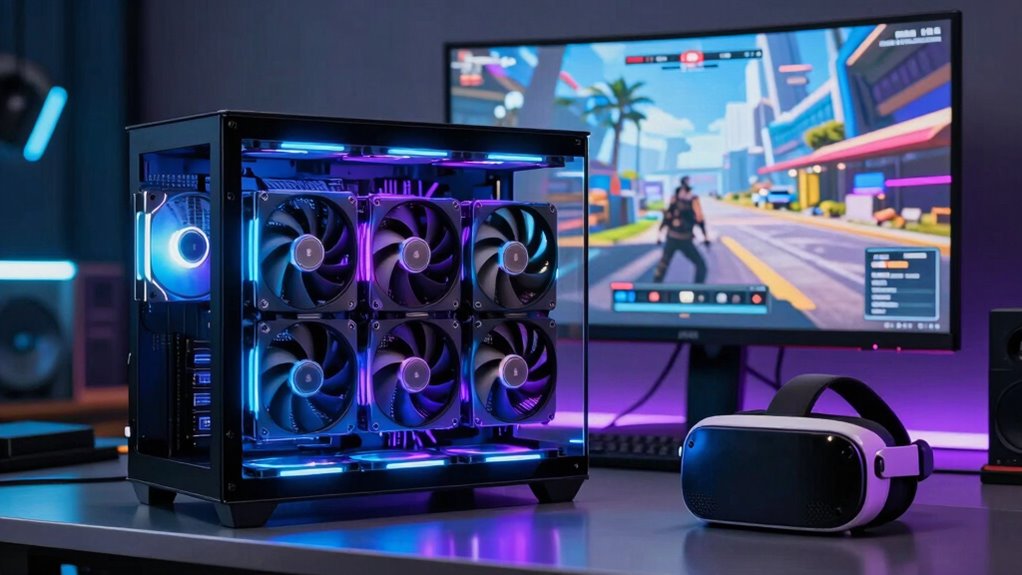

Choosing the right GPU for VR with supersampling in 2026 means balancing raw power, features, and price. The MSI Gaming RTX 5080 16G Ventus 3X OC stands out for its top-tier performance and 8K support, ideal for enthusiasts who demand maximum visual fidelity. The ZOTAC Gaming GeForce RTX 5070 Ti AMP Extreme Infinity offers cutting-edge architecture with advanced cooling for those wanting a future-proof setup. However, these options come with tradeoffs: high power consumption, premium costs, and larger sizes. This guide will help clarify which GPU matches your needs for VR and supersampling.

Get the latest gadgets delivered free with Prime
- Fast, free delivery on millions of items
- Prime Video, Amazon Music and more included
- Member-only deals all year
Complete the kit


Key Takeaways
- High-end GPUs like MSI RTX 5080 and ZOTAC RTX 5070 Ti excel at supporting supersampling for immersive VR.
- Expect significant power and cooling requirements with premium models, which may require high-capacity PSUs and spacious cases.
- Comparing architecture and features reveals tradeoffs: newer architectures like Blackwell offer better DLSS and efficiency but at higher prices.
- Size and compatibility are key—large cards may not fit all cases, especially with advanced cooling solutions.
- Budget options are limited at this high-performance level; premium features come with premium prices.
| MSI Gaming RTX 5080 16G Ventus 3X OC Black Graphics Card |  | Best Overall for Maximum VR Fidelity | Chipset: NVIDIA GeForce RTX 5080 | Video Memory: 16 GB GDDR7 | Memory Interface: 256-bit | VIEW ON AMAZON | See Our Full Breakdown |
| ZOTAC Gaming GeForce RTX 5070 Ti AMP Extreme Infinity Graphics Card |  | Best for Cutting-Edge Architecture and Cooling | Architecture: NVIDIA Blackwell | Memory: 16GB GDDR7 | Memory Interface: 256-bit | VIEW ON AMAZON | See Our Full Breakdown |
| GIGABYTE GeForce RTX 5080 Gaming OC 16G Graphics Card |  | Best for Balanced Performance and Cooling | Memory: 16GB GDDR7 | Memory Interface: 256-bit | Architecture: NVIDIA Blackwell | VIEW ON AMAZON | See Our Full Breakdown |
| ZOTAC Gaming GeForce RTX 3090 Ti AMP Extreme Holo 24GB GDDR6X |  | Best for Demanding Workloads and High VR Fidelity | Memory: 24GB GDDR6X | Memory Interface: 384-bit | Boost Clock: 1890 MHz | VIEW ON AMAZON | See Our Full Breakdown |
| MSI Gaming RTX 5080 16G SUPRIM SOC Graphics Card |  | Best for Premium Performance and Overclocking | Chipset: NVIDIA GeForce RTX 5080 | Video Memory: 16 GB GDDR7 | Memory Interface: 256-bit | VIEW ON AMAZON | See Our Full Breakdown |
| gpu for vr with supersampling | Memory Interface | Outputs | Memory |
|---|---|---|---|
| MSI Gaming RTX 5080 16G Ventus | 256-bit | DisplayPort x 3 (v2.1a), HDMI 2.1b | — |
| ZOTAC Gaming GeForce RTX 5070 | 256-bit | 3x DisplayPort 2.1b, 1x HDMI 2.1b | 16GB GDDR7 |
| GIGABYTE GeForce RTX 5080 Gami | 256-bit | — | 16GB GDDR7 |
| ZOTAC Gaming GeForce RTX 3090 | 384-bit | 3x DisplayPort 1.4a, 1x HDMI 2.1 | 24GB GDDR6X |
| MSI Gaming RTX 5080 16G SUPRIM | 256-bit | DisplayPort x 3, HDMI | — |
More Details on Our Top Picks
MSI Gaming RTX 5080 16G Ventus 3X OC Black Graphics Card
The MSI Gaming RTX 5080 16G Ventus 3X OC stands out for its raw power, featuring the NVIDIA GeForce RTX 5080 chipset combined with 16 GB of GDDR7 memory. This configuration supports resolutions up to 8K, making it ideal for ultra-detailed VR experiences enhanced by supersampling. Compared with other options, its high VRAM and advanced output options ensure smooth performance with demanding VR titles and professional-grade tasks. The tradeoff is that it likely consumes a lot of power and generates significant heat, necessitating a robust cooling setup and a high-capacity power supply. This card makes the most sense for enthusiasts or professionals who need maximum fidelity and don’t mind the premium price and setup complexity.
Pros:- Unmatched power with RTX 5080 and 16 GB GDDR7 memory
- Supports up to 8K resolution, ideal for supersampling
- Multiple high-speed outputs for versatile display setups
Cons:- High power consumption and heat output
- Premium price point
- Requires advanced PC setup
Best for: High-end VR users and professionals seeking the best possible visual quality.
Not ideal for: Budget-conscious gamers or system builders with limited space or power capacity.
- Chipset:NVIDIA GeForce RTX 5080
- Video Memory:16 GB GDDR7
- Memory Interface:256-bit
- Outputs:DisplayPort x 3 (v2.1a), HDMI 2.1b
- Maximum Resolution:7680 x 4320
- Power Consumption:High
Our verdict“The MSI RTX 5080 is the top choice for those demanding maximum VR resolution and supersampling quality, despite its high cost and power needs.”
ZOTAC Gaming GeForce RTX 5070 Ti AMP Extreme Infinity Graphics Card
The ZOTAC RTX 5070 Ti AMP Extreme Infinity is designed for those who want the latest NVIDIA Blackwell architecture combined with DLSS 4, supporting VR and 8K resolutions. Its cooling system with IceStorm 3.0, vapor chamber, and multiple fans ensures thermal stability under load, a crucial factor for sustained supersampling performance. The card’s aesthetic features, including ARGB lighting and Infinity Mirror, appeal to users who want both performance and style. The main tradeoff is size—it’s a large, complex setup that may not fit all cases—and the high cost reflects its premium features. It’s most suited for enthusiasts who want the latest tech with flair and are prepared for a complex setup.
Pros:- Latest NVIDIA Blackwell architecture with DLSS 4
- Exceptional cooling with vapor chamber and multiple fans
- Supports multiple high-resolution displays and VR
Cons:- Expensive and large, requiring spacious case
- Complex setup for cooling and aesthetics
- Premium price
Best for: Enthusiasts seeking cutting-edge architecture with high cooling capacity.
Not ideal for: Entry-level or mid-range builds with limited space or budget constraints.
- Architecture:NVIDIA Blackwell
- Memory:16GB GDDR7
- Memory Interface:256-bit
- Boost Clock:2512 MHz
- Cooling:IceStorm 3.0, Vapor Chamber
- Outputs:3x DisplayPort 2.1b, 1x HDMI 2.1b
Our verdict“Ideal for users wanting the latest architecture with robust cooling, but expect to pay a premium and accommodate its size.”
GIGABYTE GeForce RTX 5080 Gaming OC 16G Graphics Card
The GIGABYTE GeForce RTX 5080 Gaming OC offers a compelling mix of high-end performance and efficient cooling with its WINDFORCE system. Equipped with 16GB of GDDR7 memory and support for PCIe 5.0, it ensures fast data transfer and smooth VR experiences with supersampling. While not as feature-rich in aesthetic options as the ZOTAC model, it provides reliable performance for users who want strong VR support without the excessive complexity. The main consideration is its size and power consumption, which are typical for high-performance cards. It’s a sensible choice for demanding VR users who prefer a more straightforward setup at a slightly lower price point than the most premium options.
Pros:- Solid performance with 16GB GDDR7 and DLSS 4
- Effective WINDFORCE cooling system
- Supports PCIe 5.0 for future-proofing
Cons:- High power draw and heat generation
- Larger physical size
- Premium price
Best for: VR enthusiasts seeking a balanced high-performance GPU with effective cooling.
Not ideal for: Users requiring the absolute latest architecture or extreme aesthetic customization.
- Memory:16GB GDDR7
- Memory Interface:256-bit
- Architecture:NVIDIA Blackwell
- Cooling System:WINDFORCE
- PCIe Support:PCIe 5.0
Our verdict“GIGABYTE’s RTX 5080 Gaming OC strikes a balance between performance and cooling, suitable for dedicated VR setups without excessive bells and whistles.”
ZOTAC Gaming GeForce RTX 3090 Ti AMP Extreme Holo 24GB GDDR6X
The ZOTAC RTX 3090 Ti AMP Extreme Holo boasts a massive 24GB of GDDR6X memory, making it ideal for professional VR applications and supersampling at extremely high resolutions. Its advanced cooling with IceStorm 2.0 ensures thermal stability during prolonged VR sessions. The card’s aesthetic features, including RGB lighting, make it appealing for custom builds, while its support for 8K and multiple displays makes it suitable for demanding VR environments. The primary drawbacks are its size—requiring a spacious case—and high cost. It’s best suited for professionals or enthusiasts who need maximum VR fidelity and can accommodate the hardware requirements.
Pros:- Massive 24GB GDDR6X memory for demanding tasks
- Excellent cooling with three fans
- Supports 8K resolution and multiple displays
Cons:- Very large and power-hungry
- High price tag
- Requires strong PSU and spacious case
Best for: High-end professional VR and demanding graphics workloads.
Not ideal for: Budget-conscious or mid-range VR users with space or power limitations.
- Memory:24GB GDDR6X
- Memory Interface:384-bit
- Boost Clock:1890 MHz
- Cooling System:IceStorm 2.0 with 3 fans
- Outputs:3x DisplayPort 1.4a, 1x HDMI 2.1
Our verdict“The RTX 3090 Ti is the pinnacle for high-fidelity VR and professional workflows, but its size and cost limit accessibility.”
MSI Gaming RTX 5080 16G SUPRIM SOC Graphics Card
The MSI RTX 5080 SUPRIM SOC is designed for gamers and professionals demanding top-tier performance with overclocking potential. Its 16GB GDDR7 memory and high-quality cooling system make it suitable for sustained supersampling in VR. The card’s design emphasizes stability and overclocking headroom, making it appealing for power users who want to push their hardware further. However, it shares similar high power and heat demands as other 5080 models and comes at a premium price. This pick is best for those who want maximum performance with a focus on overclocking and stability.
Pros:- Overclocking-ready with high stability
- Excellent cooling with premium components
- Supports 8K VR and high resolutions
Cons:- Very high power consumption
- Expensive
- Requires compatible high-end PC setup
Best for: Overclockers and high-end VR users seeking maximum performance.
Not ideal for: Casual users or those with limited case size or power supply capacity.
- Chipset:NVIDIA GeForce RTX 5080
- Video Memory:16 GB GDDR7
- Memory Interface:256-bit
- Outputs:DisplayPort x 3, HDMI
- Maximum Resolution:7680 x 4320
Our verdict“The MSI SUPRIM SOC is ideal for users wanting the highest performance ceiling and overclocking flexibility, at a premium cost.”

How We Picked
Our selection process focused on GPUs that deliver strong performance specifically for VR with supersampling, emphasizing the latest architectures, high VRAM (at least 16GB), and support for high resolutions like 8K. We considered cooling efficiency, output connectivity, and compatibility with high-refresh-rate VR headsets. Price was a secondary factor, with a preference for models that offer a clear performance advantage over more affordable options. We also looked at user feedback and industry benchmarks to ensure these GPUs are capable of handling demanding VR workloads with supersampling enabled.
Factors to Consider When Choosing Gpu For Vr With Supersampling
Picking the best GPU for VR with supersampling in 2026 involves understanding how architecture, VRAM, cooling, and output options affect performance. You’ll want a card that can handle high resolutions smoothly without overheating or drawing excessive power. Compatibility with your VR headset and existing PC setup are also key factors to ensure you get the most from your investment. Here’s how to evaluate your options:
Performance and Architecture
For VR with supersampling, the GPU’s architecture—such as NVIDIA Blackwell or Ampere—determines how efficiently it can process high-resolution images. Newer architectures typically support DLSS 4, improving frame rates at high settings. Opt for a GPU with at least 16GB of VRAM to support detailed supersampling at high resolutions, especially for professional or extended VR sessions.
Cooling and Power
High-performance GPUs generate a lot of heat and consume significant power. Effective cooling solutions like vapor chambers or triple-fan setups are essential for maintaining stability during extended supersampling in VR. Check your power supply capacity and case size before selecting a card, as larger models require more space and power.
Connectivity and Compatibility
Ensure the GPU offers multiple high-speed outputs like DisplayPort 2.1b and HDMI 2.1b to connect your VR headset and other displays. Compatibility with your PC’s PCIe slots and sufficient space inside your case are also vital considerations to avoid bottlenecks or fitment issues.
Frequently Asked Questions
Why is VRAM important for VR with supersampling?
VRAM determines how much high-resolution data your GPU can hold and process simultaneously. Supersampling for VR involves rendering at higher than native resolutions, which demands more VRAM to store textures and frame buffers. A GPU with at least 16GB of VRAM is recommended for smooth performance at 8K or high supersampling levels.
How does GPU architecture impact VR performance with supersampling?
Newer architectures like Blackwell and RTX 5080 support advanced features such as DLSS 4, which boost performance by intelligently upscaling images, reducing the load on the GPU. These architectures also tend to be more power-efficient and support higher bandwidth outputs, crucial for maintaining high frame rates during supersampling in VR.
Is cooling a major concern for high-end GPUs in VR setups?
Absolutely. Supersampling and high resolutions generate substantial heat, especially during long VR sessions. Effective cooling systems—like vapor chambers, multiple fans, or liquid cooling—are essential to prevent thermal throttling and ensure consistent performance. Budgeting for good cooling can extend the lifespan of your GPU and improve stability.
Are premium GPUs necessary for good VR supersampling performance?
While high-end GPUs provide the best experience, they are not strictly necessary for all users. Mid-range options with at least 12-16GB VRAM and decent architectures can handle supersampling at moderate levels. However, for maximum fidelity, especially at 8K or with extensive supersampling, investing in premium models offers noticeable benefits.
What should I consider regarding GPU size and compatibility?
High-performance cards often come with large cooling solutions and multiple connectors, requiring spacious cases and compatible power supplies. Always check the dimensions and connector types before purchase. Smaller or more modest cases may limit your options, so size compatibility is a critical step in selecting your GPU for VR with supersampling.
Conclusion
If you are a professional or enthusiast seeking maximum VR resolution and supersampling quality, the MSI RTX 5080 16G Ventus 3X OC or the MSI SUPRIM SOC are excellent choices, despite their high cost and power needs. For those wanting the latest tech with advanced cooling and aesthetic flair, the ZOTAC RTX 5070 Ti AMP Extreme Infinity is ideal, provided you have the space and budget. Budget-conscious users who still want good performance can consider mid-tier cards with similar VRAM, but for the best VR experience in 2026, investing in one of these high-end GPUs delivers the most future-proof results.