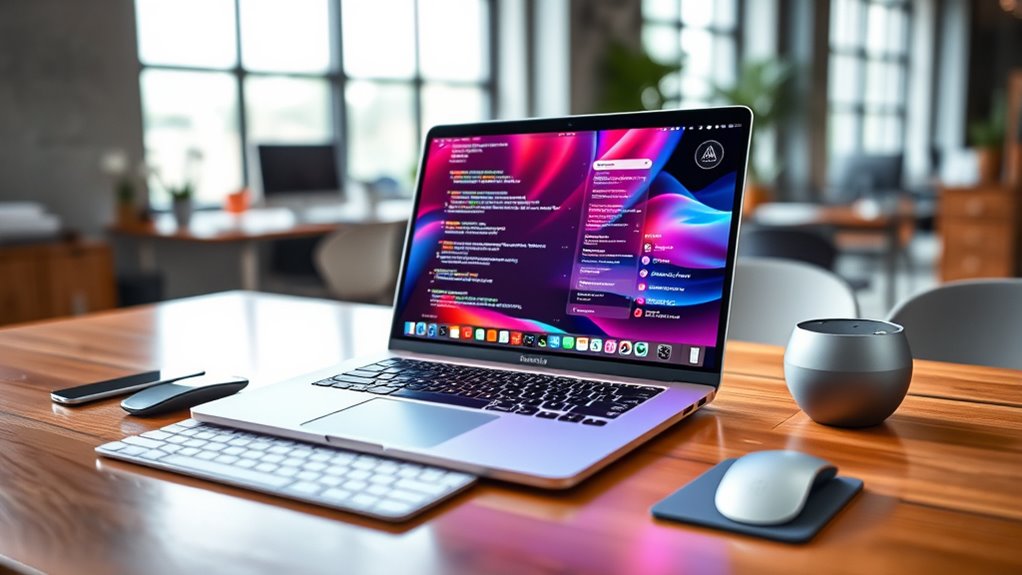

For data science and AI, my best overall pick is the 16-inch MacBook Pro with M5 Pro and 64GB memory: its larger memory capacity suits demanding notebooks and datasets without stepping up to an M5 Max. The 14-inch M5 Pro with 48GB memory is a strong choice when portability matters, while the M5 Max with 128GB memory is aimed at heavier local workloads. The main tradeoffs are memory headroom, GPU capacity, screen size, storage, and how much work you can run locally rather than in the cloud. Base M5 models can handle learning and lighter analysis, but their 16GB memory leaves less room for concurrent tools and larger datasets. Read on for the full comparison and guidance on choosing the configuration that fits your workflow.

Get the latest gadgets delivered free — and shop member deals
- Fast, free delivery on millions of items
- Access to Prime Big Deal Days deals on October 6–7
- Prime Video, Amazon Music and more included
Complete the kit



Key Takeaways
- Memory separates the strongest workstation choices. The M5 Pro 16-inch options with 64GB offer more headroom for parallel notebooks, containers, and larger in-memory datasets than the 24GB configurations.
- M5 Max is the local-compute specialist. Its 40-core GPU and 128GB memory stand apart for GPU-oriented work and larger local models, while most buyers may get more practical value from M5 Pro.
- Screen size is a workflow choice, not a performance upgrade by itself. The 16-inch models provide more room for code, plots, and documentation; the 14-inch models are easier to carry.
- There are two distinct 14-inch paths. The 16GB M5 models suit study and lighter analysis, while the 48GB M5 Pro configuration gives substantially more memory for multitasking and local experimentation.
- Storage capacity should match local data habits. The 4TB M5 Max configuration suits larger on-device datasets, but the 2TB version or an external drive may be a more sensible fit for workflows that keep data in cloud or network storage.





| macbook pro for data science and ai | GPU | Display | Storage | CPU |
|---|---|---|---|---|
| Apple MacBook Pro 16.2-inch wi | 40-core | 16.2-inch Liquid Retina XDR | 2TB SSD | 18-core |
| Apple MacBook Pro 16.2-inch wi | 40-core | 16.2-inch Liquid Retina XDR | 4TB SSD | 18-core |
| Apple 2026 MacBook Pro Laptop | 20-core | 16.2-inch Liquid Retina XDR | 1TB SSD | 18-core |
| Apple 16.2-inch MacBook Pro wi | 20-core | 16.2-inch Liquid Retina XDR | 1TB SSD | 18-core |
| Apple 14.2-inch MacBook Pro wi | 10-core | 14.2-inch Liquid Retina XDR | 512GB SSD | 10-core |
| Apple 2026 MacBook Pro Laptop | 16-core GPU | 14.2-inch Liquid Retina XDR | 1TB SSD | — |
| Apple 14.2-inch MacBook Pro wi | 10-core | 14.2-inch Liquid Retina XDR; up to 1600 nits peak brightness | 1TB SSD | 10-core |
| Apple MacBook Pro 14.2-inch wi | 16-core GPU | 14.2-inch Liquid Retina XDR, 3456 × 2234, 120Hz | 1TB SSD | — |
| Apple MacBook Pro 16-inch with | 20-core | 16-inch standard display | 1TB SSD | 18-core |
| Apple MacBook Pro 16.2-inch wi | 20-core GPU | 16.2-inch Liquid Retina XDR, up to 1600 nits peak brightness | 1TB SSD | — |
More Details on Our Top Picks
Apple MacBook Pro 16.2-inch with M5 Max, 18-Core CPU, 40-Core GPU, 128GB Memory, 2TB SSD, Space Black
For data scientists who want to run demanding workloads locally, this 16-inch MacBook Pro combines the lineup’s highest listed GPU tier with 128GB of unified memory. That memory headroom can help when loading large datasets or models, while the 40-core GPU and 18-core CPU suit parallel work. Compared with the M5 Pro models, including the 16.2-inch M5 Pro with 48GB, this M5 Max configuration is aimed at heavier GPU and memory demands rather than routine notebooks and development. Its 2TB SSD is enough for many active projects, but the matching 4TB M5 Max offers twice the local storage if you keep large datasets on the laptop. The bright XDR screen and broad port selection suit a desk-based workflow; the tradeoff is a larger machine that is less convenient to carry than the 14.2-inch M5 model.
Pros:- 128GB unified memory supports memory-intensive local workloads.
- 40-core GPU and 18-core CPU target demanding compute tasks.
- 2TB SSD provides substantial room for active projects and datasets.
- Three Thunderbolt 5 ports plus HDMI and SDXC simplify connecting work peripherals.
Cons:- The 16.2-inch size is less convenient for frequent travel.
- The 2TB SSD has less capacity than the otherwise similar 4TB M5 Max configuration.
- M5 Pro models may be a better fit when workloads do not need this much GPU or memory capacity.
Best for: Data scientists and ML engineers who need substantial unified memory and GPU capacity for local experiments, with most work happening at a desk.
Not ideal for: Researchers who keep multiple large datasets or model files on the laptop should compare it with the 4TB M5 Max; frequent travelers may prefer a 14.2-inch model.
- Chip:Apple M5 Max
- CPU:18-core
- GPU:40-core
- Display:16.2-inch Liquid Retina XDR
- Unified memory:128GB
- Storage:2TB SSD
- Ports:Three Thunderbolt 5, MagSafe 3, SDXC card slot, HDMI, headphone jack
- Wireless:Wi-Fi 7, Bluetooth 6
Our verdict“Choose this M5 Max if local GPU work and 128GB of memory matter more than portability or the extra storage of the 4TB version.”
Apple MacBook Pro 16.2-inch with M5 Max, 18-Core CPU, 40-Core GPU, 128GB Memory, 4TB SSD, Space Black
This M5 Max keeps the same 18-core CPU, 40-core GPU, and 128GB unified memory as the 2TB configuration, but doubles the SSD to 4TB. That distinction matters for buyers who want room for local datasets, checkpoints, and project files without relying as heavily on external storage. Against the 2TB M5 Max, it is the clearer choice for storage-heavy workflows; compute capacity is otherwise listed identically. The 16.2-inch XDR display, Thunderbolt 5, HDMI, and support for up to four external displays make it well suited to a fixed multi-screen setup. Compared with the 48GB M5 Pro, this configuration provides much more listed memory and GPU capacity, but that added headroom is unnecessary for many notebook, SQL, and cloud-based workflows. It is also a large laptop, and battery-runtime details are not supplied.
Pros:- 4TB SSD offers the most listed local storage among these five configurations.
- 128GB unified memory suits memory-heavy local experiments.
- 40-core GPU and 18-core CPU provide the lineup’s strongest listed compute configuration.
- Supports up to four external displays and includes Thunderbolt 5, HDMI, and SDXC.
Cons:- The 16.2-inch chassis is less portable than the 14.2-inch M5 model.
- Its compute specification matches the 2TB M5 Max, so the main distinction is added storage.
- No battery runtime or product weight is provided in the product data.
Best for: ML practitioners and data scientists who want to store large datasets, model checkpoints, and active projects locally alongside high memory and GPU capacity.
Not ideal for: Cloud-first analysts or developers with modest local storage needs should consider an M5 Pro model or the 2TB M5 Max instead.
- Chip:Apple M5 Max
- CPU:18-core
- GPU:40-core
- Display:16.2-inch Liquid Retina XDR
- Unified memory:128GB
- Storage:4TB SSD
- External displays:Up to four
- Wireless:Wi-Fi 7, Bluetooth 6
Our verdict“Pick the 4TB M5 Max when large local files justify the extra SSD capacity; otherwise, the 2TB version offers the same listed compute and memory.”
Apple 2026 MacBook Pro Laptop with M5 Pro Chip, 16.2-inch Liquid Retina XDR Display, 48GB RAM, 1TB SSD, Wi-Fi 7, Space Black
This M5 Pro configuration pairs an 18-core CPU and 20-core GPU with 48GB of unified memory, creating a more measured option than either M5 Max model. It can suit professional data work that benefits from a larger memory pool but does not call for the Max’s 40-core GPU and 128GB memory. Compared with the 24GB M5 Pro, its extra memory gives more room for concurrent tools, larger in-memory datasets, and multitasking; the 1TB SSD remains the same listed capacity. That makes it a sensible middle ground for development, analysis, and moderate local model work, though buyers with very large local models should look to the M5 Max configurations. Its 16.2-inch screen is useful for working across code and results, but less compact than the 14.2-inch M5 and the product data does not quantify battery runtime.
Pros:- 48GB unified memory offers more working room than the 24GB M5 Pro configuration.
- 18-core CPU and 20-core GPU are suited to demanding professional workflows.
- 16.2-inch Liquid Retina XDR display gives substantial workspace.
- Thunderbolt 5, HDMI, SDXC, and MagSafe 3 support varied desk setups.
Cons:- The 20-core GPU and 48GB memory are below the M5 Max configurations for heavier local AI workloads.
- 1TB storage may constrain buyers keeping large datasets and model files locally.
- The larger display means a less compact travel setup than a 14.2-inch MacBook Pro.
Best for: Professional analysts and developers who need more than 24GB of unified memory for multitasking and moderate local AI work, but do not need M5 Max capacity.
Not ideal for: Users running especially large local models or GPU-heavy workloads should consider an M5 Max; travelers who prioritize a smaller laptop may prefer a 14.2-inch configuration.
- Processor:Apple M5 Pro
- CPU:18-core
- GPU:20-core
- Display:16.2-inch Liquid Retina XDR
- Unified memory:48GB
- Storage:1TB SSD
- Connectivity:Wi-Fi 7, Bluetooth 6
- Ports:Three Thunderbolt 5, MagSafe 3, SDXC, HDMI, headphone jack
Our verdict“Choose this M5 Pro for a roomy professional setup with more memory than the 24GB version, without stepping up to M5 Max hardware.”
Apple 16.2-inch MacBook Pro with M5 Pro, 18-core CPU, 20-core GPU, 24GB memory, 1TB SSD, Wi-Fi 7, Space Black
For data science centered on coding, analysis, and cloud compute, this 16-inch M5 Pro offers the same listed 18-core CPU and 20-core GPU as the 48GB M5 Pro, but with 24GB of unified memory. That makes it the more restrained pick for users whose datasets and tools fit comfortably in memory; the 1TB SSD gives a useful baseline for local projects. Compared with the 48GB version, it leaves less room for concurrent memory-intensive workloads, while the two share the same listed processor and storage capacity. It also avoids the much larger memory and GPU package of the M5 Max, which many standard analytics workflows may not need. The XDR screen and broad ports are helpful at a workstation, though the 16.2-inch form is not the most portable, and no specific battery runtime is provided.
Pros:- M5 Pro with an 18-core CPU and 20-core GPU suits demanding everyday professional work.
- 24GB unified memory offers a workable base for many notebooks and development tasks.
- 1TB SSD provides space for applications and active projects.
- Thunderbolt 5, HDMI, SDXC, and MagSafe 3 offer flexible connectivity.
Cons:- 24GB memory provides less capacity for large in-memory datasets than the 48GB M5 Pro.
- The M5 Pro GPU has fewer listed cores than either M5 Max configuration.
- Its 16.2-inch display makes it less compact than the 14.2-inch M5 model.
Best for: Data science students and working analysts who run notebooks, data preparation, and development tools locally while sending larger training jobs to cloud or remote systems.
Not ideal for: Researchers who regularly load large datasets or models into memory should favor the 48GB M5 Pro or an M5 Max configuration.
- Processor:Apple M5 Pro
- CPU:18-core
- GPU:20-core
- Display:16.2-inch Liquid Retina XDR
- Unified memory:24GB
- Storage:1TB SSD
- Wireless:Wi-Fi 7, Bluetooth 6
- Ports:Three Thunderbolt 5, MagSafe 3, SDXC card slot, HDMI, headphone jack
Our verdict“Choose this configuration for standard analysis and development; step up to 48GB memory if large local datasets are part of your regular workload.”
Apple 14.2-inch MacBook Pro with M5 chip, 10-core CPU and GPU, 16GB memory, 512GB SSD, Space Black
This 14.2-inch MacBook Pro is the compact choice in this group, with an M5 chip, 16GB of unified memory, and a 512GB SSD. It fits students and developers doing coursework, lighter analysis, and remote compute better than the larger M5 Pro and M5 Max machines. The smaller footprint and listed 3.41-pound weight make it easier to carry, while the XDR display and ports retain much of the workstation feel. Its limits matter for AI work: compared with the 24GB M5 Pro, it has less memory, a smaller listed GPU configuration, and half the storage, leaving less room for large datasets or several local tools. It supports up to two external displays, fewer than the M5 Max models’ listed support for four. Choose it for portability and modest workloads, not as a replacement for a local AI workstation.
Pros:- 14.2-inch size and listed 3.41-pound weight favor carrying between classes or work locations.
- M5 chip with a 10-core CPU and 10-core GPU suits lighter development and analysis.
- Liquid Retina XDR display and broad built-in ports support a capable portable setup.
- Supports up to two external displays.
Cons:- 16GB unified memory limits headroom for large datasets and local AI workloads compared with the M5 Pro models.
- 512GB SSD offers less local storage than the 1TB and 2TB configurations in this roundup.
- Supports fewer external displays than the M5 Max models.
Best for: Students, mobile developers, and data analysts who mainly use notebooks, smaller datasets, and cloud-based training or inference.
Not ideal for: ML engineers who need to load large models or datasets locally should choose an M5 Pro or M5 Max with more unified memory and storage.
- Chip:Apple M5
- CPU:10-core
- GPU:10-core
- Display:14.2-inch Liquid Retina XDR
- Unified memory:16GB
- Storage:512GB SSD
- Weight:3.41 pounds
- External displays:Up to two
Our verdict“Pick this compact M5 for coursework and cloud-led data science, but choose an M5 Pro or M5 Max for substantial local AI workloads.”
Apple 2026 MacBook Pro Laptop with M5 Pro Chip, 14.2-inch Liquid Retina XDR Display, 24GB RAM, 1TB SSD, Space Black
The 14.2-inch M5 Pro is a strong middle ground for data scientists who need more processing headroom than the standard M5 without carrying a 16-inch machine. Its 15-core CPU and 16-core GPU suit coding, data preparation, and moderate local AI work, while 24GB unified memory gives larger notebooks and multitasking more room than the 16GB M5 model. The 1TB SSD also leaves more space for datasets and development tools than a smaller drive. Compared with the 48GB M5 Pro configuration, though, this model has less memory for large datasets or multiple local models. I’d choose it for mobile professional work, not for the heaviest model training; the 14-inch size and all-day battery claim come with a premium purchase and Apple-ecosystem constraints.
Pros:- M5 Pro with 15-core CPU and 16-core GPU for demanding development and AI workloads
- 24GB unified memory is a step up from the 16GB M5 model
- 1TB SSD provides room for datasets, environments, and project files
- Thunderbolt 5, HDMI, and SDXC offer flexible connections for work setups
Cons:- 24GB memory can constrain large local models and memory-heavy datasets
- Costs more than the standard M5 configuration while offering less memory than the 48GB M5 Pro option
- macOS and Apple hardware may not suit workflows that depend on Windows or CUDA-specific tools
Best for: Data scientists who travel often and need M5 Pro processing, 1TB storage, and more than entry-level memory in a compact laptop.
Not ideal for: Researchers who routinely load large datasets or local AI models into memory; the 48GB M5 Pro configuration provides more headroom.
- Processor:Apple M5 Pro, 15-core CPU
- GPU:16-core GPU
- Memory:24GB unified memory
- Storage:1TB SSD
- Display:14.2-inch Liquid Retina XDR
- Connectivity:Wi-Fi 7, Bluetooth 6, Thunderbolt 5, MagSafe 3, SDXC, HDMI, headphone jack
- Camera:12MP Center Stage
Our verdict“Choose this compact M5 Pro for mobile data work that needs a capable chip and 1TB storage, but step up to 48GB if local AI models are a regular part of your workflow.”
Apple 14.2-inch MacBook Pro with M5 Chip, 10-Core CPU and GPU, 16GB Memory, 1TB SSD, Space Black
This standard M5 MacBook Pro is the more sensible entry point for coursework, coding, and cloud-based AI projects than the M5 Pro models in this roundup. Its 10-core CPU and GPU handle everyday development, while the 1TB SSD gives it a storage advantage over the 512GB M5 configuration elsewhere in the lineup. The bright 14.2-inch XDR screen and broad port selection are useful for working across notebooks, external drives, and displays. The main compromise is 16GB unified memory: it is less suited to large local datasets or running several demanding tools at once than the 24GB and 48GB M5 Pro options. I’d pick it for learning and lighter workloads, not sustained local model work. Its two-display support is also less than the listed three-display support of the 16-inch M5 Pro model.
Pros:- M5 10-core CPU and GPU suit everyday coding and data analysis
- 1TB SSD offers useful workspace for tools and project files
- 14.2-inch Liquid Retina XDR display has up to 1600 nits peak brightness
- Three Thunderbolt 4 ports plus HDMI and SDXC simplify connecting work accessories
Cons:- 16GB unified memory is limiting for large local datasets and AI models
- Less CPU and GPU headroom than the M5 Pro configurations
- Supports up to two external displays, fewer than the stated support for the 16-inch M5 Pro option
Best for: Students and early-career analysts who write code, explore moderate datasets, and run heavier AI workloads through remote or cloud services.
Not ideal for: Practitioners who need to keep large datasets or multiple AI models in memory, or who plan sustained GPU-heavy local work.
- Chip:Apple M5
- CPU:10-core
- GPU:10-core
- Memory:16GB unified memory
- Storage:1TB SSD
- Display:14.2-inch Liquid Retina XDR; up to 1600 nits peak brightness
- Ports:Three Thunderbolt 4, MagSafe 3, SDXC, HDMI, headphone jack
- External display support:Up to two displays
Our verdict“Pick this M5 model for learning and cloud-assisted data science with a roomy SSD, but choose an M5 Pro configuration for heavier local AI workloads.”
Apple MacBook Pro 14.2-inch with M5 Pro, 15-core CPU, 16-core GPU, 48GB Memory, 1TB SSD, Space Black
For a compact Mac that must hold sizeable datasets or local models in memory, this 48GB M5 Pro configuration has the clearest advantage over the 24GB model. The same listed 15-core CPU and 16-core GPU paired with twice the memory makes it better suited to parallel notebooks, containers, and memory-hungry analysis without moving to a larger chassis. Its 1TB SSD and Thunderbolt 5 connections also fit a portable workstation setup. It is not the most powerful GPU option in the wider roundup: the M5 Max models offer more GPU cores, while the 16-inch M5 Pro choices provide a larger work surface. There is also a notable listing inconsistency: the title and core specifications identify a 14.2-inch, 15-core configuration, but the supplied drawback mentions a 16-inch model and 18-core CPU. I’d verify the exact configuration before buying.
Pros:- 48GB unified memory gives local datasets and models substantially more room than the 24GB option
- M5 Pro 15-core CPU and 16-core GPU suit demanding professional workloads
- Three Thunderbolt 5 ports, HDMI, and SDXC support varied desk and field setups
- 14.2-inch format is more portable than the 16-inch M5 Pro alternatives
Cons:- Listing information conflicts about display size and processor core count, so configuration details need verification
- 1TB SSD may be restrictive for large offline datasets and model libraries
- M5 Max configurations in the roundup offer more GPU cores for GPU-intensive work
Best for: Mobile researchers and data scientists who need 48GB of unified memory for local models or large datasets but prefer a 14-inch laptop.
Not ideal for: Buyers who need the largest screen or maximum GPU capacity, and anyone unwilling to confirm the conflicting listing details before purchase.
- Processor:Apple M5 Pro, 15-core CPU (as listed in title and specs)
- GPU:16-core GPU
- Memory:48GB unified memory
- Storage:1TB SSD
- Display:14.2-inch Liquid Retina XDR, 3456 × 2234, 120Hz
- Weight:2.14 kg
- Battery capacity:99.6 Wh
- Ports:Three Thunderbolt 5, MagSafe 3, SDXC, HDMI, headphone jack
Our verdict“Choose this if 48GB memory in a compact M5 Pro is the priority, but verify the listed configuration and consider a 16-inch model if screen space matters more.”
Apple MacBook Pro 16-inch with M5 Pro, 18-Core CPU, 20-Core GPU, 64GB Memory, 1TB SSD
This 16-inch M5 Pro is the workstation-style choice for data scientists who value a generous screen and 64GB unified memory over a smaller carry. That memory capacity gives large datasets, several development environments, and local inference more breathing room than the 24GB or 48GB 14-inch options. Its listed 18-core CPU and 20-core GPU also put it ahead of those M5 Pro configurations on core counts, making it a stronger fit for heavier parallel work. The tradeoff is that the supplied specs identify only a 16-inch standard display, without the XDR details or port information provided for other models. By comparison, the 16.2-inch M5 Pro listing specifies Liquid Retina XDR and Thunderbolt 5. I’d favor this one only when its large screen and memory suit the workflow and the display configuration is confirmed.
Pros:- 64GB unified memory supports larger datasets and concurrent development workloads
- Listed 18-core CPU and 20-core GPU exceed the core counts of the 14-inch M5 Pro options
- 16-inch display provides more room for code, notebooks, and data visualizations
- Includes a 140W USB-C power adapter and MagSafe 3 cable
Cons:- Larger 16-inch format is less convenient for frequent travel than the 14-inch models
- Listing specifies a standard display, with no XDR brightness or refresh-rate details supplied
- Port selection and wireless specifications are not provided in the supplied product data
Best for: Data scientists who work at a desk or in a lab, keep many tools open, and want 64GB memory with a large built-in workspace.
Not ideal for: Frequent travelers or buyers who require confirmed Liquid Retina XDR specifications and detailed port information before choosing.
- Chip:Apple M5 Pro
- CPU:18-core
- GPU:20-core
- Memory:64GB unified memory
- Storage:1TB SSD
- Display:16-inch standard display
- Included accessories:140W USB-C power adapter and 6.5-foot USB-C to MagSafe 3 cable
Our verdict“Choose this for a large-screen, 64GB M5 Pro workstation, but confirm its display and connectivity details if those affect your setup.”
Apple MacBook Pro 16.2-inch with M5 Pro, 18-core CPU, 20-core GPU, 64GB Memory, 1TB SSD, Space Black
This 16.2-inch M5 Pro combines 64GB memory with a 20-core GPU and a detailed Liquid Retina XDR display, making it the most rounded large-screen M5 Pro pick here for serious data work. The memory capacity is a better fit for large local datasets and multiple active tools than the 24GB 14-inch model, while the 18-core CPU and 20-core GPU give it more listed processing capacity than the 48GB 14-inch configuration. Its Thunderbolt 5, HDMI, and SDXC ports make it easier to connect storage and displays without relying only on adapters. Compared with the M5 Max options in the wider roundup, it has fewer GPU cores and is not the choice for maximum GPU-heavy model work. The large chassis is also less convenient to carry, and the 1TB drive may need external storage for extensive datasets.
Pros:- 64GB unified memory gives large datasets and concurrent tools substantial working space
- 18-core CPU and 20-core GPU are well suited to demanding analysis and development
- 16.2-inch Liquid Retina XDR display offers a large, bright workspace
- Thunderbolt 5, HDMI, and SDXC support flexible connections and storage
Cons:- 16.2-inch chassis is less portable than the 14.2-inch M5 Pro models
- M5 Pro GPU has fewer cores than the M5 Max options for intensive GPU-based AI work
- 1TB SSD may not hold a large offline dataset and model collection comfortably
Best for: Professional data scientists who want 64GB memory, a large XDR screen, and strong local development capability in a desk-first MacBook Pro.
Not ideal for: Frequent travelers who prefer a compact laptop, or AI developers whose GPU-heavy work calls for the higher-core M5 Max configurations.
- Processor:Apple M5 Pro, 18-core CPU
- GPU:20-core GPU
- Memory:64GB
- Storage:1TB SSD
- Display:16.2-inch Liquid Retina XDR, up to 1600 nits peak brightness
- Ports:Three Thunderbolt 5, MagSafe 3, SDXC, HDMI, headphone jack
- Wireless:Wi-Fi 7, Bluetooth 6
- Camera:12MP Center Stage
Our verdict“Choose this 16.2-inch M5 Pro for a roomy, memory-rich data science workstation, or move to M5 Max if GPU throughput is your main priority.”

How We Picked
I ranked these configurations by how well their chips, memory, storage, and displays support real data-science tasks: running notebooks, working with datasets, using development environments and containers, and experimenting with AI models. Memory received particular weight because it limits how much data and how many tools can stay active at once; GPU capability matters more for compatible local workloads than for every machine-learning task.
The order favors useful capability for a broad range of practitioners, not the largest specification on the list. That puts the 16-inch M5 Pro with 64GB ahead as a balanced workstation, while the M5 Max earns its place for users who can use its expanded GPU and memory. I distinguish otherwise similar entries by portability, memory, and storage, and rank 16GB M5 models lower for demanding work while retaining them as entry points for learning and lighter analysis.
| macbook pro for data science and ai | Chip | Ports | Processor |
|---|---|---|---|
| Apple MacBook Pro 16.2-inch wi | Apple M5 Max | Three Thunderbolt 5, MagSafe 3, SDXC card slot, HDMI, headphone jack | — |
| Apple MacBook Pro 16.2-inch wi | Apple M5 Max | — | — |
| Apple 2026 MacBook Pro Laptop | — | Three Thunderbolt 5, MagSafe 3, SDXC, HDMI, headphone jack | Apple M5 Pro |
| Apple 16.2-inch MacBook Pro wi | — | Three Thunderbolt 5, MagSafe 3, SDXC card slot, HDMI, headphone jack | Apple M5 Pro |
| Apple 14.2-inch MacBook Pro wi | Apple M5 | — | — |
| Apple 2026 MacBook Pro Laptop | — | — | Apple M5 Pro, 15-core CPU |
| Apple 14.2-inch MacBook Pro wi | Apple M5 | Three Thunderbolt 4, MagSafe 3, SDXC, HDMI, headphone jack | — |
| Apple MacBook Pro 14.2-inch wi | — | Three Thunderbolt 5, MagSafe 3, SDXC, HDMI, headphone jack | Apple M5 Pro, 15-core CPU (as listed in title and specs) |
| Apple MacBook Pro 16-inch with | Apple M5 Pro | — | — |
| Apple MacBook Pro 16.2-inch wi | — | Three Thunderbolt 5, MagSafe 3, SDXC, HDMI, headphone jack | Apple M5 Pro, 18-core CPU |
Factors to Consider When Choosing Macbook Pro For Data Science And Ai
I would choose a MacBook Pro configuration by starting with the workload, not the highest chip tier. These broader tradeoffs can help you decide whether to prioritize memory, GPU resources, portability, or storage before comparing the individual configurations.
Set Memory Around Your Largest Active Workload
Memory is shared by the operating system, notebooks, browsers, development tools, containers, and data that is loaded into active analysis. A common mistake is sizing for a single script while ignoring the rest of a typical work session. If you routinely run several environments or manipulate sizable datasets locally, more memory can prevent constant compromises even when your processor remains fast. A 24GB configuration may be enough for coursework and modest projects, while 48GB or 64GB leaves more room for parallel tasks. The 128GB M5 Max is for workloads with a real need for unusually large local working sets, not a general requirement for learning AI. If most computation runs on remote servers, paying for maximum memory may bring less benefit than choosing a lighter machine.
Match GPU Resources to the Software You Actually Use
A larger GPU can help with software and frameworks that support accelerated computation, but it does not speed up every data-science task. Many workflows are limited by CPU performance, memory, data movement, or remote infrastructure instead. Before choosing M5 Max for its 40-core GPU, check whether your libraries and deployment setup can use Apple silicon GPU acceleration for the work you plan to do. Also account for model size: local inference and experimentation can require more memory than a small demo suggests. Cloud GPUs may be more practical for long or large-scale training, leaving the laptop to handle coding, exploration, and smaller experiments. That can make an M5 Pro a better-balanced choice than buying extra GPU capacity that stays idle.
Choose Screen Size for How and Where You Work
A 16-inch display gives more space for code, output, charts, and reference material side by side, which can reduce window switching during analysis. The 14-inch models are easier to carry between classes, offices, and meetings, but may feel more constrained during long sessions without an external display. Buyers often treat a larger screen as a performance feature; it is better understood as a comfort and workspace choice. Consider where most of your work happens and whether you already use a monitor at your desk. If you travel often, the compact M5 Pro can pair portability with more memory than the base M5 configurations. If the laptop is your main workstation, the 16-inch format may be worth its added size.
Plan Storage Around Data Location and Project Size
Local SSD space fills with datasets, cached files, model weights, virtual environments, and project archives, so the included capacity affects day-to-day convenience. The M5 Max options here offer 2TB or 4TB, while most other listed configurations have 1TB and the base M5 14-inch models have either 512GB or 1TB. Do not assume every dataset belongs on the internal drive: managed cloud storage, network volumes, and external SSDs can handle material that does not need constant local access. On the other hand, frequent travel or offline work can make local capacity much more valuable. A common overspend is buying the largest SSD without estimating what must stay available on the machine. Check your current project footprint and leave room for growth, temporary files, and model assets.
Decide Which Work Belongs on the Laptop
A MacBook Pro can be a capable development and analysis machine without being the place where every training job runs. Remote compute is often a better fit for long, resource-intensive training, while local hardware supports data cleaning, prototyping, smaller models, and interactive work. This division can change the best configuration: users relying on a cluster may prioritize memory for development and portability over the largest GPU. Local-first practitioners have more reason to choose a higher-memory M5 Pro or M5 Max. Factor in connection reliability, data privacy rules, and the cost and availability of remote compute in your own environment. Choosing a laptop for tasks that a remote server will handle can leave budget and portability on the table.
Buy for Sustained Workflow, Not a Single Benchmark
Data-science workloads vary, and a headline chip specification cannot describe how well a computer fits every library, dataset, or project. Look at the tools you use, the number of concurrent environments you run, and whether you need to work unplugged or away from an external monitor. A high-performance configuration makes more sense when it removes a recurring bottleneck, such as memory pressure or local GPU limits. For classes, introductory projects, and cloud-based notebooks, the base M5 may already cover the core workflow. For professional work, spending more on memory can be more useful than choosing a larger SSD or GPU without a matching workload. The best configuration is the one that reduces the limits you encounter regularly, not the one with the longest specification list.
Frequently Asked Questions
Is 16GB memory enough for data science and AI work on a MacBook Pro?
It can be enough for learning Python, coursework, smaller datasets, and notebooks that run compute remotely. The constraint appears when browsers, IDEs, containers, and several analysis processes compete for memory at the same time. Local model work and large in-memory datasets can make 16GB feel restrictive sooner than basic coding does. In this roundup, the 16GB M5 models are the entry-level choices, not the strongest picks for sustained, demanding workloads. If you expect your work to grow or want to experiment locally, a 24GB or higher configuration gives more breathing room.
Should I choose M5 Max or M5 Pro for machine learning?
Choose based on whether your machine-learning software can use the M5 Max GPU and whether your workload is large enough to benefit from its additional resources. The M5 Max configuration here combines a 40-core GPU with 128GB memory, making it the standout for ambitious local experimentation and larger working sets. M5 Pro options are a more balanced fit for coding, data preparation, notebooks, and smaller local tasks. If training happens on cloud or server GPUs, the Max may add less practical value than a Pro model with ample memory. Verify compatibility with your specific libraries and workflow before paying for GPU capacity.
Is the 16-inch MacBook Pro worth choosing over the 14-inch model?
The 16-inch model is a better fit if the laptop is your primary workspace and you often keep code, charts, and documentation visible together. Its larger display can make long analysis sessions more comfortable, but it adds bulk for commuting and travel. The 14-inch options make more sense when portability is part of the daily routine, especially if you can connect to an external display at your desk. Screen size does not by itself determine computing performance, so compare the exact chip and memory configuration too. In this lineup, a 14-inch M5 Pro with 48GB can be a stronger fit for mobile multitasking than a larger but less suitable configuration.
Do I need 2TB or 4TB of storage for data science projects?
That depends on how much data and how many model files need to stay on the laptop. If you use remote storage or an external SSD for large datasets, 1TB may be workable for code, environments, and active projects. Local-first work, offline access, and frequent model downloads can make 2TB or more useful. The 4TB M5 Max configuration is best suited to people with a specific need for large internal storage rather than anyone doing data science by default. Review the size of your current projects and allow space for caches, temporary files, and future work before deciding.
Can a base M5 MacBook Pro handle AI study and beginner projects?
Yes, the 14-inch M5 models with 16GB memory can support programming, introductory machine-learning exercises, and smaller datasets. They are less suited to running several heavy tools at once or keeping large models and datasets local. For beginner projects that use hosted notebooks or remote compute, the base M5 can be a sensible starting point. If you want to learn by running more experiments directly on the laptop, moving to an M5 Pro configuration with more memory gives you greater flexibility. The right choice depends less on the label “AI” and more on whether your actual projects run locally.
Conclusion
For most practitioners who want one MacBook Pro for coding, analysis, and local experimentation, I recommend the 16-inch M5 Pro with 64GB memory as the best overall balance in this lineup. My best value pick is the 16-inch M5 Pro with 24GB and 1TB for buyers whose datasets and tools remain moderate; those who need more room for concurrent work should step up in memory. Beginners can start with the 14-inch M5 with 16GB, especially when using cloud notebooks and remote compute. For premium local workloads, the M5 Max with 128GB is the standout, while the 4TB version is the better match when large files must live on the laptop. If portability is the priority, choose the 14-inch M5 Pro with 48GB; it combines a compact format with substantially more memory than the base models. Select the configuration around your real bottleneck—memory, local GPU work, storage, or screen space—rather than buying the largest specification by default.
Fall Picks
fall essentials
As an affiliate, we earn on qualifying purchases.