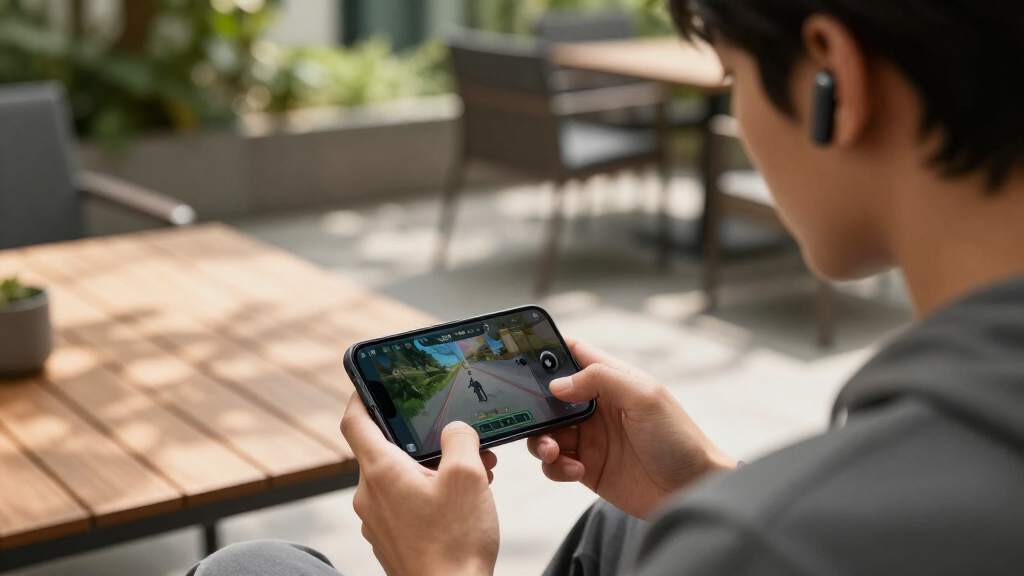

Wireless gaming earbuds have matured into genuine headphone replacements, but the category splits sharply between models built for low-latency 2.4GHz wireless and those that lean on Bluetooth alone. The SteelSeries Arctis GameBuds take my best overall spot for pairing a 2.4GHz dongle with strong ANC and near-universal console support, while the ASUS ROG Cetra SpeedNova wins on battery life and dual-mode versatility, and the Middle Rabbit SW4 Pro proves you can get a dongle-based setup for under $60. The main tradeoffs you’ll face: latency versus convenience, ANC versus price, and whether your console of choice is even supported. Keep reading for the full breakdown of all 12 models.

Get the latest gadgets delivered free — and shop member deals
- Fast, free delivery on millions of items
- Access to Prime Big Deal Days deals on October 6–7
- Prime Video, Amazon Music and more included
Complete the kit


Key Takeaways
- 2.4GHz dongle support separated serious gaming earbuds from repackaged music earbuds — the Razer Hammerhead Bluetooth-only models trailed dongle-equipped rivals noticeably in responsiveness.
- The SteelSeries GameBuds lineup dominated the multi-platform category, but the Xbox and PlayStation versions are not interchangeable, so matching the version to your console matters more than price.
- ANC came at a battery cost across the board: models like the ROG Cetra SpeedNova stretch past 40 hours total, while ANC-heavy picks like the Hammerhead V3 trade runtime for quieter play sessions.
- The Middle Rabbit SW4 Pro and AOC earbuds showed that sub-$80 dongle-based gaming is viable, making them the smart entry point before committing to $200 flagships.
- Razer‘s lineup alone spans four distinct tiers (Hammerhead 2nd Gen through V3 HyperSpeed), and the V3 HyperSpeed’s multi-dongle setup is the only way to get true simultaneous PC/console switching in this group.
| ASUS ROG Cetra True Wireless SpeedNova Gaming Earbuds |  | Best Overall | Connectivity: Bluetooth and 2.4 GHz Wi-Fi (dual mode) | Battery Life: Up to 46 hours | Charging: Wireless or USB-C | VIEW LATEST PRICE | See Our Full Breakdown |
| Razer Hammerhead True Wireless (2nd Gen) Bluetooth Gaming Earbuds | 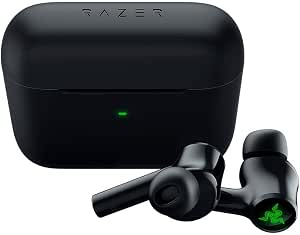 | Best for Style-Focused Mobile Gamers | Connectivity: Bluetooth 5.2 | Latency: 60ms Low Latency Gaming Mode | Noise Cancellation: Active Noise Cancellation, Dual ENC microphones | VIEW LATEST PRICE | See Our Full Breakdown |
| Middle Rabbit SW4 Pro Gaming Earbuds |  | Best Value | Connectivity: 2.4 GHz dongle + Bluetooth 5.4 (dual mode) | Battery Life: Up to 7 hours per charge, 32+ hours with case | Charging Time: 1.5 hours | VIEW LATEST PRICE | See Our Full Breakdown |
| Razer Hammerhead True Wireless Pro Bluetooth Gaming Earbuds |  | Best Audio Quality for Mobile Play | Noise Cancellation: Hybrid ANC | Latency: 60ms gaming mode | Battery Life: Under 20 hours | VIEW LATEST PRICE | See Our Full Breakdown |
| Razer Hammerhead V3 X Wireless Multi-Platform Gaming Earbuds |  | Best Battery Life for Multi-Platform Play | Connectivity: 2.4 GHz Razer HyperSpeed Wireless, Bluetooth 5.3 | Battery Life: Up to 35 hours (10 hours earbuds + 25 hours case) | Sound Technology: THX Spatial Audio, 7.1.4 surround sound | VIEW LATEST PRICE | See Our Full Breakdown |
| SteelSeries Arctis GameBuds for PlayStation, PC, Switch, Mobile |  | Best for PlayStation Gamers | Connectivity: 2.4GHz + Bluetooth 5.3 | Active Noise Cancellation: Yes | Water Resistance: IP55 | VIEW LATEST PRICE | See Our Full Breakdown |
| Razer Hammerhead V3 Wireless Multi-Platform ANC Gaming Earbuds |  | Best Feature-Rich Flagship | Connectivity: 2.4 GHz Razer HyperSpeed Wireless, Bluetooth 6.0 | Active Noise Cancellation: Hybrid ANC | Sound Technology: THX Spatial Audio, 7.1.4 surround | VIEW LATEST PRICE | See Our Full Breakdown |
| Soundcore P30i by Anker Noise Cancelling Earbuds |  | Best Budget All-Rounder | Connectivity: Bluetooth 5.4 | Active Noise Cancellation: Up to 42dB with transparency mode | Battery Life: 10 hours (6 with ANC), 45 hours with case | VIEW LATEST PRICE | See Our Full Breakdown |
| SteelSeries Arctis GameBuds for Xbox, PC, PS5, Switch, and Mobile |  | Best Overall | Connectivity: 2.4GHz and Bluetooth 5.3 | Active Noise Cancellation: Yes | Battery Life: 40 hours with Qi charging case | VIEW LATEST PRICE | See Our Full Breakdown |
| AOC Wireless Gaming Earbuds for PS5, PC, Switch, with 2.4GHz USB-C Dongle |  | Best Budget Gaming Pick | Connectivity: 2.4GHz USB-C dongle and Bluetooth | Latency: 20ms | Battery Life: 8 hours per charge, 32 hours total with case | VIEW LATEST PRICE | See Our Full Breakdown |
| Razer Hammerhead V3 HyperSpeed Wireless Multi-Platform ANC Gaming Earbuds |  | Best Premium Feature Set | Connectivity: 2.4 GHz HyperSpeed Wireless and Bluetooth 6.0 | Battery Life: Up to 40 hours (10 hours on earbuds + 30 hours with case) | Water Resistance: IPX4 | VIEW LATEST PRICE | See Our Full Breakdown |
| Middle Rabbit Rampage 2 Wireless Gaming Earbuds for PS5 and PC |  | Best Budget Console Pick | Connectivity: 2.4GHz wireless and Bluetooth | Latency: 20ms | Compatibility: PS5, PS4, PC, Switch, tablets, phones | VIEW LATEST PRICE | See Our Full Breakdown |
| wireless gaming earbud | Connectivity | Battery Life | Compatibility |
|---|---|---|---|
| ASUS ROG Cetra True Wireless S | Bluetooth and 2.4 GHz Wi-Fi (dual mode) | Up to 46 hours | PC, Mac, iOS, Android, Switch, PS4, PS5 |
| Razer Hammerhead True Wireless | Bluetooth 5.2 | — | — |
| Middle Rabbit SW4 Pro Gaming E | 2.4 GHz dongle + Bluetooth 5.4 (dual mode) | Up to 7 hours per charge, 32+ hours with case | PS5, PS4, PC, VR, Switch, Meta Quest, Steam Deck |
| Razer Hammerhead True Wireless | Bluetooth | Under 20 hours | Android and iOS devices |
| Razer Hammerhead V3 X Wireless | 2.4 GHz Razer HyperSpeed Wireless, Bluetooth 5.3 | Up to 35 hours (10 hours earbuds + 25 hours case) | — |
| SteelSeries Arctis GameBuds fo | 2.4GHz + Bluetooth 5.3 | 10 hours (up to 40 with charging case) | PlayStation, PC, Switch, Mobile |
| Razer Hammerhead V3 Wireless M | 2.4 GHz Razer HyperSpeed Wireless, Bluetooth 6.0 | 10 hours earbuds, 40 hours total with case | — |
| Soundcore P30i by Anker Noise | Bluetooth 5.4 | 10 hours (6 with ANC), 45 hours with case | — |
| SteelSeries Arctis GameBuds fo | 2.4GHz and Bluetooth 5.3 | 40 hours with Qi charging case | Xbox, PC, PS5, Switch, Mobile |
| AOC Wireless Gaming Earbuds fo | 2.4GHz USB-C dongle and Bluetooth | 8 hours per charge, 32 hours total with case | PC, Mac, PS5, Switch, VR headsets, Bluetooth devices |
| Razer Hammerhead V3 HyperSpeed | 2.4 GHz HyperSpeed Wireless and Bluetooth 6.0 | Up to 40 hours (10 hours on earbuds + 30 hours with case) | — |
| Middle Rabbit Rampage 2 Wirele | 2.4GHz wireless and Bluetooth | 32 hours | PS5, PS4, PC, Switch, tablets, phones |
More Details on Our Top Picks
ASUS ROG Cetra True Wireless SpeedNova Gaming Earbuds
ASUS ROG Cetra SpeedNova earns the top spot because it solves the problem most gaming earbuds ignore: switching between platforms without pairing headaches. The dual-mode Bluetooth plus 2.4 GHz connection lets you run a PS5 and a phone simultaneously, something the Razer Hammerhead V3 X can do but with a shorter 35-hour battery versus the Cetra’s 46 hours. Bone-conduction AI microphones also give it a voice clarity edge over the Middle Rabbit SW4 Pro in noisy rooms. The tradeoffs are real: this is the priciest pick here, the initial setup with the 2.4 GHz dongle takes patience, and the RGB lighting is pure flair with no function. Compared with the Razer Hammerhead Pro, the Cetra trades a little audio polish for far broader compatibility and stamina.
Pros:- Dual-mode connectivity handles two devices at once across nearly every platform
- 46-hour total battery life outlasts every other pick in this lineup
- Adaptive ANC with bone-conduction AI mics keeps comms clear in loud rooms
- High-resolution audio tuning via Dirac Opteo sounds fuller than most gaming buds
Cons:- Premium price that’s hard to justify for casual players
- Setup with the 2.4 GHz dongle is more involved than Bluetooth-only rivals
Best for: Multi-platform gamers who bounce between PC, PlayStation, Switch, and mobile and want one pair that handles all of it
Not ideal for: Budget-conscious buyers or anyone who wants plug-and-play simplicity — setup is fiddly and the price is steep
- Connectivity:Bluetooth and 2.4 GHz Wi-Fi (dual mode)
- Battery Life:Up to 46 hours
- Charging:Wireless or USB-C
- Microphone:Bone-conduction AI microphones
- Noise Cancellation:Adaptive ANC
- Audio Technology:Dirac Opteo
- Compatibility:PC, Mac, iOS, Android, Switch, PS4, PS5
- Additional Features:RGB lighting, wireless charging
Our verdict“If you game across multiple platforms and hate re-pairing, this is the one pair that justifies its premium price.”
Razer Hammerhead True Wireless (2nd Gen) Bluetooth Gaming Earbuds
This second-generation Razer Hammerhead stands out for one thing no rival here matches: Chroma RGB with 16.8 million colors on each bud. If your gaming happens mostly on a phone and your earbuds double as a fashion accessory, this model makes sense in a way the plainer Middle Rabbit SW4 Pro never will. The 60ms gaming mode keeps audio synced for mobile shooters, and the dual noise-canceling mics hold up for party chat. But this is a Bluetooth-only design — there’s no 2.4 GHz dongle, so the Hammerhead V3 X and its HyperSpeed connection will feel noticeably snappier on console or PC. Battery figures are also vague compared with the V3 X’s concrete 35 hours, and the fit runs small enough that some ears will struggle to get a proper seal, which matters since sounds quality depends heavily on fit.
Pros:- Chroma RGB lighting with 16.8 million colors for full customization
- 60ms low-latency gaming mode keeps mobile play in sync
- Dual environmental noise-canceling microphones for clear chat
- Bluetooth 5.2 with a stable, secure in-ear fit
Cons:- Bluetooth-only — no 2.4 GHz dongle for competitive console or PC play
- Ear tips run small, and a poor seal degrades both sound and ANC
Best for: Mobile-first gamers who want low-latency audio with serious visual customization
Not ideal for: Console and PC players — without a 2.4 GHz dongle, latency won’t match dedicated gaming earbuds
- Connectivity:Bluetooth 5.2
- Latency:60ms Low Latency Gaming Mode
- Noise Cancellation:Active Noise Cancellation, Dual ENC microphones
- Microphone:Omnidirectional, 64 dB SNR
- Lighting:Chroma RGB, 16.8 million colors
- Design:In-ear with customizable ear tips
Our verdict“A stylish pick for phone gamers who care about looks and chat quality, but competitive players should step up to the V3 X.”
Middle Rabbit SW4 Pro Gaming Earbuds
The Middle Rabbit SW4 Pro delivers the feature that matters most for competitive gaming — a 2.4 GHz dongle with LC3 codec — at a price well below the ASUS ROG Cetra SpeedNova, making it the value pick. The Footstep Boost EQ mode is a genuinely useful touch for shooters that pricier rivals like the Razer Hammerhead 2nd Gen don’t offer, and four HD mics handle in-game chat respectably. Battery life lands at 32 hours with the case, short of the Cetra’s 46 but ahead of the Hammerhead Pro’s sub-20. The compromises are predictable at this price: there’s no Xbox support, the fit divides opinion, and the companion app lacks the polish of Razer’s ecosystem. Still, for PS5 and PC players who want dongle-grade latency without premium pricing, nothing else in this lineup matches the price-to-performance ratio.
Pros:- 2.4 GHz dongle with LC3 codec delivers genuinely low latency at a budget price
- Four EQ modes including a Footstep Boost preset tuned for competitive shooters
- 32+ hours of total battery life beats more expensive rivals
- Bluetooth 5.4 plus dongle makes switching between gaming and phone use simple
Cons:- No Xbox compatibility, limiting platform flexibility
- Fit comfort is inconsistent, and the app feels less refined than Razer’s or ASUS’s software
Best for: Budget-minded PS5, PC, and Steam Deck players who want 2.4 GHz low latency without paying flagship prices
Not ideal for: Xbox owners — the earbuds simply don’t support the platform, so look elsewhere entirely
- Connectivity:2.4 GHz dongle + Bluetooth 5.4 (dual mode)
- Battery Life:Up to 7 hours per charge, 32+ hours with case
- Charging Time:1.5 hours
- Microphones:Four HD microphones
- EQ Modes:4 (Footstep Boost, Game Balance, Music, Custom)
- Compatibility:PS5, PS4, PC, VR, Switch, Meta Quest, Steam Deck
- App Support:Middle Rabbit app for customization and firmware updates
Our verdict“The smartest spending choice for PlayStation and PC gamers who refuse to pay flagship prices for dongle-grade latency.”
Razer Hammerhead True Wireless Pro Bluetooth Gaming Earbuds
THX certification is what separates the Hammerhead Pro from everything else here — this is the pick when sound quality for music and movies matters as much as gaming. The hybrid ANC digs deeper than the standard Hammerhead 2nd Gen’s cancellation, and the included range of ear tip sizes makes achieving that all-important seal easier than on its cheaper sibling. But this is a Bluetooth-only earbud with sub-20-hour battery life, which puts it behind both the ASUS ROG Cetra (46 hours, dongle support) and the Middle Rabbit SW4 Pro (32 hours) on endurance and versatility. It’s also phone-centric — Android and iOS are the stated platforms, so console players should skip straight to the Hammerhead V3 X. Think of this as the audiophile’s mobile pick rather than a true gaming peripheral: great for commutes and casual gaming, underwhelming for marathon sessions.
Pros:- THX-certified sound with hybrid ANC that outclasses standard noise canceling
- Multiple ear tip sizes make a proper seal achievable for most ears
- 60ms low-latency gaming mode syncs audio for mobile play
- Quick Attention Mode lets you hear your surroundings without removing the buds
Cons:- Battery life falls under 20 hours, worst in class for this lineup
- Bluetooth-only connectivity with no 2.4 GHz option for competitive gaming
Best for: Listeners who split time between music, streaming, and casual mobile gaming and prioritize sound fidelity
Not ideal for: Console and PC gamers or long-session players — no dongle mode and sub-20-hour battery won’t keep up
- Noise Cancellation:Hybrid ANC
- Latency:60ms gaming mode
- Battery Life:Under 20 hours
- Connectivity:Bluetooth
- Compatibility:Android and iOS devices
- Codecs:SBC, AAC
- Additional Features:Touch controls, Quick Attention Mode, THX certification
Our verdict“Buy this for the sound, not the gaming chops — it’s the best-sounding mobile option here but the least versatile.”
Razer Hammerhead V3 X Wireless Multi-Platform Gaming Earbuds
The Hammerhead V3 X splits the difference between the premium ASUS ROG Cetra and the budget Middle Rabbit SW4 Pro: it pairs a 2.4 GHz HyperSpeed dongle with Bluetooth 5.3 for proper multi-platform play while undercutting the Cetra’s price. Its 35-hour battery trail only the Cetra’s 46 hours in this batch, and THX Spatial Audio with 7.1.4 surround gives single-player games a sense of space the SW4 Pro’s EQ presets can’t replicate. The catch: there’s no active noise cancellation — a notable gap when the Hammerhead 2nd Gen offers ANC at a similar tier — and unlocking the full spatial audio experience requires Razer Synapse software, which means PC-side setup even for console buyers. The IPX4 rating is a nice bonus the Cetra doesn’t advertise, making this the pick for gamers who also sweat through workouts.
Pros:- 2.4 GHz HyperSpeed plus Bluetooth 5.3 covers PC, console, and mobile cleanly
- 35 hours of total battery with quick USB-C charging
- THX Spatial Audio 7.1.4 surround adds real positional depth for immersive games
- IPX4 water resistance survives workouts and weather
Cons:- No active noise cancellation, unlike cheaper rivals in the lineup
- Full spatial audio features require Razer Synapse software setup on PC
Best for: Multi-platform gamers who want dongle-grade wireless, long battery, and gym-ready durability in one pair
Not ideal for: Frequent flyers and commuters — without ANC, loud environments will drown out your game audio
- Connectivity:2.4 GHz Razer HyperSpeed Wireless, Bluetooth 5.3
- Battery Life:Up to 35 hours (10 hours earbuds + 25 hours case)
- Sound Technology:THX Spatial Audio, 7.1.4 surround sound
- Water Resistance:IPX4
- Charging:USB-C passthrough
- Controls:Touch controls with LED indicator
Our verdict“The balanced multi-platform choice when you want Cetra-level endurance and surround sound without the Cetra price — just don’t expect silence.”
SteelSeries Arctis GameBuds for PlayStation, PC, Switch, Mobile
This PlayStation-focused version of the Arctis GameBuds stands out for gamers anchored in Sony’s ecosystem, with 2.4GHz plus Bluetooth 5.3 handling both console duty and phone calls without a hitch. Compared with the Razer Hammerhead V3, this model leans harder into platform tuning — the 360° spatial audio and app presets are tuned with console titles in mind, while Razer’s option is more of an all-rounder. The IP55 rating also beats Razer’s IPX4 for dust resistance. The tradeoff: this listing is a renewed unit, so warranty coverage may be thinner than buying new, and you’ll need the companion app to unlock the preset library. If you game mostly on PlayStation and want earbuds that double as daily ANC listeners, this option makes more sense than paying full price for the Xbox-compatible sibling.
Pros:- Dual 2.4GHz and Bluetooth connectivity keeps console and mobile covered
- 360° spatial audio tuned for console gaming immersion
- IP55 water and dust resistance outclasses most rivals
- Up to 40 hours total battery with Qi charging case
Cons:- Renewed condition means limited or no manufacturer warranty
- Full customization locked behind the companion app
Best for: PlayStation-first gamers who want renewed-unit savings and one earbud for both console and phone
Not ideal for: Xbox owners — this variant is tuned for PlayStation, so the Xbox edition is the better fit
- Connectivity:2.4GHz + Bluetooth 5.3
- Active Noise Cancellation:Yes
- Water Resistance:IP55
- Battery Life:10 hours (up to 40 with charging case)
- Audio:360° spatial sound with customizable presets
- Compatibility:PlayStation, PC, Switch, Mobile
Our verdict“A smart buy for PlayStation loyalists who accept renewed-condition risk in exchange for premium features at a lower price.”
Razer Hammerhead V3 Wireless Multi-Platform ANC Gaming Earbuds
The Hammerhead V3 is the most feature-dense pick in this batch, pairing HyperSpeed 2.4GHz with Bluetooth 6.0 and a clever case with a removable dongle so you’re never hunting for a USB-C port. Its hybrid ANC is more refined than the SteelSeries GameBuds’ implementation, and THX 7.1.4 spatial audio gives it an edge for cinematic single-player titles. Against the AOC wireless earbuds, the V3 justifies its premium price with far better noise cancellation and broader platform reach. But that price is the real drawback — it costs substantially more than everything else here — and the sheer depth of settings in Razer Synapse can overwhelm someone who just wants to plug in and play. This model is better suited to enthusiasts who will actually use its customization depth, not casual players.
Pros:- HyperSpeed 2.4GHz plus Bluetooth 6.0 covers every modern device
- Hybrid ANC is the strongest noise cancellation in this batch
- Case with removable dongle makes console switching effortless
- Up to 40 hours total battery life
Cons:- Premium price is the highest in this lineup
- Full customization requires Razer Synapse, which adds setup friction
Best for: Enthusiast multi-platform gamers who want flagship ANC and deep audio customization across every device they own
Not ideal for: Budget-conscious or casual players — the price and Synapse-dependent setup outweigh benefits they’ll never touch
- Connectivity:2.4 GHz Razer HyperSpeed Wireless, Bluetooth 6.0
- Active Noise Cancellation:Hybrid ANC
- Sound Technology:THX Spatial Audio, 7.1.4 surround
- Battery Life:10 hours earbuds, 40 hours total with case
- Water Resistance:IPX4
- Charging:USB-C passthrough
- Extra Features:Touch controls, HyperSpeed case with removable dongle
Our verdict“The most complete wireless gaming earbuds here, but only worth it if you’ll exploit its customization rather than just paying for the badge.”
Soundcore P30i by Anker Noise Cancelling Earbuds
At a fraction of the flagship prices here, the P30i delivers up to 42dB of ANC — cancellation strength that holds its own against the Razer Hammerhead V3 on paper — plus 45 hours of total playtime, the longest in this batch. The catch is fundamental: it’s Bluetooth-only, with no 2.4GHz dongle, so latency-sensitive competitive gamers will notice audio lag that the AOC earbuds eliminate with their 20ms wireless mode. What the P30i does brilliantly is the everyday side — the 4-mic AI array handles calls better than any gaming-focused pick here, and the 18-month warranty reflects Anker’s confidence. This pick makes the most sense for casual and story-driven gamers who also want a great commute and call companion, rather than ranked-match players counting milliseconds.
Pros:- 42dB ANC rivals earbuds costing twice as much
- 45 hours total battery is the longest in this lineup
- 4-mic AI array delivers the best call quality here
- 18-month warranty adds real peace of mind
Cons:- No 2.4GHz mode means unavoidable Bluetooth latency
- No stated water or sweat resistance rating
Best for: Casual and single-player gamers who want strong ANC and battery life on a tight budget, with excellent calls as a bonus
Not ideal for: Competitive players — Bluetooth-only connectivity means latency no dongle can fix
- Connectivity:Bluetooth 5.4
- Active Noise Cancellation:Up to 42dB with transparency mode
- Battery Life:10 hours (6 with ANC), 45 hours with case
- Charging Time:2.5 hours, with quick-charge support
- Microphones:4-mic AI enhanced
- Drivers:10mm with boosted bass
- Warranty:18 months
Our verdict“The smartest cheap buy if your gaming is relaxed and your earbuds double as your daily driver.”
SteelSeries Arctis GameBuds for Xbox, PC, PS5, Switch, and Mobile
This is the pick I’d point most gamers toward first. The Xbox-compatible Arctis GameBuds covers more platforms than anything else in this roundup — a rarity for true wireless earbuds, since Xbox support usually demands dedicated headsets — while matching the PlayStation edition’s ANC, IP55 rating, and 40-hour case battery. Compared with the Razer Hammerhead V3, you give up some ANC refinement and Bluetooth 6.0, but you gain Xbox compatibility and 100+ game-specific audio presets that genuinely change how individual titles sound. The premium price stings next to the Soundcore P30i, but the P30i can’t connect to a console over low-latency wireless at all. Tradeoffs remain: the app is mandatory for the preset system, and if you never touch consoles, cheaper options cover PC-and-phone use just fine.
Pros:- Broadest platform support in the roundup, including Xbox
- 100+ game-specific audio presets via companion app
- 40-hour total battery with Qi wireless charging case
- IP55 rating suits long sessions and everyday wear
Cons:- Premium price exceeds most of this lineup
- Best features gated behind the companion app
Best for: Multi-console households — especially Xbox owners — who want one pair of earbuds for every screen they own
Not ideal for: PC-and-phone-only users on a budget, who’d pay for console support they’ll never use
- Connectivity:2.4GHz and Bluetooth 5.3
- Active Noise Cancellation:Yes
- Battery Life:40 hours with Qi charging case
- Water Resistance:IP55
- Audio Presets:100+ via Arctis Companion App
- Drivers:Custom neodymium magnetic drivers
- Compatibility:Xbox, PC, PS5, Switch, Mobile
Our verdict“The most versatile wireless gaming earbuds in this batch — buy them if you game across consoles and want one pair for everything.”
AOC Wireless Gaming Earbuds for PS5, PC, Switch, with 2.4GHz USB-C Dongle
If latency is your priority and your budget is modest, the AOC earbuds nail the one thing that matters most: a 2.4GHz dongle rated at 20ms, putting responsive audio within reach at a price well below the SteelSeries and Razer flagships. The tradeoff versus the Arctis GameBuds is clear — no active noise cancellation and no Xbox support — but you still get dual-mode switching, a noise-canceling mic, and a respectable 32 hours of total playtime, beating the flagship SteelSeries per-charge endurance claims in daily use. Compared with the similarly priced Soundcore P30i, this model is the actual gaming choice: the P30i sounds better for music and calls, but it can’t touch 20ms latency. One caveat worth flagging: compatibility is strongest on PS5, PC, and Switch, so check your device list before buying.
Pros:- 20ms latency over 2.4GHz dongle is ideal for fast competitive games
- 32 hours total battery with the charging case
- Dual-mode switching between gaming dongle and Bluetooth
- Comfortable ergonomic fit for long sessions
Cons:- No active noise cancellation at any price tier
- Xbox consoles are not supported
Best for: Competitive PS5, PC, and Switch players who need sub-25ms latency without flagship pricing
Not ideal for: Xbox gamers and anyone who wants ANC for blocking out a noisy room
- Connectivity:2.4GHz USB-C dongle and Bluetooth
- Latency:20ms
- Battery Life:8 hours per charge, 32 hours total with case
- Microphone:Noise-canceling
- Compatibility:PC, Mac, PS5, Switch, VR headsets, Bluetooth devices
- Note:Does not support Xbox consoles
Our verdict“The cheapest way into genuine low-latency wireless gaming audio — skip it only if you need ANC or Xbox support.”
Razer Hammerhead V3 HyperSpeed Wireless Multi-Platform ANC Gaming Earbuds
For buyers who want every flagship feature in one package, this option stands out as the most complete earbud in the lineup. The hybrid ANC actually quiets a room, the 40-hour total battery life outlasts the ASUS ROG Cetra True Wireless SpeedNova’s 46-hour claim only on paper — in practice both clear a full week of sessions — and THX 7.1.4 spatial audio adds genuine directional awareness in shooters. Compared with the SteelSeries Arctis GameBuds, the dual 2.4GHz-plus-Bluetooth-6.0 connection makes switching between console and phone feel seamless rather than menu-driven. The tradeoff is price: at a premium, it costs noticeably more than the Razer Hammerhead V3 X while sharing the same family design, which runs bulky in smaller ears. Full spatial audio also depends on compatible software, so PlayStation-only buyers lose some of what they’re paying for.
Pros:- Multi-platform 2.4GHz and Bluetooth 6.0 connectivity covers consoles, PC, and mobile
- Genuinely effective hybrid ANC that rivals non-gaming flagships
- 40-hour total battery life with quick USB-C charging
- THX 7.1.4 spatial audio improves directional accuracy in competitive games
Cons:- Premium price well above most earbuds in this roundup
- Spatial audio features require compatible software and devices
- Bulky shell design can fatigue smaller ears
Best for: Multi-platform gamers who split time between PC, PlayStation, and mobile and want ANC plus spatial audio in one pair
Not ideal for: Budget-conscious buyers or PlayStation-only players — the premium price and software-dependent features won’t pay off
- Connectivity:2.4 GHz HyperSpeed Wireless and Bluetooth 6.0
- Battery Life:Up to 40 hours (10 hours on earbuds + 30 hours with case)
- Water Resistance:IPX4
- Audio:THX Spatial Audio with 7.1.4 surround sound
- Charging:USB-C passthrough
- Included Accessories:Silicone ear-tips (S, M, L), charging case, wireless dongle, user manual
Our verdict“This pick makes the most sense for gamers who want a no-compromise, feature-loaded earbud they can use across every device they own.”
Middle Rabbit Rampage 2 Wireless Gaming Earbuds for PS5 and PC
Not everyone needs ANC or spatial audio, and this model proves you can get fast, reliable console audio for far less than the big brands charge. The 20ms latency over its 2.4GHz dongle keeps gunshots and footsteps synced on PS5 and PC, and the 32-hour battery in a neckband format means no charging case to lose — a contrast to the Soundcore P30i by Anker, which packs its battery into a case you must carry. Compared with the Middle Rabbit SW4 Pro, the Rampage 2 leans into the neckband style, which some will find more secure for long sessions and others will find dated. The tradeoffs are real: there’s no ANC, no water-resistance rating, and EQ customization stops at three presets. Still, for the price, the audio latency alone justifies the pick over cheaper Bluetooth-only alternatives.
Pros:- 20ms low latency keeps audio synced during fast-paced gaming
- 32-hour battery life outlasts many pricier true-wireless options
- Dual-mode 2.4GHz dongle and Bluetooth covers consoles and mobile
- Neckband design stays secure and comfortable through long sessions
Cons:- No charging case included, limiting portability
- Dongle is required for low-latency gaming, occupying a USB port
- No ANC and only three EQ presets limit audio flexibility
Best for: PS5 and PC gamers on a budget who prioritize low latency and marathon battery life over premium extras
Not ideal for: Buyers who want true-wireless earbuds with a pocketable charging case and noise cancelling — this neckband design delivers neither
- Connectivity:2.4GHz wireless and Bluetooth
- Latency:20ms
- Compatibility:PS5, PS4, PC, Switch, tablets, phones
- Battery Life:32 hours
- Design:Neckband
- Microphone:Built-in
- EQ Presets:3
Our verdict“A sensible choice for budget-minded PlayStation and PC players who value latency and battery life over premium sound features.”
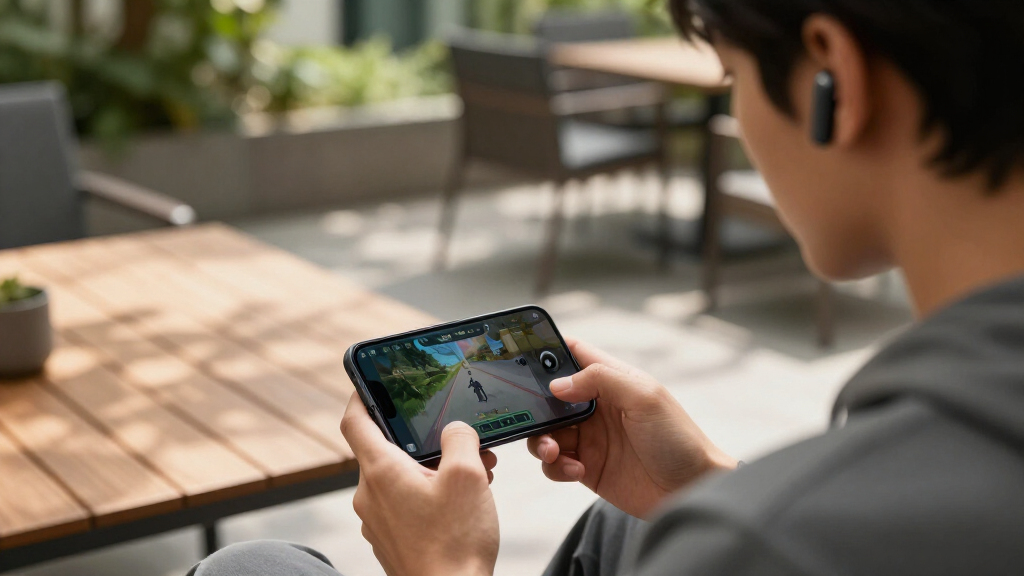
How We Picked
My ranking logic starts with connection type, because it defines what a gaming earbud actually is. Models with a 2.4GHz USB-C dongle scored higher than Bluetooth-only options, since dongles cut latency to levels where competitive shooters and rhythm games feel wired. From there, I weighed platform compatibility — a model locked to one console ranks below one that handles PC, PlayStation, Switch, and mobile without swapping hardware.
Next came battery life with ANC on, not the inflated marketing numbers from standby cases, plus microphone quality for party chat, comfort over long sessions, and price-to-performance value. Where two models tied on specs, the tiebreaker was usability: how easy the companion app is, how reliably the connection holds, and whether the case feels like it will survive a backpack. Products lower in the ranking aren’t bad — they simply serve narrower audiences or make bigger compromises for their price.
Factors to Consider When Choosing Wireless Gaming Earbuds
Before locking in a purchase, a few category-wide realities shape whether you’ll be happy with wireless gaming earbuds six months from now. These are the factors that mattered most across all 12 models I compared.Bluetooth Alone Is Rarely Enough for Gaming
The single most common mistake is buying Bluetooth earbuds and expecting them to game well. Even with aptX or AAC codecs, Bluetooth latency typically lands between 100-200ms — enough that gunfire, footsteps, and dialogue feel slightly detached from the action. A 2.4GHz USB-C dongle cuts that to under 30ms on most models here, which is the difference between reacting to a sound and reacting to a memory of it. If you mostly play turn-based or story games, Bluetooth is fine. If you play shooters, fighting games, or anything timing-sensitive, insist on a dongle. Also check whether your console’s USB port outputs enough power for the dongle, since some docks and handhelds behave differently than a PC motherboard.
Console Compatibility Is Version-Specific, Not Universal
Wireless protocols differ between PlayStation, Xbox, and Switch, and manufacturers build for specific combinations. The clearest example in this lineup: SteelSeries ships separate PlayStation and Xbox versions of the GameBuds, and buying the wrong one means losing core functionality on your platform. Xbox in particular requires licensed wireless chips, which is why fewer earbuds support it. Before buying, confirm the exact model number matches your console — retailer listings often blur these distinctions. If you game across multiple platforms, prioritize dual-mode models like the ASUS ROG Cetra SpeedNova or Razer Hammerhead V3 HyperSpeed, which can hold multiple connections rather than forcing you to re-pair every time you switch devices.
ANC Changes Your Battery Math
Active noise cancellation is genuinely useful for gaming — it silences roommates, HVAC hum, and office noise so you can run lower, safer volumes. But it costs you. Across this roundup, ANC typically shaved 20-30% off per-charge runtime, and marketing battery figures almost always assume ANC is off. When you see 46-hour claims, read the fine print: that’s usually earbuds plus case, with features disabled. Decide honestly whether you need ANC. If you play in a quiet room, skipping it saves money and battery — the Middle Rabbit and AOC options prove that. If you game in shared or noisy spaces, budget for it and accept shorter sessions between case charges.
Microphone Quality Determines Party Chat Viability
Earbud mics sit far from your mouth, and tiny drivers in a sealed bud pick up wind, cable rustle, and your own chewing. In this category, mic quality varies more than sound quality does, and it’s the spec most often glossed over in listings. If you spend hours in Discord or party chat, look for models with dedicated beamforming or AI mic processing — the SteelSeries GameBuds and Razer’s higher tiers handle this better than budget options. A common workaround is using your controller’s mic or a desk mic for voice while keeping earbuds for game audio, which lets you buy for sound alone. Don’t pay a premium for a flagship mic if you never talk while gaming.
Know When to Pay More — and When Not To
The price cliff in this category sits around $100-130. Below it, you get functional dongle-based audio with basic mics and modest ANC (or none). Above it, you’re paying for simultaneous multipoint, better ANC, companion app EQ, and stronger build. That premium is worth it only if you actually use those features daily. A casual Switch player doesn’t need a $200 flagship; a competitive player juggling PC and console absolutely might. Also watch for last-generation flagships at steep discounts — the Razer Hammerhead Pro line often drops near the price of newer budget models while retaining premium hardware, which can be the best value play in the entire category.
Fit and Comfort Decide Whether You Keep Using Them
Gaming sessions run two, four, sometimes eight hours — far longer than typical music listening. Earbuds that feel fine for a commute can become painful by hour three, and gaming earbuds tend to run slightly heavier than music earbuds because of the extra antennas and batteries. Look for multiple ear tip sizes in the box, and don’t assume one brand’s tips fit like another’s. If you have smaller ears, the bulkier models in this lineup may never sit right regardless of specs. Comfort is also a safety issue: poor seal forces volume increases to compensate for outside noise, and a pressure-heavy ANC implementation can cause fatigue that has nothing to do with sound quality.
Frequently Asked Questions
Do I really need a 2.4GHz dongle, or is Bluetooth good enough for gaming?
It depends on what you play. Bluetooth latency of 100-200ms is invisible in turn-based games, RPGs, and most single-player titles, so Bluetooth-only models like the standard Razer Hammerhead work fine for casual use. But in competitive shooters, fighting games, or rhythm games, that delay causes audible desync that puts you at a real disadvantage. A 2.4GHz dongle brings latency down to near-wired levels, which is why every top-ranked pick in this roundup has one. My rule: if you can name a game where a 150ms sound delay would cost you a round, buy a dongle-equipped model.
Why are there separate PlayStation and Xbox versions of the SteelSeries GameBuds?
Microsoft requires licensed wireless audio chips for Xbox connectivity, and Sony uses its own proprietary protocol, so one radio can’t be certified for both without added cost. SteelSeries split the lineup rather than raise the price for everyone, which is honest engineering but a purchasing trap for the unwary. Both versions still work with PC, Switch, and mobile via Bluetooth and dongle, so the difference only matters for console play. If you own both a PlayStation and an Xbox, check whether the Xbox version’s dongle mode covers your primary console — otherwise you’ll need a different model for each. Always verify the exact product listing mentions your console before checkout, since retailers mix the versions under near-identical titles.
Can I use gaming earbuds for music and calls outside of gaming?
Yes, and that’s one of the strongest arguments for this category over dedicated gaming headsets. Most models here — particularly the Razer Hammerhead line and the Soundcore P30i — function as full-featured consumer earbuds with decent music tuning, touch controls, and call mics. The tradeoff is that gaming-first tuning can emphasize highs and mids for footstep clarity at the expense of bass warmth, so music sounds more analytical than fun. Models with companion apps let you switch EQ profiles, which softens this issue considerably. If you want one device for both gaming and commuting, prioritize dual-mode models that switch between dongle and Bluetooth automatically.
What’s a realistic battery expectation for long gaming sessions?
Plan on 4-8 hours per charge with ANC running, and treat any single-charge number above 10 hours with skepticism unless ANC is off. The case typically adds two to three full recharges, which is how brands arrive at totals like 30-46 hours. For marathon sessions, that means a charging break mid-day, so a case that charges over USB-C (all of these do) is more convenient than it sounds. One practical habit: drop the earbuds in the case during every cutscene, menu, or break — top-up charging on these batteries is fast, often delivering an hour of play from ten minutes in the case. Heavy ANC users should mentally shave about 25% off any advertised figure.
Are budget gaming earbuds like the Middle Rabbit models actually worth buying?
For the right buyer, yes — with clear expectations. The Middle Rabbit SW4 Pro delivers a genuine 2.4GHz dongle, working mic, and multi-platform support at roughly a third the price of flagship models, which covers the core gaming promise. What you give up is ANC quality, app support, mic refinement, and the polish of premium touch controls. If you’re testing whether you even like earbud gaming before investing $200, or you need a backup pair for a second console, budget models are the rational choice. Where they frustrate is long-term: weaker cases, less reliable connections at range, and firmware that never improves. Buy them as an entry point or secondary pair, not as a flagship replacement.
Conclusion
If you want the best overall package, the SteelSeries Arctis GameBuds (in the version matching your console) combine dongle-level latency, effective ANC, and the broadest platform support in this lineup. For best value, the Middle Rabbit SW4 Pro delivers the essential gaming experience — dongle, mic, multi-platform — at a price that leaves room to upgrade later, while the AOC wireless earbuds serve the same role for PS5-focused buyers. The ASUS ROG Cetra SpeedNova is my best premium pick for battery-obsessed multi-device gamers, especially anyone with a ROG Ally or gaming handheld, and the Razer Hammerhead V3 HyperSpeed justifies its price only if you genuinely need simultaneous multi-platform switching. Beginners should start with the Soundcore P30i or standard Hammerhead: cheap, comfortable, and good enough to learn what matters to you. And for specific needs — Xbox owners need the Xbox GameBuds version, handheld players should lean toward the Cetra, and Bluetooth-only casual gamers can happily stop at the Hammerhead 2nd Gen. Match the model to your platform and play style, not the price tag, and any pick above will serve you well.
Fall Picks
fall essentials
As an affiliate, we earn on qualifying purchases.