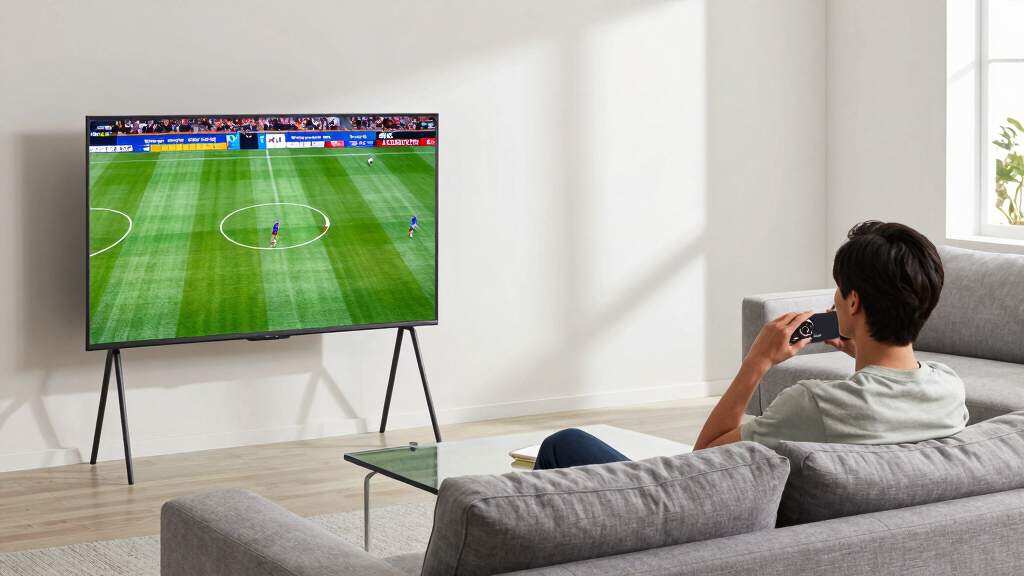

For most sports fans, I’d start with the Samsung 65-Inch S90F, a strong all-around OLED choice with a practical screen size and a sports-friendly feature set. The LG 65-Inch C6 stands out for viewers who want Dolby Vision support, while the LG 83-Inch G4 is the room-filling pick for a large viewing space. The tradeoff is that OLED offers rich contrast and crisp motion, but bright rooms and the cost of larger screens can make Mini-LED alternatives more appealing. This roundup also includes the Hisense U8 and TCL QM7L for buyers who prioritize brightness over OLED black levels. Read on for the full breakdown of which TV fits your room, viewing habits, and budget priorities.

Get the latest gadgets delivered free with Prime
- Fast, free delivery on millions of items
- Prime Video, Amazon Music and more included
- Member-only deals all year
Complete the kit



Key Takeaways
- The 65-inch Samsung S90F is my best overall starting point: it balances a mainstream screen size with OLED contrast and sports-ready performance without requiring an oversized room.
- LG’s C-series options give buyers a different format advantage: the C6 adds Dolby Vision, while the C5 and C4 offer previous-generation alternatives for shoppers comparing features across model years.
- Screen size changes the experience as much as the TV tier: the 83-inch LG G4 favors a dedicated viewing space, while the 48-inch Samsung S90F suits smaller rooms or closer seating.
- Bright-room shoppers should compare the non-OLED picks: the Hisense U8 and TCL QM7L use Mini-LED backlighting, making them relevant alternatives when room light matters more than OLED’s per-pixel blacks.
- Model year and bundle details need a careful check: this list spans 2024, 2025, and 2026 models, plus bundled listings, so buyers should compare the exact model and included accessories rather than relying on series names alone.





| 4K OLED TVs for sport | Screen size | Resolution | Refresh rate | Processor |
|---|---|---|---|---|
| Samsung 48-Inch S90F OLED 4K A | 48 inches | 4K UHD | 144Hz | NQ4 AI Gen3 |
| LG 65‑Inch OLED evo AI 4K C6 S | 65 inches | 4K UHD | 165Hz | Alpha 11 AI Processor Gen 3 |
| Samsung 65-Inch Class OLED S95 | 65 inches | — | 164Hz | NQ4 AI Gen3 |
| LG 83-Inch Class OLED evo G4 S | 83 inches | 4K | — | a11 AI Processor |
| LG 65-Inch OLED AI 4K B6 Serie | 65 inches | 4K | 120Hz | A8 AI Processor 4K Gen3 |
| LG 55-Inch Class OLED evo AI S | 55 inches | 4K | 120 Hz | — |
| LG 65-Inch Class OLED evo C4 S | 65 inches | 4K | 144 Hz | α9 Gen7 AI Processor |
| Samsung 77-Inch Class OLED 4K | 77 inches | 4K | — | NQ4 AI Gen2 |
| Hisense 55" U8 Series ULED Min | 55 inches | 4K UHD | 165 Hz | — |
| TCL 55 Inch Class QM7L Series | 55 inches | — | 144 Hz | AIPQ Pro AI Processor |
| LG 65-Inch OLED evo AI C6 4K S | 65 inches | 4K UHD | 120Hz native; VRR up to 165Hz | a11 AI Processor Gen3 |
| Samsung 65-Inch Class S90H Ser | 65 inches | 4K | Up to 165Hz with PC-connected games | NQ4 AI Gen3 |
| LG 55-Inch Class OLED evo G5 S | 55 inches | 4K | Up to 165Hz | Alpha 11 AI Processor Gen2 |
| Samsung 55-Inch Class Mini LED | 55 inches | 4K | 120Hz | — |
| Samsung 65-Inch Class OLED S90 | 65 inches | 4K | 144Hz | NQ4 AI Gen3 |
More Details on Our Top Picks
Samsung 48-Inch S90F OLED 4K AI Smart TV (2025) Bundle
For sports in a smaller room, I’d choose this 48-inch S90F over the 65-inch models when a close, comfortable viewing distance matters more than a wall-filling image. Its 144Hz refresh rate and Motion Xcelerator are suited to fast plays, while OLED pixels keep dark scenes and uniform fields from looking washed out. AI upscaling can also help when a broadcast falls short of native 4K. Compared with the Samsung S95F, this set is easier to fit but gives up screen size and the S95F’s stated anti-reflection feature—useful when match-day light hits the screen. The bundle lists HDMI cables and a protection plan, though the slim design limits stand options. Its feature set may take some setup, and this is not the pick for viewers who want a large shared-screen experience.
Pros:- Compact 48-inch size is easier to place in smaller rooms
- 144Hz refresh rate and Motion Xcelerator support smooth fast action
- OLED pixels deliver deep blacks and vivid colors
- AI upscaling can improve the appearance of lower-resolution broadcasts
Cons:- Smaller screen has less impact for group viewing than the 65-inch S95F or LG C6
- No anti-reflection feature is listed, unlike the Samsung S95F
- Slim profile limits stand options and the feature set may require setup time
Best for: Sports viewers in apartments, bedrooms, or compact viewing areas who want OLED motion and gaming support without a 65-inch screen.
Not ideal for: Households watching from far across a large room, or buyers who need strong glare handling and a bigger shared viewing area.
- Screen size:48 inches
- Resolution:4K UHD
- Processor:NQ4 AI Gen3
- Refresh rate:144Hz
- HDR:OLED HDR+
- Gaming features:Motion Xcelerator 144Hz, G-SYNC, FreeSync Premium Pro
- Audio:Dolby Atmos, Object Tracking Sound Lite
- Smart platform:Tizen with SmartThings and Bixby
Our verdict“Choose the S90F if your sports setup is compact and smooth OLED motion matters more than a large screen or dedicated glare control.”
LG 65‑Inch OLED evo AI 4K C6 Series Smart TV – Dolby Atmos, Dolby Vision, HDR10, AI Super Upscaling, Filmmaker Mode, Wow Orchestra, Alexa Compatible (OLED65C6PUA, 2026)
I rank the LG C6 first for sports because it pairs a roomy 65-inch OLED screen with the strongest stated motion and brightness package in this group. Its 165Hz refresh rate and 0.1ms response time target fast movement, while Brightness Booster is intended to make the picture more vivid in brighter conditions. That gives it an advantage over the LG B6, whose listed refresh rate is 120Hz, and over the compact 48-inch Samsung S90F when several people watch together. Dolby Vision and AI Super Upscaling add flexibility for mixed sports and streaming use. The tradeoff is physical: a 65-inch set may overwhelm a small room, and OLED can be vulnerable to burn-in with prolonged static imagery. I’d skip it if your viewing area is tight or the extra motion headroom is unnecessary.
Pros:- 65-inch OLED evo screen suits shared sports viewing
- 165Hz refresh rate and 0.1ms response time support fast action
- Brightness Booster is designed to increase picture impact in brighter rooms
- Dolby Vision, HDR10, and AI Super Upscaling cover varied content
Cons:- 65-inch size can be excessive for compact rooms
- OLED burn-in remains a concern with prolonged static content
- Its higher refresh-rate capability may be more than broadcast sports viewers need
Best for: Sports fans with a medium-to-large room who want a large OLED image, high refresh rate, and support for varied streaming content.
Not ideal for: Buyers with a small viewing space or anyone who leaves persistent static graphics onscreen for long periods.
- Screen size:65 inches
- Resolution:4K UHD
- Panel:OLED evo
- Processor:Alpha 11 AI Processor Gen 3
- Refresh rate:165Hz
- HDR formats:Dolby Vision, HDR10
- Gaming features:NVIDIA G-Sync, AMD FreeSync Premium, 0.1ms response time
- Operating system:webOS 2026 AI Hub
- Audio:Dolby Atmos
Our verdict“Pick the C6 for a large, versatile sports screen with the lineup’s highest stated refresh rate, provided your room can accommodate it.”
Samsung 65-Inch Class OLED S95F 4K Smart TV (2025 Model)
The S95F earns its place for sports fans whose seating area gets distracting reflections. Its anti-reflection technology, paired with stated high brightness, is a practical advantage for daytime games; the 65-inch OLED screen also gives plays room to read across a group. Motion Xcelerator and a listed 164Hz refresh rate make it a stronger fast-action option than the 120Hz LG B6 on paper. Compared with the LG C6, however, Samsung’s supplied details do not list Dolby Vision or a specific upscaling format, so buyers prioritizing those capabilities may prefer the LG. The NQ4 AI Gen3 processor is described as improving picture and sound, but multiple AI features can add setup complexity. I’d choose this over the smaller S90F when glare and screen size matter more than compact placement.
Pros:- Anti-reflection technology helps reduce distracting room glare
- 65-inch screen is well suited to group sports viewing
- 164Hz refresh rate and Motion Xcelerator target smooth motion
- NQ4 AI Gen3 processor supports picture and sound enhancement
Cons:- Large size needs substantial viewing and installation space
- Dolby Vision support is not listed in the supplied specifications
- AI feature setup may feel involved, and app compatibility details are limited
Best for: Sports viewers with a bright or reflection-prone living room who want a 65-inch OLED and fast stated refresh rate.
Not ideal for: Buyers with limited space, or viewers who specifically want listed Dolby Vision support and clearer detail on app compatibility.
- Screen size:65 inches
- Model year:2025
- Processor:NQ4 AI Gen3
- Refresh rate:164Hz
- HDR:HDR Pro
- Motion technology:Motion Xcelerator
- Audio:Dolby Atmos
- Smart features:Samsung Vision AI, Alexa built-in
- Picture features:Anti-reflection technology and AI upscaling
Our verdict“Choose the S95F for daytime sports in a glare-prone room, but favor the LG C6 if Dolby Vision support is a priority.”
LG 83-Inch Class OLED evo G4 Series Smart TV 4K with AI Processor and Magic Remote
If the goal is a truly oversized sports picture, the 83-inch LG G4 is the clear scale pick here. Its OLED self-lit pixels preserve strong contrast across the image, and Brightness Booster Max is listed as a way to make highlights more luminous. Dolby Vision support adds a stated HDR option, while the near-flush One Wall Design can suit a dedicated viewing room where installation is planned around the set. Compared with the 65-inch LG C6, the G4 offers far more screen area but lacks a supplied refresh-rate figure, so I can’t rank its motion specification above the C6’s 165Hz listing. The 83-inch body also demands substantial wall space and mounting effort. I’d pass if the room is modest or you want a simpler, less imposing installation.
Pros:- 83-inch screen creates a highly immersive group-viewing area
- OLED pixels provide strong contrast and vivid color
- Brightness Booster Max is intended to improve highlight brightness
- One Wall Design supports a near-flush wall-mounted appearance
Cons:- Requires substantial wall space and careful mounting
- Refresh rate is not specified in the supplied product data
- Large format and feature set can make installation and setup demanding
Best for: Sports fans building a dedicated, spacious viewing room who want an oversized OLED screen and plan for wall mounting.
Not ideal for: Apartment dwellers, smaller rooms, or buyers who need a clearly stated high refresh rate before choosing a screen for fast sports.
- Screen size:83 inches
- Resolution:4K
- Processor:a11 AI Processor
- Design:One Wall Design
- HDR:Dolby Vision
- Audio:Dolby Atmos
- Dimensions without stand:72.7 x 41.6 x 1.1 inches
- Model year:2024
Our verdict“Choose the G4 when room size and an 83-inch image take precedence over compact placement and a clearly specified refresh rate.”
LG 65-Inch OLED AI 4K B6 Series Smart TV, 2026 Model
The B6 is a sensible match for buyers who want a 65-inch OLED for sports but don’t need the C6’s higher stated refresh rate. Its 120Hz panel, 0.1ms response time, and VRR support are a capable combination for fast games and compatible consoles, while self-lit pixels deliver deep blacks and vivid color. Dolby Vision and Filmmaker Mode also make it a flexible screen beyond live matches. Compared with the LG C6, the B6 gives up the listed 165Hz refresh rate and Brightness Booster, but retains the main OLED advantages and a substantial screen size. Its webOS platform adds Google Gemini AI and LG Channels, although smart features are secondary to picture performance for sports. As with the other OLED picks, prolonged static graphics can raise burn-in concerns, and the 65-inch footprint needs room.
Pros:- 65-inch OLED screen offers strong contrast for live sports
- 120Hz refresh rate, VRR, and 0.1ms response time support fast gameplay
- Dolby Vision and Filmmaker Mode broaden its use beyond sports
- webOS includes Google Gemini AI and LG Channels
Cons:- Refresh rate is lower than the LG C6’s listed 165Hz
- Brightness Booster is not listed, unlike on the C6 and G4
- OLED burn-in can be a concern with persistent score graphics, and the set needs ample space
Best for: Sports-and-console households seeking a 65-inch OLED with 120Hz support, VRR, and Dolby Vision without needing the C6’s 165Hz specification.
Not ideal for: Viewers who want the highest listed refresh rate or need a smaller television for a compact room.
- Screen size:65 inches
- Resolution:4K
- Pixel technology:8.3 million self-lit pixels
- Processor:A8 AI Processor 4K Gen3
- HDR:Dolby Vision
- Refresh rate:120Hz
- Gaming features:0.1ms response time, NVIDIA G-SYNC, AMD FreeSync Premium, VRR
- Audio:Dolby Atmos
- Operating system:webOS Smart Platform with Google Gemini AI
Our verdict“Pick the B6 if you want a 65-inch OLED that balances sports and gaming at 120Hz, and skip it if maximum refresh rate is your priority.”
LG 55-Inch Class OLED evo AI Super Upscaling 4K C5 Series Smart TV with Dolby Atmos and Vision
For a mixed-sports household that wants OLED motion clarity without moving up to a larger screen, I’d put the 55-inch LG C5 first. Its 120 Hz refresh rate and 0.1 ms response time suit fast plays, while self-lit pixels keep dark scenes and stadium shadows from looking washed out. AI upscaling can help older or lower-resolution broadcasts look cleaner on a 4K panel, though it cannot add detail that the source lacks. Compared with the 65-inch LG C4, the C5 is the more compact pick and lists Dolby Vision alongside HDR10 and HLG; the C4 offers a higher stated 144 Hz refresh rate and a larger viewing area. The C5’s tradeoffs are its 55-inch limit and the need to plan carefully before wall mounting its 35.3-pound body.
Pros:- 120 Hz refresh rate and 0.1 ms response time support clear, responsive motion for live sports.
- Self-lit OLED pixels deliver deep blacks and strong contrast in dark scenes.
- AI upscaling can improve the appearance of lower-resolution sports feeds.
- Dolby Vision, HDR10, and HLG support a range of HDR sources.
Cons:- The 55-inch screen may feel small in a large room or for a wide seating area.
- At 35.3 pounds, wall mounting takes care and a suitable mount.
- The listed smart-home compatibility is more limited than some buyers may expect.
Best for: Sports viewers who sit at a moderate distance, want OLED contrast in a 55-inch format, and also stream older broadcasts.
Not ideal for: Viewers furnishing a large room who want a bigger screen or the highest listed refresh rate; the 65-inch LG C4 is a stronger fit for those priorities.
- Screen size:55 inches
- Display technology:OLED, self-luminous
- Resolution:4K
- Refresh rate:120 Hz
- Response time:0.1 ms
- HDR formats:Dolby Vision, HDR10, HLG
- Audio:2.2-channel with Dolby Atmos, AI Sound Pro, and Wow Orchestra
- VESA mount:300 x 200 mm
Our verdict“Choose the LG C5 if you want a compact OLED sports TV with strong motion handling and broadcast upscaling.”
LG 65-Inch Class OLED evo C4 Series Smart TV 4K with AI Processor and Gaming Features
The 65-inch LG C4 earns its place for sports fans who want a bigger viewing area without giving up OLED contrast. Its listed 144 Hz refresh rate, 0.1 ms response time, and VRR support are geared toward smooth motion, particularly when switching between live games and gaming. Four HDMI 2.1 inputs also make it easier to connect multiple current-generation devices. Compared with the 55-inch LG C5, the C4 gives viewers more screen space and a higher stated refresh rate, while the C5 lists AI upscaling and HDR10 and HLG in addition to Dolby Vision. That makes the C4 less compelling if broadcast cleanup or broad HDR format support is the priority. Its larger size also needs more room, and the menu of gaming and picture controls may take time for less technical owners to sort through.
Pros:- 65-inch OLED evo screen combines a large sports image with self-lit pixel contrast.
- 144 Hz refresh rate and 0.1 ms response time are suited to fast action.
- Four HDMI 2.1 inputs provide flexible connections for consoles and other devices.
- VRR, NVIDIA G-Sync, and AMD FreeSync Premium support responsive gaming.
Cons:- The larger screen needs more space and a suitable viewing distance.
- OLED panels can be vulnerable to burn-in from persistent static imagery over time.
- Its extensive features and settings may require a learning period.
Best for: Sports-and-gaming households with a medium or large room that want a 65-inch OLED and multiple HDMI 2.1 connections.
Not ideal for: Buyers with a compact room, a tight setup space, or a preference for simpler picture settings; the 55-inch LG C5 is easier to fit.
- Screen size:65 inches
- Resolution:4K
- Display technology:OLED evo
- Processor:α9 Gen7 AI Processor
- Refresh rate:144 Hz
- Response time:0.1 ms
- HDMI inputs:4 HDMI 2.1
- Gaming features:NVIDIA G-Sync, AMD FreeSync Premium, VRR
Our verdict“Pick the LG C4 if a larger OLED screen and high-refresh motion matter more than the C5’s stated upscaling and HDR-format breadth.”
Samsung 77-Inch Class OLED 4K S85F Series Smart TV (2025 Model)
When the game needs to feel large from across the room, the 77-inch Samsung S85F is the scale-first choice in this group. Its OLED panel gives sports scenes rich color and contrast, while the NQ4 AI Gen2 processor is described as adjusting brightness and contrast scene by scene and upscaling content to 4K. That can help varied broadcasts look more consistent, though this product data does not state a refresh rate or response time, so motion specifications are less clear than on the LG C4 or Hisense U8QG. The S85F’s large panel suits a wide seating area better than the 55-inch LG C5, but it also demands more wall or stand space. Choose it for screen size and OLED picture characteristics, not for a documented high-refresh advantage.
Pros:- 77-inch OLED screen creates a large image suited to group viewing.
- AI processing includes 4K upscaling and scene-by-scene brightness and contrast adjustments.
- Pantone-validated color aims for accurate reproduction.
- Dolby Atmos and Object Tracking Sound Lite provide built-in audio features.
Cons:- The listed product data does not specify refresh rate or response time.
- Its 77-inch size requires substantial room and installation space.
- The feature set may take time to configure for viewers who want simple setup.
Best for: Households with a large living room and broad seating where a 77-inch OLED sports image is the main priority.
Not ideal for: Sports viewers who need confirmed high-refresh specifications or have limited space; the LG C4 and Hisense U8QG list refresh rates explicitly.
- Screen size:77 inches
- Resolution:4K
- Series:S85F
- Model year:2025
- Processor:NQ4 AI Gen2
- Color technology:Color Booster Pro
- Audio:Object Tracking Sound Lite with Dolby Atmos
- Voice assistant:Alexa built in
Our verdict“Choose the Samsung S85F when a very large OLED screen matters more than having a listed high-refresh specification.”
Hisense 55″ U8 Series ULED Mini-LED 4K UHD Smart Google TV (55U8QG)
This is the lineup’s non-OLED exception, and it makes sense for sports rooms where bright windows can overwhelm a dimmer screen. The Hisense U8QG uses Mini-LED with a stated peak brightness of up to 5,000 nits and 5,600 local dimming zones, giving it a brightness-focused approach that differs from the OLED contrast of the LG C5 and Samsung S85F. Its 165 Hz panel and 48–165 Hz VRR range also make fast action and gaming a strong part of the package. It supports a broad set of HDR formats, including Dolby Vision IQ and HDR10+. The tradeoff is inherent in this roundup: Mini-LED is not OLED, so buyers seeking self-lit pixels should choose one of the OLED models instead. Its dense feature set may also take some setup.
Pros:- Stated peak brightness of up to 5,000 nits is suited to bright viewing spaces.
- 5,600 local dimming zones support contrast control across the screen.
- 165 Hz refresh rate and VRR range of 48–165 Hz support fast action and gaming.
- Dolby Vision IQ, HDR10+, HDR10, and HLG cover multiple HDR formats.
Cons:- It is Mini-LED rather than OLED, so it does not meet a strict OLED preference.
- The many picture and gaming options may take time to configure.
- Its feature-rich setup can be more involved than a simpler TV arrangement.
Best for: Sports fans in bright rooms who want high stated peak brightness, a 55-inch screen, and gaming-friendly refresh features.
Not ideal for: Buyers specifically seeking OLED’s self-lit pixels and per-pixel black control; the LG C5 or LG C4 is a closer match.
- Screen size:55 inches
- Display technology:ULED Mini-LED
- Resolution:4K UHD
- Peak brightness:Up to 5,000 nits
- Local dimming zones:5,600
- Refresh rate:165 Hz
- VRR range:48–165 Hz
- Audio:4.1.2-channel with Dolby Atmos
Our verdict“Choose the Hisense U8QG over the OLED picks if your sports room is bright and peak brightness outweighs OLED panel technology.”
TCL 55 Inch Class QM7L Series SQD-Mini-LED QLED Smart TV (2026 Model)
The 55-inch TCL QM7L is the other non-OLED option here, aimed at buyers who want a high-refresh sports-and-gaming screen rather than an OLED-first set. Its 144 Hz refresh rate, VRR, and AMD FreeSync Premium Pro are useful for compatible gaming, while Mini-LED QLED technology and TCL’s precise dimming approach target high contrast and vivid color. For sports broadcasts, those picture traits can make the field and uniforms pop, but the available data does not specify peak brightness, local-dimming zone count, or individual HDR formats. That leaves less to judge against the Hisense U8QG, which lists a 165 Hz refresh rate and detailed brightness and HDR figures. The TCL’s Bang & Olufsen audio is part of the pitch, but extra wireless speakers and a subwoofer are optional. It is not the choice for a strict OLED buyer.
Pros:- 144 Hz refresh rate, VRR, and AMD FreeSync Premium Pro support smooth compatible gaming.
- Mini-LED QLED display pairs vivid color with a precise-dimming approach.
- AIPQ Pro processor provides AI-powered picture and sound optimization.
- Bang & Olufsen audio is included in the product description.
Cons:- It uses Mini-LED QLED rather than OLED technology.
- The provided specifications do not state peak brightness, dimming-zone count, or specific HDR formats.
- Wireless subwoofer and satellite speaker options are optional additions.
Best for: Viewers who want a 55-inch screen for live sports and high-refresh gaming, and are open to Mini-LED QLED rather than OLED.
Not ideal for: OLED purists or buyers who need stated peak brightness, dimming-zone, and HDR-format details before choosing; the Hisense U8QG documents more of those figures.
- Screen size:55 inches
- Series:QM7L
- Model year:2026
- Display technology:Mini-LED QLED
- Refresh rate:144 Hz
- Processor:AIPQ Pro AI Processor
- Gaming features:VRR, AMD FreeSync Premium Pro, Game Pack
- Audio:Bang & Olufsen; optional wireless subwoofer and satellite speakers
Our verdict“Pick the TCL QM7L if you want a 55-inch high-refresh Mini-LED TV for sports and gaming, not an OLED panel.”
LG 65-Inch OLED evo AI C6 4K Smart TV (2026) with Accessories Bundle
For a 65-inch OLED that can handle both daytime matches and fast play, I’d start with the LG OLED evo AI C6. Its self-lit pixels deliver deep contrast, while the claimed brightness increase over standard OLED may help highlights and pitch detail hold up in brighter rooms. The 120Hz native panel is suited to live sports, and VRR up to 165Hz is an added advantage for compatible gaming sources—not a requirement for watching broadcasts. Compared with the Samsung S90H, the C6 lists four HDMI 2.1 ports and includes HDMI cables and a protection plan in this bundle; the Samsung, by contrast, highlights Glare Free technology. The tradeoff is a feature-rich setup that may take more effort to configure, and its size needs a suitable viewing distance. I’d pick it for a mixed sports-and-gaming room, not for buyers seeking a simple basic TV.
Pros:- Self-lit OLED pixels provide deep contrast and vivid color for field detail.
- 120Hz native refresh rate supports smooth sports motion.
- VRR up to 165Hz and four HDMI 2.1 ports suit compatible gaming systems.
- Bundle includes HDMI cables and a protection plan.
Cons:- Advanced settings and smart features may take time to configure.
- The 65-inch screen requires enough space and an appropriate viewing distance.
- The high-end feature set may be more than sports-only viewers need.
Best for: Viewers who want a 65-inch OLED for live sports, gaming, and a bundle that includes HDMI cables and a protection plan.
Not ideal for: Buyers who want a simple, low-feature television or have limited room for a 65-inch screen.
- Screen size:65 inches
- Resolution:4K UHD
- Processor:a11 AI Processor Gen3
- Refresh rate:120Hz native; VRR up to 165Hz
- Contrast:Infinite contrast with self-lit pixels
- Gaming connections:Four HDMI 2.1 ports
- Smart platform:webOS 2026
- Audio:Dolby Atmos
Our verdict“Choose the C6 if you want a large, versatile OLED with sports-friendly refresh and bundled extras, and are comfortable configuring its features.”
Samsung 65-Inch Class S90H Series OLED 4K Smart TV (2026 Model)
If windows or room lights often reflect across your screen, the Samsung S90H has a sports-specific advantage over the LG C6: its listed Glare Free technology is designed to reduce distracting reflections. That can make it easier to follow a ball or player during daytime viewing, while OLED’s self-illuminating pixels supply the deep contrast that helps uniforms and field lines stand apart. Samsung also lists AI motion enhancement and 4K upscaling, which can help lower-resolution feeds look cleaner, though results depend on the broadcast. Its 165Hz figure applies to PC-connected play, so I wouldn’t choose it on that number alone for television sports. Compared with the LG G5, the S90H’s main distinction here is reflection control rather than the G5’s Dolby Vision support and compact 55-inch size. Source quality and connected hardware still shape the final picture.
Pros:- Glare Free technology is aimed at reducing distracting reflections.
- OLED display offers deep contrast for clear separation of players and field markings.
- AI upscaling and motion enhancement can improve compatible lower-resolution content.
- Supports G-SYNC and FreeSync Premium Pro for compatible gaming setups.
Cons:- The listed 165Hz refresh rate is for PC-connected games, not ordinary sports broadcasts.
- Picture processing benefits depend on source quality and connected hardware.
Best for: Sports viewers with bright rooms or visible window reflections who want a 65-inch OLED and also use a compatible gaming PC.
Not ideal for: Buyers who need the 165Hz rate for broadcast sports, or who prioritize listed Dolby Vision support over reflection reduction.
- Screen size:65 inches
- Display technology:OLED
- Resolution:4K
- Processor:NQ4 AI Gen3
- Refresh rate:Up to 165Hz with PC-connected games
- Reflection feature:Glare Free technology
- AI processing:4K AI Upscaling Pro and AI Motion Enhancer Pro
- Gaming compatibility:NVIDIA G-SYNC and AMD FreeSync Premium Pro
Our verdict“Pick the S90H if glare is your biggest obstacle to watching sports, but don’t treat its PC-only 165Hz mode as a broadcast advantage.”
LG 55-Inch Class OLED evo G5 Series 4K Smart TV with Dolby Vision & Atmos
The 55-inch LG OLED evo G5 is my pick for a smaller room where premium picture features matter more than a larger viewing area. Its OLED contrast and stated bright picture give fast-moving action plenty of visual separation, while the up-to-165Hz refresh rate and 0.1ms response time are most relevant to compatible gaming—not a promise that every sports feed runs at those rates. Unlike the 65-inch LG C6, this G5 adds listed Dolby Vision support and a one-wall design, but gives up ten inches of screen size. That smaller footprint can suit an apartment or a closer seating position; it’s less compelling for a wide seating area where distant viewers need a bigger image. The webOS platform supplies apps, though buyers who prefer a basic interface may find its options take some learning.
Pros:- OLED contrast and vivid color help players and field details stand out.
- 55-inch size suits smaller rooms and closer seating.
- Dolby Vision support is listed for compatible content.
- One Wall Design supports a low-profile wall-mounted setup.
Cons:- Smaller screen is less suited to large rooms or distant seats than the 65-inch C6.
- The high refresh and response-time figures chiefly benefit compatible gaming sources.
- The range of smart and picture features may require a learning period.
Best for: Sports fans in smaller rooms who want a premium 55-inch OLED, Dolby Vision support, and a wall-mounted installation.
Not ideal for: Households with a wide or distant seating area that would benefit more from a 65-inch screen.
- Screen size:55 inches
- Display technology:OLED evo G5
- Resolution:4K
- HDR formats:HDR10 and Dolby Vision
- Processor:Alpha 11 AI Processor Gen2
- Refresh rate:Up to 165Hz
- Response time:0.1ms
- Inputs:Four HDMI 2.1 ports
- Design:One Wall Design
Our verdict“Choose the G5 if you want premium OLED sports viewing in a smaller room and value its wall-friendly design over a larger screen.”
Samsung 55-Inch Class Mini LED M70H Series Smart TV (2026 Model, 55M70H)
This is the only Mini LED option in this group, so I’d consider the Samsung M70H when OLED is not a firm requirement. Its 55-inch 4K screen, 120Hz refresh rate, and Soccer Mode are aimed directly at sports viewing, while Mini LED can deliver bright highlights that suit a well-lit room. Compared with the OLED LG G5, it trades OLED’s pixel-level contrast for a different display technology; the supplied information does not establish that its blacks will match an OLED in a dark room. The dedicated mode and Motion Xcelerator + DLG give sports fans useful picture and motion options, but they don’t replace a strong source feed. Samsung TV Plus also adds free streaming channels, although channel availability and usefulness will vary. I’d choose it for bright-room viewing and built-in sports features, not for someone specifically shopping for OLED.
Pros:- Soccer Mode provides a dedicated option for sports viewing.
- 120Hz refresh rate and Motion Xcelerator + DLG target smoother motion.
- Mini LED HDR is designed for bright highlights.
- Samsung TV Plus provides access to free streaming channels.
Cons:- It is Mini LED, not OLED, so it does not have self-lit OLED pixels.
- No Dolby Vision support is listed in the supplied specifications.
- Streaming channel selection may not match every viewer’s needs.
Best for: Sports viewers who want a 55-inch 4K screen with a dedicated Soccer Mode and prefer Mini LED for a bright viewing space.
Not ideal for: Buyers committed to OLED’s self-lit pixels and contrast, or those who want the listed Dolby Vision features of the LG G5.
- Screen size:55 inches
- Display technology:Mini LED
- Resolution:4K
- Refresh rate:120Hz
- HDR:Mini LED HDR
- Motion feature:Motion Xcelerator + DLG 120Hz
- Sports mode:Soccer Mode
- Content platform:Samsung TV Plus
Our verdict“Choose the M70H if bright-room sports features matter more than having an OLED panel.”
Samsung 65-Inch Class OLED S90F 4K Smart TV (2025 Model)
The Samsung S90F suits viewers who split time between sports broadcasts and gaming. Its 65-inch OLED screen brings deep contrast to match footage, while the 144Hz refresh rate with VRR targets compatible games. AI upscaling can also help lower-resolution streams look closer to 4K, though the benefit varies with the quality of the original feed. Compared with the newer Samsung S90H, the S90F lists 144Hz rather than a PC-connected maximum of 165Hz and does not list Glare Free technology; in return, its motion and gaming features still make a strong mixed-use case. AI-driven motion smoothing and SDR enhancement may change the look of content, so viewers who prefer an unprocessed broadcast should review picture settings. Its OLED panel also makes this a less direct fit for buyers focused on a bright-room glare solution.
Pros:- 65-inch OLED panel combines a large viewing area with deep contrast.
- 144Hz refresh rate and VRR support suit compatible gaming.
- AI upscaling can improve the presentation of lower-resolution sources.
- Motion processing and SDR enhancement offer picture options for varied content.
Cons:- AI upscaling and motion results vary with the source and viewer settings.
- No Glare Free feature is listed, unlike the S90H.
- 144Hz is most relevant to compatible gaming rather than standard sports broadcasts.
Best for: Viewers who want a 65-inch OLED for sports and compatible gaming, with upscaling for mixed-quality streaming sources.
Not ideal for: Buyers who watch mainly in a glare-prone room and want the S90H’s listed Glare Free feature, or who prefer minimal picture processing.
- Screen size:65 inches
- Display type:OLED
- Resolution:4K
- Processor:NQ4 AI Gen3
- Refresh rate:144Hz
- Gaming feature:VRR
- Picture processing:AI upscaling and motion smoothing
- Model year:2025
Our verdict“Choose the S90F if you want one 65-inch OLED for sports, streaming, and compatible gaming, and do not need the S90H’s glare-focused feature.”

How We Picked
I ranked these TVs around the demands of live sports: clear motion during fast play, strong contrast for night games, screen sizes that suit different rooms, and useful processing for broadcasts that may not be native 4K. I also weighed bright-room practicality, format support, model generation, and whether a pick fills a distinct role instead of duplicating another option. OLED models lead where contrast and viewing angles matter most; the two Mini-LED alternatives remain in the roundup for viewers whose rooms call for a brighter display technology.
The order reflects the balance of those factors, not a claim that one TV suits every fan. The 65-inch Samsung S90F earns the lead as a broadly useful OLED choice, while LG’s C-series models provide alternatives for buyers who prioritize Dolby Vision or a newer generation. Larger and more premium sets rank higher for specific room and immersion needs, not because every viewer should pay for them. Smaller models and older generations can make more sense when fit, familiarity, or feature needs outweigh having the newest series.
Factors to Consider When Choosing 4K OLED TVs For Sports
Sports viewing depends on the match between the TV, the room, and the way you watch—not just the panel type. I’d settle the viewing distance and light conditions first, then compare motion handling, broadcast quality, and the features your sources can actually use.
Match screen size to seating distance
A larger screen can make distant action easier to follow, but size alone does not create a better sports setup. Measure the distance from your main seat and check that the TV fits the wall or stand without forcing an awkward viewing angle. The 48-inch S90F is suited to closer seating or a compact room, while 77- and 83-inch options need space to keep the full image comfortable to scan. A 65-inch model is a practical middle ground for many living rooms. A common mistake is choosing the biggest screen that fits the wall without checking whether the seating position is centered and far enough away.
Account for daylight and room lighting
OLED’s pixel-level light control gives dark scenes and uniform colors a distinct advantage, but windows and strong lamps can affect how any screen looks. Think about when you watch most: afternoon matches in a sunlit room call for different priorities than evening games with controlled lighting. The Hisense U8 and TCL QM7L are Mini-LED alternatives in this lineup for buyers who put bright-room viewing near the top of their list. Curtains, lamp placement, and screen angle can also improve the setup without changing TV technology. Avoid assuming that an OLED is automatically the right choice just because sports look vivid in a dark showroom.
Check motion and broadcast quality together
Fast camera pans, a ball crossing the frame, and scrolling score graphics can reveal motion artifacts that are easy to miss in a film demo. Sports broadcasts also vary in resolution and compression, so image processing matters even when the TV’s panel is 4K. Try the picture modes available for live sports and watch for excessive smoothing, halos, or loss of fine detail. Motion interpolation can make movement look clearer to some viewers but overly processed to others, so adjust it rather than treating the default as final. If you mostly stream, confirm that your app or device carries the leagues and channels you follow at a strong video quality.
Choose formats around your actual sources
HDR format support matters most when your streaming services, devices, and sports content use those formats. The LG C6 listings include Dolby Vision, but that feature does not improve every live broadcast or every connected source. Check which formats your streaming box and services support before paying extra for a feature you may rarely use. Also distinguish between a TV’s processing features and the quality of the original feed: upscaling can help lower-resolution broadcasts look cleaner, but it cannot restore detail that was never captured. For fans who watch mostly cable or over-the-air channels, motion and upscaling may matter more than an extensive HDR feature list.
Decide when a premium or newer model earns its place
A premium set is most persuasive when it solves a specific problem, such as a very large viewing area or a room that demands a more advanced display. Do not treat the newest model year as an automatic upgrade; compare the exact generation, size, and features against older C-series or S-series choices in this roundup. Bundles can add useful accessories, but verify what is included and whether those items match your setup. Gaming features may benefit a household that switches between live sports and console play, yet they may add little for a viewer who only watches broadcasts. Spend more when a feature changes how you watch, not simply because a model sits higher in a product family.
Plan for placement, sound, and shared viewing
Sports are often watched with several people spread across a room, so check viewing angles and the height of the screen from the seats you actually use. A large TV placed too high can make long matches uncomfortable, while a narrow stand may not suit your furniture or soundbar. Built-in audio features can be useful, but commentary clarity and crowd sound may still call for an external audio setup. Measure the full TV dimensions, including stand width and depth, before ordering. If multiple viewers watch from side seats, prioritize an arrangement that preserves a clear picture across those positions rather than optimizing only for one chair.
Frequently Asked Questions
Is OLED a good choice for watching sports in a bright living room?
It can be, but room light should factor into the decision. OLED is especially appealing for strong contrast and consistent image quality from different seats, while a bright room can make reflections and perceived screen brightness more noticeable. The Hisense U8 and TCL QM7L in this roundup provide Mini-LED alternatives for viewers who watch during sunny afternoons. Before ruling out OLED, check whether curtains or moving a lamp can control glare. Choose based on your room’s usual lighting, not just the appearance of a TV in a dark store.
Should I choose a 77- or 83-inch TV for watching games?
Choose the larger size only if your room and seating distance can support it comfortably. A bigger image can make players, field markings, and distant action easier to follow, but it can also feel overwhelming from a short distance or dominate a shared living space. The 77-inch Samsung S85F and 83-inch LG G4 are aimed at larger-room setups, while a 65-inch model is easier to place in a typical living room. Measure the screen width and your viewing distance before deciding. Also check stand dimensions if the TV will sit on furniture rather than mount to a wall.
Do I need Dolby Vision for live sports?
Not necessarily. Dolby Vision support can matter for compatible streaming content, but many live sports broadcasts do not use it, and availability varies by service and device. In this roundup, the LG C6 models list Dolby Vision, which may appeal if your other viewing includes compatible movies and shows. For sports-focused buying, motion clarity, broadcast quality, and the room’s lighting may influence your experience more often. Check the formats supported by the sports apps and streaming devices you already use before making this a deciding factor.
Is a 2025 OLED still worth choosing beside the 2026 models?
It can be, if the older model has the size and features you need and the newer generation does not add a benefit you will use. This roundup includes 2024, 2025, and 2026 sets, so compare exact model names rather than assuming a series number tells the whole story. Look closely at format support, processing features, input needs, and whether a listing includes accessories. A previous-generation model may suit someone who wants a particular screen size or established feature set. Do not choose by year alone; choose by the match between the actual TV and your viewing setup.
Should I buy a bundled TV listing or the television by itself?
A bundle is useful when its included accessories solve a real setup need, but it is not automatically a better fit. Check the listing for each included item, its compatibility, and whether you would buy it separately. This roundup includes bundled Samsung and LG listings alongside TV-only options, so compare the underlying TV model before weighing the extras. Accessories may take up storage or add little value if you already own comparable equipment. I’d select the television based on its sports performance and room fit, then treat bundle contents as a separate convenience decision.
Conclusion
For the best overall balance in this roundup, I’d choose the 65-inch Samsung S90F. The best value-oriented route is to compare earlier-generation OLED options such as the LG C4 or Samsung S90F against the newer models, choosing the one whose features and size fit your setup. For a best premium large-screen experience, the 83-inch LG G4 is the standout; for beginners, a 65-inch C-series LG offers a straightforward middle ground with Dolby Vision support on the C6. If your main challenge is a bright room, look first at the Hisense U8 or TCL QM7L rather than assuming OLED is the only answer. Pick the size and display type that suit your room, then use model generation and extras as tie-breakers.
Halloween Picks
halloween
As an affiliate, we earn on qualifying purchases.