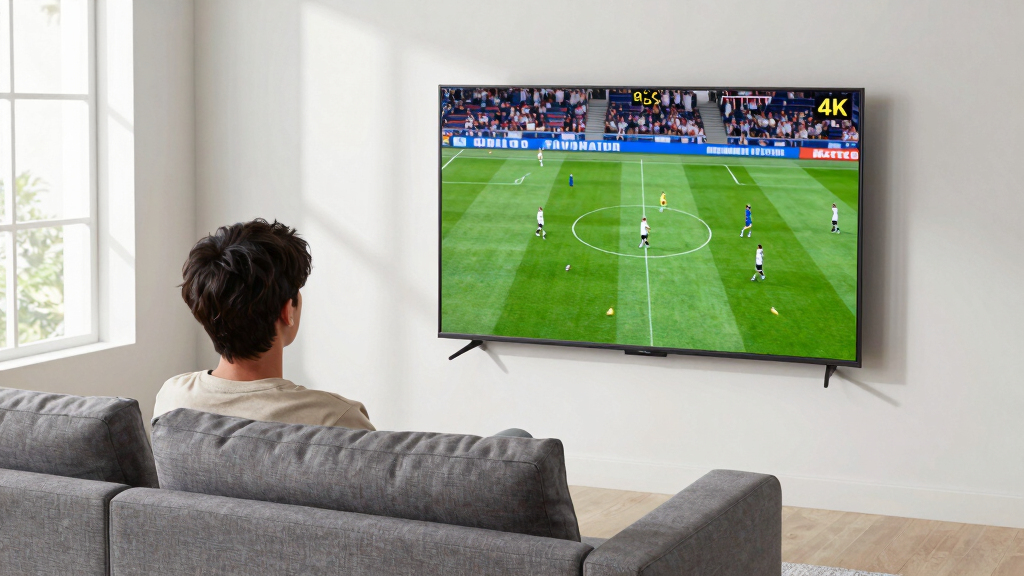

The 15 best 4K smart TVs for sports viewing balance clear motion, bright highlights, a useful screen size, and easy access to live-streaming apps. My best overall pick is the TCL 65-inch QM6K Mini-LED QLED, whose large screen and Mini-LED backlight make it a strong fit for lively, well-lit game rooms. The Roku 65-inch Plus Series Mini-LED stands out for viewers who want Roku’s straightforward interface, while the Samsung 42-inch OLED S90F suits smaller rooms where contrast matters more than screen size. The main tradeoffs are screen area versus picture quality, Mini-LED brightness versus OLED contrast, and premium features versus a simpler budget-friendly setup. Read on for the full ranking, practical buying advice, and recommendations by viewer type.

Get the latest gadgets delivered free with Prime
- Fast, free delivery on millions of items
- Prime Video, Amazon Music and more included
- Member-only deals all year
Complete the kit



Key Takeaways
Screen size changes the sports experience: The 65-inch TCL QM6K, amazon.com/dp/B0FZF9BG95?tag=skypixeltech-20&ascsubtag=dc-914822″ target=”_blank” rel=”nofollow sponsored noopener”>Roku Plus Series, and Samsung M70H choices suit group viewing better than the lineup’s many 42- and 43-inch models.
Mini-LED is the lineup’s bright-room play: The TCL QM6K, Roku Plus Series, and Samsung M70H and M80H models are the main candidates for rooms with daylight or strong overhead lighting.
OLED makes a different trade: Samsung’s 42-inch S90F prioritizes deep contrast in a compact screen, while larger LED and Mini-LED TVs offer more viewing area for a couch or gathering.
Smart platform preference narrows the field: Roku models favor a simple interface, Fire TV options suit Alexa-centered homes, and Google TV on the TCL QM6K offers a distinct app and content environment.
Not every 4K set is equally suited to live action: Buyers should verify motion handling, refresh-rate details, and the specific model’s gaming or sports settings rather than treating resolution or a motion-rate label as proof of smooth broadcasts.




| 4k smart tvs for sports viewing | Resolution | Screen Size | Refresh Rate | HDR Format |
|---|---|---|---|---|
| Roku 43-Inch Select Series 4K | 4K UHD | 43 inches | 60 Hz | HDR10 |
| Samsung 42-Inch Class OLED S90 | 4K UHD | 42 inches | 144Hz | Pro HDR+ |
| LG 43-Inch Class Nano 4K UHD N | 3840 × 2160 | 43 inches | 60 Hz | HDR10 Pro |
| Roku 65-Inch Plus Series Smart | 4K UHD | 65 inches | 60 Hz | Dolby Vision, HDR10+ |
| Samsung 43-Inch Class M70H Ser | 4K UHD | 43 inches | 120Hz | Mini LED HDR |
| Hisense 43" E6 Cinema Series H | 4K UHD | 43 inches | 60Hz | — |
| Roku 65-Inch Select Series 4K | 4K (2160p) | 65 inches | — | HDR10 |
| Samsung 55-Inch Class M80H Ser | 4K | 55 inches | 144Hz | HDR10+ |
| TOSHIBA 43" Class C350 Series | 4K UHD | 43 inches | 60Hz | — |
| Amazon Ember 43" 4-Series 4K U | 3840 x 2160 | 43 inches | 60Hz | — |
| Samsung 65-Inch Class M70H Ser | 4K | 65 inches | 60Hz | HDR10+ |
| Samsung 65-Inch Class Crystal | 4K | 65 inches | 60Hz | HDR10+ |
| Insignia 43-Inch Class F50 Ser | 4K | 43 inches | 60Hz | HDR10 |
| TCL 65 Inch Class QM6K Series | 4K HDR | 65 inches | 120Hz–144Hz | — |
| Samsung 43-Inch Class QLED Q7F | 4K | 43 inches | — | — |
More Details on Our Top Picks
Roku 43-Inch Select Series 4K HDR Smart TV
This model serves as the most accessible entry point into 4K sports viewing for those on a strict budget. Unlike the Samsung 43-Inch Class M70H, which relies on advanced Mini-LED backlighting for superior contrast, the Roku Select Series uses standard Direct LED. This means you will see less uniform black levels during night games, but the Roku OS remains one of the most intuitive platforms for quickly switching between ESPN, Fox Sports, and local network apps. The HDR10 support is adequate for bright days, though it lacks the dynamic tone mapping found in higher-end Dolby Vision sets. It is a functional, no-frills option that prioritizes software ease over panel performance, making it a practical choice for casual viewers who care more about app navigation than pixel precision.Pros:- Extremely user-friendly Roku OS interface
- Fast Wi-Fi connectivity reduces buffering
- Compact 43-inch size fits smaller rooms
- Voice control compatibility with multiple assistants
Cons:- Standard LED backlighting limits contrast ratios
- Basic built-in speakers require external audio
- 60Hz refresh rate may blur fast motion
Best for: Budget-conscious viewers who prioritize a simple, fast interface over premium picture quality
Not ideal for: Sports fans who watch many dark-weather games or need deep contrast for nighttime matches
- Display Technology:Direct LED
- Resolution:4K UHD
- Refresh Rate:60 Hz
- HDR Format:HDR10
- Operating System:Roku OS
- HDMI Ports:4
- Screen Size:43 inches
Our verdict“Choose this if you want a reliable, easy-to-use screen for casual viewing without paying for premium panel tech.”
Samsung 42-Inch Class OLED S90F 4K Smart TV (2025 Model) with AI Processor and HDR+
If you have limited space but demand reference-grade contrast, this OLED panel is the standout choice. Compared to the LG 43-Inch Class Nano 4K UHD NU70, which uses LED backlighting, the Samsung S90F delivers perfect blacks that make ball tracking on dark fields incredibly sharp. The 144Hz refresh rate is a significant advantage over the 60Hz panels found in budget models like the Roku Select Series, ensuring smooth motion during fast-paced action like hockey or soccer. The AI Processor also upscales lower-resolution broadcasts effectively, though this comes at a premium cost. This is not a value play; it is a high-performance tool for enthusiasts who refuse to compromise on image fidelity even in a smaller 42-inch footprint.Pros:- Perfect black levels inherent to OLED technology
- 144Hz refresh rate minimizes motion blur
- AI upscaling enhances lower-quality broadcasts
- Compact size with premium build quality
Cons:- Significantly higher cost than LED competitors
- Smaller 42-inch size limits immersion
- Potential for burn-in with static channel logos
Best for: Enthusiasts with limited wall space who want OLED contrast and high refresh rates
Not ideal for: Budget buyers or those who need a larger screen size for big living rooms
- Display Technology:OLED
- Resolution:4K UHD
- Refresh Rate:144Hz
- Processor:NQ4 AI Gen3
- HDR Format:Pro HDR+
- Model Year:2025
- Screen Size:42 inches
Our verdict“This is the definitive choice for small-room sports fans who want the best possible motion clarity and contrast.”
LG 43-Inch Class Nano 4K UHD NU70 AI Smart TV with HDR10 Pro & webOS
This LG NanoCell set occupies the middle ground between basic LED and premium OLED. It offers vivid color accuracy thanks to Nano filtering, which helps distinguish team jerseys more clearly than the standard LED panel in the Roku 43-Inch Select Series. However, it is held back by a 60Hz refresh rate, making it less suitable for fast-motion sports compared to the 120Hz or 144Hz models like the Samsung 43-Inch Class M70H. The webOS platform is highly polished and supports a vast array of sports apps, but the limitation of only two HDMI ports can be annoying for households with multiple streaming boxes or consoles. It is a solid, colorful screen for general viewing, but the motion handling remains its primary weakness for dedicated sports fans.Pros:- NanoCell technology improves color purity
- Intuitive webOS interface with quick access
- AI upscaling improves standard definition channels
- Slim, lightweight design for easy mounting
Cons:- Only 60Hz refresh rate limits motion clarity
- Just two HDMI ports restrict device connectivity
- Standard LED backlighting lacks deep blacks
Best for: Viewers who want better color accuracy than budget models but don’t need high-refresh-rate gaming features
Not ideal for: Gamers or sports fans sensitive to motion blur due to the 60Hz panel
- Display Technology:LED (NanoCell)
- Resolution:3840 × 2160
- Refresh Rate:60 Hz
- HDR Format:HDR10 Pro
- Operating System:webOS
- HDMI Ports:2
- Screen Size:43 inches
Our verdict“A reliable mid-range option for color-focused viewers who don’t prioritize high-speed motion handling.”
Roku 65-Inch Plus Series Smart TV – 4K QLED Mini-LED
For those prioritizing screen size over panel perfection, this 65-inch set delivers immersive scale at a competitive tier. The Mini-LED backlighting provides better local dimming than standard LED TVs like the LG 43-Inch Class Nano 4K UHD NU70, resulting in punchier highlights during daytime matches. While it supports Dolby Vision and QLED color, the 60Hz refresh rate is a notable compromise; fast pans and quick ball movements may exhibit slight judder compared to the 120Hz Samsung 43-Inch Class M70H. However, the sheer size combined with the built-in Dolby Atmos audio makes it a compelling all-in-one solution for living rooms where wall space is ample. It trades motion smoothness for visual impact, making it ideal for casual fans who want the “big game” feel without paying for high-end refresh rates.Pros:- Huge 65-inch screen for immersive viewing
- Mini-LED backlighting improves contrast
- Built-in Dolby Atmos enhances soundstage
- Supports Dolby Vision for dynamic HDR
Cons:- 60Hz refresh rate lags behind gaming TVs
- Heavy weight requires sturdy wall mounts
- Only one USB port for peripherals
Best for: Large-room viewers who prioritize screen size and integrated audio over motion smoothness
Not ideal for: Hardcore sports fans who notice motion blur or need 120Hz+ for gaming
- Display Technology:Mini-LED QLED
- Resolution:4K UHD
- Refresh Rate:60 Hz
- HDR Format:Dolby Vision, HDR10+
- Audio:Dolby Atmos
- Screen Size:65 inches
- HDMI Ports:4
Our verdict“The best choice for maximizing immersion in a large room without breaking the bank on premium motion tech.”
Samsung 43-Inch Class M70H Series Mini LED 4K Smart TV (2026 Model)
This model strikes an excellent balance between picture quality and performance for sports. The 120Hz native refresh rate is a critical advantage over the 60Hz Roku 65-Inch Plus Series, ensuring that fast-moving objects like tennis balls or footballs remain sharp and distinct. The Mini-LED backlighting offers significantly better contrast than the standard LED LG 43-Inch Class Nano 4K UHD NU70, delivering deep blacks that make the field stand out. Additionally, Samsung’s specialized Soccer Mode and Gaming Hub add tangible utility for fans who want optimized settings without manual tweaking. While it lacks the perfect blacks of the Samsung 42-Inch Class OLED S90F, it provides a much more affordable path to high-refresh-rate performance. This is the most well-rounded 43-inch option for serious sports enthusiasts who need motion clarity.Pros:- 120Hz refresh rate for smooth motion
- Mini-LED backlighting enhances contrast
- Specialized Soccer and Gaming modes
- Access to extensive free streaming content
Cons:- No OLED-level perfect blacks
- Higher price than basic 60Hz LED sets
- Limited user reviews for long-term reliability
Best for: Sports fans who need 120Hz motion clarity and Mini-LED contrast at a mid-range price
Not ideal for: Viewers who want OLED-level black levels or the largest possible screen size
- Display Technology:Mini LED
- Resolution:4K UHD
- Refresh Rate:120Hz
- HDR Format:Mini LED HDR
- Model Year:2026
- Screen Size:43 inches
- Special Features:Soccer Mode, Gaming Hub
Our verdict“The top pick for 43-inch sports viewing, offering the necessary motion handling and contrast for an immersive experience.”
Hisense 43″ E6 Cinema Series Hi-QLED 4K UHD Smart Fire TV (43E6QF)
The Hisense E6QF is a compact sports set for viewers who value vivid team colors and broad HDR support over a high refresh rate. Its Hi-QLED wide color gamut gives uniforms and field details extra saturation, while the 4K upscaler can sharpen lower-resolution streams. Dolby Vision and HDR10+ support offer more flexibility than the Roku Select Series 65-inch, which lists HDR10 only. But the Hisense is still a 60Hz television; Motion Rate 120 and AI Smooth Motion do not change its native refresh rate, so fast action may look less fluid than on the Samsung M80H with its listed 144Hz panel. Fire TV and Alexa voice control make finding games straightforward, though the 14-watt, two-channel audio setup is modest. I’d choose this for a smaller room where color and easy streaming matter more than premium motion performance.
Pros:- Hi-QLED wide color gamut adds vividness to uniforms and broadcast graphics.
- Supports Dolby Vision, HDR10, HDR10+, HDR10+ Adaptive, and HLG.
- Fire TV interface and Alexa voice remote simplify finding live sports and streaming apps.
- AI 4K upscaling can improve the appearance of lower-resolution video.
Cons:- Native refresh rate is 60Hz, below the Samsung M80H’s listed 144Hz.
- Two-channel, 14-watt audio may lack impact for a larger room.
- 43-inch screen offers less shared-viewing scale than the 65-inch Roku Select.
Best for: Viewers setting up a 43-inch TV in a bedroom or smaller living room who want saturated sports colors, broad HDR format support, and Fire TV voice control.
Not ideal for: Sports fans who prioritize the smoothest fast-action motion, or viewers who expect powerful built-in sound without adding an audio system.
- Screen size:43 inches
- Resolution:4K UHD
- Display:QLED LCD with wide color gamut
- Refresh rate:60Hz
- HDR formats:Dolby Vision, HDR10, HDR10+, HDR10+ Adaptive, HLG
- Smart platform:Fire TV with Alexa voice remote
- Audio:Dolby Atmos; 2 channels; 14W output
- Backlight:Direct LED
Our verdict“Choose the Hisense E6QF for a colorful, feature-rich 43-inch sports TV, but pick the Samsung M80H if smoother motion is your priority.”
Roku 65-Inch Select Series 4K QLED Smart TV
The Roku Select Series makes the most sense when screen size and easy operation matter more than advanced motion specifications. Its 65-inch QLED display gives a group a bigger view of the field than the 43-inch Hisense E6QF or Toshiba C350, while Roku’s straightforward interface keeps live channels and streaming apps easy to find. QLED color and HDR10 are useful for bright broadcast graphics, but the listed HDR support is narrower than the Hisense’s Dolby Vision and multi-format coverage. The supplied details do not specify refresh rate or motion processing, so I would not rank it ahead of the Samsung M80H for viewers focused on fast action. Voice control works with Roku Voice, Siri, Alexa, and Google Assistant, and AirPlay support is listed among the benefits. This is a practical big-screen choice, with less evidence of sports-specific picture refinement.
Pros:- 65-inch QLED screen provides a larger shared view than the 43-inch options in this batch.
- Roku interface is designed for straightforward access to streaming and live channels.
- Voice control compatibility includes Roku Voice, Siri, Alexa, and Google Assistant.
- Bluetooth and Wi-Fi connectivity are listed, along with an enhanced voice remote.
Cons:- HDR support is listed as HDR10 only, narrower than the Hisense E6QF’s format selection.
- Refresh rate and motion-enhancement details are not provided in the supplied specifications.
- Built-in speaker performance is not specified, making audio expectations harder to judge.
Best for: Households that want a 65-inch screen for shared game viewing and prefer a simple Roku interface with several voice-control options.
Not ideal for: Buyers who need confirmed high-refresh motion performance, extensive HDR format support, or detailed audio specifications before choosing.
- Screen size:65 inches
- Resolution:4K (2160p)
- Display:QLED
- HDR format:HDR10
- Smart TV:Roku
- Voice control:Roku Voice, Siri, Alexa, and Google Assistant
- Connectivity:Bluetooth and Wi-Fi
- Remote:Enhanced voice remote with shortcuts and remote finder
Our verdict“Pick the Roku Select if a large screen and uncomplicated controls matter more than verified high-refresh sports performance.”
Samsung 55-Inch Class M80H Series Mini LED 4K Smart TV (2026 Model)
The Samsung M80H has the strongest listed motion specification in this group: its 144Hz refresh rate gives it a clear paper advantage for quick pans and rapid play changes over the 60Hz Hisense E6QF and Toshiba C350. Mini LED backlighting and AI processing are intended to improve contrast and picture detail, while 4K upscaling can help when a sports feed is below native resolution. At 55 inches, it also sits between the compact 43-inch sets and the 65-inch Roku Select, which may suit a medium-sized viewing space. The tradeoffs are limited HDR detail—HDR10+ is the format listed—and three HDMI ports, so connected devices may need more careful planning. Its 144Hz figure stands out, but the supplied data does not spell out broadcast-specific motion features or smart-platform details.
Pros:- Listed 144Hz refresh rate is higher than the 60Hz Hisense E6QF and Toshiba C350.
- Mini LED backlighting and AI processing target high-contrast picture presentation.
- AI 4K upscaling can improve the appearance of lower-resolution sports feeds.
- 55-inch screen offers a middle ground between compact sets and 65-inch models.
Cons:- Only HDR10+ is named in the supplied HDR specification.
- Three HDMI ports may limit connections for users with several external devices.
- PC-connected gaming performance may vary, according to the product details.
Best for: Sports viewers with a medium-sized room who value a listed 144Hz refresh rate and Mini LED backlighting for fast action and contrast.
Not ideal for: Buyers who want a 65-inch screen, a clearly specified range of HDR formats, or more than three HDMI ports.
- Screen size:55 inches
- Resolution:4K
- Backlight:Mini LED
- Refresh rate:144Hz
- HDR format:HDR10+
- HDMI ports:3
- Connectivity:Bluetooth 5.3, Wi-Fi, HDMI, USB
- VESA mount:200 x 200 mm
Our verdict“Choose the Samsung M80H when a high listed refresh rate and Mini LED matter more than a larger screen or broader stated HDR support.”
TOSHIBA 43″ Class C350 Series LED 4K UHD Smart Fire TV
The Toshiba C350 is a compact pick for viewers who want named sports and gaming modes alongside an accessible Fire TV setup. Motion Rate 120 and sports-mode tuning give it a more explicitly sports-oriented feature list than the Amazon Ember 4-Series, though the Toshiba’s native refresh rate is still listed at 60Hz. Its Dolby Vision, HDR10 Plus, and HLG support also cover more HDR formats than the Roku Select Series 65-inch. REGZA Engine ZR and AI upscaling aim to refine the picture, which can help when live feeds vary in quality. The main compromise is scale: a 43-inch screen suits a bedroom or small seating area, not a large group spread across a room. The specifications also provide little detail about speaker output, so I’d budget for separate audio if clear commentary and crowd sound are a priority.
Pros:- Sports and gaming modes are specifically listed for picture tuning.
- Dolby Vision, HDR10 Plus, and HLG support provide broader HDR coverage than the Roku Select.
- Fire TV offers access to apps and live TV through one interface.
- AI upscaling and REGZA Engine ZR are included for picture enhancement.
Cons:- 60Hz refresh rate is a limitation for viewers seeking native high-refresh motion.
- 43-inch screen is less suited to a large room or group viewing than the 65-inch Roku Select.
- The supplied specifications do not detail built-in speaker output or performance.
Best for: Sports viewers in smaller rooms who want a 43-inch screen, Fire TV access, and named sports modes without moving to a larger set.
Not ideal for: Buyers who need a large screen for group viewing, a native high-refresh panel, or well-documented built-in audio performance.
- Screen size:43 inches
- Resolution:4K UHD
- Display technology:LED
- Refresh rate:60Hz
- Motion enhancement:Motion Rate 120
- HDR formats:Dolby Vision, HDR10 Plus, HLG
- Smart platform:Fire TV
- Connections:3 HDMI ports, 2 USB ports, Wi-Fi
Our verdict“The Toshiba C350 suits smaller rooms where sports modes and Fire TV convenience matter more than screen size or a high native refresh rate.”
Amazon Ember 43″ 4-Series 4K Ultra HD Smart TV with Fire TV
The Amazon Ember 4-Series is the convenience-first option among the 43-inch TVs here. Its Fire TV interface, hands-free Alexa, and Wi-Fi 6 make it easy to locate a game or control compatible smart-home devices, while the four HDMI inputs—including one HDMI 2.1 port with eARC—offer more connection flexibility than the Toshiba C350’s three HDMI ports. HDR10+, HDR10, and HLG provide a useful selection of formats, but this is a direct-LED, 60Hz set, not a high-refresh sports specialist like the Samsung M80H. The screen size fits bedrooms and smaller viewing areas, though it won’t create the same group-viewing scale as the 65-inch Roku Select. Its listed 10W-per-channel audio is modest, so viewers who want fuller stadium sound may want external speakers.
Pros:- Hands-free Alexa and Fire TV make voice-led content searches and navigation convenient.
- Wi-Fi 6 is listed for wireless connectivity.
- Four HDMI inputs include an HDMI 2.1 port with eARC.
- HDR10+, HDR10, and HLG support cover multiple HDR formats.
Cons:- 60Hz refresh rate is below the Samsung M80H’s listed 144Hz.
- 43-inch screen is much smaller than the 65-inch Roku Select for group sports viewing.
- Listed audio output is 10W per channel, which may not deliver room-filling sound.
Best for: Viewers choosing a 43-inch TV for a bedroom or smaller room who want hands-free Alexa, Fire TV, Wi-Fi 6, and several device connections.
Not ideal for: Sports fans seeking a high-refresh panel, a large screen for group viewing, or strong built-in sound without external audio.
- Screen size:43 inches
- Resolution:3840 x 2160
- Refresh rate:60Hz
- Backlight:Direct LED
- HDR formats:HDR10+, HDR10, HLG
- HDMI ports:3 HDMI 2.0 and 1 HDMI 2.1 with eARC
- Wireless:Wi-Fi 6; Bluetooth support
- Audio:10W + 10W; Dolby Digital Plus
Our verdict“Choose the Ember 4-Series for Alexa-led streaming and flexible connections in a small room, not for high-refresh sports motion or expansive viewing.”
Samsung 65-Inch Class M70H Series Mini LED 4K Smart TV (2026 Model)
The 65-inch M70H is the Samsung pick here for viewers who want a large, bright-looking sports screen without moving to the TCL QM6K’s higher-refresh-rate feature set. Its Mini LED backlight and high contrast can help stadium lighting and colorful uniforms stand out, while 4K resolution gives detail room to show on a big screen. For live sports, though, the stated 60Hz refresh rate is a meaningful limit: it offers less motion headroom than the TCL’s listed 120Hz–144Hz range, so fast pans may not look as smooth. HDR10+ is supported, but the product details do not establish full-array local dimming performance. I’d choose this over the Crystal UHD U8000H when backlight technology matters more than a straightforward streaming-focused setup; skip it if high-refresh motion is your priority.
Pros:- 65-inch 4K screen gives a broad view for group sports watching
- Mini LED backlighting is a stronger contrast-focused feature than the standard LED U8000H lists
- HDR10+ support and high contrast can help bright highlights and dark scenes retain separation
- Includes Wi-Fi, Bluetooth, HDMI, USB, and access to popular streaming apps
Cons:- 60Hz refresh rate offers less motion headroom than the TCL QM6K
- Product details do not specify full-array local dimming performance or peak brightness
- Some smart features require an internet connection and Samsung account
Best for: Samsung users who want a 65-inch Mini LED screen for sports and streaming, and who value contrast more than high-refresh-rate motion.
Not ideal for: Sports fans especially sensitive to motion blur or gamers seeking refresh rates above 60Hz; the TCL QM6K lists a much higher refresh range.
- Screen size:65 inches
- Resolution:4K
- Backlight:Mini LED
- Refresh rate:60Hz
- HDR format:HDR10+
- Connectivity:Bluetooth, HDMI, USB, Wi-Fi
- Smart apps:Netflix, Amazon Prime Video, YouTube
Our verdict“Choose the M70H for a large Samsung Mini LED sports screen if contrast matters more to you than a refresh rate above 60Hz.”
Samsung 65-Inch Class Crystal UHD U8000H Series Smart TV (2026 Model, 65U8000H)
The Crystal UHD U8000H puts a 65-inch 4K screen and a large free-channel lineup ahead of premium motion hardware. Its upscaling and color processing can make lower-resolution broadcasts more watchable, a useful benefit when a game feed is not delivered in 4K. The 60Hz panel, however, gives it less motion headroom than the TCL QM6K, which lists a 120Hz–144Hz refresh rate and Mini LED backlighting. The U8000H also lists 300 nits of maximum brightness, so it is a less compelling fit for bright rooms than models built around more ambitious backlighting. Against the Samsung M70H, this is the simpler choice for streaming and standard viewing, while the M70H’s Mini LED design is the more contrast-oriented option. Smart features require a Samsung account.
Pros:- 65-inch 4K display suits shared sports viewing
- Upscaling can improve the appearance of lower-resolution broadcasts
- Access to more than 2,700 free streaming channels is useful between games
- Three HDMI ports and Wi-Fi, Ethernet, and Bluetooth provide flexible connections
Cons:- 60Hz refresh rate falls short of the TCL QM6K’s listed 120Hz–144Hz range
- Listed maximum brightness is 300 nits, a limitation for bright viewing spaces
- Samsung account is required for smart features
Best for: Households that want a large Samsung TV for regular sports broadcasts, upscaling, and a wide selection of free streaming channels.
Not ideal for: Viewers who prioritize fluid fast action, bright-room punch, or high-end motion performance over streaming access.
- Screen size:65 inches
- Resolution:4K
- Refresh rate:60Hz
- Maximum brightness:300 nits
- HDR format:HDR10+
- HDMI ports:3
- Wireless connectivity:Wi-Fi 5 and Bluetooth 5.2
- VESA mount standard:400 x 300 mm
Our verdict“Pick the U8000H if free streaming and broadcast upscaling matter more than premium motion or bright-room performance.”
Insignia 43-Inch Class F50 Series 4K UHD Smart Fire TV with Voice Remote and Alexa
The 43-inch Insignia F50 is the compact option in this group: it fits bedrooms, smaller living rooms, or a secondary TV setup where a 65-inch screen would dominate the space. Its 4K resolution and HDR10 provide a capable baseline for sports streams, and Fire TV brings familiar apps together with Alexa and smart-home support. The listed 375-nit brightness gives a clearer brightness reference than the Samsung Q7F’s supplied specifications, though it does not make the Insignia a premium HDR choice. Both models are 43 inches, but the Q7F adds QLED color claims; the Insignia’s advantage is its straightforward Fire TV platform and specified connectivity. A 60Hz refresh rate is the main sports tradeoff, and the sound description does not give enough detail to judge speaker performance.
Pros:- Compact 43-inch size fits smaller rooms and secondary viewing spaces
- 4K resolution and HDR10 support provide a solid streaming picture foundation
- Fire TV supports popular streaming apps and smart-home integration
- Three HDMI ports, one USB port, and VESA mounting support practical setup options
Cons:- 60Hz refresh rate has less motion headroom than the TCL QM6K
- Audio information does not establish speaker quality or output
- Some streaming content requires separate subscriptions
Best for: Viewers furnishing a bedroom or compact living area who want a 43-inch 4K TV with Fire TV apps and Alexa access.
Not ideal for: Buyers seeking high-refresh sports motion, a large group-viewing screen, or well-documented built-in audio.
- Screen size:43 inches
- Resolution:4K
- Refresh rate:60Hz
- Maximum brightness:375 nits
- HDR format:HDR10
- HDMI ports:3
- USB ports:1
- Wall mount compatibility:VESA 200 x 300 mm
Our verdict“Choose the Insignia F50 for compact Fire TV convenience, not for advanced motion handling or a large sports-viewing area.”
TCL 65 Inch Class QM6K Series Mini LED QLED 4K HDR Smart Google TV
The TCL QM6K earns the strongest sports-specific position in this batch by pairing a listed 120Hz–144Hz refresh rate with Mini LED and Quantum Dot technology. That higher refresh range gives fast plays and camera pans more motion headroom than the 60Hz Samsung M70H and U8000H, while local dimming and a broad set of HDR formats add contrast and color flexibility for varied streams. Its 65-inch 4K screen also suits a main living-room setup rather than a compact viewing space. The feature advantage comes with complexity: the product description flags setup as potentially demanding, and its Dolby Atmos/Onkyo audio listing does not specify performance details. Compared with the simpler Samsung Crystal UHD, the TCL is the better fit when sports motion is the priority, but it offers more features to configure.
Pros:- 120Hz–144Hz refresh range gives fast action more motion headroom than the 60Hz Samsung models
- Mini LED and local dimming support stronger contrast control
- Quantum Dot technology is designed to deliver vivid color
- Supports Dolby Vision, HDR10+, HDR10, and HLG
Cons:- Setup may be more involved than on the simpler Samsung U8000H
- Audio details list Dolby Atmos and Onkyo but do not establish speaker performance
- Advanced features may be unnecessary for viewers who mainly watch standard broadcasts
Best for: Sports viewers who want a large screen and higher-refresh motion, along with Mini LED contrast and a Google TV platform.
Not ideal for: Buyers seeking the simplest possible setup or those who do not need advanced motion and HDR features.
- Screen size:65 inches
- Resolution:4K HDR
- Display technology:Mini LED QLED
- Refresh rate:120Hz–144Hz
- Motion rate:480
- HDR formats:Dolby Vision, HDR10+, HDR10, HLG
- Smart platform:Google TV
- Audio:Dolby Atmos, Onkyo
Our verdict“Choose the QM6K if smooth sports motion and Mini LED contrast matter more than a simpler, less feature-heavy TV.”
Samsung 43-Inch Class QLED Q7F Series Smart TV (2025 Model, 43Q7F)
The 43-inch Samsung Q7F is the color-focused compact pick: QLED and Quantum Dot technology are intended to show a broad, vivid range that can help uniforms and field colors look lively. It also lists HDR10+, a Q4 AI Gen1 processor, and Object Tracking Sound Lite, giving it a more feature-rich profile than the compact Insignia F50. The Insignia, by contrast, provides clearer port and brightness specifications, while the Q7F’s supplied details omit both HDMI counts and refresh rate. That missing motion information matters for sports, where a buyer cannot confirm high-refresh handling from the listing. Samsung TV Plus and other streaming apps offer convenient viewing between matches, but the description does not specify which channels are free or what connectivity the set provides.
Pros:- QLED and Quantum Dot technology are aimed at broad, vivid color
- 4K resolution and HDR10+ support suit compatible sports streams
- Q4 AI Gen1 processor and Object Tracking Sound Lite are listed features
- Samsung TV Plus and streaming apps provide built-in content access
Cons:- Refresh rate is not provided, so sports motion performance cannot be compared confidently
- HDMI and other port specifications are not listed
- Sound and gaming capabilities have limited supporting detail
Best for: Viewers seeking a compact 43-inch Samsung with QLED color and built-in streaming access for sports in a smaller room.
Not ideal for: Buyers who need confirmed refresh-rate or HDMI details before purchase, or who prioritize verified high-refresh sports motion.
- Model year:2025
- Screen size:43 inches
- Display technology:QLED
- Resolution:4K
- HDR:Quantum HDR, HDR10+
- Processor:Q4 AI Gen1
- Sound:Object Tracking Sound Lite
- Security:Samsung Knox Security
Our verdict“Pick the Q7F for compact Samsung QLED color, but choose the Insignia F50 if specified ports and brightness matter more.”

How We Picked
I ranked these TVs for the demands of sports viewing: following fast play, seeing detail across a large field, handling bright rooms, and getting quickly to live content. I weighed screen size alongside backlight and panel type, because a 65-inch screen can be more useful for group viewing than a compact set with stronger contrast. I also considered platform usability and the value of features for the intended room, rather than treating 4K resolution as a meaningful differentiator on its own.
The order favors a balance of usable screen area, brightness potential, and sports-friendly picture technology, which puts the 65-inch Mini-LED options near the top. OLED earns a distinct place for viewers who prize contrast and watch in a controlled-light room, but its smaller size limits its role for shared viewing. The more basic 4K LED and QLED sets remain sensible for smaller rooms or simpler budgets, though they rank lower when they offer fewer clear advantages for motion-heavy viewing. Product names and listed features alone do not confirm panel refresh rate or broadcast performance, so I recommend checking exact specifications for the screen size being purchased.
| 4k smart tvs for sports viewing | HDR Format |
|---|---|
| Roku 43-Inch Select Series 4K | HDR10 |
| Samsung 42-Inch Class OLED S90 | Pro HDR+ |
| LG 43-Inch Class Nano 4K UHD N | HDR10 Pro |
| Roku 65-Inch Plus Series Smart | Dolby Vision, HDR10+ |
| Samsung 43-Inch Class M70H Ser | Mini LED HDR |
| Hisense 43" E6 Cinema Series H | — |
| Roku 65-Inch Select Series 4K | HDR10 |
| Samsung 55-Inch Class M80H Ser | HDR10+ |
| TOSHIBA 43" Class C350 Series | — |
| Amazon Ember 43" 4-Series 4K U | — |
| Samsung 65-Inch Class M70H Ser | HDR10+ |
| Samsung 65-Inch Class Crystal | HDR10+ |
| Insignia 43-Inch Class F50 Ser | HDR10 |
| TCL 65 Inch Class QM6K Series | — |
| Samsung 43-Inch Class QLED Q7F | — |
Factors to Consider When Choosing 15 Best 4k Smart Tvs For Sports Viewing
Sports viewing is shaped by room, seating distance, and the kind of broadcasts you watch—not just resolution. These broader decisions can help you choose the right class of TV before comparing individual models.
Choose Screen Size Around Seating, Not the Product Photo
A larger screen helps viewers track the ball, puck, or players across a wide field, especially when several people watch from different seats. Measure the distance from your main seat and check the TV’s actual width, including its stand, before choosing a 65-inch model. A 42- or 43-inch set can make more sense in a bedroom, office, or small apartment where a larger panel would dominate the room. A common mistake is buying the biggest screen that fits the wall without checking whether the seating position makes it comfortable to scan. If you host game-day gatherings, prioritize screen area; for one close viewer, a smaller screen with stronger contrast may be the better compromise.
Match Brightness and Panel Type to the Room
Daylight, windows, and overhead lamps can wash out a picture, so bright rooms usually benefit from a TV with strong light output and effective reflection handling. Mini-LED models can offer more control over backlighting than basic LED sets, making them attractive for daytime games and rooms with mixed lighting. OLED can deliver especially deep contrast, but a compact OLED is not automatically the best choice for a sunny room or a large crowd. Think about when you watch most: evening viewing in a dim room changes the value of contrast, while afternoon games raise the value of brightness. Before paying extra for a panel type, check independent measurements for the exact model and screen size, since performance can differ across a series.
Check Motion Specs Beyond Marketing Labels
Fast sports action can expose blur, judder, or uneven camera pans, but labels such as “Motion Rate 120” do not always mean a native 120Hz panel. Look up the native refresh rate and whether the TV supports the formats and frame rates you actually use. Broadcast feeds vary in quality, and streaming games can be affected by internet speed or service compression, so a more expensive screen cannot repair every source problem. Motion interpolation may make some live action look smoother, yet aggressive settings can create artifacts around players and moving objects. Plan to adjust motion processing after setup rather than assuming the factory picture mode will suit every sport.
Pick a Smart Platform That Fits Your Viewing Routine
Smart TV platforms differ in menus, voice controls, app availability, and how easily they surface live channels or subscriptions. Roku, Fire TV, Google TV, and Samsung’s platform can all support different household habits, so check that your preferred sports services are available in your region before buying. If you already use Alexa devices, a Fire TV model may make voice control more familiar; Roku can appeal to viewers who prefer a direct, simple interface. Avoid choosing a TV solely because its platform matches one voice assistant if it lacks a service you need. You can add an external streaming device later, but that adds another remote or input to manage.
Decide When a Premium Feature Is Worth Paying For
Paying more makes sense when an upgrade solves a real viewing problem, such as a too-small screen, a bright room, or limited contrast in evening viewing. Mini-LED backlighting and a larger panel may deliver a more obvious sports benefit than a long list of image-processing claims. A premium OLED can be compelling for a smaller room where dark-scene contrast matters, but it may be a poor use of budget if your main priority is a large group-viewing screen. Compare the exact screen size and model year rather than assuming that features carry over unchanged across a series. Set aside some budget for a sturdy mount, suitable placement, and reliable network access, since those choices affect day-to-day viewing too.
Plan for Placement, Sound, and Connections
Sports are often watched from off-center seats, so check viewing-angle behavior and place the TV where the whole group can see the screen. A wide stand or a wall mount can affect furniture fit, cable routing, and whether the screen sits at a comfortable height. Built-in TV speakers may be adequate for casual viewing, but crowd noise and commentary can be easier to follow with a separate soundbar; check available audio connections before choosing one. Count the HDMI ports needed for a console, cable box, receiver, or streaming device instead of assuming a smart TV will replace every source component. Good placement and clear sound can improve a game-day setup more than a minor specification upgrade.
Frequently Asked Questions
Is the TCL QM6K a better sports TV than the Samsung S90F?
They serve different viewing situations, so neither is the better choice for every fan. The 65-inch TCL QM6K is the more natural fit for a living room, shared viewing, or a bright space where a larger Mini-LED screen has practical appeal. The 42-inch Samsung S90F is better suited to a smaller room or a viewer who values OLED contrast and watches from a closer seat. Compare the exact refresh-rate and brightness specifications before deciding, since series names alone do not settle motion performance. Choose based on room and seating first, then use panel preference to break the tie.
Should I buy a 65-inch TV for sports if I mostly watch alone?
Not automatically. A 65-inch TV can make field action easier to follow from a distant couch, but it may feel oversized when viewed at close range in a small room. Measure your seating distance and compare the TV’s width with the wall or stand before choosing. If you sit near the screen, a 42- or 43-inch option may be more comfortable and leave room in the budget for better sound or a more capable panel. For frequent group viewing, the larger size becomes more compelling because it serves seats spread across the room.
Does a 4K TV make live sports look sharper by itself?
No. The broadcast or stream must supply a sufficiently detailed signal, and many live sports feeds are compressed or delivered below 4K. A 4K TV can upscale lower-resolution content, but results depend on the source and the TV’s processing. Check what resolution and frame rate your cable, satellite, or streaming service provides for the sports you watch. A stable internet connection also matters for streaming, since buffering and compression can spoil the picture regardless of the screen’s native resolution.
Is a motion-rate label enough to tell whether a TV handles sports well?
No. A motion-rate label can use manufacturer-specific terminology and may not describe the panel’s native refresh rate. Check the exact model’s native refresh rate, supported input formats, and independent motion testing when those details are available. Sports broadcasts also vary in frame rate, so a higher specification will not make every feed look equally smooth. Motion smoothing can help some viewers but may add artifacts or an unnatural look, so plan to test settings with your usual broadcasts.
Which smart TV platform should I choose if I mainly watch live games?
Start by checking whether the services carrying your teams and leagues are available on the TV’s platform in your area. Roku, Fire TV, Google TV, and Samsung’s system differ in interface and voice control, but service access matters more than the platform name. If your household already uses Alexa, Fire TV may feel familiar; viewers who value a straightforward menu may prefer Roku. You can add a separate streaming device if needed, though that adds another input and may complicate remote control. Confirm app support for your actual subscriptions before committing to a model.
Conclusion
For most living rooms, my best overall pick is the TCL 65-inch QM6K Mini-LED QLED, which pairs a large screen with a sports-friendly Mini-LED approach. The best value direction is a 65-inch Roku Select QLED for viewers who want a bigger screen and a simple platform without prioritizing premium panel features. For a best premium compact option, choose the Samsung 42-inch S90F if contrast matters more than room-filling size. Beginners may find the Roku 43-inch Select Series easier to use, while Alexa-focused households can look to the Hisense E6 or another Fire TV model. For bright rooms or group viewing, favor a 65-inch Mini-LED option; for a small, dim room, the compact OLED is the more targeted choice. Check exact refresh-rate specifications and sports-app support for the size and model you plan to buy.
Halloween Picks
halloween
As an affiliate, we earn on qualifying purchases.